
All-in-One Client Management Software for Agencies, Freelancers & Teams
From the first lead to the paid invoice, your leads, orders, tasks, tickets, team and reporting all live on the same record. Clientish is all-in-one client management software for agencies, freelancers and service teams — with a branded client portal your clients log into.
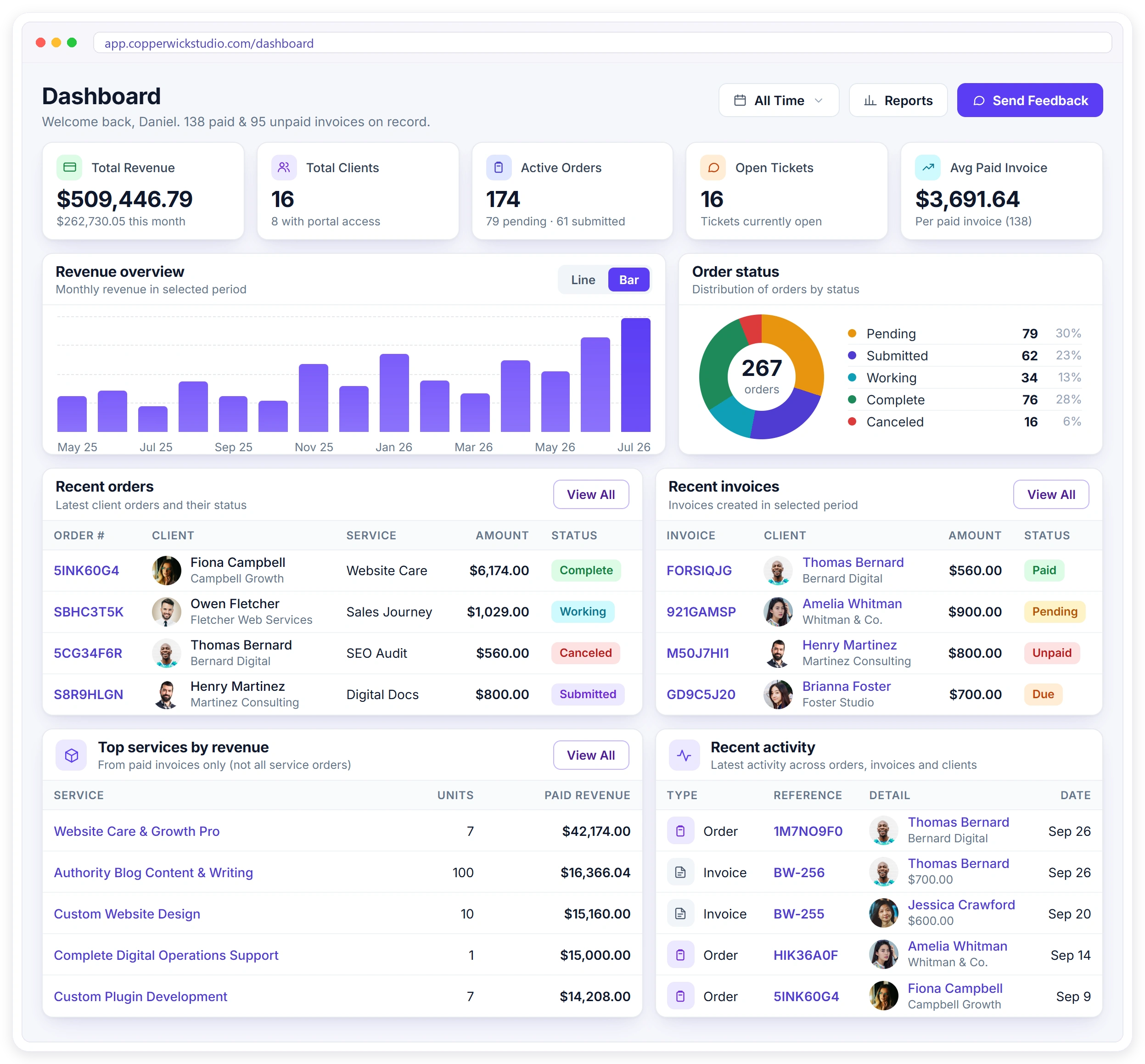
Six Stages, One Record
Nothing gets re-typed as a client moves from one stage to the next. The same record carries their brief, billing, and full history from the first enquiry through every order, payment, and renewal.
Lead
Enquiry lands in one inbox
Client
Converted, portal invited
Order
Brief and payment attached
Delivery
Tasks split across the team
Invoice
Raised, reminded, receipted
Renewal
Re-orders from their portal
Six Tools That Don’t Talk to Each Other
Most agencies, freelancers and teams run on a spreadsheet, a board, a payment page and three inboxes — none connected. Clientish all-in-one agency client management software lets you manage clients, orders, invoices and support together in one place — client portal software for small businesses that replaces the whole scattered stack.
Six Things No Spreadsheet Can Do For You
These aren’t just extra features—they change how you manage clients and run your business every day. From selling services and creating orders to keeping clients updated, automating follow-ups and tracking everything in one place, Clientish takes care of the work a spreadsheet simply can’t.
Sell without a website
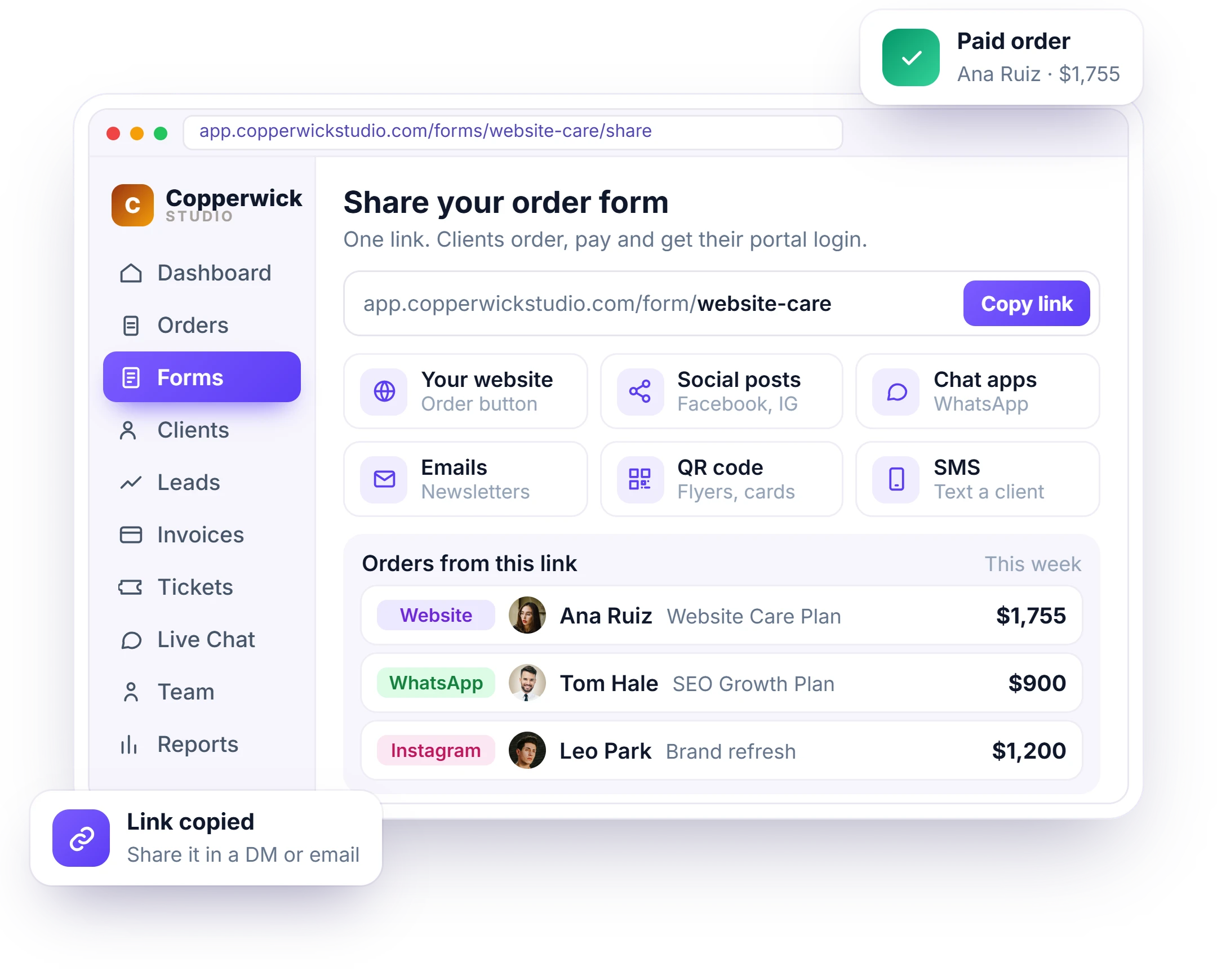
Every service gets its own payment link. Share it in a DM, an email or a proposal — the client picks, briefs and pays, and the order exists before you reply.
See payment links →One form does the admin
An order form creates the client record, the order and the invoice in a single submission. No copying details between four tools.
See the form builder →Your brand, not ours
The client portal runs on your own subdomain, in your colours, sending from your own business email — so clients see your brand, not Clientish.
 Website CareWorking · 60%
Clients answer their own questions
They log in and see order status, tasks, invoices and messages themselves — so “any update?” stops landing in your inbox.
See the client portal →Follow-ups that run themselves
Automated emails cover welcome, invoices, reminders, payments and out-of-hours replies. Set them once; they fire on the right event.
See automation →OrdersInvoicesTicketsFilesTasksPaymentsOne record, every module
A client, their orders, tasks, tickets, files and payments all point at the same record — reporting is live, not exported and stitched.
See reports →Every Enquiry Becomes a Lead You Can Chase
Contact and enquiry forms land in one Leads inbox, each with an owner, a clear next step, and a board showing exactly where every conversation stands. Chat with any lead through a private magic link before they even create an account.
Contact and enquiry submissions arrive in the same place.
3 new todayDrag a lead from New to Qualified as the conversation moves.
New → QualifiedTurn a lead into a client — every answer carries across.
Lead → ClientSet a next step and a date, so no warm enquiry ever goes quiet.
Call back · Today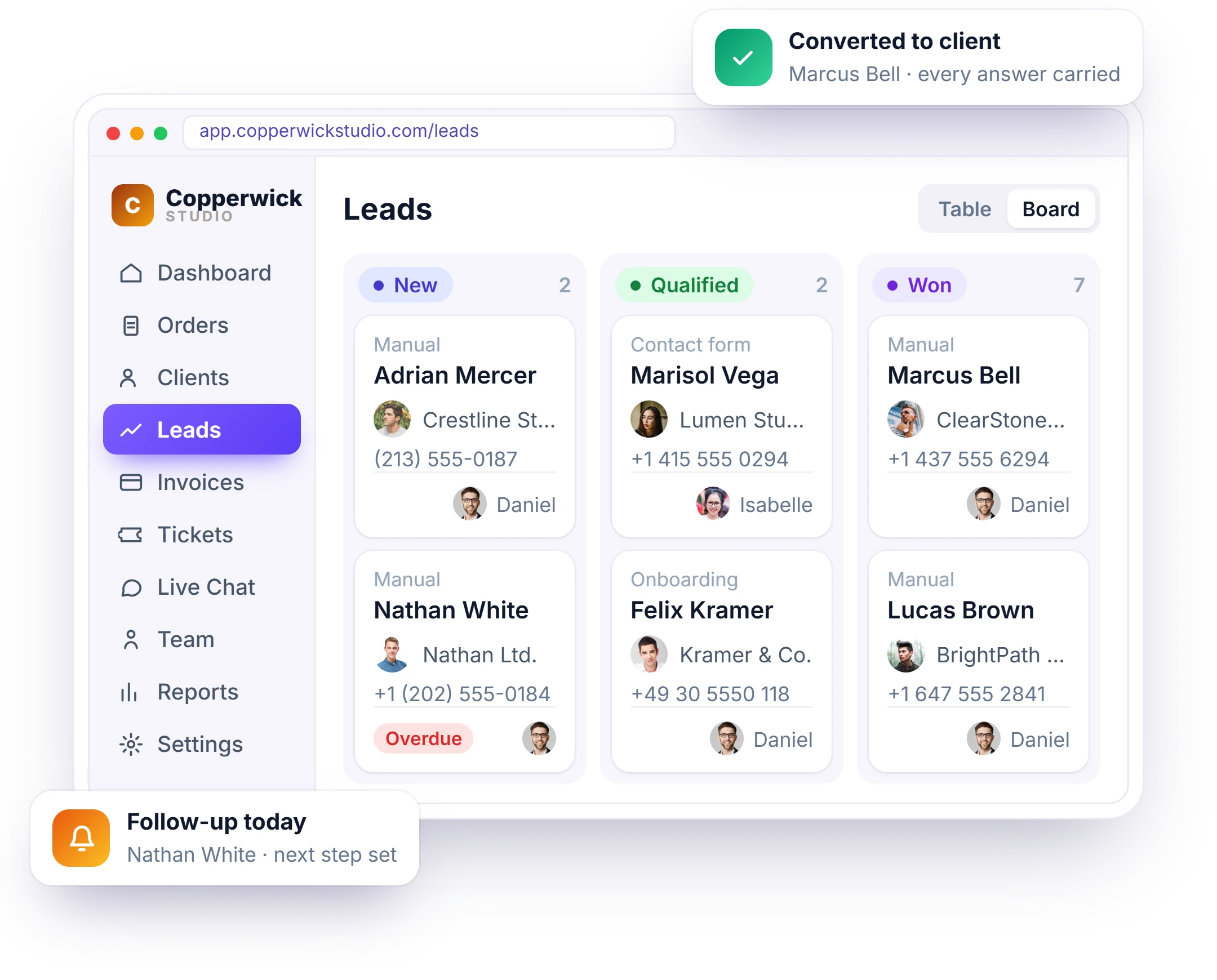
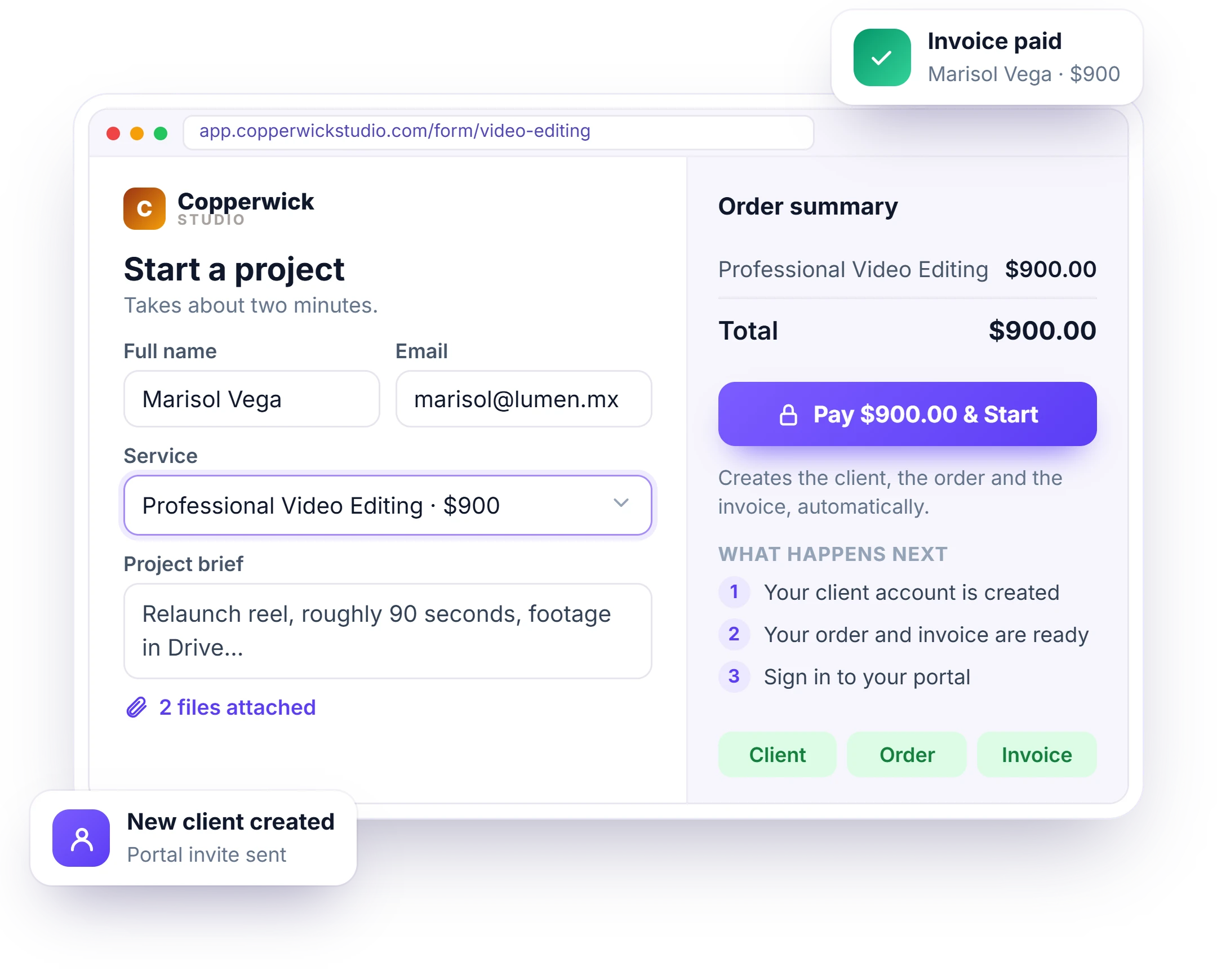
One Link Turns a Stranger Into a Paid Order
Share one link—no website needed. Your client picks a service, fills in the brief, and pays from the same place. The client record, order, and invoice are created automatically, so everything is ready before you even open your laptop.
Three Ways to Get Paid Without a Website
Every service can be sold through its own link. Share it anywhere—your client chooses the service, submits the brief, and pays in one flow. The paid order lands straight in your dashboard, ready for your team to get started.
One Profile Holds Their Whole History
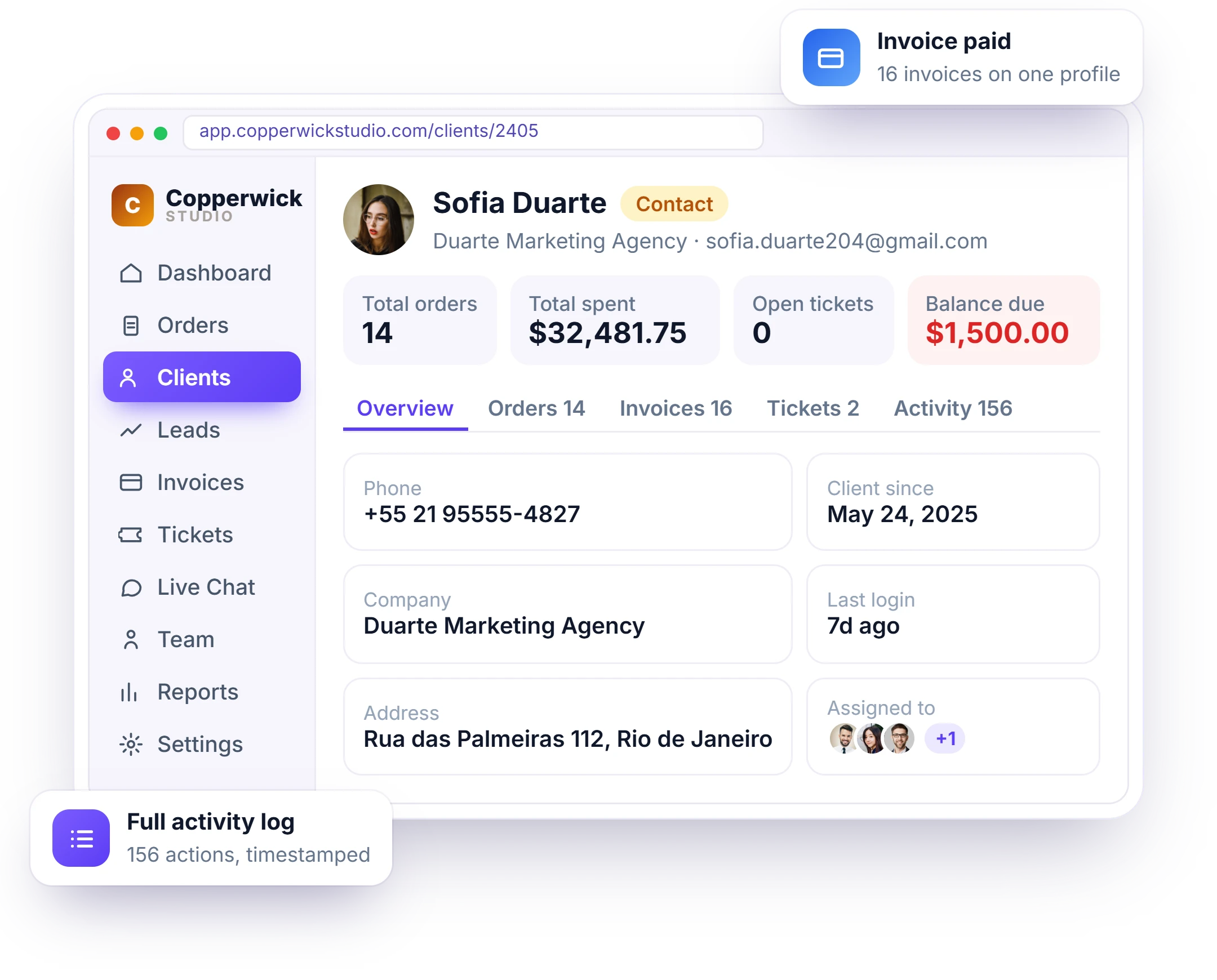
With all-in-one client management software for agencies, everything connected to a client stays in one place. Open their profile to see every order, invoice, support ticket, subscription, and file, with their outstanding balance right at the top.
- Orders, invoices, tickets and files on one profile
- Contact, Lead and Client statuses with team assignment
- Custom statuses that match your own workflow
- Wallet balance and outstanding total at a glance
- Full activity log — every action on the client, timestamped
Every Project Lives in One Order
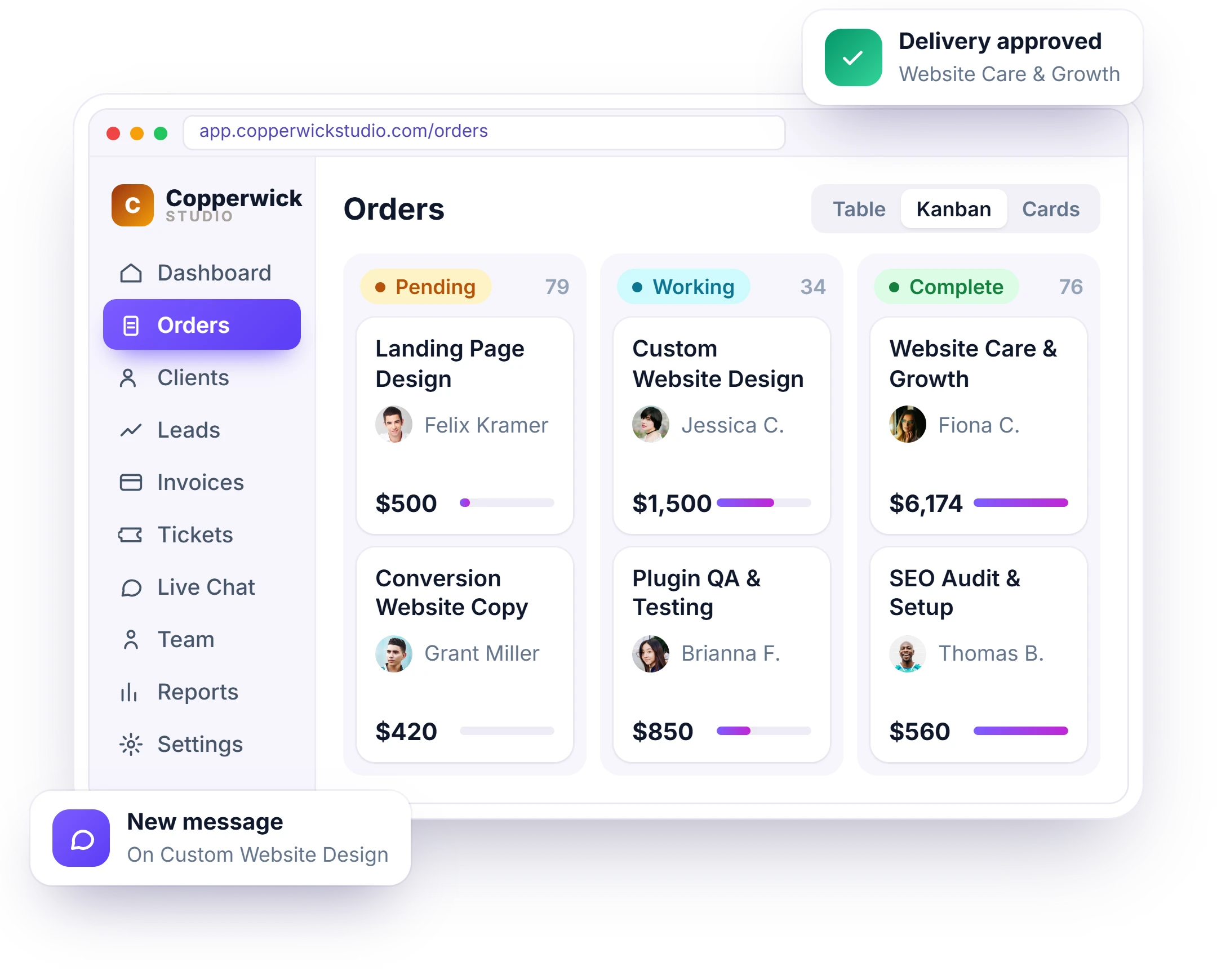
Our project management software with client portal keeps everything for an order in one place – status, deadline, assigned team, brief, tasks, messages, files, and invoice. Switch between table, Kanban, and card views while clients log into their own portal to follow progress from their side.
- Table, Kanban and card views of the same orders
- Project data captured by the order form, attached
- Status, deadline and assigned team on every order
- Messages, files and the invoice in the same place
Every Order Splits Into Owned Work
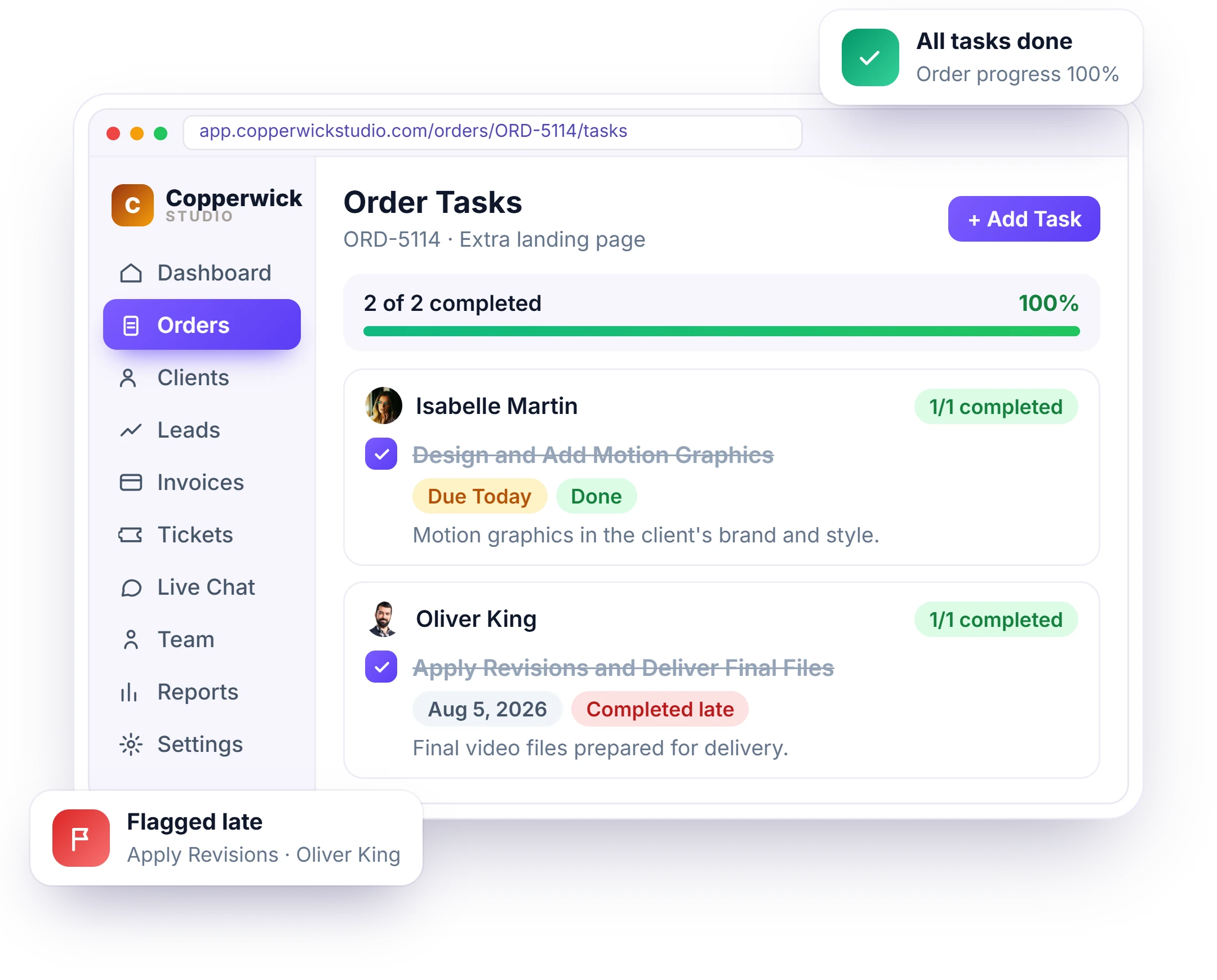
Break an order into tasks, assign each one to the right team with a deadline, and watch progress update automatically as work gets done. Everyone knows what they’re responsible for and what comes next – without anyone building a status report.
- Tasks grouped under the member who owns them
- Order progress bar updates as tasks close
- Overdue work flagged at task and order level
- One task board across every order, plus each member’s own view
See Who’s Loaded Before You Promise a Date
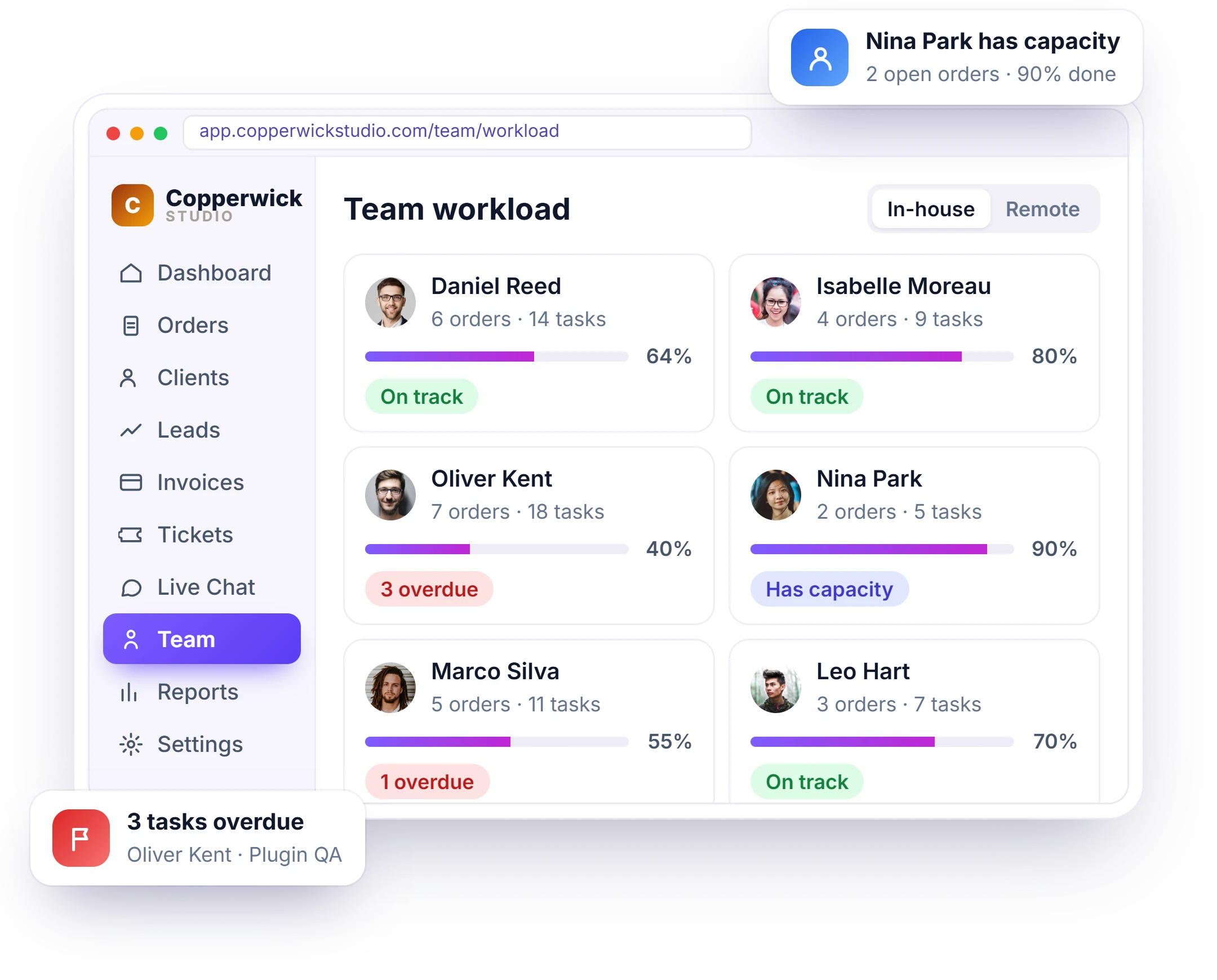
See each team member’s workload—task count, progress, and what’s overdue – before taking on a new order or assigning the work. Give it to the team member who actually has capacity, so deadlines are based on real workload, not guesswork.
- See each member’s current workload at a glance
- Task count, progress and overdue per order
- Filter by assignee to spot who’s free
- Balance work across in-house team and remote contractors
Every Module You Need, Nothing You Don’t
Beyond the core lead-to-payment flow, these are the everyday controls that keep client work running — services, team access, tax, forms and the client experience. Pick a tab to see what’s inside.
The Small Things That Keep Work Moving
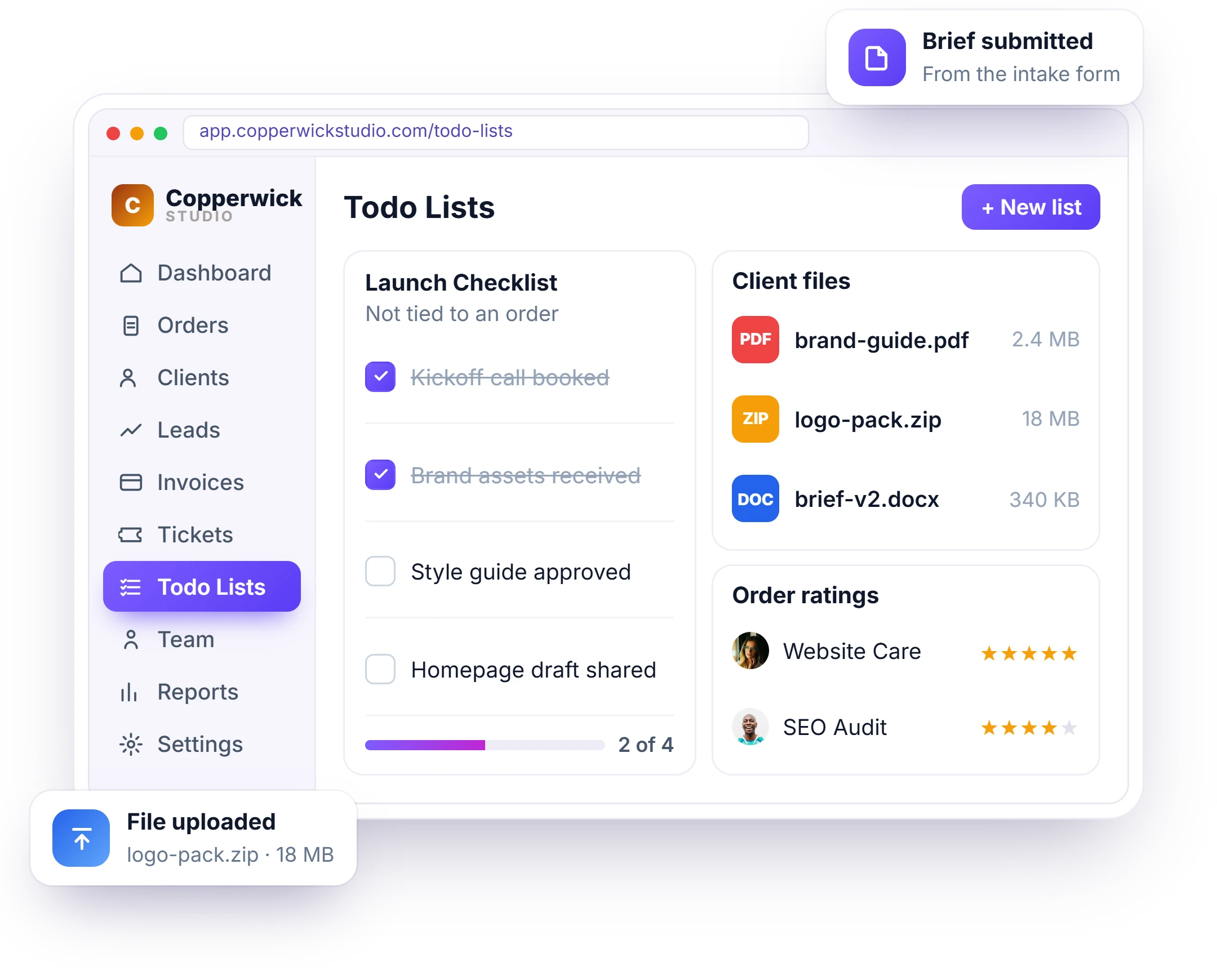
The everyday details matter too—quick checklists, client files, submitted briefs, and the feedback clients leave when the work is done. Everything stays connected and easy to find, so the small things never slow your team down.
- Todo lists for personal and team checklists
- Client files and order attachments in one place
- The brief captured by the intake form
- Service variants, add-ons and order ratings
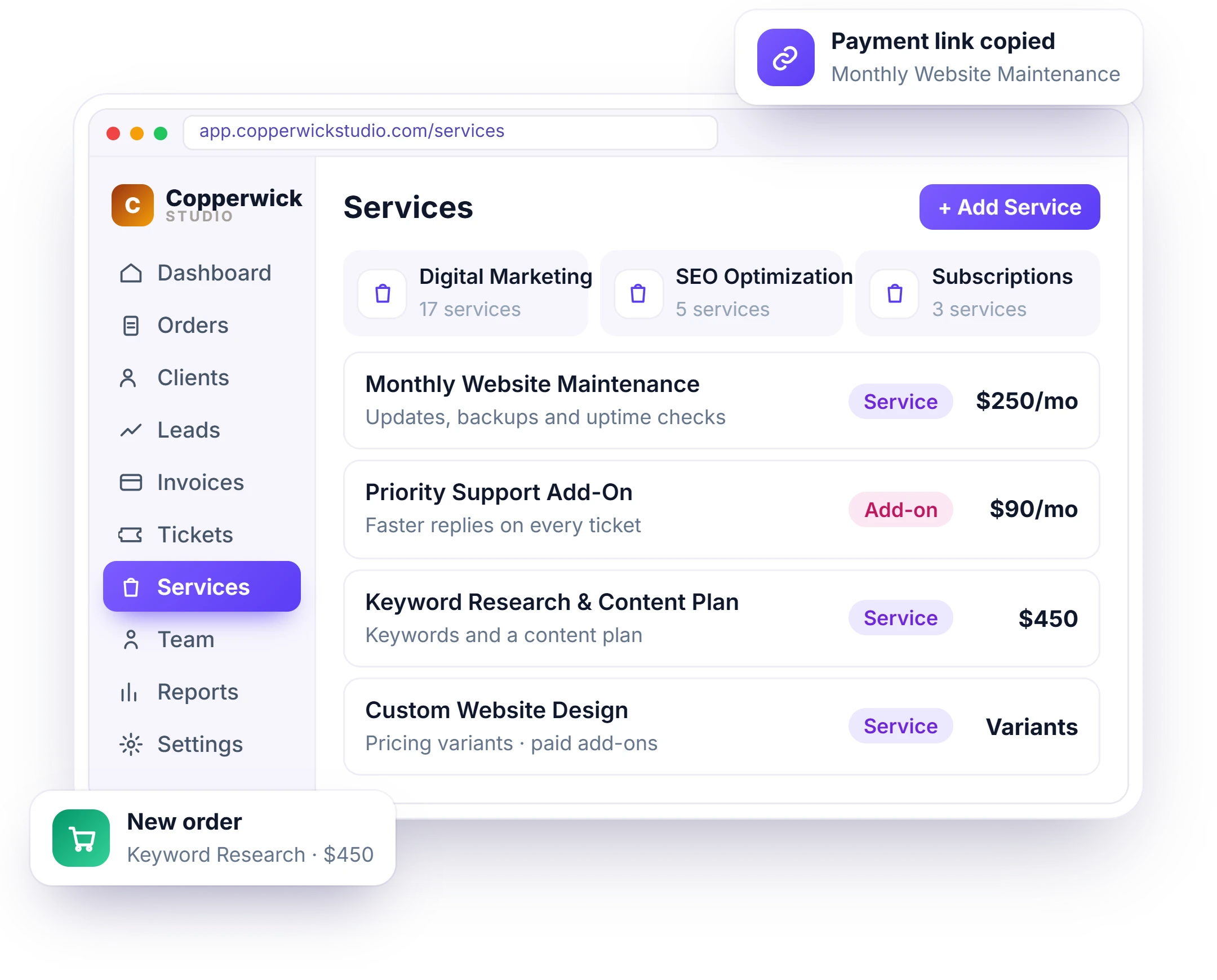
A Catalogue Clients Can Order From
Build a clear catalogue of your services, with variants, paid add-ons, intake questions, and pricing for each one. Every service gets its own order form and payment link, so clients can choose what they need and place an order directly.
- Folders and categories for a tidy catalogue
- Pricing variants and paid add-ons
- Subscription services that re-bill on their own
- Order form, intake and payment link per service
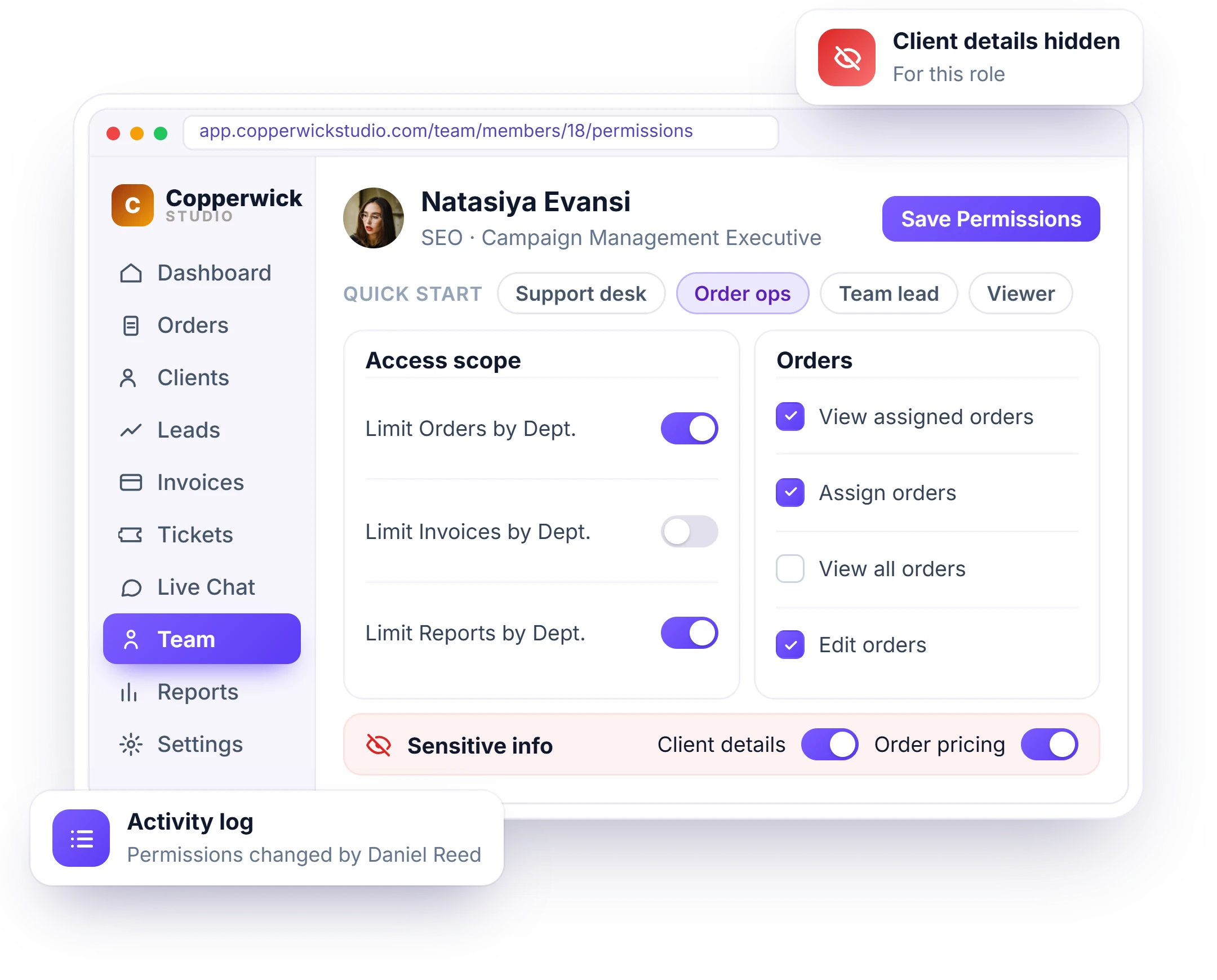
Decide Who Sees What Across the Workspace
Give each person access to exactly what they need—hide client details, order pricing, or other sensitive information without limiting the work they need to do. Co-admins can share responsibility, departments keep teams organized, and every action is recorded in the activity log.
- Hide client and order sensitive information per role
- A role and permission matrix for every area
- Co-admins, departments and designations
- Sign-in-as for support, without sharing passwords
- Separate roles and rosters for remote contractors
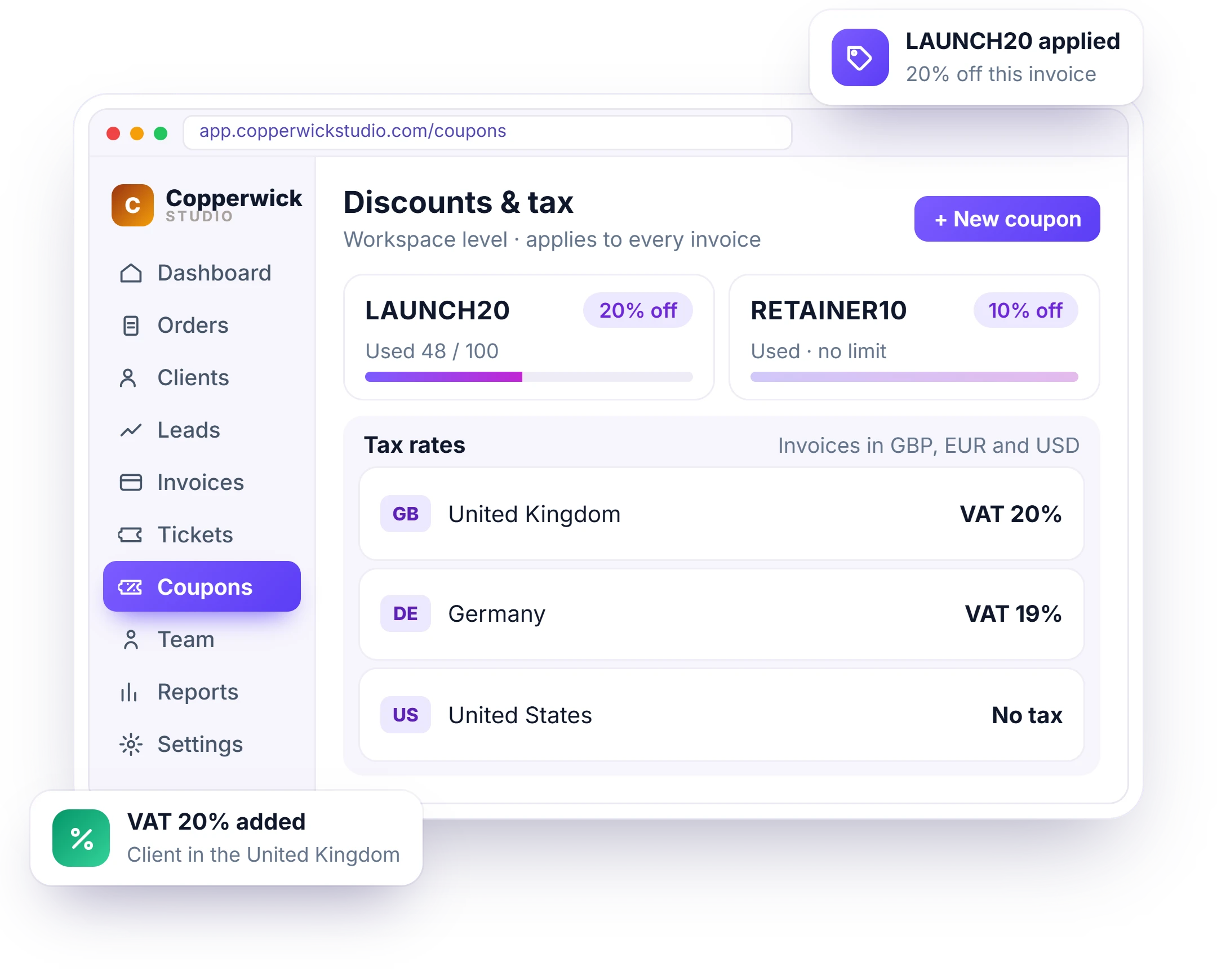
Discounts and Tax Handled at Workspace Level
Set your coupons and tax rules once, and they apply automatically where they should. Tax rates follow the client’s country, while invoices go out in the currency they expect – without your team handling it order by order.
- Coupons with usage limits, expiry and redemption reports
- Tax rules and country-based tax rates
- Multi-currency invoicing
- Recurring subscription billing with proration
- Processing fees and full, partial or custom refunds
What Happens After You Deliver
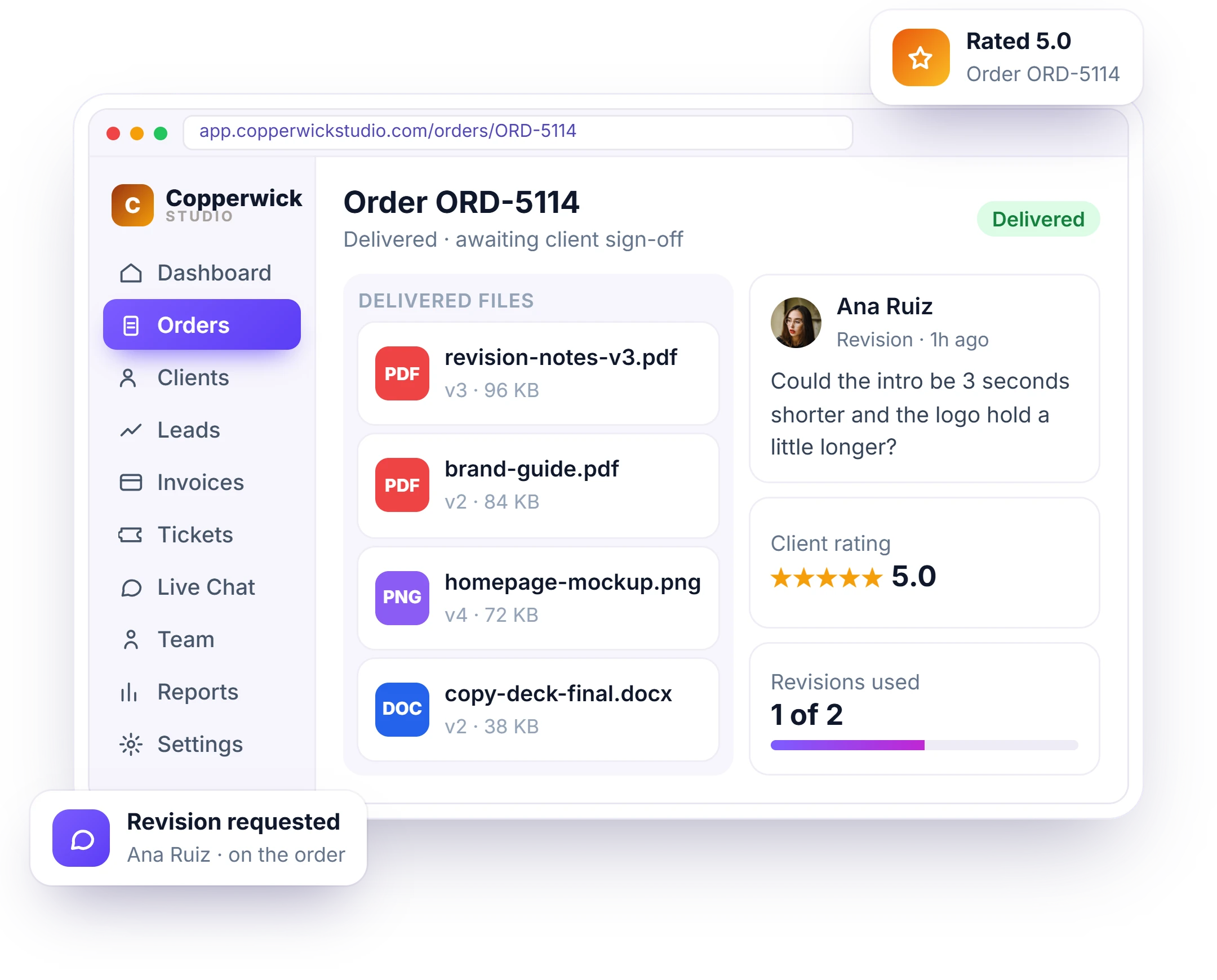
Clients can request revisions directly on the order, rate the work once it’s complete, and access every delivered file from the same screen – no email threads to search through.
- Revision requests raised on the order, not by email
- Order and ticket ratings feeding your CSAT report
- Delivered files shared on the order, versioned
- Order message thread kept with the project data
- Client sign-off and revisions used tracked on the order
Support That Can’t Quietly Slip
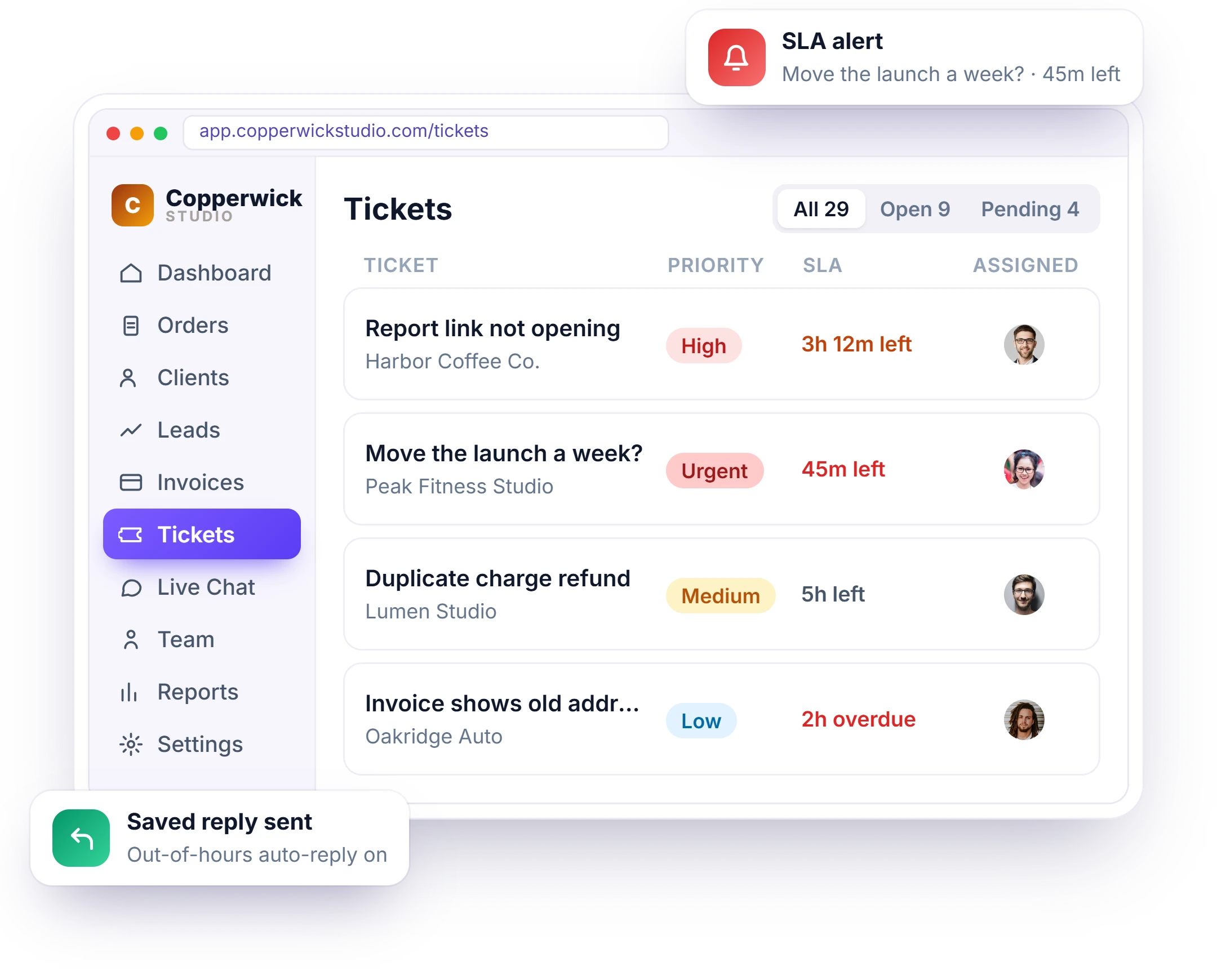
Every ticket has a priority and an SLA deadline, stays connected to the client and order it belongs to, and alerts the assigned team member before that deadline is missed. Live chat handles quick questions, so no client conversation gets left sitting in an inbox.
- Priority and SLA deadline on every ticket
- Saved replies and out-of-hours auto-reply
- Alerts before an SLA deadline is missed
- Live chat for quick questions, with file sharing and transfer
Fourteen Emails That Send Themselves
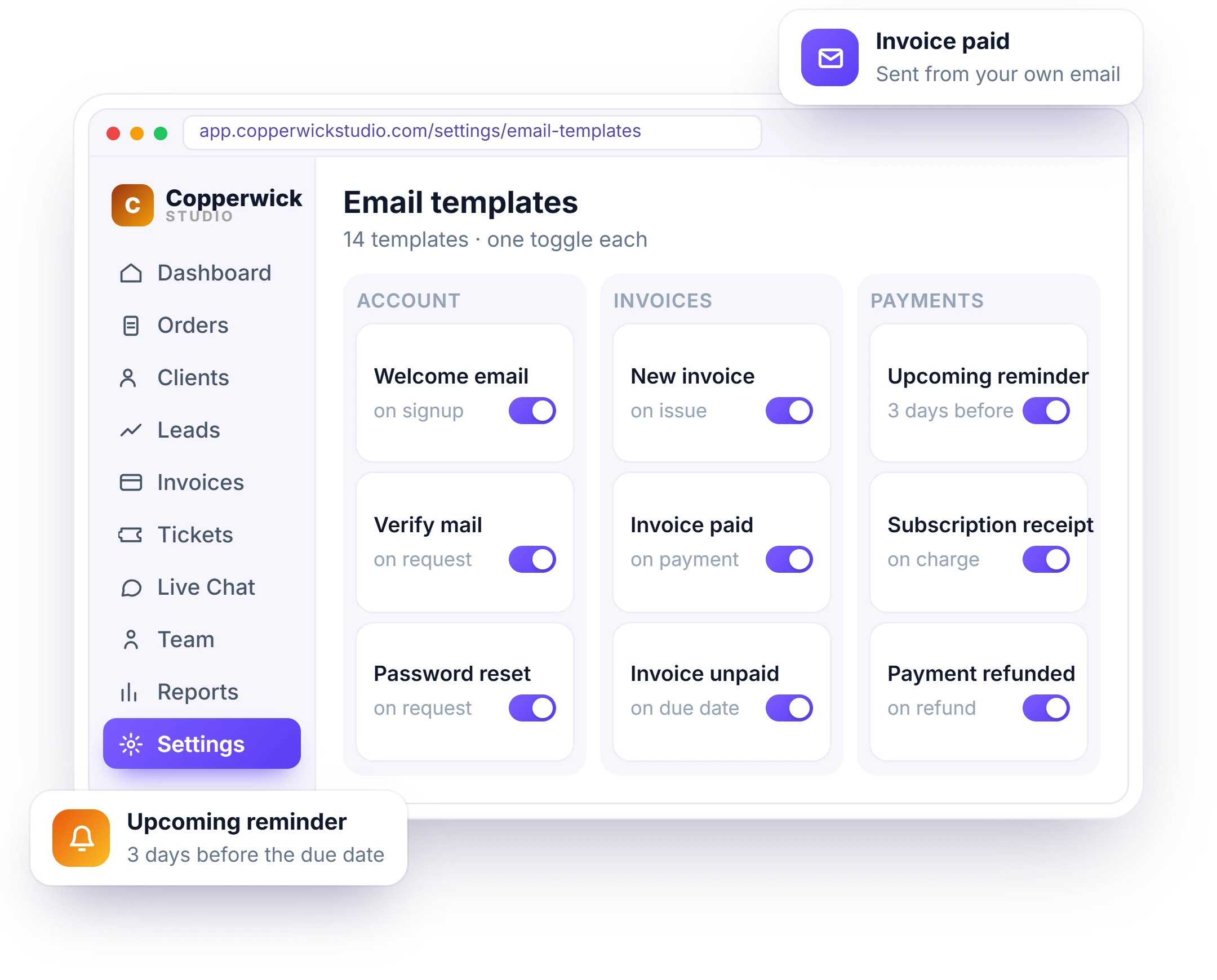
Welcome emails, receipts, due-date reminders, expiry alerts, and out-of-hours replies – for accounts, leads, invoices, payments, and subscriptions. Set the wording once, and each email sends automatically at the right moment from your own business email.
- One toggle controls each email and its notification
- Shortcodes fill in name, invoice number, refund amount and more
- Separate templates for clients, team and remote members
- Out-of-hours auto-reply that follows your business hours
A Portal That Sells, Not Just Reports
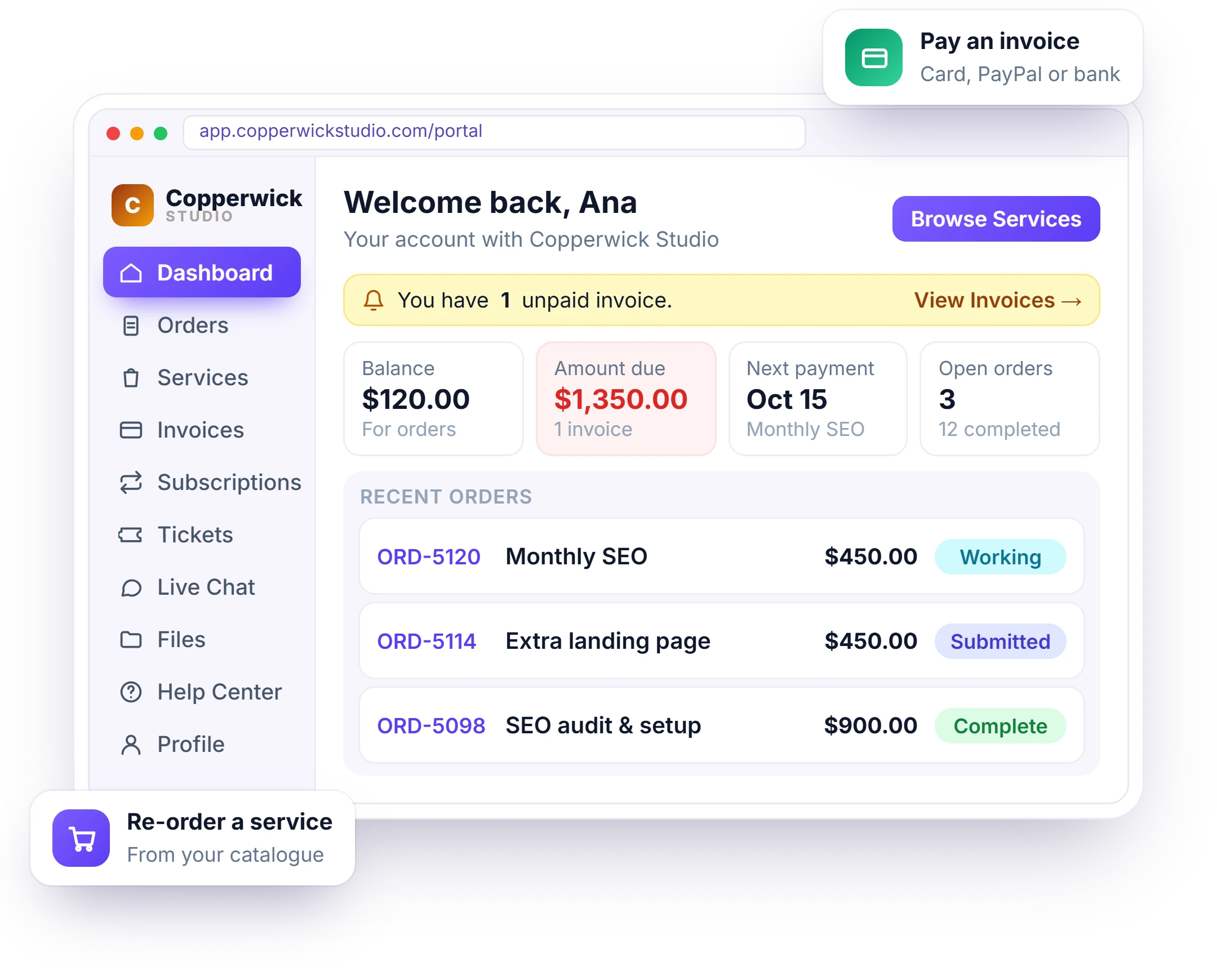
Clientish client portal software for small agencies gives clients their own login on your subdomain to see orders, invoices, outstanding balances, and support tickets – all from one live dashboard. They can also buy your services directly from the storefront and watch order progress update in real time as your team works.
- Everything on their account, live in one dashboard
- Track every order in real time as your team moves it
- See the brief, files and messages on each order
- Pay invoices online, or from a link with no login needed
- Live chat with your team in real time, with an honest out-of-hours auto-reply
- Raise support tickets that stay tied to their orders
- Re-order from your service catalogue and manage their subscriptions
Four Dashboards, Each Showing Only What It Should
One workspace, four separate sign-ins. Your agency runs everything, clients see only their own account, and in-house and remote team members see only the work assigned to them.
Agency
Agency get the full workspace: clients, orders, invoices, team and reports.
- Live revenue and orders
- Roles and permissions
- Sign in as any user
Hi, Ana1 unpaidClient Portal
Clients see their orders, invoices, tickets, balance and payment methods.
- Branded on your subdomain
- Pay invoices, top up balance
- Tickets and live chat
Team
Team Members see assigned orders, tasks and tickets — scoped by permission.
- Personal work board
- Per-member permissions
- Department-scoped access
Remote
Remote Team Members see only the work assigned to them.
- Own login and roles
- Work items with review
- No company figures
Bills That Chase Themselves
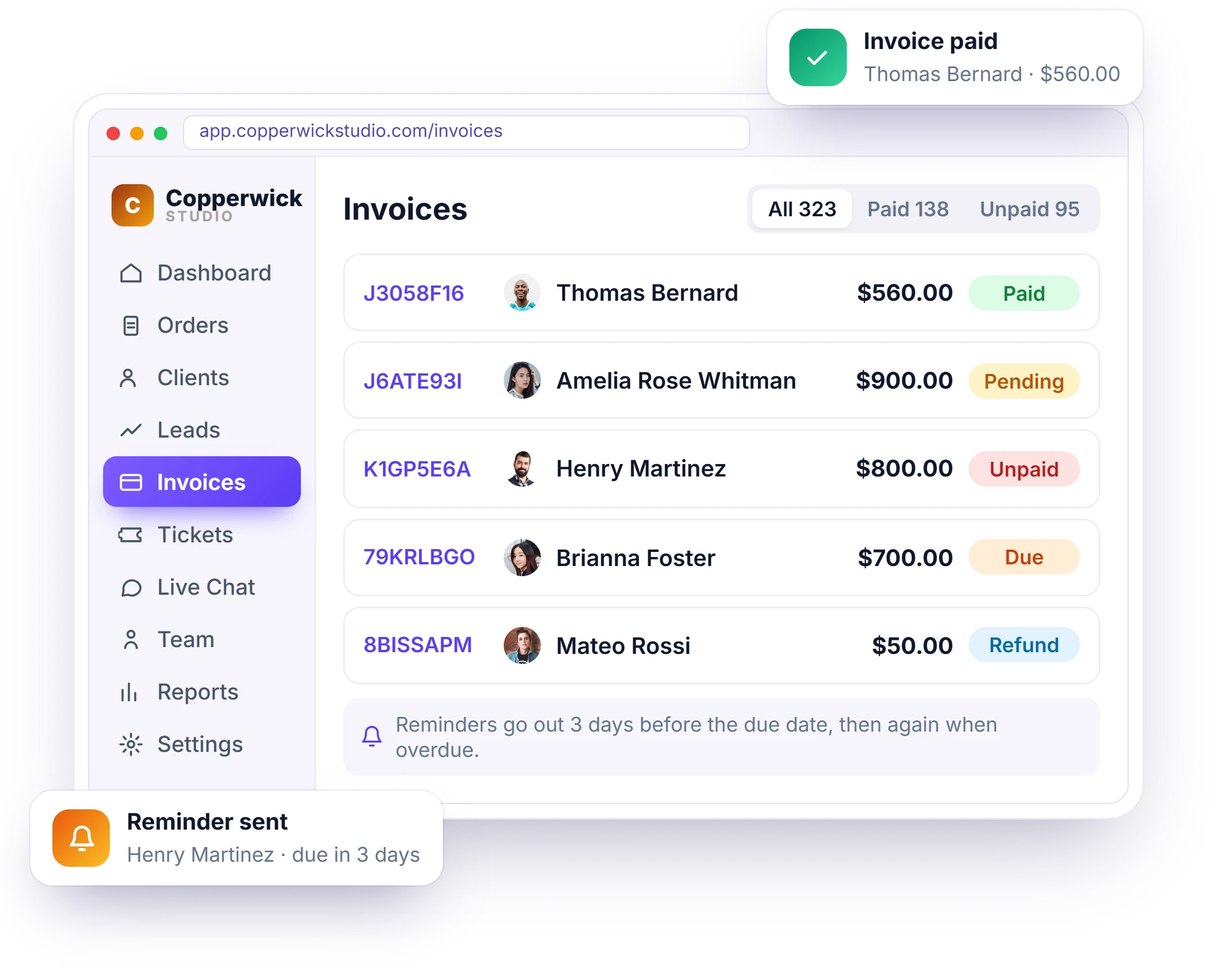
A client portal with payment processing built in—the way freelancers and agencies manage clients and get paid. Every order raises its invoice, reminders go out before the due date, receipts arrive on payment, and recurring subscriptions re-bill automatically.
- Invoice raised automatically from the order
- Reminders before the due date, receipts after payment
- Recurring subscriptions with proration and refunds
- Multi-currency, tax rules and multiple payment gateways
- Clients pay straight from the invoice — no login needed
Know What You Earned Without a Spreadsheet
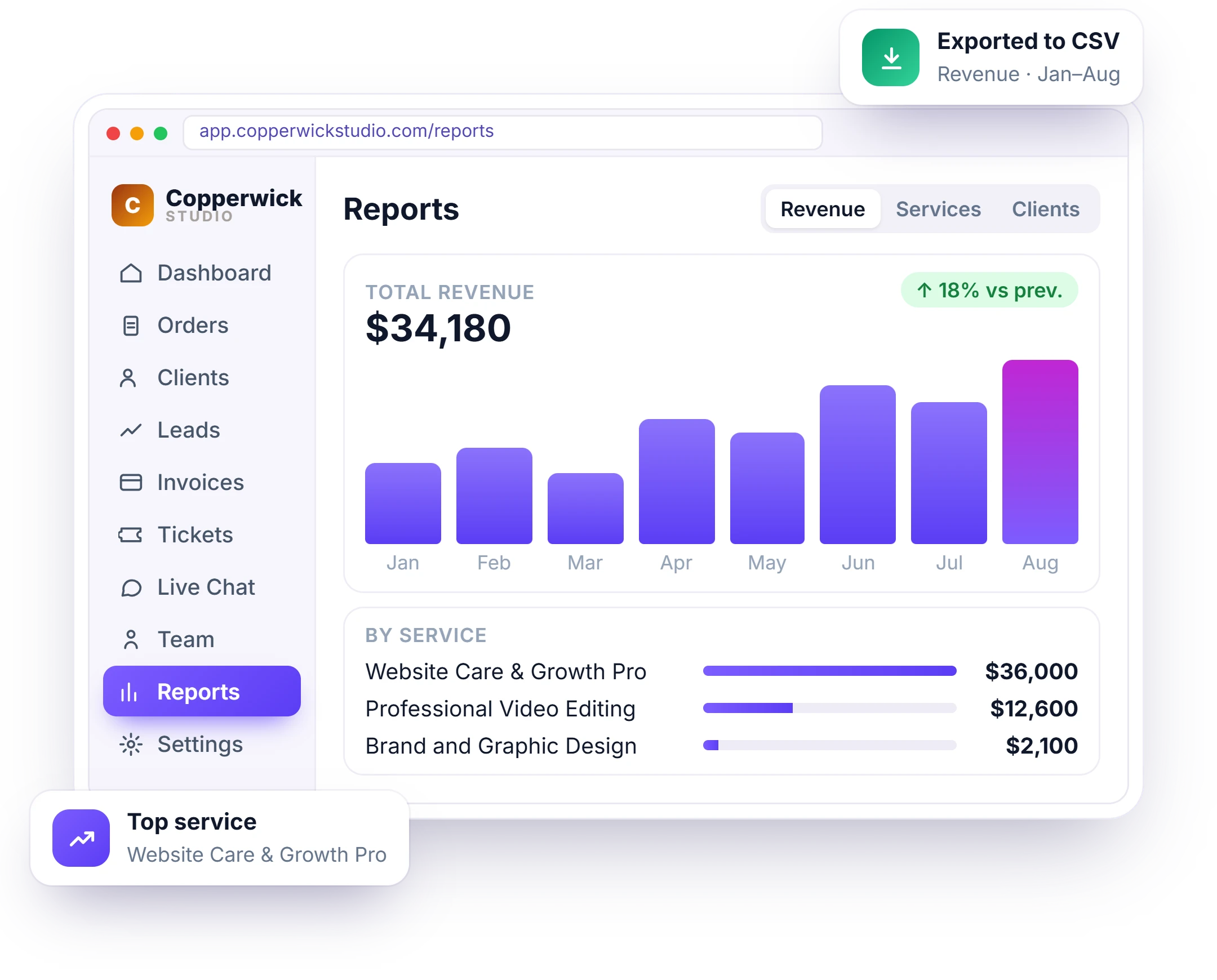
See where your revenue comes from across services, clients, orders, and accounts with eight built-in reports. Filter any report by date range, drill into the details, and export the data to CSV in one click.
- Revenue by month, service, client and account
- Order status and coupon usage breakdowns
- Any date range, exported to CSV in one click
- Drill down from a total into the orders behind it
- See which clients and services actually make you money
Run Under Your Brands, Not Ours
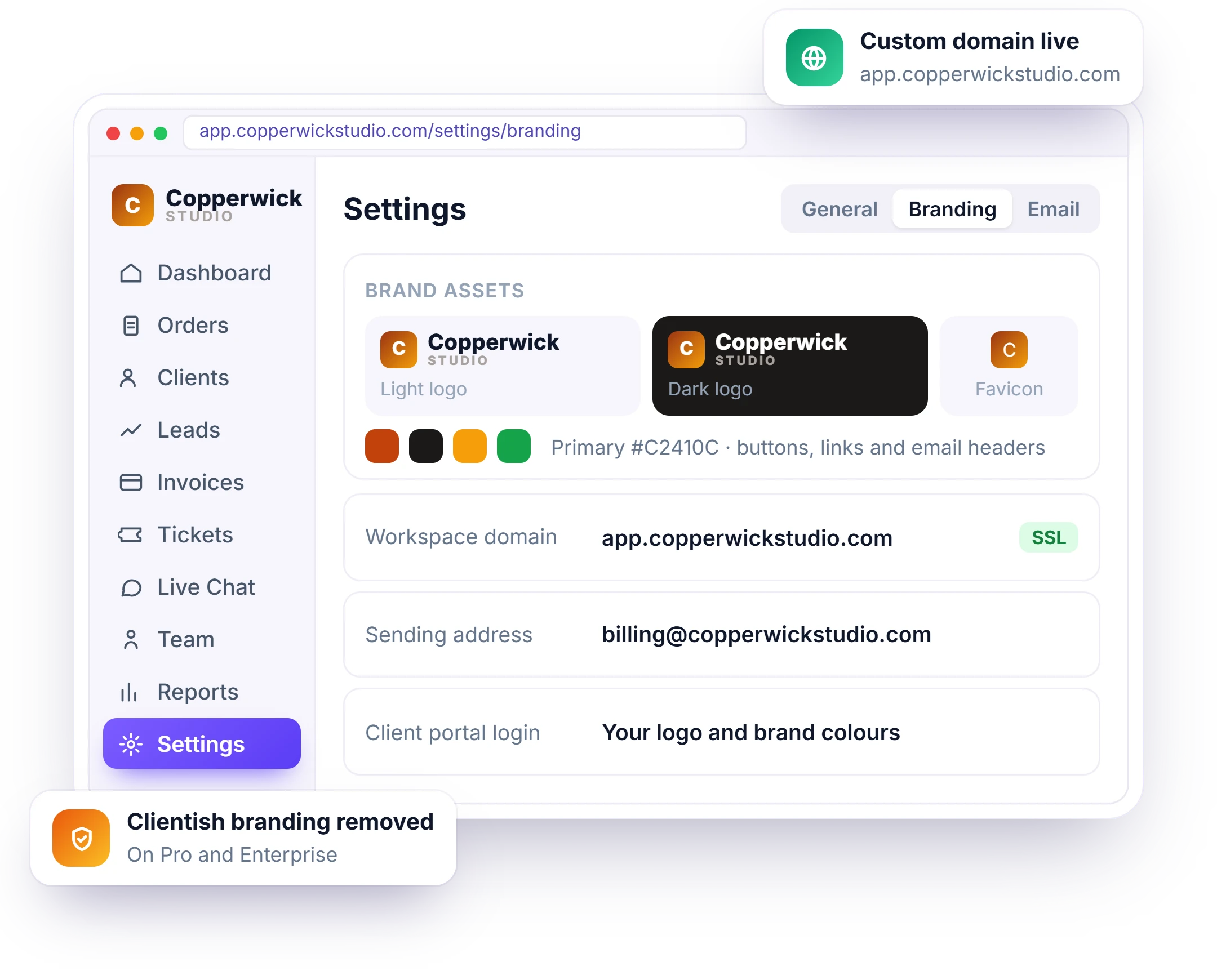
A white-label client portal for agencies puts your brand in front of every client—from your own subdomain and colours to the emails they receive. Clientish stays behind the scenes, so the portal looks and feels like part of your business.
Your Brand, Your Portal
The portal sits on your own workspace subdomain, in your logo and brand colours, and sends every email from your own SMTP server. On Pro and Enterprise plans you can remove Clientish branding completely.
- Your own workspace subdomain and portal URL
- Your logo and colours on every screen, loading screen included
- Editable email templates sent from your own SMTP server
- Custom sender name, so mail comes from you
- Four separate portals, each branded as yours
- Clients log in with their own email and password on your portal
- Remove Clientish branding on Pro and Enterprise plans
Security You Can Actually Point To
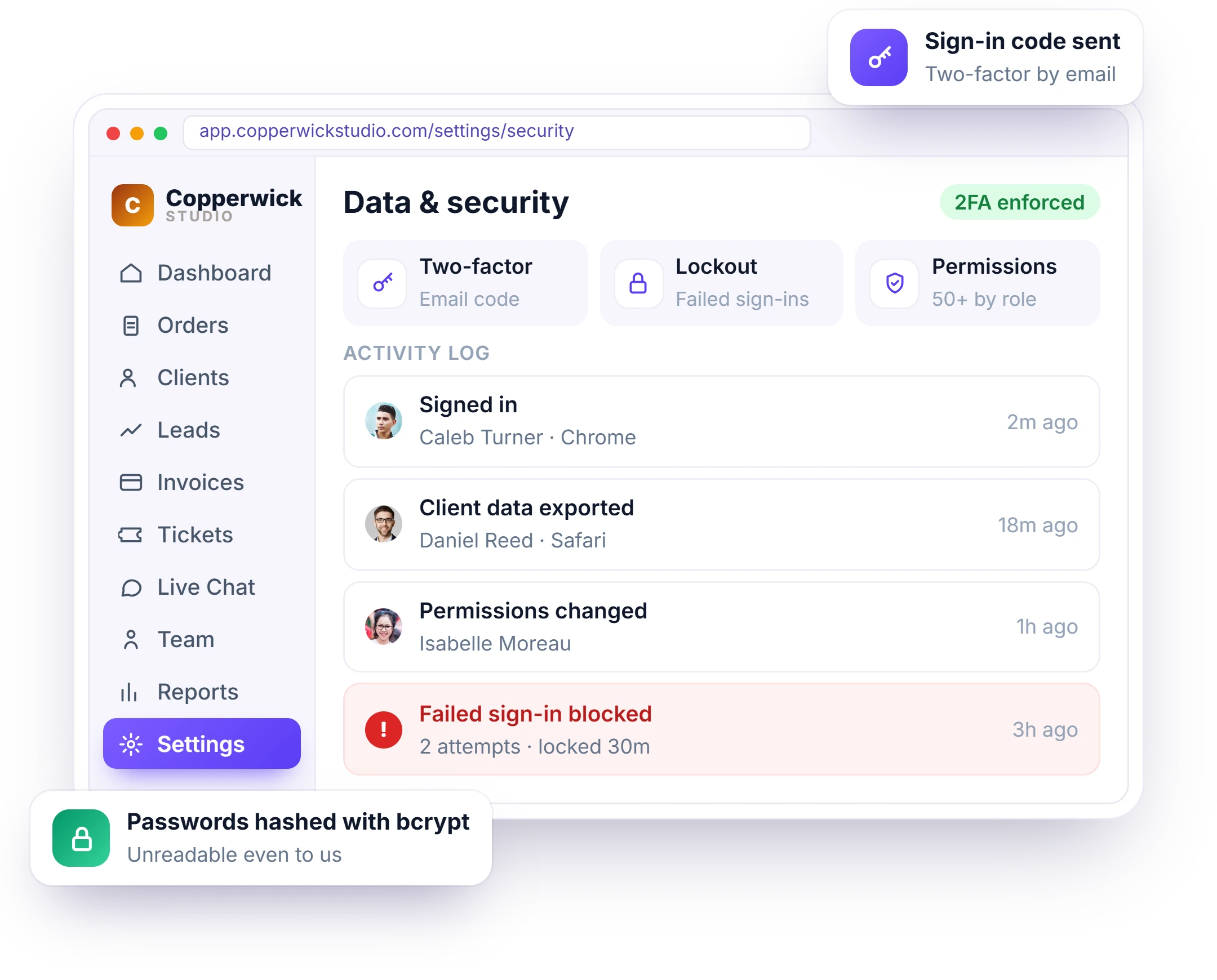
Secure client portal software with a client portal with audit log, two-factor sign-in and 50+ permissions—tracking who changed what, hashing passwords with bcrypt so even we can’t read them, while card numbers never touch our database.
- Two-factor sign-in by email code, plus email verification before an account works
- Role-based access across 50+ separate permissions — each person sees only their part
- Activity and history logs: who changed what, and when
- Failed-login lockout that escalates, with optional Google reCAPTCHA on your portal
- Passwords hashed with bcrypt — unreadable even to us
- Card numbers never touch our database — payments go straight to Stripe or PayPal
Local or Global Payment, One Checkout
Take card, balance or bank transfer in any currency — with per-country tax, your own invoice numbering and automatic receipts, so clients pay the right amount and you never chase a payment.
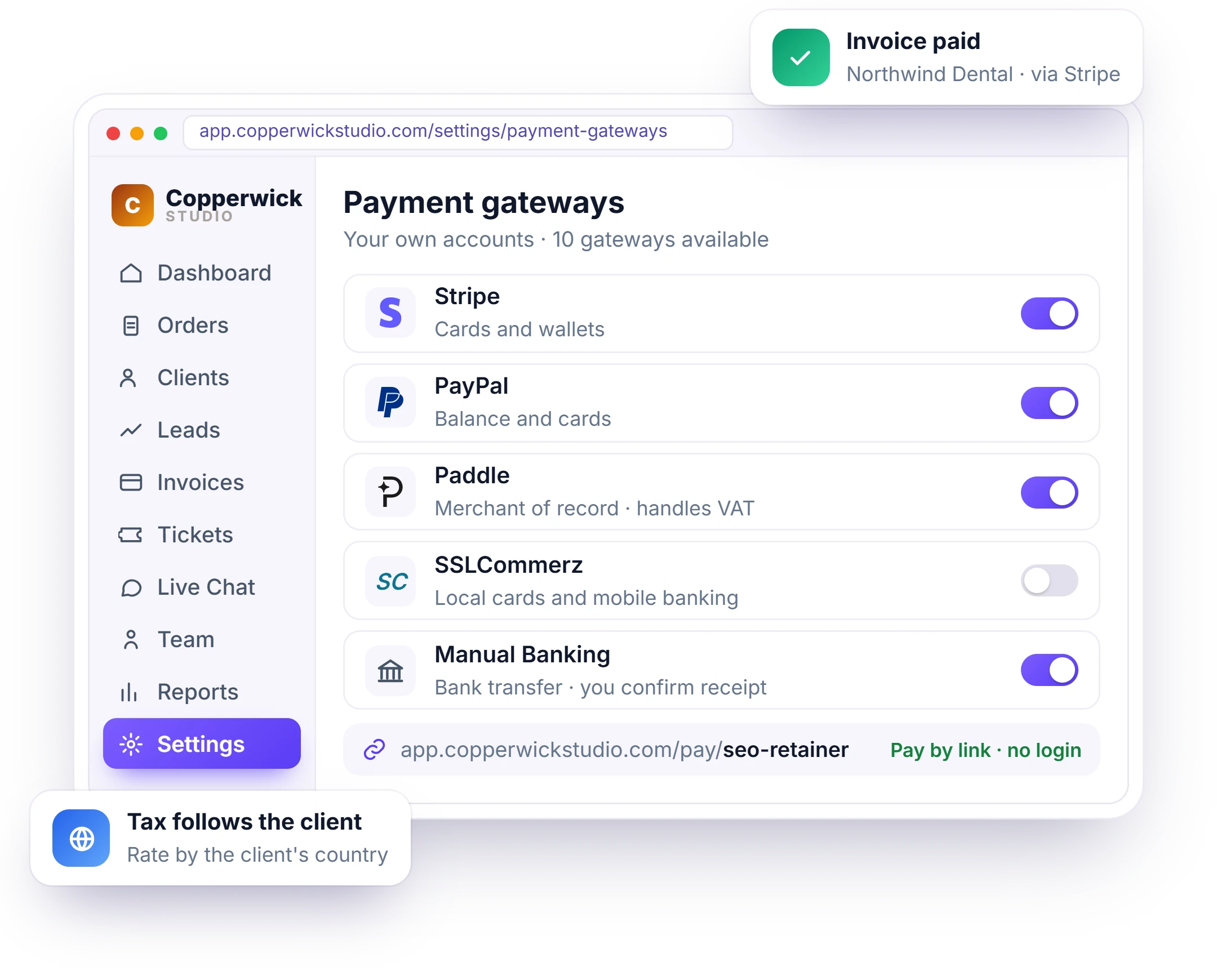
- Stripe, PayPal, Paddle, SSLCommerz and manual bank transfer in one checkout
- Multi-currency invoicing with tax rates that follow the client’s country
- Pay-by-link that works without a portal login
- Saved cards, a default method and partial payments
- Full, partial or custom refunds tracked against the client
- Client balances and deposits spent down against orders
Connects to What You Already Run
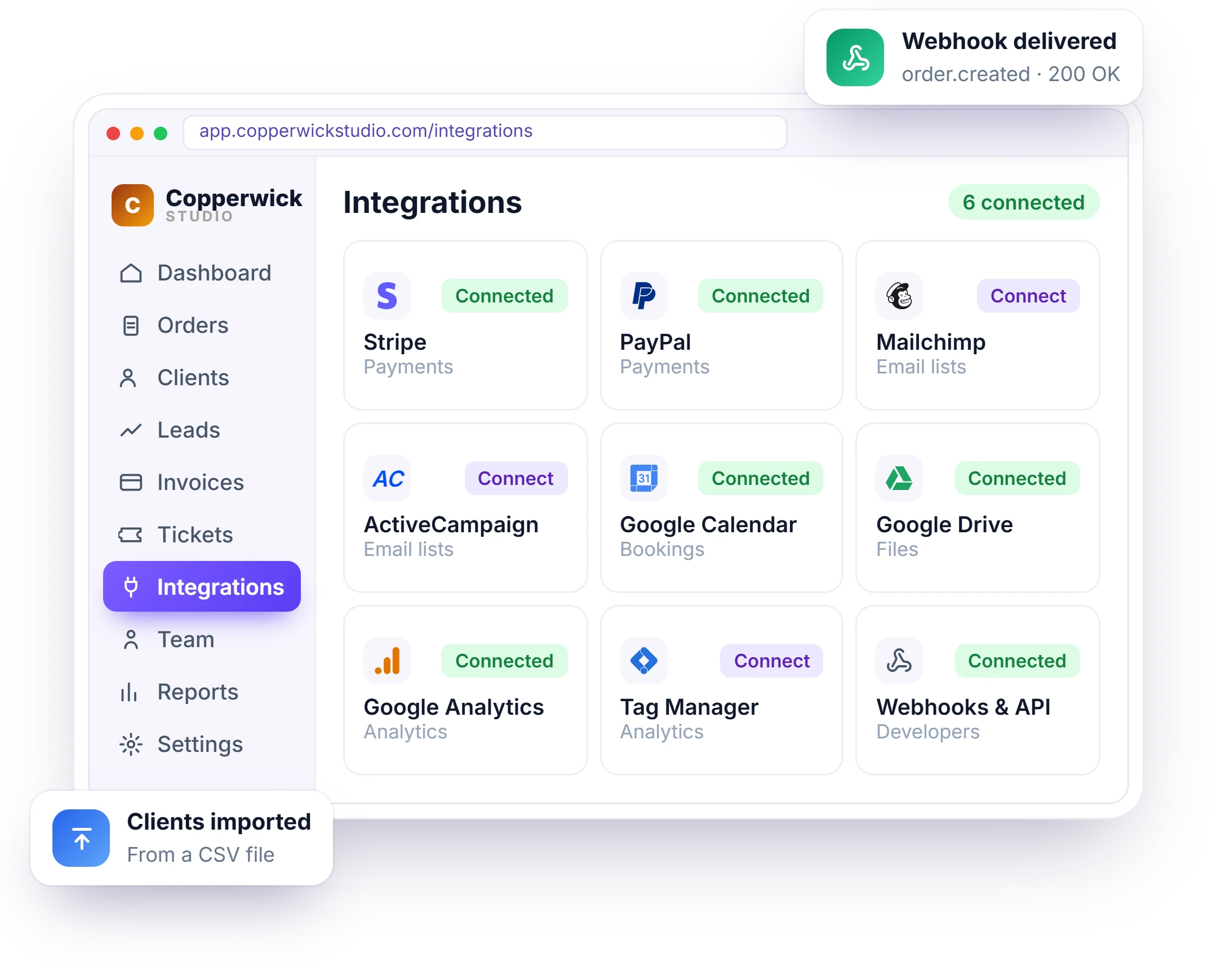
Connect your agency workspace to the tools you already use — your payment gateways, email lists, Google apps and existing client data — and link anything else with webhooks and an API.
- Stripe, PayPal, Paddle, SSLCommerz, bKash and Nagad — your gateway, your account
- Mailchimp and ActiveCampaign sync, plus your own SMTP for every email
- Google Calendar, Drive, Analytics and Tag Manager
- CSV import for your existing clients, export any time
- Webhooks for orders, invoices and tickets
- Scoped API keys and an MCP server for AI tools
Everyone Hears Only What Matters
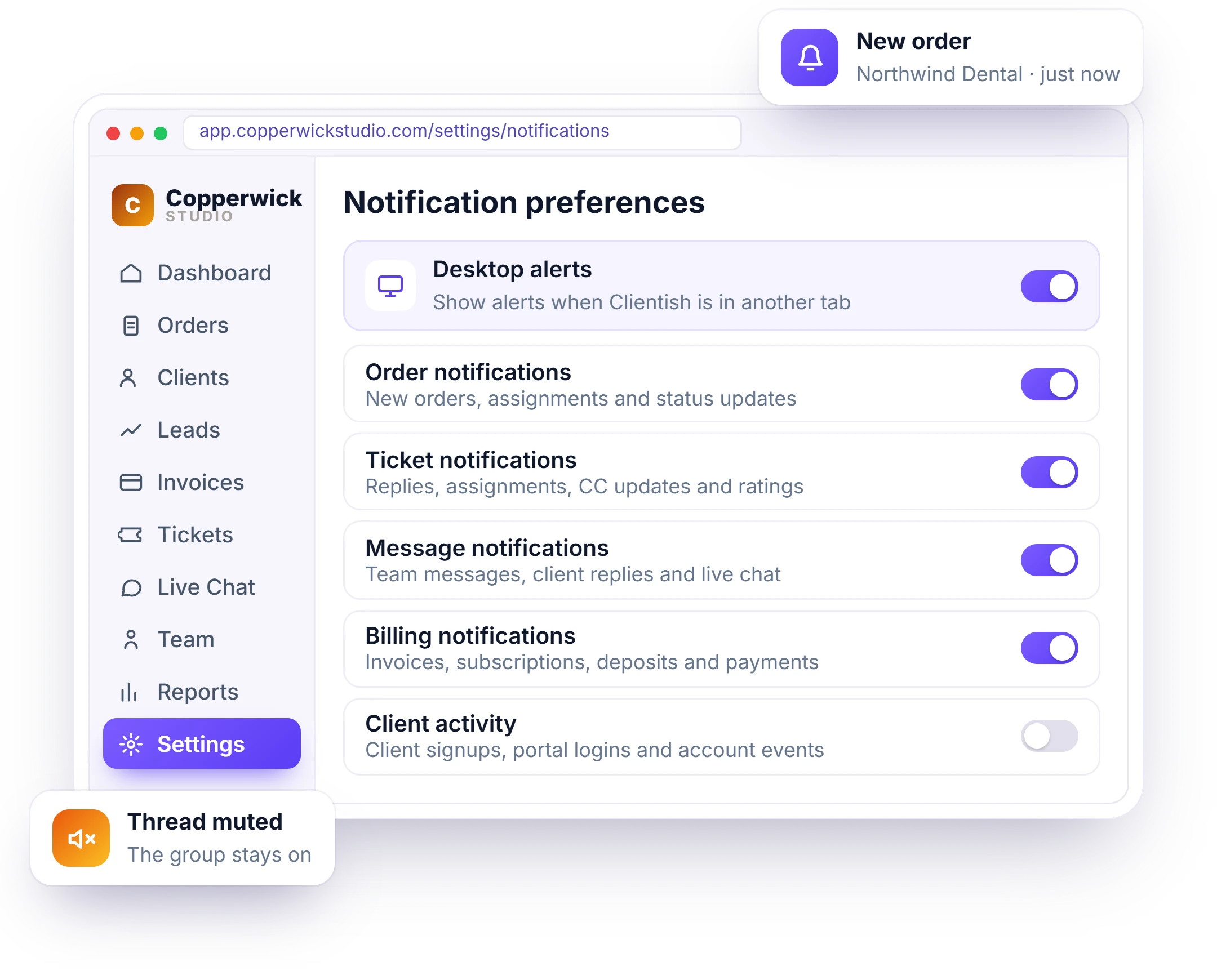
Notification groups for every kind of update — each switched on or off per person. An unread badge in the header, desktop alerts if they want them, and control over which invoice emails reach clients.
- Groups for orders, tickets, tasks, messages and billing
- Client activity, lead activity and login/security alerts
- Per-person preferences, not workspace-wide
- Desktop browser alerts, opt-in per person
- Choose which invoice emails go out to clients
- Mute a thread you don’t need, without turning the group off
- Filter by all, unread, read or muted
- System alerts for platform updates and broadcasts
Start Free, Grow Into a Plan
Get a 14-day free trial with every feature, no card required—client portal software for freelancers, agencies, and large teams alike. Pick the plan that fits today and upgrade anytime as you grow.
Solo
For one person working alone.
Starter
For freelancers just getting started.
Growth
For growing agencies ready to scale.
Pro
For scaling teams with more complexity.
Enterprise
For large businesses at scale.
“We replaced a spreadsheet, a Trello board, a payment page and two inboxes with one workspace. Onboarding a client went from a day of admin to about ten minutes.”
Founder, PixelNova
One Workspace. Every Client.
Try the whole platform free for 14 days — every module, every dashboard, no card required.
- No credit card required
- Free migration help
- Cancel anytime
- Every module, every dashboard
- Your brand on the client portal
- 14 days, all features unlocked