
Automation & Email
Every Client Email, Sent Automatically
Welcome emails, invoice receipts, payment reminders, expiry alerts, and out-of-hours replies—set them once, and each one sends automatically through your own SMTP server and business email at the right moment.
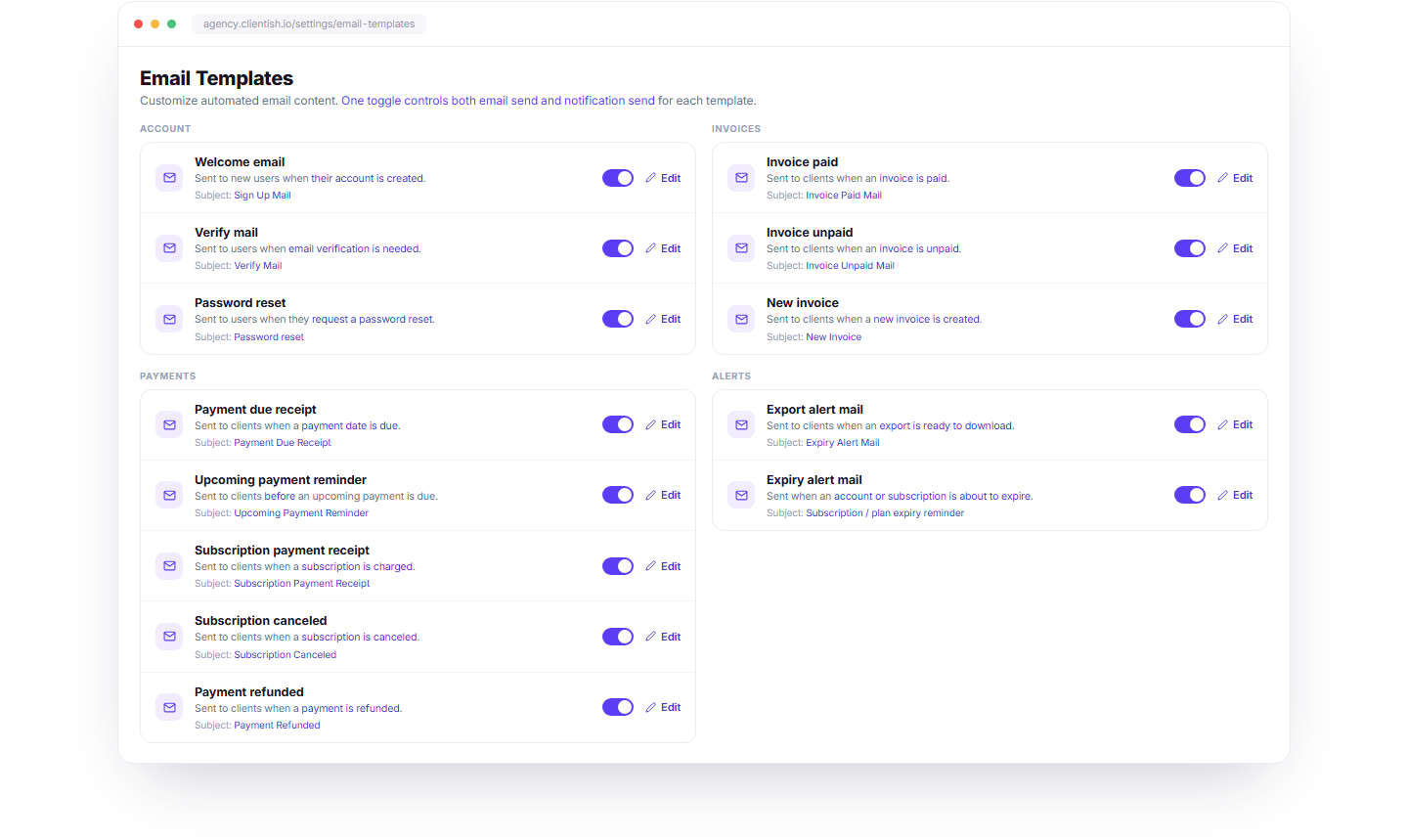
Written Once. Sent Every Time.
Ready-made templates handle recurring client communication across the workflow. Customize the message once, choose what’s enabled, and let each notification go out when its event is triggered.
Template Editor
Edit the Wording, Keep the Timing
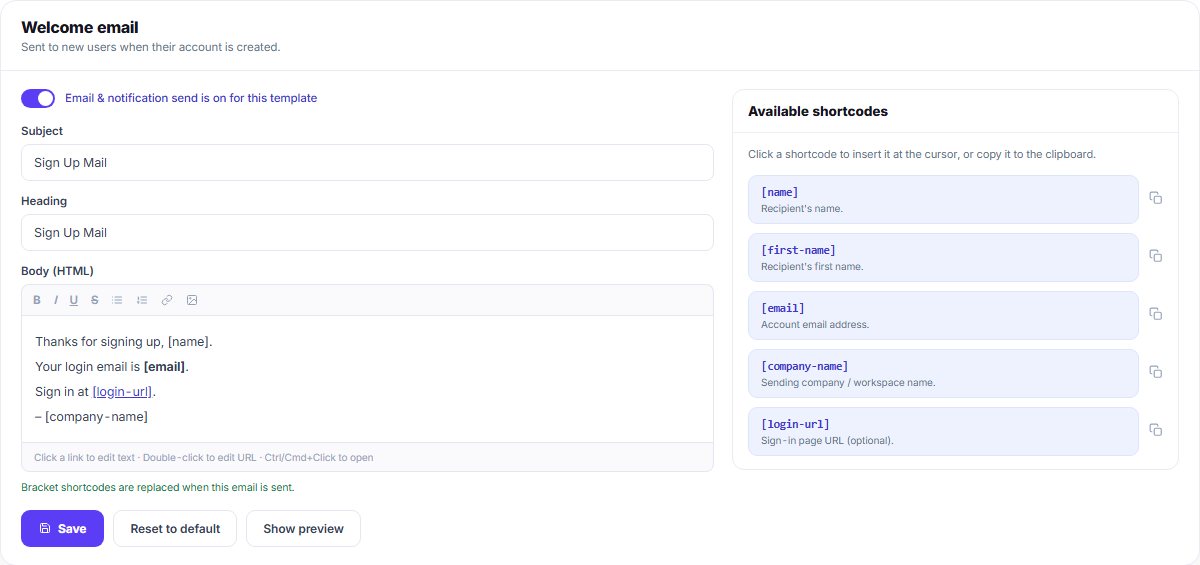
Change the subject, heading, and body of any email template without changing when it sends. Add shortcodes for names, email addresses, company details, login links, and more—they’re automatically replaced with the right client data when the email goes out.
Messaging
Answer Clients Even When You’re Closed
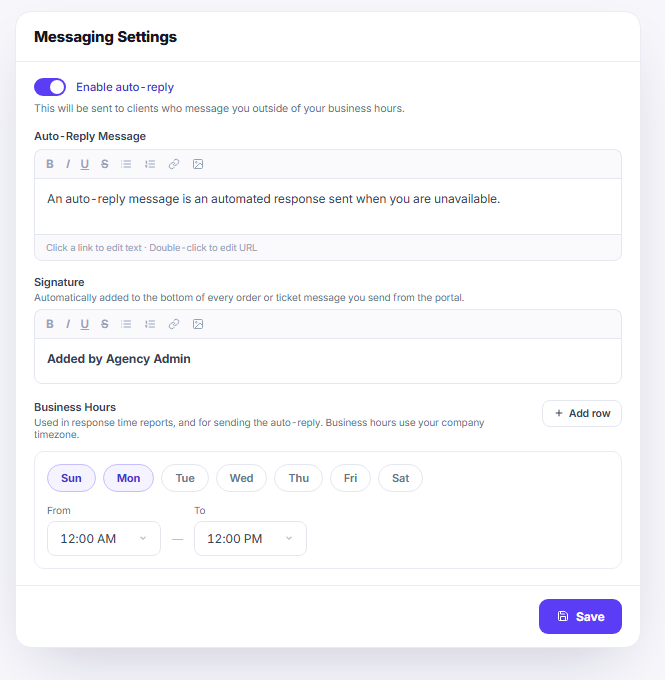
Set your business hours and write your out-of-hours message once. When clients contact you outside those hours, they receive an automatic reply, while your signature stays consistent across order and ticket conversations.
“We used to chase invoices by hand and forget to welcome new clients. Now the reminders, receipts and expiry alerts all go out on their own — and they sound like us, not like a robot.”

Sofia Duarte
Operations Lead, Meridian Creative
Stop Sending the Same Email By Hand.
Thirteen templates, one toggle each, and an auto-reply that covers the hours you are away.