
For Bookkeeping & Accounting Firms
Keep Every Client’s Books, Documents, and Requests in One Place
Client portal software for bookkeeping firms should do more than store files. Give clients a secure place to send financial documents, respond to bookkeeping requests, access completed records, and handle invoices and payments—while your team sees what’s still outstanding.
CLIENT SETUP
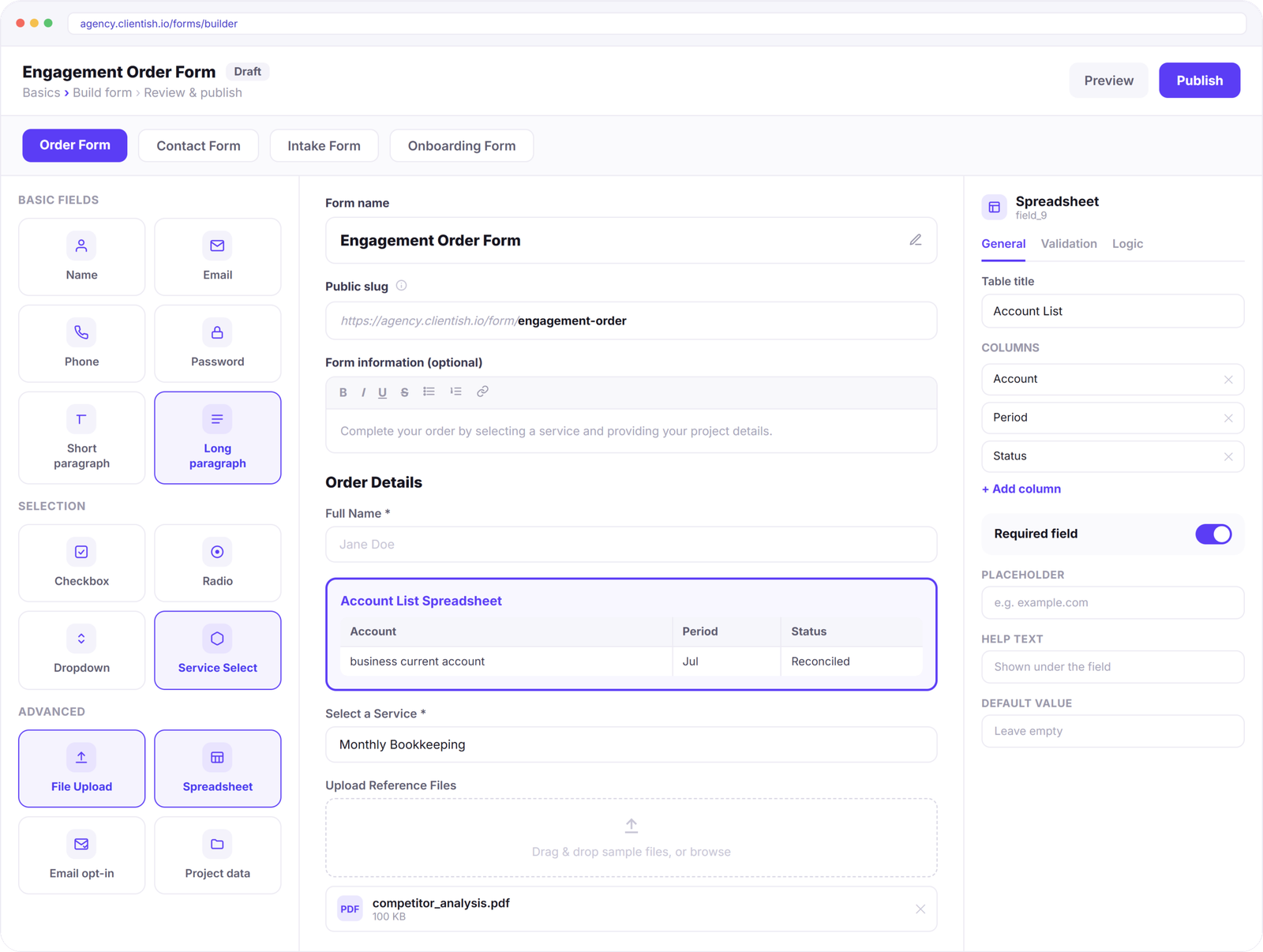
Start With the Accounts and Records You’ll Actually Need
Set up each bookkeeping engagement with the financial details your team needs from the beginning. Clients can list accounts, specify reporting periods, choose the service they need, and provide statements, receipts, and supporting records through one structured submission.
BOOKKEEPING SERVICES
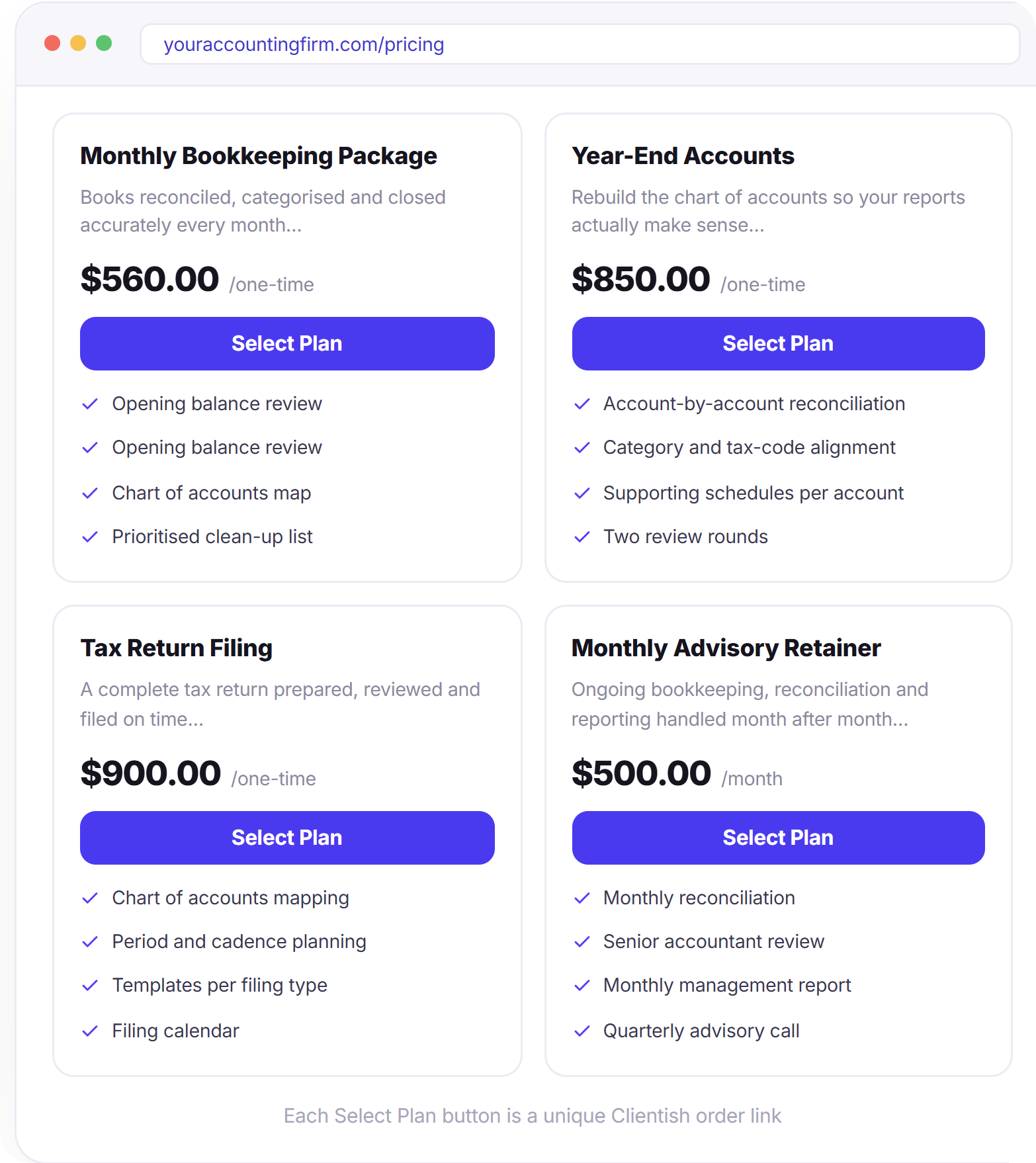
Let Clients Start the Right Service Without the Back-and-Forth
Present your bookkeeping and accounting services with a clear scope, price, and order path. Clients can choose monthly bookkeeping, year-end work, tax filing, or advisory support, provide the required details, and start the engagement without waiting for a separate payment request.
FINANCIAL DATA INTAKE
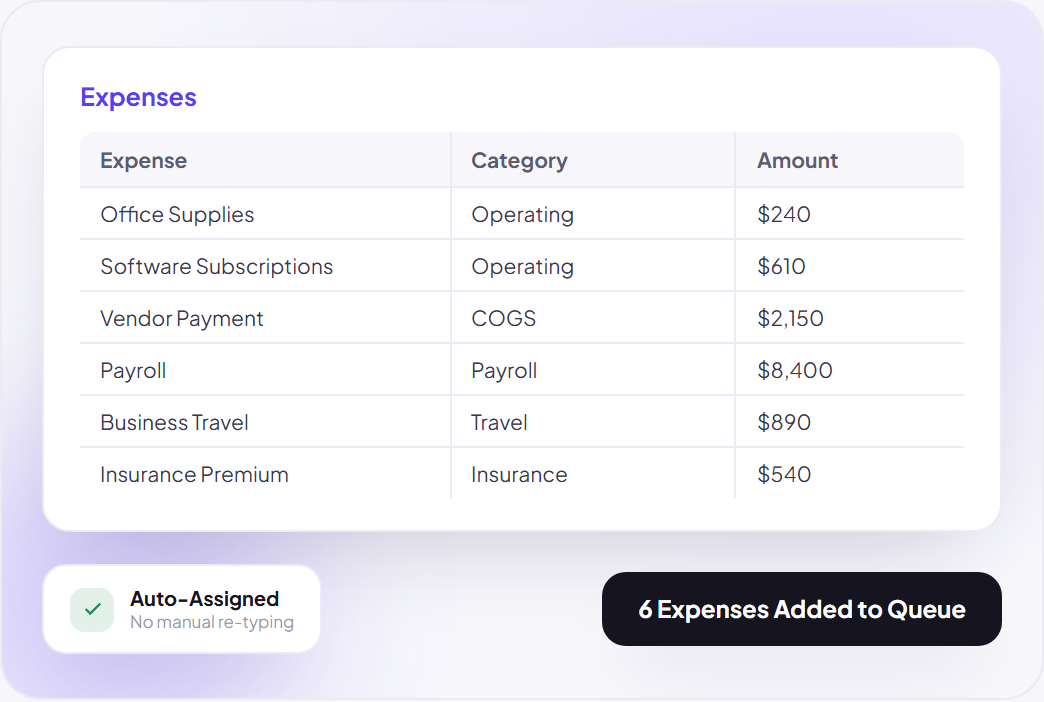
Bring a Full Expense List Into the Books Without Retyping It
Let clients submit multiple expenses in one structured list, with categories, amounts, and other details already separated. Your bookkeeping team receives organized data that can be reviewed and worked through without rebuilding the client’s spreadsheet row by row.
Document Intake
Get the Records in Place Before the Books Are Touched
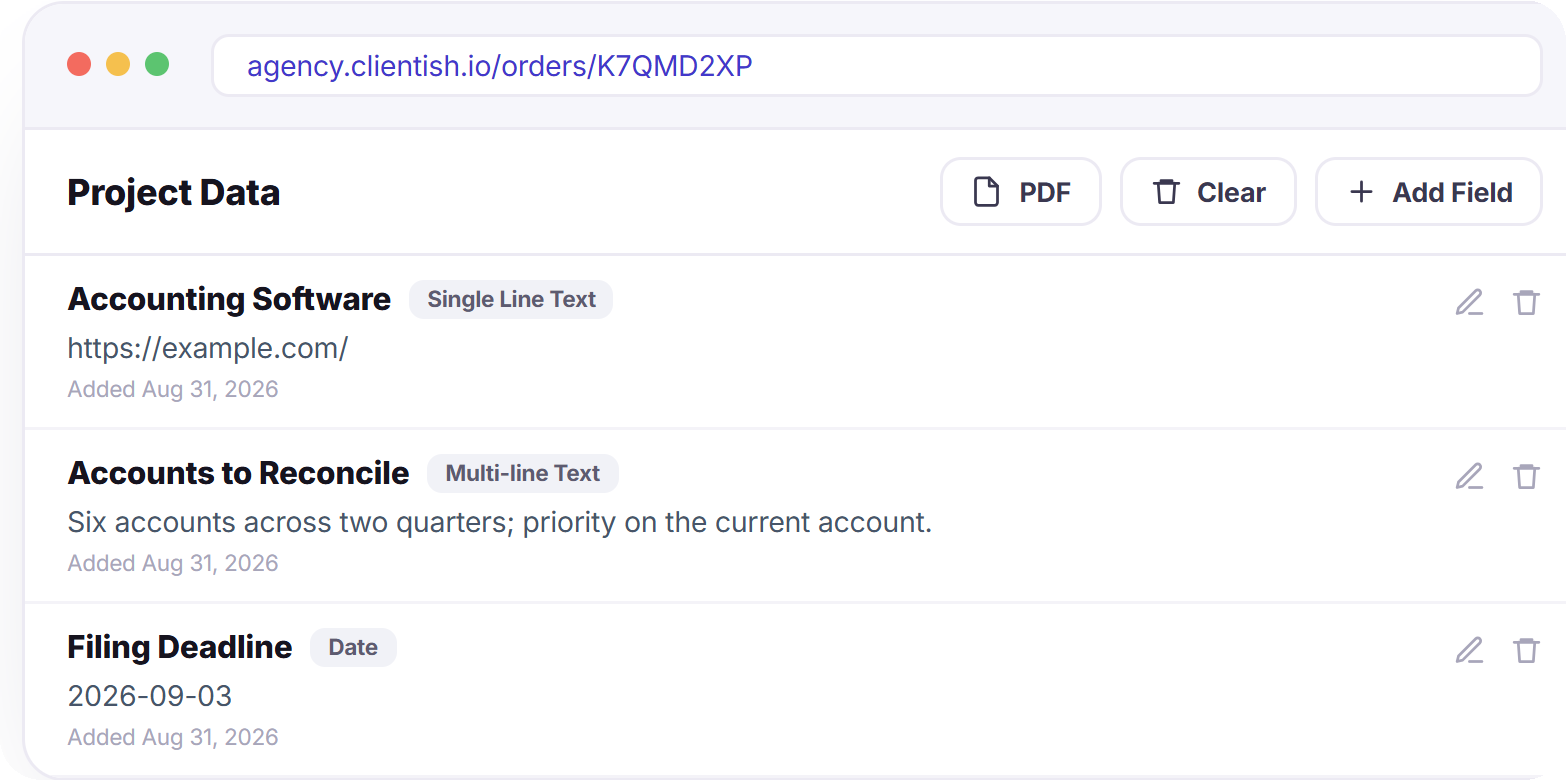
Collect the financial records and account details your team needs before bookkeeping begins. Clients can provide statements, receipts, prior-period records, accounting software details, accounts to reconcile, and filing deadlines in one organized request.
BOOKKEEPING PROGRESS
See Exactly Where Every Client’s Books Stand
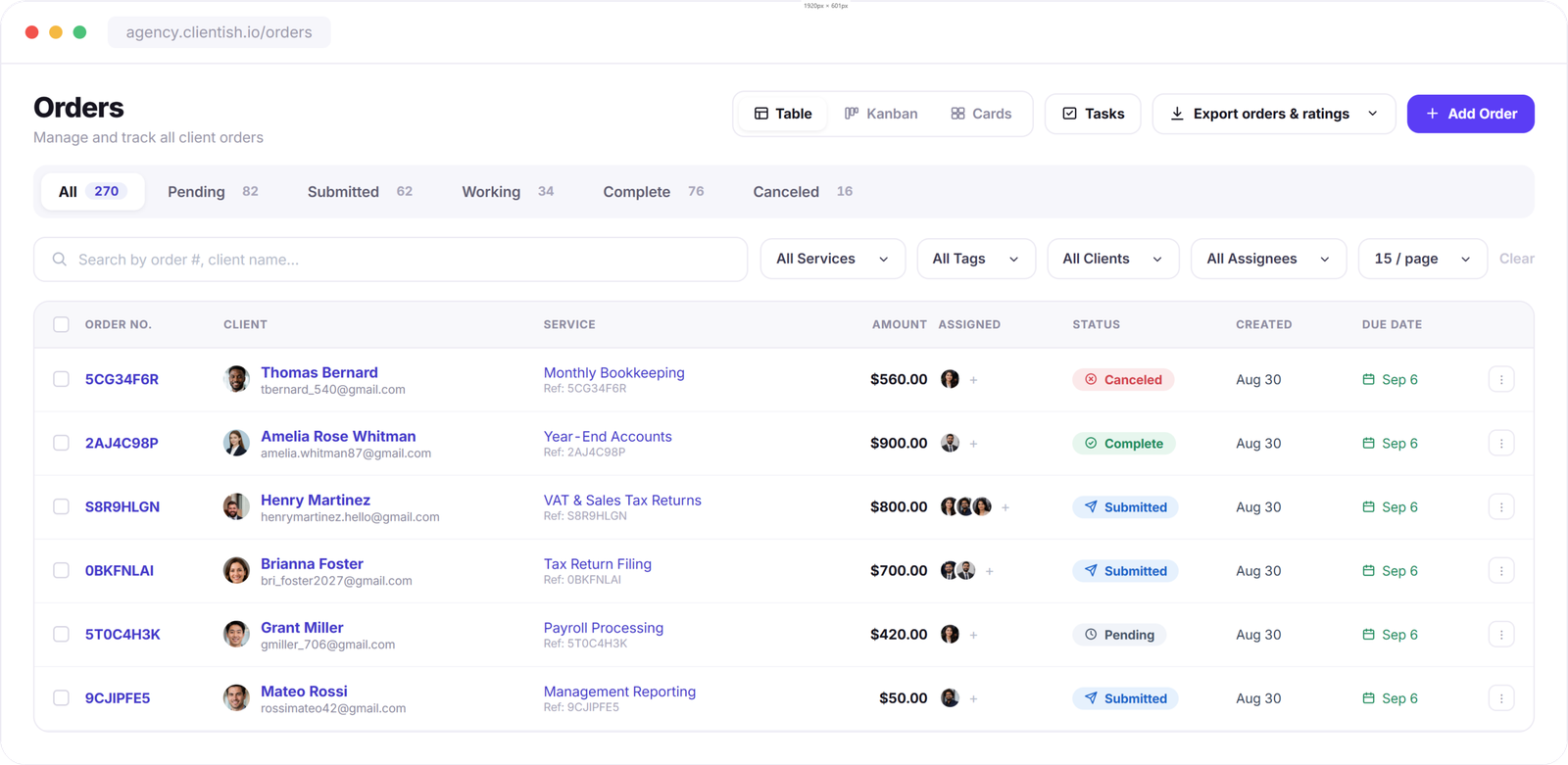
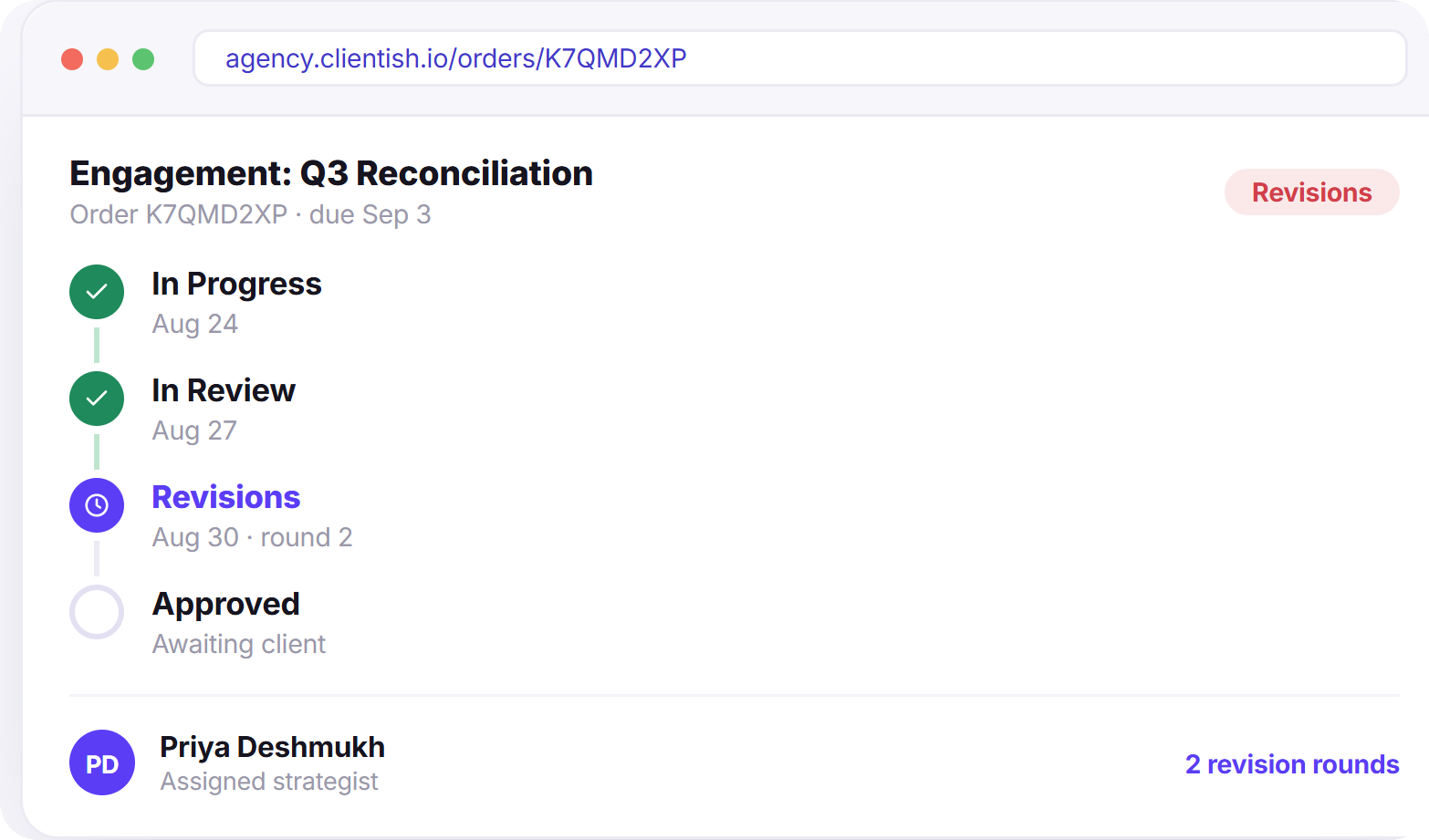
Follow each bookkeeping engagement from records received through reconciliation, review, and completion. Your team can see what is being worked on, what still needs client input, and what is ready to close without digging through separate notes or messages.
FINANCIAL DOCUMENTS
Put Every Financial Record Where Your Team Expects It
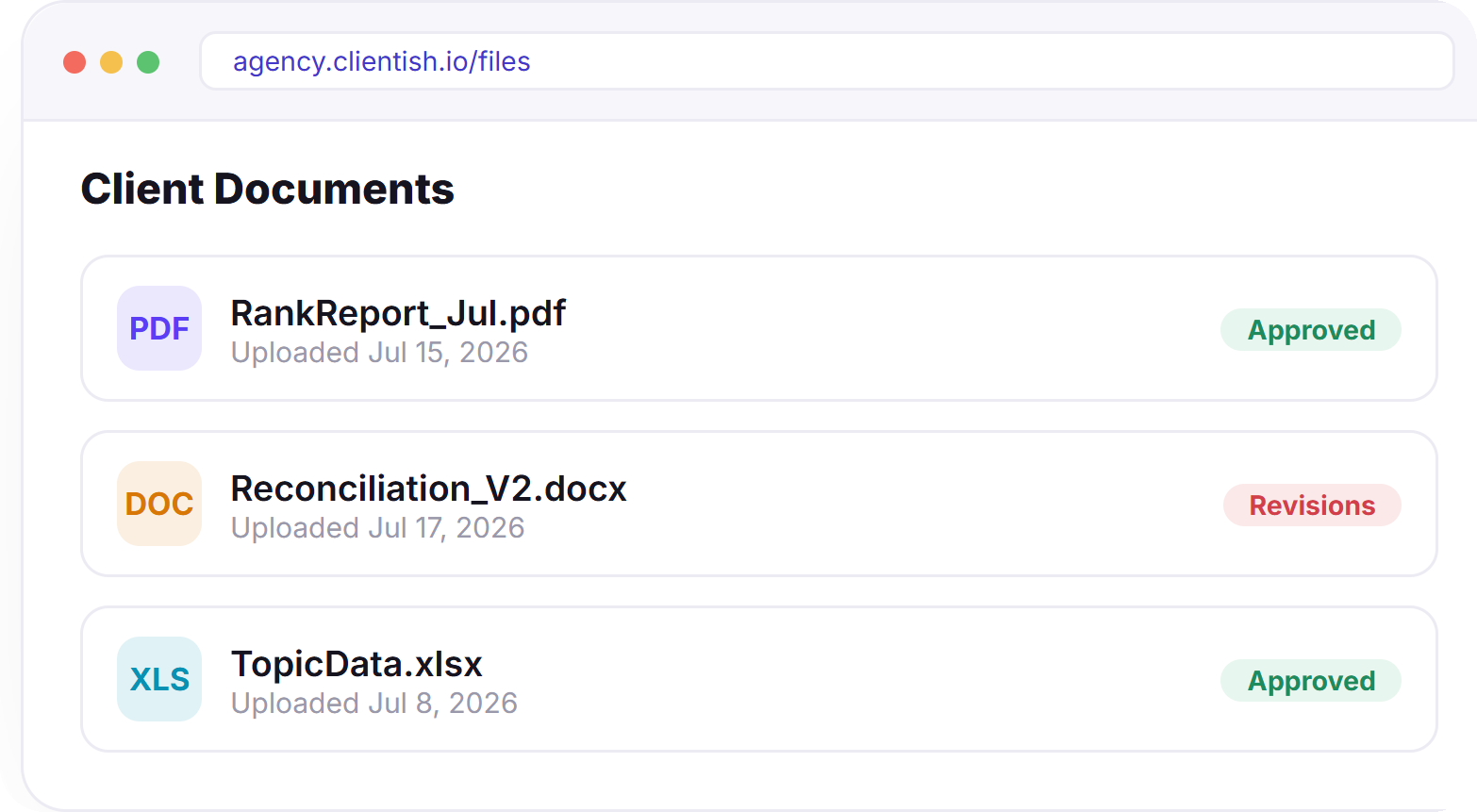
Keep bank statements, receipts, reconciliation files, supporting documents, and completed reports with the client work they belong to. Your team can find the right records without searching shared folders, while clients can access completed financial documents through their portal.
BOOKKEEPING BILLING
Put Recurring Bookkeeping on a Billing Schedule
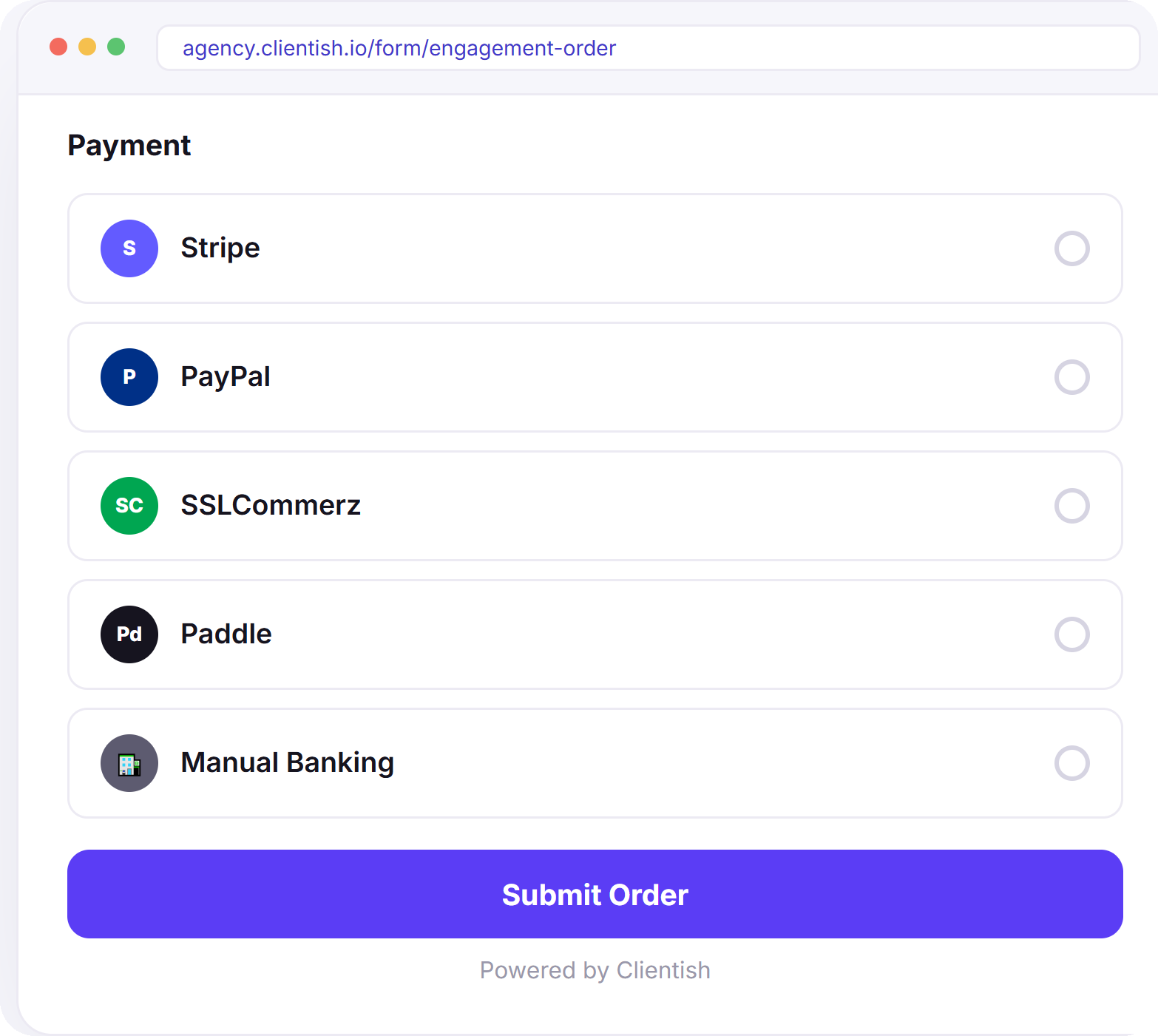
Set ongoing bookkeeping services to bill on a recurring cycle while keeping one-off accounting work separate. Invoices can be created automatically and emailed at each billing cycle, and clients can view and pay them directly from their portal.
BUILT FOR
Different Services, One Client Workflow.
Whether your firm handles monthly books, tax preparation, payroll, or works with a distributed accounting team, keep client records, recurring work, deadlines, documents, and communication organized in the same workspace.
Small Business Bookkeeping
Handle recurring reconciliations, monthly records, client document requests, and reporting across multiple businesses.
Tax Preparation Firms
Keep client records, supporting documents, filing deadlines, questions, and completed tax work together from intake through delivery.
Payroll & Accounting Teams
Coordinate recurring payroll work, supporting records, deadlines, and client requests without losing track across accounts.
Distributed Bookkeeping Teams
Give bookkeepers, accountants, and remote specialists role-based access to the clients and work they’re responsible for.
“
“Client statements and revision notes used to live in five different email threads. Now every ledger, comment, and approval sits in one order — our accountants know exactly what’s next, and clients can see progress without asking.”
Stop Managing Client Books in Your Inbox
Build your first project order in minutes and start onboarding clients the same day.
Free 7-day trial · No credit card required