
Bill Once. Get Paid on Repeat.

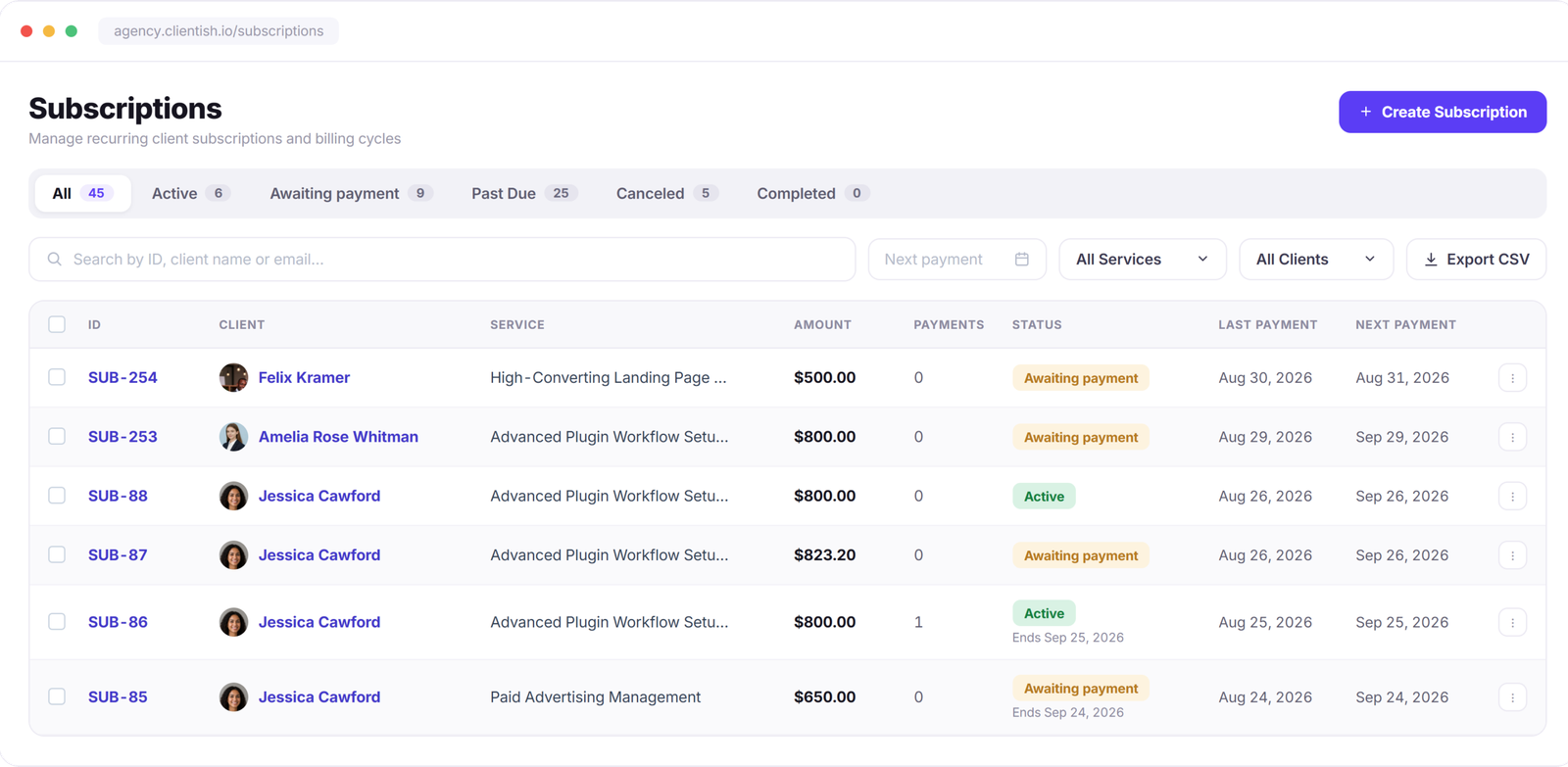
Set up recurring subscriptions and let billing take care of the next cycle—invoices are created automatically and sent to clients by email at every billing cycle. Manage one-off invoices, payments, taxes, and multi-currency billing from the same place.
No credit card required
7-day free trial
Cancel anytime

Built In

Everything You Need to Run Client Billing

Subscriptions, payment options, taxes, currencies, and reminders work together in one billing flow—without piecing together separate tools.
Subscription Billing

Set recurring subscriptions to bill on schedule, automatically create invoices, and send them to clients by email at every billing cycle.

Multiple Payment Gateways

Give clients multiple ways to pay through Stripe, PayPal, Paddle, SSLCommerz, and bank transfer.

Tax & Multi-Currency

Apply tax rules based on the client’s country and handle billing in the currency they expect.

Automatic Reminders

Automatically send due-date, overdue, and failed-payment emails so your team doesn’t have to follow up manually.

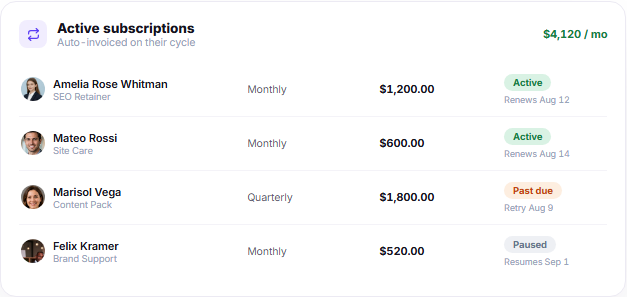
Active subscriptions panel with client retainers renewal dates and payment status

Subscriptions

Retainers That Invoice Themselves

Set the service, amount, and billing cycle once. At every cycle, a new invoice is created automatically and sent to the client by email, while the subscription and payment status stay updated in their portal.

Weekly, monthly, quarterly, and yearly billing cycles
Auto-charge saved cards or send a payment link
Pause, resume, or cancel without losing subscription history
Retry failed payments and send payment reminders
Keep invoices and subscription status updated in the client portal

Payment Gateways

Let Clients Pay the Way That Works for Them

Offer multiple payment options and choose which ones are available for your workspace or invoice. Accept online payments from local and international clients, while manual bank transfers can be confirmed with payment proof.
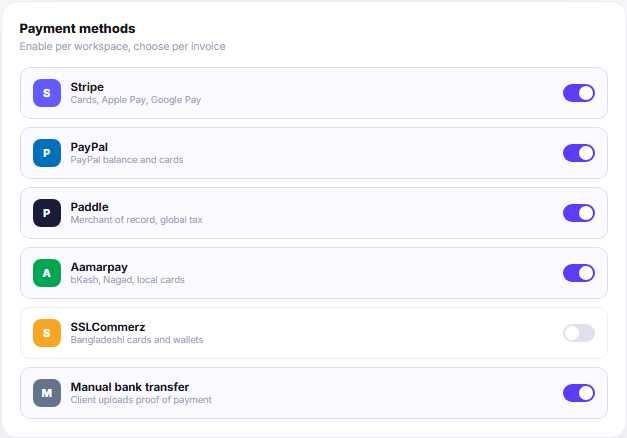
Stripe, PayPal, Paddle, SSLCommerz
Manual bank transfer with payment proof upload
Choose available payment methods for your invoices
Record payments against the correct invoice
Keep refunds connected to the original invoice
Payment methods panel showing Stripe PayPal Paddle AmazonPay SSLCommerz and bank transfer

Tax & Currency

Set the Rules Once. Use Them Across Billing

Configure the billing rules your agency uses every day—from tax and currencies to invoice numbering, discounts, refunds, and reporting. Keep them consistent across invoices without setting everything up again for each client.

Country-Based Tax Rules

Set VAT, GST, sales tax, or no tax based on the client’s country.

Multi-Currency Billing

Invoice clients in supported currencies while keeping reporting in your base currency.

Custom Invoice Numbering

Use your own invoice prefix and numbering sequence across the workspace.

Coupons & Discounts

Create percentage or fixed discounts, set usage limits, and use them for one-off or recurring billing.

Refunds & Credit

Keep full or partial refunds connected to the original invoice.

Revenue Reports

Track paid, outstanding, and recurring revenue by client, service, or date.

Billing Emails

Billing Emails That Send Themselves

Invoice, payment, subscription, and refund emails go out automatically when the right billing event happens. Customize the wording once, send through your own SMTP, and turn individual emails on or off whenever you need.
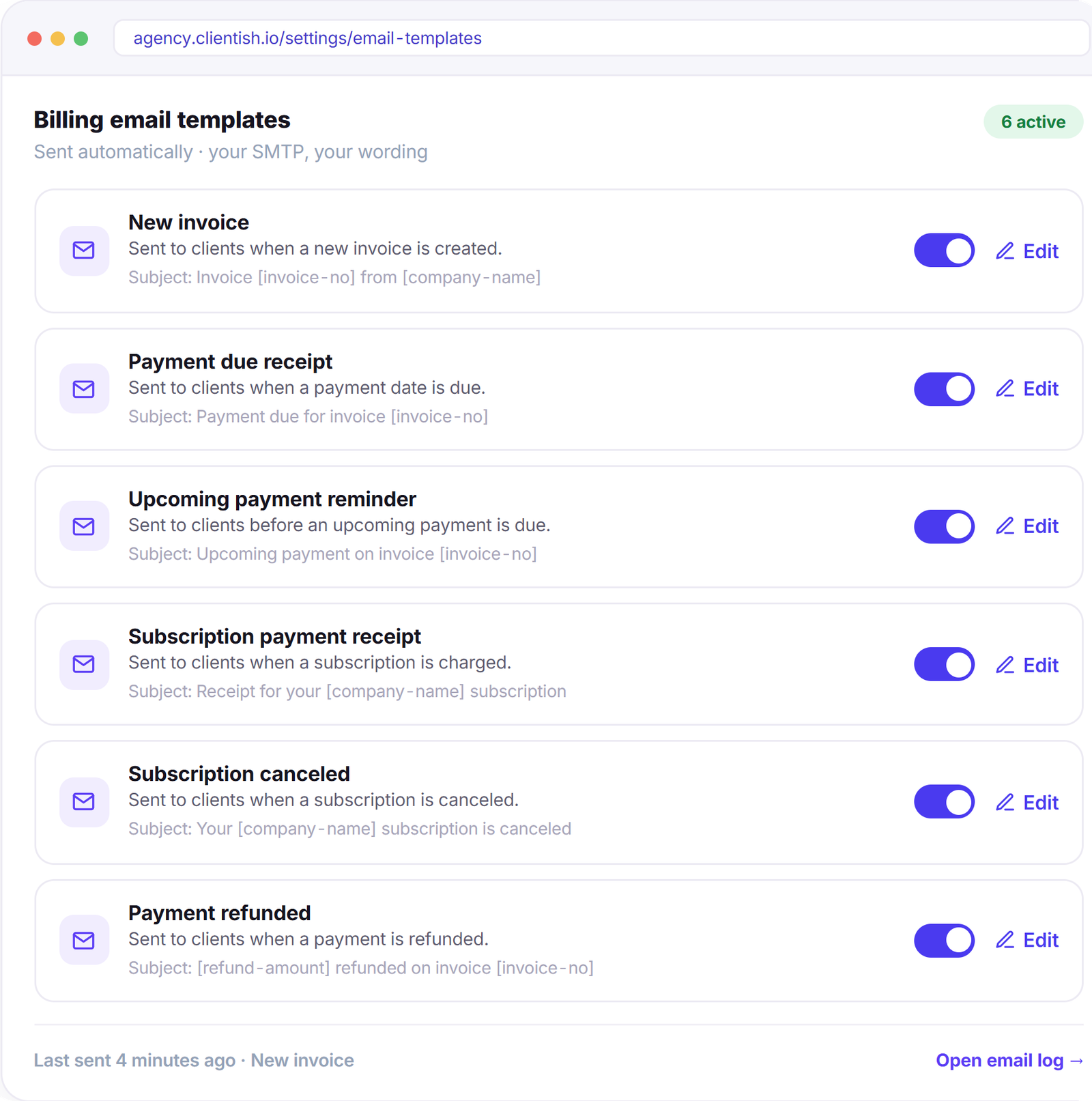
Edit the subject, heading, and body of every email
Fill client, invoice, amount, and due-date details with shortcodes
Send every billing email through your own SMTP and business email
Enable or disable individual billing emails anytime
Keep a send log so your team can see what went out and when
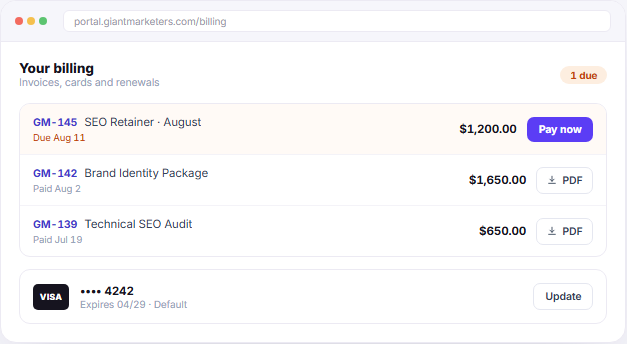
Client billing portal with invoices saved card and pay-now action

Client Side

Clients Pay Directly From Their Portal

Clients can see unpaid and paid invoices, make payments, download invoice PDFs, and manage saved payment methods directly from their portal. Payment history and account balance stay available in the same place, so routine billing questions don’t need another email.

Pay unpaid invoices directly from the client portal
View and manage saved payment methods
Use available wallet balance and deposits toward orders
Download invoice PDFs whenever needed
See paid, unpaid, and previous invoices in one place

“Retainers used to mean a reminder in my calendar and an invoice I wrote by hand. Now they just go out, get paid, and I see the money land — I haven’t chased a payment in months.”

Mateo Rossi

Mateo Rossi

Director, Studio MR

Stop Writing Invoices by Hand.

Subscriptions, gateways, taxes and reminders — set up once, running from day one.

Scroll to Top