
Tasks & Todo Lists

Every Order Broken Into Trackable Work

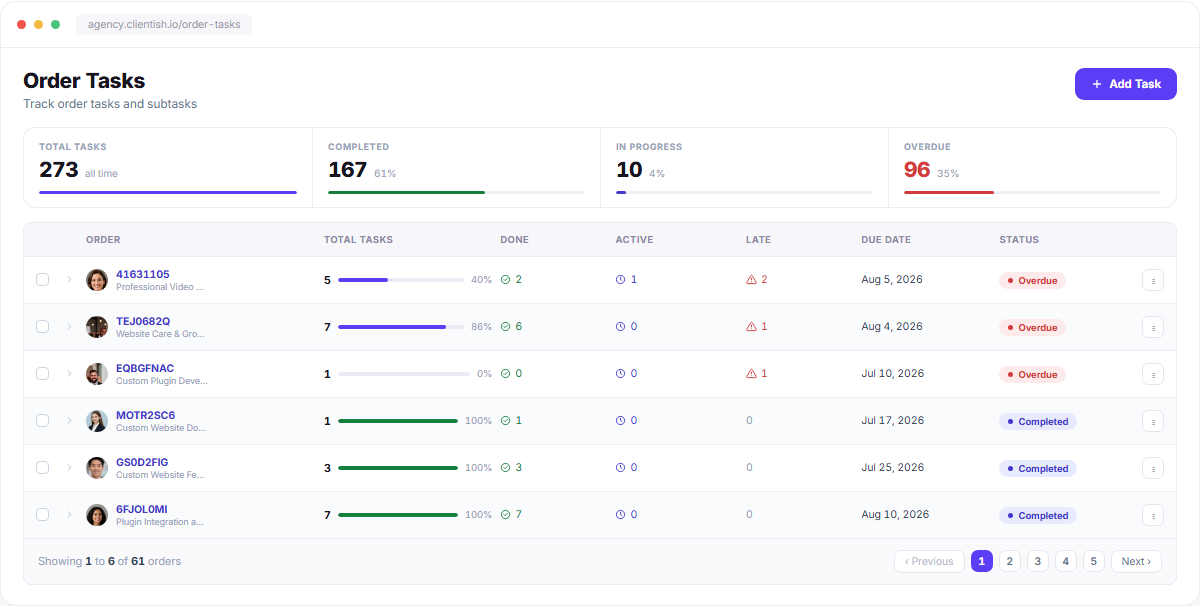
Split an order into tasks, assign them per team member, and watch completion roll up on its own. Keep personal and team checklists beside them in Todo Lists.
No credit card required
7-day free trial
Cancel anytime
Order Tasks dashboard with order task totals, progress bars, statuses, due dates and pagination

Work Nobody Has to Chase

Tasks live inside the order they belong to, grouped by the person doing them.
Subtasks Per Order

Expand any order to see its tasks, grouped under the member who owns them.

Progress Rolls Up

Tick a task and the order’s completion bar updates on its own.

Overdue, Not Hidden

Late tasks turn red at both the task and the order level.

Checklists Too

Todo Lists hold the personal and team checklists that aren’t tied to an order.

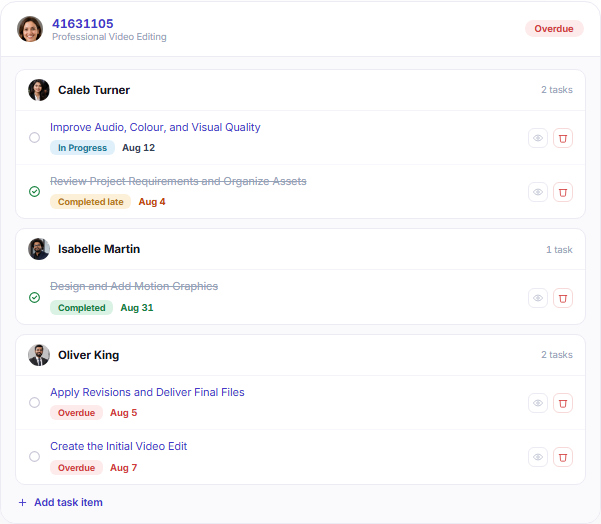
Order task detail grouped by assignee with statuses, due dates and task actions

ASSIGNMENT

One Order, Everyone’s Slice of It

Expand an order and the tasks group under the member who owns them, each with its own status and due date. No spreadsheet, no guessing who has what.

Tasks grouped by assignee inside the order
Per-task status: In Progress, Completed, Overdue
Due date on every item, late ones in red
Add a task item without leaving the row

PROGRESS

Completion That Reports Itself

Tick a task and the order’s bar moves. Totals across all 273 tasks — done, in progress, overdue — sit at the top of the screen so nobody has to build a status report.
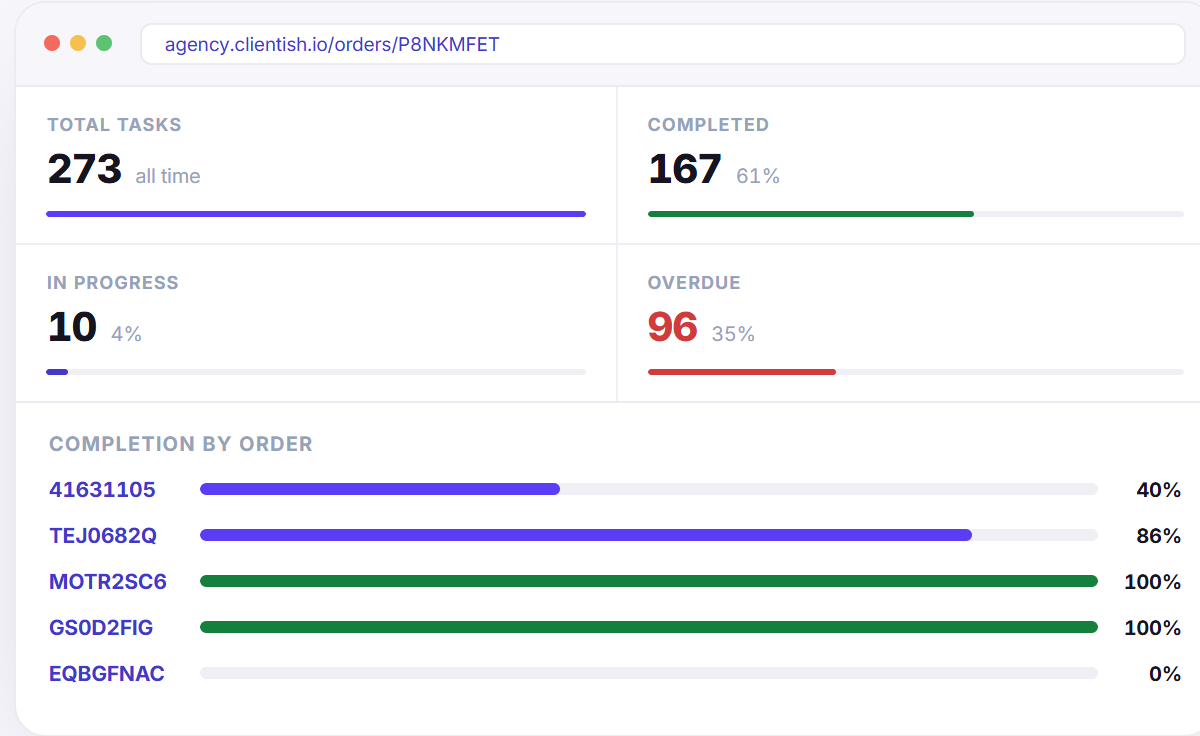
Per-order completion bar and percentage
Workspace totals for done, active and overdue
Order status flips to Completed on the last task
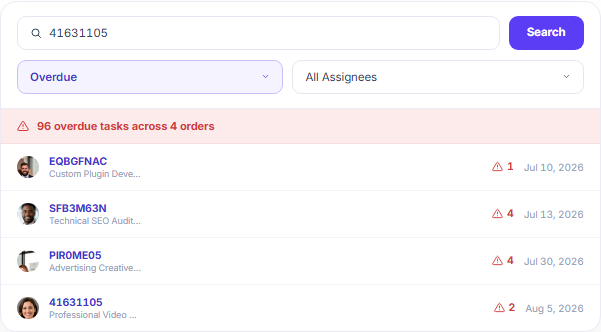
Overdue task filter card with order search, status filter and overdue task rows

FIND IT FAST

Filter Down to What’s Late

Search by order ID, narrow by status, or pull up one assignee’s whole workload. Ninety-six overdue tasks become a short, actionable list.

Search by order ID
Filter by status and by assignee
Overdue counts surfaced per order

TODO LISTS

Checklists for the Work Between Orders

Pre-production prep, launch checks, onboarding steps. Group items by owner, tick them off, and see exactly how far each list has come.
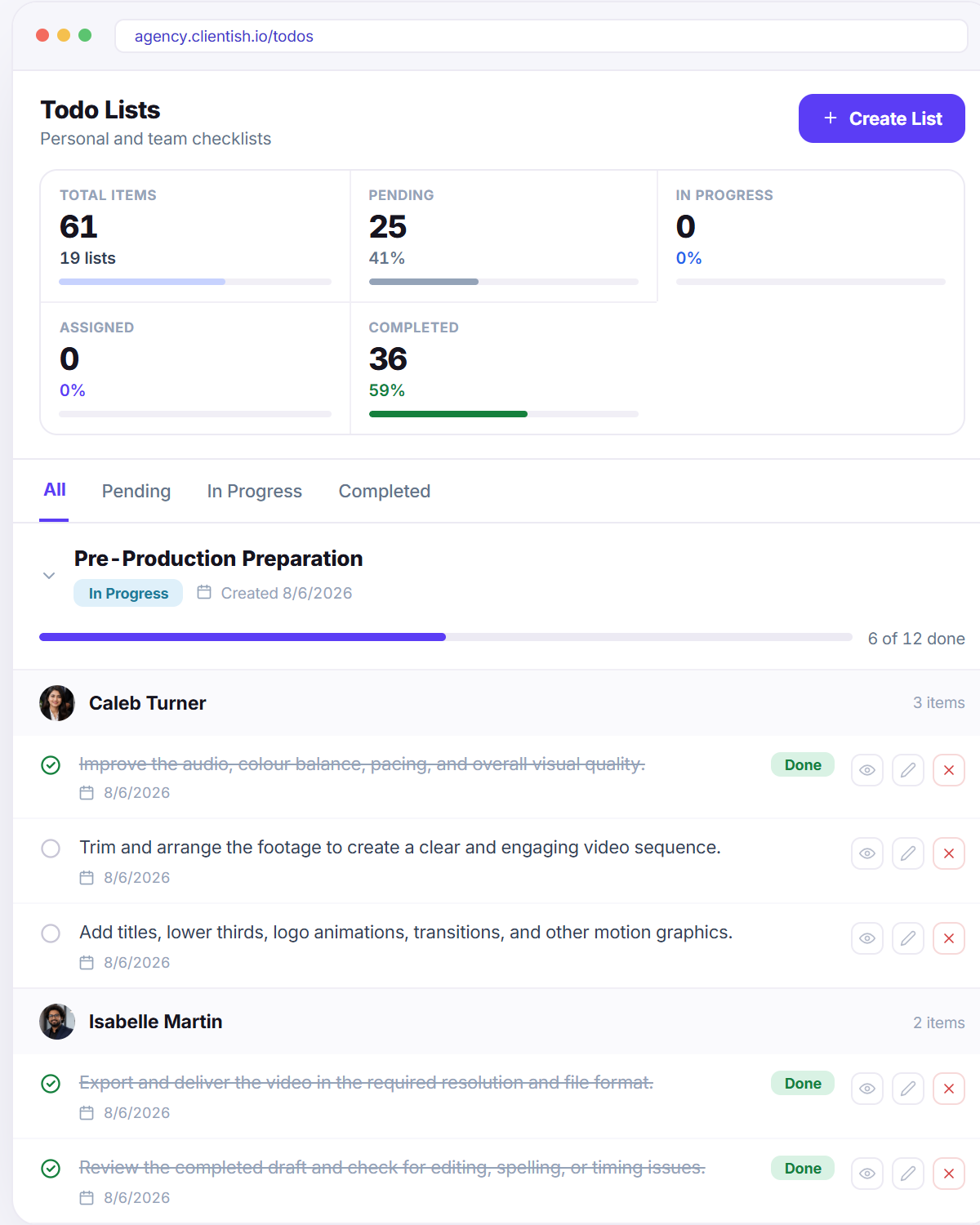
Personal and team checklists side by side
Items grouped by the member who owns them
“6 of 12 done” on every list header
Filter by Pending, In Progress or Completed

Stop Tracking Work in Your Head.

Break every order into tasks, give each one an owner, and let the progress bars do the reporting.

Scroll to Top