
SUPPORT TICKET SYSTEM · UPDATED OCTOBER 2026
Support Ticket System for Client Requests, Resolved Faster and Smarter
A support ticket system turns each client request into a tracked ticket with an owner, a priority and a deadline. Clientish gives your agency one inside the client portal: clients open tickets against the right order, your team replies in one thread with internal notes and SLA timers, and clients rate the result, from $29 a month.
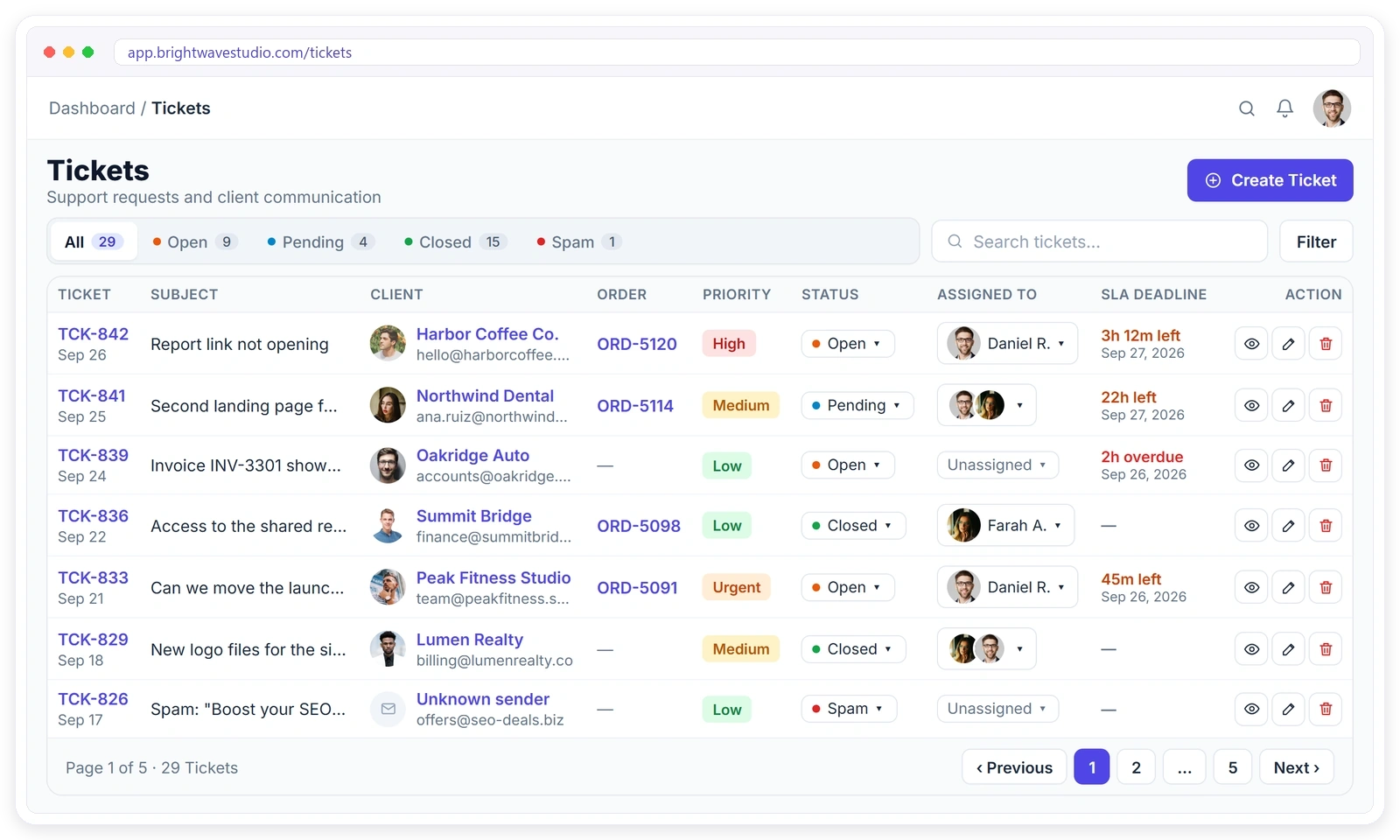
Support That Scales With You
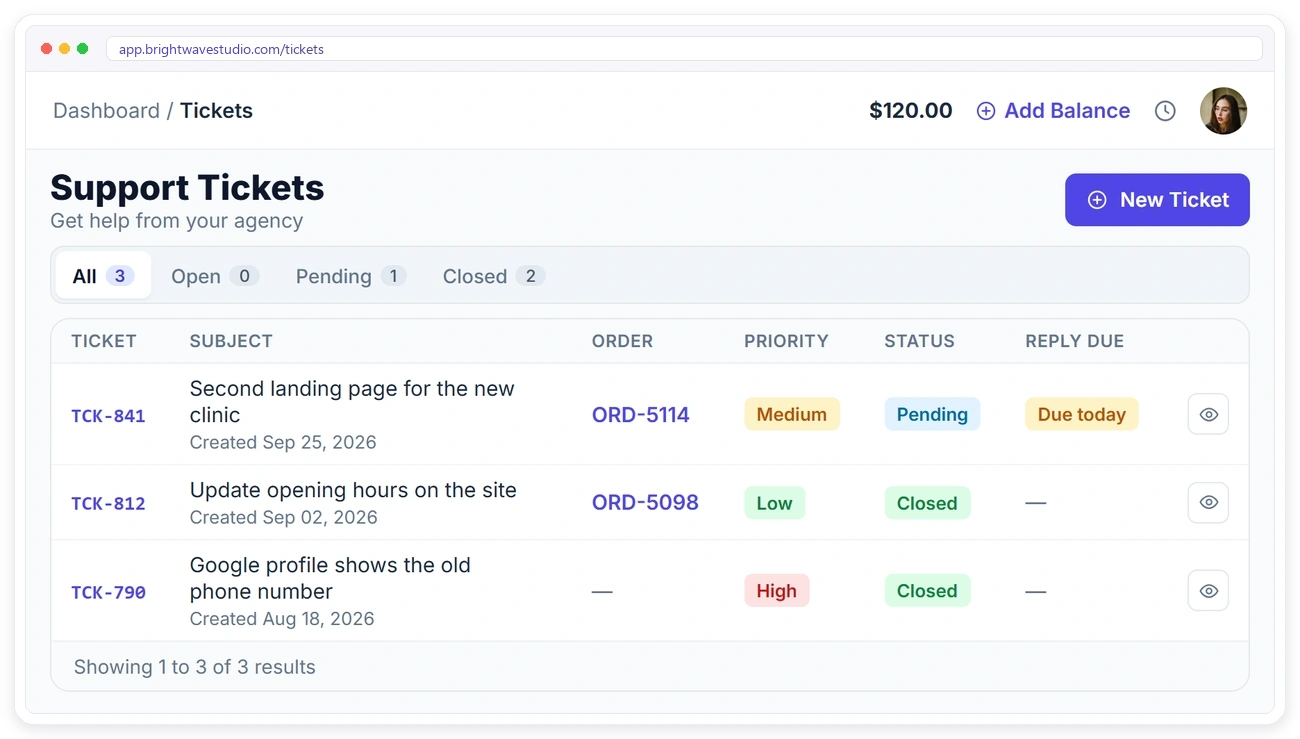
Every request in one queue, sorted by what matters most, and findable in seconds. Nobody has to dig through an inbox to find out who asked for what, or which request is already late.
How a Ticket Moves
From the client’s first message to a rated resolution. Each step is visible to your team and the client, so nobody has to ask where a request stands or who is handling it.
TICKET CREATION
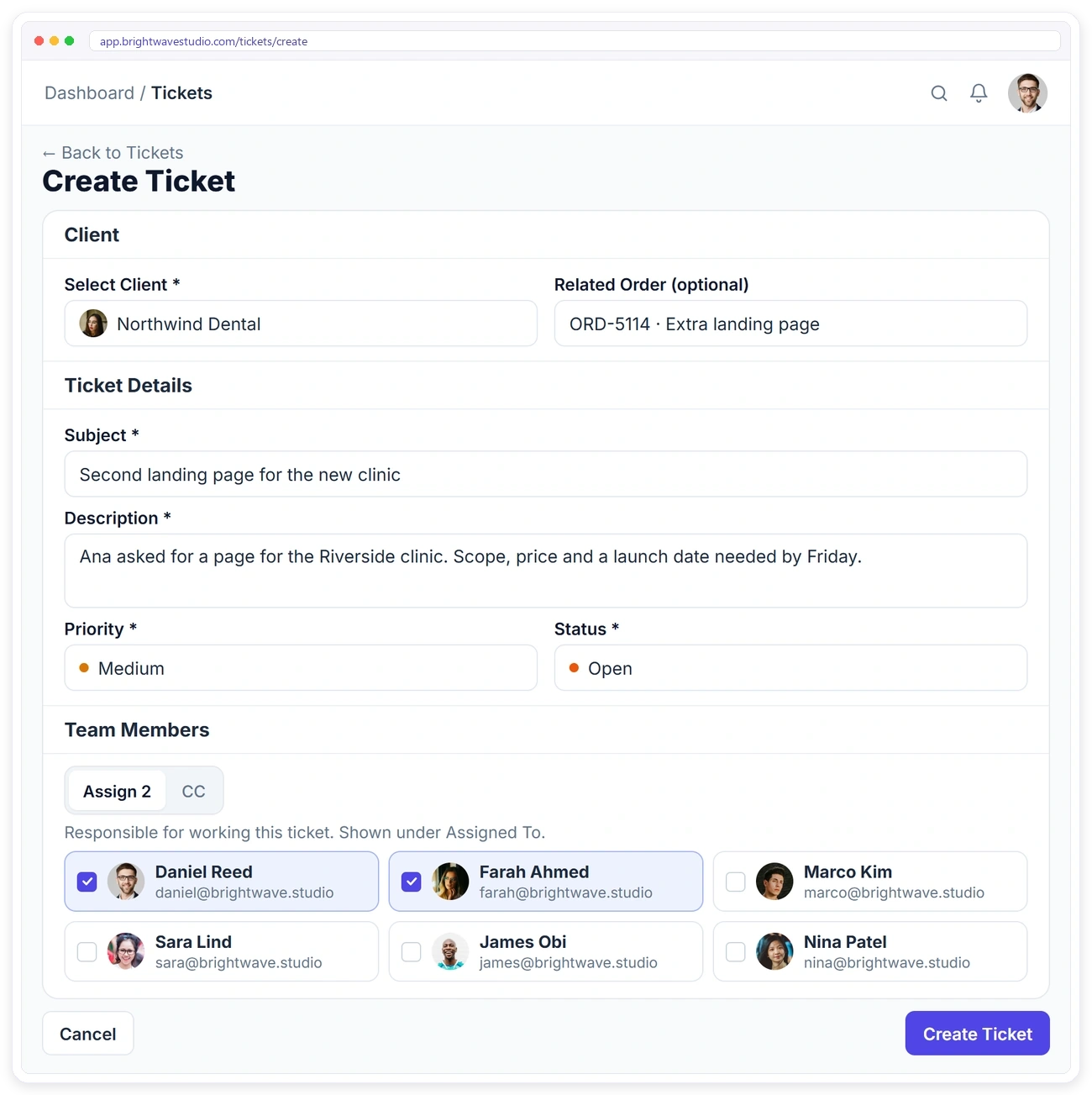
Effortless Ticket Creation with Full Context
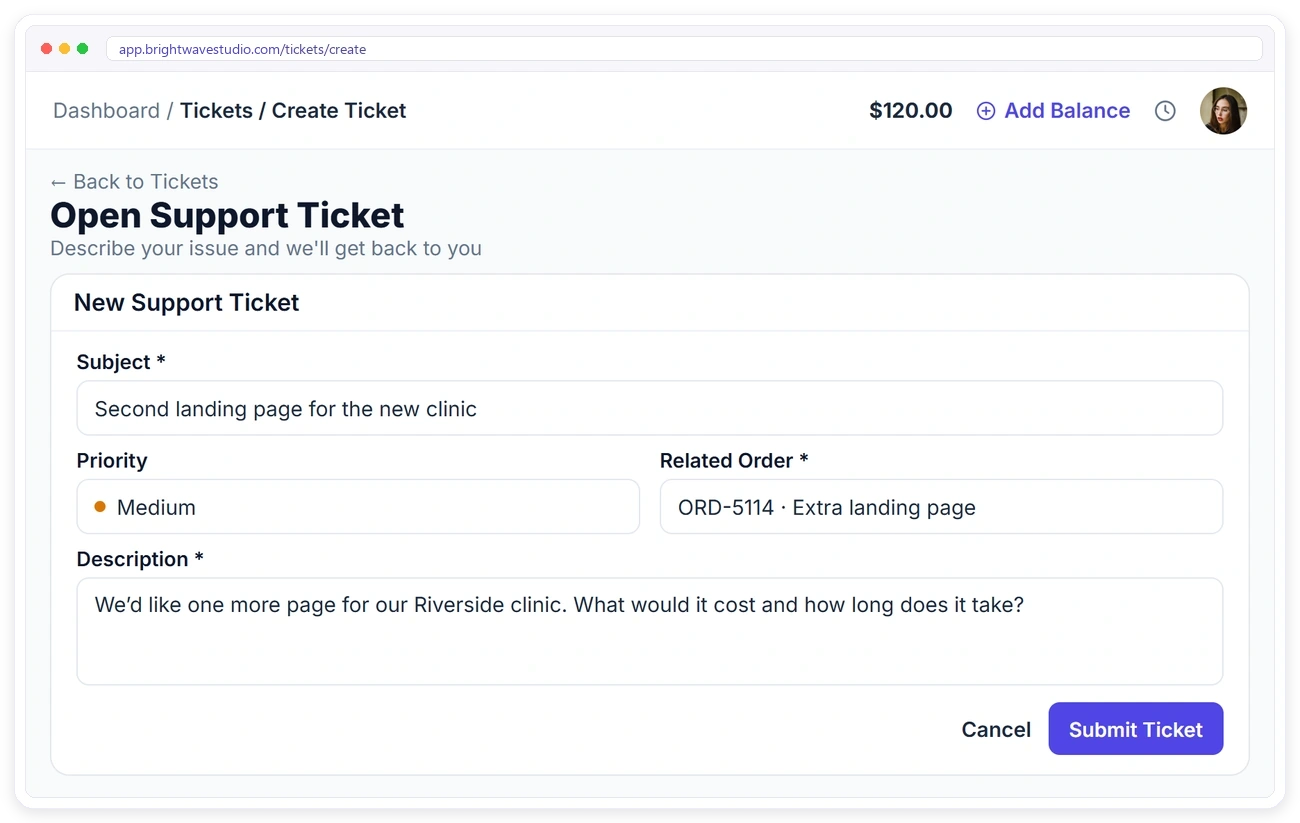
Capture every detail upfront: client, subject, description, priority and status, so tickets are routed correctly from the start. Your team begins with the full picture instead of a back-and-forth about what the client meant.
CLEAR COMMUNICATION
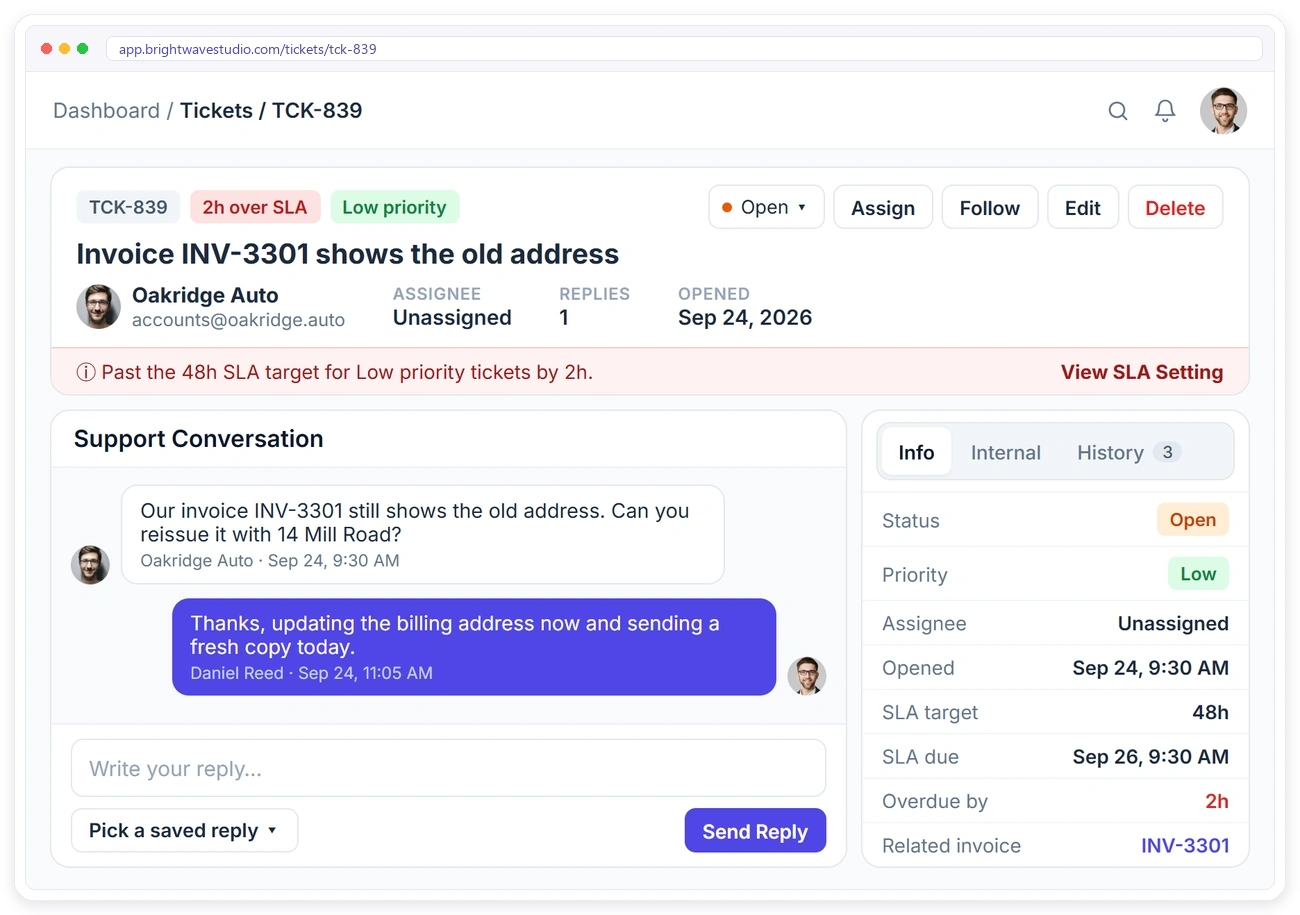
One Thread for Every Ticket Conversation
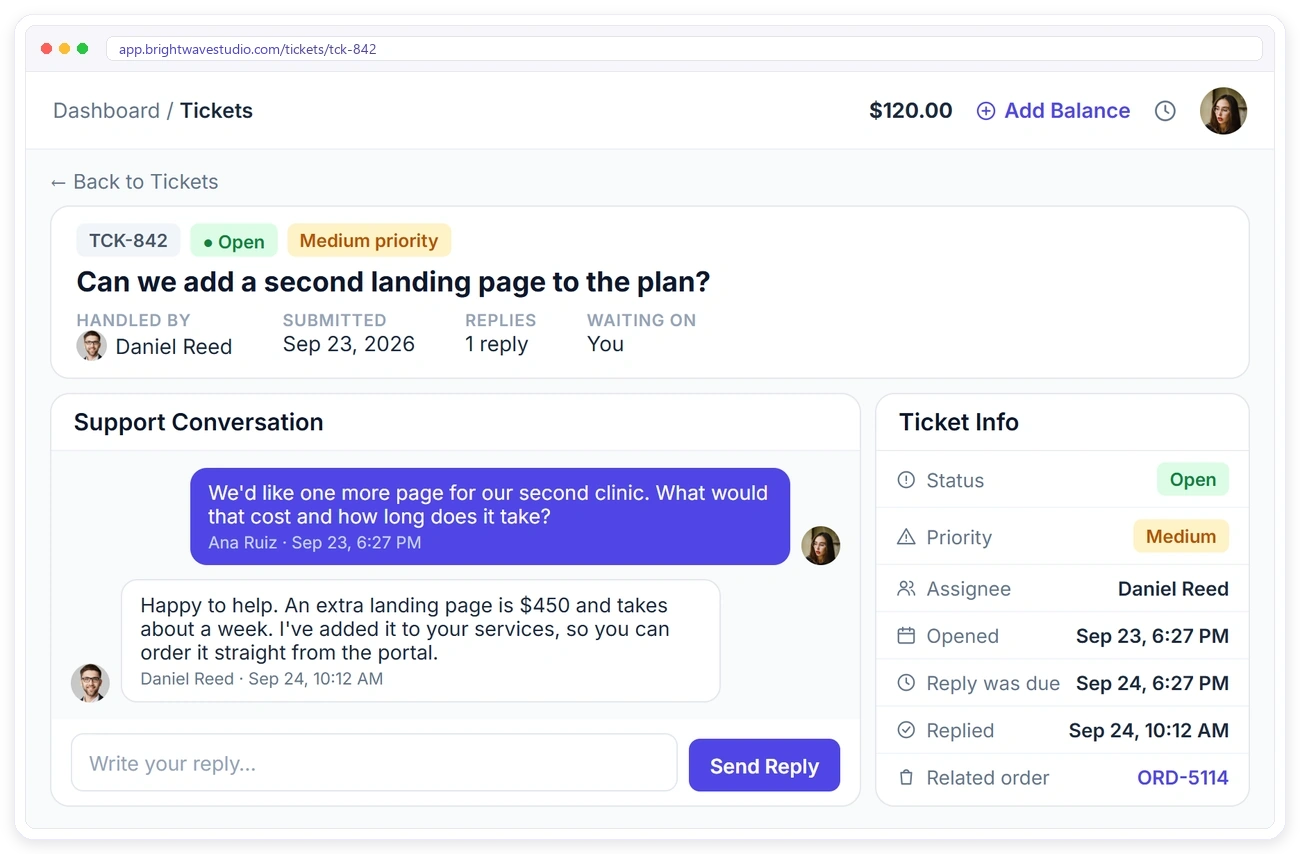
Keep all ticket-related communication in one place. No more lost emails or fragmented chat histories across channels. Anyone who joins later reads one history instead of piecing it together.
TEAM
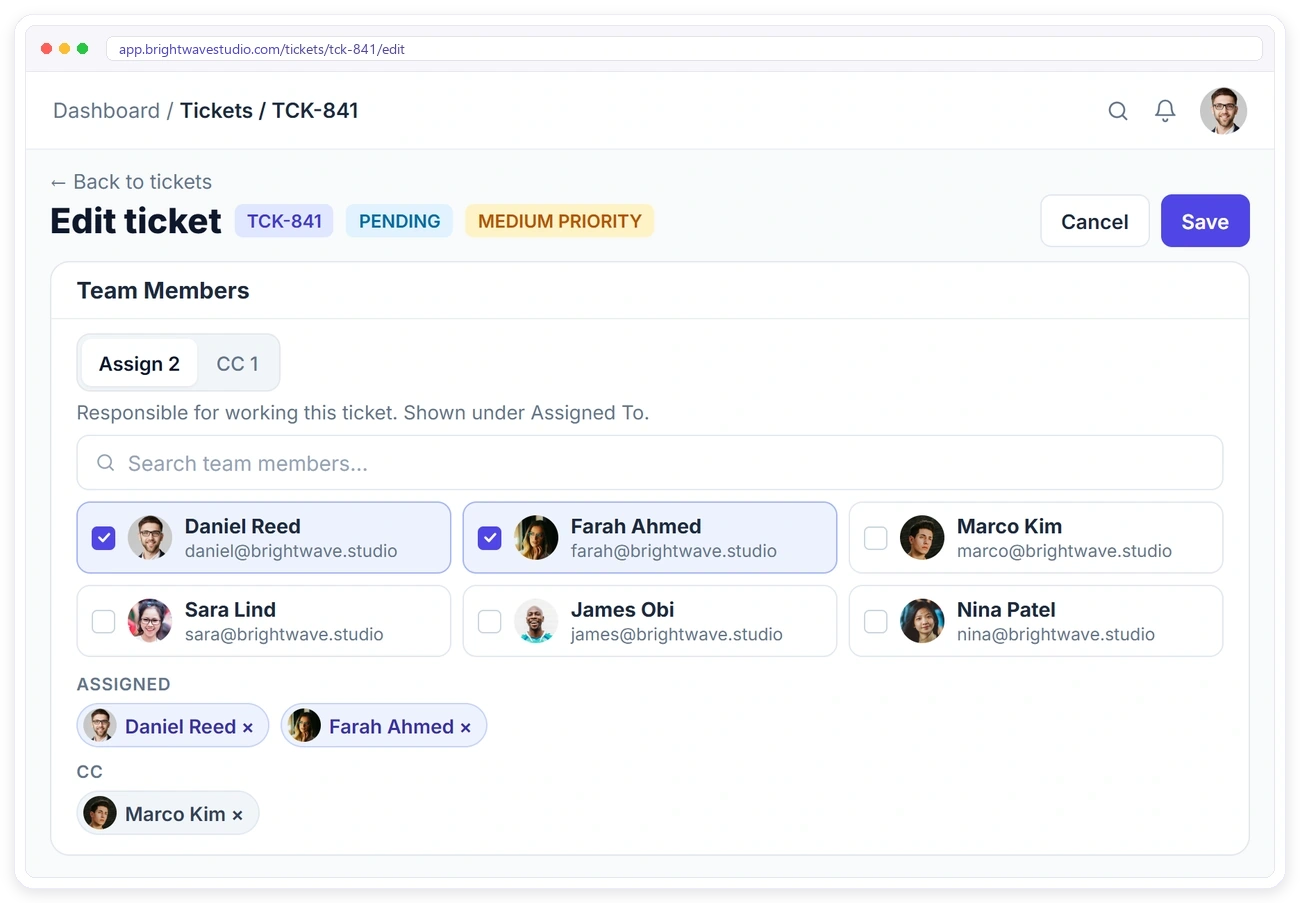
The Right People on Every Ticket
Assign the team members responsible for a ticket and CC anyone who needs to follow along. Remote members can be assigned too. Nothing waits on one person’s inbox while they are away.
ACTIVITY
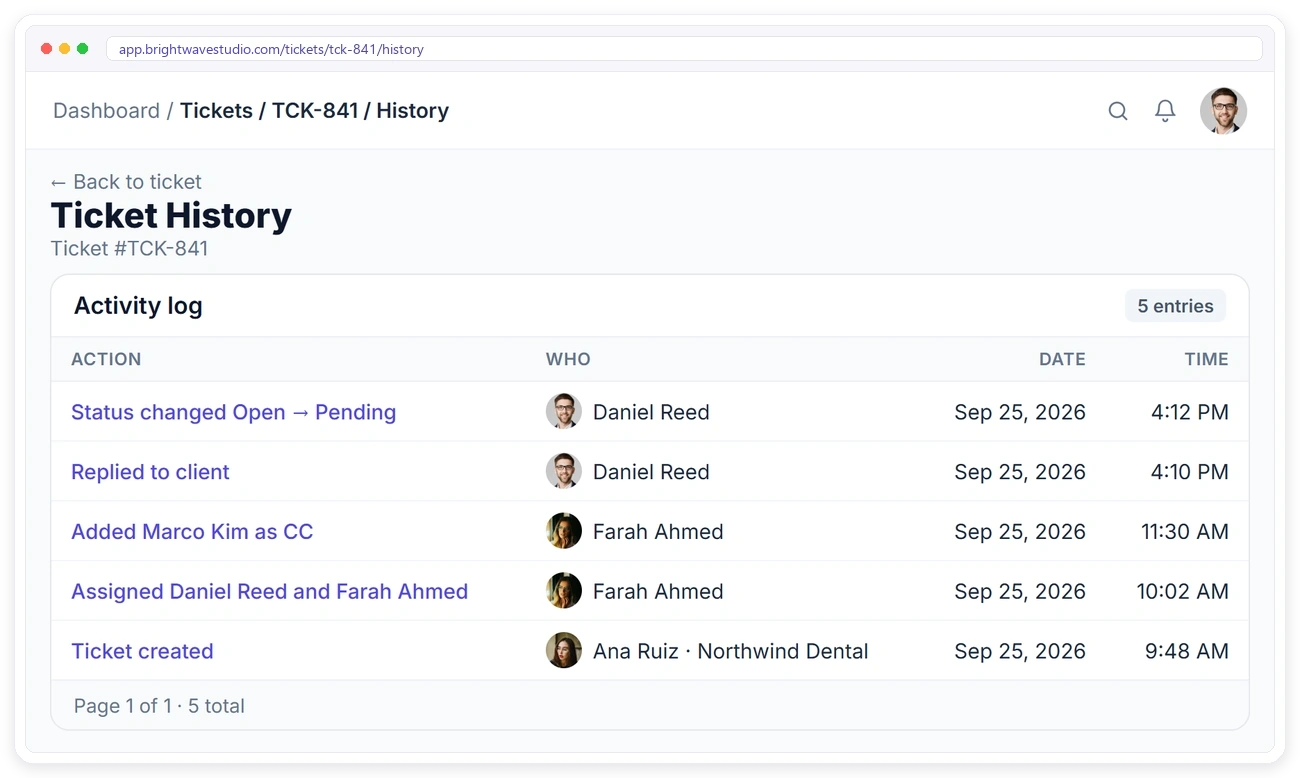
Internal Notes and Full Activity History
Coordinate privately with your team, and see every action taken on a ticket, status changes, updates and messages, in one timeline. When a client asks what happened, the answer is already written down.
CLIENT COMMUNICATION
Keep Clients Informed, Automatically
Every status change fires an instant notification to the client, and each client has their own dashboard to follow, reply to and rate their tickets, no phone calls or email chasing required.
CLIENT PORTAL
Clients Open Tickets Against the Right Order
From their portal, clients describe the issue, set a priority and pick the order it’s about, so your team starts with full context and nobody guesses which project the problem belongs to.
CLIENT REPLIES
Reply and Rate Right on the Thread
Clients see who’s handling their ticket, reply directly on the thread, and rate how their issue was handled once it’s resolved. The ratings show you which kinds of tickets your team handles well.

Support Tickets FAQ
Straight answers about running a support ticket system for client requests: what it is, what it costs, SLAs, private notes and what your clients see.
What is a support ticket system?
It is a shared queue where every client request becomes a ticket with an owner, a priority, a status and a deadline, so requests are tracked to a close instead of lost in someone’s inbox.
How much does a support ticket system cost?
Most help desks charge for every agent each month. Here there is no separate ticketing bill: tickets come with the plan, which starts at $29 a month and already has 5 team members who can answer them.
Is this a Zendesk alternative for agencies?
For client support that belongs to your projects, yes: tickets live next to the client’s orders and invoices, and clients use the same portal they already log in to. If you run a large multi-channel call centre, a dedicated help desk will suit you better.
Can clients open tickets themselves?
Yes. Clients open tickets from their portal, choose a priority and link the order it’s about. You can also create a ticket on a client’s behalf.
How do SLA deadlines work?
Each priority has an SLA target. Tickets show the time left or how far overdue they are, so you can act before a client has to chase.
Can my team talk privately on a ticket?
Yes. Internal notes sit in their own tab and are never shown to the client.
Can I assign more than one person?
Yes. Assign several team members and CC anyone who only needs to follow along, including remote members.
Are clients told when something changes?
Yes. Clients get a notification every time a ticket’s status changes, and they can reply on the thread.
Can I see everything that happened on a ticket?
Yes. Open the ticket’s history to see when its status moved, who was assigned or CC’d and every reply, each stamped with the person and the time, so a handover never loses context.
Deliver better support, resolve issues faster.
Give clients one place to raise a request against the right order, give your team one thread and a clock, and see how every ticket was rated. Try it with example data first.
- The client and the order it is about
- A priority with an SLA timer
- Assignees and CCs, remote members too
- Internal notes the client never sees
- Saved replies for common answers
- A rating when it is resolved