
HELP CENTER & KNOWLEDGE BASE · UPDATED OCTOBER 2026
Help Center and Knowledge Base for Agency Clients
A knowledge base is the set of help articles your clients can search on their own; the help center is where they read it. From $29 a month, Clientish gives your agency both inside the portal, with 25 ready-made articles your clients can search before they open a ticket. You choose who sees each article, the ticket form suggests the right one, and you see how many tickets it saved.
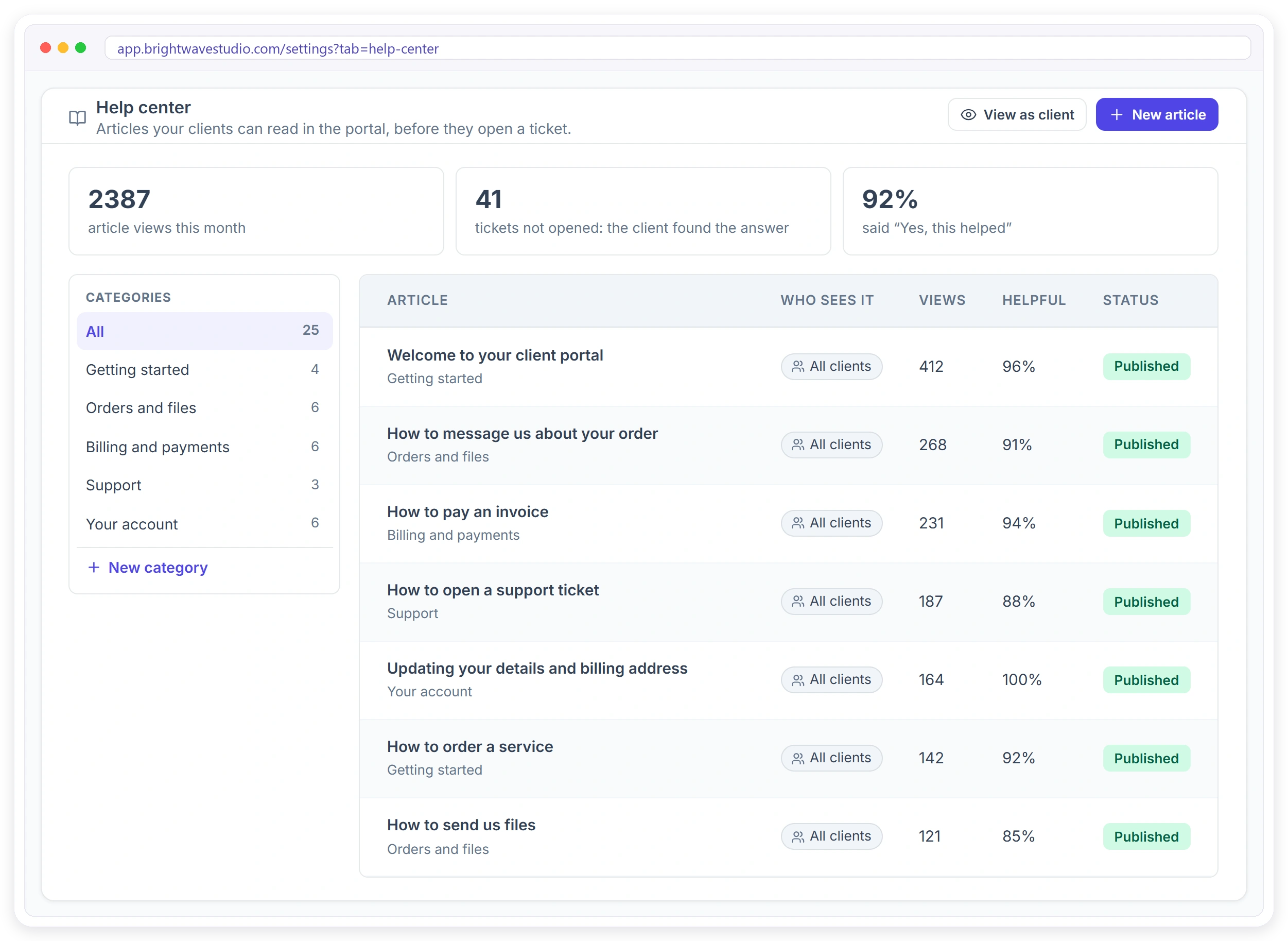
Why Agencies Add a Help Center
Most client questions are not new. They are the same few, asked again by every new client, and each one costs your team a reply that a short article could have given the client straight away.
CLIENT PORTAL
Clients Find the Answer Without Writing to You
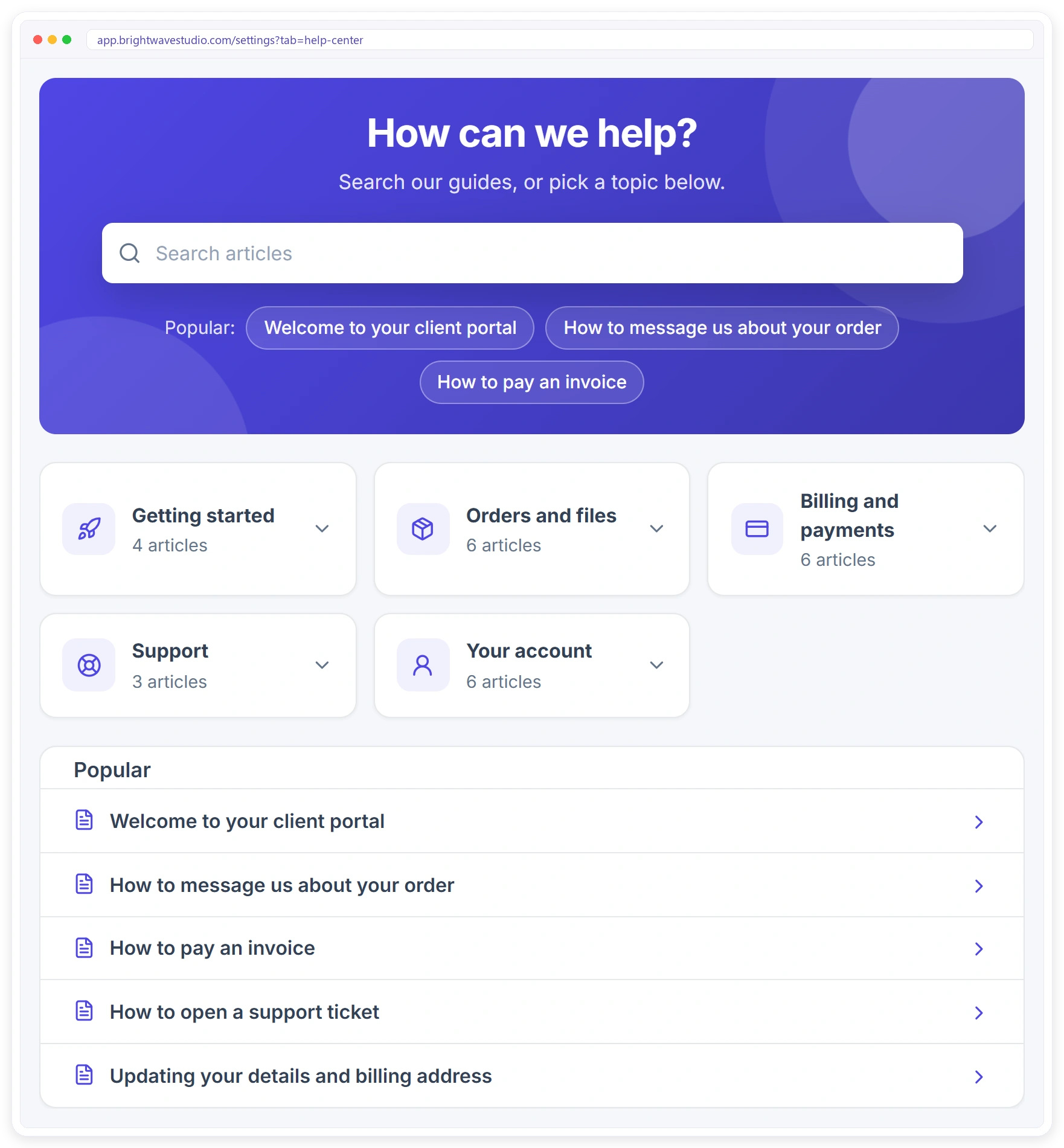
Help center sits in your client portal menu, in your colours. A client searches, opens a topic, or picks one of the most read articles, and gets on with their order. Only signed-in clients can read it, so you can explain your real process.
A Knowledge Base Organised by Topic
Your knowledge base opens with 25 published articles in five topics, so clients can browse by subject or search across all of them, and you edit, add or hide any article as your process changes.
What Changes for Your Agency
A help center is only worth it if your team feels the difference in the inbox. These are the changes agencies notice first, from fewer repeat tickets to quicker onboarding of new clients.
EDITOR
The Right Answer for the Right Client
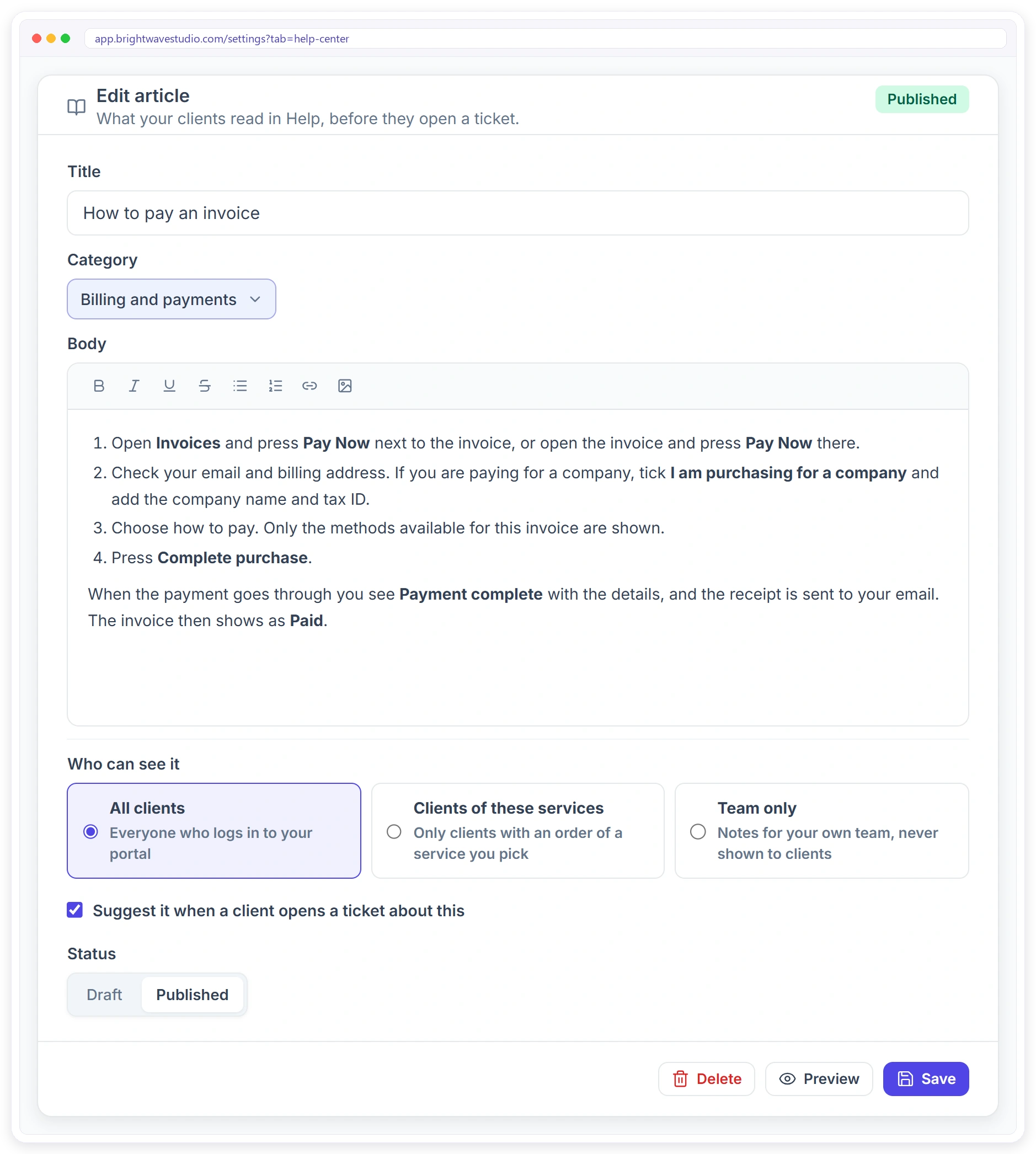
Not every client needs every article. Write one for everyone, one only for clients of a service, such as your SEO retainer, or one only for your team. Tick a box and it is suggested when a client opens a ticket about that topic.
Your First Week With a Help Center
You start with 25 published articles in your knowledge base. These four steps in the first week make them sound like your agency and show you which ones clients actually read.
TICKETS
Your Team Answers in Seconds
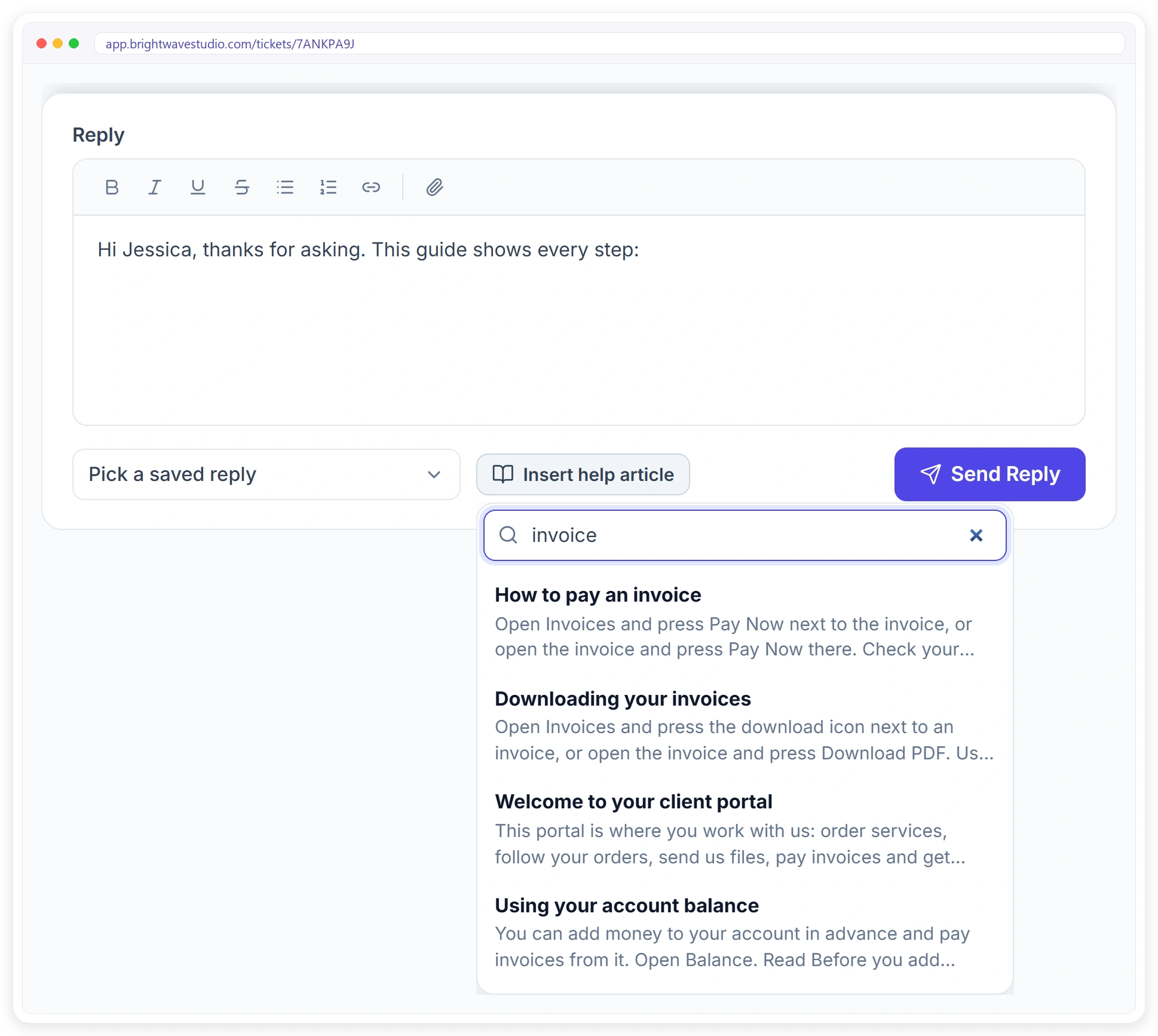
When a question is already answered, nobody has to write it again. Press Insert help article in the ticket reply, search, and add the article. The client gets a full answer, and your team moves on to the work that needs them.
Built In, Not Another Tool
Many agencies add a separate knowledge base tool with its own login and bill. Here is what changes when the help center lives inside your white label client portal.
Article Ideas for Your Kind of Agency
Start your knowledge base with the questions your clients already ask, written for the work you sell, so the first articles you add are the ones that save the most tickets. See also support tickets and the client portal.
Help Center and Knowledge Base FAQ
Straight answers about a help center and knowledge base for agency clients: what each is, ready-made articles, visibility and cost.
What is a knowledge base?
It is a library of short help articles that answer the questions your clients ask most, such as how to pay, send files or ask for a change. Clients search it on their own, so many questions are answered without a ticket or an email.
What is the difference between a help center and a knowledge base?
The knowledge base is the content: the articles, sorted into topics. The help center is the page where clients find it, with search and suggestions. Here both live in your client portal, so one set of articles serves both.
How do I give my agency’s clients a help center or knowledge base?
Open Settings, then Help center. It already has 25 published articles in five topics, and your clients see them under Help center in the portal menu. Edit the ones you want and add your own.
How can I reduce repeat support tickets from clients?
Turn your most common questions into help articles and tick Suggest it when a client opens a ticket about this. Clients see the answer while they write the ticket, and the Help center page counts the tickets that were not opened.
Do I have to write all the articles myself?
No. Every workspace starts with 25 finished articles about using the portal: getting started, orders and files, billing and payments, support and the client’s account. You only change what you want.
What should I write in a client help center?
Start with the questions your team answers most often: how to pay, how to send files, how revisions work and when to expect updates. Then add articles about your own process for each service.
Can I show some articles only to certain clients?
Yes. Each article can be for all clients, only for clients with an order of services you pick, or for your team only.
How do I know if my help articles are working?
The Help center page shows article views this month, how many tickets were not opened because the client found the answer, and the share of clients who said the article helped. Each article shows its own views and helpful score.
Can my team send a help article in a ticket reply?
Yes. In a ticket reply, press Insert help article, search, and add it to the reply.
Is the help center public on the internet?
No. Only clients who are signed in to your portal can read it.
Do I need a separate knowledge base tool like a help desk app?
No. The help center is part of your Clientish client portal, with the same login, your colours and no extra subscription.
Does the AI assistant use my help articles?
Your team’s AI Assistant reads your Help center articles, so when a team member asks it something, its answer matches what your articles say and can link the client-visible ones.
How much does it cost?
The help center and knowledge base come with every Clientish plan, from $29 a month, with the 25 starter articles already published. There is no separate knowledge base tool to pay for, and you can try it free for 14 days.
Give clients answers before they ask.
Your help center opens with 25 published knowledge base articles. Make them sound like your agency, choose who sees each one, and let the ticket form suggest them. Try it with example data first.
- A topic and a search entry
- All clients, some, or team only
- A suggestion on the ticket form
- Views and helpful votes
- A link in your ticket replies
- Your brand around it