
FORM BUILDER WITH CONDITIONAL LOGIC · UPDATED OCTOBER 2026
Form Builder With Conditional Logic for Agencies
A form builder with conditional logic shows each person only the questions that apply to them, based on what they already answered. Build order, contact, intake and onboarding forms that work this way, and every submission is filed as an order, a lead or a project brief instead of another email. From $29 a month.
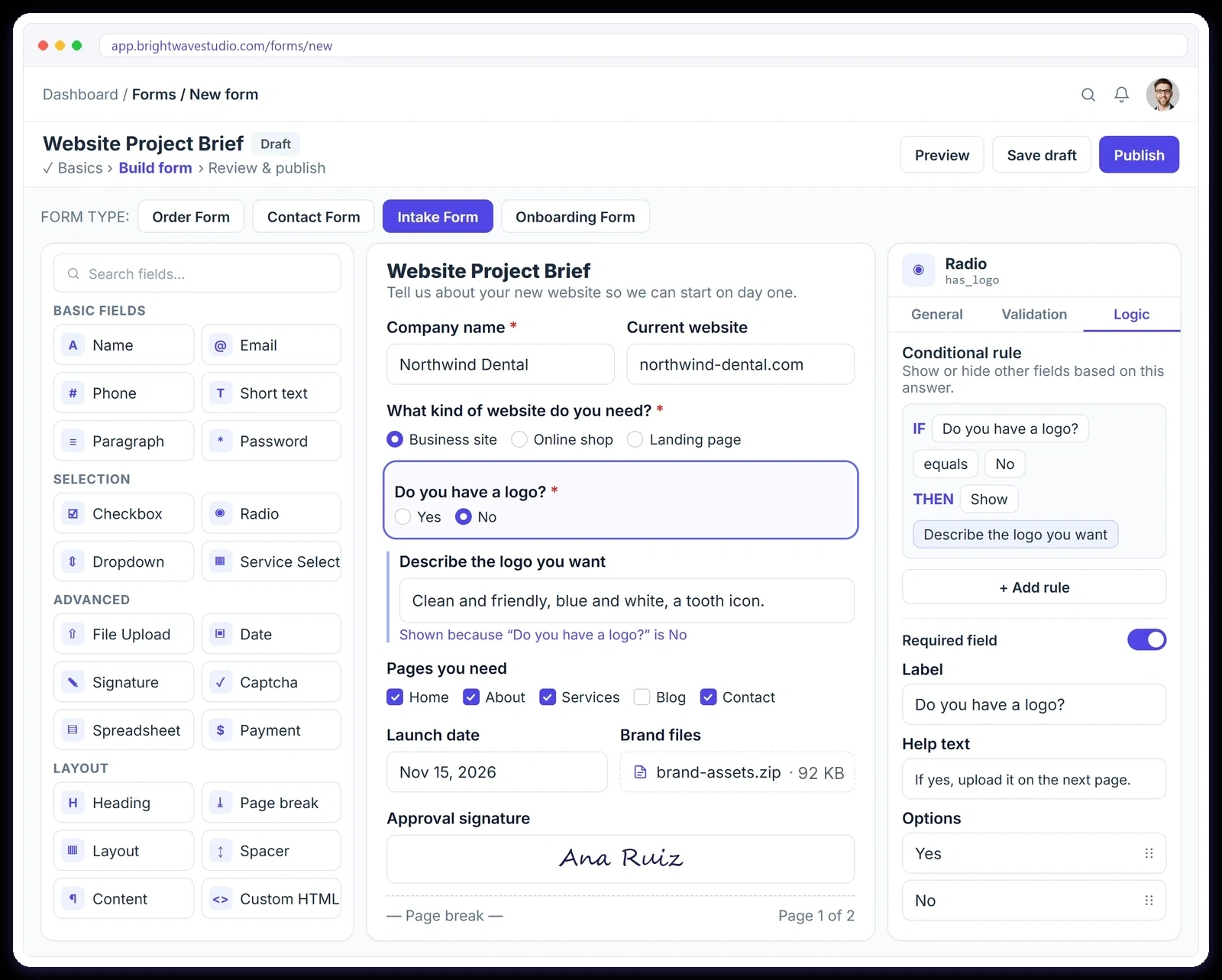
Every Form Knows Where Its Data Belongs
Pick the form type and each submission goes straight to the right place in your workspace, so nobody copies answers from an inbox into another tool or loses a brief along the way.
Replace Your Form Stack
Forms, payment links, inboxes and spreadsheets that never talk to each other, swapped for one builder where every answer lands in the right place.
 Clientish FormsOne workspace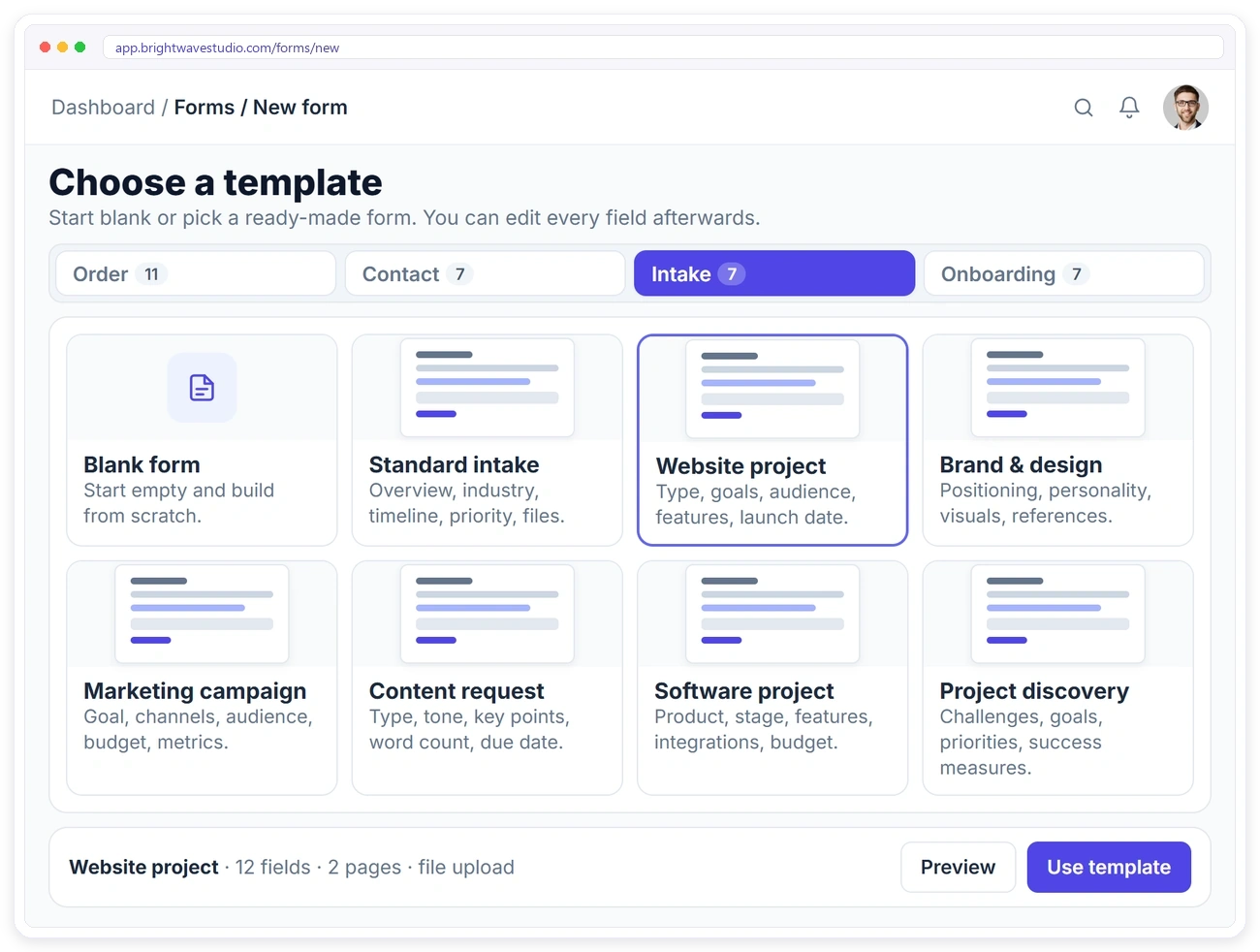
TEMPLATES
Start From 32 Ready-Made Forms
Every form type comes with templates you can use as they are or change field by field: 11 order forms, 7 contact forms, 7 intake forms and 7 onboarding forms.
SERVICE SELECT
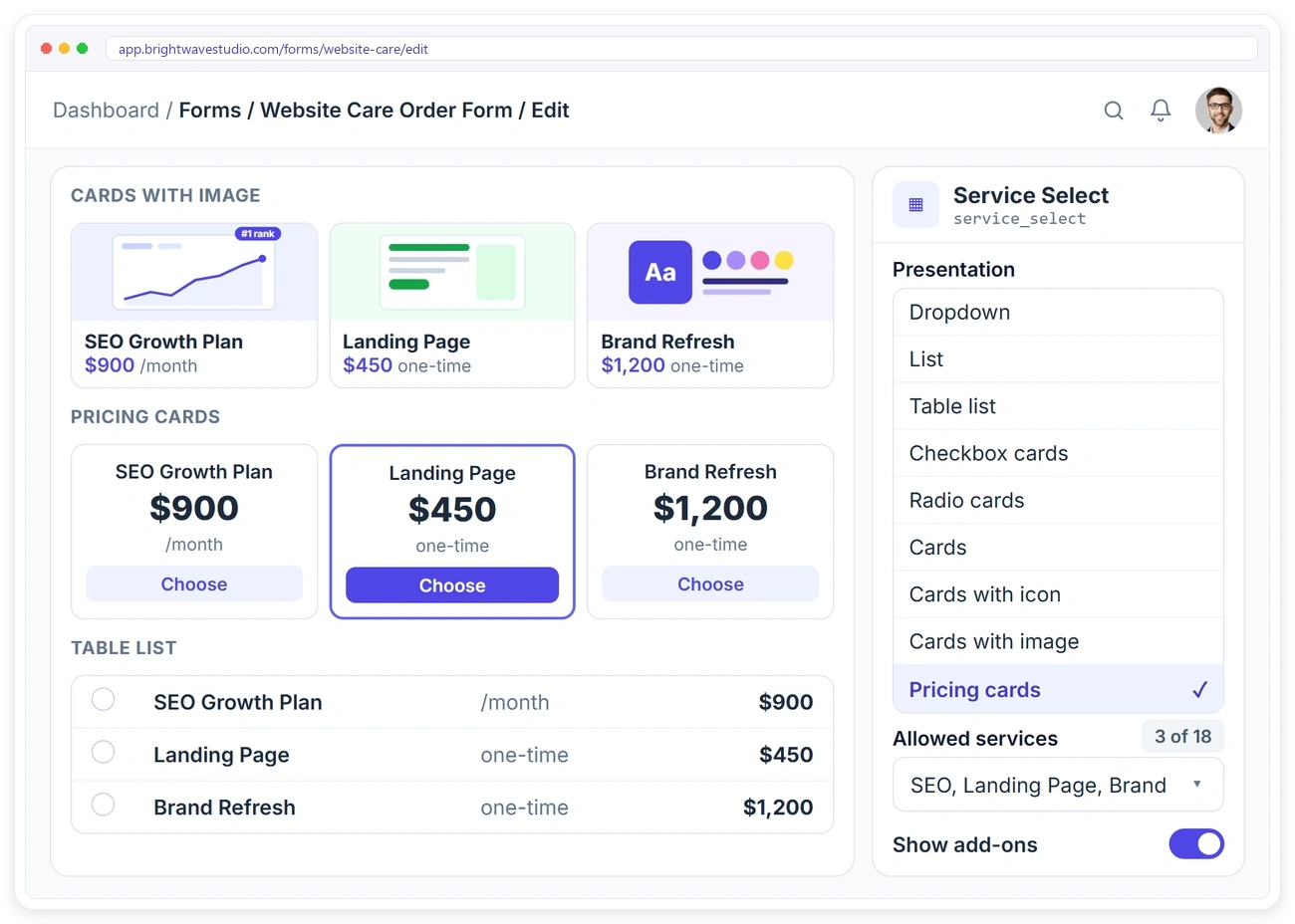
Show Your Services the Way You Want
Pick which services each form sells and how clients see them: a simple dropdown, a table, cards with images or pricing cards. Turn add-ons on and clients can add extras before they pay.
CONDITIONAL LOGIC & RULES
Show the Right Questions, Get Complete Answers
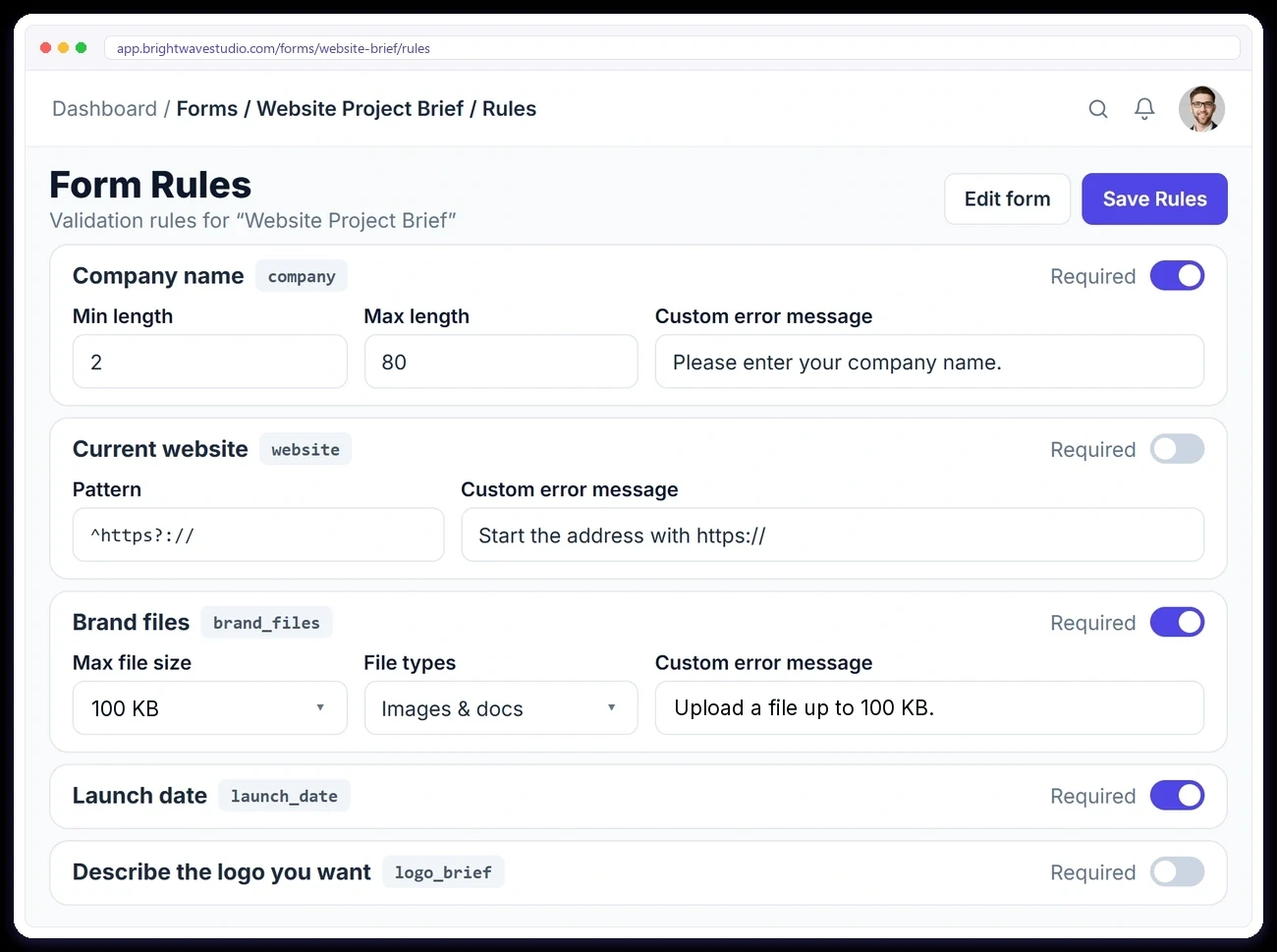
Conditional logic shows or hides a question based on an earlier answer, so a website brief never asks about ads and a short enquiry stays short. Set the rules for every field on one page too: required or optional, length limits, patterns and your own error messages, checked again when the form is sent.
CONTACT FORMS
Enquiries Become Leads, Not Emails
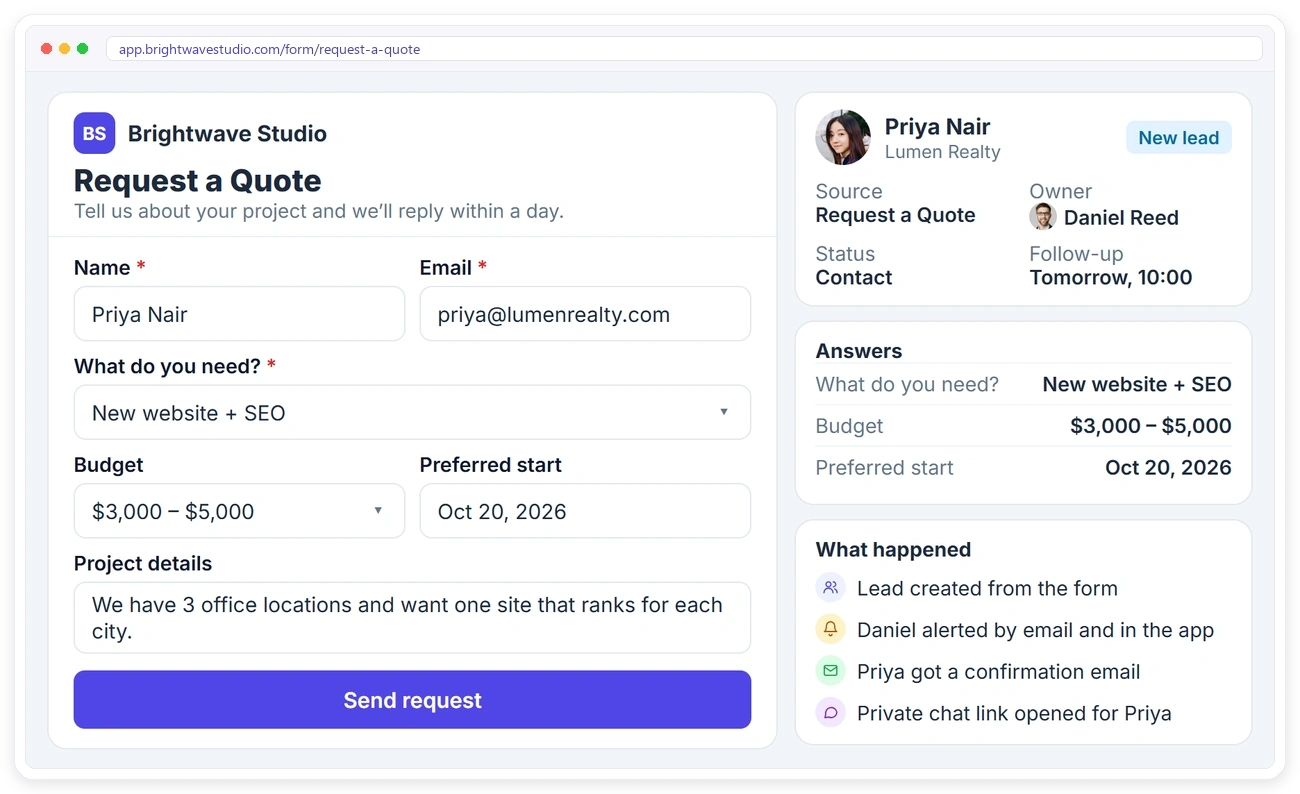
When someone fills in your contact form, a lead is created with their answers. You get an email and an in-app alert, they get a confirmation, and a private chat opens so the conversation continues in one place.
INTAKE & ONBOARDING
Every Brief Attached to Its Order
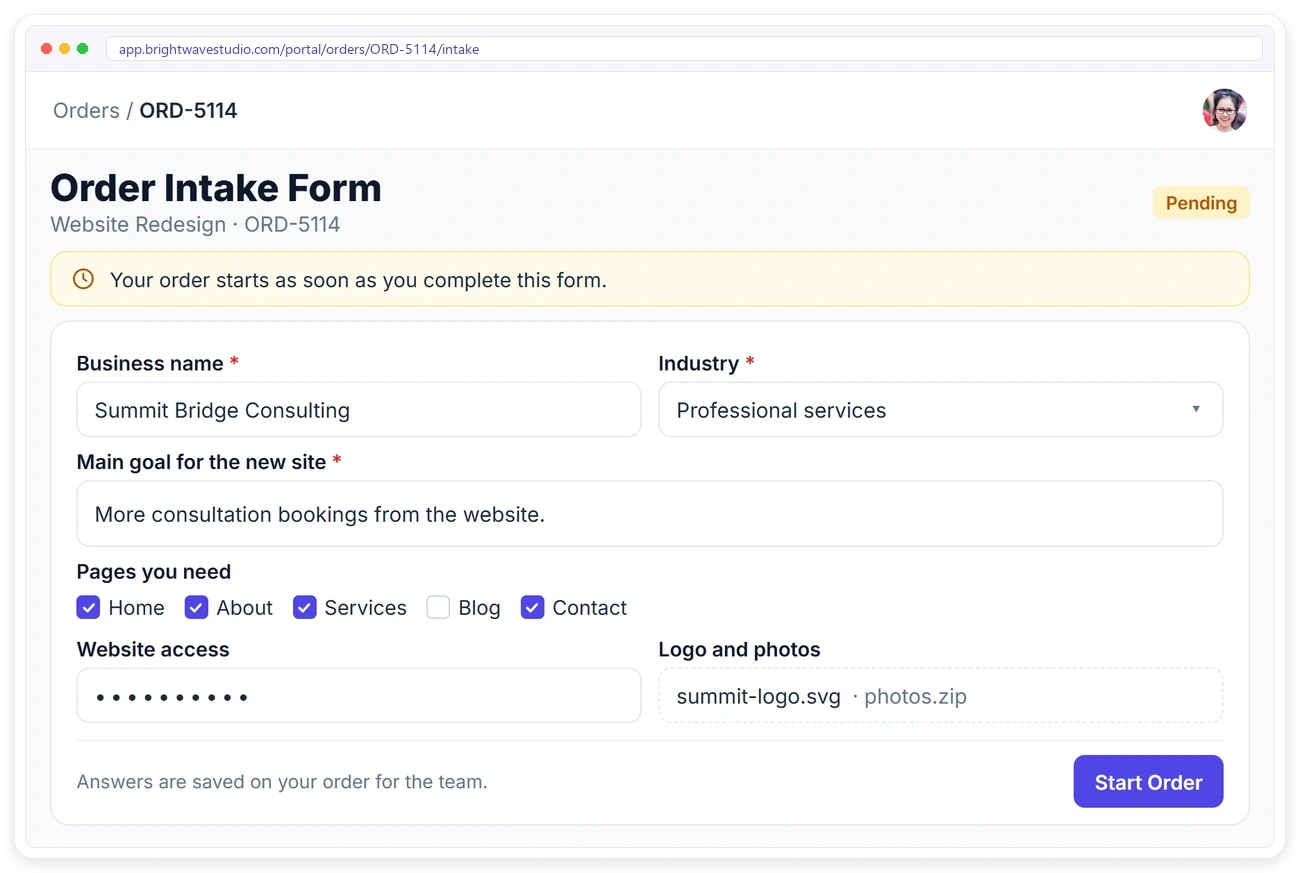
Attach an intake or onboarding form to a service. The client fills it in from their portal, the order stays Pending until they do, and every answer and file is saved on the order for your team.
ALL YOUR FORMS
Every Form in One Place
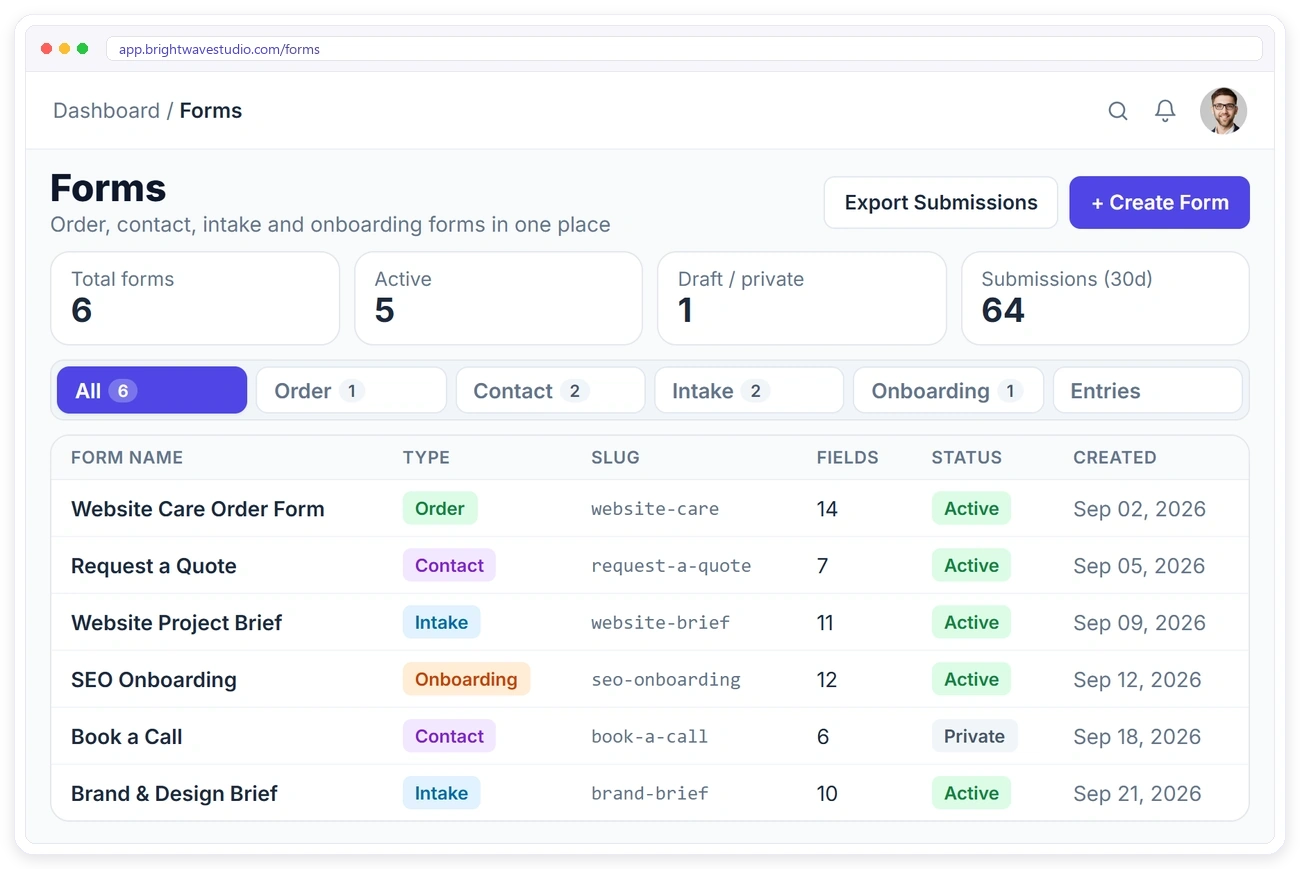
See every order, contact, intake and onboarding form with its status, link and number of fields. Share a link, duplicate a form, make it private or change its rules in a click.
ENTRIES
Every Submission Linked to Its Record
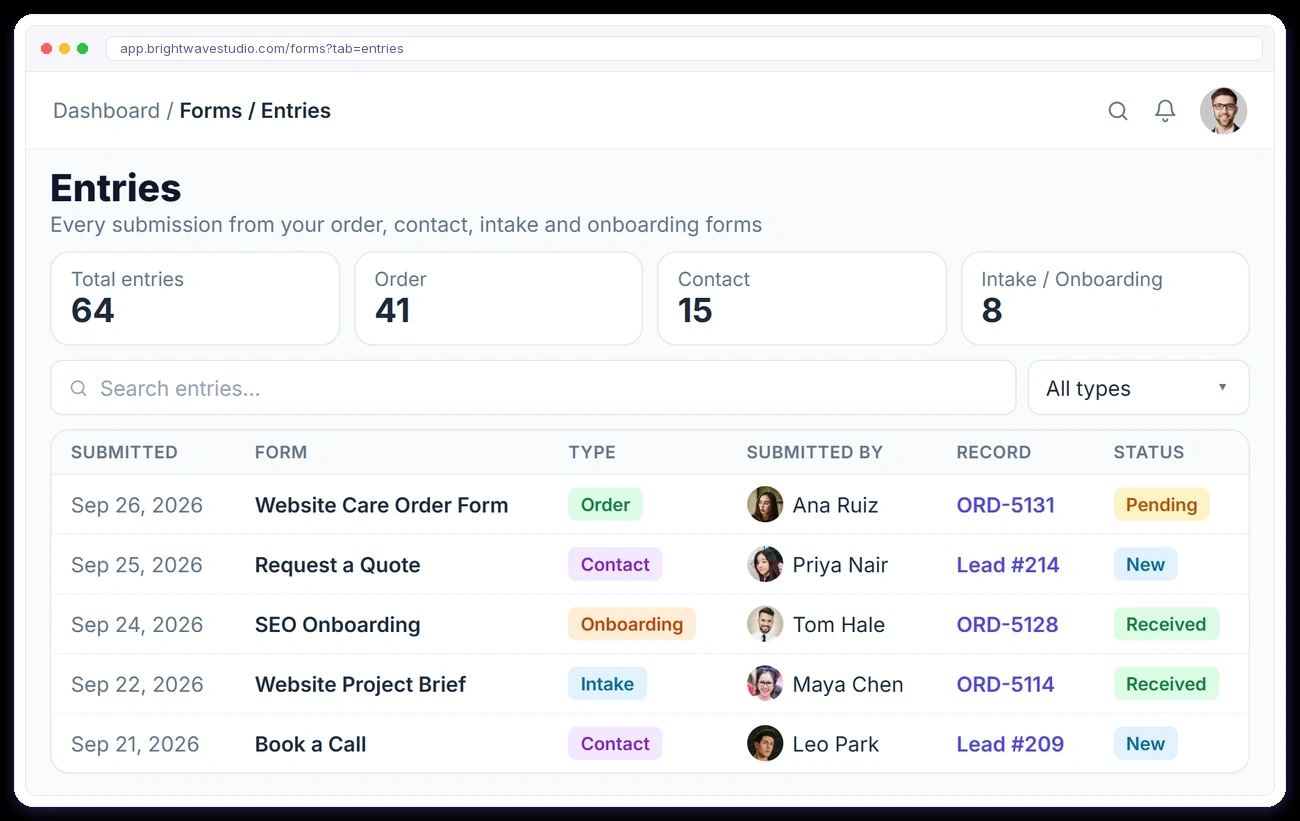
The Entries tab lists every submission from every form: who sent it, which form they used and the order or lead it created, one click away.
Built Around Real Client Work
The details that make forms useful for an agency and not just a survey tool: signatures, payments, coupons, spam protection and fields that keep logins out of sight.
“We replaced a Typeform, a Google Sheet and a payment link with one order form. The client fills it, pays, and the whole job is already set up before anyone on my team opens a laptop.”

Marisol Vega
Founder, Lumen Studio
Form Builder With Conditional Logic FAQ
Straight answers about conditional logic, form types, where answers go, files, spam and what the form builder costs.
What is conditional logic in a form?
It is a rule that shows or hides a question depending on an earlier answer. Pick Website in a project type field and the website questions appear; pick Branding and they stay hidden, so every client answers a shorter, cleaner form.
What are the four form types?
Order forms sell a service and take payment. Contact forms turn enquiries into leads. Intake forms collect a project brief before work starts, and onboarding forms gather what you need from a new client.
Where do submissions go?
Order forms create the client, order and invoice. Contact forms create a lead. Intake and onboarding answers are saved on the client’s order. Every submission is also listed under Entries.
How do I share a form?
Each form has its own public link. Put it behind a button on your website, in an email, a social post or a chat.
Can I start from a template?
Yes. There are 32 ready-made templates across the four form types, plus a blank form for each.
Can clients upload files in a form?
Yes, through file fields, up to 100 KB a file, which suits logos, short briefs and documents. For bigger files, ask for a Google Drive or Dropbox link in a text field instead.
How does the form stop spam?
Turn on a captcha for contact, intake and onboarding forms, and the field rules are checked again on the server, so a bot that skips the page still cannot send an empty or broken form.
Is there a limit on how many forms I can create?
No. Every plan includes unlimited forms, so you can build a separate order, contact, intake or onboarding form for each service, campaign or client type.
How much does the form builder cost?
The form builder, conditional logic and all four form types come with every Clientish plan, from $29 a month; contact forms that create leads need Growth at $49. Try it free for 14 days.
Ask the right questions, file every answer.
Start from one of 32 templates, add conditional logic so each client sees only what applies, and share one link. Answers arrive as orders, leads or briefs. Try it with example data first.
- Conditional logic and page breaks
- Rules checked on the server
- Signature and agreement fields
- Captcha against spam
- A public link to share
- Answers filed where they belong