

Most people who search for Bonsai vs Clientish started on Bonsai as freelancers and have since hired help. Bonsai, part of Zoom since December 2025, puts contracts, invoices, project plans, time and bookkeeping in one app and charges for each person who uses it. Clientish is built around the client instead: a branded portal where clients order, pay, follow their work and ask for help, with your team’s seats included in the plan.
Quick answer: stay on Bonsai if you mostly work alone and want projects and accounts in one place. Move to Clientish when you have a team and repeat clients: six people cost $468 a year on Clientish Growth against $1,368 on Bonsai Essentials, your branding is there from the first plan, and clients get a login to order, request revisions and open tickets.
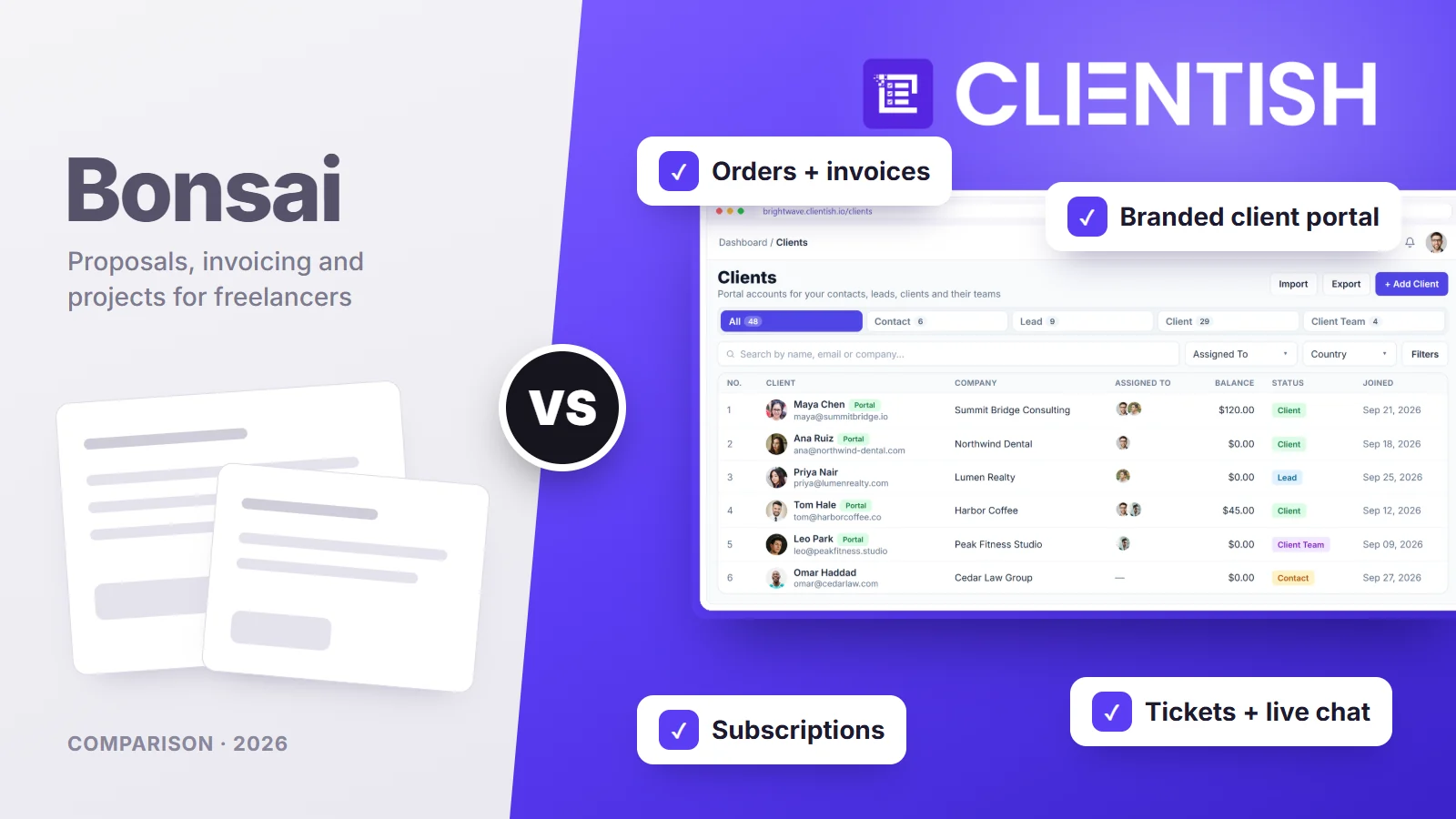
We go through seat pricing, payment fees and payouts, the client’s view after signing, branding, roles, the sales paperwork Bonsai handles well, retainers and support, with numbers from Bonsai’s own pages.
Key Takeaways
Bonsai grew up as a freelancer’s toolkit and added team features later; Clientish was designed for agencies serving the same clients month after month. That history explains most of the gaps below.
- Seats: on Bonsai, a writer who only logs hours still costs a full seat ($19 a month on Essentials, billed yearly). Clientish Starter covers five people for $23 a month.
- Getting in: Bonsai clients follow a secure link from an email each time. Clientish clients sign in to their own account on your subdomain.
- White label: Bonsai drops its name from emails, documents and the portal on Premium ($29 per user a month, yearly). Clientish carries your logo, colours and favicon on Starter and sends mail from your SMTP server.
- Money: where Bonsai Payments is available, taking cards through Stripe or PayPal costs an extra 1%, and foreign-currency payments another 2.5%. Clientish connects your own gateway and adds nothing.
- Bonsai’s lead: Gantt charts and task dependencies, time tracking for everyone on the team, expense records and phone apps.
- The short version: Bonsai for a solo consultant who wants one app for work and books; Clientish for an agency whose clients buy, check and pay in one branded place.
Bonsai vs Clientish at a Glance
The table lines up the twelve differences Bonsai users ask about most when their team starts growing. Clientish is the right-hand column; Bonsai’s figures come from its October 2026 pricing page and help articles.
| Dimension | Bonsai | Clientish |
| Pricing model | Per user: $25/mo on Essentials ($19 billed yearly) | Per plan: from $29/mo ($23 billed yearly), 5 team members included |
| Free trial | 7 days | 14 days |
| How clients get in | Secure email link, no client account | Their own login on your subdomain |
| What clients can do | View invoices, upload files, follow project progress, message (Premium) | Order, pay, request revisions, open tickets, manage subscriptions, chat (Growth and up) |
| Your branding | Bonsai branding removed on Premium and up | Logo, colours and favicon on every plan |
| Custom domain | Not yet; “expected in 2026” | No; your subdomain on clientish.io |
| Project planning | Kanban, Gantt, task dependencies | Orders with tasks; Table, Kanban and Cards views |
| Support tickets for clients | Not offered | Yes, with a first-reply SLA per priority |
| Payment fees | Processor fees, plus 1% with Stripe or PayPal where Bonsai Payments exists, plus 2.5% FX | Your gateway’s fees only |
| Accounting and tax | Expense and income tracking; tax tools as a paid add-on | Not included |
| Mobile app | iOS and Android | No app; works in a phone browser |
| Best for | Freelancers and small teams who plan and bill projects | Agencies running ongoing client work with a team |
Bonsai’s column is strongest on the work you do behind the scenes: plans, hours and books. Clientish’s is strongest where the client is involved, and on the cost of adding people.
Who This Comparison Is For
You’re the owner of a small marketing, design, development or SEO shop. Maybe Bonsai carried you through the freelance years and the seat count is now climbing, or you’re picking a first proper system and both names keep coming up.
Bonsai answers “how do I run my projects and my books?” Clientish answers “where do my clients go to buy, check on and pay for the work?” Which question hurts more today usually decides it.
Why teams outgrow Bonsai
Bonsai holds good scores overall (4.6 on Capterra, 4.3 on Trustpilot). The complaints that do repeat, in one-star reviews and in Bonsai’s own fine print, line up with what changes when a freelancer becomes an employer:
- The bill tracks headcount. Bonsai bills each member at your plan’s rate, collaborators included.
- Card fees creep up. Stripe and PayPal carry Bonsai’s extra 1% in its four Bonsai Payments countries, and currency conversion adds 2.5%.
- First payouts are slow. New accounts are paid out in 7 to 10 business days; a few reviewers say their money sat for two weeks.
- Your own brand sits two plans up. Removing Bonsai’s name requires Premium, $39 per person on monthly billing.
- Clients can look but not act. They see progress and invoices, but can’t buy another service or log a problem.
- Help isn’t always quick. Customer service is the weakest of Bonsai’s Capterra scores.
We come back to each of these in the sections that follow, with what Clientish does differently.
A consultant billing alone will feel few of these. A five-person agency with a dozen retainers will feel most of them.
Meet Bonsai: Built for Freelancers and Small Service Teams
Bonsai launched in 2015 as software for freelancers and now markets itself to service businesses of every size. Zoom announced it was buying Bonsai in November 2025 and completed the deal in December; for now Bonsai keeps its own brand and app, with Zoom planning to fold its features into Zoom over time. Zoom’s announcement describes the core users as solopreneurs, designers, consultants and architects.
Key features:
- Proposals and contracts: lawyer-drafted contract templates, e-signatures with extra co-signers, and proposals that can create the invoice when accepted.
- Invoices and payments: recurring, subscription and bundled invoices; subscription invoices charge the client’s saved card automatically.
- Project management: tasks, Kanban, Gantt views, task dependencies and templates from Essentials; workload views on Premium.
- Time tracking: every team member logs time, including from a Mac menu-bar app, and hours flow into invoices.
- Accounting: expense and income tracking on Essentials; quarterly tax estimates through Bonsai Tax, a paid add-on for US self-employed users.
- Scheduling and automations: booking pages (one event type on Essentials) and automations with six triggers and four actions on Premium.
- Apps and integrations: iOS and Android apps, QuickBooks, Xero, Zapier, Calendly and an API.
| Plan | Per user, monthly | Billed yearly | What it adds |
| Basic | $15 | $9 | Time tracking, tasks, CRM; no invoices, proposals or client portal |
| Essentials | $25 | $19 | Invoices, payments, proposals, contracts, forms, client portal |
| Premium | $39 | $29 | Branding removal, client messaging, automations, integrations |
| Elite | $59 | $49 | Custom permissions and roles; 3-user minimum |
Bonsai’s prices as listed on its site in October 2026. Bonsai’s trial runs for 7 days; cancel later and the account stays readable on a free plan, but you can’t send anything new.
Meet Clientish: Best for Agencies That Manage Clients After the Contract Is Signed
Clientish was built for agencies whose income comes from the same clients coming back: monthly SEO, content retainers, design subscriptions, add-on jobs. Instead of a project that ends with a final invoice, each client has a running account with orders, payments, deliveries, revision requests and support history.
There are two sides. Staff work in the Agency Portal. Clients sign in to the Client Portal, which sits on your subdomain and carries your look, and handle most of their own requests there.
Key features, set against what a Bonsai user is used to:
- Your brand from the Starter plan: logo, colours, favicon and outgoing email through your own SMTP, with no need to upgrade every seat the way Bonsai’s Premium requires.
- Accounts instead of links: a client signs in once and finds every order, bill and conversation, rather than digging through emails for the latest Bonsai link.
- Orders the client can track: status, a message thread, delivered files and revision requests, capped by the number you allow on each service.
- A catalogue clients buy from: they pick a service, add a coupon and pay, something Bonsai’s portal has no screen for.
- Client tickets: problems come in as tickets with a first-reply target per priority and a rating at the end, not as stray emails.
- Subscriptions and prepaid balance: each retainer shows the client its next payment date, and a topped-up balance can settle invoices.
- Intake built into each service: a drag-and-drop form with conditional logic is sent automatically when that service is ordered.
- Live chat with clients (Growth and up): real-time conversations in the portal, plus an automatic message when someone writes after hours.
- Leads and proposals: eleven proposal layouts; acceptance produces the client account, the invoice and the order together, deposit included if you set one.
- Staff seats in the price: 5, 15, 30 or 50 people depending on plan, with roles you design, individual overrides, departments and co-admins.
- Team Messenger and approved hours: internal chat away from clients, and freelancers’ logged time that the client signs off before it’s billed.
- Reports and connections: revenue, orders, clients, time and coupons; webhooks into Zapier or Make, a read-only API, QuickBooks and Xero.
| Plan | Monthly | Billed yearly | Team members |
| Starter | $29 | $23/mo | 5 |
| Growth | $49 | $39/mo | 15, plus Live Chat, Leads and 5 remote members |
| Pro | $99 | $79/mo | 30, no “Powered by Clientish” line |
| Enterprise | $149 | $119/mo | 50, unlimited new clients, dedicated support |
Each plan also caps new clients and orders per month (Starter: 10 and 30; Growth: 50 and 100; Pro: 100 and 200; Enterprise: no cap). The pricing page lists everything else.
How We Compared
We judged both tools on the moment a Bonsai user starts to feel boxed in: the second, third and sixth hire, the first retainer client who keeps asking for updates, and the first month of card fees.
- Pricing: yearly cost at one, three, six and ten people
- After the contract: what the client can see and do once they’ve signed
- Client portal and branding: access, self-service and whose name appears
- Team access: roles, permissions and the price of each extra person
- Proposals, contracts and invoicing: the paperwork side, Bonsai’s home ground
- Recurring work and payments: retainers, subscriptions, fees and payouts
- Support: how fast a person answers when something goes wrong
Everything about Bonsai comes from hellobonsai.com and its help center (links in Sources). Clientish details come from the product. Bonsai gets the win where it earns one.
Pricing: Per Seat or Included Seats, Which Costs Less as Your Team Grows?
Winner: Clientish once there are two or more of you. A single freelancer pays less on Bonsai, and the difference flips with the first hire.
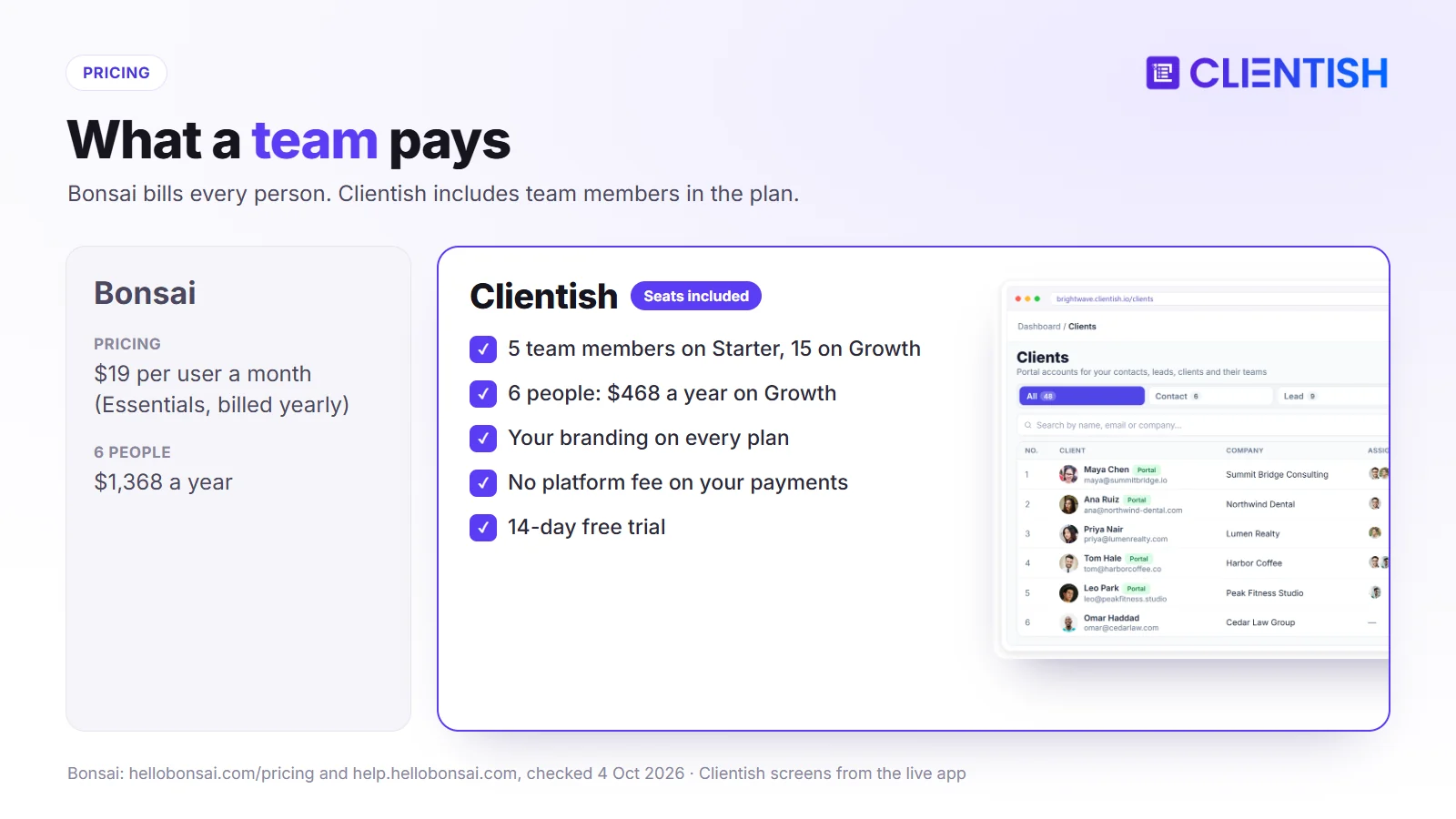
Hiring is where Bonsai’s pricing bites. Its help center says each new member is added at “the same rate as your current plan”, so a part-time editor costs as much as you do. On Clientish, the editor is one of the five people Starter already covers.
What the Numbers Look Like for a Small Agency Team
All figures are annual. For Bonsai we used Essentials at $19 per person a month, since Basic can’t send invoices or proposals and has no client portal. For Clientish, Starter ($23 a month) covers up to five people and Growth ($39) up to fifteen.
| Team size | Bonsai Essentials (yearly) | Clientish (yearly) | Notes |
| 1 person | $228 | $276 (Starter) | Bonsai costs less for one person |
| 3 people | $684 | $276 (Starter) | Clientish Starter covers up to 5 |
| 6 people | $1,368 | $468 (Growth) | Growth adds Live Chat and Leads |
| 10 people | $2,280 | $468 (Growth) | About a fifth of Bonsai’s cost |
Branding pushes the gap further. Bonsai’s white label needs Premium, $29 a person a month on annual billing, so six people pay $2,088 a year. With Clientish, your logo is there from Starter, and only the small “Powered by Clientish” footer needs Pro ($948 a year, up to 30 people) to disappear. Figures as of October 4, 2026.
What Each Model Assumes About Your Business
Charging per person makes sense when every person sells their own time, which is how most freelancers start. It stops making sense when half the team supports the other half: an ops lead, a coordinator or an editor who touches every account but bills nobody directly.
Clientish prices a shared workspace, so hiring doesn’t change the bill until you pass the plan’s team limit.
- Bonsai fits a consultant on their own, or partners who each run their own book of clients.
- Bonsai gets costly once you add delivery, operations or account staff.
- Clientish fits a team that hires steadily and wants a predictable software cost: up to 5 people on Starter, up to 15 on Growth.
- Clientish fits less well for someone working alone who wants tax estimates in the same app.
The Features-per-Dollar Question
Bonsai’s plan price is only part of what you pay. In the US, UK, Canada and Australia, where Bonsai runs its own payments, card payments routed through Stripe or PayPal attract a further 1% platform fee, and any payment in another currency adds 2.5%.
Clientish leaves payments to your chosen provider: Stripe, PayPal, Paddle, SSLCommerz or a bank account, at their rates, with money arriving on their schedule. On $10,000 a month of US card payments via Stripe, Bonsai’s surcharge works out at $1,200 a year.
For the money, Bonsai Essentials buys proposals, contracts, invoicing, hours, project plans and expenses. Clientish Starter buys the branded portal, orders, invoices, subscriptions, tickets and five seats. To price your own setup, start a 14-day free trial and invite your team.
After the Contract: What Happens Once a Client Signs?
Winner: Clientish for everything the client touches after signing: orders, revisions and support. Bonsai keeps the edge on internal planning thanks to Gantt charts and dependencies.
The signature is where agency work starts. From then on, clients want to know what’s happening, ask for changes and flag problems, and your team wants all of that in one place rather than in five inboxes.
What Bonsai does after the signature
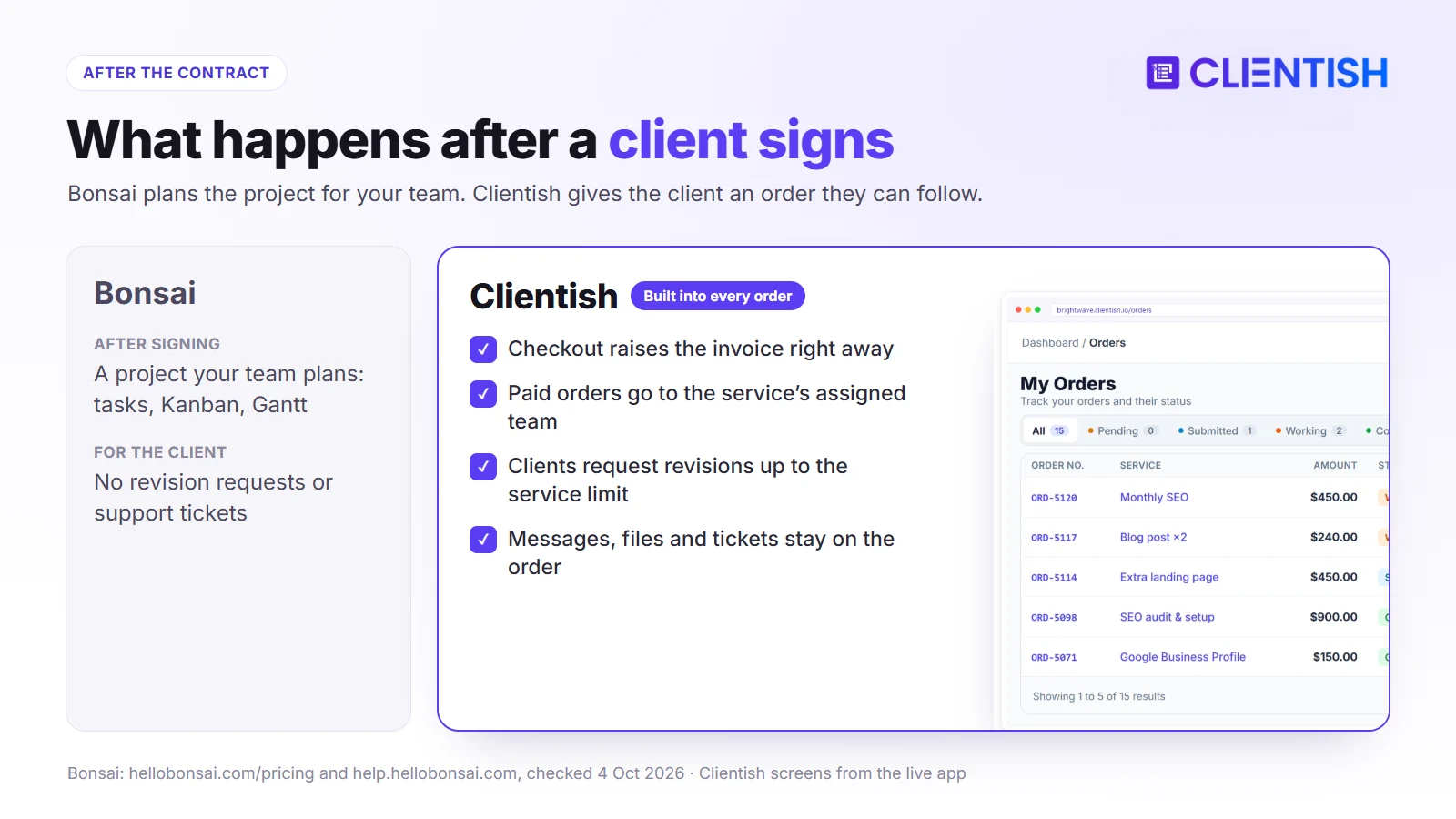
Inside Bonsai, signed work becomes a project. You break it into tasks, lay it out on a board or a Gantt chart with dependencies, track hours against it and bill from it. On Premium, automations can fire off an email, a form or a scheduling link when a proposal is accepted, a contract signed, a first invoice paid, a form completed or a project closed.
Clients get a lighter view: progress and invoices, plus messages on Premium. Nothing lets them order another job, claim one of their included revisions, or report a fault in a trackable way.
Why the gap matters for agencies specifically
One-off work survives on email. Retainer work doesn’t: every month the same twelve clients want to know what shipped, what’s next, how to ask for a tweak and who handles a broken link.
The client’s side of the job, compared:
| Stage | Bonsai | Clientish |
| Invoice after signing | Created when the proposal is accepted (optional) | Created with the order, with an optional deposit |
| Client sees progress | Project progress in the portal | Order status, messages and files in the portal |
| Intake details | Forms and questionnaires | Intake form attached to each service |
| Revision requests | Not offered | Client requests revisions up to the service limit |
| Support tickets | Not offered | Tickets with a first-reply SLA and ratings |
| Buying more work | New proposal or invoice from you | Client orders from your catalogue |
The branded portal difference
Upselling is the quiet difference. A Clientish client who wants one more blog post or a landing page picks it from your catalogue, applies a coupon, pays and lands the order with the right people, without anyone writing a quote. In Bonsai, each extra job means you preparing a new proposal or invoice.
White-Label and Client Portal: Whose Brand Do Clients See?
Winner: Clientish. Branding comes with every plan, clients have real accounts, and the portal handles buying and support. Bonsai’s white label starts at Premium, its custom domain is still listed as coming, and Clientish runs on a subdomain.
For an agency, the portal is part of what the client pays for. Two questions matter: what it costs to put your name on it, and what clients can get done once they’re inside.
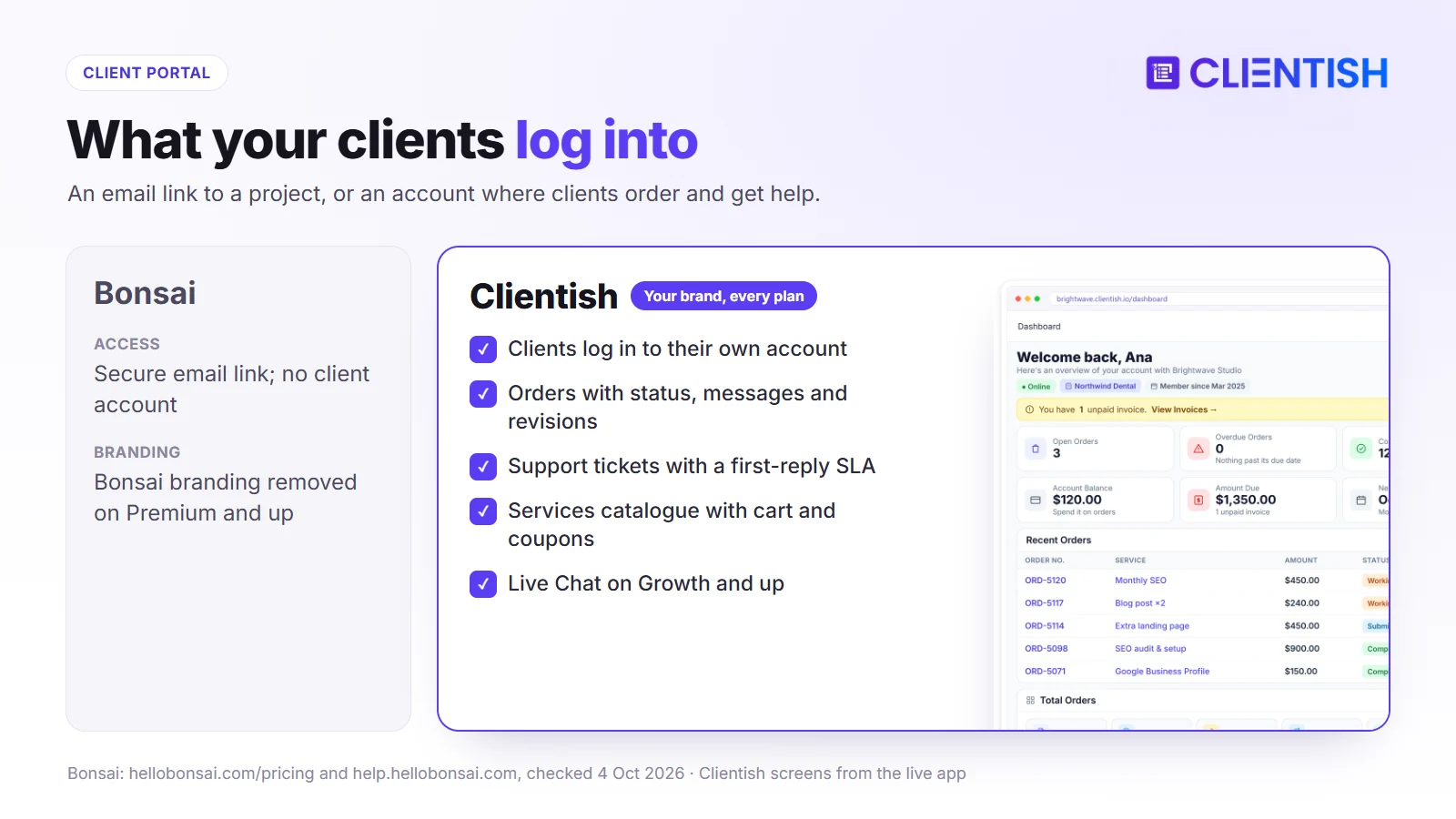
Branding and access, side by side:
| Dimension | Bonsai | Clientish |
| Your logo and colours | Yes, on the portal | Yes, plus favicon, every plan |
| Platform branding removed | Premium and up | Pro and Enterprise (“Powered by” line) |
| Emails from your address | Documents through Gmail integration | All email through your own SMTP |
| Portal address | Bonsai’s domain | Your subdomain on clientish.io |
| Client login | Email link | Own account |
What Bonsai’s clients see
Bonsai lets you style the portal with a logo, colours and a banner. Clients check billing, add files to a project, watch activity and, on Premium, message you and pick up shared tasks. Visibility is set per client, so one sees tasks and budget while another sees invoices only. Premium also removes Bonsai’s name from outgoing emails and documents.
What doesn’t change: access is by emailed link rather than a client login, and the web address stays on Bonsai’s domain. Custom domains are on Bonsai’s list “expected in 2026”.
What Clientish clients see
A Clientish client signs in at something like youragency.clientish.io and stays inside your colours throughout. From that account they:
- follow each order’s status and talk to your team on it
- complete the brief for a new order
- ask for revisions once work is delivered, within that service’s allowance
- settle invoices by card, gateway or prepaid balance, and keep PDF copies
- raise a ticket, reply to it and score the answer
- order more services from your catalogue, coupon included
- check when each subscription renews and, if you permit it, cancel
What This Means for Your Agency
Clients who buy a single project rarely need more than Bonsai’s linked portal. Clients on retainers do: they come back every month, and a place where they can look things up and ask in a structured way saves your account manager hours. Clientish gives you that on Starter; matching even the branding part on Bonsai means Premium pricing for everyone on the team.
Team and Permissions: Solo Tool or Agency Platform?
Winner: Clientish past two people. Bonsai’s four starter roles are reasonable, but each person adds a seat and tailoring roles needs Elite.
The test of a team setup is simple: can a new hire see exactly what they need, and how much did adding them cost?
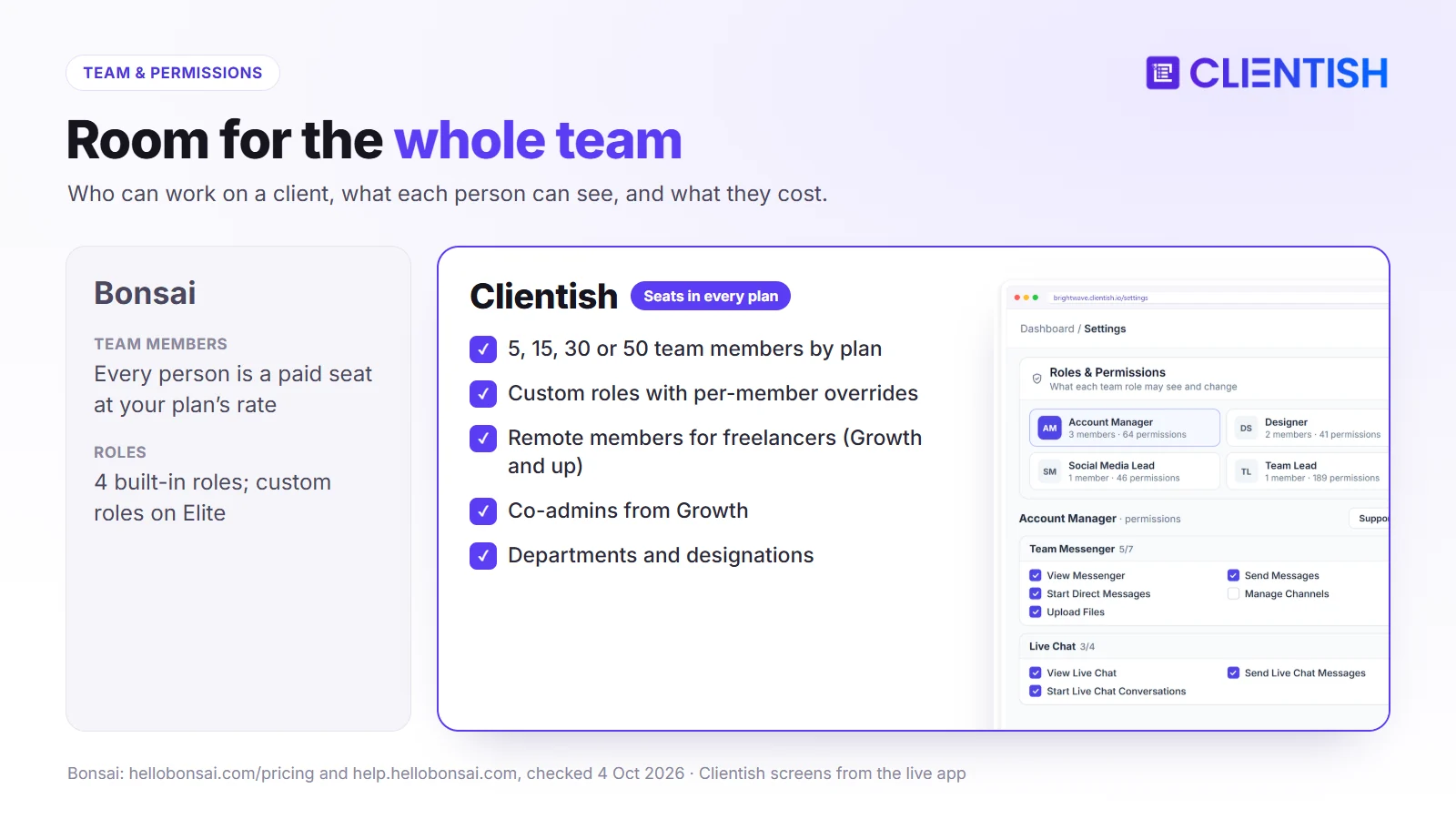
Out of the box, Bonsai offers Owner and Partner, a Project Manager role that can’t see money or settings, and a Collaborator who works only on assigned projects and logs their own time. Building your own permission profiles is an Elite feature, and Elite needs at least three users. Whatever the role, each person is a paid seat.
On Clientish, the plan sets the headcount (5, 15, 30 or 50) and you shape access within it:
- Roles you name yourself, starting from ready-made sets such as Support desk, Order ops, Team lead and Viewer
- Individual exceptions layered on one person without touching their role
- Departments and job titles to mirror your org chart
- Co-admins for deputies: one on Growth, three on Pro, five on Enterprise
- Remote members for contractors (5, 15 or 30 from Growth up), seeing only what their remote role allows and logging hours for client approval
| Dimension | Bonsai | Clientish |
| Cost per extra person | One more seat at your plan’s rate | Included up to the plan’s limit |
| Built-in roles | Owner, Partner, Project Manager, Collaborator | Role presets, plus your own roles |
| Custom roles | Elite plan (3-user minimum) | Every plan |
| Per-person exceptions | Through custom permissions on Elite | Override any permission per member |
| Freelancers and contractors | Collaborator role, paid seat | Remote members (Growth and up) |
Put in monthly terms: five people on Bonsai Essentials come to $95 a month on annual billing; the same five on Clientish Starter cost $23.
Proposals, Contracts and Invoicing: Where Bonsai Is Strong
Winner: Bonsai for contracts and bookkeeping. Clientish sends proposals and invoices too, but has no lawyer-drafted contract library, no expense ledger and no tax estimates.
Both get a proposal signed and paid. Bonsai surrounds that with legal templates and accounts; Clientish surrounds it with the order, the brief and the client’s account.
What Bonsai Does Well
This is the part of Bonsai that freelancers stay for:
- Contract templates drafted by lawyers, with e-signatures and extra co-signers
- Proposals with packages and deposits, and an option to create the invoice automatically on acceptance
- Time tracking for the whole team, tied to billing
- Expense and income tracking on Essentials, with bank sync
- Bonsai Tax, sold separately, which estimates quarterly taxes for US self-employed workers
Where the Workflow Ends
After acceptance, Bonsai hands you an invoice and a project to manage. Clientish hands the client an order: their account, the invoice and the order appear together, the brief goes out, and later revisions and tickets attach to the same record. You get eleven proposal layouts and optional deposits, but you’d keep contract templates and bookkeeping elsewhere.
| Dimension | Bonsai | Clientish |
| Proposals | Packages, deposits, auto-invoice option | 11 designs, packages, optional deposit |
| Contracts and e-signature | Lawyer-drafted templates, co-signers | Signed with the proposal; signer name and IP recorded |
| After acceptance | Invoice and project | Client, invoice and order in one step |
| Time tracking | Whole team | Remote members; client approves the hours |
| Expenses and tax | Expenses included; tax tools as an add-on | Not offered |
Ongoing and Recurring Work: Retainers, Orders, and Support
Winner: Clientish. Bonsai collects retainer payments without fuss, but the client can’t follow orders, claim revisions or file a ticket. Clientish keeps those beside the bill.
A retainer is a monthly relationship, not a monthly invoice. Work ships, feedback comes back, something breaks, and all of it needs a home the client can also see.
Recurring Billing and Subscriptions
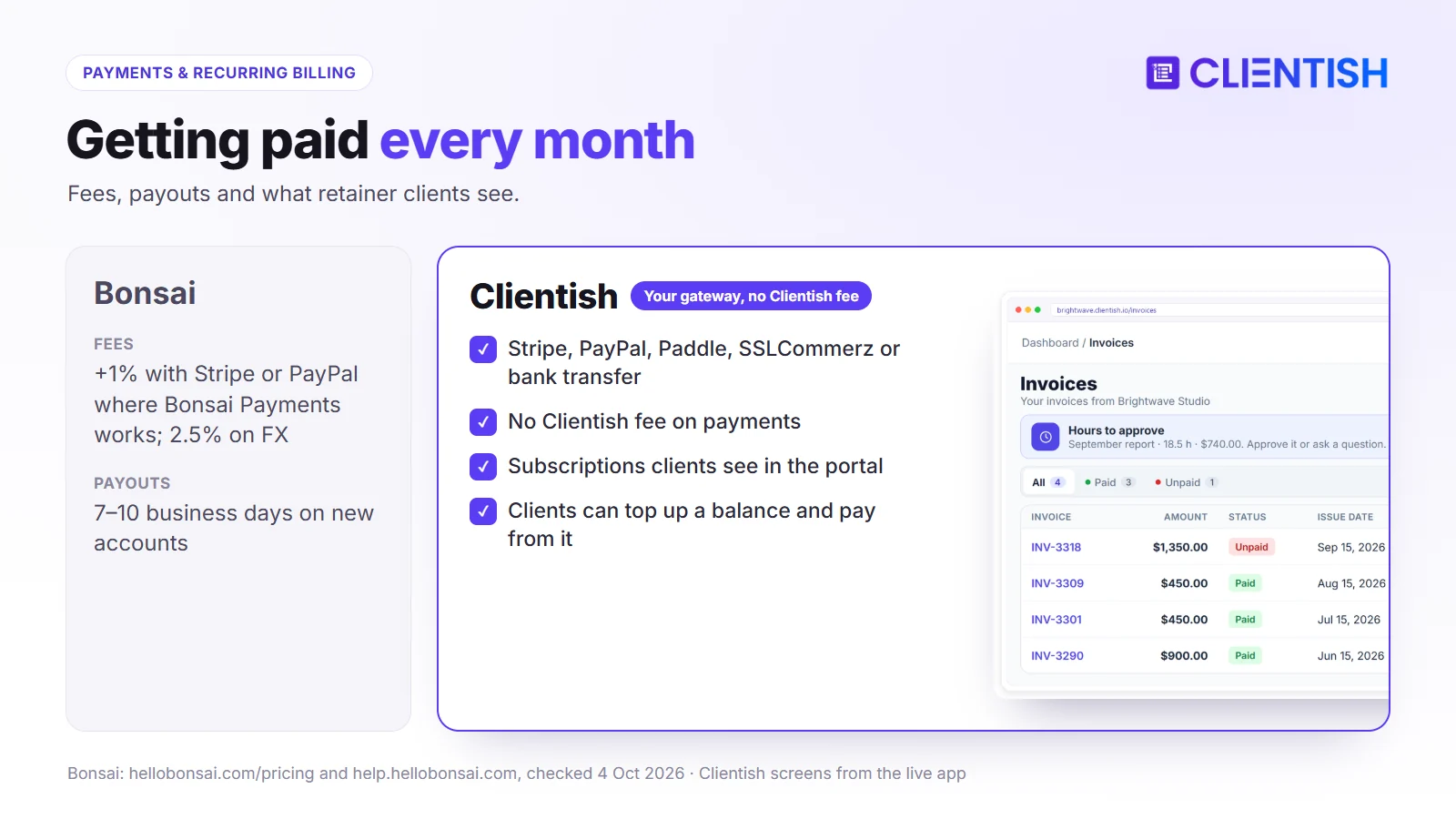
Bonsai’s recurring invoices go out weekly, fortnightly, monthly or yearly, and its subscription invoices take payment from the client’s stored card through Bonsai Payments or Stripe (not PayPal or ACH). The client changes or removes that card from the most recent invoice, and the fees covered in the pricing section apply to each charge.
On the Clientish side, every retainer has a subscription page the client can open:
- renewal date and a count of payments made so far
- a cancel button that appears only if you switch it on
- an agency view listing every active, overdue and cancelled subscription
- a prepaid balance the client can top up and spend on invoices
Order Tracking and Delivery Workflows
Bonsai organises delivery as projects for your team. Clientish organises it as orders both sides can see:
- Table, Kanban and Cards layouts, where moving a Kanban card updates the order’s status
- tasks inside every order
- a client-facing thread per order, kept apart from staff chat
- a set number of revisions per service, with delivered work auto-approved after 7 days of silence
- the intake brief attached to the order it belongs to
Support Tickets
Without tickets in Bonsai, problems turn up as emails or project messages. Clientish clients raise tickets inside the portal; staff can add attachments, open a ticket from any order’s menu, and see every past ticket on the client’s record.
| Capability | Bonsai | Clientish |
| Client opens a ticket in the portal | No | Yes |
| First-reply SLA per priority | No | Yes |
| Client rates the answer | No | Yes |
| Ticket history on the client record | No | Yes |
What This Means for Retainer Clients
Twelve retainers on Bonsai means tidy invoices and tidy project plans, with the client conversation scattered across email. On Clientish, the order, the bill, the revision and the ticket for each month sit on one record, and the client can check it before asking you.
Support and Reliability
Winner: Clientish, mainly because issues can be logged and followed as tickets on every plan, with dedicated support on Enterprise. Bonsai offers in-app messages and email.
Both run in the cloud. Clientish publishes uptime targets by plan in its service level agreement (99.5% to 99.95%); beyond that, the real question is who answers, and how fast, when a client can’t pay an invoice an hour before a deadline.
What Bonsai’s Support Covers
Subscribers write to Bonsai from inside the app or by email; anyone without a plan is limited to email. There’s a help center of 240-plus articles, webinars and a public board for feature requests. Bonsai doesn’t list support hours or target response times, though teams of ten or more get onboarding help. On Capterra, customer service is Bonsai’s lowest score at 4.3 out of 5.
What Clientish’s Support Covers
Every Clientish plan includes chat with the Clientish team and support tickets you can follow from your Clientish account. Enterprise customers also get dedicated support. Setup questions are covered in the documentation, from building services to setting permissions.
Reliability
Bear in mind that Clientish clients log in to pay and order, so an outage would be visible to them, not only to your staff.
Where Bonsai and Clientish Are Similar
Strip away the differences and both tools cover the money side of a service business, so switching won’t cost you any of the basics a Bonsai user relies on today. Either one will handle:
- Proposals and e-signatures leading straight to an invoice
- Card and PayPal payments, with bank transfer as an option
- Repeat billing for retainers
- Intake and onboarding forms
- A client portal with your logo, within each tool’s limits
- QuickBooks, Xero, Zapier and an API
- Browser access with nothing to install on your computer
The split is in focus: Bonsai looks after your projects and your books, Clientish looks after the client’s side of the relationship.
Where Both Fall Short
Some needs neither product meets well, and it’s better to know before you commit than after: your own domain, deep reporting, free-form automation and phone apps.
- Custom domains. Bonsai’s portal lives on Bonsai’s domain until its promised custom-domain feature ships; Clientish uses a subdomain of clientish.io.
- Reporting. Bonsai keeps profitability and utilization reports for Premium. Clientish reports on revenue, services, clients, orders, coupons and time. A large agency will still want a business-intelligence tool.
- Automation. Bonsai offers six triggers and four actions. Clientish automates the order path and sends webhooks, but you can’t design free-form sequences.
- Phones. Bonsai has iOS and Android apps; Clientish works through a mobile browser.
Both suit small and mid-sized teams. Beyond about 30 staff, budget for separate reporting and resource-planning software with either.
A Real Example: Which Fits a 5-Person Agency?
Picture a content agency of five: the founder, an account manager, two writers and an editor, with twelve clients, most of them on a monthly content retainer. Each month the team ships posts, gathers feedback, bills, and fields “has this gone live yet?” emails.
It’s the classic Bonsai graduate: the business has outgrown solo tools but isn’t large yet.
Where Bonsai Fits This Picture
Bonsai covers the back office well. Invoices go out on time, the editor plans the month on a board or Gantt chart, and the founder keeps hours and expenses in the same app.
The strain shows in three places:
- Cost. Five Essentials seats come to $1,140 a year, or $1,740 on Premium if they want Bonsai’s name off the portal.
- Client questions. Clients can watch progress but can’t claim a revision from their package or log a problem, so those still arrive by email.
- Payments. At $8,000 a month in card payments through Stripe in the US, Bonsai’s extra 1% adds about $960 a year.
Where Clientish Fits This Picture
On Clientish Starter, all five fit in one $276-a-year plan. Every client has one record holding orders, invoices, tickets and messages, and logs in to the agency’s portal to see this month’s posts, ask for an edit or report a broken link.
The writers see their own orders, the account manager sees the whole client, and each client sees only their account. Monday status-chasing becomes a glance at the orders list.
If the founder’s real headache were still cash flow and bookkeeping, Bonsai would earn its keep. With twelve retainers and an inbox full of status questions, Clientish fits better.
Pros and Cons
Here are the strengths and limits from the sections above, condensed into two tables you can hold up against your own list of must-haves before choosing.
Bonsai
Bonsai shines when one person wants planning, billing and books in a single app; it strains when the team grows and clients need to do more than look.
| Pros | Cons |
| Contracts, proposals and invoices in one flow | Every team member is a paid seat |
| Gantt views and task dependencies | Branding removal needs Premium |
| Time tracking for the whole team | 1% extra on Stripe or PayPal in Bonsai Payments countries; 2.5% on FX |
| Expense tracking; tax tools as an add-on | No client tickets, revision requests or service checkout |
| iOS and Android apps | New accounts wait 7–10 business days for payouts |
Clientish
Clientish shines on the client’s side and on team cost; its trade-offs are the monthly allowances on lower plans and a subdomain instead of your own domain.
| Pros | Cons |
| 5 to 50 team members included in the plan | No custom domain; the portal runs on clientish.io |
| Branded client portal with client accounts, every plan | No Gantt views or task dependencies |
| Orders, revisions, tickets and subscriptions on one record | No bookkeeping or tax tools |
| Your own gateway and SMTP, no platform cut | Live Chat, Leads and remote members start on Growth |
| Service catalogue clients can buy from | No mobile app; English interface only |
Good For / Avoid If
Match these against your own situation: team size, how often clients come back, where you take payments and how much you care about your brand on the portal.
Bonsai
Good for:
- independent consultants who want contracts, billing, hours and expenses in one app
- small teams that schedule work with Gantt charts and dependencies
- US freelancers who’d like quarterly tax estimates next to their invoices
- project work that finishes with a final invoice and no ongoing service
Avoid if:
- you expect to hire and don’t want each hire to raise the software bill
- clients should be able to order more work, claim revisions or log problems themselves
- you want your own branding without moving the whole team to Premium
- you’re paid in other currencies, or outside Bonsai’s four Payments countries, and want to avoid the added fees
Clientish
Good for:
- agencies whose revenue is mostly retainers and repeat orders
- teams mixing staff and freelancers who need different access
- packaged services that clients buy from a menu
- agencies outside the US that want to keep their existing payment gateway
Avoid if:
- you’re a solo freelancer with no plans to hire or take on retainers
- Gantt planning or bookkeeping must live in the same tool
- your portal has to sit on your own domain
- you need a phone app or a non-English interface
Migrating from Bonsai to Clientish
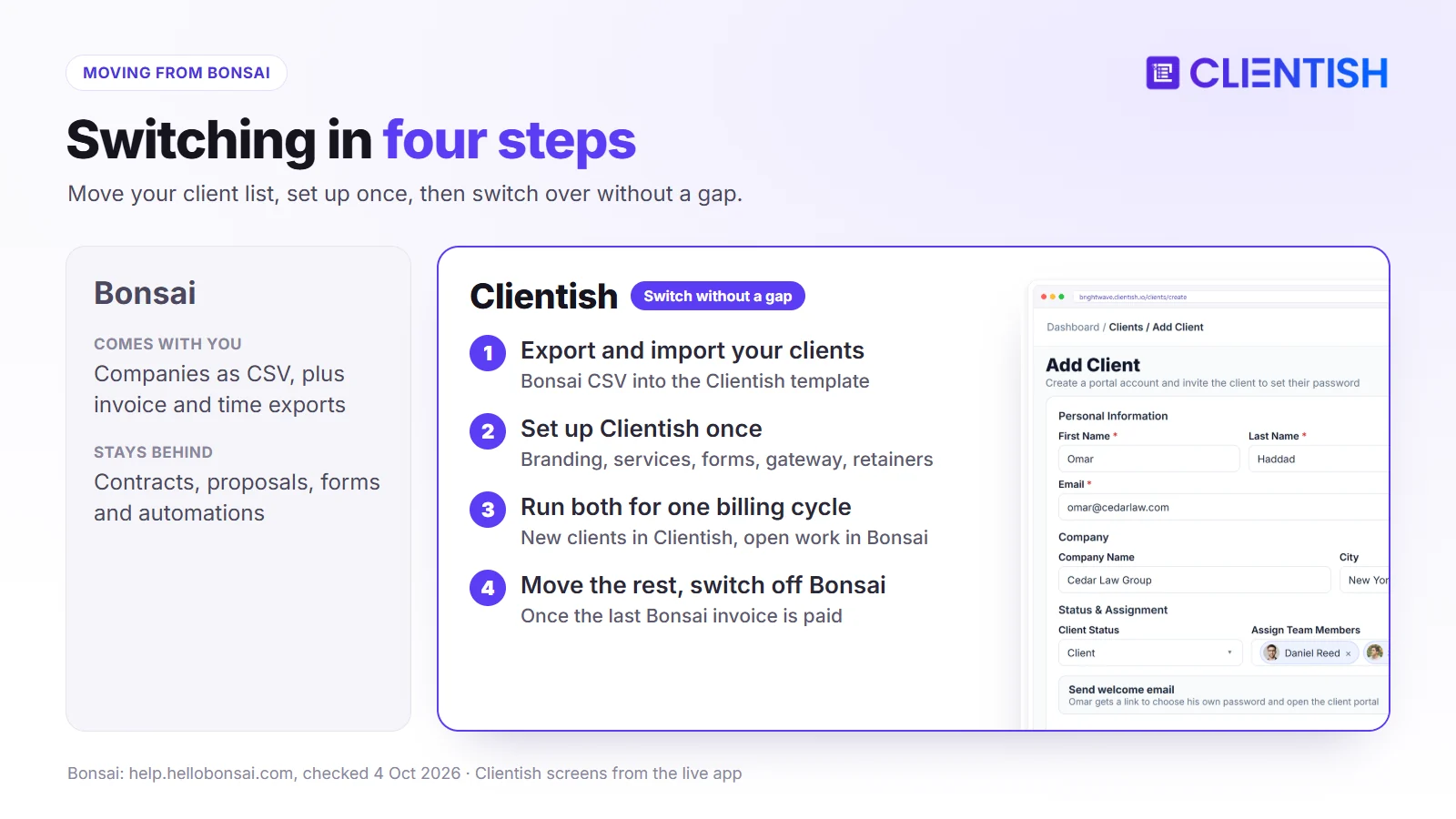
Leaving Bonsai takes an afternoon of exporting and a few evenings of setup. Bonsai gives you separate CSV files, Clientish imports clients from one, and the rest is recreating services and retainers so billing carries on without a gap.
What transfers cleanly
Start with the export, since Bonsai produces one file per data type:
- Download your Bonsai data. Export companies (Bonsai renamed “clients” to “companies” in 2026), their addresses, invoices, projects, tasks, expenses and tracked time.
- Map it to Clientish. Under Clients → Import, grab the CSV/XLS template and paste in the company names, contacts and addresses from Bonsai.
- Import. Every row becomes a Clientish client record.
Invoices, signed contracts and time entries stay as files rather than live records, so keep the exports and PDFs. Bonsai also leaves a cancelled account readable on its free plan.
What you rebuild from scratch
Contracts, proposals, forms and automations live only in Bonsai. Rebuild them in Clientish before moving any client with work in progress, roughly in this order:
- Portal look and email: add your logo, colours and favicon, and connect your SMTP server.
- Services: one per package, each with a price, a brief and a revision allowance.
- Briefs: rebuild your Bonsai questionnaires in the form builder and attach each to its service.
- Proposal templates: recreate the ones you use most in Clientish Proposals.
- Payments: connect Stripe, PayPal, Paddle, SSLCommerz or bank details; if Bonsai Payments handled your cards, open your own Stripe account.
- Retainers: recreate each Bonsai subscription invoice as a Clientish subscription, starting the month after its last Bonsai charge.
A realistic picture of the transition
Give it one billing cycle of overlap. Clients with open Bonsai projects or unpaid Bonsai invoices finish there; new clients start in Clientish and set their own password from the welcome email. Once the last Bonsai invoice clears, invite the remaining clients and cancel, or pause Bonsai for one to three months as a fallback.
Frequently Asked Questions
Short answers to what Bonsai users ask before switching: seat prices, the Zoom deal, fees outside the US, branding and moving data.
How much does Bonsai cost in 2026?
Bonsai charges per user. Basic is $15 a month ($9 billed yearly), Essentials $25 ($19), Premium $39 ($29) and Elite $59 ($49, with a 3-user minimum). Basic has no invoices, proposals or client portal, so most businesses start on Essentials.
Is Bonsai owned by Zoom?
Yes. Zoom announced the purchase in November 2025 and closed it in December 2025. Bonsai remains a standalone product with its own brand for now, and Zoom plans to add Bonsai’s features to Zoom over time.
Does Bonsai have a free trial or free plan?
Bonsai’s trial lasts 7 days and there’s no free plan for day-to-day use; a cancelled account keeps read-only access. Clientish’s trial runs 14 days.
Does Bonsai have a client portal?
Yes, from Essentials. Clients open it from an email link to check invoices, share files and see how the project is going; on Premium they can also message you. There are no client accounts, support tickets or service checkout.
Can I remove Bonsai branding or use my own domain?
Bonsai’s branding comes off emails, documents and the portal on Premium and up. Custom domains aren’t available yet; Bonsai says they’re expected in 2026. Clientish includes your branding on every plan, on a subdomain.
Does Bonsai charge payment fees?
Card payments through Bonsai Payments cost 2.9% + $0.30. Where Bonsai Payments is available, using Stripe or PayPal instead adds a 1% Bonsai fee, and international payments add 2.5%. Clientish takes nothing on top of your gateway’s fee.
Can I use Bonsai outside the US?
Bonsai Payments works in the US, UK, Canada and Australia. Elsewhere you can use Stripe (in any Stripe country except India) or PayPal. Tax tools are built for US self-employed users.
Is Bonsai good for agencies?
For a two- or three-person studio that values Gantt planning and bookkeeping, yes. Beyond that, seats add up, custom roles mean Elite, and clients still can’t order or raise tickets, which is usually when agencies start comparing alternatives.
How does Clientish pricing compare to Bonsai for a small team?
Six people cost $1,368 a year on Bonsai Essentials (annual billing) and $468 on Clientish Growth, which holds up to 15. A one-person business pays less on Bonsai.
Does Bonsai have a mobile app?
Yes, on iOS and Android, for time, invoices and expenses. Clientish has no app and is used through a phone’s browser.
Can I migrate my data from Bonsai to Clientish?
Clients, yes: export companies from Bonsai and load them through the Clientish import template. Contracts, proposals, automations and time logs don’t carry over, so archive the exports and rebuild services and forms in Clientish.
Is Clientish or Bonsai better for selling fixed service packages?
Clientish. Packages sit in a catalogue clients order from, each order brings its own brief, revisions and thread, and monthly packages run as subscriptions. Bonsai gives clients no way to check out.
The Verdict: Which Should Your Agency Pick?
Bonsai remains a sensible choice for a freelancer or a two-person studio, especially in the US, UK, Canada or Australia, who wants contracts, hours, Gantt plans and expense records under one login.
Its limits appear with growth. Seats are charged one by one, the card fees build with every invoice, and clients can look at their projects but not order, claim revisions or raise problems, so those requests keep coming by email.
Clientish was made for the agency on the other side of that line. Clients get a branded account to buy, pay, follow and query their work; staff seats come with the plan; and money moves through your own gateway with no surcharge. From the second person on, it’s also the cheaper option.
- Stay with Bonsai if you work alone or with a partner, rely on its planning and bookkeeping, and your clients don’t need to order or file tickets.
- Move to Clientish if your team is growing and your clients come back every month for more work and more questions.
Try Clientish free for 14 days, import a few clients from your Bonsai export and see how the portal works with your own services.
Sources
This comparison is published by Clientish. Bonsai details were checked on October 4, 2026 against Bonsai’s pricing and its help articles on the client portal, white labelling, permissions, seats, fees, payouts, automations and subscription invoices, plus Zoom’s acquisition post. Ratings from Capterra and Trustpilot.
Bonsai is a trademark of its owner, and Clientish has no affiliation with Bonsai or Zoom. Spotted something that’s changed? Tell us and we’ll update the page.

