

SuiteDash bills itself as a business operating system: CRM, portals, invoicing, projects, e-sign, email marketing, a course builder and more, all under one flat monthly price with unlimited staff and clients. Clientish covers less ground by design: the portal and back office an agency uses to sell packages, collect payment, run orders and answer the questions clients send in.
Quick answer: SuiteDash is the cheaper choice if you want the widest toolbox for the money, a portal on your own domain from the $19 plan, and you have time to configure it. Clientish suits agencies that want a ticket desk, a priced service catalogue and order-by-order delivery without moving up to SuiteDash’s $99 Pinnacle plan, and that bill clients through PayPal, Paddle, SSLCommerz or manual methods.
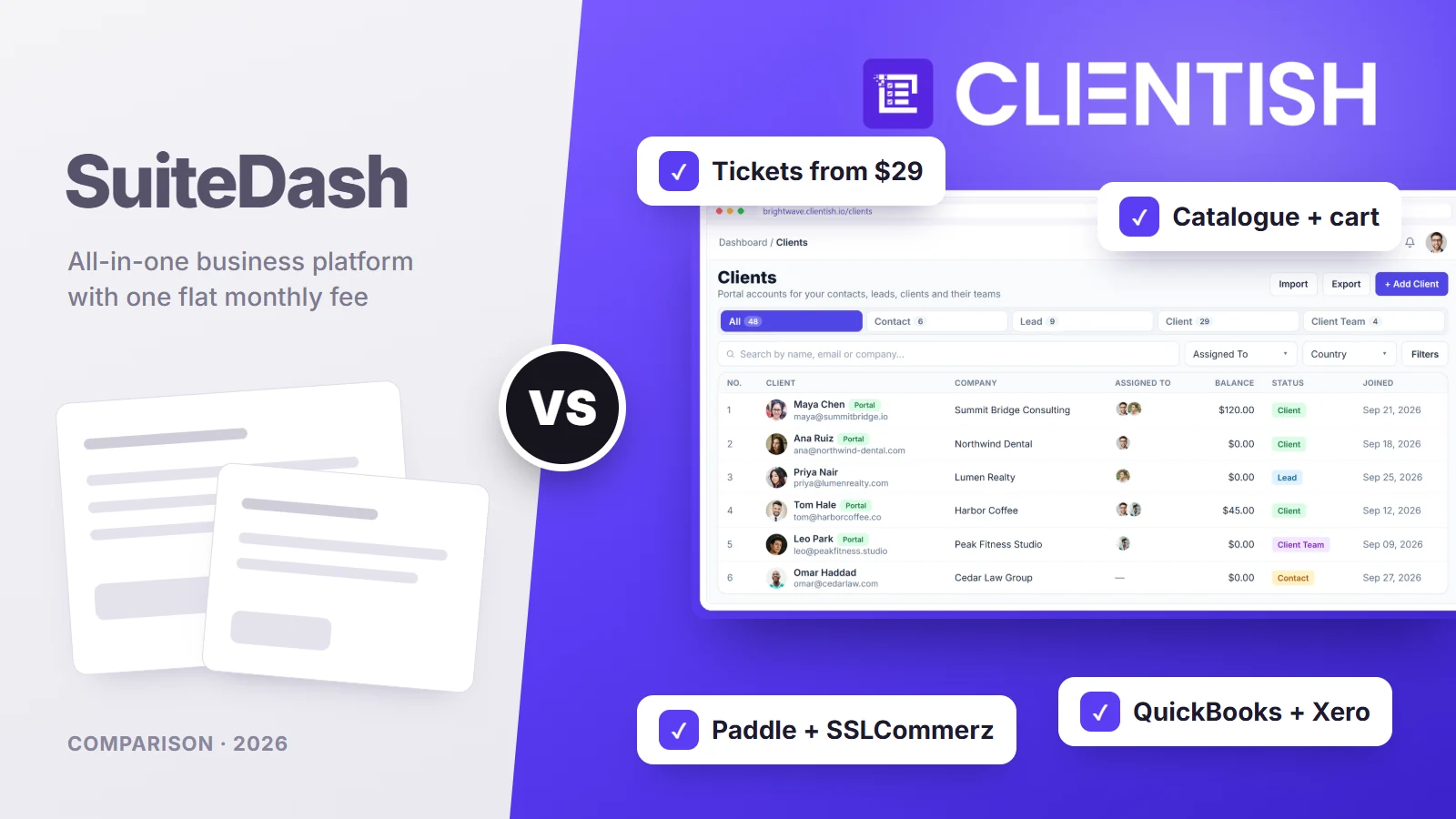
Below we compare plan prices and what each plan unlocks, the client’s view of the portal, selling and billing, support desks, white-label, setup time, integrations and security, then walk through a six-person agency and a move from one to the other. SuiteDash details come from its pricing page, help centre and public changelog, read on October 5, 2026.
Key Takeaways
SuiteDash’s headline prices have stayed at $19, $49 and $99 a month since at least 2022, but what each plan contains matters more than the number. These are the points that change the decision for an agency.
- Headline price: SuiteDash runs $19, $49 or $99 a month ($180, $480 or $960 a year) with unlimited staff. Clientish’s four plans cost $29, $49, $99 and $149 monthly (from $23 when paid yearly) and each comes with a team allowance of 5, 15, 30 or 50.
- Support tickets: SuiteDash puts its ticket toolkit on Pinnacle at $99. Every Clientish plan has a ticket desk with first-reply targets, starting at $29.
- Automations: SuiteDash’s trigger-and-action builder and FLOWs onboarding are also Pinnacle features. Clientish has no workflow builder of that kind.
- White-label: SuiteDash gives you your own domain, login page, email sending and an installable web app on every plan. Clientish brands a subdomain and drops its own name from Pro upward.
- Payments: SuiteDash charges stored cards for subscriptions through Stripe, Braintree or Authorize.Net. Clientish adds PayPal, Paddle, SSLCommerz and manual methods, and reopens each subscription invoice for the client to settle.
SuiteDash vs Clientish at a Glance
The table gives the short version for each area this article covers. Clientish is the shaded column, and where SuiteDash keeps something to a higher plan, the plan is named.
| Area | SuiteDash | Clientish |
| Monthly price | $19 / $49 / $99 | $29 / $49 / $99 / $149 |
| Team members | Unlimited on every plan | 5, 15, 30 or 50 included; more can be added |
| Support tickets | Pinnacle ($99) | Every plan, with first-reply targets and client ratings |
| Client live chat | Thrive ($49) and up | Growth ($49) and up |
| Selling services | Checkout forms with items, add-ons and packages | Catalogue with cart and coupon codes |
| Payment options | Stripe, Braintree, Authorize.Net, PayPal | Stripe, PayPal, Paddle, SSLCommerz, plus manual methods |
| Accounting | QuickBooks Online (one way); Xero on its roadmap | QuickBooks and Xero |
| Own domain | Every plan | Subdomain only |
| Languages and app | Translatable portal; installable web app | English; works in the phone browser |
| Trial | 14 days on Pinnacle, no card | 14 days, no card |
In short, SuiteDash wins on breadth and branding per dollar, while Clientish puts support, selling and order delivery within reach of a smaller plan.
Who This Comparison Is For
This is written for agency owners and operations leads who have trialled SuiteDash or seen it recommended as the cheapest all-in-one portal, and who want to know what they would gain or give up with Clientish.
It matters most if clients send you a steady flow of questions and change requests, if you sell packaged services, or if your clients pay in ways Stripe alone doesn’t cover. If you mainly need a branded file-sharing portal with a CRM and email campaigns attached, SuiteDash’s entry plan may already be enough.
Why some agencies move on from SuiteDash
SuiteDash holds a 4.8 average on Capterra across more than 600 reviews, so these are recurring themes from a minority of users rather than the common experience:
- Configuration time. Reviewers describe needing “more than 20 hours” to learn and set it up, and one wrote that it took “almost a month” to feel comfortable.
- An interface some find dated. One director called the templates “really dated”; a 2026 reviewer found parts “a bit clunky and inconsistent”.
- Key tools on the top plan. Tickets, automations, the course builder and task dependencies all need Pinnacle.
- Paid help. One-to-one setup sessions cost $50 each beyond the free ones some plans include.
Meet SuiteDash: Best for Wide Toolsets at a Flat Price
SuiteDash was founded in 2015 and is based in North Carolina. It aims to replace a stack of separate subscriptions with one platform, and it keeps adding modules: reporting arrived in August 2026, AI agents and a “brand voice” writer in September 2026.
What you get across the plans:
- CRM and portals with companies, contacts, permission groups and per-client dashboards; deal pipelines from Thrive.
- Billing: estimates, invoices, installment plans and subscriptions that charge stored payment details automatically.
- Projects: tasks, phases, project templates and generators, Kanban boards and work requests; task dependencies on Pinnacle.
- Documents and e-sign: drawn or typed signatures with an audit trail of views, IP and time, for two signers.
- Marketing: email campaigns on every plan, drip sequences from Thrive, and a course builder (LMS) on Pinnacle.
- Branding: your own domain, login page and sending address, a translatable interface and an installable web app.
SuiteDash pricing: Start $19, Thrive $49 and Pinnacle $99 a month, or $180, $480 and $960 a year, with 100 GB, 500 GB or 2 TB of storage. One-off lifetime plans cost $2,240, $3,940 and $6,840.
Meet Clientish: Best for Agencies That Sell and Support Services
The Clientish workspace follows the path from a client agreeing to buy to the work being signed off. The client buys from your catalogue or accepts a proposal, pays the invoice, and the order reaches the people who deliver it. The client then follows progress, asks for revisions and gets help in the same portal.
Where Clientish goes further than SuiteDash for agency work:
- A ticket desk on every plan: each priority carries a first-reply deadline, staff answer with saved replies and private notes, and clients grade the outcome; it starts at $29, where SuiteDash asks $99.
- A shop inside the portal: priced services, a cart and coupon codes, so returning clients buy without an email back and forth.
- Orders with a revision allowance: each service sets how many rounds of changes a client gets, and deliveries left unanswered are approved automatically, after seven days by default.
- More ways to be paid: four card and wallet gateways (Stripe, PayPal, Paddle, SSLCommerz) and hand-paid options such as Wise, bKash and bank transfer, all going straight to your own accounts.
- Proposals that set everything up: pick from eleven looks; when the client signs, their portal login, first invoice and order appear without retyping anything.
- QuickBooks and Xero: both connect directly; SuiteDash lists Xero as planned.
- Live chat and leads from the Growth plan.
- Hours clients approve: contractors on remote roles record their time against each client, who reviews the hours report before you bill it.
Plan details and monthly allowances are on the Clientish pricing page.
How We Compared
We looked at both tools through a typical agency month: selling and onboarding, billing, delivering work, handling client questions and keeping the brand consistent. For each area we checked:
- which plan a feature first appears on, since SuiteDash’s flat price hides three different feature sets
- what the client can do without emailing you
- what it costs to reach that point, including add-ons and setup help
- how long a small team would need before inviting clients
SuiteDash’s plan contents come from its own help articles for Start, Thrive and Pinnacle, its feature pages and its updates log. Review themes come from Capterra. Where we couldn’t find a feature in SuiteDash’s own material, we say “not found” rather than “not offered”.
Pricing: Flat Fee or Seats Included?
Winner: SuiteDash on list price, and by a wide margin for large teams, because one fee covers every staff member. Clientish comes out cheaper when a support desk is on your list and your team fits within 15 seats.
SuiteDash charges one fee no matter how many staff or clients you add. On Clientish each plan carries a team allowance and extra seats cost more, so a 40-person agency spends more there than on any SuiteDash plan.
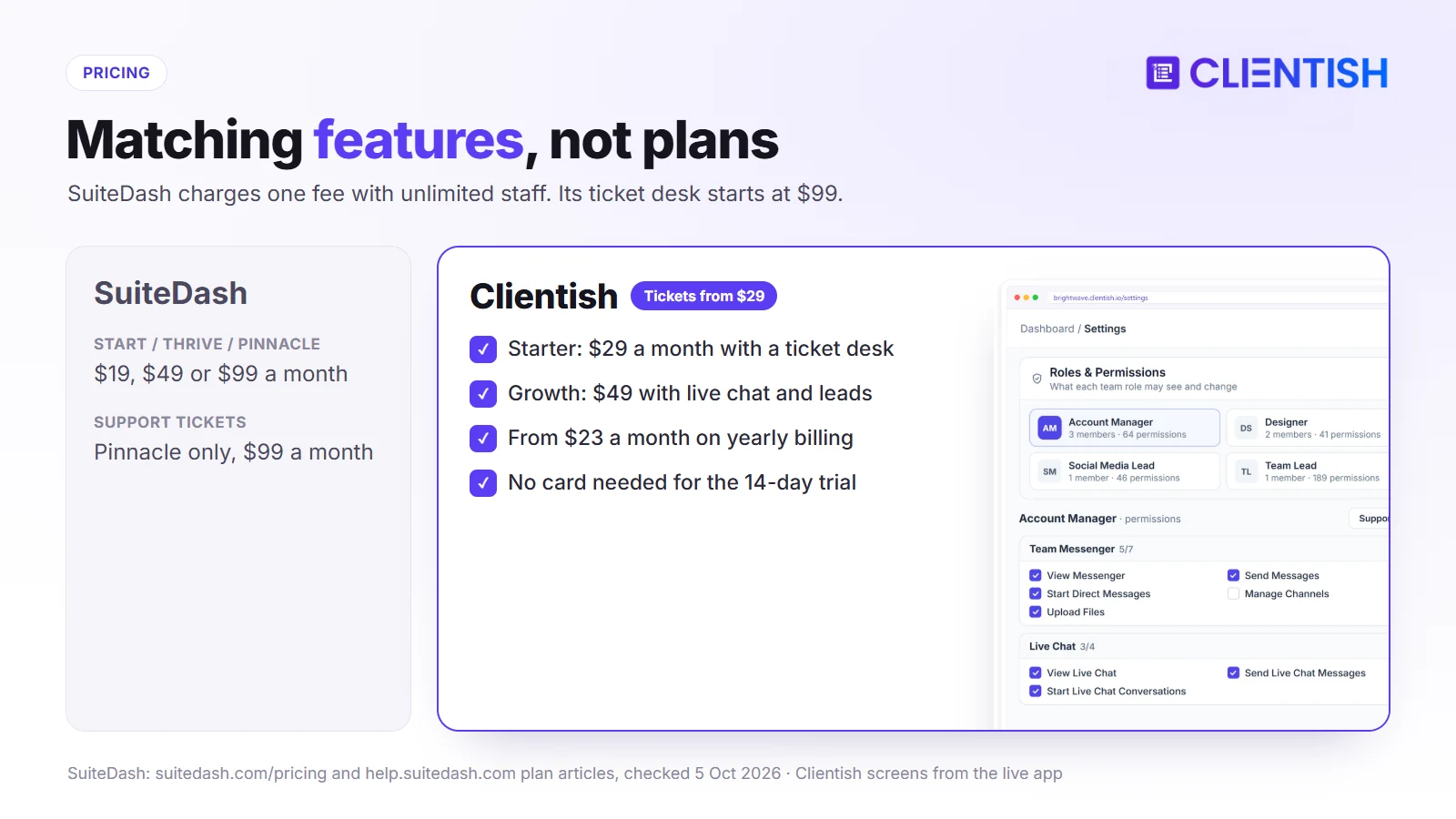
Yearly cost by plan
Both sell yearly billing at a discount. These are the published prices on October 5, 2026; Clientish’s team allowance is shown in brackets.
| Level | SuiteDash | Clientish |
| Entry | Start: $180/yr | Starter: $276/yr (5 people) |
| Middle | Thrive: $480/yr | Growth: $468/yr (15 people) |
| Upper | Pinnacle: $960/yr | Pro: $948/yr (30 people) |
| Top | No higher plan | Enterprise: $1,428/yr (50 people) |
Matching features, not plan names
The plans line up differently once you ask what a feature costs. A branded portal with invoicing starts at $19 on SuiteDash and $29 on Clientish. Client live chat and a sales pipeline both arrive at $49. A ticket desk is the gap: $99 on SuiteDash against $29 on Clientish, which is $840 a year apart on monthly billing ($684 on yearly).
Costs outside the plan
SuiteDash sells Power-Ups on top of every plan: VIP support at $50 a month, PRIME and PLUS bundles at $40 a month each (PLUS is needed to require two-factor sign-in for users), extra storage at $5 a month per 250 GB and marketing email sending at $20 a month per 10,000 messages. Setup calls are $50 each, and a partner-built kickstart is $299. On Clientish, the extras are more team seats or a larger monthly allowance. Its fees are non-refundable once paid, under SuiteDash’s terms; Clientish lets you test first with a 14-day trial.
The Client Portal: What Can Clients Do on Their Own?
Winner: Clientish for clients who buy from you again and again and need help between deliveries, because ordering, revisions and support are already laid out for them.
Both give each client a branded login. The difference is what the client finds once inside.
A SuiteDash client
A SuiteDash client sees a dashboard you design: pages, files, projects, invoices and forms chosen per client or group, with a passwordless “magic link” option. They can pay invoices and manage stored cards in a billing dashboard, sign documents, submit work requests, and use checkout forms you embed. Live chat with your team needs Thrive, and opening a support ticket needs Pinnacle.
A Clientish client
Inside Clientish, the client’s dashboard shows open orders, unpaid invoices and the next retainer payment, and each order page holds the brief and how many revision rounds are left. From there they reorder services through the cart (coupon codes work), keep money on account to settle invoices, ask for changes when a delivery misses the mark, and score your help once a ticket is resolved. Growth adds live chat with your team.
What this means day to day
SuiteDash’s portal is a blank canvas that takes design work and rewards it. Clientish’s portal is laid out for buying, following orders and getting support, so there is less to build before the first client logs in.
Selling, Invoices and Getting Paid
Winner: Clientish for agencies whose clients pay through Paddle, SSLCommerz or by hand outside the US card world; SuiteDash for retainers that charge a saved card with no client action.
How SuiteDash takes money
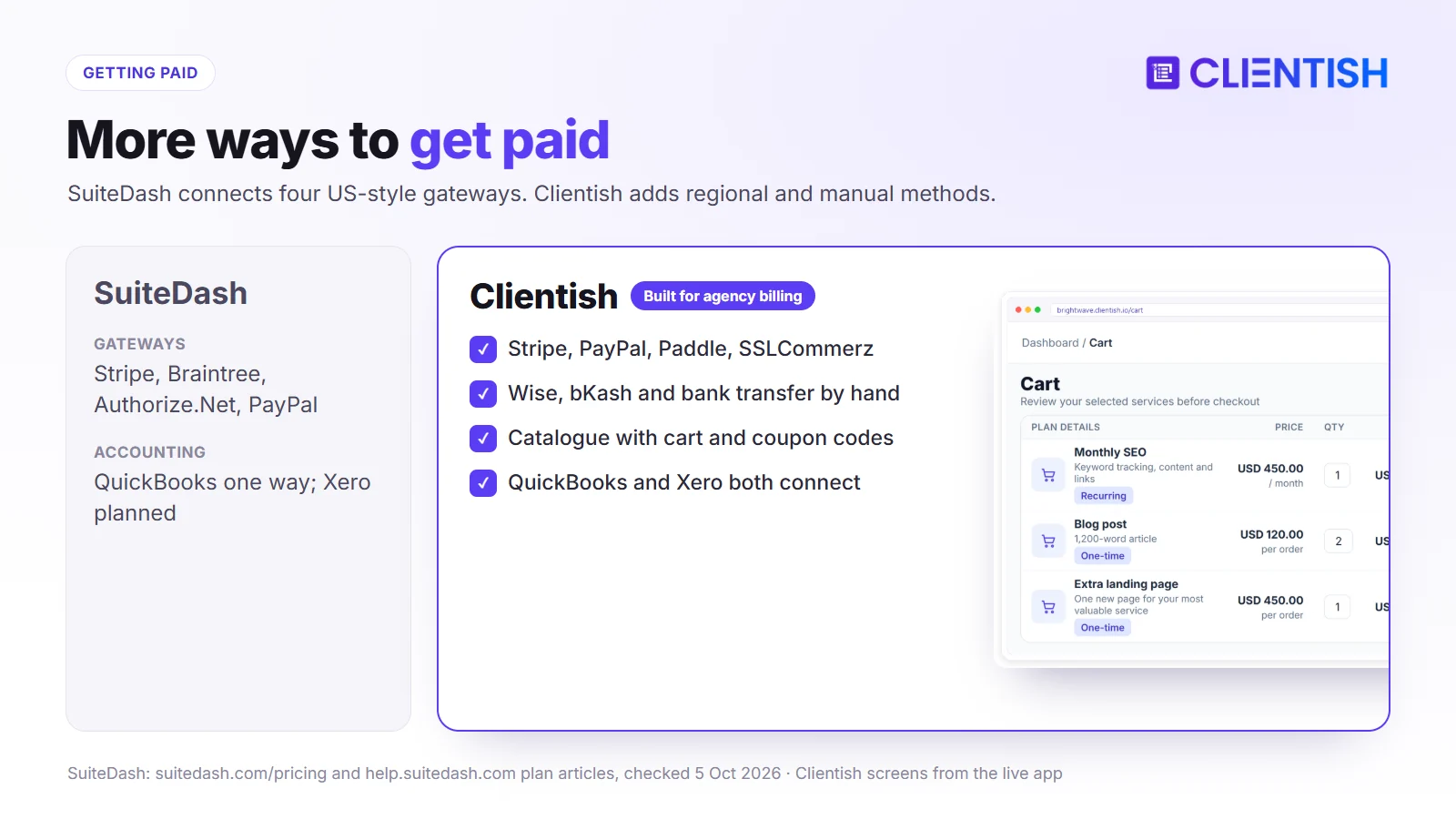
SuiteDash connects Stripe, Braintree, Authorize.Net and PayPal, which together cover cards, US bank debits, Apple Pay, Google Pay, Venmo and buy-now-pay-later options. Subscriptions charge the stored card or bank account on schedule through the first three; PayPal works for one-off payments only. Services are sold through checkout forms with items, add-ons and packages, and SuiteDash takes no cut of payments. We found no coupon codes at checkout and no client-held balance.
How Clientish takes money
Clientish connects Stripe, PayPal, Paddle and SSLCommerz, and also takes bank transfer, Wise, bKash, Nagad and Rocket for clients who pay by hand. Clients buy from a catalogue with a cart and coupon codes; the invoice is raised at checkout, and the order opens once it is paid. Subscriptions don’t charge cards automatically: each cycle reopens the same invoice for the client to pay, and a client’s prepaid balance can cover it. QuickBooks and Xero both sync invoices to your books.
Proposals, Contracts and E-Signatures
Winner: Clientish for proposals that turn straight into paid work; SuiteDash for contracts that need a drawn signature and a signing audit trail stored inside the PDF.
Winning the job is where both tools start their sales flow, but they hand off to different next steps once the client says yes.
Proposals and documents in SuiteDash
SuiteDash’s Dynamic Proposals arrive with the Thrive plan. Clients can pick options inside the proposal, accept it and pay at once by card or bank. Separately, every plan includes a documents toolkit for contracts: you build a template with signer placeholders, the client signs by hand or by typing their name without logging in, and the PDF records who viewed and signed it, from which IP address and when. Signing covers two parties today; three or more signers is still in development, and uploading an outside PDF for signature belongs to the paid PRIME bundle.
Proposals in Clientish
Clientish proposals come in eleven designs, from a classic quote to a pitch deck, and any team member whose role allows it can send them. The client signs by typing their name and title, and Clientish records the signer’s IP address and emails a signed PDF. Signing does the admin for you. The client gets a portal login, the agreed total lands on one invoice with a deposit due first (50% unless you change it), and the order is created for your team at the same moment.
Which suits your sales process
If you send standalone contracts or NDAs that need a hand-drawn signature, SuiteDash covers that from $19. If your proposals are mostly priced service packages that should become an invoice and an order the moment they are signed, Clientish removes the retyping between sale and delivery.
Support Tickets and Client Questions
Winner: Clientish, because its ticket desk comes with the $29 plan and measures how fast your team replies, while SuiteDash keeps tickets for its $99 plan.
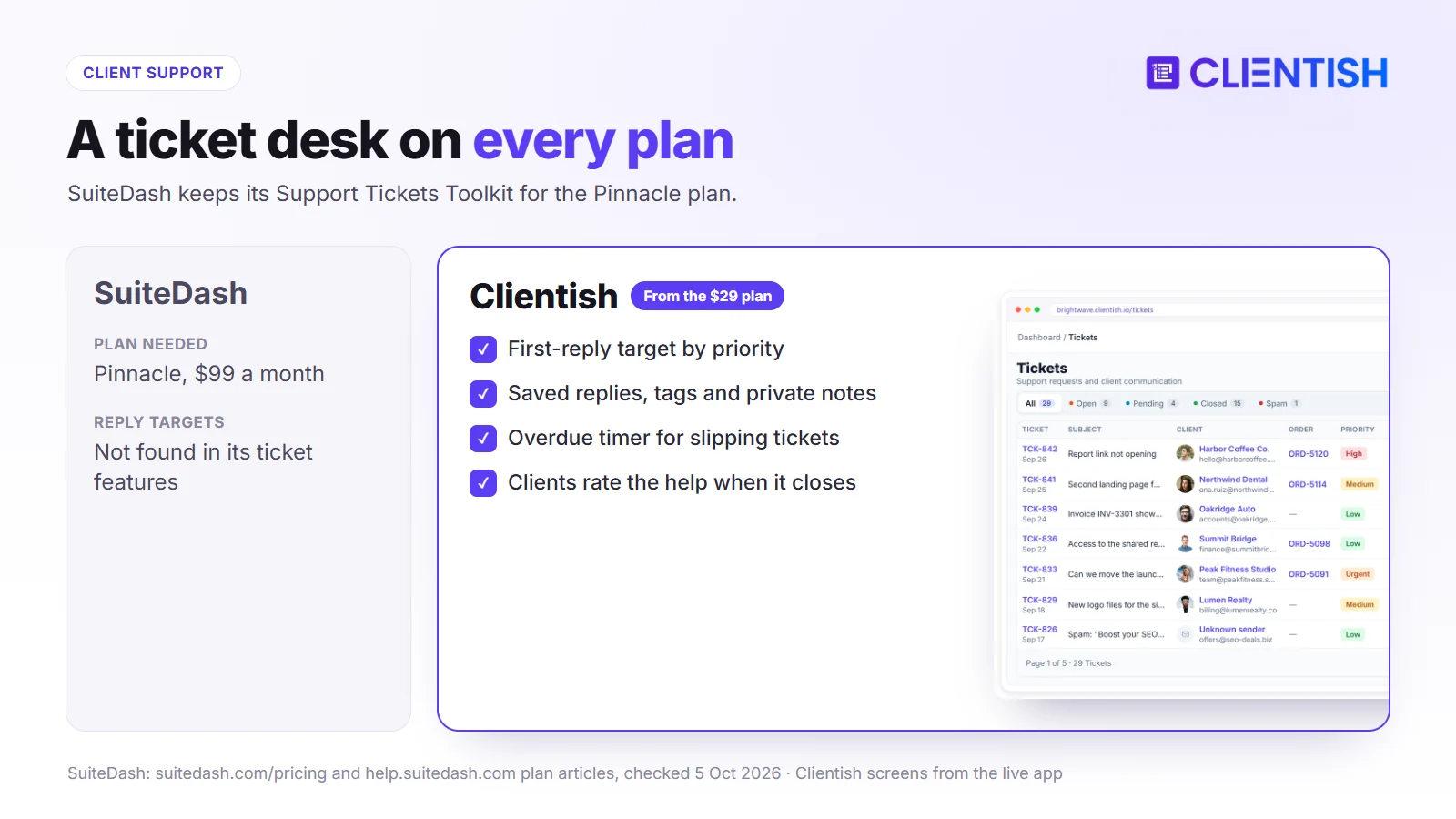
SuiteDash’s Support Tickets Toolkit sits on Pinnacle. It offers custom inboxes, priorities, tags and statuses, email-to-ticket and replies by email, which suits teams that want help-desk email in the same tool. One 2026 reviewer felt it “lives in its own universe” apart from the rest of the platform, and we found no reply-time targets or client ratings.
On every Clientish plan, a client opens a ticket from the portal and its priority sets when the first reply is due. Your team works it with saved replies, tags, staff copies and notes the client never sees, and the overdue timer shows what is slipping. When the ticket closes, the client rates the help.
Team Members, Roles and Permissions
Winner: SuiteDash on the number of people one fee covers; Clientish on deciding exactly what each person and each outside contractor may see and change.
Every agency eventually adds account managers, specialists and freelancers, and the question becomes who can open which client’s work.
Staff in SuiteDash
Each SuiteDash plan includes unlimited staff, so adding a new hire or a contractor never changes the bill. Access is shaped with permission groups that SuiteDash calls Circles, which decide which clients, files and pages a person reaches, and an impersonate tool lets an admin see the platform as another user. Task dependencies, useful for handing work between people in order, are reserved for Pinnacle.
Staff in Clientish
Headcount works differently on Clientish: Starter seats five people, Growth fifteen, Pro thirty and Enterprise fifty, and you can buy extra seats on any of them. The agency builds its own roles from a long list of individual permissions, and ready-made examples such as a support desk or team lead role can be copied and edited. Freelancers and contractors join as remote members from the Growth plan, each under a remote role that limits what they can open, and the hours they record per client go to that client for sign-off. Members can be set to Pending, Approved or Hold, and signing in as another member to check their view is itself a permission.
What changes as the team grows
A large in-house team costs less on SuiteDash because headcount never affects the price. A team that mixes employees and outside specialists, and needs tight control over what contractors touch, gets more from Clientish’s role builder and remote-member rules.
Projects, Automations and Day-to-Day Workflow
Winner: SuiteDash for agencies on Pinnacle that want trigger-and-action automations and project templates; Clientish for agencies that run work as orders with statuses and revision rounds.
How work moves from “paid” to “delivered” decides how much manual chasing your team does each week.
How SuiteDash runs projects
SuiteDash projects hold tasks and phases, can be created from templates or generators, and appear on Kanban boards by status or assignee. Clients can submit work requests that become projects, estimates or invoices, and project discussions stay with the project. On Pinnacle, the Complete Automation Toolkit adds triggers and actions across the platform, and FLOWs build guided onboarding sequences; Start and Thrive run without these automations.
How Clientish runs orders
In Clientish each purchase becomes an order with its brief, its files and the service’s revision allowance. Orders move through statuses on a table, Kanban or card view, and dragging a card changes its status for anyone with that permission. The team adds the tasks each order needs, the client approves the delivery or asks for another round, and unanswered deliveries are approved automatically after a set number of days. Clientish has no general automation builder; its rules live in settings such as revision limits, auto-approval and reminders.
Picking the right model
Agencies that want to automate many repeating steps, and are ready for Pinnacle and its setup time, will find more power in SuiteDash. Agencies that sell defined services and mainly need to see every order’s stage, revisions and deadline at a glance will find Clientish closer to how they already work.
White-Label and Branding
Winner: SuiteDash. On its $19 plan it already brands more of the client’s experience, down to the web address and an installable app, than Clientish does on any plan.
SuiteDash’s Start plan lets you point your own domain at the portal with free SSL, design the login page, send email through your own SMTP server or a verified domain, edit every email template, add custom CSS and hide the SuiteDash name completely. Once the domain and login page are set, clients can install the portal as a web app with push notifications.
Clientish brands the portal with your logo, colours and favicon on every plan and sends all client email from your own mail server. The address remains a clientish.io subdomain on every plan, and Pro and Enterprise remove the small “Powered by Clientish” credit. For many agencies that is enough; if the portal must sit on your own domain, SuiteDash is the one that does it.
Setup Time and Day-to-Day Use
Winner: Clientish for getting the first client signed in with less setup, since the order, billing and support screens arrive ready and only need your services and branding.
SuiteDash’s breadth is also its learning curve. Reviewers on Capterra and in third-party reviews report 20 hours or more of configuration, and SuiteDash sells its own guided sessions to shorten it. Most agencies only need part of what is there, which makes the build feel heavier than the job.
Clientish starts with the agency workflow already shaped: add your services with prices and intake forms, set your branding and payment gateways, import clients from a spreadsheet and invite them. None of it needs building from scratch, so a small team can get there quickly. Day to day, orders sit in a table, Kanban or card view, and a search bar finds any order, client, invoice or ticket.
Integrations, Security and Reliability
Winner: SuiteDash on the number of native integrations and on compliance paperwork such as a HIPAA agreement; Clientish for agencies whose books live in Xero.
SuiteDash connects natively to QuickBooks Online (sending data one way), Google Calendar, Outlook, Zoom and Twilio, with Zapier, Pabbly Connect and webhooks for the rest. It runs on AWS with encryption at rest, offers a HIPAA business associate agreement, and says it has met or exceeded 99.9% uptime.
Clientish connects QuickBooks and Xero directly, sends webhooks for Zapier or Make, and secures sign-in with a second factor by email code or authenticator app plus a lockout after repeated failed logins. Its service-level page publishes uptime targets of 99.5% to 99.95% and support reply times by plan. Neither claims SOC 2.
Where SuiteDash and Clientish Are Similar
Pricing and scope aside, the two overlap on the everyday basics, so either one can take client work out of scattered email threads and shared drives:
- a branded client login with files, invoices and project or order status
- proposals that clients accept online, with an invoice ready to pay
- roles that control what each team member sees
- forms for onboarding and requests
- no cut taken from client payments
- a 14-day trial without a card
Where Both Fall Short
Some agency needs go unmet in both products, and it is better to know them before signing up, because each one means a second app or a manual step:
- Design proofing: Clientish doesn’t let clients mark up images or video, and we found no proofing tool in SuiteDash’s plan articles.
- Native phone apps: SuiteDash’s app is an installable web app, not a store app; Clientish has no app.
- Compliance reports: neither publishes a SOC 2 report.
- Multi-party signing: SuiteDash signs two parties for now; Clientish takes a typed signature on proposals.
A Real Example: A Six-Person Web Agency
A six-person web agency maintains 40 client sites on monthly care plans, sells one-off redesigns, and spends a good part of each week on client support questions.
Running it on SuiteDash
Start at $19 covers the portal, invoicing and the team, with the agency’s own domain. Once support volume calls for a ticket queue, the agency moves to Pinnacle at $99 a month ($960 a year), which also brings automations. Care-plan subscriptions charge clients’ cards automatically, and setup takes a few weeks of evenings.
Running it on Clientish
Growth at $39 a month on yearly billing ($468 a year) fits the six people and up to 50 new clients a month. Care plans are services in the catalogue, support goes through tickets with reply targets, and redesigns run as orders with a revision allowance. Each month the client receives the reopened care-plan invoice to pay, or it is covered from their balance.
The call for this agency
Clientish costs about half of Pinnacle for this setup and needs less building before clients arrive. If the agency cared more about its own domain and automatic card renewals than about a ticket desk, SuiteDash Start at $180 a year would be the cheaper route.
Pros and Cons
Here is each tool’s balance sheet in one place, drawn from the sections above, so you can check it against what your clients ask of you most.
SuiteDash
| Pros | Cons |
| Unlimited staff and clients from $19 | Tickets and automations only on the $99 plan |
| Own domain, login and email on every plan | Long setup; dated look for some users |
| Subscriptions charge cards automatically | No PayPal subscriptions, Paddle or SSLCommerz |
| Translatable; installable web app; LMS | Xero still planned; paid add-ons on top |
Clientish
| Pros | Cons |
| Ticket desk with reply targets from $29 | Team members capped per plan |
| Catalogue, cart, coupons and revision limits | Subdomain only; English only |
| PayPal, Paddle, SSLCommerz, manual methods | Subscriptions don’t charge cards automatically |
| QuickBooks and Xero; order screens ready-made | No workflow builder, LMS or email campaigns |
Good For / Avoid If
Use these lists as a last filter before the trial. They follow from the trade-offs above and add nothing new, so each line points back to a section you can reread.
SuiteDash
Good for:
- agencies with large teams and a tight software budget
- businesses that also want email marketing, courses or appointment booking
- portals that must run on your own domain in another language
Avoid if:
- you need a ticket desk but not a $99 plan
- your clients pay through Paddle, SSLCommerz or local manual methods
- nobody on the team has time for a long setup
Clientish
Good for:
- agencies that sell packages and care plans
- teams that handle a steady stream of client support
- agencies that keep books in Xero
Avoid if:
- your team is larger than 50 people and you’d rather not pay for extra seats
- subscriptions must charge cards with no client action
- you need courses, drip campaigns or a custom domain
Moving from SuiteDash to Clientish
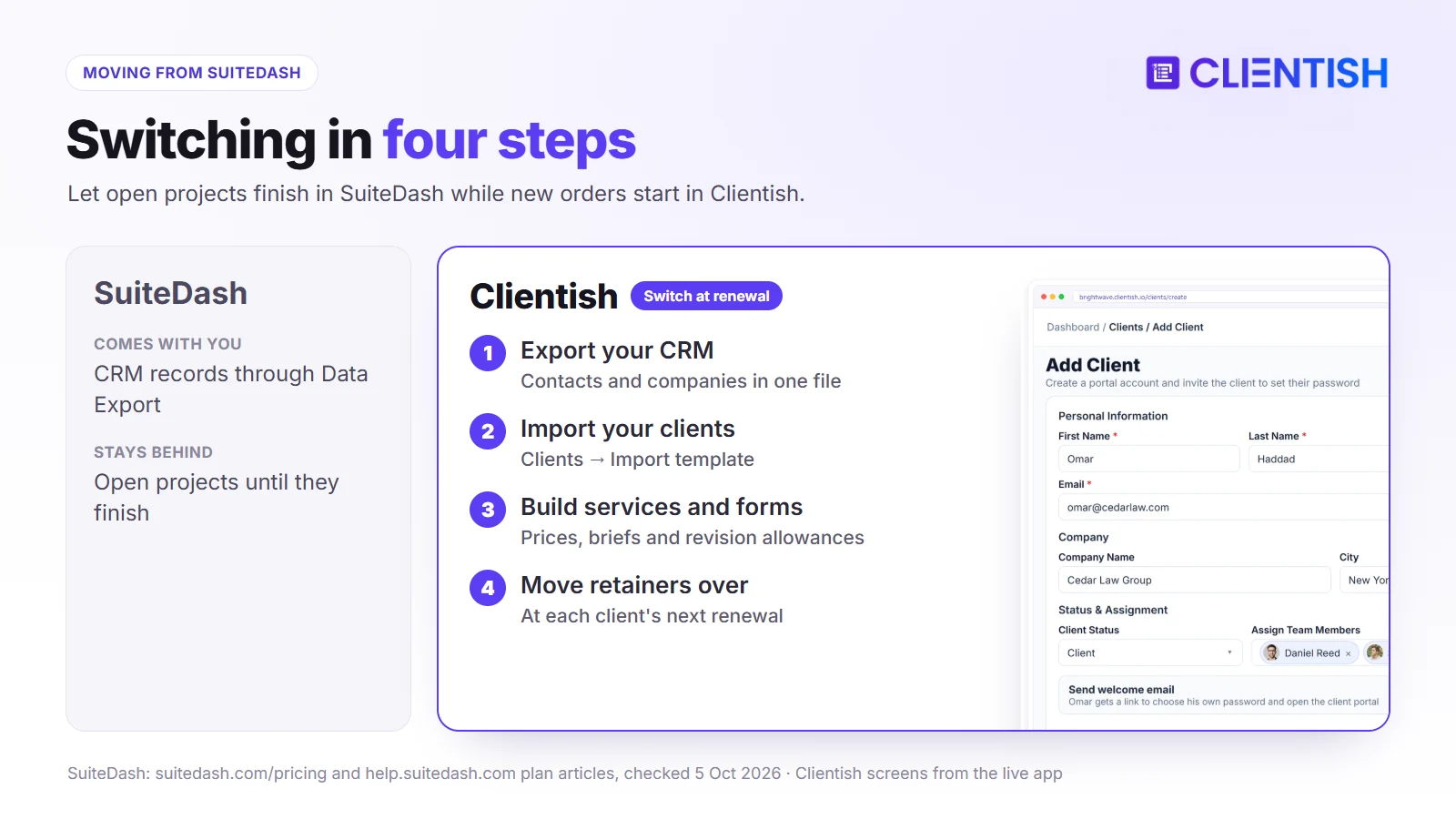
SuiteDash’s Data Export feature downloads your CRM records in one pass, which gives you the starting file for the move. Its terms say a cancelled paid account’s data is kept for about twelve months, so there is time, but export before you cancel.
Bringing clients across
Export contacts and companies from SuiteDash, then use Clients → Import in Clientish; it offers a template in CSV, XLS or XLSX. Hold the portal invitations until your services and forms are ready.
Rebuilding the setup
- checkout-form items and packages become services with prices and briefs
- SuiteDash forms become intake forms attached to those services
- open projects carry on in SuiteDash until they finish
- subscriptions move over at each client’s next renewal date
Choosing the moment
Run the two side by side for one billing cycle: new orders in Clientish, existing projects closing in SuiteDash. Cancel SuiteDash after the last project ends, since its fees are not refunded part-way through a paid period.
Frequently Asked Questions
These are the questions buyers most often ask about SuiteDash’s plans and limits, answered from its own pages, with the Clientish equivalent where it helps.
How much does SuiteDash cost?
Start is $19 a month, Thrive $49 and Pinnacle $99, or $180, $480 and $960 a year. Lifetime plans cost $2,240 to $6,840 once.
Is SuiteDash priced per user?
No. Every plan includes unlimited staff and clients. Clientish plans hold a fixed team allowance, and you can buy extra seats beyond it.
Which SuiteDash plan includes support tickets?
Only Pinnacle at $99 a month. Clientish has tickets on every plan.
Does SuiteDash have a mobile app?
It has an installable white-label web app with push notifications, but not an app-store app. Clientish runs in the phone’s browser.
Does SuiteDash work with QuickBooks or Xero?
It sends data to QuickBooks Online in one direction; Xero is on its roadmap. Clientish connects to both.
What payment gateways does SuiteDash support?
Stripe, Braintree, Authorize.Net and PayPal, with PayPal limited to one-off payments.
Will SuiteDash run on my own web address?
Yes, on every plan, with one custom domain per account. Clientish uses a branded subdomain.
Does SuiteDash have hidden costs?
The plan price covers the core, but VIP support, PRIME, PLUS, extra storage, email sending and setup calls are sold separately.
Is SuiteDash good for agencies?
It suits agencies that want breadth and their own domain and can invest in setup. Agencies that rely on tickets, packaged services and fast onboarding often find Clientish closer to how they work.
The Verdict: Which Should Your Agency Pick?
SuiteDash packs a wide toolset into one price, with unlimited users and your own domain from $19. The catch is that support tickets and automations wait on the $99 plan, and getting full value from it takes real setup time.
For agencies whose clients buy packages, raise questions and pay in more than one way, Clientish fits more directly. Its ticket desk, catalogue, revision limits and wider payment options start at $29 a month, and a new workspace can take clients soon after sign-up.
- SuiteDash if you want the broadest toolset, a large team at one price, or a portal on your own domain.
- Clientish if support, selling services and delivering orders are the heart of your week.
Start a 14-day Clientish trial, add one service, and open the portal as a client to compare it with your SuiteDash setup.
Sources
Clientish publishes this comparison. SuiteDash facts were checked on October 5, 2026 using its pricing page, help articles on the Start, Thrive and Pinnacle plans and payment gateways, its Power-Ups, white-label, support tickets, integrations, roadmap, security and terms pages, and Capterra reviews.
SuiteDash is a trademark of its owner. Clientish is not affiliated with SuiteDash. See something out of date? Tell us and we’ll correct it.

