
CRM WITH CLIENT PORTAL · UPDATED OCTOBER 2026
CRM With Client Portal for Agencies, The CRM Your Clients Can Log Into
A CRM keeps your leads and clients in one place; a client portal is the side your clients log into. Clientish gives your agency both in one workspace: a lead pipeline with follow-ups, client records, reports and team assignment, plus a branded portal where every client orders, pays, chats and follows the work, from $29 a month.
From First Enquiry to Repeat Client
Every lead moves through the same six steps in Clientish, and their details carry over at every step, from the first form to the next order.
- 01
Capture
Forms and Lead Ads
- 02
Qualify
Stage and assigned team
- 03
Follow Up
Reminders, email, chat
- 04
Convert
First order and invoice
- 05
Serve
Portal, chat, tickets
- 06
Grow
Reports, repeat orders
From Scattered Tools to One CRM
Leads in a spreadsheet, follow-ups in your calendar, invoices in another app and clients asking for updates by email, replaced by one workspace your clients can log into.
 Clientish CRMOne workspace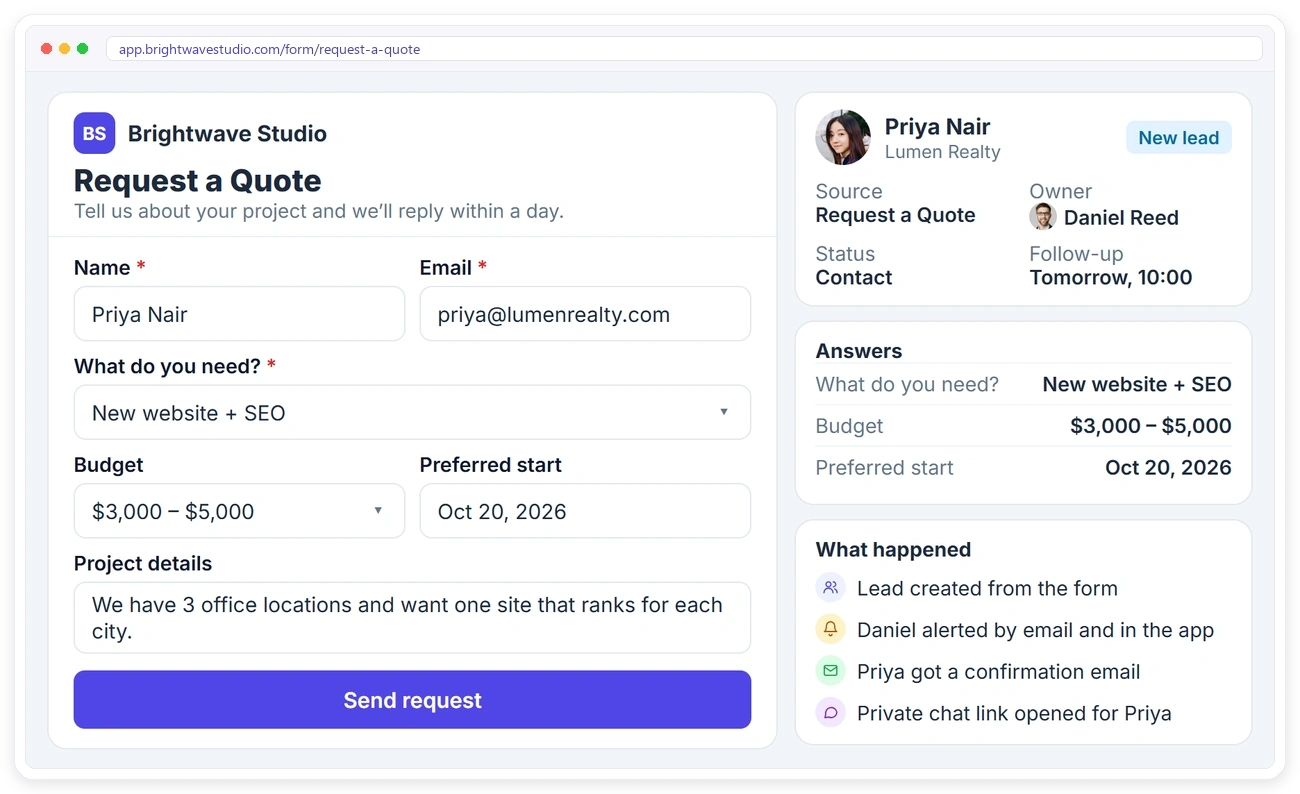
LEAD CAPTURE
Every Enquiry Lands in Your Pipeline
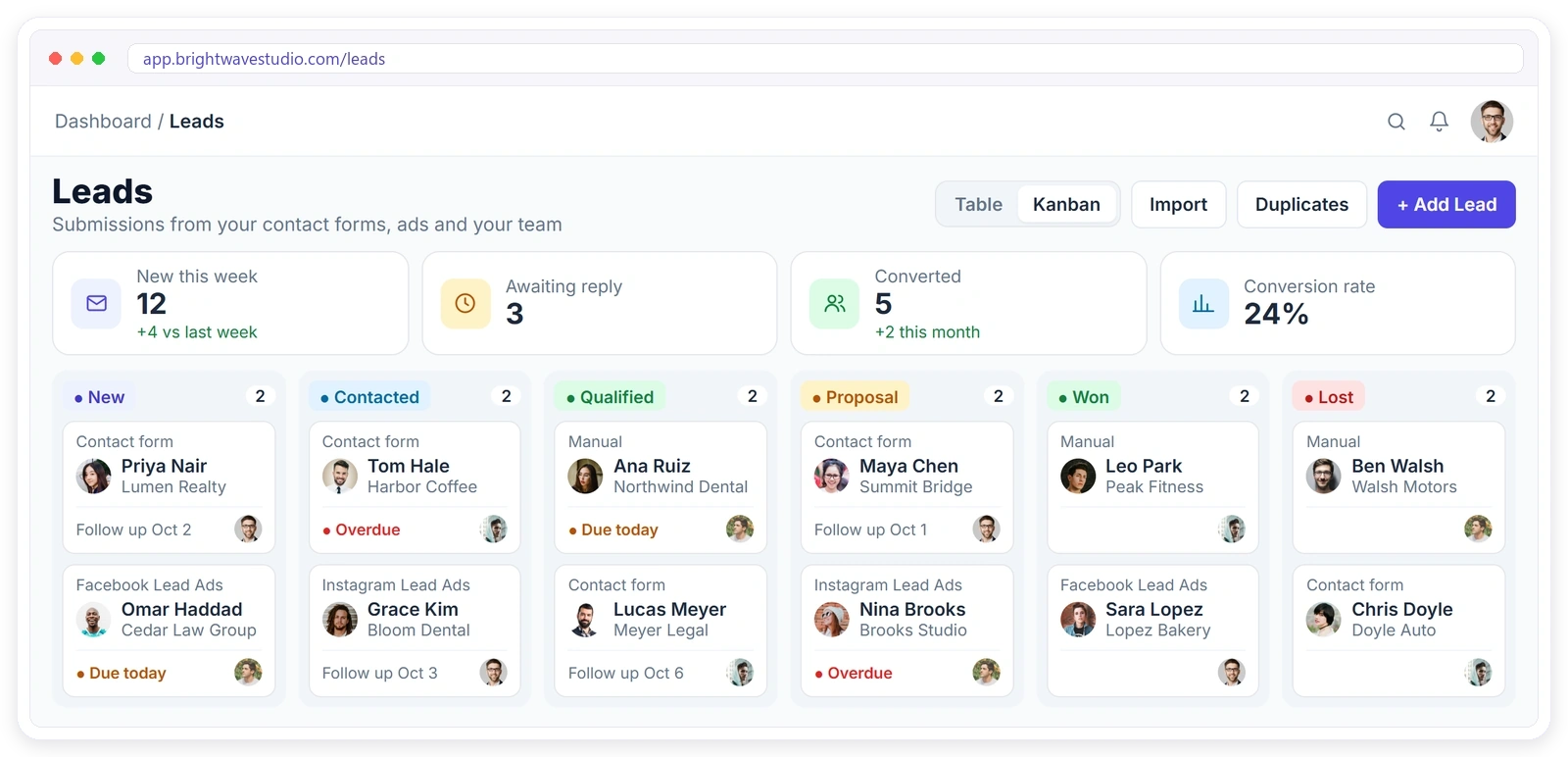
Contact form submissions, Facebook and Instagram Lead Ads and leads your team adds by hand all arrive in the same list, with where they came from. Move them through New, Contacted, Qualified, Proposal, Won or Lost on a board or in a table, and give each one an expected value so you see what every stage is worth.
FOLLOW-UPS
Never Let a Lead Go Cold
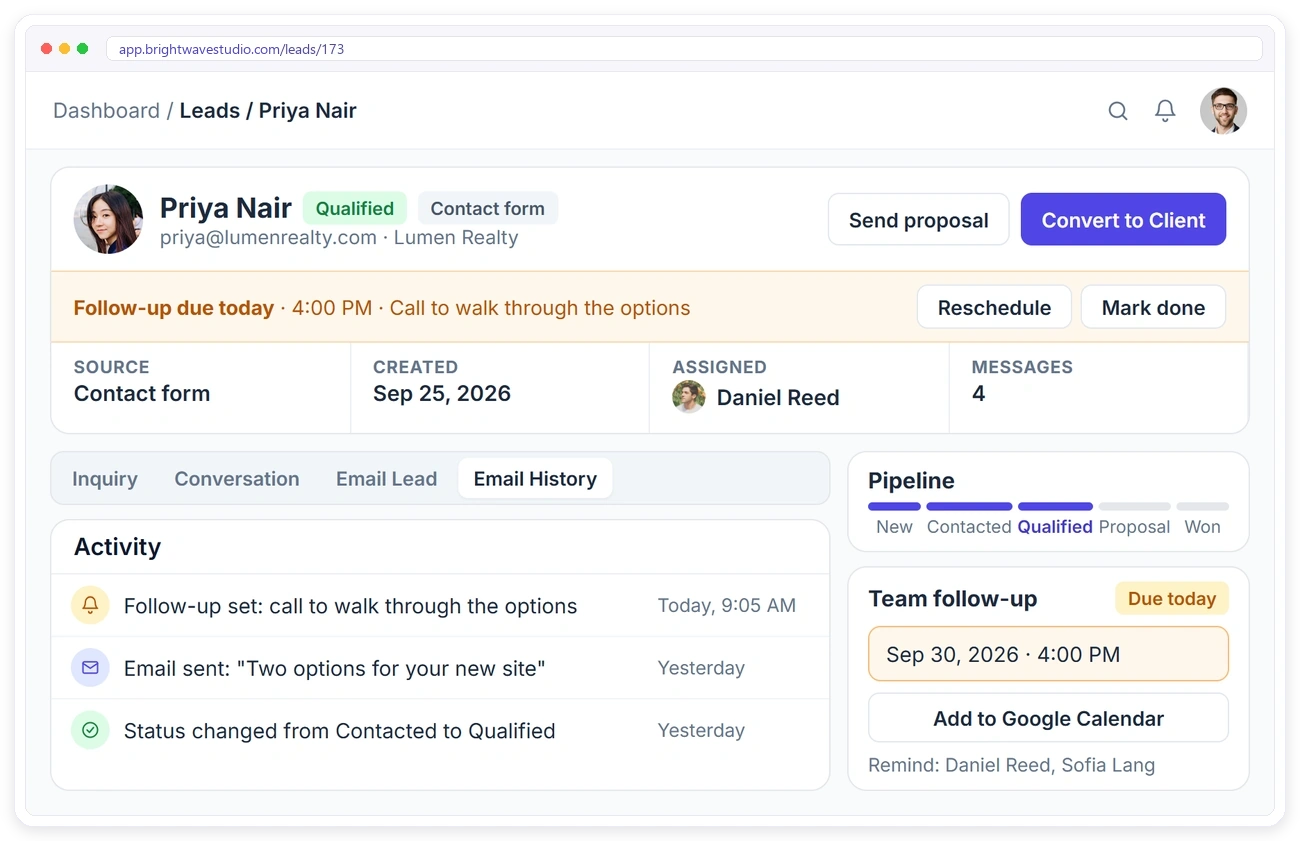
Give each lead a follow-up date, time and note. When it’s due, the lead page shows it at the top so you can reschedule or mark it done, and the team members you pick get an in-app reminder.
LEAD TO CLIENT
Turn Leads Into Clients With Their First Order
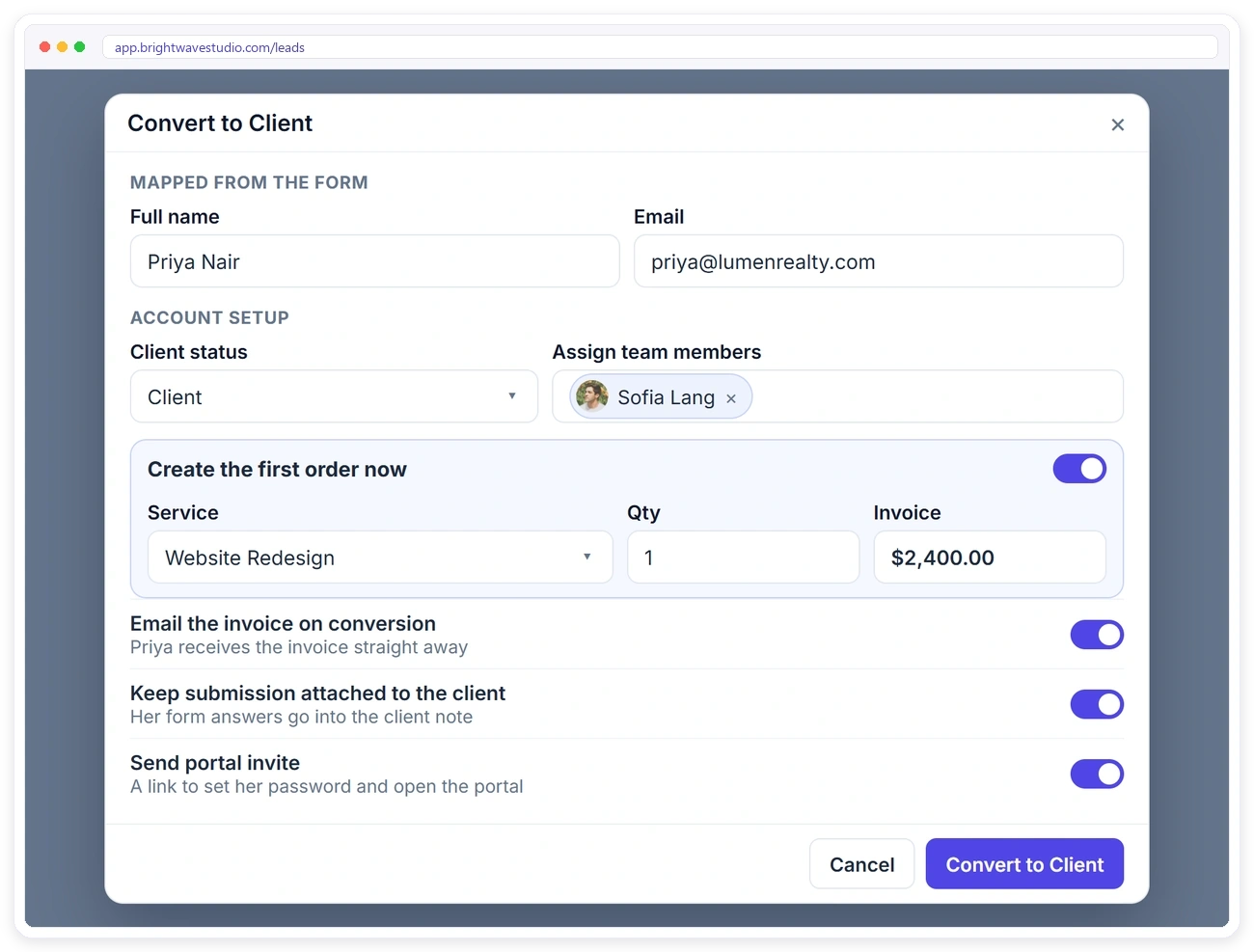
When a lead is ready, convert them without retyping anything. Create their first order and invoice at the same time, email the invoice, keep their form answers on the client and send the portal invite.
CLIENT RECORD
See Everything About a Client at Once
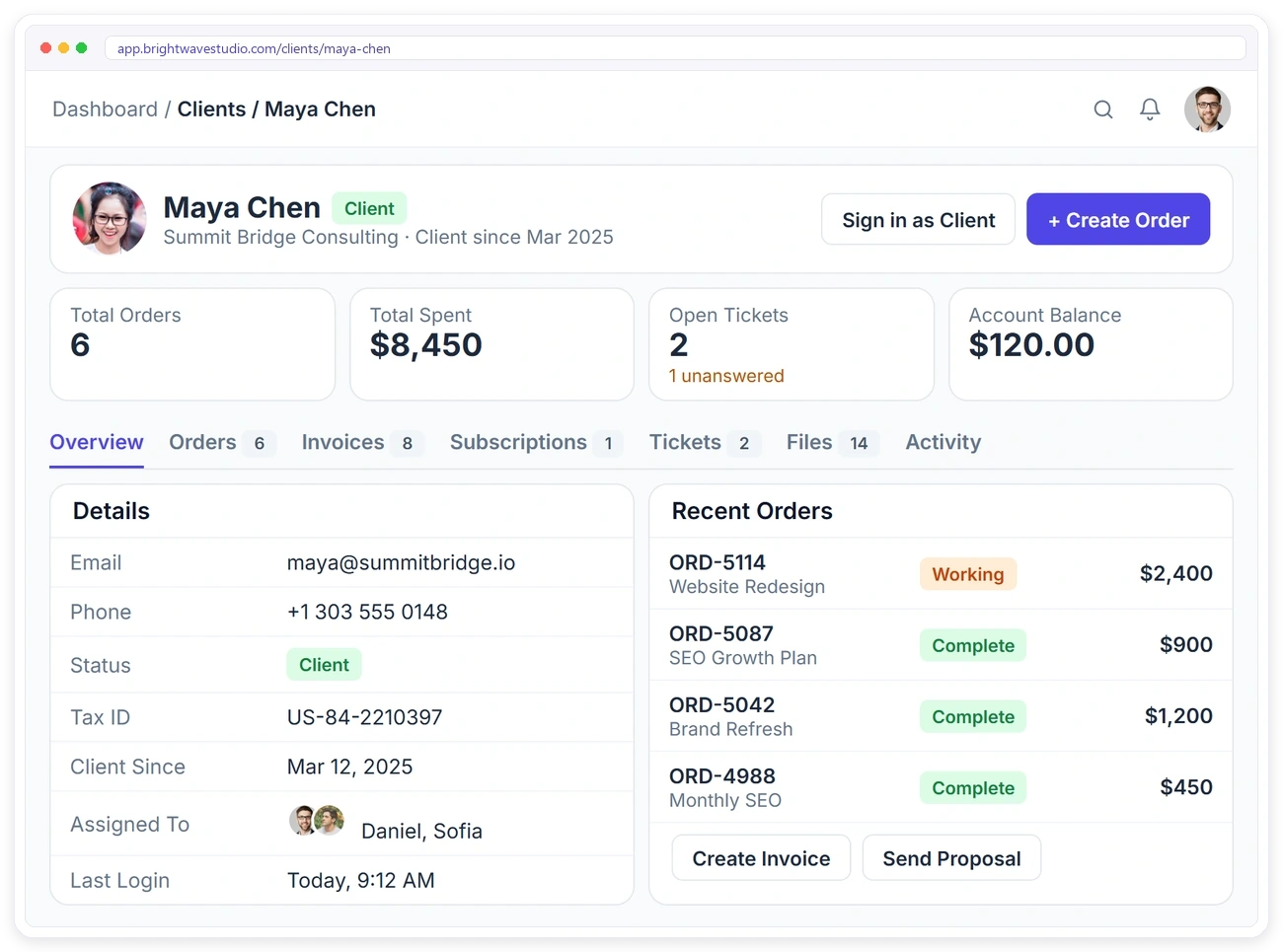
Open a client to see total orders, total spent, open tickets and their account balance, then their orders, invoices, subscriptions, tickets, files and activity in tabs. Create an order, invoice, ticket or proposal right from the profile.
COMMUNICATION
Every Conversation, Inside Clientish
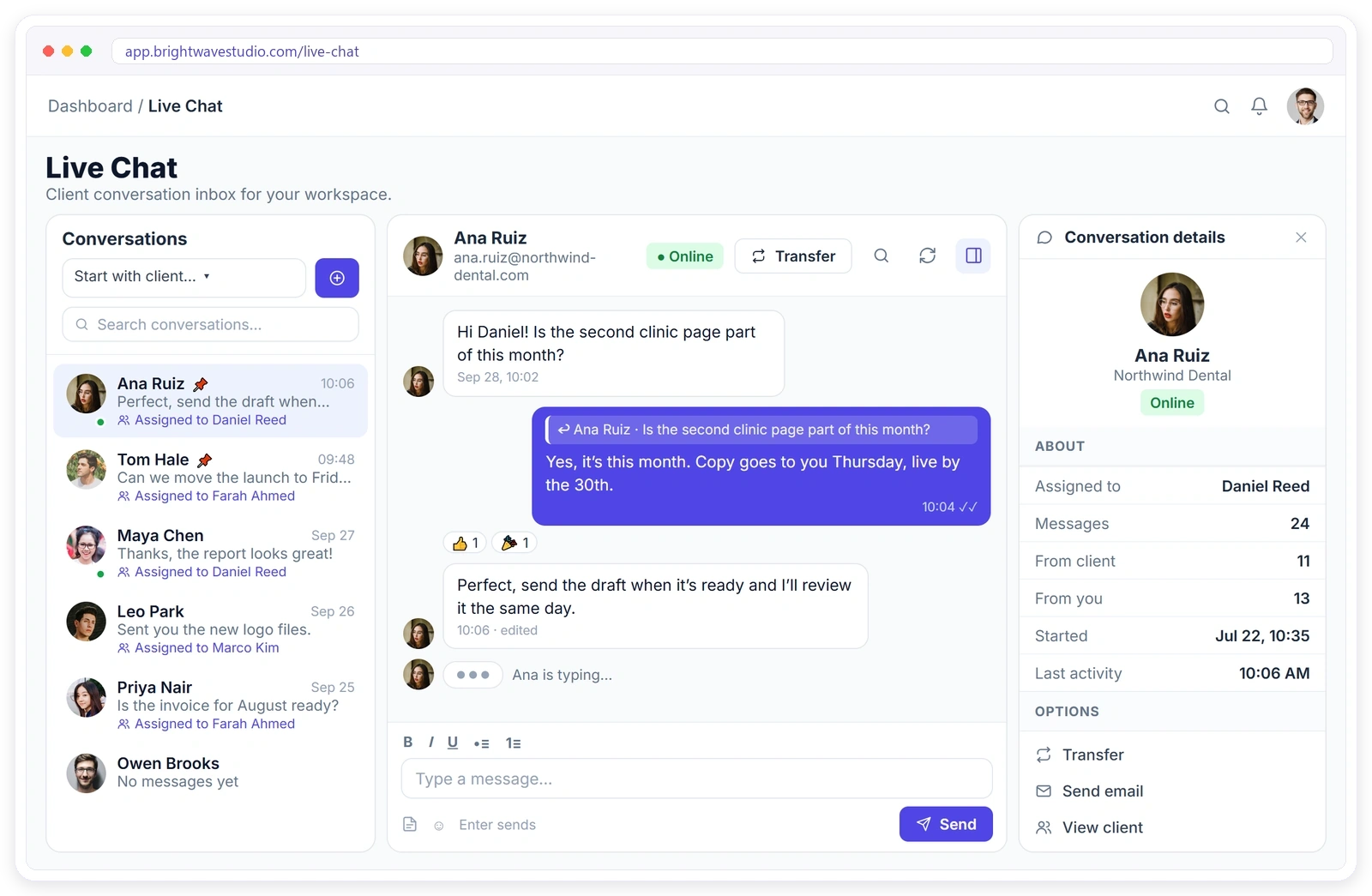
Talk to leads and clients without leaving your CRM. Email leads and chat with them on a private link, answer clients in live chat, reply on orders and tickets, and discuss the work with your team in Team Messenger.
CLIENT PORTAL
Clients Work With You in Their Own Portal
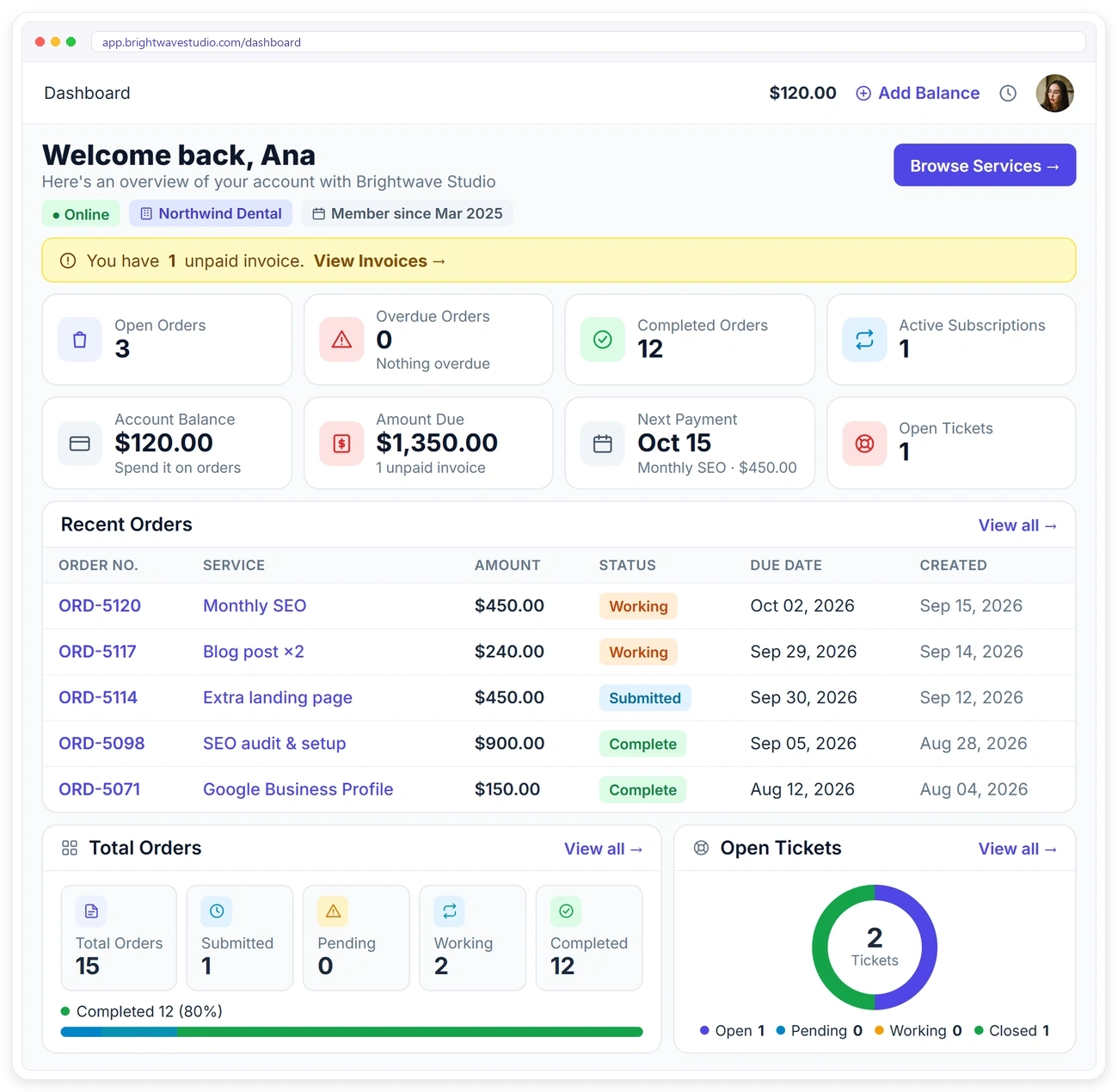
Unlike a CRM that only your team sees, every client gets a portal under your brand. They chat with you live, place orders, pay invoices, open tickets, fill in briefs and follow each order.
REPORTS
Know Which Clients Grow Your Agency
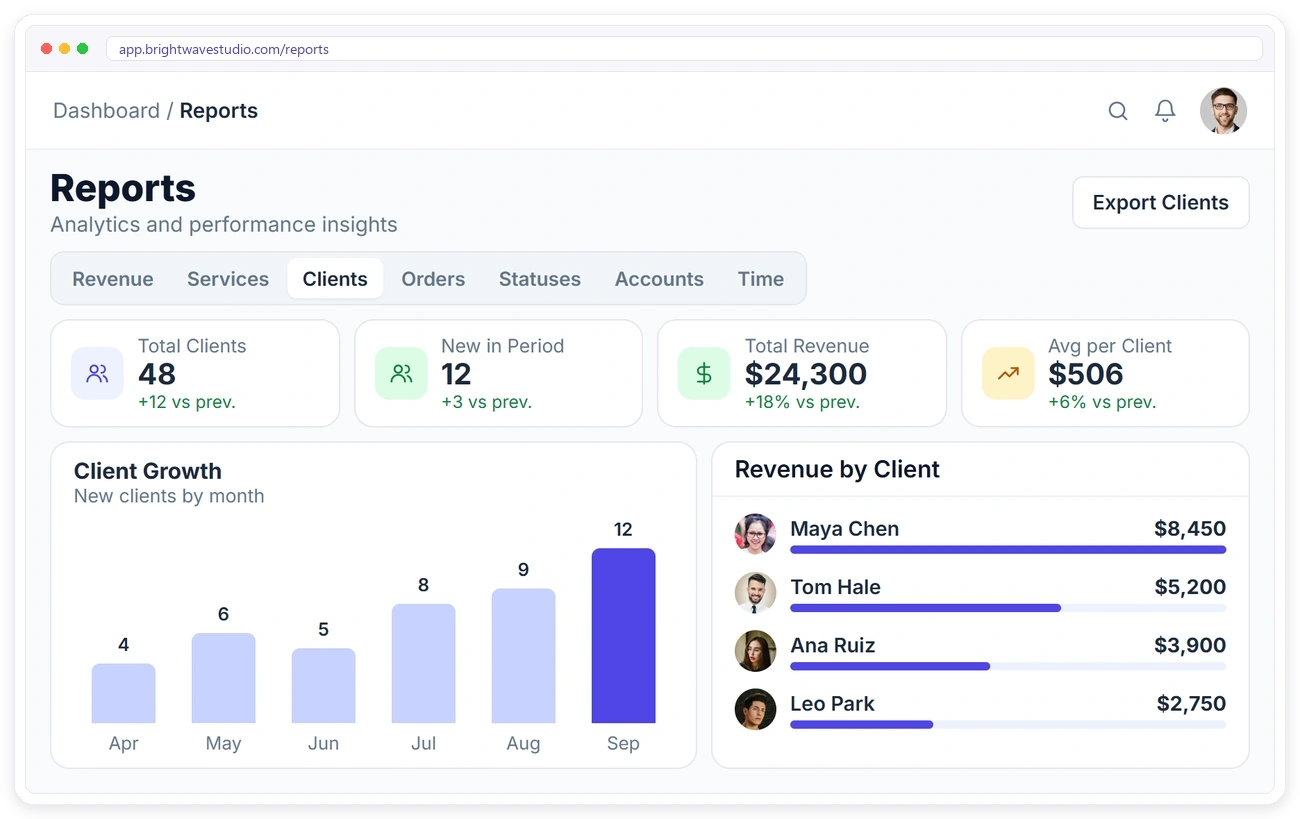
See how many clients you have, how many joined in the period, the revenue they bring and the average per client. Chart client growth month by month and see which clients spend the most.
TEAM
Your Whole Team on the Same Clients
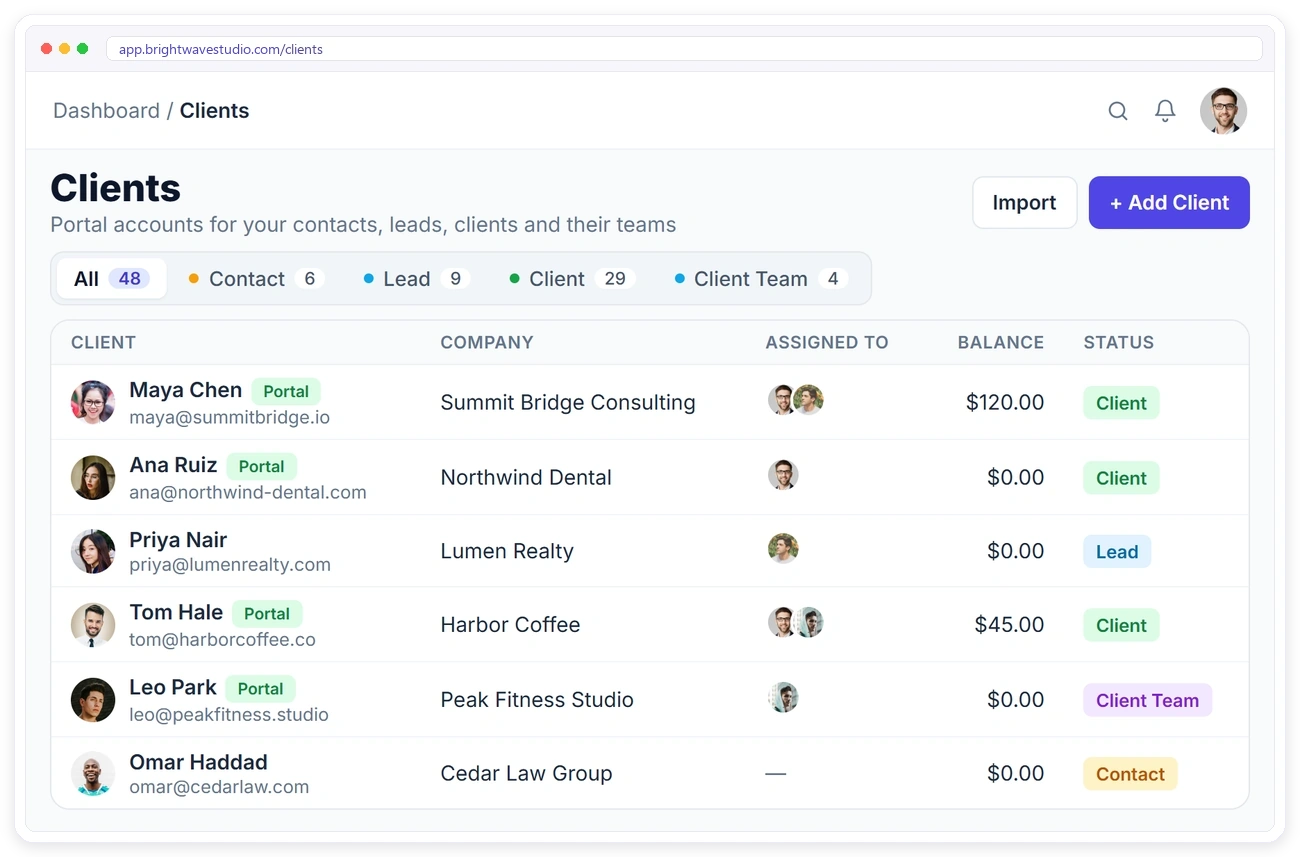
Assign one or more team members to each client and lead, filter the list by who is assigned and change assignments in bulk. Everyone works from the same records, so nothing depends on one person’s inbox.
Everything Else a Client CRM Needs
The day-to-day tools agencies use to keep client records clean and moving: search, imports, merges, notes and access control. Small jobs, but they decide whether your CRM stays trusted or turns into another stale list.
Having the CRM built directly into our lead-generation platform changed everything. We no longer lose data transferring between systems, and our sales team can immediately act on verified leads. It simplified our entire workflow.

Michael Carter
VP of Sales, Horizon Media Group
Client Management CRM FAQ
Straight answers about running a CRM with a client portal: what it is, what it costs, leads versus clients, follow-ups, imports and what clients see.
What is a CRM with a client portal?
It is one system with two doors. Your team uses the CRM side to track leads, follow up and keep every client record; each client uses the portal side to order, pay, message you and check progress. Both read the same data, so nothing is copied between tools.
Do I need a separate client portal if I already have a CRM?
Usually yes, because a typical CRM is only for your staff and clients never see it. With Clientish you skip the second tool: the moment a lead becomes a client, the portal is already there for them.
How much does a CRM with a client portal cost?
Clientish starts at $29 a month with the CRM and the client portal both included, and Starter already has 5 team members. Try it for 14 days first; there is no free plan.
Can I see how much my pipeline is worth?
Yes. Add an expected value to each lead and the board totals every stage, so you see what is sitting in Proposal or Qualified at a glance. When a won lead’s invoice is paid, the actual value appears next to your estimate, so you can see whether you priced it right.
Is Clientish a CRM?
Yes. It keeps your contacts, leads and clients in one place, tracks leads through a pipeline with follow-ups, records every interaction and reports on your clients. It also gives every client a portal, which most CRMs don’t.
What is the difference between a contact, a lead and a client?
A contact has reached out, for example through a contact form. A lead has an account but hasn’t bought yet. A client has bought a paid service. Paying for an order moves a lead to client automatically.
How do follow-up reminders work?
Set a date, time and note on a lead. When it’s due, it shows on the lead and the board, and the team members you pick get an in-app reminder. You can also add it to Google Calendar.
Can I assign clients to my team?
Yes. Assign one or more team members to each client from the client list, the profile or in bulk, and filter the list by who is assigned.
Can I import my existing clients?
Yes. Import them from a CSV or Excel file with their name, email, company, phone and address. Duplicates and invalid emails are skipped with a reason.
What happens when I convert a lead?
Their details move to a new client account. You can create their first order and invoice at the same time, keep their form answers on the client and send them a portal invite.
Can clients log in and see their information?
Yes. Every client gets a portal where they can chat with you, place orders, pay invoices, open tickets and follow their work.
Manage every client from enquiry to repeat order.
Track your leads, follow up on time and turn them into clients who already have a portal waiting. Your team and your clients work from the same records. Try it with example data first.
- Lead pipeline on a board or table
- Follow-ups with in-app reminders
- One-step lead to client with first order
- Client records, reports and assignments
- A branded portal for every client
- Imports, merges and safe delete