
WEBHOOKS & API
Connect Clientish Webhooks & API to the Rest of Your Stack
Send workspace events to your own apps or Zapier with signed webhooks, and let your tools read clients, orders, invoices and tickets through a read-only REST API.
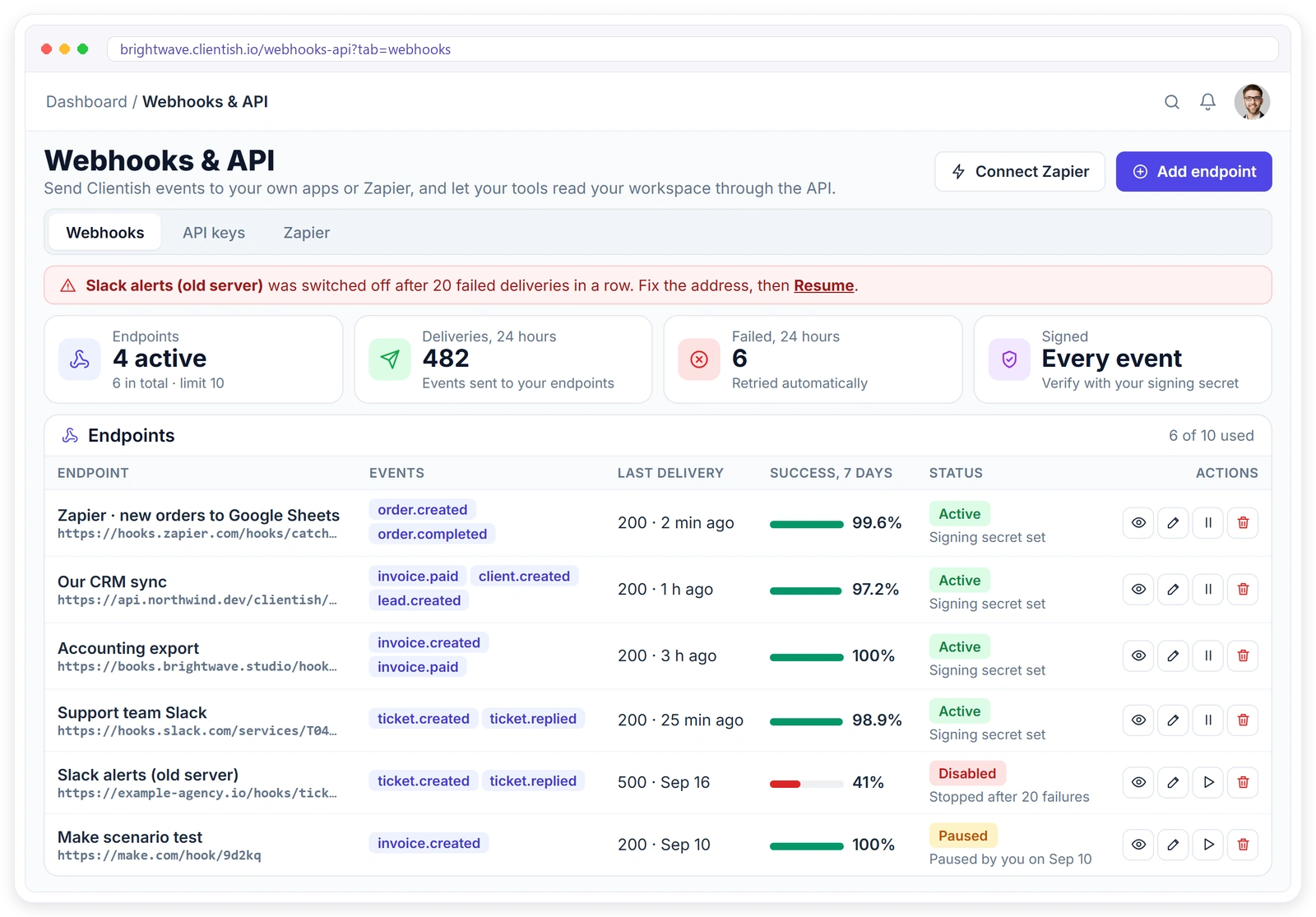
Everything You Need to Integrate
Built for your own scripts and dashboards, and for automation tools like Zapier.
Ten Events, Sent the Moment They Happen
Choose which events each endpoint receives. Sample and demo data never fires an event.
order.createdA new order is placedorder.status_changedAn order moves to another statusorder.completedAn order is completed
invoice.createdAn invoice is createdinvoice.paidAn invoice is paidinvoice.overdueAn invoice passes its due date
ticket.createdA client opens a ticketticket.repliedSomeone replies on a ticket
client.createdA client is addedlead.createdA lead comes in
DELIVERY LOG
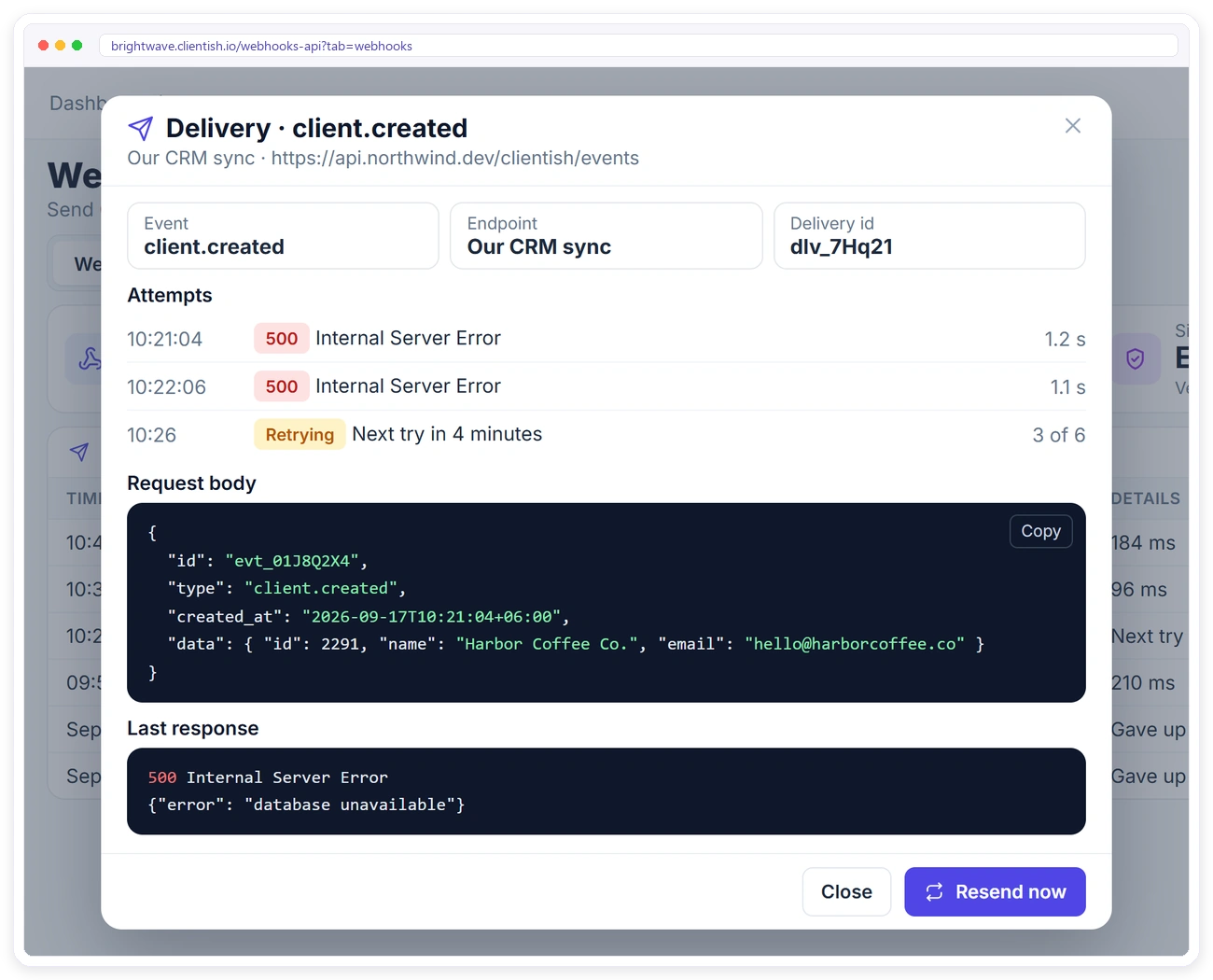
See Every Delivery. Resend Any of Them.
Each delivery shows its attempts, the response code and the exact request body. Anything that failed can be resent with one click.
SIGNED
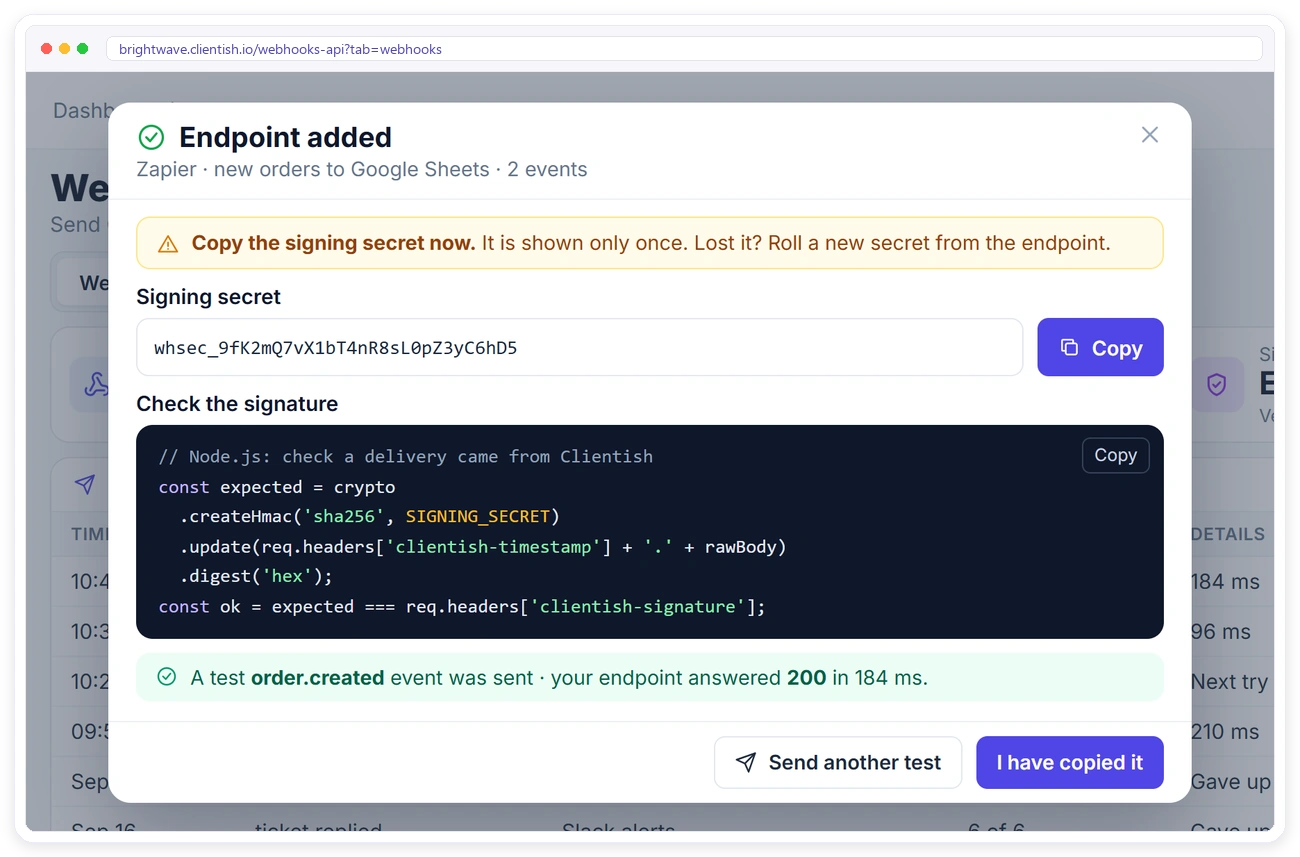
Prove Every Delivery Came From Clientish
Each endpoint has its own signing secret. Every delivery carries a signature made from the timestamp and the raw body, so your app can check it before trusting it.
RETRIES
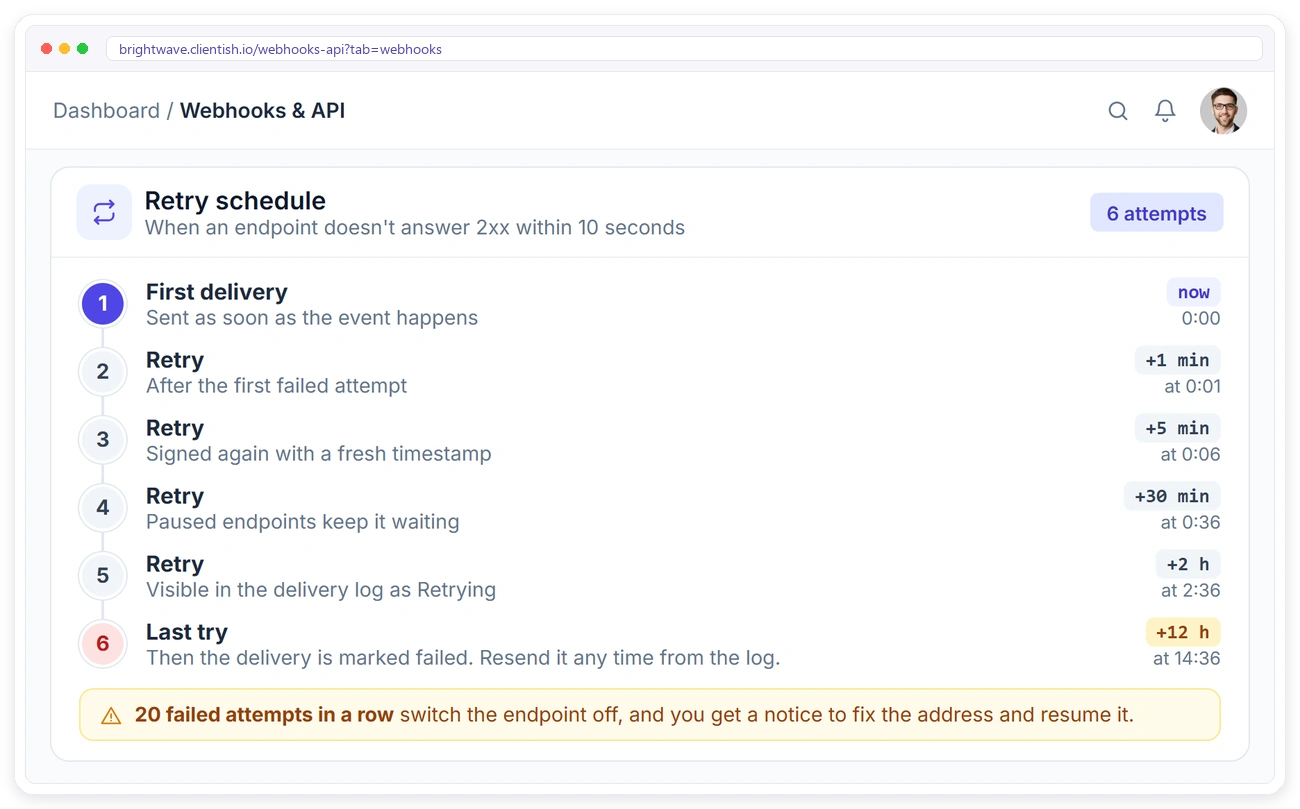
Failed Deliveries Try Again on Their Own
Your endpoint has 10 seconds to answer with a 2xx. If it doesn’t, Clientish tries again on a schedule, up to 6 attempts in total.
API KEYS
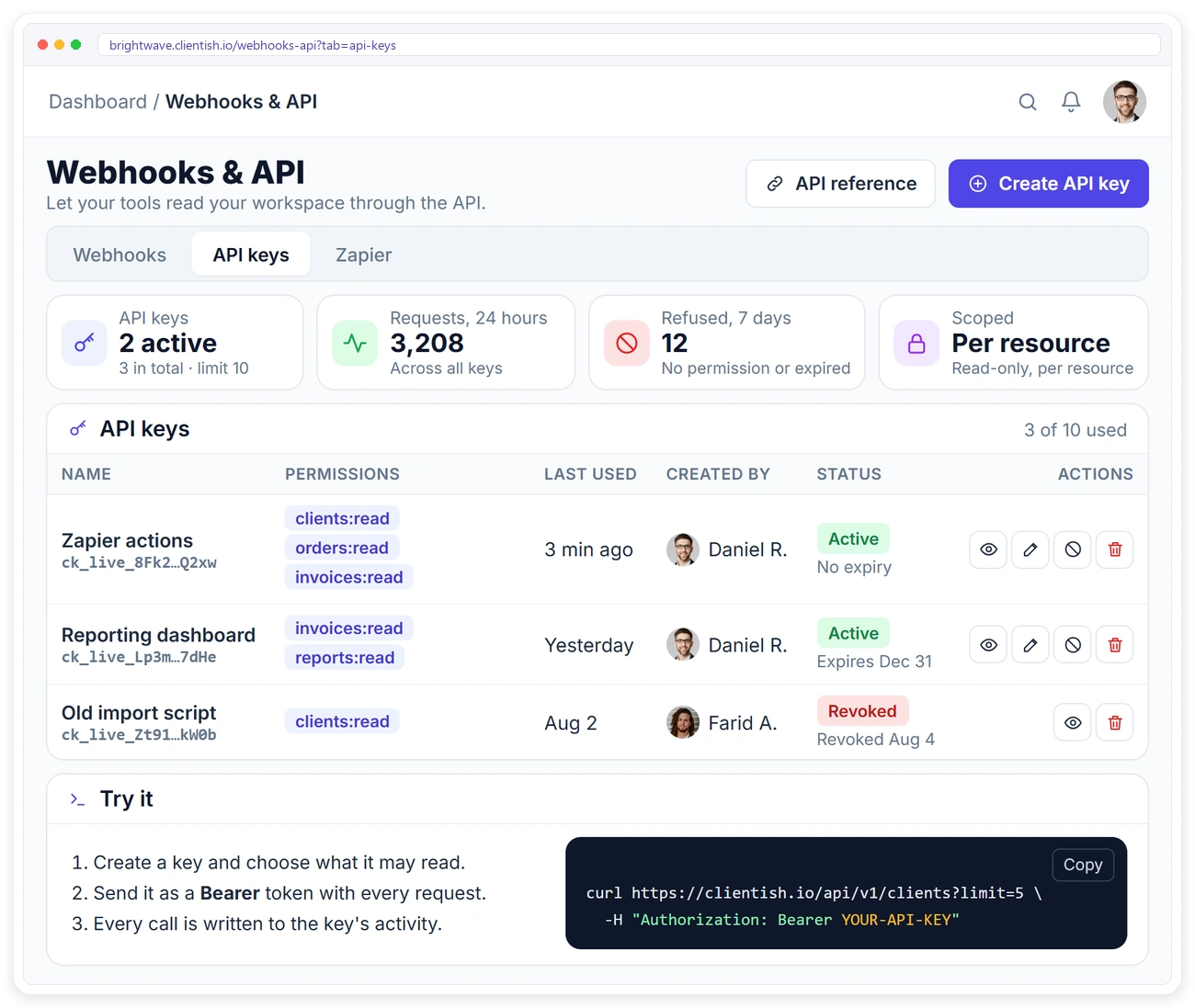
API Keys With Exactly the Access You Choose
Create a key for each tool and tick only the data it may read. Each key is shown once and stored only as a digest.
curl -H "Authorization: Bearer ck_live_XXXX_YYYY" \
  "https://<workspace>.clientish.io/api/v1/clients?search=acme"

{
  "data": {
    "clients": [
      { "id": 2080, "name": "Acme Ltd",
        "status": "active", "stage": "Client" }
    ],
    "pagination": { "page": 1, "per_page": 25,
                    "total": 1, "has_more": false }
  }
}
REST API
Simple Requests, Clean JSON
Send the key as a Bearer token and get JSON back. Every list is paged and ordered newest first, and every record has the same shape as the webhook payload.
Works With Zapier Today
The Zapier tab in Clientish walks you through it: a webhook starts the Zap, and an API key reads data back.
The API is read-only for now: it can read your workspace but can’t create or change records.
Webhooks & API FAQ
Quick answers for developers and no-code builders.
Can I create or update records through the API?
Not yet. The API is read-only today: every endpoint is a GET request.
How many webhook endpoints and API keys can I have?
Up to 10 webhook endpoints and 10 API keys per workspace.
How do I know a webhook really came from Clientish?
Check the Clientish-Signature header. It’s an HMAC-SHA256 of the timestamp, a dot and the raw body, made with your endpoint’s signing secret.
What happens if my server is down?
Clientish tries again automatically, up to 6 attempts in total over about 15 hours. After 20 failed attempts in a row the endpoint is switched off and you’re notified.
Is there a native Zapier app?
Not yet. You connect Zapier with a webhook to trigger the Zap and an API key to read data back. The Zapier tab in Clientish shows you how.
Who can manage webhooks and API keys?
Only the workspace owner. Co-admins and team members can’t see or change them.
Make Clientish Part of Your Workflow
Signed webhooks, a read-only API and a Zapier guide, included in every plan.