

Picture a marketing agency running every client project inside monday. The boards are clean, the workflow automations are dialled in, and the team actually enjoys using it. Then a client emails asking where their deliverable stands. Someone screenshots a board and pastes it into Slack. The client replies with a question about their unpaid invoice. That goes to another inbox. A revision request follows, and suddenly three tools and four email threads are holding together what should be a single client relationship.
That friction is not a sign that monday is broken. It is a sign that it was built for something different. monday is a project and work management tool, built around visual boards and task tracking for teams. Clientish is a client operations platform, built around the full service relationship: orders, billing, support, and a branded portal that clients actually log into.paring them as if theypete directly misses the point, so this article will not do that.
Quick answer: If your priority is internal task and project visibility, monday is genuinely excellent. If you need the client side of the business — intake, invoicing, revision rounds, ticket queues, and a portal your clients navigate on their own — that is what Clientish is built to handle. Most agencies do not choose one instead of the other because monday is worse; they add or switch because client work demands a client-facing layer that a project board was never designed to be.
What follows walks through how each tool is structured, where they overlap in practice, what the real operational gaps look like when you run client work through monday alone, and which type of agency is most likely to find Clientish a better fit.
Quick Take: Boards vs a Client Operation
Where you feel the most friction — inside your team or facing your clients — is usually what determines which tool actually helps.
| Feature / Need | monday | Clientish |
| Built for | Internal team coordination & task tracking | Service-based agencies managing clients end to end |
| Client-facing portal | Not built for this | Built-in — branded on your subdomain |
| Sell services / take orders | No | Yes — service catalog with payment links and intake forms |
| Invoicing & payments | Not built for this | Built-in — create, send, track, and accept payment |
| Client support desk | No | Built-in — tickets and live chat |
| Internal project management | Strong (core feature) | Order tasks and team assignment — adequate for client-work scope |
| Best for | Teams that need visual boards to coordinate internal work | Agencies that need one place to manage clients, orders, delivery, billing, and support |
What Monday Does Best
Monday built its reputation by making project and task tracking genuinely easy to look at and use. Over 10 million users have adopted it, which reflects something real: the platform removes most of the friction thates with coordinating work across a team.
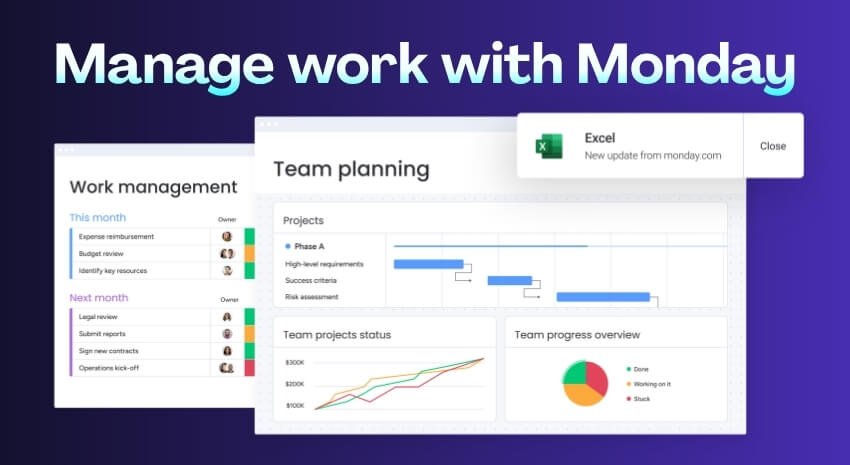
At its core, you’re working with boards — visual grids where tasks are rows and custom columns track status, assignee, due date, priority, or anything else you define. Fifteen-plus views let you see the same data differently: Gantt for scheduling, Timeline for planning, Workload for spotting who’s overloaded. Switching views doesn’t require a new setup; it’s the same underlying work, just a different lens.
The no-code automation builder handles the repetitive coordination tasks — move a status, notify someone, reassign work. Native time tracking is available across plans, so teams don’t need a separate tool just to log hours. Docs sit inside the platform too, which keeps meeting notes or briefs close to the tasks they relate to.
Custom dashboards pull data from multiple boards into one view, which is useful when you’re managing several internal projects and need a single place to see overall progress.
None of this is accidental. Monday was designed to be general-purpose and highly adaptable, which is exactly why so many different types of teams use it. A software team, an HR department, and an operations group can all run on the same platform without much reconfiguration.
That flexibility is a genuine strength — for internal team coordination. The platform assumes that the people using it are your colleagues, not your clients.
What Clientish Covers
Clientish is built around the idea that client work doesn’t start with a task and end with a deliverable. It starts when someone bes a client and ends — if ever — when they stop working with you. The product covers that full span.
At the center is an order, which in Clientish means a client’s purchase of a specific service. Each order moves through a status pipeline, carries intake answers, holds a client-facing message thread and a separate internal team thread, generates tasks, and can produce an invoice or a support ticket in one click. That single object ties together what most agencies currently manage across three or four separate tools.
Around orders, the platform handles the client directory (with per-client views of every order, invoice, ticket, and activity), a service catalog with one-time or recurring pricing, invoices with discounts, partial payments and refunds, support tickets, and live chat. There’s also a dedicated Tasks screen that aggregates checklist items across all orders, so you can filter by assignee, spot what’s overdue, and bulk-manage work without digging into each order individually.
The team side covers invitations, roles, per-member permission grids, work assignment with status tracking, and workspace-wide boards for orders, tasks, tickets, and more.
Clients get a branded portal on the agency’s own subdomain — they log in to view orders, submit intake answers, pay invoices, manage subscriptions, top up their balance, raise tickets, and chat live. It’s a real self-service layer, not just a status page.
Freelancers, consultants, and service businesses outside the traditional agency model fit here just as well as a ten-person marketing shop. Themon thread is selling services to clients and needing one place where all of that — the work, the money, and the client relationship — actually connects.
Where They Differ for Client-Facing Work
| The job to be done | With monday | With Clientish | What that means for you |
| Show a client where their project stands | Share a board link or export a view — client sees your internal workspace | Client logs into a branded portal on your subdomain and sees their own order status, messages, and files | No more “can you send me an update?” emails |
| Get paid for apleted project | Create an invoice in a separate billing tool; paste a link manually | Generate an invoice from the order with one click; client pays through the portal — card, gateway, or manual bank transfer | Billing stays attached to the work record, not scattered across tools |
| Take on a recurring client | Set up automation or duplicate boards manually; no native subscription concept | Recurring pricing is built into the service catalog; clients manage subscriptions from their portal | Retainers and repeat work don’t need manual re-setup each cycle |
| Handle a client question mid-project | DM them in another app, or ask them to find the right board item toment on | Client opens a support ticket or live chat from the portal; your team replies in the same workspace | Support history sits next to the order it came from |
| Answer “what is going on with this client?” | Pull across multiple boards and a CRM you connected separately | Open the client record: orders, invoices, tickets, and a full activity log on one screen | One place answers the question instead of four |
| Sell a service and immediately start work | No native service catalog or intake form; set up a form tool and connect it | Client buys from the service catalog, fills the intake form at checkout, and an order opens automatically | The sale-to-work handoff happens without manual intervention |
| Run a deep internal project withplex task dependencies | Fully supported — visual boards, automations, dependencies, timeline views, dashboards | Order tasks cover most internal coordination; board-depth is lighter than monday | monday is the stronger choice if internal projectplexity is the primary need |
The table above covers the core decision. Monday handles the seventh row well. Everything else leans toward Clientish — not because monday is weak, but because those jobs require client-facing infrastructure it was never designed to provide.
A Portal Clients Log Into
Monday doesn’t have a native client portal in the traditional sense. You can share a board with an outside user, but what they see is your internal workspace with view permissions trimmed down. That’s a workaround, and clients generally find it confusing.
Clientish runs a branded portal on the agency’s own subdomain. Clients log in and see their orders, invoice history, message threads, and service catalog — all presented as a client-facing product, not an internal tool with the sensitive columns hidden. They can request revisions, pay invoices, and open support tickets without ever emailing you directly.
Turning Services Into Paid Orders
Monday has no concept of a service catalog. Selling a service, collecting project intake information, and opening a work order are three separate steps that happen in three separate places — typically a form tool, a payment processor, and then manually creating a board item.
In Clientish, the service catalog holds pricing, intake forms with conditional logic, deadlines, and assigned team members. When a client purchases a service, an order opens automatically, pre-loaded with their intake answers. The work starts without anyone manually connecting the pieces.
Billing and Payments in One Place
Invoicing in a monday workflow means leaving monday. You’d typically build invoices in a standalone tool and then track payment status somewhere else, manually.
Clientish generates invoices directly from an order. They carry the service details, support discounts, coupons, tax, and partial payments. A client can pay online through the portal or via manual bank transfer with a reference — and the payment activity is logged on the same client record as their orders and tickets.
A Real Client Support Channel
Monday doesn’t have a support ticket system. If a client has a mid-project question, they typically email, Slack, or get pointed to a form — all of which create separate threads that have no native connection to the relevant order.
Clientish has a ticket system built into the same workspace. Clients raise tickets from the portal, your team replies from the back end, and every ticket sits on the client’s record next to their orders. There’s also live chat with file attachments, reactions, and an email fallback so messages don’t get lost if the client isn’t in the portal.
The Client as the Central Record
This is the structural difference that underlies most of the others. Monday organizes work around boards and items. A client might appear across three boards — active projects, invoicing, onboarding — with no single record that ties them together.
In Clientish, the client record is the anchor. Open any client profile and you see their orders, every invoice, every support ticket, and a chronological activity log. If a client emails asking about their outstanding balance or a delayed deliverable, one screen answers the question.
Where Monday Is Genuinely Stronger
Monday’s board system handlesplex internal project management at a depth Clientish’s task layer doesn’t match. If your work involves multi-phase projects with task dependencies, timeline views, cross-team dashboards, and granular automation rules, monday is purpose-built for exactly that. Agencies running large internal operations — campaign planning, development sprints, cross-department coordination — get more structural flexibility from monday than Clientish currently provides on the task side.
The practical split: if the friction in your agency is mostly internal (how your team coordinates work), monday is a serious tool for that. If the friction is client-facing (how clients pay,municate, check in, and get support), monday requires a collection of bolt-on tools to cover what Clientish handles natively.
What Pushes Teams From Monday to Clientish
The moment agencies hit a client-facing wall is usually when the tool starts showing its limits. Monday works well for internal coordination — but the client relationship doesn’t live inside your team’s board. It lives across emails, a separate invoicing app, a shared Google Doc for onboarding, and a support thread buried in someone’s inbox. That fragmentation is what typically drives the switch.
Clients Can’t See Their Own Work
In monday, you can share a board or a view with a client, but that’s it. There’s no portal where a client logs in, checks their order status, reviews their intake answers, requests a revision, or pays an invoice.
Most agencies patch this with a separate client-facing tool or just email updates manually. Over time, clients feel kept in the dark — and the agency spends hours a week on status calls that a self-serve portal would eliminate.
Clientish gives clients a branded portal on the agency’s own subdomain. From it, clients can see their order status, the intake data they submitted, message threads with attachments, revision requests, and their invoices — without the agency lifting a finger to update them.
Invoicing and Payments Live Somewhere Else
Monday has no invoicing. So after delivering work, you switch to FreshBooks, QuickBooks, Wave, or whatever your billing tool is, re-enter the client’s details, generate the invoice, and email a PDF. Then you wait, follow up, wait again.
Clientish creates invoices directly from an order. You can send them by email, share a public pay link the client can use without logging in, apply discounts or coupons, handle partial payments, and issue refunds — all from the same workspace where the work lived.
The practical result: closing out apleted order takes minutes instead of a context-switch into another application.
Support Gets Scattered
When a client has a question after delivery, there’s no natural home for it in monday. Some agencies handle it in email, some create a new task, some use a Slack channel. None of those connect back to the client’s history.
Clientish has a support ticket system built in. A client raises a ticket from the portal, the agency replies, and the whole thread is linked to that client’s record alongside their orders, invoices, and activity. Nothing falls through the cracks because everything about that client is in one place.
Onboarding and Orders Are Manual
Taking on a new client in monday usually means someone manually creates a board or duplicates a template, sends a separate intake form (Typeform, Google Forms), waits for responses, copies the answers into monday, and then creates tasks. Every step is a manual handoff.
In Clientish, a service has its own intake form built in. When a client purchases a service, the intake is collected during checkout, attached to the order, and available to the team immediately — no copying, no chasing.
No Single Client Record
Monday doesn’t have a CRM or client directory. You can tag a board with a client’s name, but there’s no profile that aggregates every piece of work, every invoice, and every support interaction for that client.
In Clientish, each client has a profile that shows their orders, invoices, tickets, and a full activity log. You can see what a client has bought, what’s outstanding, and what support they’ve raised — all from one screen. If a client contacts you with a question, you’re not reconstructing context from three different tools.
Keeping Monday and Adding Clientish
Not every team that moves to Clientish abandons monday entirely. Some agencies keep monday running internally for their team’s task coordination and use Clientish specifically for the client-facing side — portal, orders, invoicing, and support.
That split works cleanly because the two tools don’t overlap much in practice. Monday stays the internal whiteboard; Clientish bes the layer the client actually sees and interacts with. For teams that have invested in monday workflows and don’t want to rebuild them, this is often the lowest-friction path to closing the client-facing gap.
Feature-by-Feature: Clientish vs monday for Client Work
If you want a single reference point before deciding, this table covers the full operational surface of client work — from first contact through billing, support, and delivery.
| Area | monday | Clientish |
| Client portal | Not built for this — clients can’t log in to a branded self-service area | Branded portal on the agency’s own subdomain; clients see orders, invoices, tickets, live chat, and subscriptions |
| Client dashboard (client view) | Not available | Orders, invoices, and balance visible at a glance; spreadsheet export |
| Client directory / CRM | Via board rows and manual columns — no native client record | Dedicated client profiles with contact info, billing address, notes, total spent, balance, and lifecycle stages |
| Client activity log | Not available natively | Per-client log of all activity across orders, invoices, tickets, and interactions |
| Lead management | Boards can track leads with custom columns | Covered through client lifecycle stages that advance automatically when a client pays |
| Order management | Tasks and board items can proxy for orders, but there’s no native order concept | Orders are the core unit — each one has a status pipeline, intake answers, messages, tasks, invoice creation, and a client-facing portal link |
| Order tasks & work tracking | Strong — task tracking, subtasks, dependencies, and status views are monday’s core strength | Tasks screen aggregates checklists across all orders with statuses, assignee filters, and bulk actions |
| Service catalog | Not available | Full service catalog with folders, one-time and recurring pricing, add-ons, deadlines, visibility controls, and shareable payment links |
| Intake forms | Forms available, but not tied to a specific service or order pipeline | Per-service intake forms with conditional show/hide rules; answers are editable, downloadable as PDF, and attached to the order |
| Public / client-facing forms | Embeddable forms exist but aren’t connected to billing or order creation | Intake forms connect directly to service checkout and order creation |
| Invoicing | Not built for this — workarounds via integrations or separate tools | Native invoicing built from the service catalog; line items, taxes, discounts, coupons, PDF download, and a public pay link |
| Payments & payment gateways | Not built for this | Clients pay online through the portal; supports card and gateway payment with manual bank transfer as an option |
| Refunds | Not available | Full, half, or custom-amount refunds with reason presets, directly from the invoice |
| Subscriptions / retainers | Not available natively | Clients can view and cancel their subscriptions through the portal; recurring pricing is set at the service level |
| Coupons & discounts | Not available | Coupon codes usable at checkout and on invoices; discounts applied per invoice |
| Client balance & deposits | Not available | Per-client account balance/wallet; clients can top up via the portal |
| Support tickets | Not available natively | Clients raise tickets from the portal; team replies, clients see typing indicators, and closed tickets can be rated |
| Live chat (client ↔ agency) | Not available | Live chat in the portal with file attachments, message reactions, editing, typing indicators, and email fallback when the client is offline |
| Team member management | User management is available; roles are plan-dependent | Invite, suspend, or remove members; per-member permission grid; roles created per workspace; co-admin promotion |
| Remote / contractor members | Limited — external collaborators via guests on some plans | Remote members supported alongside in-house team, assignable to orders and tasks |
| Team messenger (internal) | Not a primary feature — integrations or Workdocs used formunication | Internal team messenger separate from client-facing order messages |
| Files | File attachments on tasks and boards | File uploads on order messages, internal team thread, tickets, live chat, and work assignments |
| Reports | Strong — dashboards, workload views, and reporting are well-developed on higher plans | Workspace-wide status boards across orders, tasks, tickets, clients, todos, and chats; exportable |
| Email / SMTP & notifications | Email notifications; custom SMTP not a standard feature | Email notifications with configurable SMTP; email fallback for client live chat when offline |
| White-label / branding | Not available | Branded client portal on agency subdomain with agency logo and colors |
| Security | Standard SaaS security; enterprise-grade options on higher plans | Standard SaaS security — check the Clientish site for current security detail |
| Deep internal project management | Stronger — visual boards, Gantt-style timelines, workload planning, automations, and dependency tracking are monday’s actual specialty | Order tasks cover client work steps, but deep project management (resource planning, cross-project dependencies, advanced automations) is not the focus |
If deep internal project management — resource allocation, cross-project timelines, automation workflows, and workload balancing across your team — is the main thing you need, monday is the more capable tool. Every other row in this table represents client-facing operations that monday was designed around teams, not clients, and Clientish was built specifically to handle.
When Monday Is the Right Choice
Clientish isn’t the right answer for every team. Monday is genuinely the better fit in a number of situations — and being clear about that makes thisparison more useful.
Stick with monday if…
- Your work is purely internal. If you’re managing marketing campaigns, product launches, or cross-department projects where clients never touch the system, monday’s visual boards are exactly what the job calls for. No client-facing infrastructure needed.
- Clients don’t pay through your tool. If invoicing runs through an accountant or a separate billing system and your clients never log in to pay, a client portal addsplexity without adding value.
- Your team needs deep custom workflow automation. Monday’s automations and board configurations are extensive. Teams with highly specific internal processes — conditional triggers, multi-board rollups, dependency chains — will get more mileage from that flexibility than from a client-management platform.
- You’re already embedded in monday’s ecosystem. If your team has built dashboards, integrations, and reports over months or years, switching has a real cost. That’s worth factoring in honestly.
- You don’t sell services to external clients at all. Clientish is built around the agency-client relationship. If that dynamic doesn’t describe your work, the whole platform bes irrelevant.
Some agencies run both: monday handles internal task tracking and sprint planning, while Clientish manages the client-facing side — orders, billing, support, and the portal. That’s a reasonable split if your internal workflows are already well-built in monday and you want to add a client layer without dismantling what’s working.
Running Monday and Clientish Side by Side
Many agencies don’t make a binary choice. They keep monday running internally — boards, sprints, team deadlines — and use Clientish for everything the client actually sees and touches.
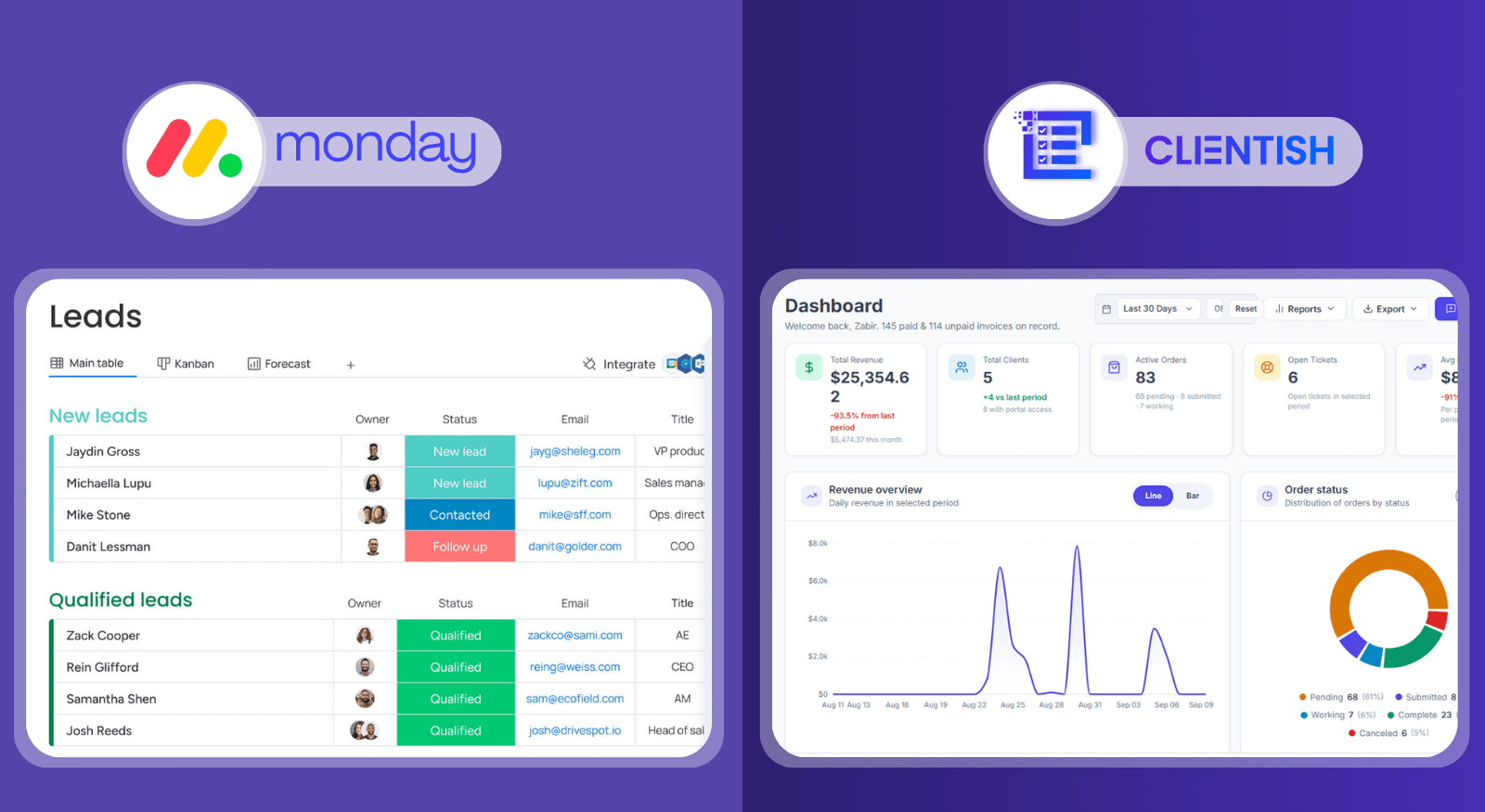
The split is cleaner than it sounds. Your team still tracks internal tasks on monday the way they always have. Clientish handles the client-facing side: the branded portal where clients log in, the orders that move through your delivery pipeline, the invoices built directly from those orders, and the support tickets clients raise when something needs attention. Two different audiences, two different tools.
There’s no built-in integration between the two platforms, so if you’re running both, you’d manage them separately. For most agencies, that’s fine. The overlap is small — a team member might update a monday task and separately mark an order status in Clientish, but those are genuinely different records for different purposes.
What this setup avoids is forcing client-facing work into a tool that wasn’t designed for it. Clients never need to see your internal boards. They log into the Clientish portal on your subdomain, check their order status, download an invoice, or message your team. Your monday boards stay internal, exactly as they should be.
Whether that dual setup makes sense long-term depends on how much of your work is client-facing versus internal. Agencies that spend most of their timemunicating with clients, billing, and managing requests often find monday gets used less and less once Clientish is covering the operational side.
Choosing Between Monday and Clientish
Choose monday if:
- Your primary need is managing internal team work — sprints, task boards, deadlines, and cross-team visibility
- Your clients never log into your tools and don’t need to
- You’re already deep in monday automations and dashboards that your team depends on daily
- Client work is one part of a broader internal operation, not the whole business
Choose Clientish if:
- You sell services to clients and need one place to manage orders, invoices, support tickets, and a branded portal where clients actually log in
- You’re currently stitching together monday with separate invoicing software, a support inbox, and email threads just toplete one client engagement
- Clients need visibility into their own work without you manually updating them
- Your friction is on the client-facing side — onboarding, billing,munication, delivery — not inside your team’s task board
Choose both if:
- You want monday running internally for team sprints and project depth, with Clientish handling everything the client actually touches
- Your team is large enough that internal project management genuinely benefits from monday’s board flexibility, while your client volume justifies a dedicated client-facing platform
The deciding factor is straightforward: where does work actually break down? If your team loses track of tasks, monday solves that. If clients are chasing you for updates, invoices are going out late, and support requests land in a personal inbox, that’s a client-operations gap — and monday wasn’t designed to fill it.
Frequently Asked Questions
Is monday or Clientish better?
It depends on what you’re managing. Monday is better for internal team coordination — task boards, sprints, visual workflows. Clientish is better when client-facing operations are the priority: orders, invoicing, support, and a branded portal clients log into.
What is the main difference between monday and Clientish?
Monday is built around tasks and boards for your team. Clientish is built around the client relationship — an order ties together tasks, invoices, messages, and support into one client record, and clients interact with the work through their own portal.
Can I use monday as a client portal?
Not in any meaningful sense. There’s no branded subdomain, no client login area, and no native invoicing or ticket system. You can share board views with guests, but that’s a workaround, not a portal.
Does Clientish do project management like monday?
Clientish has a dedicated Tasks screen that breaks orders into trackable steps with statuses, assignee filters, and bulk actions. It’s order-centric rather than a freeform board tool, so teams that rely heavily on custom sprint setups or Gantt-style views will find monday goes deeper there.
Why do agencies switch from monday to Clientish?
Usually when client-facing gaps pile up — no place for clients to log in, no invoicing built in, support handled over email in a separate tool. Clientish puts the portal, billing, and order delivery in one place, so agencies stop stitching together four different tools to cover one client relationship.
Can I use monday and Clientish together?
Yes, and many agencies do. Monday handles internal team work — boards, sprints, deadlines. Clientish handles the client-facing side — the portal, orders, invoices, tickets, and support. They serve different parts of the operation without significant overlap.
Does Clientish handle invoicing and payments and monday doesn’t?
Correct. Clientish creates invoices directly from orders, supports discounts, taxes, partial payments, refunds, and lets clients pay through the portal or via a shareable pay link. Monday has no native invoicing or payment functionality.
These questions tend to surface once an agency has been using monday for a while and starts running into the gaps thate with client delivery at scale. The answers here stay consistent with how the two tools actually behave — and if anything above raises a follow-up for your specific setup, the next section covers where to go from here.
Final Thoughts
Monday and Clientish solve different problems. Monday is a genuinely strong tool for keeping internal teams organized — boards, deadlines, sprints. Clientish covers the part of agency work that faces outward: orders moving through a pipeline, invoices tied to those orders, clients logging into a branded portal, support tickets, team assignments, the whole cycle.
Most agencies that switch don’t abandon monday entirely. They keep it for internal coordination and add Clientish for everything the client actually touches. If your project work is running fine but your client experience lives across four different apps — a separate invoicing tool, a shared Google Drive, email threads for support — that’s the exact gap Clientish is built around.
If you want to see how it handles the client side of your operation, Clientish offers a 7-day free trial with full feature access. Start there, run a few real orders through it, and you’ll know quickly whether it fits.

