
LEAD MANAGEMENT & SALES PIPELINE · UPDATED OCTOBER 2026
Lead Management & Sales Pipeline for Agencies
Lead management is how an agency catches every enquiry, follows it up and turns it into a client; the sales pipeline shows where each one stands and what it is worth. Clientish does both next to your client portal: contact forms, Facebook Lead Ads and booked calls land in one Leads list. Clientish starts at $29 a month, and leads come with Growth at $49.
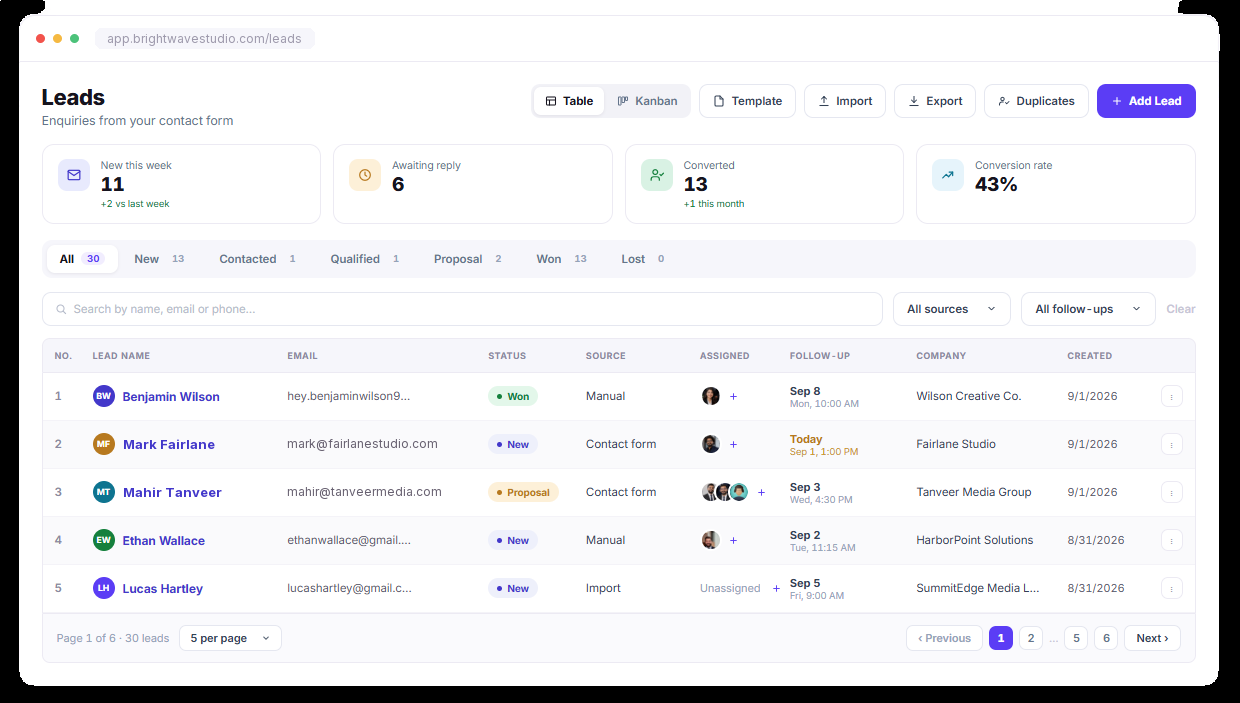
No Enquiry Falls Through
Every form on your site, every Facebook lead ad and every call booked through Calendly or Cal.com feeds the same Leads list, so your team always knows who enquired, what they asked, who owns the lead and what happens next.
PIPELINE BOARD
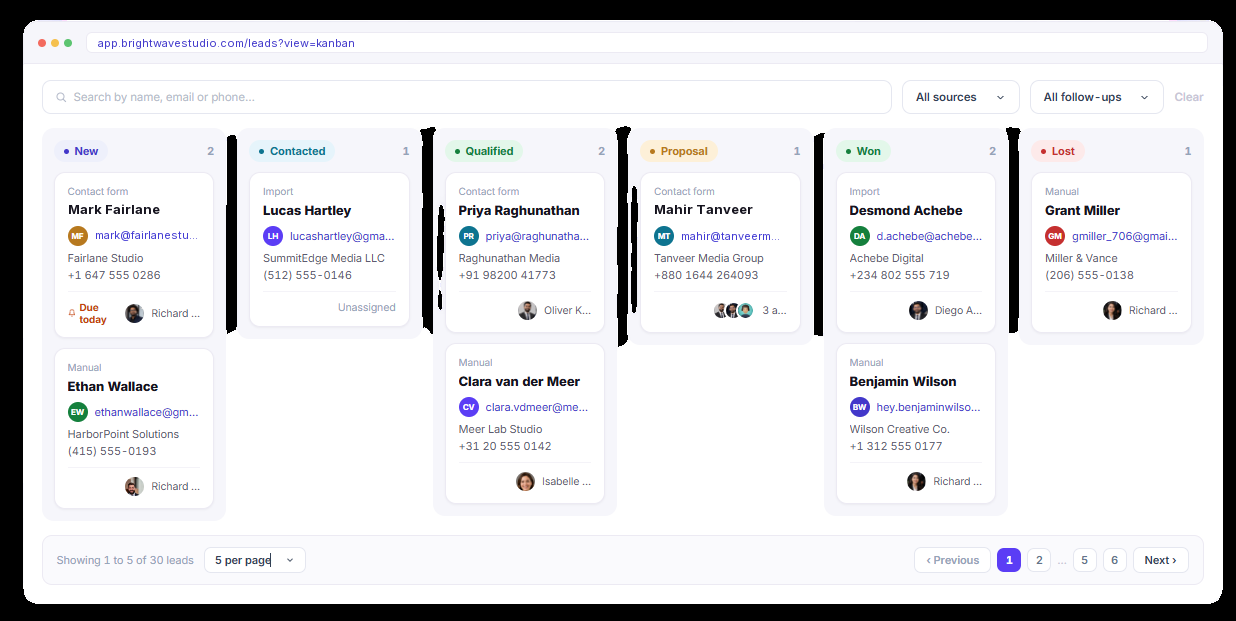
Move Leads Forward, Not Sideways
Drag leads across the sales pipeline as conversations progress. Each stage shows how many leads are in it and what they are worth, so your team spots stalled deals early and knows exactly where to follow up next.
LEAD DETAIL
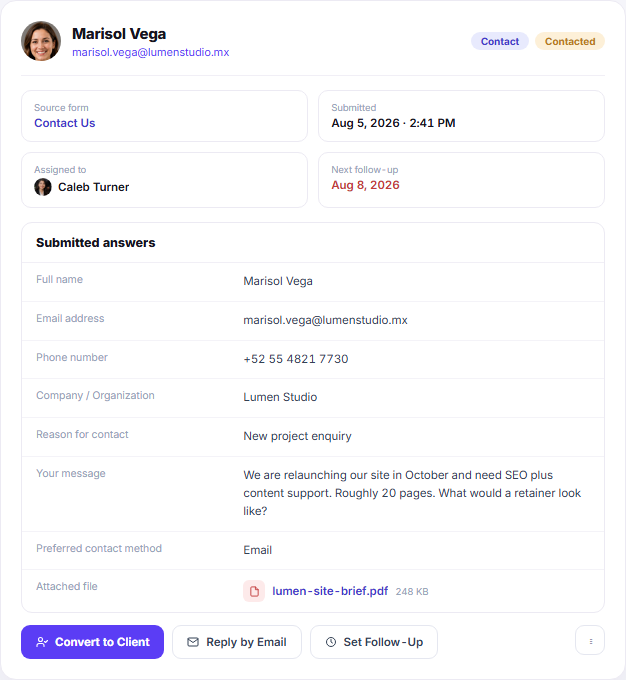
Open a Lead and See Exactly What They Asked
See every answer they submitted, every file they attached, which form they came through and who owns the follow-up, all in one lead record, so whoever picks it up can reply without asking the lead to repeat themselves.
Manual Leads
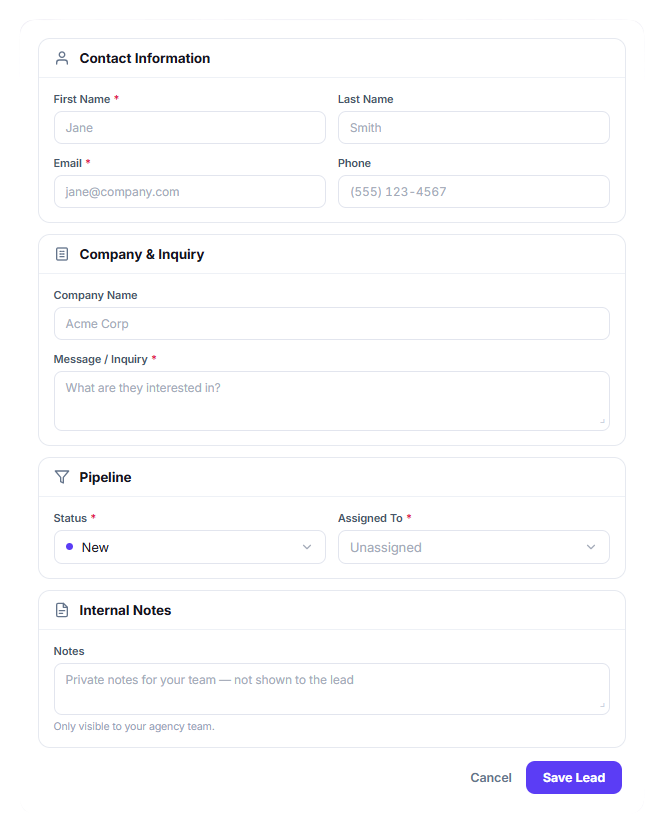
Not Every Enquiry Arrives Through a Form
Somebody calls, messages you on social media, comes through a referral, or meets you at an event. Add them manually and they enter the same pipeline as every other lead—with an owner, follow-up date, source, and a clear path to conversion.
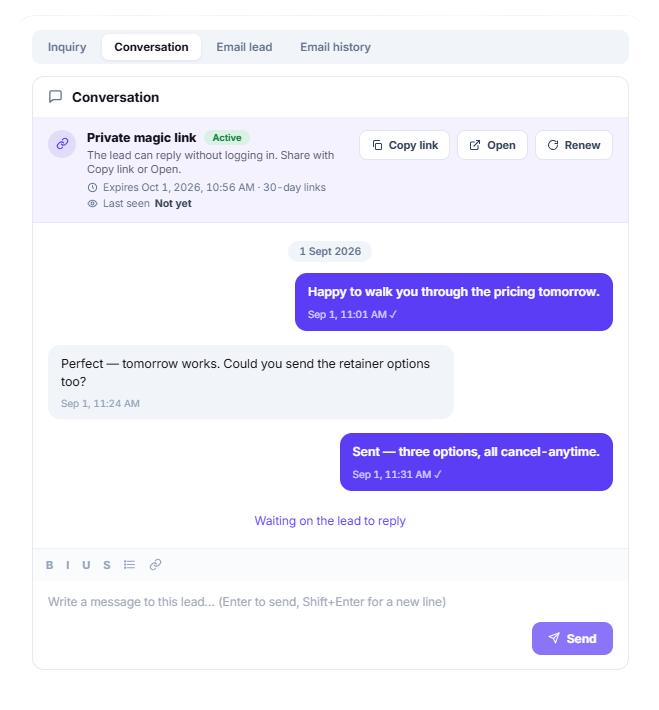
Private Magic Link
They Reply Without Making an Account
Every lead gets a private link of their own. Share it by email, WhatsApp, or SMS—they open the link, reply directly, and the conversation stays connected to their lead record. No password, no account signup, and no replies lost across different inboxes.
CONVERT
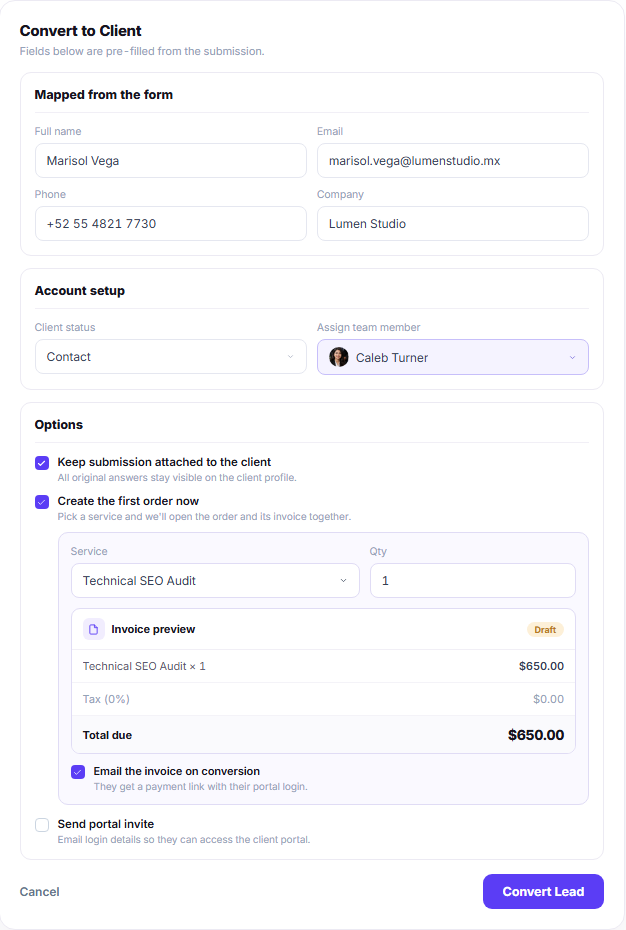
From Enquiry to Client Without Retyping
Turn a qualified lead into a client without entering the same information again. Their name, email, phone, company, and original enquiry carry into the client record, so your team keeps the full context from the first conversation.

Lead Management & Sales Pipeline FAQ
Straight answers about agency leads and the sales pipeline: stages, follow-ups, Facebook Lead Ads, pipeline value, converting to clients and cost.
What is lead management for an agency?
It covers everything between someone asking about your services and signing as a client: catching the enquiry, giving it an owner, following up on time and noting why it was won or lost. It is usually part of a CRM, and here the Leads page sits beside your client records, with a list view and a Kanban board over the same leads.
What is the difference between lead management and a sales pipeline?
Lead management is about the person: where they came from, who answers them and when to follow up. The sales pipeline is about the deal: which stage it has reached and what it is worth. Both are the same lead records, so moving a card to Proposal keeps its owner, notes and follow-up date.
What are the stages of a sales pipeline?
Most agencies use five to seven. The board here has New, Contacted, Meeting, Qualified, Proposal, Won and Lost. A call booked through Calendly or Cal.com moves the lead to Meeting by itself, and marking a lead Lost asks why, so the reason is there when you look back at the deals that slipped.
Can Facebook Lead Ads go straight into the pipeline?
Yes. Connect your Facebook pages under Integrations and every lead form answer arrives as a new lead marked Facebook Lead Ads, with the answers attached. Someone who fills in a second ad lands on the lead you already have instead of creating a duplicate.
What is the 5 minute rule for leads?
It is the habit of answering a new enquiry within minutes, while the person is still thinking about you, rather than hours later. A new lead notifies everyone assigned to it straight away, and an automation can email the lead a first reply the moment the enquiry arrives.
How do follow-ups work?
Each lead carries a next follow-up date. Everyone assigned gets a reminder when it is due, and you can schedule a follow-up email to the lead itself. An automation can also flag leads nobody has contacted for a set number of days.
Can I see what my pipeline is worth?
Give each lead an expected value and every stage on the board shows its total. Once a won lead’s first invoice is paid, the lead also shows its actual value, so you can compare what you hoped for with what really came in.
What happens when a lead becomes a client?
Convert it and the name, email, phone and company carry over, the original enquiry stays on the client profile, and you can open the first order and its invoice in the same step. Tick the portal invite and the new client gets login details for your client portal.
Why keep leads next to your client portal?
The handover is where details get lost. When the lead, its chat and its proposal sit beside the client’s future orders and invoices, nobody re-types anything, and the client is inside your portal the day they say yes rather than a week later.
How much does lead management cost?
Clientish starts at $29 a month; leads and the sales pipeline come with Growth at $49 a month, which takes 500 new leads a month and 15 team members. Plans are priced per agency, not per user, and the 14-day free trial includes leads.
Turn every enquiry into a client you keep.
Catch leads from your forms, Facebook ads and booked calls, follow each one up on time and convert the winners into clients with a portal login. Try it with example data first.
- An owner and a follow-up date
- A private chat link, no signup
- A stage on the Kanban board
- Expected and actual value
- Email from inside the lead
- One-step convert to client