
TEAM MESSENGER · UPDATED OCTOBER 2026
Team Messenger for Agencies, a Slack Alternative
Team Messenger is your agency’s internal chat: channels, direct messages, threads and files for your in-house team and remote members, next to the orders, tasks and clients they talk about. It works like Slack without a second subscription or per-user fee, on every plan from $29 a month.
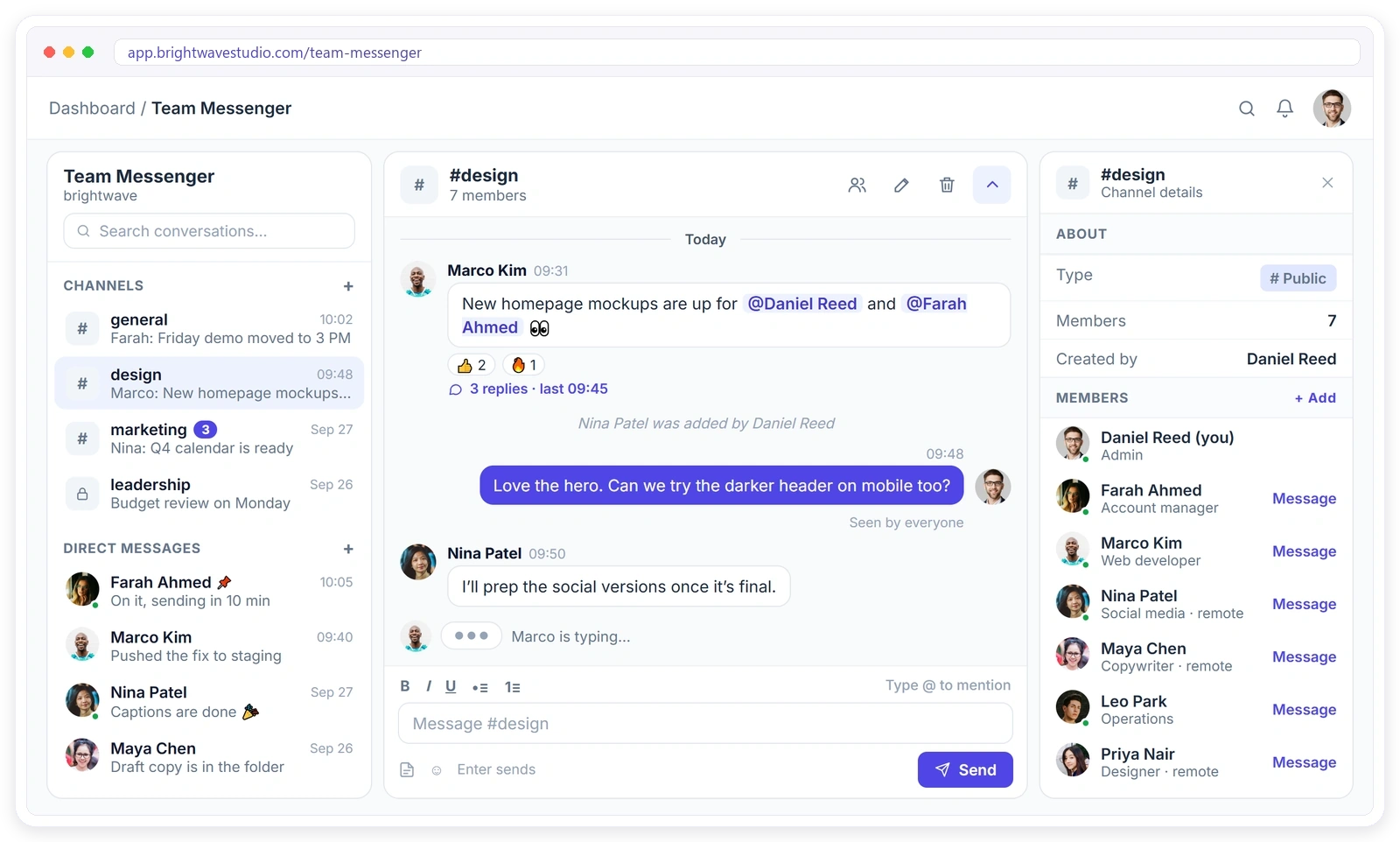
Everything Your Team Talks About, in One Place
The chat tools your team already knows from Slack, built into the workspace where the orders, tasks and clients already live, so nobody has to switch apps to ask a question about the work.
Get Your Team Talking in Minutes
Team Messenger is ready in every workspace from the first day, with nothing to install, no invites to a second tool and no separate login for your team or your remote members.
CHANNELS
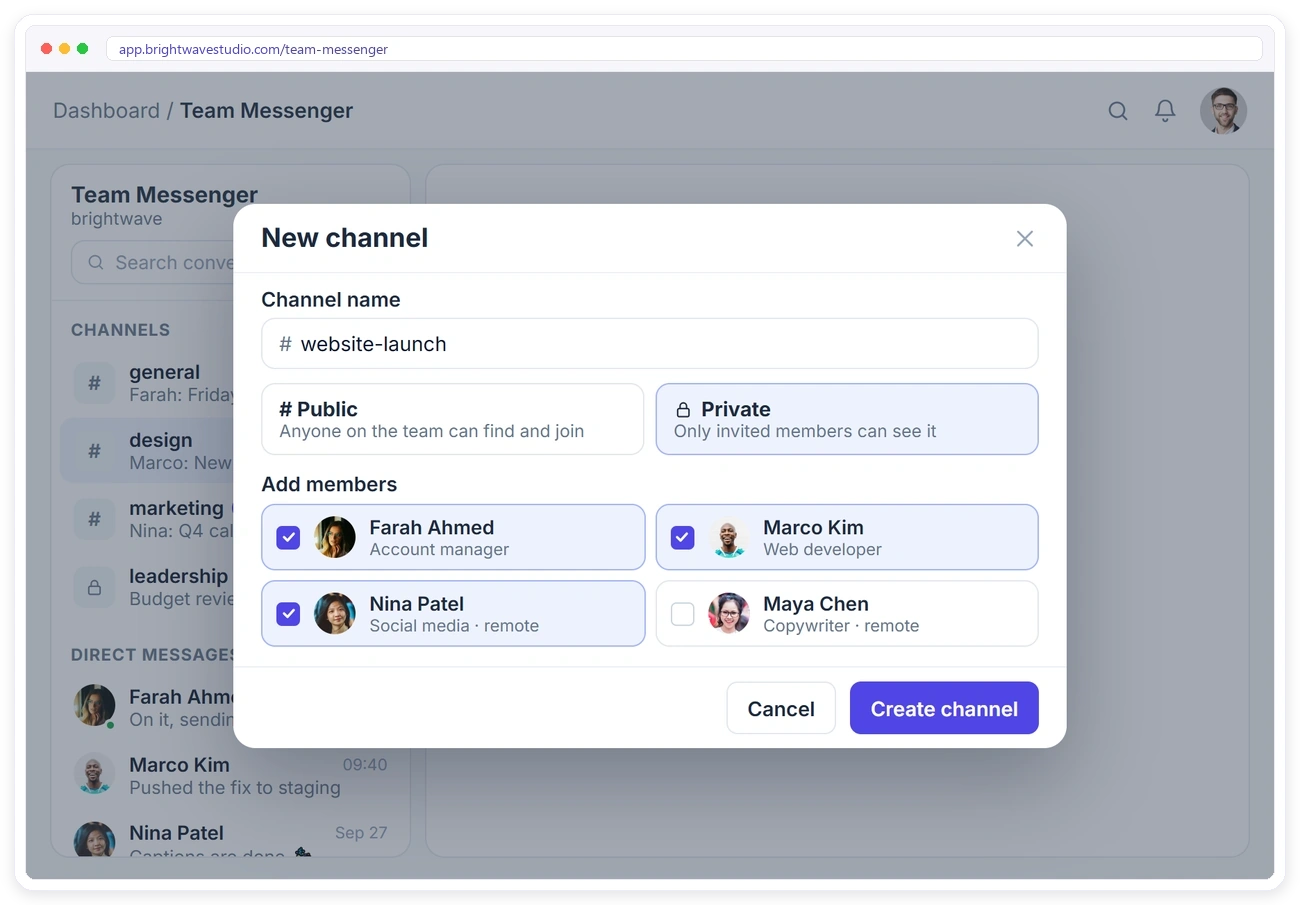
Public or Private, Your Call
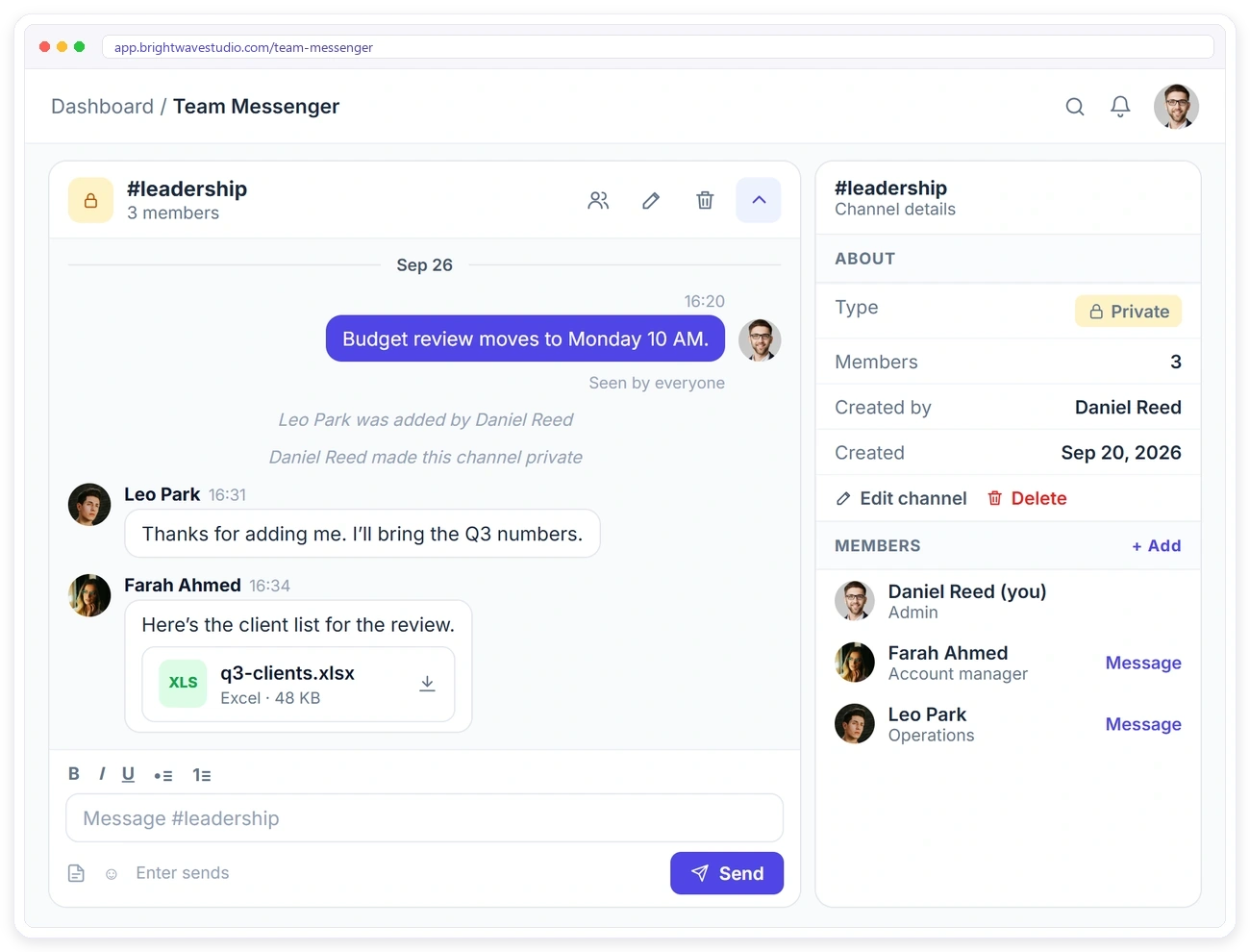
Create a channel for a project, a client or a team. Public channels are open to everyone on the team, and private channels stay hidden from anyone who wasn’t invited. Add members when you create it or later.
REACT, REPLY, EDIT
Chat the Way Your Team Already Does
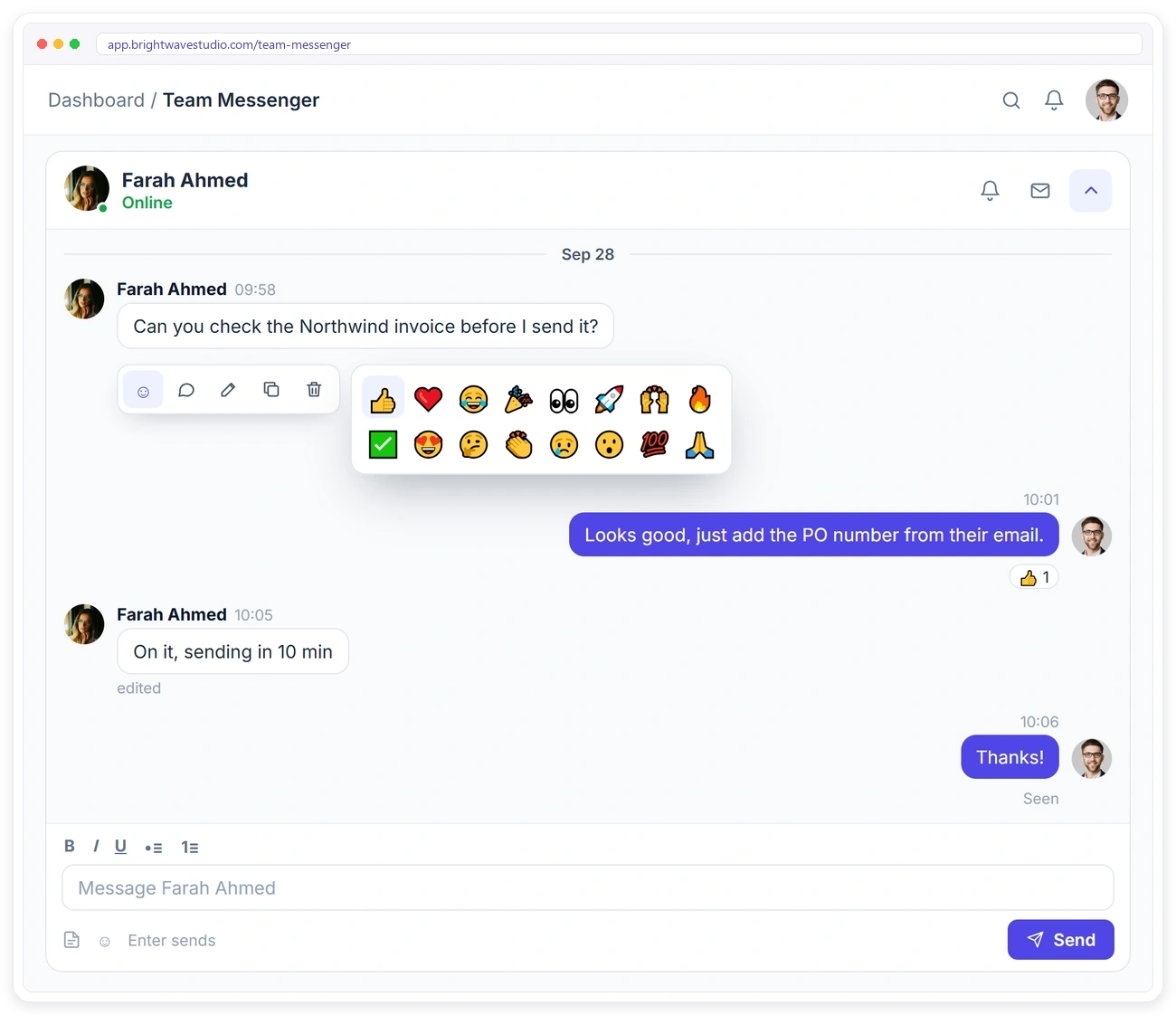
Hover over a message to react, reply, edit, copy or delete it. Replies keep side conversations tidy, reactions save a reply, and edited messages are marked as edited.
THREADS
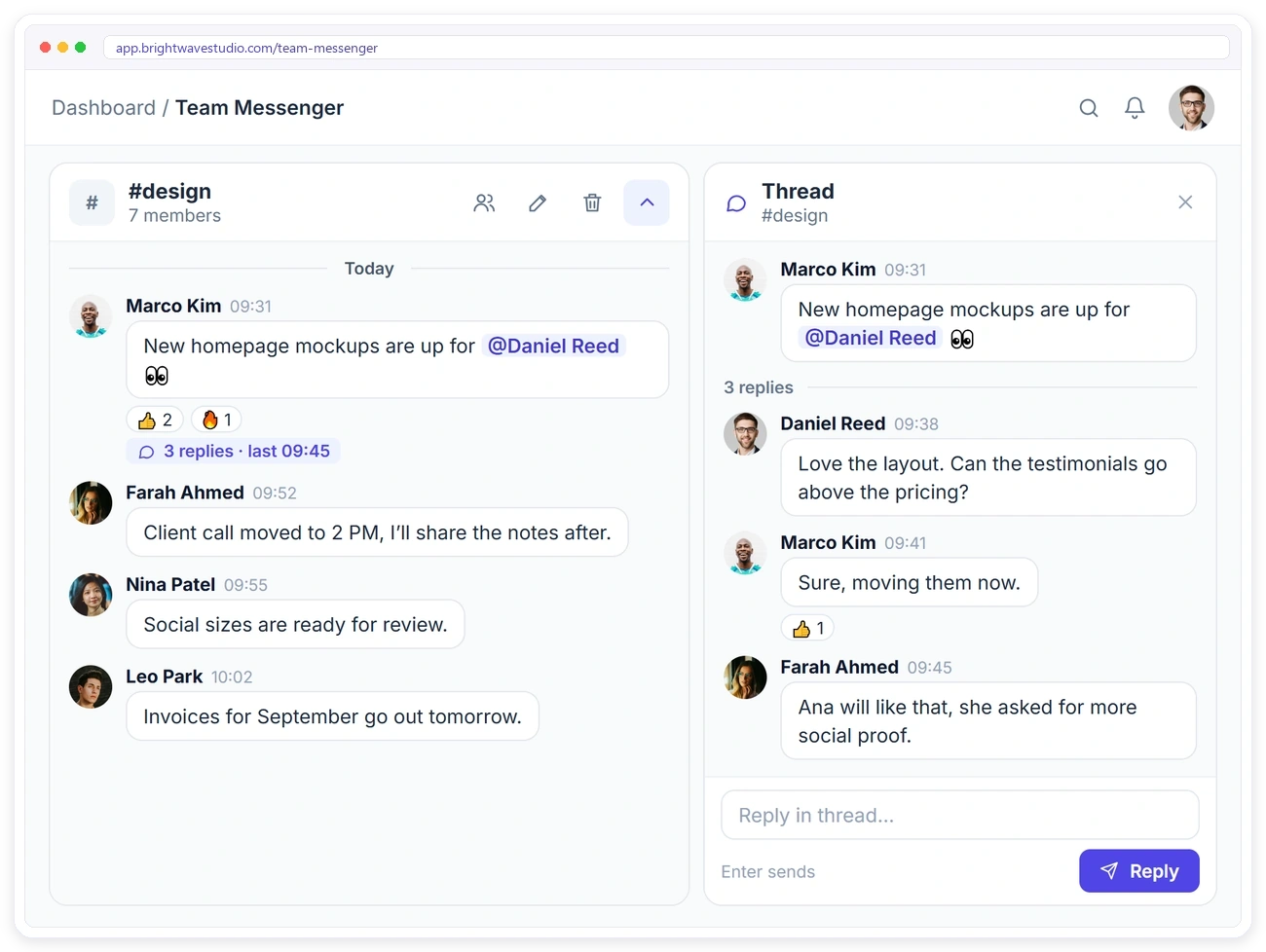
Keep Side Conversations Out of the Way
Reply to any message in a thread. The thread opens next to the channel, so a quick back-and-forth about one mockup or one task doesn’t bury everything else.
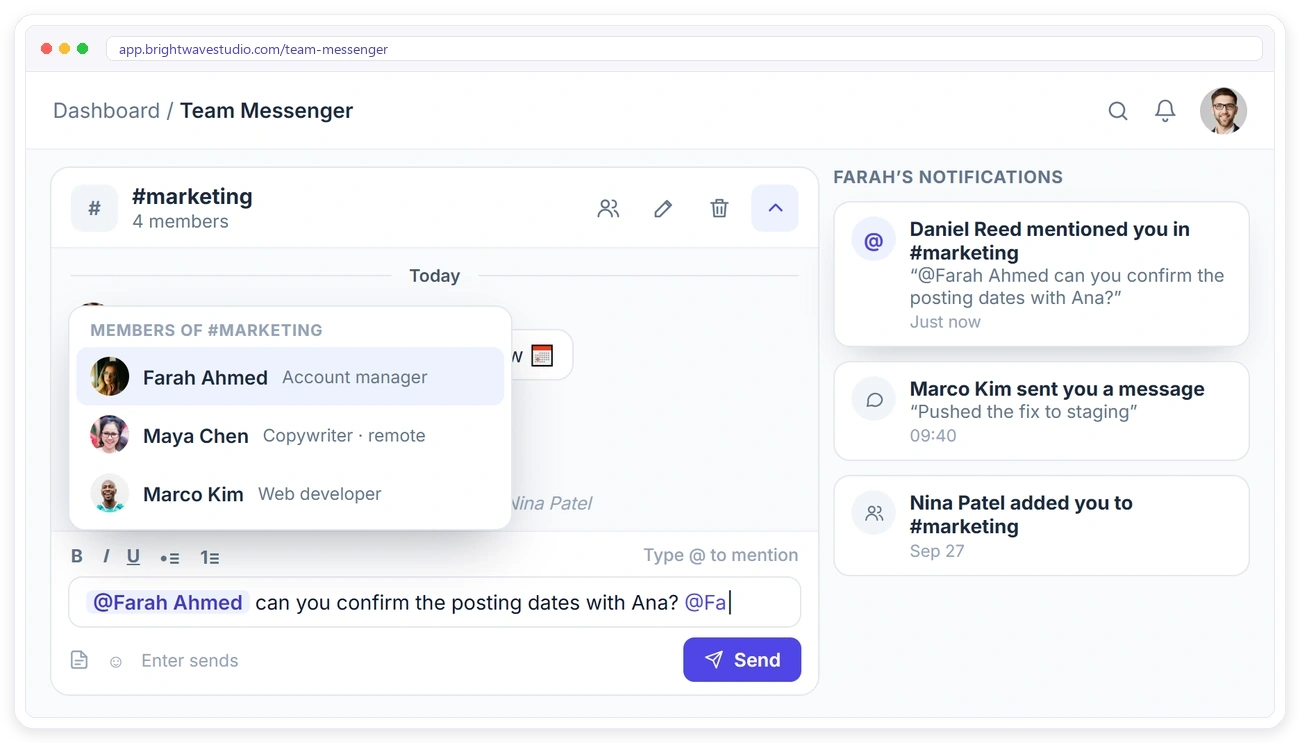
@MENTIONS
Get the Right Person’s Attention
Type @ to mention a teammate. They get a notification straight away with the message, so nothing important gets buried in a busy channel and the right person answers first.
PRIVATE CHANNELS
Keep Sensitive Talk Where It Belongs
Use private channels for leadership, finance or a sensitive client. Only members can see the channel and its files, and every change is recorded, from new members to a channel going private.
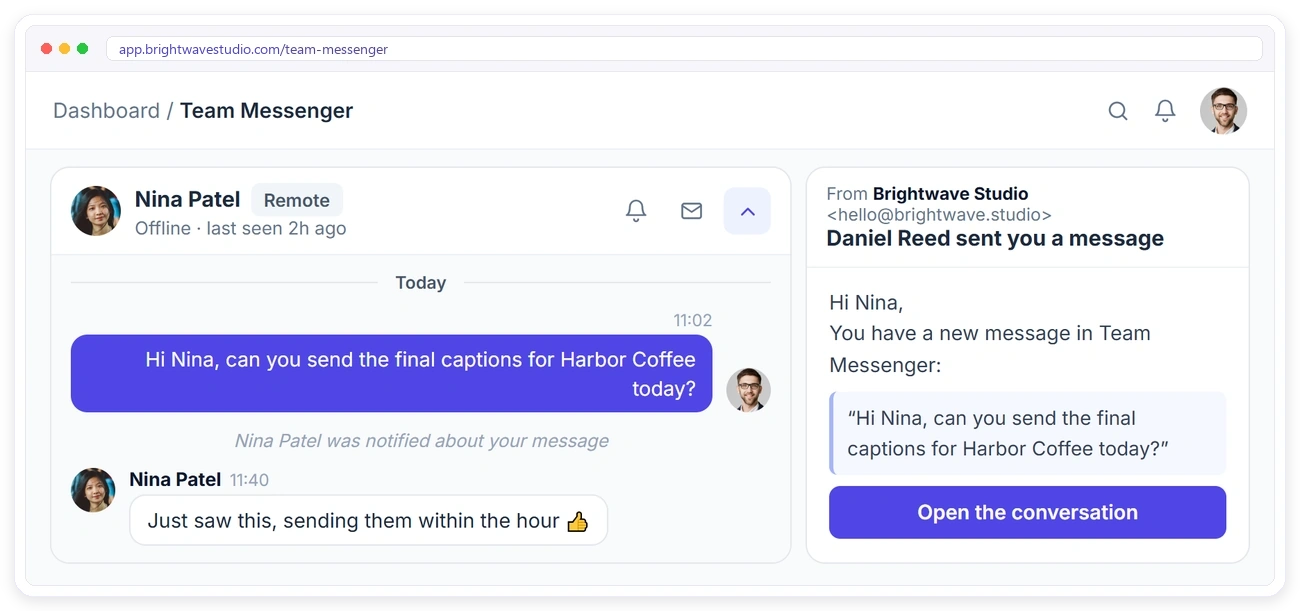
REMOTE TEAM
Reach Teammates Even When They’re Away
Remote members and freelancers are part of the same messenger. If someone is offline, they get a notification about your message, and you can email it to them with one click.
PERMISSIONS
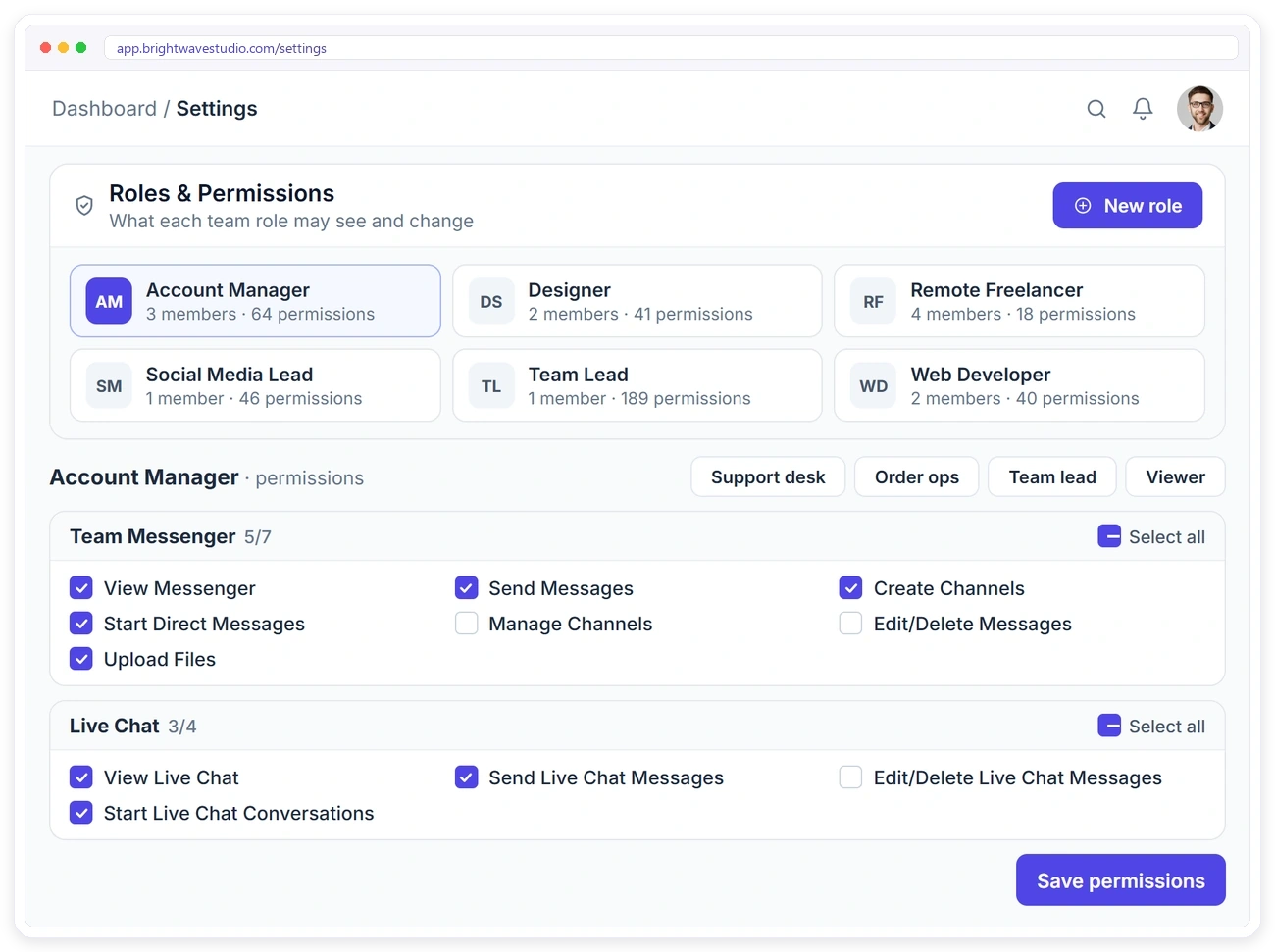
Decide Who Can Do What
Every team role has its own Team Messenger permissions. Let account managers create channels and start direct messages, keep freelancers to sending messages, and give only leads the right to manage channels or edit other people’s messages.
Built for Agency Teams
Team Messenger lives next to the rest of your agency work, with the controls an agency needs: permissions per role, private channels the owner can still open, and your own brand around it.
Team Messenger FAQ
Straight answers about Team Messenger as a Slack alternative for agencies: who can use it, private channels, files and cost.
Is Team Messenger a real Slack alternative?
For an agency’s internal talk, yes: public and private channels, direct messages, threads, reactions, mentions, files and online status. It does not connect to hundreds of outside apps the way Slack does; it lives next to your orders and clients instead.
Why use it instead of Slack?
Your team already works in the same place as the orders, tasks and clients, so a question about an order is one click from the order itself. There is no second subscription, no per-user Slack bill and no remote contractor who never got the invite.
Who can use Team Messenger?
You, your team members and your remote members. Clients don’t see it. They talk to you through Live Chat instead.
What is the difference between public and private channels?
Anyone on the team can find and join a public channel. A private channel is only visible to the people who were added to it, plus the agency owner and co-admins, who can open every private channel in the workspace.
Can I control who creates channels?
Yes. Role permissions decide who can send messages, start direct messages, create channels and manage channels or messages.
What happens when I @mention someone?
They get a notification straight away with a link to the message.
Will teammates see messages when they’re offline?
Yes. They get a notification about new messages, and you can also email a message to them with one click.
Can I share files with my team?
Yes. Drop a draft, a screenshot or a spreadsheet into a channel or a direct message, and it is saved to Files as well, so the team can find it later without scrolling back through the chat.
Can I fix a message after sending it?
Yes. Edit or delete what you wrote in a channel or a DM, and an edited label shows the team it changed; people with the manage-messages permission can tidy up a channel too.
How much does Team Messenger cost?
Nothing on top of your plan. Slack bills each seat every month; here the messenger is simply part of Clientish, which starts at $29 a month, and every remote member you add can chat without a fee.
Talk to your team next to the work.
Channels, direct messages and threads for your team and remote members, inside the workspace where the orders and clients already are. No second subscription. Try it with example data first.
- Public and private channels
- Direct messages and threads
- @mentions and reactions
- Files saved to Files
- Remote members included
- Permissions per role