
HELP DESK · UPDATED OCTOBER 2026
Help Desk for Agencies and Their Clients, No More “Any Update?”
A help desk is everything your clients use to get help: a place to ask, a way to follow the answer and somewhere to find it themselves. Clientish gives your agency one inside the client portal, with tickets, live chat, WhatsApp and Telegram, a help center and live order status, from $29 a month, so your team answers fewer routine questions.
FIVE WAYS TO HELP
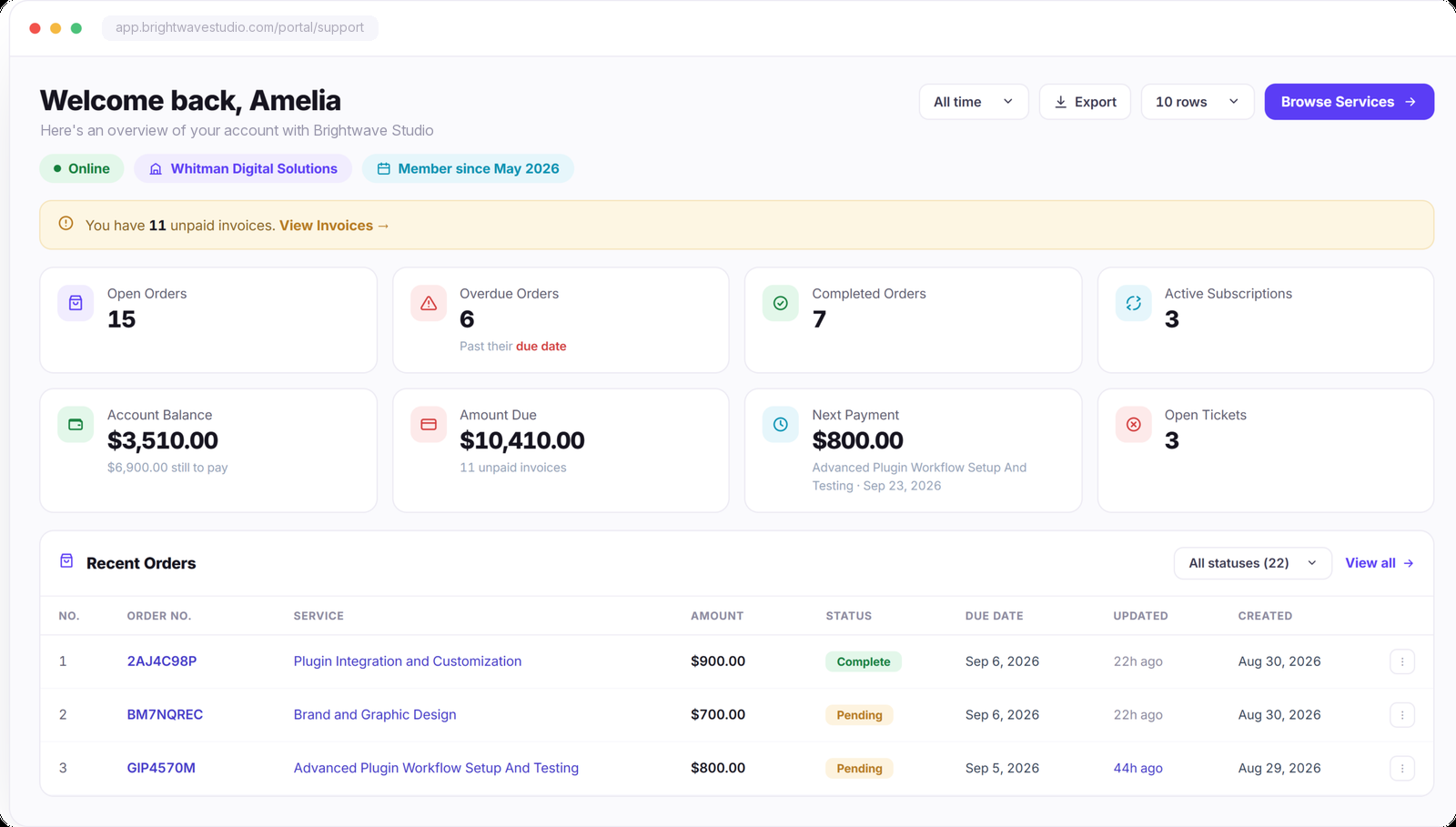
Support That Lives Where the Work Is
Keep support inside the client portal and connected to the work it belongs to. Clients can raise tickets, chat, follow order conversations, access delivered files, and receive updates without relying on scattered email threads.
INSTANT STATUS
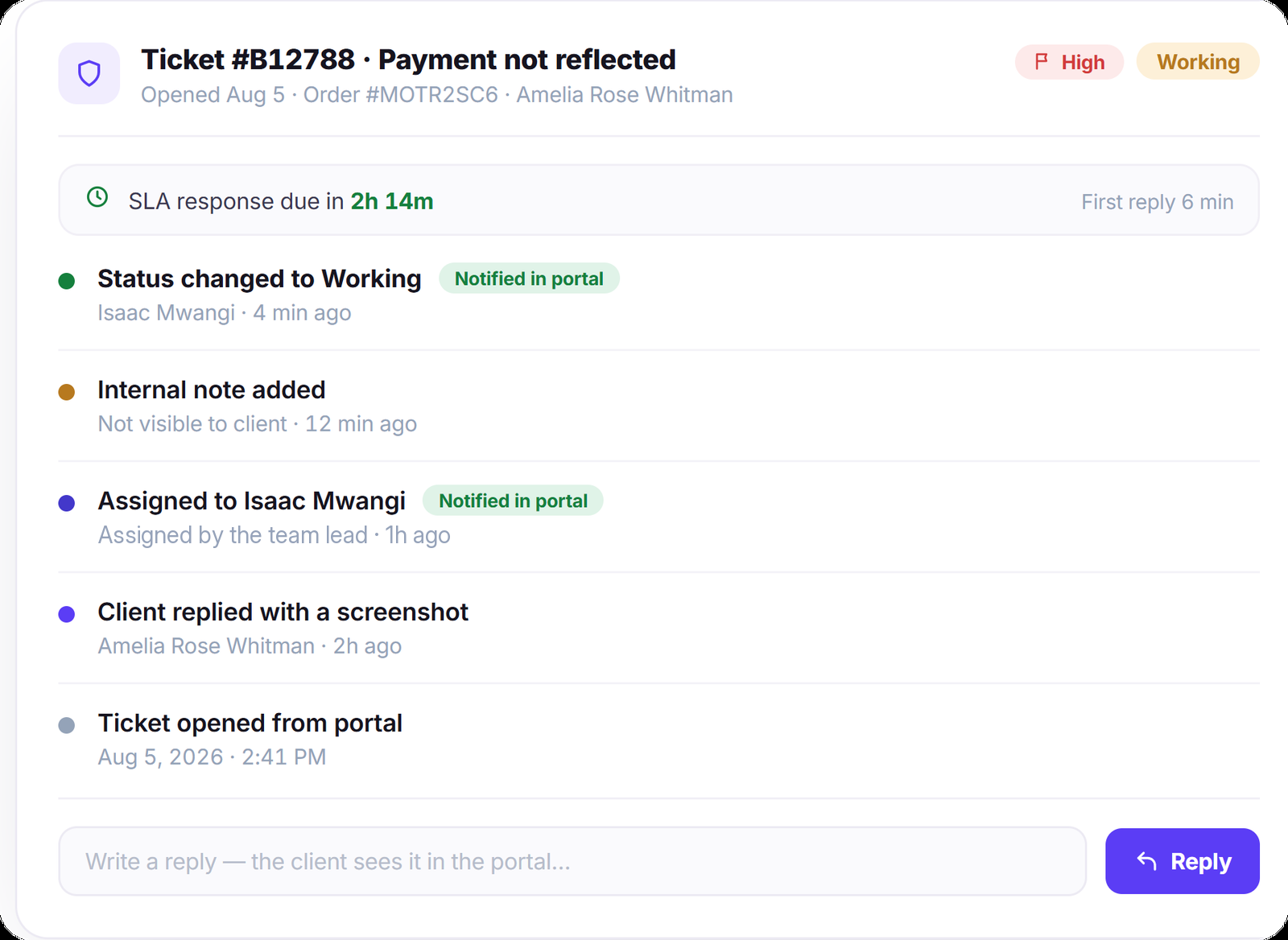
The Status Changes, They Already Know
Change a ticket from Open to Working and the client sees the new status directly in their portal, along with the relevant notification and timeline update. Your team keeps the full history while spending less time sending manual status emails.
Live Chat
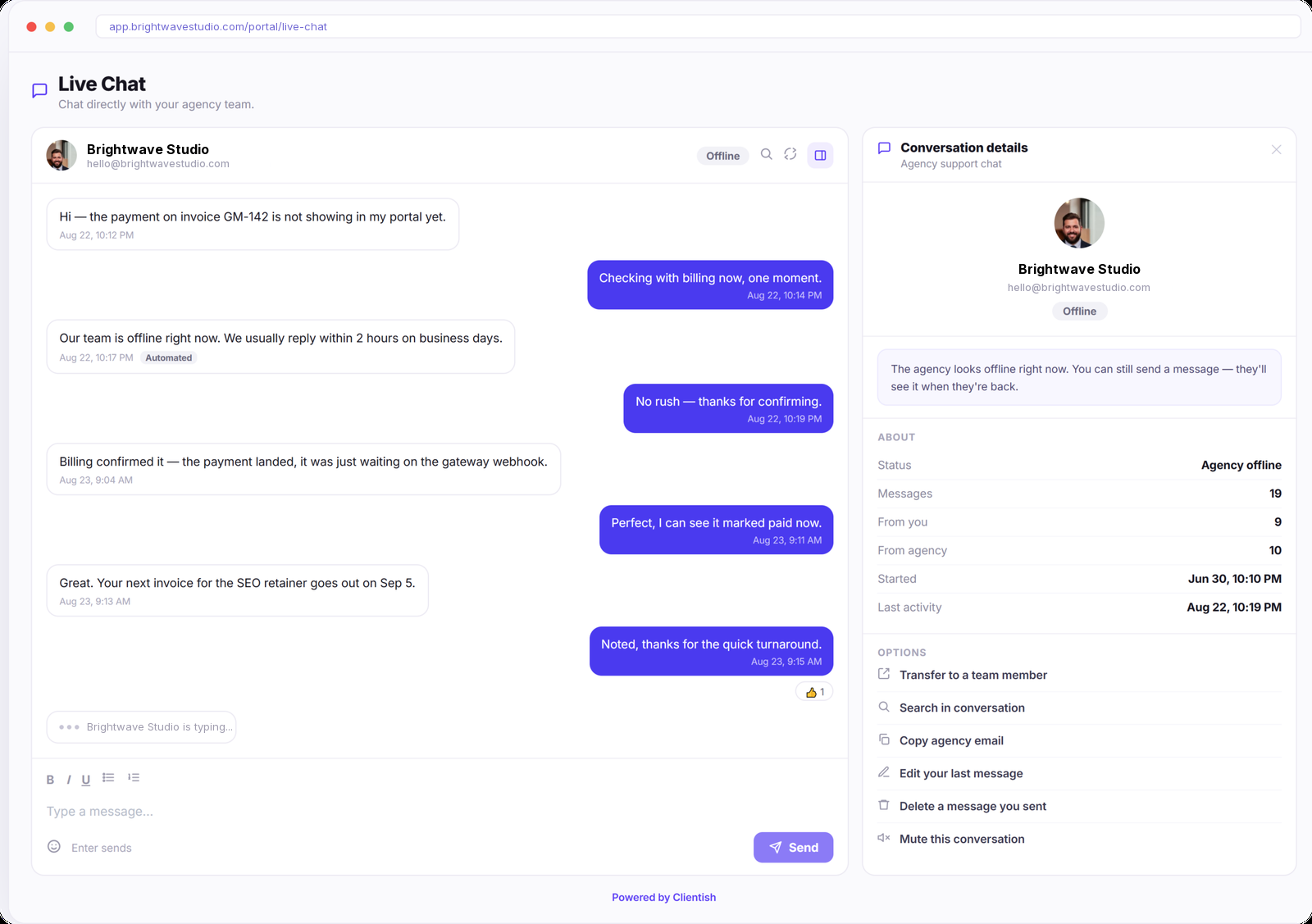
A Chat Window, Not an Email Chain
Clients message your team directly from inside their portal, keeping quick questions and replies in one continuous conversation. When your team is outside business hours, your own auto-reply lets clients know when to expect a response.
SELF SERVE
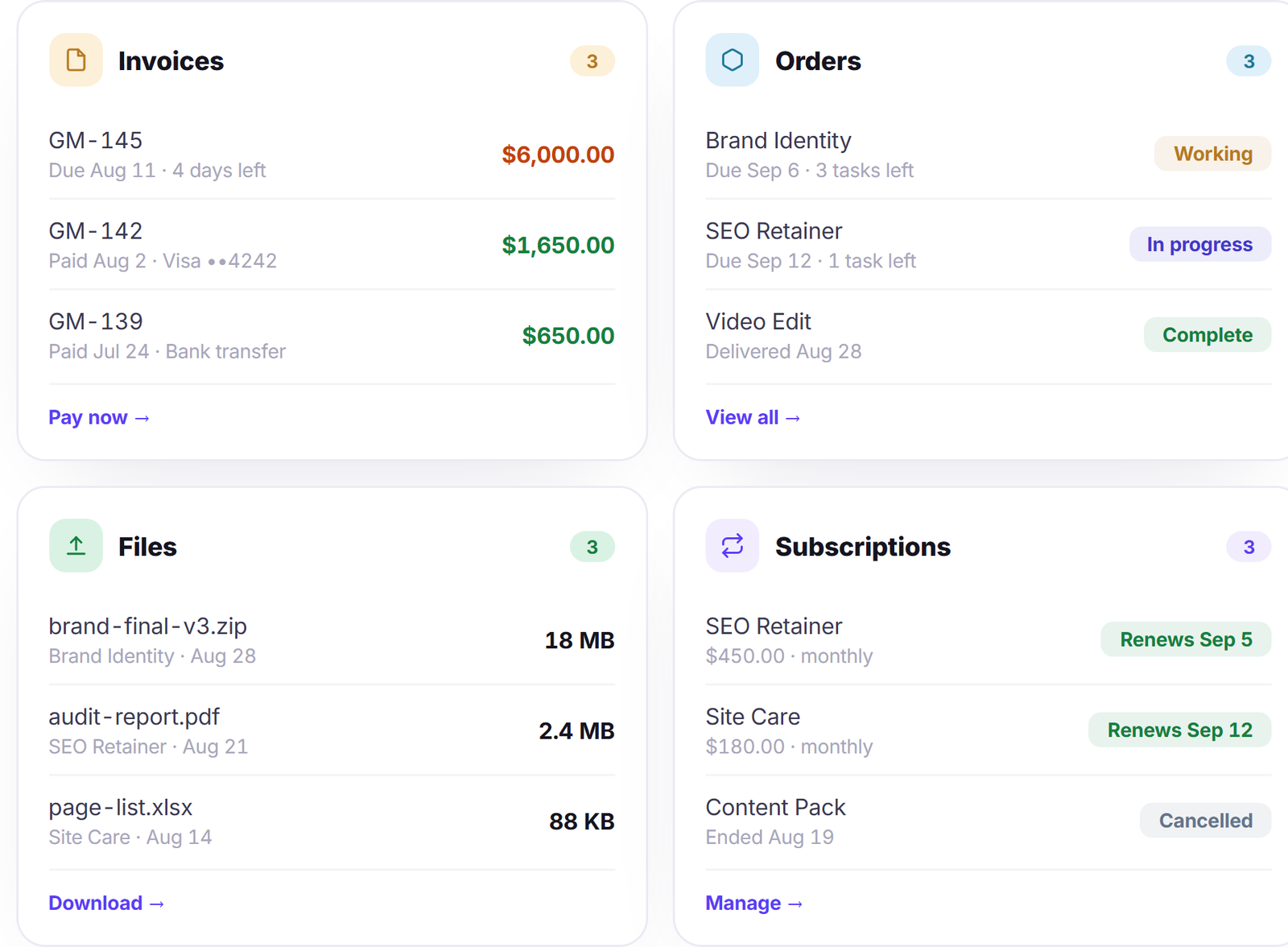
Let Clients Find the Answers Before They Ask
Invoices, delivered files, order progress, and subscription details are already available inside the client portal. Clients can check what they need, make payments, and follow their work without contacting your team for routine updates.
YOUR SIDE
Answer Faster With Everything in Reach
Give your team the tools and client context they need right beside every ticket. Saved replies, SLA deadlines, private notes, assignees and CCs, and client history help them respond without searching across different screens.
“We used to spend an hour a day answering ‘where are we at?’ emails. Clients open the portal now and see it themselves — support volume dropped by about half in a month.”

Nathan White
Operations Lead, White Peak Consulting
Help Desk FAQ
Straight answers about running a help desk for your agency’s clients: what it is, how it differs from ticketing, cost, the help center and live chat.
What is a help desk?
It is the whole way your clients get help from you: where they ask, how they follow the answer and where they can look things up first. For an agency that usually means tickets, chat, a help center and a clear view of their own work.
What is the difference between a help desk and a ticketing system?
Ticketing is one part of a help desk. It tracks each request to a close; the help desk adds live chat, self-service articles and the status pages that stop many questions from being asked at all.
How much does a help desk cost per user?
Many help desks are priced per agent each month. Clientish starts at $29 a month for the workspace with 5 team members included, and the help desk comes with the client portal, orders and invoices.
Does it include a help center for clients?
Yes. The client portal has its own Help center menu with search, categories and popular articles. You write articles by category and choose who sees each one: every client, clients of chosen services or only your team. While a client types a ticket subject, matching articles appear, and you see views, helpful votes and how many tickets were never opened because an article answered it.
Can clients chat with my team live?
Yes. Clients message your team from the portal and see whether you are online; outside your hours they get an auto-reply in your own words, and the full chat history is kept.
Can clients reach us on WhatsApp or Telegram?
Yes. Connect WhatsApp (through Meta, Twilio or a QR scan), Telegram and SMS to your Inbox, and every person gets one conversation your team answers from Clientish. A message from a number you do not know yet can become a new lead.
Can AI answer client chats when my team is away?
Yes. Turn on the AI assistant and it replies in live chat from your help center articles after the wait you choose, from 1 to 60 minutes, so a client is not left waiting. It only answers from what you have written.
Can I automate the routine parts of support?
Yes. Automations run on events such as a ticket being closed, a rating coming in or a WhatsApp, Telegram or SMS message arriving, and can send a live chat message, notify the team or update the record, so follow-ups happen without anyone remembering them.
How do clients check progress without asking?
Each client sees their orders, ticket statuses, invoices and delivered files in the portal, updated as your team works, so the answer to most status questions is already on their screen.
Give every client a help desk of their own.
Tickets, live chat, a help center and live status in one client portal under your brand, so routine questions answer themselves and the rest reach the right person. Try it with example data first.
- Tickets linked to the right order
- Live chat, WhatsApp and Telegram
- A help center of ready articles
- Live status on orders and tickets
- Invoices and files in one place
- Your logo, colours and domain