
RECURRING BILLING · UPDATED OCTOBER 2026
Recurring Billing & Subscriptions for Agencies, Bill Once. Get Paid on Repeat.
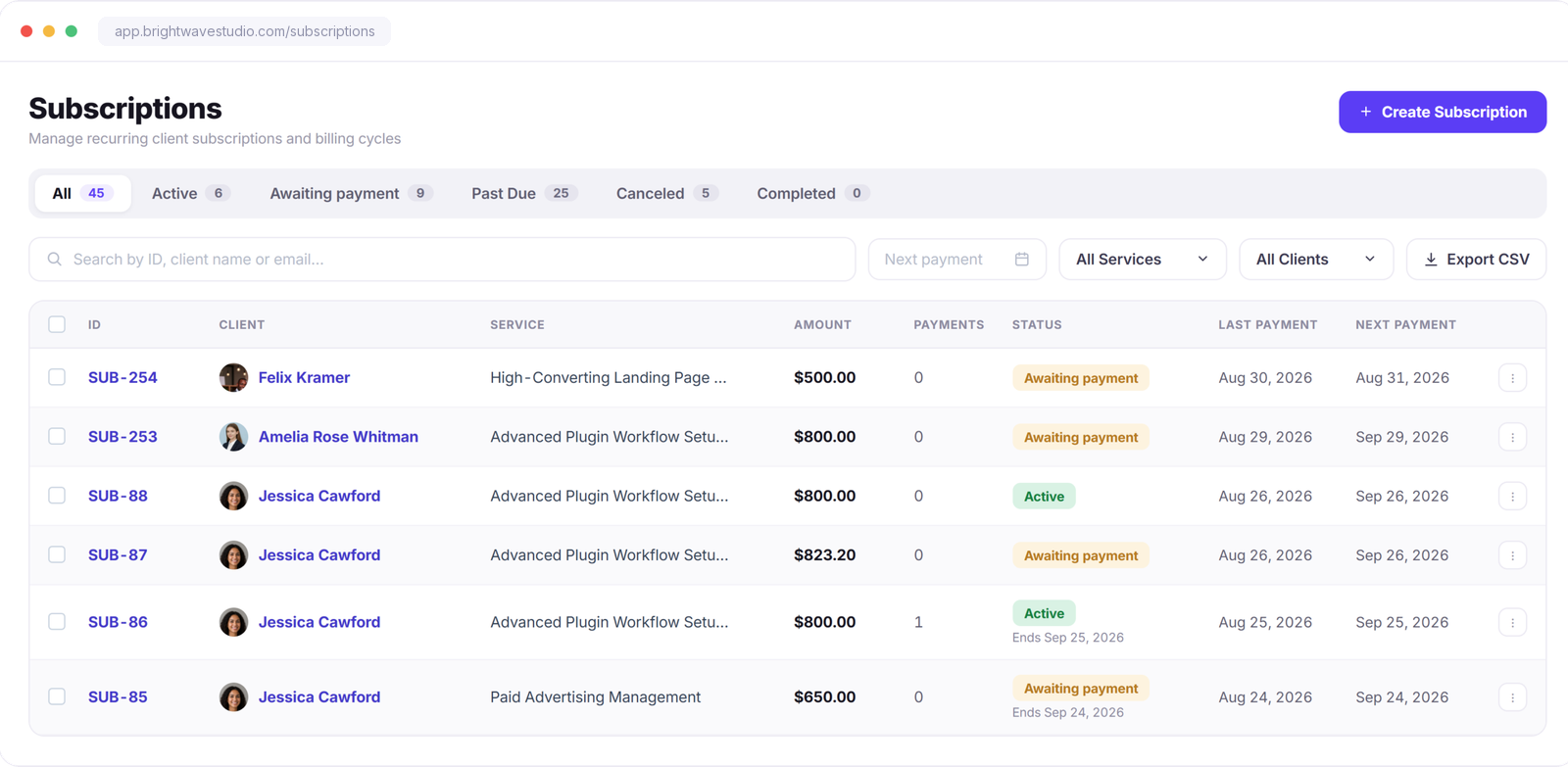
Recurring billing means a client is invoiced on a fixed schedule, such as every month, for an ongoing service. Clientish gives your agency subscriptions that raise and email the invoice at every billing cycle, with reminders, a pay link and the client’s own portal to manage it, from $29 a month.
Built In
Everything You Need to Run Client Billing
Subscriptions, payment options, taxes, currencies, and reminders work together in one billing flow—without piecing together separate tools. Every retainer runs on the same rules, so month-end billing stops being a job someone has to remember.
Subscriptions
Retainers That Invoice Themselves
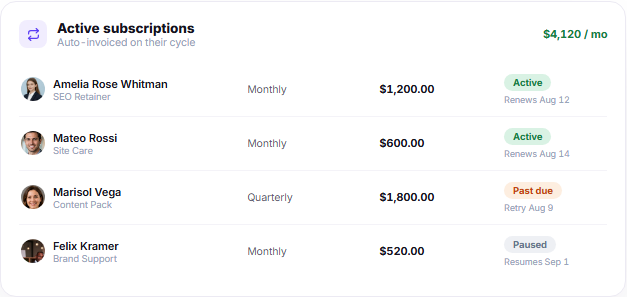
Set the service, amount, and billing cycle once. At every cycle, a new invoice is created automatically and sent to the client by email, while the subscription and payment status stay updated in their portal.
Payment Gateways
Let Clients Pay the Way That Works for Them
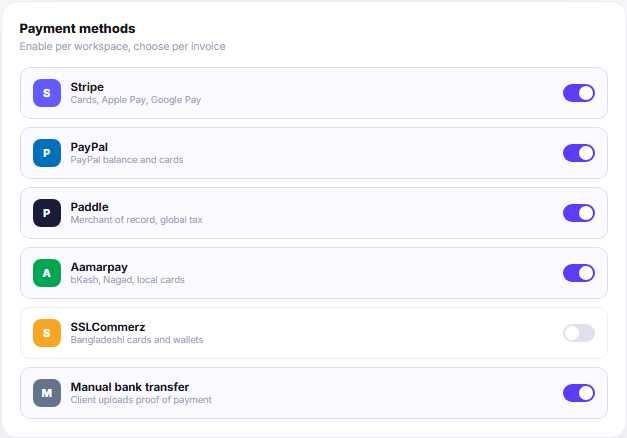
Offer multiple payment options and choose which ones are available for your workspace or invoice. Accept online payments from local and international clients, while manual bank transfers can be confirmed with payment proof.
Tax & Currency
Set the Rules Once. Use Them Across Billing
Configure the billing rules your agency uses every day—from tax and currencies to invoice numbering, discounts, refunds, and reporting. Keep them consistent across invoices without setting everything up again for each client.
Billing Emails
Billing Emails That Send Themselves
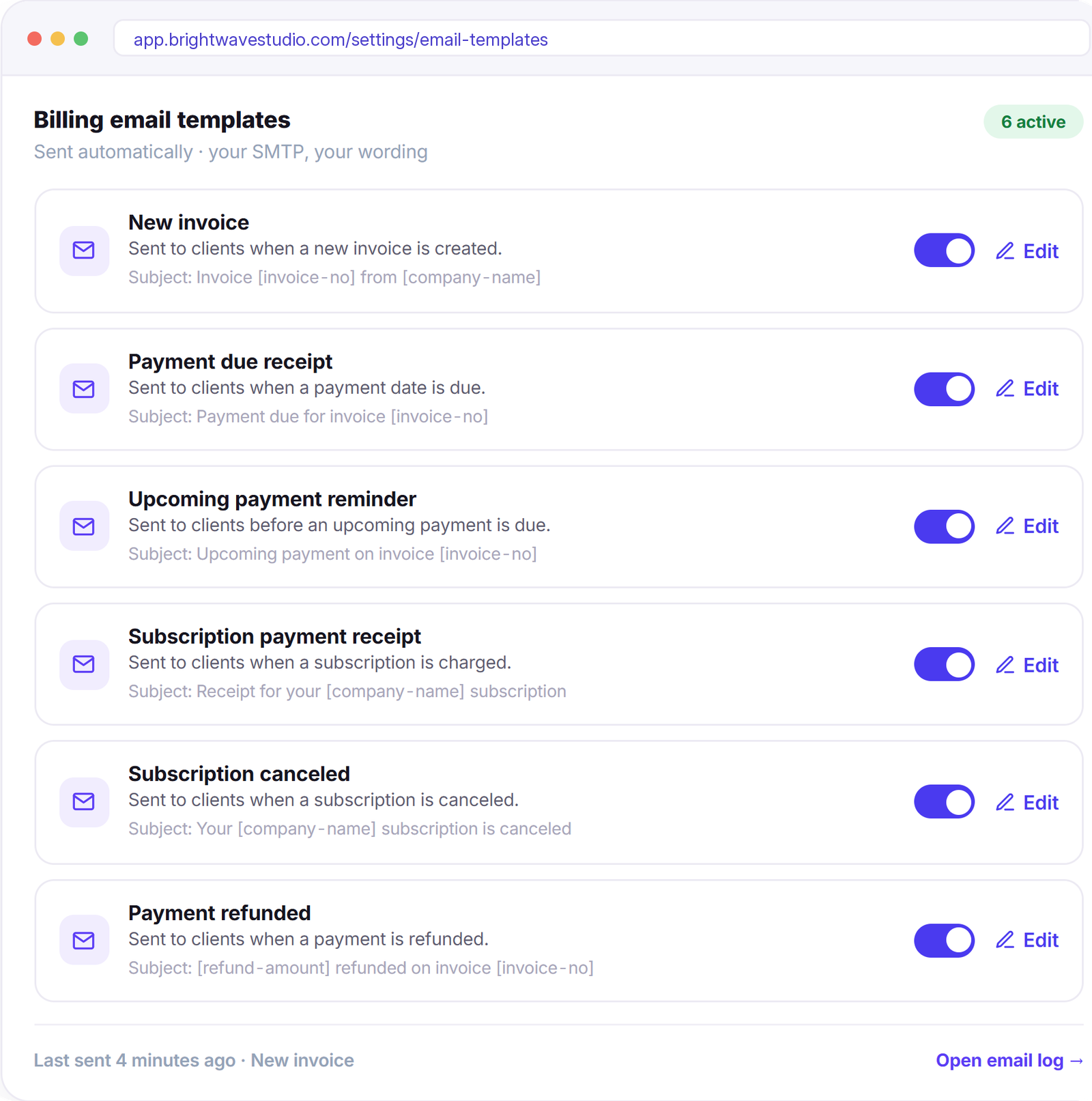
Invoice, payment, subscription, and refund emails go out automatically when the right billing event happens. Customize the wording once, send through your own SMTP, and turn individual emails on or off whenever you need.
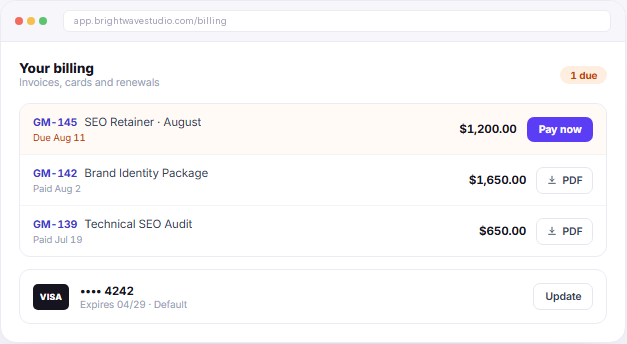
Client Side
Clients Pay Directly From Their Portal
Clients can see unpaid and paid invoices, make payments, download invoice PDFs, and manage saved payment methods directly from their portal. Payment history and account balance stay available in the same place, so routine billing questions don’t need another email.
“Retainers used to mean a reminder in my calendar and an invoice I wrote by hand. Now they just go out, get paid, and I see the money land — I haven’t chased a payment in months.”

Mateo Rossi
Director, Studio MR
Recurring Billing FAQ
Straight answers about recurring billing and client subscriptions: what they are, cost, card charges, cancellations and what each payment triggers.
What is recurring billing?
Billing the same client on a fixed schedule for ongoing work, for example a monthly retainer or a yearly care plan. Instead of writing a new invoice each time, the subscription raises it for every cycle and sends it to the client.
What is the difference between recurring billing and a subscription?
The subscription is the agreement: which service, what price and how often. Recurring billing is what it produces, one invoice per cycle until the plan ends or is cancelled.
Can the client’s card be charged automatically?
Yes. With a saved card, each new cycle is charged to it automatically and the invoice is marked paid. Clients without a saved card get the invoice by email with a link to pay by card, PayPal, bank transfer or their account balance, with reminders before, on and after the due date.
Can clients cancel or update their own subscription?
Yes, if you allow it in Payment Settings. From the portal they can cancel, resume or change the saved card, and you see every change in your dashboard.
What happens each time a client pays?
You decide per service: just record the payment, reopen the same order, open a fresh order for the new cycle, or let the client request work when they need it.
Can I add a setup fee or a fixed number of cycles?
Yes. Add a one-time setup fee to the first invoice, and either let the plan run until it is cancelled or stop it after the number of cycles you set.
How much does recurring billing cost?
Subscriptions are included in every Clientish plan from $29 a month, alongside one-off invoices, the client portal and your team. Your payment gateway charges its own processing fees.
Stop writing invoices by hand.
Set each retainer up once and let every cycle raise its own invoice, send it with a pay link and chase it with reminders. Try it with example data first.
- An invoice every billing cycle
- Automatic charge to a saved card
- Reminders before and after the due date
- Setup fees and fixed cycles
- Client self-service in the portal
- Country-based tax rules