

Most agencies that land on Notion for client work didn’t choose it as a client management tool — they chose it because it’s genuinely excellent at organizing information. You build a workspace, create a database for projects, add a few views, and suddenly you have something that feels purpose-made. For internal operations, that flexibility is hard to beat.
The friction usually shows up later, and it tends to be specific. A client wants to check the status of their project without emailing you. An invoice needs to go out and you’re cobbling together a Notion page, a separate PDF, and a payment link from another tool entirely. Someone on the team raises a support question from a client and there’s no clear place for it to live. None of these are failures of Notion — they’re just situations Notion wasn’t designed to handle, because Notion is a workspace tool, and these are client relationship problems.
Quick answer: Notion and Clientish are different categories of software. Notion is a flexible, build-it-yourself workspace for organizing information and internal team work. Clientish is a platform built specifically for agencies managing client relationships — with a branded client portal, order and task tracking, invoicing, payment collection, support tickets, and team management all connected to a single client record. If you’re running client work through Notion and hitting friction around client visibility, billing, or support, the gap you’re feeling is a category gap, and no amount of template-building fully closes it.
This article walks through where the two tools genuinely differ, what Notion handles well, what Clientish is built to do that Notion isn’t, and how to think about whether switching makes sense for your agency.
A Blank Canvas vs a Ready-Made Client System
Where these two tools diverge most sharply comes down to where your actual friction lives — in coordinating your internal team, or in managing the experience your clients see.
| Feature / Need | Notion | Clientish |
| Built for | Internal knowledge & project work | Service-based agency client management |
| Client-facing portal | Not built-in (requires manual sharing or workarounds) | Built-in — branded on your subdomain |
| Sell services / take orders | No | Yes — service catalog with payment links and checkout |
| Invoicing & payments | No | Built-in — invoices, Stripe/PayPal/Paddle, refunds, partial payments |
| Client support desk | No | Built-in — tickets and live chat |
| Internal project management | Yes — strong | Limited — order tasks cover delivery work, not general project management |
| Best for | Teams that need flexible internal docs and databases | Agencies running client orders from intake to invoice in one place |
Why People Love Notion
Notion has over 10 million users for good reason. It’s one of the most flexible work operating systems available — you can build almost anything with it: task boards, project timelines, wikis, dashboards, shared docs, and meeting notes, all in one place.
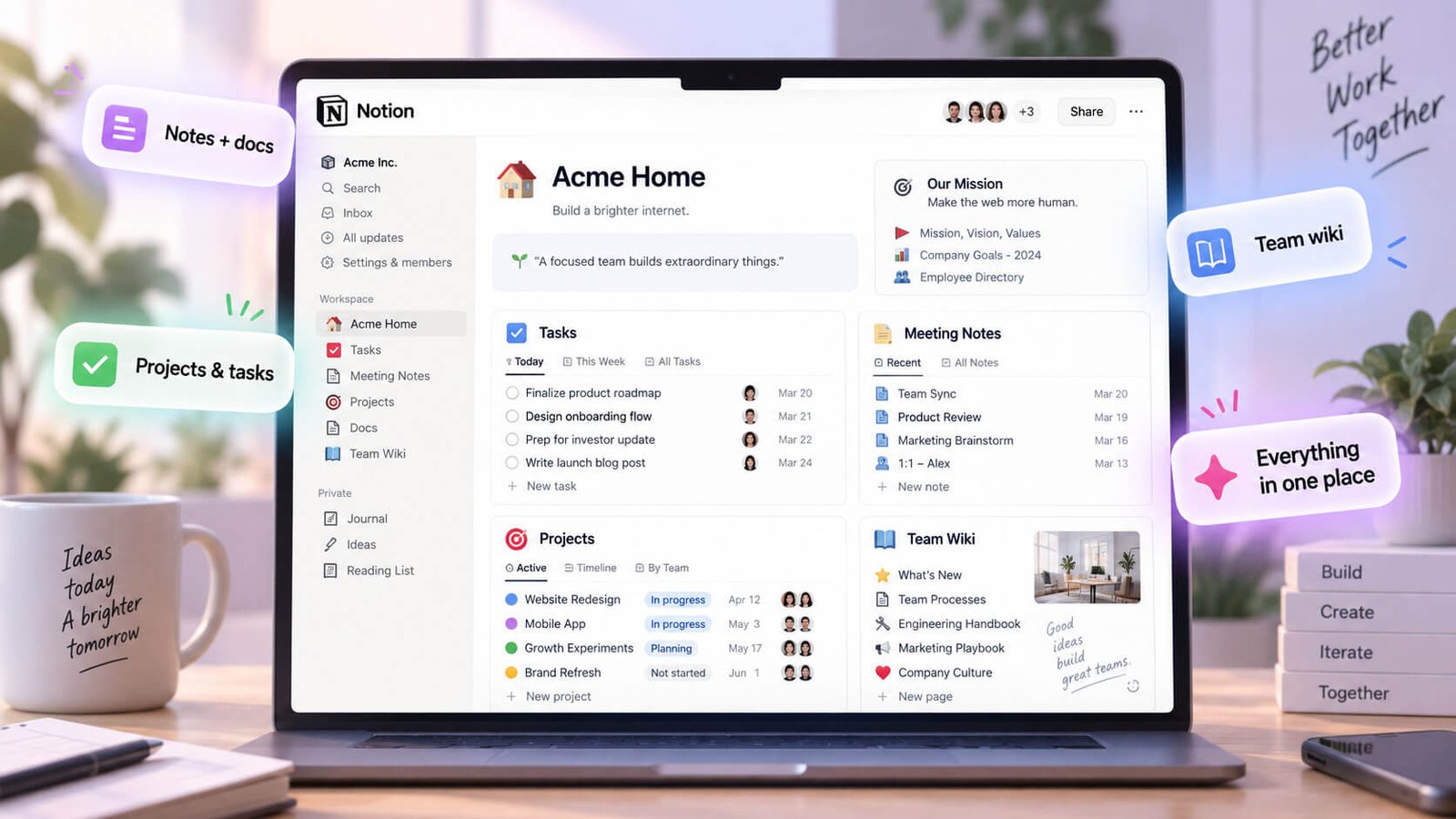
The feature depth is real. Notion offers 15+ views including Gantt, Timeline, and Workload alongside custom dashboards, no-code automations, and native time tracking across every plan. For a team trying to organize its own internal work, that flexibility is genuinely valuable.
What agencies tend to love most is that Notion bends to fit how they already think. You’re not forced into someone else’s workflow — you build the structure yourself. A dev agency might track sprints in a board view while a design studio maps project timelines in Gantt. Both can live in the same workspace without either team compromising.
It’s also excellent for documentation. Onboarding guides, SOPs, brand guidelines, and internal runbooks are easy to build, search, and share — which is why so many agencies use Notion as their team knowledge base even after adopting other tools for client-facing work.
None of this is an accident. Notion was built to be a great internal collaboration and knowledge management platform, and for that job, it’s hard to beat. The limitations that show up in client work aren’t flaws in Notion — they’re just a sign that client management wasn’t the design brief.
What You Get With Clientish Out of the Box
Clientish covers the full cycle of running client work — from the moment someone becomes a client through to delivery, invoicing, payment, and ongoing support — without needing a separate tool for any of those stages.
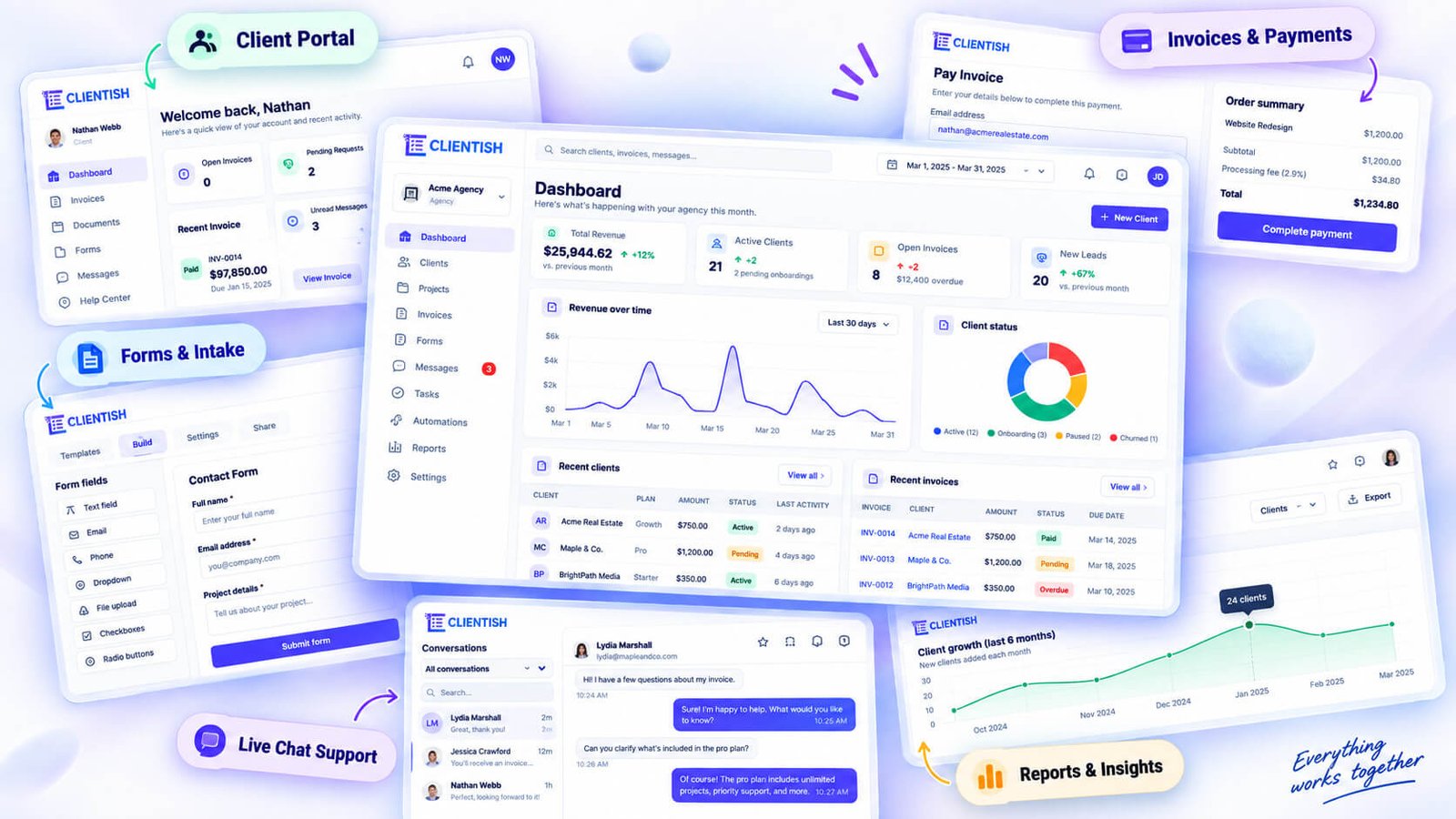
At the center of the system is the order: a client’s purchase of a service, tracked through a custom status pipeline with assignees, intake answers, revision rounds, internal team notes, and a client-facing message thread. Orders connect directly to invoices and support tickets, so the whole history of a client engagement sits in one place rather than spread across tabs.
Inside each order, work breaks down into tasks and sub-tasks on a dedicated Tasks screen that spans all active orders at once. You can filter by assignee, track what’s overdue, and bulk-manage items — so your team has a clear picture of what’s actually in progress across every client simultaneously.
The client directory holds each client’s profile alongside their full history: every order, invoice, ticket, and activity log entry. Clients move through lifecycle stages automatically as they pay. You can merge duplicates, assign team members to specific clients, and impersonate a client account to see exactly what they see.
On the billing side, Clientish handles invoices, taxes, discounts, coupons, partial payments, and refunds. Payment gateways include Stripe, PayPal, Paddle, and a few regional options, plus manual bank transfer. Clients can also hold a balance and spend it against orders.
For support, there are tickets with ratings, plus live chat with file attachments, reactions, and an email fallback when a client isn’t online.
Your clients get a branded portal on your subdomain — they log in to browse services, place orders, submit intake forms, pay invoices, manage subscriptions, check their balance, and open support tickets. It’s self-service without requiring you to configure it from scratch.
Freelancers, consultants, and professional service teams fit here just as naturally as agencies. If your work involves clients, orders, and invoices, the platform is built around that pattern.
What You Have to Build or Bolt On in Notion
| Client-Work Capability | Notion | Clientish |
| Client-facing branded portal | Not built for this | Built-in (agency subdomain, logo, colours, favicon) |
| Client login on your own subdomain | Workaround only (guest access at notion.so) | Built-in |
| Custom domain | Not available | Available on higher plans |
| Sell services / service catalogue | Not built for this | Built-in (folders, categories, active/draft/archived) |
| Per-service intake forms with conditional logic | Not built for this | Built-in (conditional show/hide rules per service) |
| Public order forms & payment links | Not built for this | Built-in (shareable payment link per service) |
| Orders with custom statuses & history | Not built for this | Built-in (custom status pipeline, per-order history log) |
| Order tasks & sub-items | Workaround only (nested pages/checklists, no aggregation) | Built-in (Tasks screen aggregated across all orders) |
| Client invoicing | Via separate tool | Built-in (line items, taxes, discounts, PDF, pay link) |
| Online payments (multiple gateways) | Via separate tool | Built-in (Stripe, PayPal, Paddle, aamarPay, SSLCommerz) |
| Manual bank transfer | Via separate tool | Built-in (with required transfer reference) |
| Recurring subscriptions | Via separate tool | Built-in (recurring pricing per service, client can view and cancel) |
| Client balance & deposits | Not built for this | Built-in (client tops up, spends on orders) |
| Refunds | Via separate tool | Built-in (full, half, or custom amount with reason presets) |
| Coupons | Not built for this | Built-in (applied at invoice or checkout) |
| Support tickets | Not built for this | Built-in (raise, reply, rate resolution) |
| Client live chat | Not built for this | Built-in (attachments, reactions, typing indicator, email fallback) |
| Lead capture & CRM | Not built for this | Built-in (lead pipeline, lifecycle stages) |
| Lead chat by magic link | Not built for this | Built-in |
| Client record & lifecycle stages | Workaround only (manual database rows) | Built-in (four stages, auto-advanced on payment) |
| Roles, permissions & department scoping | Basic (page-level permissions) | Built-in (granular per-role permission grid per workspace) |
| Team & remote member management | Not built for this | Built-in (invite, suspend, co-admin, per-member views) |
| Reports (revenue, services, clients, orders) | Not built for this | Built-in |
| Files page | Not built for this | Built-in |
| Email templates & per-workspace SMTP | Not built for this | Built-in |
| White-label branding | Not built for this | Built-in (logo, dark/light variant, favicon, brand colour) |
| Internal project/task depth | Stronger | Functional but secondary |
That table captures the gap more clearly than any paragraph could. Notion has exactly one “Stronger” row in a client-work context. Everything else requires a third-party tool, a manual workaround, or simply doesn’t exist in Notion’s model.
Clients Log In at notion.so, Not Your Brand
When you share a Notion workspace with a client, they authenticate through notion.so. Your agency name doesn’t appear in the URL, the login screen, or the browser tab. For some freelancers that’s fine. For an agency billing $3k/month to a client, presenting a generic Notion guest link reads as unfinished.
Clientish gives each agency a subdomain from day one, with the agency’s logo, brand colour, and favicon applied throughout. Clients see your workspace when they log in, not a generic SaaS interface.
No Real Ordering or Intake
Notion has no concept of a client placing an order. You can build a form with a third-party tool, pipe responses into a Notion database, and treat each row as a job — but that’s three tools to set up, maintain, and keep in sync. And conditional intake logic (show this field only if the client selects “branding project”) isn’t something Notion’s native forms handle at all.
Clientish’s service catalogue lets you attach a per-service intake form with conditional show/hide rules, a shareable payment link, and automatic order creation on checkout. The intake answers are stored on the order record, downloadable as a PDF, and editable afterwards.
Billing Happens Outside Notion
Notion has no invoice engine, no payment gateway connection, and no way to collect money. If you run billing through Stripe, you’re maintaining a parallel system. If a client pays and you need to record that against their order history, you’re copying data between tools manually.
Clientish handles invoices, taxes, discounts, coupons, partial payments, and refunds inside the same workspace where the order lives. You can generate an invoice from an order in one click, send it by email, and give the client a public pay link they can open without logging in. When they pay, the order record reflects it.
No Place for Client Support
A Notion page isn’t a support queue. Clients can leave comments, but there’s no ticket status, no resolution workflow, no way to rate a response, and no way to distinguish a billing question from a delivery issue. Teams typically handle this in email, which means support history is scattered across inboxes and never attached to the client record.
Clientish has a ticketing system where clients raise tickets, agencies reply, and each ticket carries a status and a resolution rating. Live chat is separate from tickets — clients can message in real time with file attachments and reactions — and if they’re offline, the conversation falls back to email.
No Per-Client Isolation Without Manual Work
In Notion, keeping one client from seeing another client’s pages takes deliberate, manual permission management. Every new client workspace has to be scoped by hand. Miss a toggle and you’ve exposed the wrong data. At ten clients it’s manageable. At forty it’s a real risk.
Clientish scopes every client’s view automatically. Each client logs in and sees only their own orders, invoices, tickets, and messages. No manual configuration per client; the workspace architecture handles isolation from the start.
Where Notion Genuinely Wins
None of this means Notion is the wrong tool — it means Notion is the wrong tool for this specific job. For internal knowledge management, sprint planning, team wikis, and flexible personal dashboards, Notion’s 15+ views, no-code automations, and freeform database structure are hard to beat. Teams that live in Notion for internal work often keep it for exactly that, and add a client-facing platform for everything the client actually touches. The two aren’t mutually exclusive.
The friction starts when agencies try to stretch Notion into a client-facing system it wasn’t designed to be — building intake forms with external tools, tracking invoices in spreadsheets, and managing support in email — and then wonder why the setup doesn’t hold as the client roster grows.
Where Notion Starts to Break Down
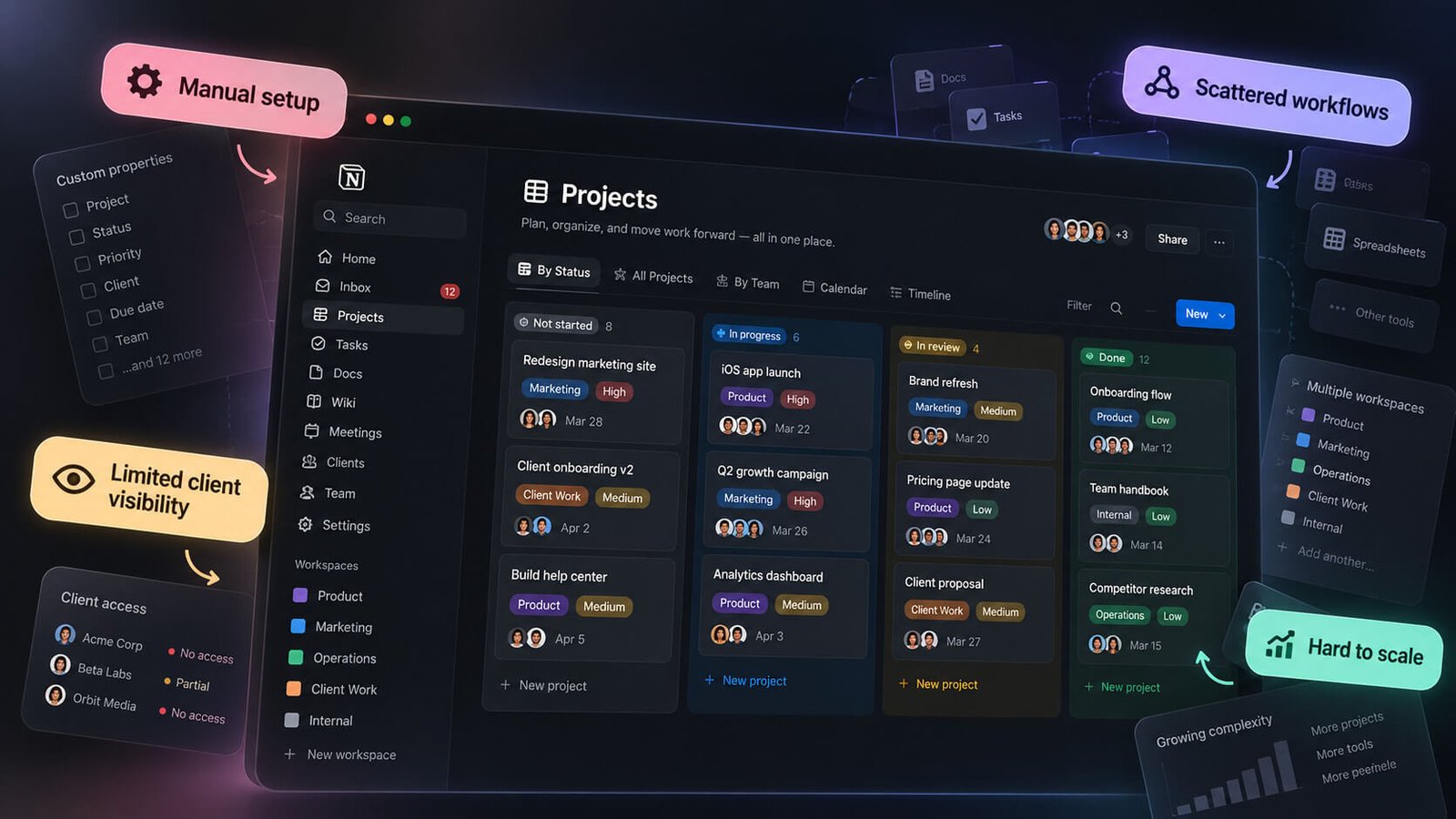
Most Notion-for-clients setups hold together fine when the client count is low and the work is simple. The cracks appear once the client-facing side of the business grows — when clients need to take action, not just read a shared page.
Sharing Pages Isn’t a Portal
Notion lets you share a page publicly or invite someone as a guest. That’s not the same as a client logging into a branded workspace where they can see their orders, pay an invoice, and open a support ticket.
A shared Notion page is read-only at best and editable chaos at worst. There’s no login tied to a specific client account, no way to show one client only their information, and no self-service for anything transactional. Clients end up emailing you anyway — which defeats the point of “sharing” anything.
Getting Paid Means Leaving Notion
Notion has no billing. There’s no invoice builder, no payment gateway, no way to send a client a link and collect money. Every payment touchpoint — creating an invoice, chasing an outstanding balance, handling a partial payment or refund — happens in a separate tool, and then you’re manually reconciling between two systems.
That gap gets expensive in time. An agency running 20–30 active clients is cross-referencing Notion pages against whatever invoicing tool they use multiple times a week.
Requests Scatter Across Pages
When clients have questions or need something changed, they either comment on a shared page, send a Slack message, or email. There’s no support queue, no ticket status, no record of what was resolved. Six months in, you have no audit trail.
For a single freelancer with three clients, this is manageable. For a team handling ongoing retainers across a dozen clients, it becomes a genuine reliability problem — things fall through, and you have no way to prove otherwise.
You Wire Everything Together by Hand
Notion itself doesn’t connect to your invoicing tool, your intake form builder, your payment processor, or your client-facing portal. Any of those connections are automations you build yourself — usually through Zapier or Make — and maintain yourself when something breaks.
Building that stack takes real time upfront. Maintaining it is an ongoing tax. And every time you add a new service or change your workflow, you’re back in the automation builder untangling dependencies.
Duplicating a Page per Client Doesn’t Scale
The common pattern in Notion is to copy a client template page for each new client. At five clients it’s fine. At thirty, you’re managing thirty copies of a structure that you have to update individually whenever your process changes.
There’s also no real client record tying everything together. Orders, invoices, intake answers, and support history live in separate databases, manually linked at best. Finding everything related to one client often means opening four places.
Keeping Notion and Adding Clientish
Some agencies don’t abandon Notion entirely — they keep it for internal documentation, editorial calendars, and team knowledge while routing the client-facing side through Clientish. The client portal, invoicing, order tracking, and support tickets all live in Clientish; internal notes and processes stay in Notion.
That split is a reasonable one. The two tools don’t overlap much in practice, and running them in parallel avoids the disruption of migrating internal content that Notion handles well.
When Notion Is Genuinely the Right Choice
Notion earns its place in a lot of agencies — just not always for client-facing work. Before switching anything, check whether your situation actually needs what Clientish provides.
- Stick with Notion if your work is entirely internal. If clients never log in, never pay through a portal, and never raise support requests, a client management platform solves a problem you don’t have. Notion handles internal docs, wikis, and project tracking well.
- Stick with Notion if you need deep custom project workflows. Notion’s database flexibility — custom properties, linked databases, multiple views — suits teams with unusual or complex internal processes that don’t fit a standard order pipeline.
- Stick with Notion if your client count is small and simple. Two or three clients, no recurring billing, no formal support queue? The overhead of switching isn’t worth it at that scale.
- Stick with Notion if you’re a solo operator tracking your own tasks. Notion’s personal workspace is genuinely strong for one person managing their own workload and notes alongside client docs.
- Stick with Notion if you’re already running a separate billing and support tool. Some agencies use Notion for internal knowledge and pair it with dedicated tools for invoicing and support — that setup works fine as long as the seams don’t cause too much manual work.
Running both is also a real option. Some agencies keep Notion for internal editorial calendars or SOPs while moving the client-facing layer — portals, orders, billing, tickets — to a purpose-built platform. That’s a reasonable split rather than a forced either/or.
Using Notion Alongside Clientish
Many agencies don’t face a binary choice here. A practical split works well for a lot of teams: Notion stays internal, Clientish handles everything the client touches.
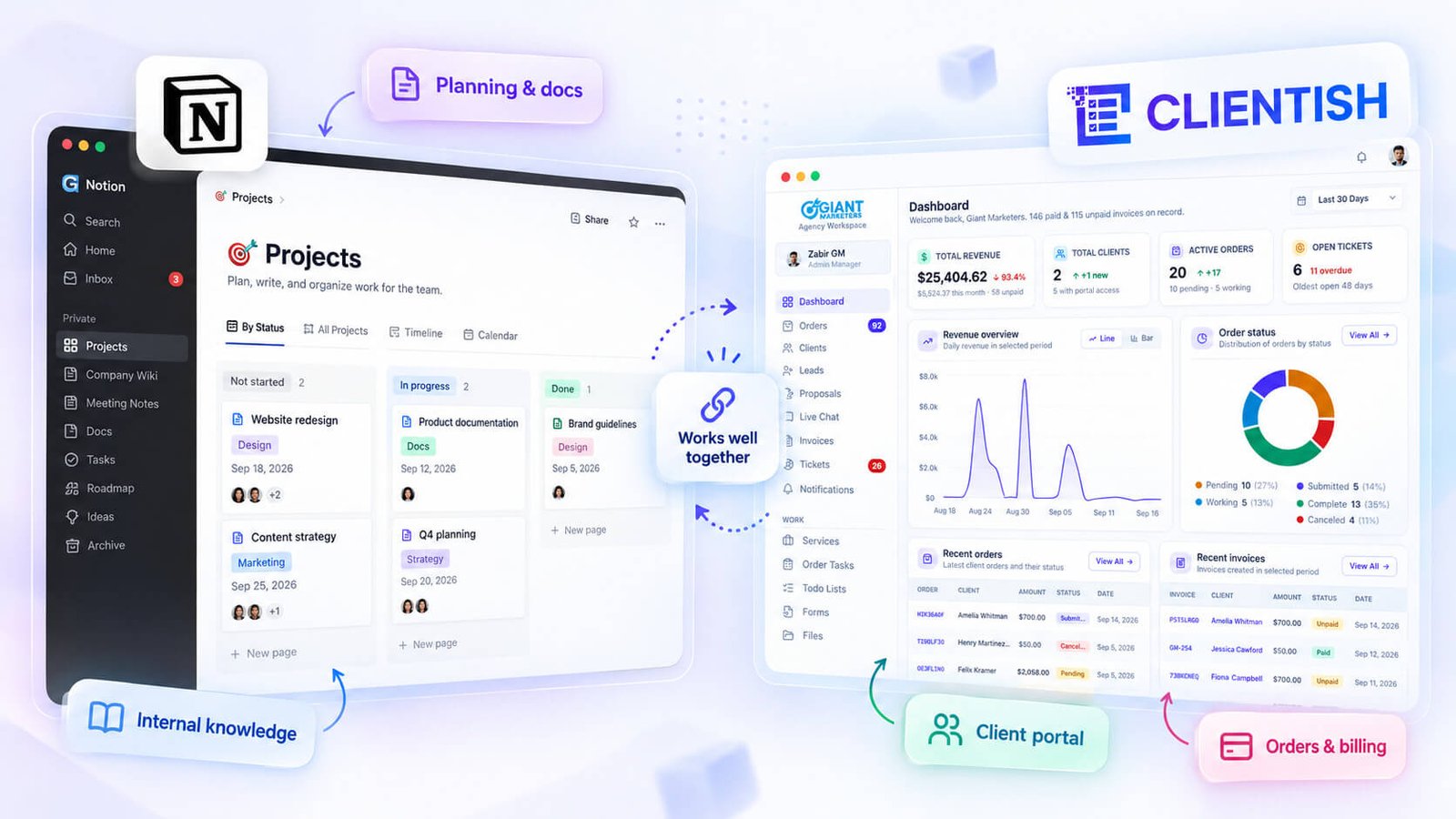
In practice, that means Notion continues to hold your SOPs, internal briefs, editorial calendars, and team documentation — the places where your own people work through ideas and processes. Clientish takes over the moment a client is involved: the branded portal they log into, the orders and tasks tracking their deliverables, the invoices they pay, and the tickets or live chat they use when something needs attention.
The two tools serve genuinely different audiences. Your team works in Notion; your clients never need to. Your clients log into Clientish; your team uses it too, but for the client-facing operations — assigning work, progressing orders through statuses, responding to support requests.
There’s no built-in integration between the two, so you’d manage them as separate systems. For most agencies, that’s not much of a burden — the overlap in daily use is minimal because the jobs they do don’t compete. A copywriter might draft in a Notion doc and then update the order status in Clientish once delivery is ready. Those are two distinct actions in two distinct contexts.
If your agency is already comfortable in Notion for internal work, there’s little reason to pull that out. Just stop stretching it into client-facing territory where it was never designed to go.
Choosing Between Notion and Clientish
Your choice comes down to where your actual friction lives.
- Choose Notion if your primary need is internal project and task management — organizing team knowledge, running editorial calendars, documenting SOPs, or tracking work that stays inside your agency. Notion handles that well without any meaningful workaround.
- Choose Clientish if your friction is on the client-facing side — you need a branded portal clients log into, a structured order pipeline from intake to delivery, invoicing with taxes and partial payments, and a support ticket system, all tied to one client record. That’s the job Clientish was built around, and it covers it without requiring you to assemble anything.
- Choose both if you want real internal depth AND a client-facing platform. Keep Notion for internal documentation, briefs, and team processes. Run Clientish for everything the client actually sees and interacts with — orders, invoices, tickets, chat, and the portal itself. Many agencies land here and it’s a practical, clean split.
A quick way to decide: open your inbox or your project board and ask what’s causing the most rework right now. If it’s your team losing context across internal projects, Notion is the right fix. If it’s clients emailing for status updates, invoices getting chased manually, or support requests falling through the gaps, that’s a client-operations problem — and Clientish is built specifically for it.
Clientish offers a 7-day free trial with full feature access, so you can test the full client workflow before committing. See current plan pricing on their site.
Frequently Asked Questions
Is Notion or Clientish better?
It depends on what you’re doing. For internal documentation, knowledge bases, and team wikis, Notion is genuinely excellent. If you’re running client-facing work — portals, invoicing, support tickets, order tracking — Clientish covers that workflow without requiring you to build it yourself.
What is the main difference between Notion and Clientish?
Notion is a flexible workspace you configure for almost any purpose. Clientish is purpose-built for service agencies: it ships with a client directory, order pipeline, invoicing, support tickets, and a branded client portal ready to use from day one.
Can I use Notion as a client portal?
Not in any native sense. Notion pages can be shared publicly, but there’s no client login, no branded subdomain, no invoice payment flow, and no support ticketing. Agencies that try it usually end up stitching together workarounds that don’t hold as client count grows.
Does Clientish do project management like Notion?
Clientish handles task management scoped to client orders — each order has checklists and sub-tasks with statuses, assignee filters, and bulk actions across all active work. It’s not a general-purpose project tool like Notion; the task layer is built specifically around client order delivery.
Why do agencies switch from Notion to Clientish?
Usually it’s a scaling problem. Notion requires manual setup for every client workflow, has no native billing or payment collection, and offers no client-facing portal. As client volume increases, the maintenance overhead of keeping Notion organised becomes its own part-time job.
Can I use Notion and Clientish together?
Yes, and many agencies do. A common split: Notion holds internal SOPs, editorial calendars, and team documentation, while Clientish runs everything client-facing — orders, invoices, support, and the client portal. The two don’t overlap much in that configuration.
Does Clientish handle invoicing and payments, and Notion doesn’t?
Clientish has a full invoicing system — line items, taxes, discounts, coupons, partial payments, refunds, and PDF download — with payment collection through Stripe, PayPal, Paddle, and several other gateways. Notion has no invoicing or payment functionality.
These questions tend to surface once an agency hits the limits of a general workspace for client work. If the answers above point toward Clientish for your situation, the 7-day free trial with full feature access is a practical way to test it against your actual workflow before committing.
Final Thoughts
Notion and Clientish aren’t really competing for the same job. Notion excels at internal knowledge management and project coordination. Clientish handles the layer that faces your clients — the portal they log into, the orders you track, the invoices you send, the tickets they raise.
Most agencies that feel the friction don’t need to abandon Notion. They need to stop asking it to do something it was never meant to do. If your internal processes are running fine in Notion but your client experience is scattered across email threads, separate invoicing tools, and shared Google Docs, that gap is exactly what Clientish is built around.
If you’re unsure whether the switch (or the addition) makes sense for your setup, Clientish offers a 7-day free trial with full feature access — enough time to run a real client through it and see whether it fits.

