
TIME TRACKING FOR AGENCIES · UPDATED OCTOBER 2026
Time Tracking for Agencies, Bill Approved Hours
Agency time tracking records the hours your team spends on each client, so people are paid fairly and clients are billed correctly. Remote members log time with a timer, you pay them from approved timesheets, and a client is invoiced only for the hours they approve in your portal. Clientish starts at $29 a month; remote members come with Growth at $49.
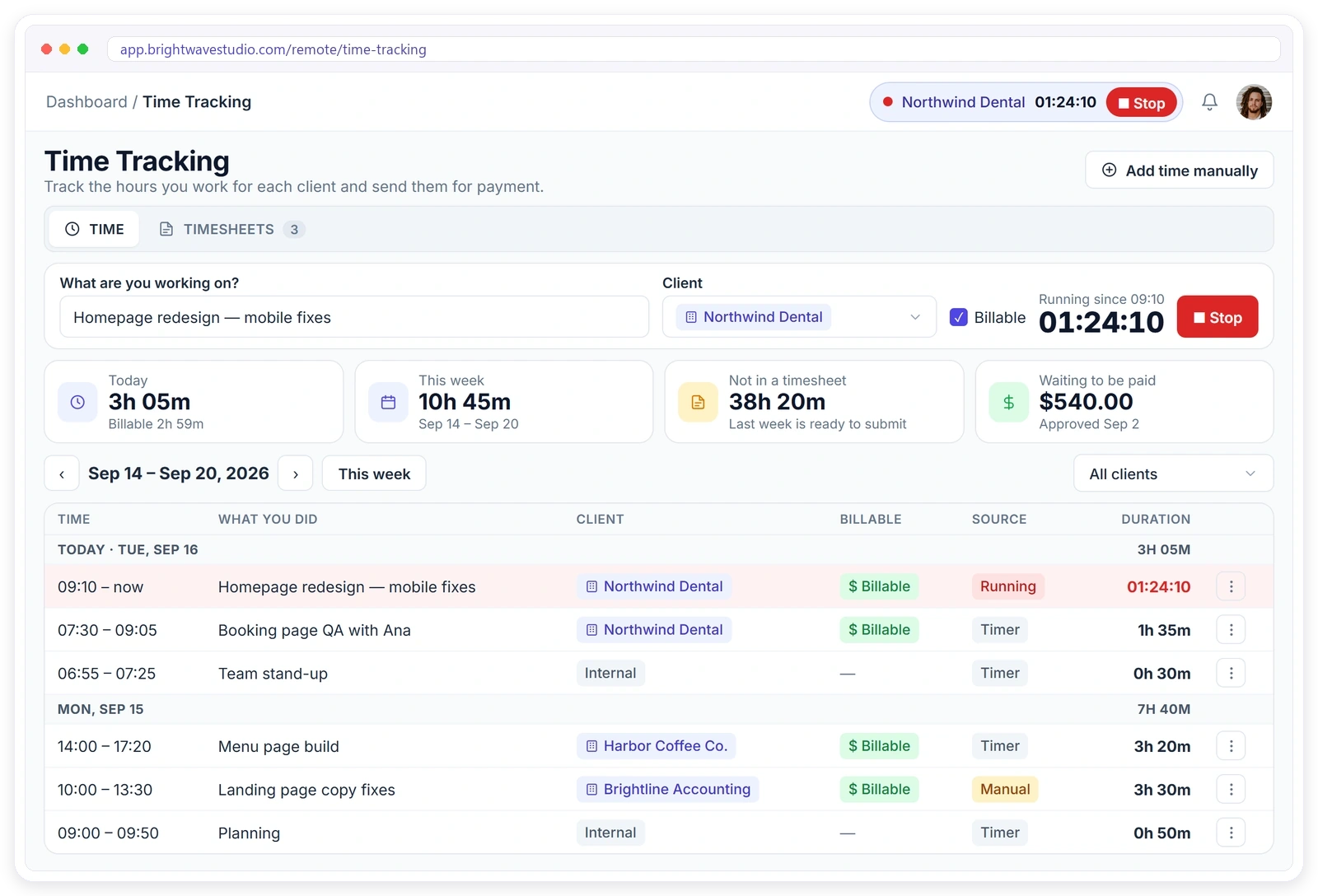
Time Tracking Built for Remote Teams
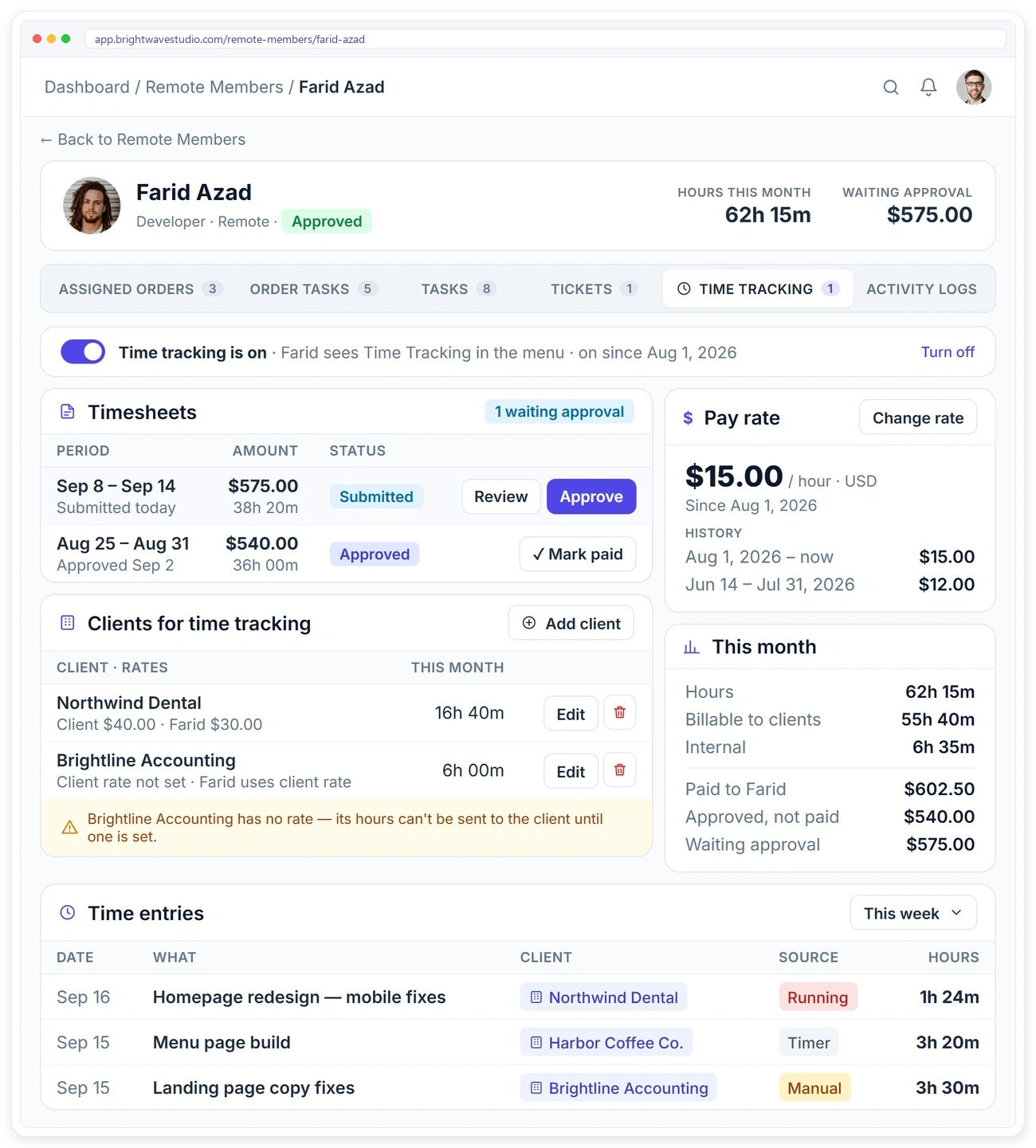
Switch it on for the remote members who need it. Each hour is logged against a client or as internal work with a short description, so you always know what was worked, for whom, and what can be billed.
How Time Tracking Works
Two separate tracks run side by side: getting your members paid for the hours they worked, and getting your clients billed for the hours they agreed to, so neither one ever waits on the other.
FOR YOUR MEMBERS
A Simple Timer in Their Own Sidebar
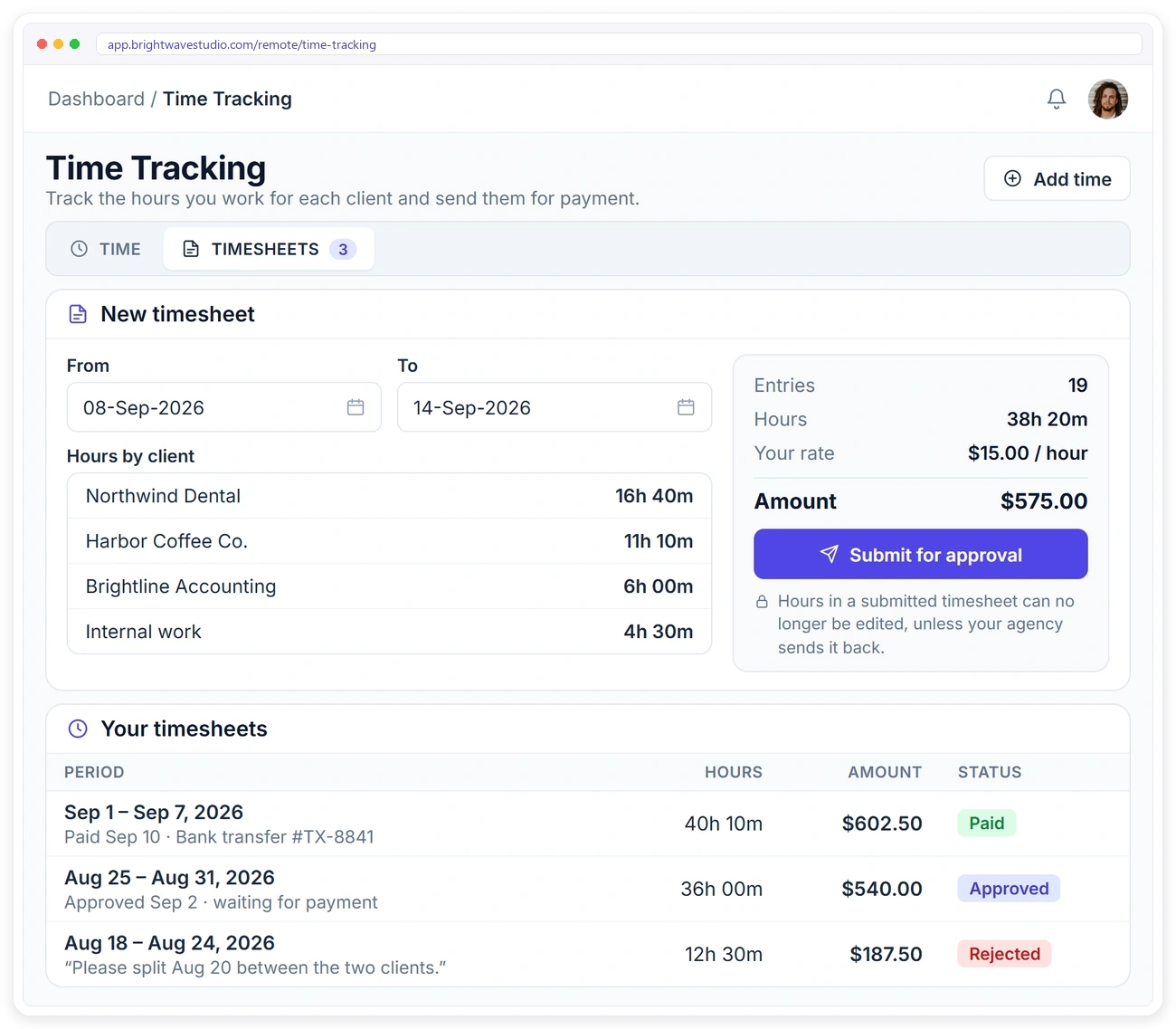
Members you switch on get a Time Tracking item in their sidebar with two tabs, Time and Timesheets. Nothing else in their dashboard changes, so tracking hours takes a few seconds and never gets in the way of the work.
CLIENT BILLING
Clients Approve Hours Before You Invoice
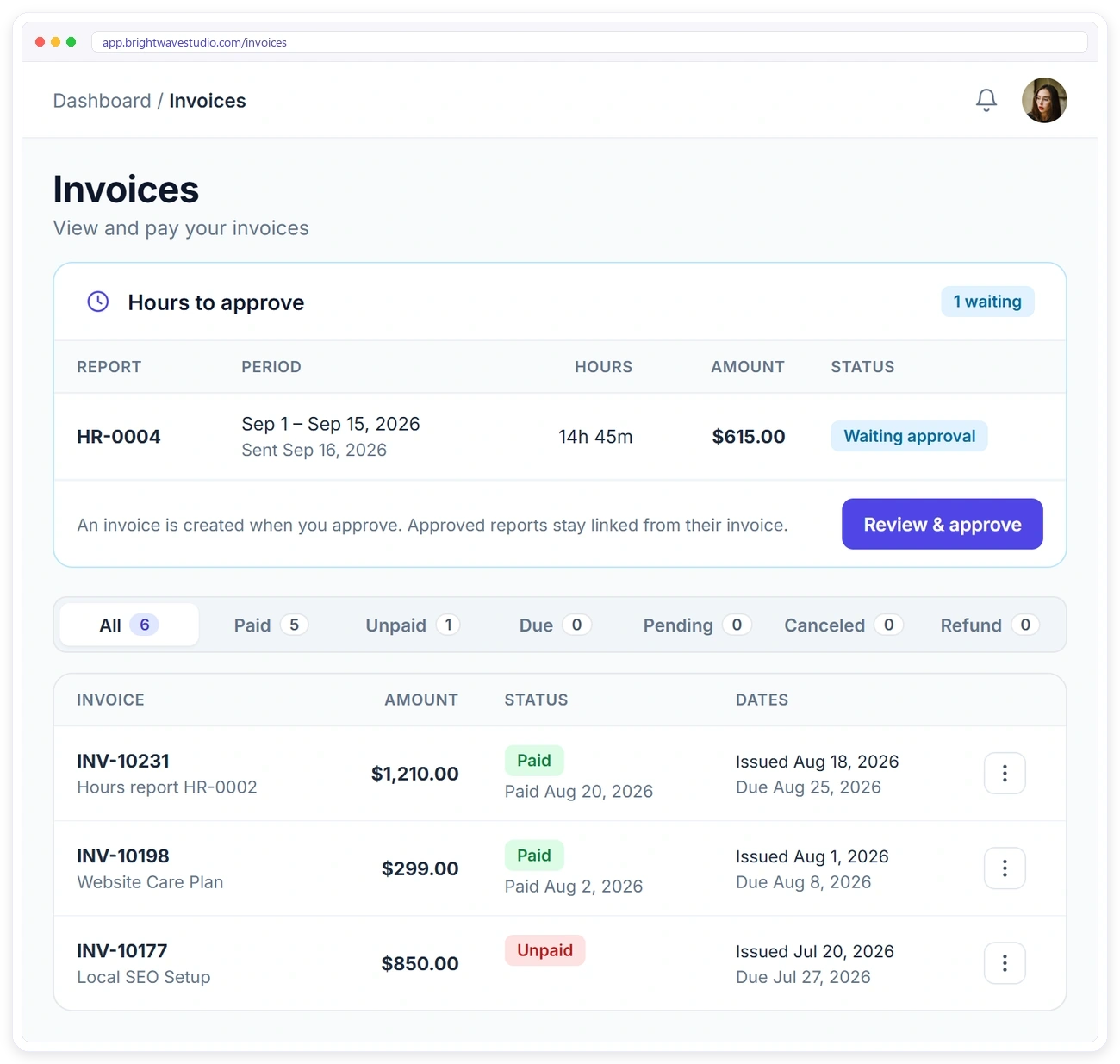
Send an hours report from the client’s profile. The client reviews it in their portal, then approves it, asks a question or unticks hours. The invoice is created only when they approve.
TIMESHEETS
Pay Members From Approved Timesheets
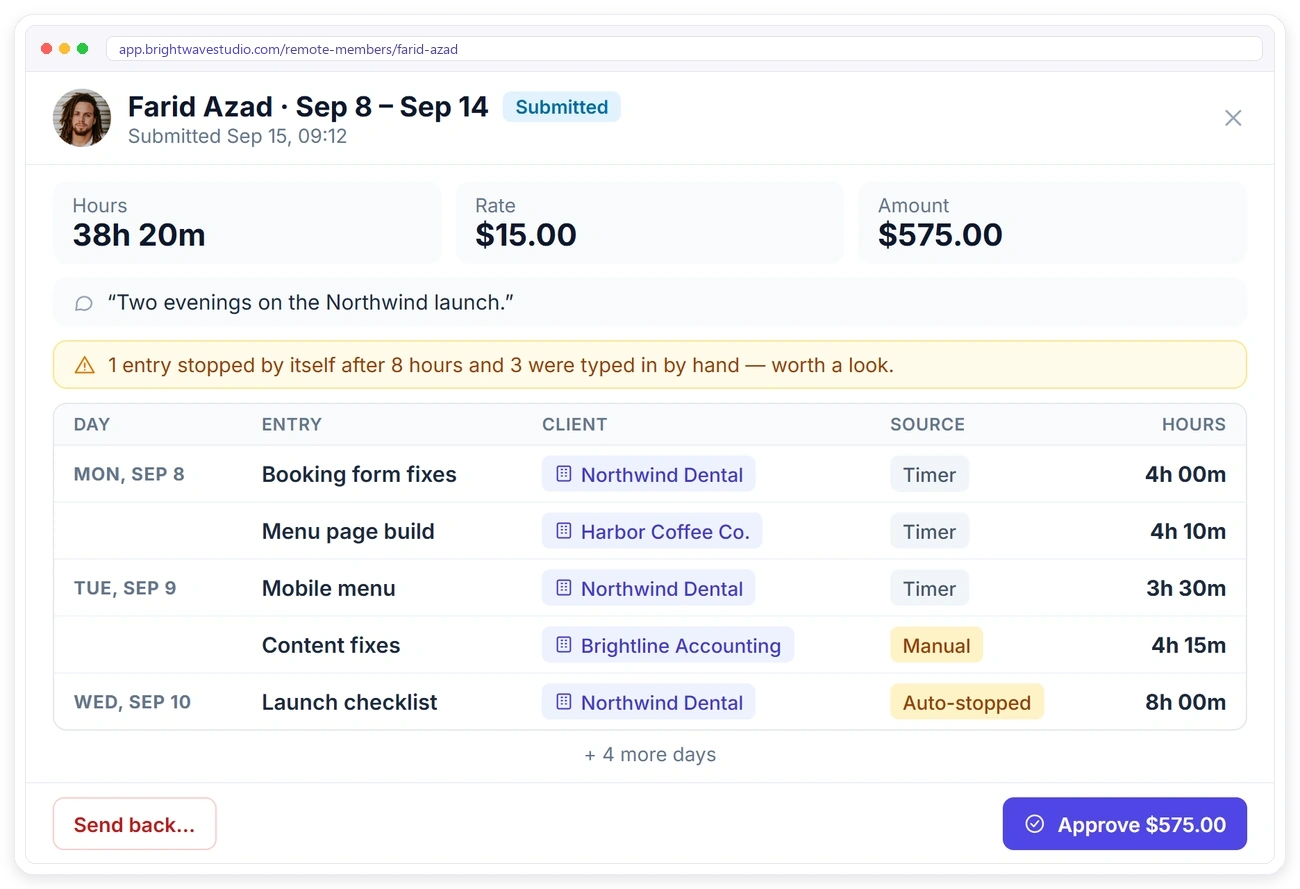
Members submit their logged time as a timesheet. You approve it, send it back, or the member withdraws it while it’s waiting. Once approved, you mark it paid.
RATES
Separate Rates for Billing and Pay
Give each client an hourly rate, override it for a particular member if you need to, and set each member’s own pay rate. Every rate has a start date.
REPORTS
See Hours, Billing and Margin Together
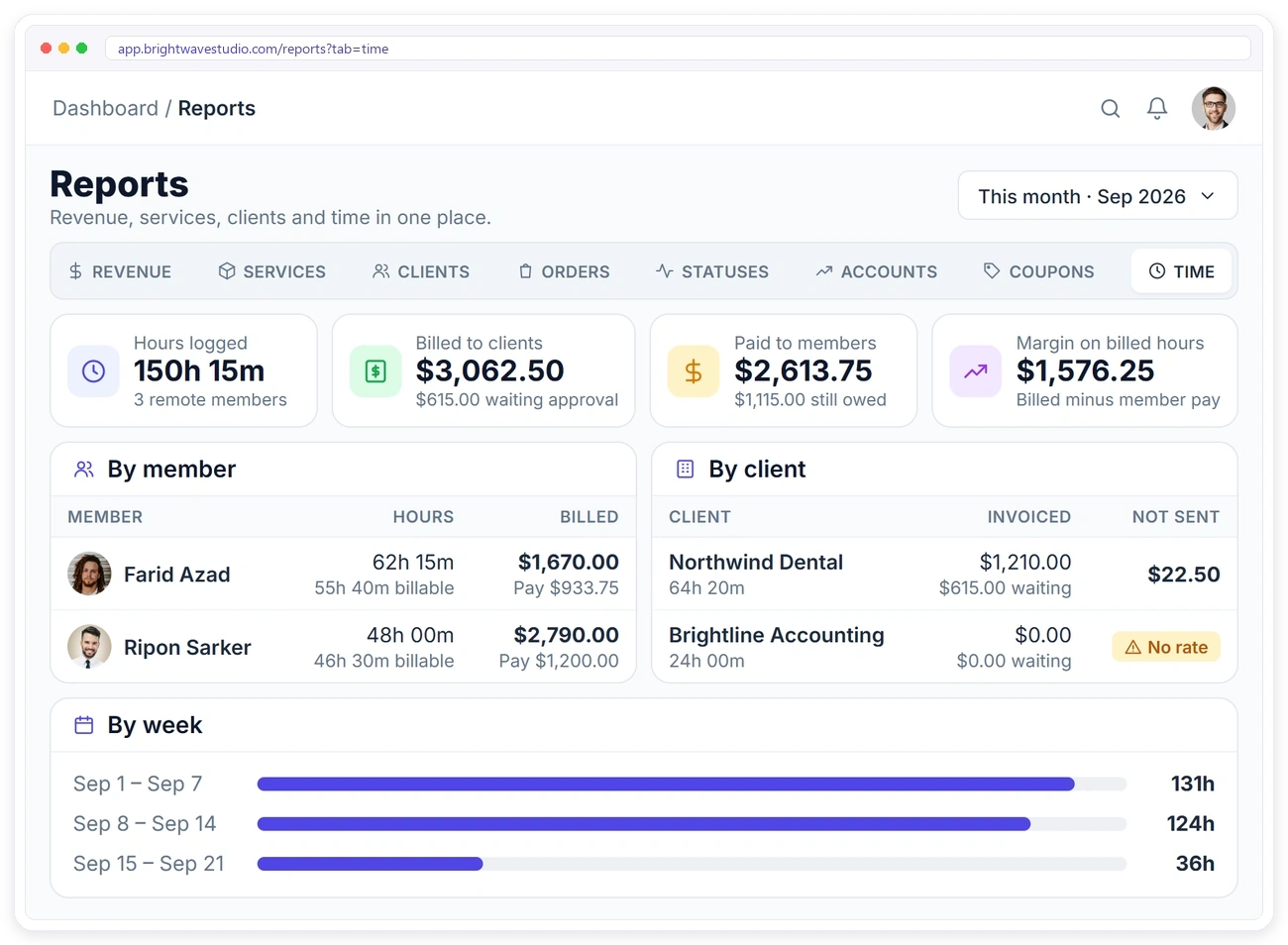
The Time report shows hours logged, what was billed to clients, what was paid to members, and the margin between them, so you can see which clients and which members make the hourly work worth doing.
Rules That Keep Timesheets Accurate
Simple rules are built in so the hours you bill and the hours you pay are the hours that were really worked, without you checking every entry by hand or chasing members about a forgotten timer.
Time Tracking for Agencies FAQ
Straight answers about agency time tracking: billable hours, client approval, paying remote members and what it costs.
What is agency time tracking?
It is recording the hours your team spends on each client, so you can see what the work really takes, pay people for their time and bill clients for the hours they owe. Here it covers remote members, with pay and client billing kept as two separate tracks.
What is the difference between billable and non-billable hours?
Billable hours are client work you can charge for. Non-billable hours are everything else: planning, admin, internal meetings. Members log the second kind as Internal work, which is paid but never sent to a client.
How do clients approve hours before they are invoiced?
You send an hours report from the client’s profile. The client sees it under Hours to approve in their portal, then approves it, asks a question or unticks hours. The invoice is created only once they approve, which heads off billing disputes.
Who can use the timer?
Remote members you switch it on for. Each member gets a Time Tracking item in their own sidebar.
Is time tracked against orders or tasks?
No. Time is logged against a client or as internal work, with a short description.
Can members add time by hand?
Yes. A manual entry can be up to 24 hours, can’t overlap another entry, and is marked as manual so you can see it wasn’t timed.
What if someone forgets to stop the timer?
A timer that’s left running stops itself after 8 hours and the entry is marked as auto-stopped.
When is the client invoiced?
Only when the client approves the hours report in their portal. The invoice then has one line per member and rate.
Can members see what clients are billed?
No. Members never see billing rates, and without the “See own pay” permission they don’t see pay amounts either.
Does it take screenshots or watch members’ screens?
No. There are no screenshots, activity levels or location tracking. Hand-typed entries are labelled, timers stop themselves after 8 hours, and you review every timesheet before it is approved.
How much does time tracking cost?
It is part of every Clientish plan, but it runs for remote members, and those start on Growth at $49 a month with 5 remote members; Clientish itself starts at $29. Pricing is per agency, not per tracked user, and the 14-day free trial includes it.
Bill the hours your clients approve.
Turn the timer on for your remote members, pay them from approved timesheets and send each client an hours report to approve in your portal before it becomes an invoice. Try it with example data first.
- A client or Internal label
- A billing rate and a pay rate
- A place on a timesheet
- Client approval before the invoice
- A line on the Time report
- No screenshots, ever