
AUTOMATED CLIENT ONBOARDING · UPDATED OCTOBER 2026
Automated Client Onboarding With Intake Forms
Automated client onboarding means every new client gets the same welcome, the same questions and the same reminders without anyone on your team chasing them. Attach an intake form to a service: once the order is paid, the client gets an onboarding email with a link to the form, reminders follow until it is in, and work starts with the full brief. From $29 a month.
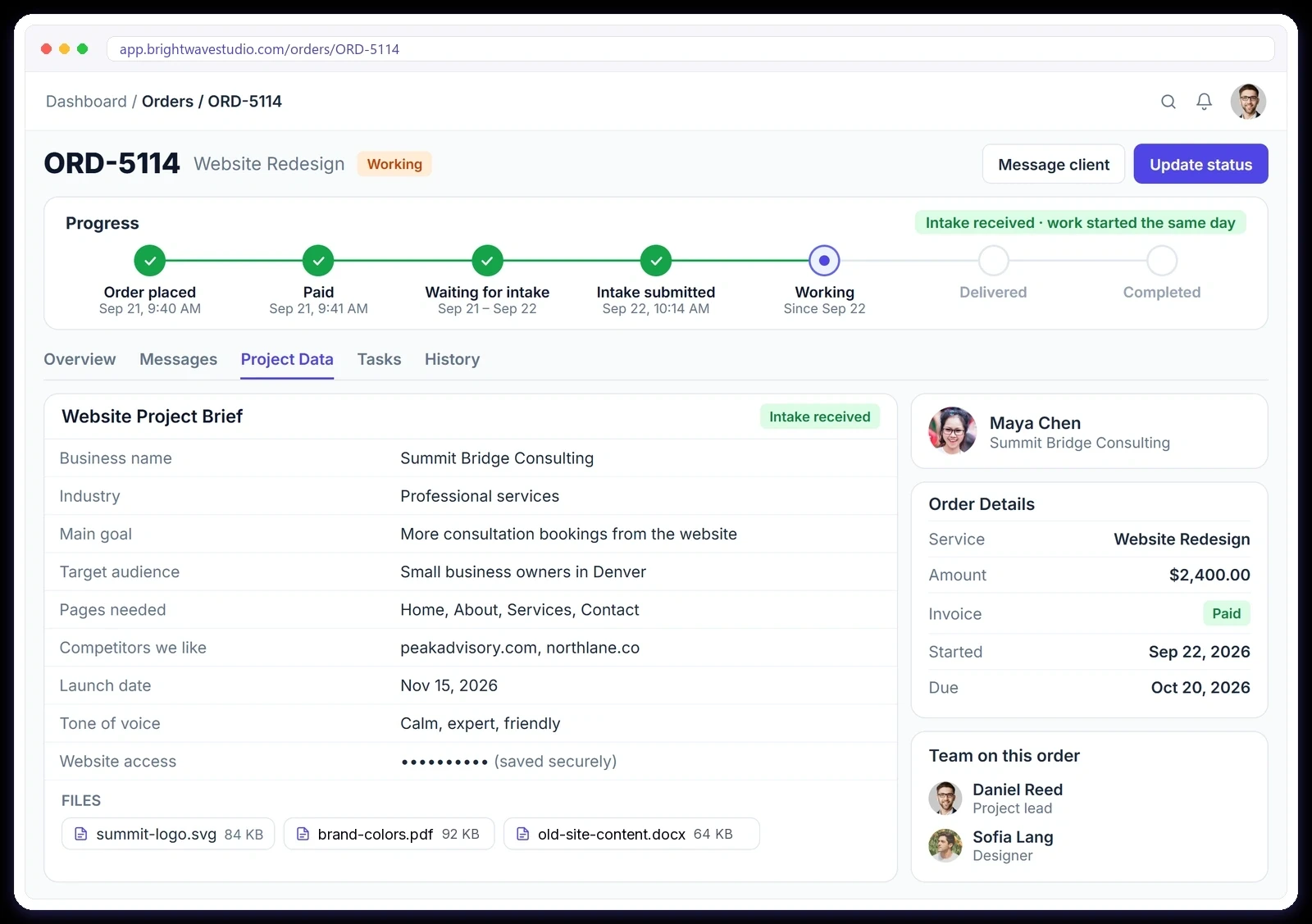
Why Agencies Automate Client Onboarding
Chasing a new client for their brief, logins and logo over email eats the first week of a project. With an intake form on the service, the brief arrives with the order, in one place, and your team can start on day one.
What Runs On Its Own
Once an intake form is attached to a service, these onboarding steps happen for every order without anyone on your team sending a reminder, so new clients move from paid to working faster and nothing depends on memory.
How Automated Onboarding Works
Set it up once per service and every new order follows the same path, from the first payment to a complete brief on the order, so onboarding looks the same whichever team member sold the work.
PER SERVICE
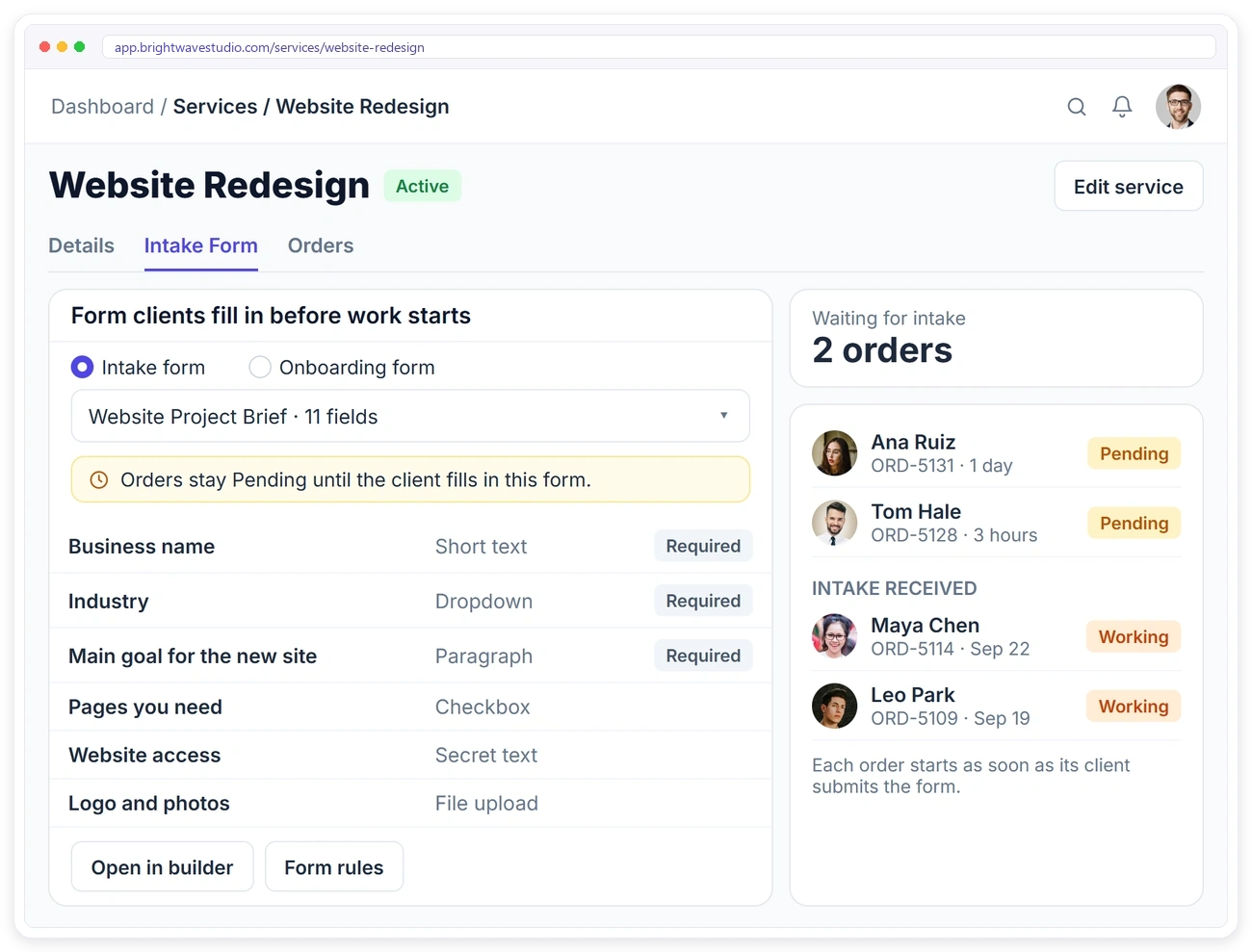
Attach the Right Form to Each Service
Open a service, pick its intake or onboarding form, and every order for that service asks for it. You can see which orders are still waiting for their brief and which clients have already sent everything.
CLIENT PORTAL
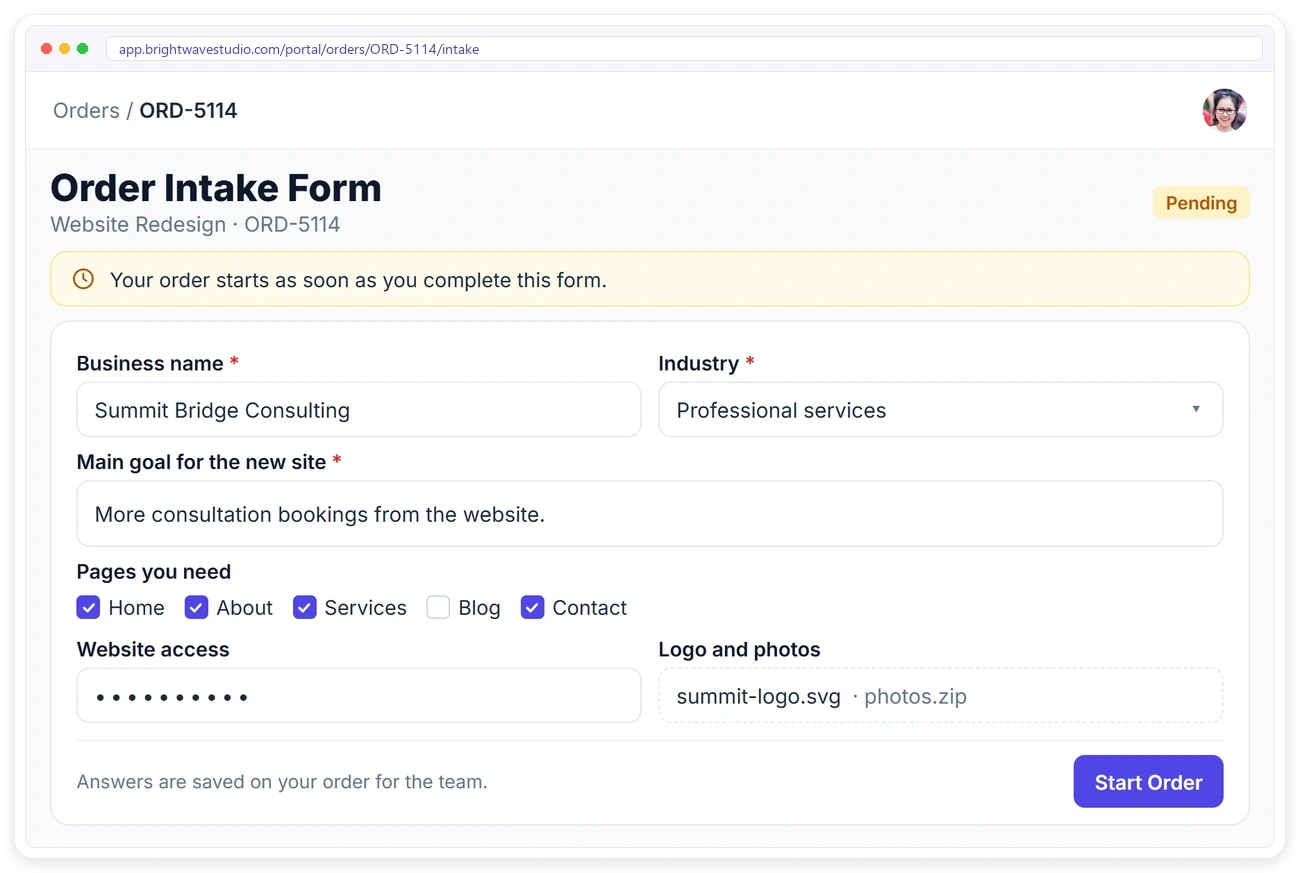
Clients Fill It In From Their Portal
Right after ordering, the client sees the intake form in their portal with a clear note that the order starts once it is complete. They can go back and update their answers while the order is still Pending.
INTAKE TEMPLATES
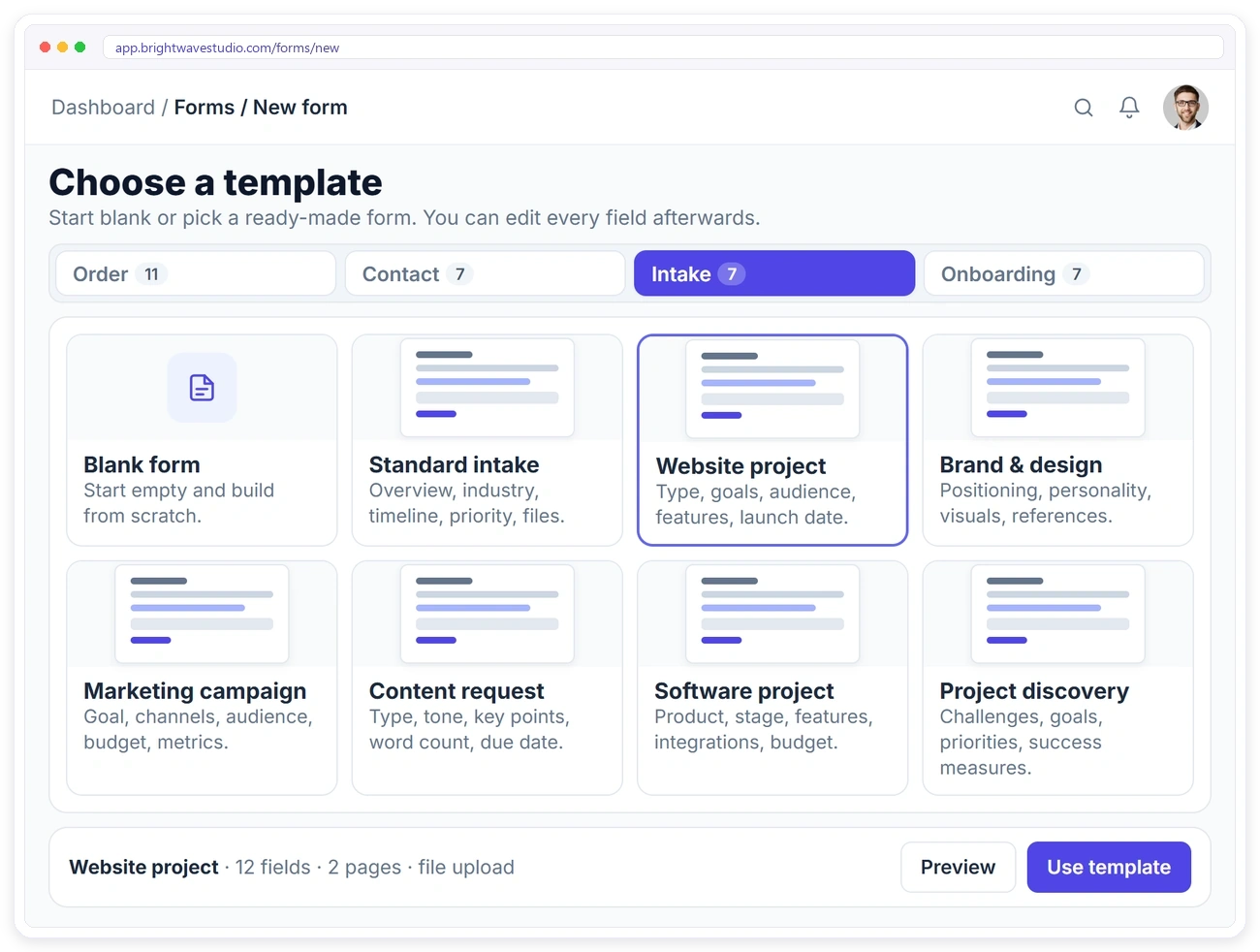
7 Intake Templates, Ready to Use
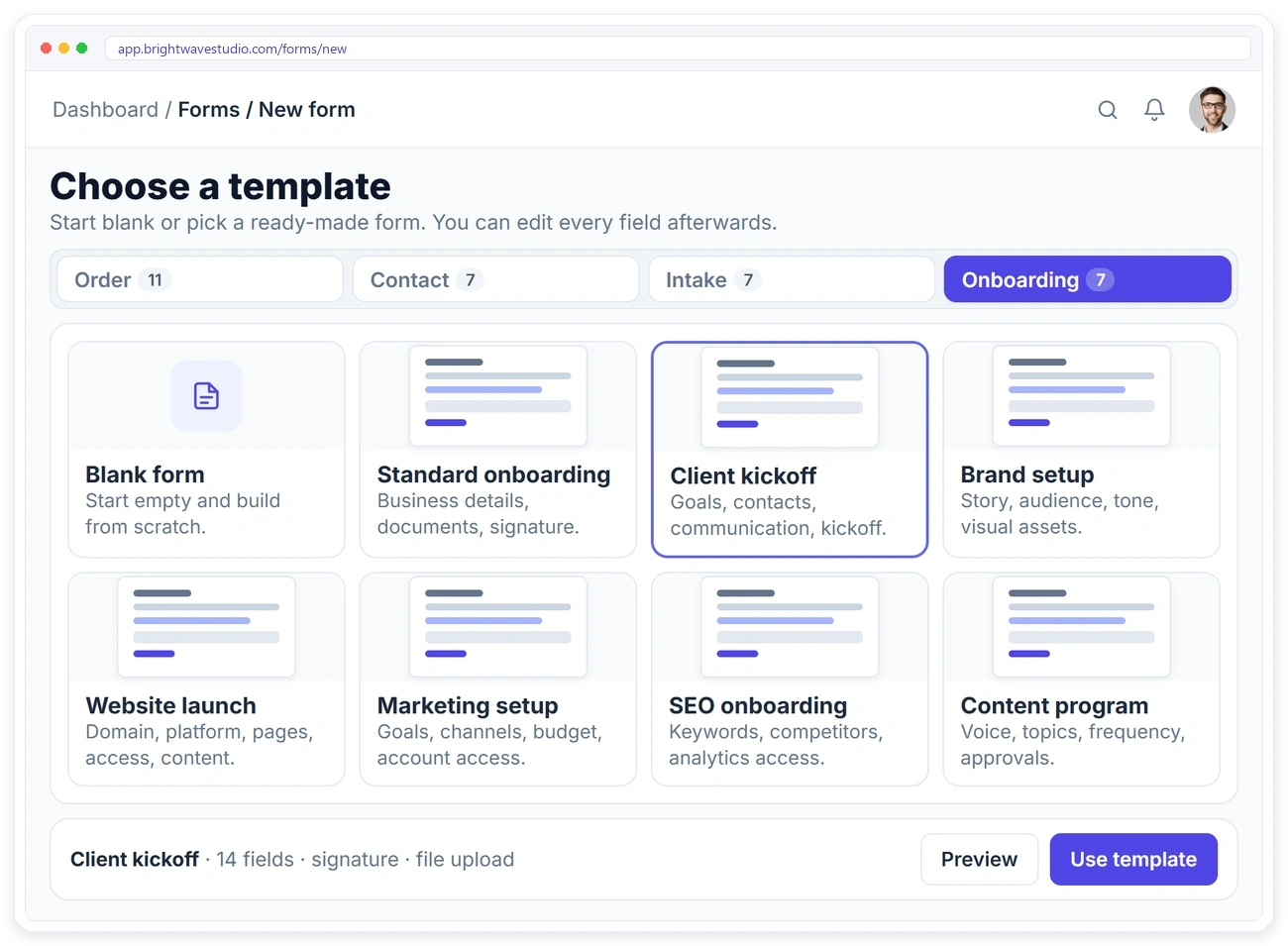
Start from a template built for the work you sell, then change any question: a standard intake, a website project, brand and design, a marketing campaign, a content request, a software project or project discovery.
ONBOARDING FORMS
Onboard New Clients the Same Way
Use an onboarding form when you need logins, brand files and kickoff details rather than a project brief. Seven onboarding templates cover the usual agency setups, from a client kickoff to SEO and website launches.
SMART QUESTIONS
Ask Only What Matters
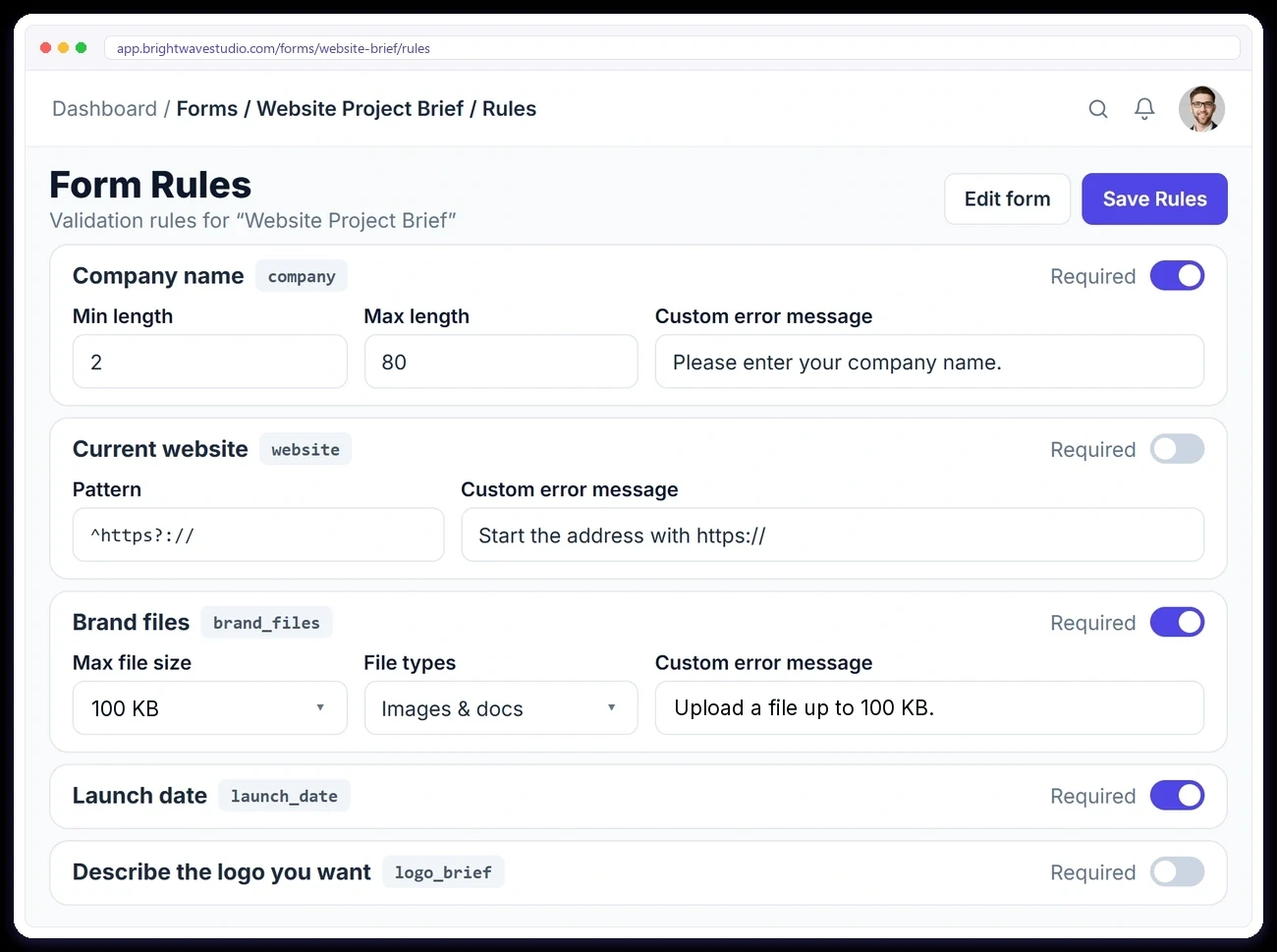
Show follow-up questions only when they apply, split long briefs into pages and set rules so answers arrive complete: required fields, length limits, patterns and file size limits up to 100 KB per file.
Automated Client Onboarding FAQ
Straight answers about automating client onboarding with intake forms: what to ask, reminders, alerts, logins and what it costs.
What is automated client onboarding?
It is onboarding that runs the same way for every new client without someone on your team remembering each step: the welcome email goes out when the order is paid, the intake form asks your questions, reminders follow on their own and the brief lands on the order.
What is a client intake form?
A client intake form collects the information you need before a project starts: goals, audience, content, logins and files. Attached to a service, it means every order for that service comes with a complete brief instead of a thread of emails.
What should an agency intake form include?
Most agencies ask for the business name, goals, target audience, examples they like, deadlines, access to existing accounts and brand files. The intake templates already hold these questions for websites, branding, marketing, content and software projects, ready to edit.
What is the difference between client intake and client onboarding?
Intake is the project brief: what the client wants built and why. Onboarding is everything needed to start working together: logins, contacts, brand assets and kickoff details. Either form can sit on a service, so you choose which one each kind of work needs.
Do clients get reminded to fill in the form?
Yes. A client whose paid order is still waiting on its intake form gets a reminder email on day 1, 3 and 7, once each, and the reminders stop as soon as the form is in. You can switch them off in Settings.
Does my team know when the brief arrives?
Yes. When the client submits the form, the people on the order get a bell notification and an email, so nobody has to keep checking whether the brief has come in.
Do clients need to log in to fill in the intake form?
No. The onboarding email carries a private link to that order’s form, which opens without a password while the order is waiting. Clients who prefer can also fill it in from their client portal.
Can clients change their answers?
Yes, while the order is still Pending they can update the intake form from their portal, and the latest answers are what your team sees on the order.
How much does automated client onboarding cost?
Intake and onboarding forms, the onboarding email and the reminders are included in every Clientish plan, from $29 a month with 5 team members. Try it for 14 days first; no credit card is needed to start.
Get the brief before the work starts.
Attach an intake form to a service and let the onboarding email, the reminders and the alert do the chasing, so every order reaches your team complete. Try it with example data first.
- An onboarding email once it is paid
- A login-free link to the form
- Reminders on day 1, 3 and 7
- A bell and email when it is in
- The brief saved on the order
- Your logo and colours throughout