
AGENCY PROJECT MANAGEMENT · UPDATED OCTOBER 2026
Agency Project Management, From Order to Delivery
Agency project management keeps client work moving from the moment a client orders to the day they approve the delivery. Every project runs as an order with its invoice, brief, team, tasks and messages on one page, and clients follow the progress from their own portal. From $29 a month.
From First Order to Happy Client
Every order moves through the same six steps, and both your team and your client can see which step it is on.
- 01
Order In
Forms, proposals, leads
- 02
Brief
Intake and project data
- 03
Assign
Team, tasks, due date
- 04
Work
Tasks, time, messages
- 05
Deliver
Files and client approval
- 06
Revise & Rate
Revisions, rating, reorder
From Scattered Tools to One Order Page
Orders in your inbox, status in a spreadsheet, tasks in another app and files in shared links, replaced by one page per order that your team and your client both use.
 Clientish OrdersOne workspace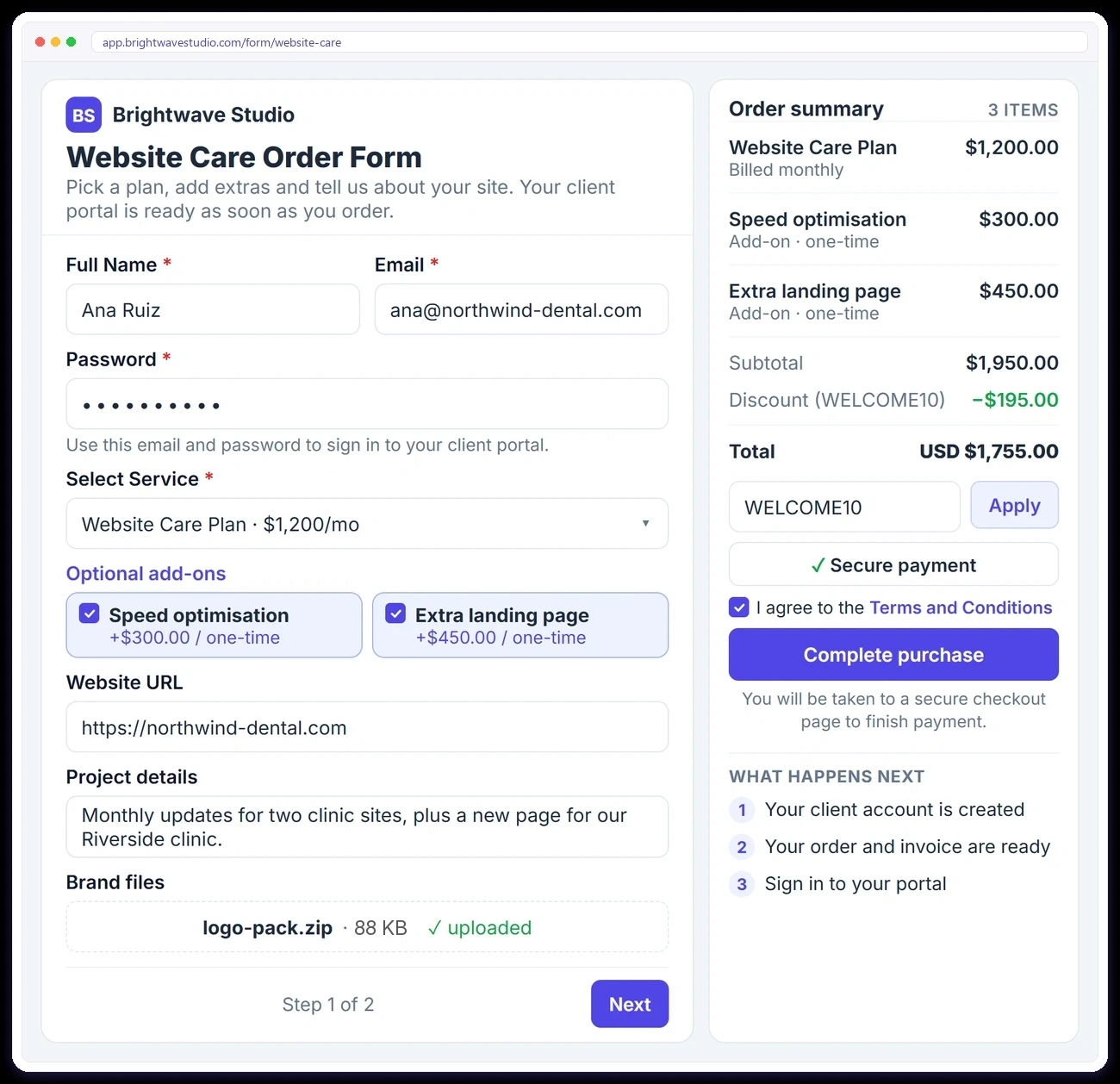
ORDERS COME IN
Every Order Lands Ready to Work On
Orders arrive from your order forms, accepted proposals and converted leads, or you add them yourself when a client orders by email, phone or in person. Each order gets its invoice straight away, add-ons and discounts included, and the client’s brief and files are attached before your team starts.
ORDER TRACKING
Track Every Order the Way You Work
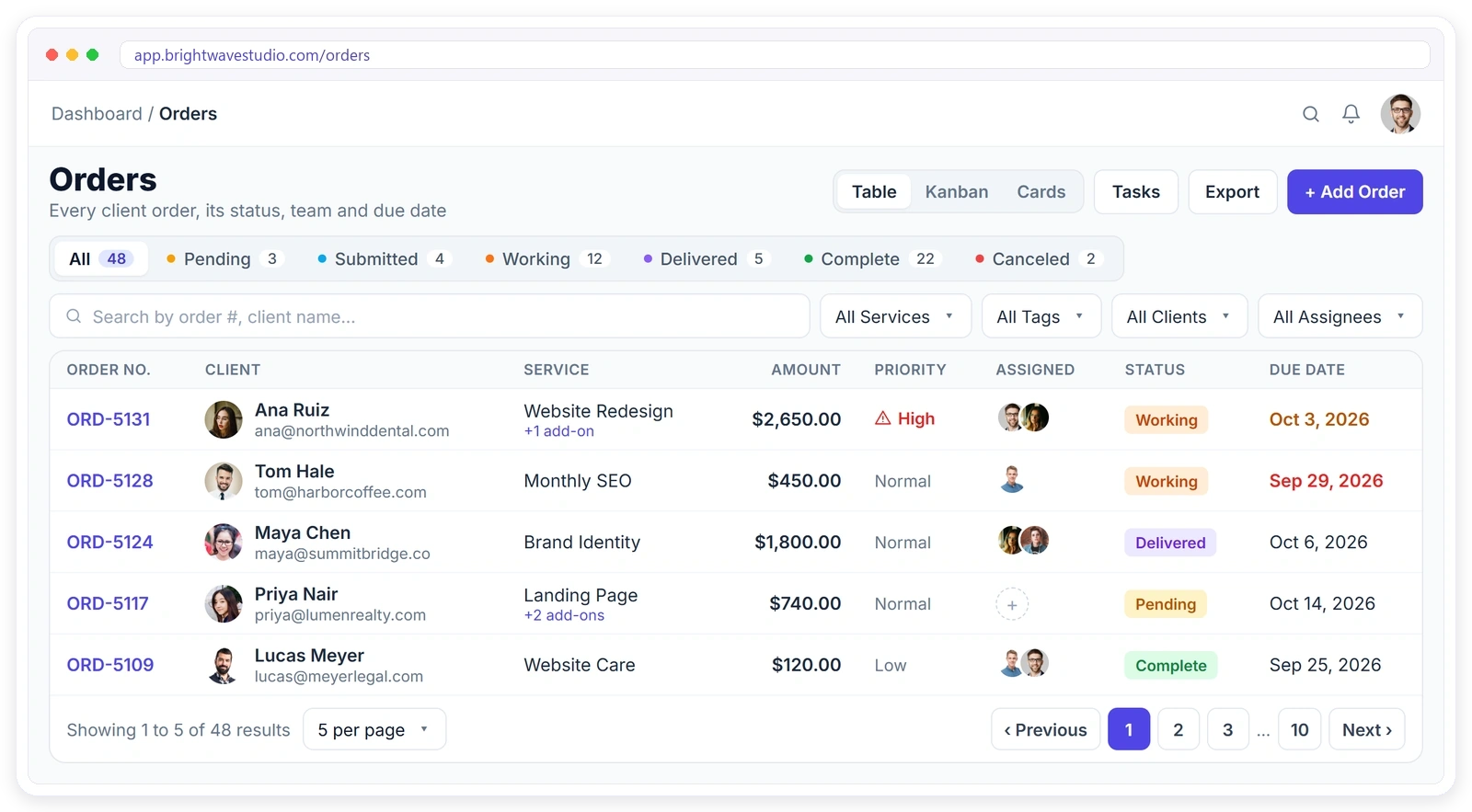
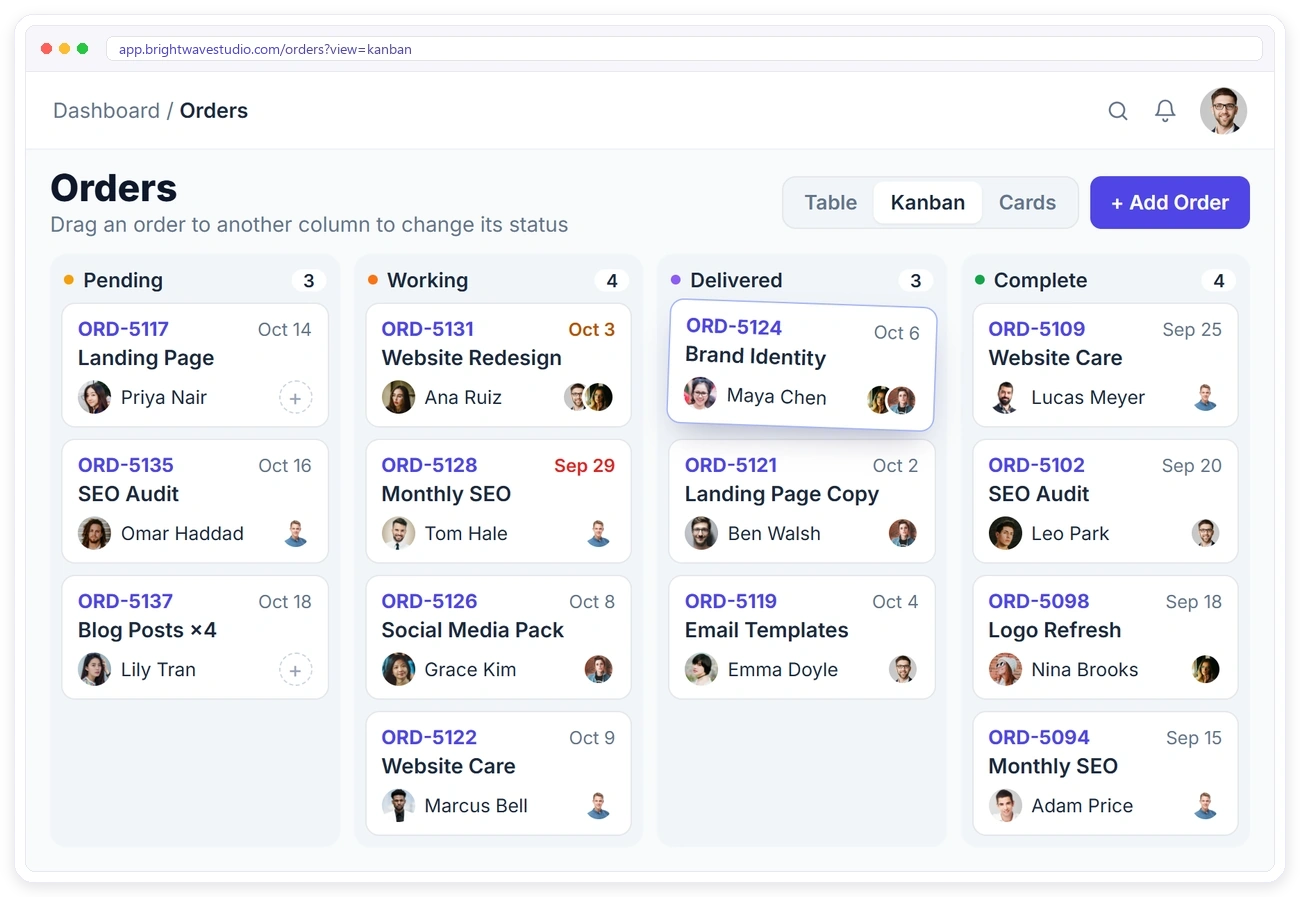
Switch between a table, a Kanban board and cards, whichever suits the job. Status tabs show how many orders sit in each step, filters narrow the list by service, tag, client or team member, and due dates turn amber three days before and red once they are missed.
ORDER PROGRESS
Know Where Every Order Stands
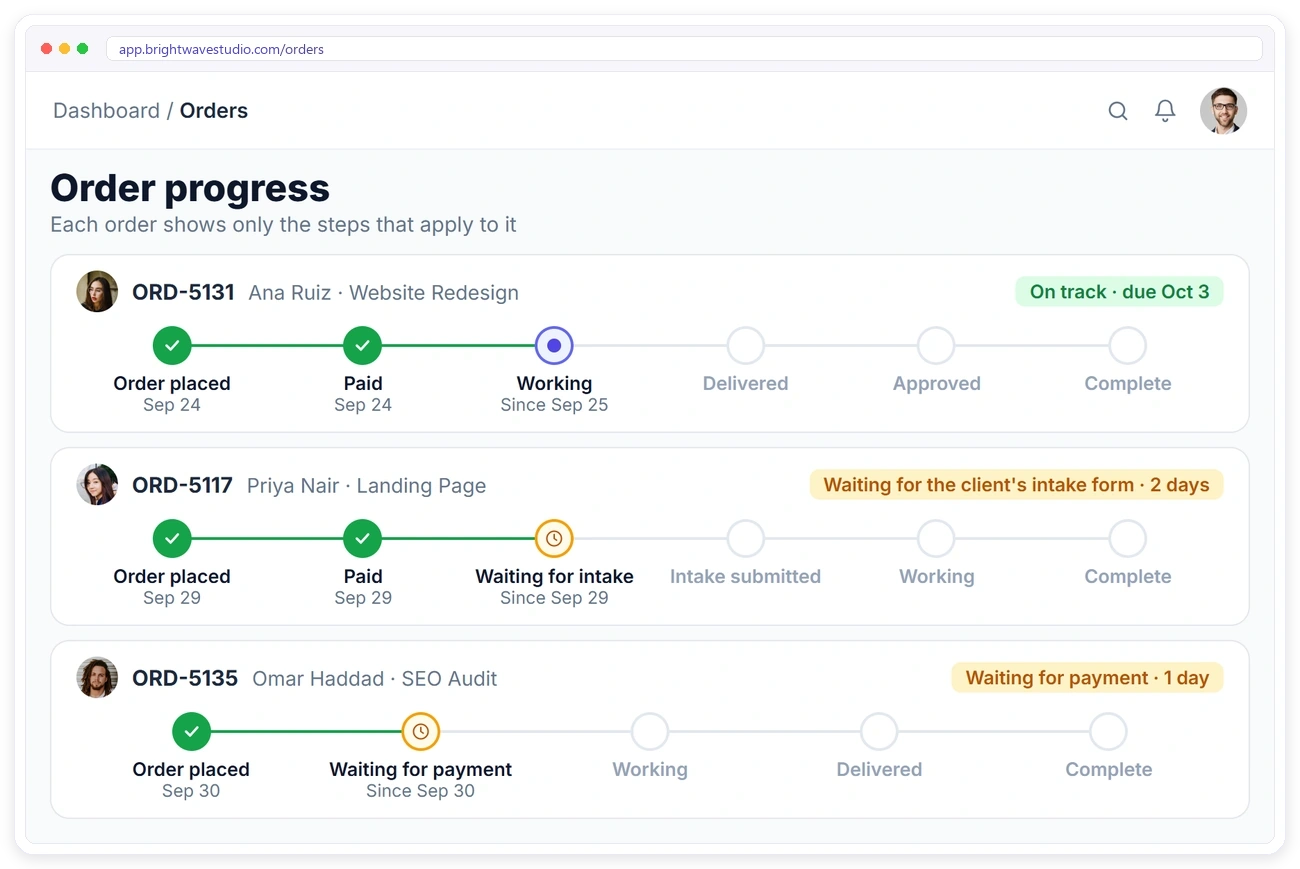
Each order shows a progress timeline with only the steps that apply to it. Orders with an intake form show the wait for the brief, unpaid orders show the wait for payment, and your own statuses fill the steps in between. The timeline moves on by itself as the client pays, sends the brief and the work is delivered.
THE ORDER PAGE
Everything About the Order on One Page
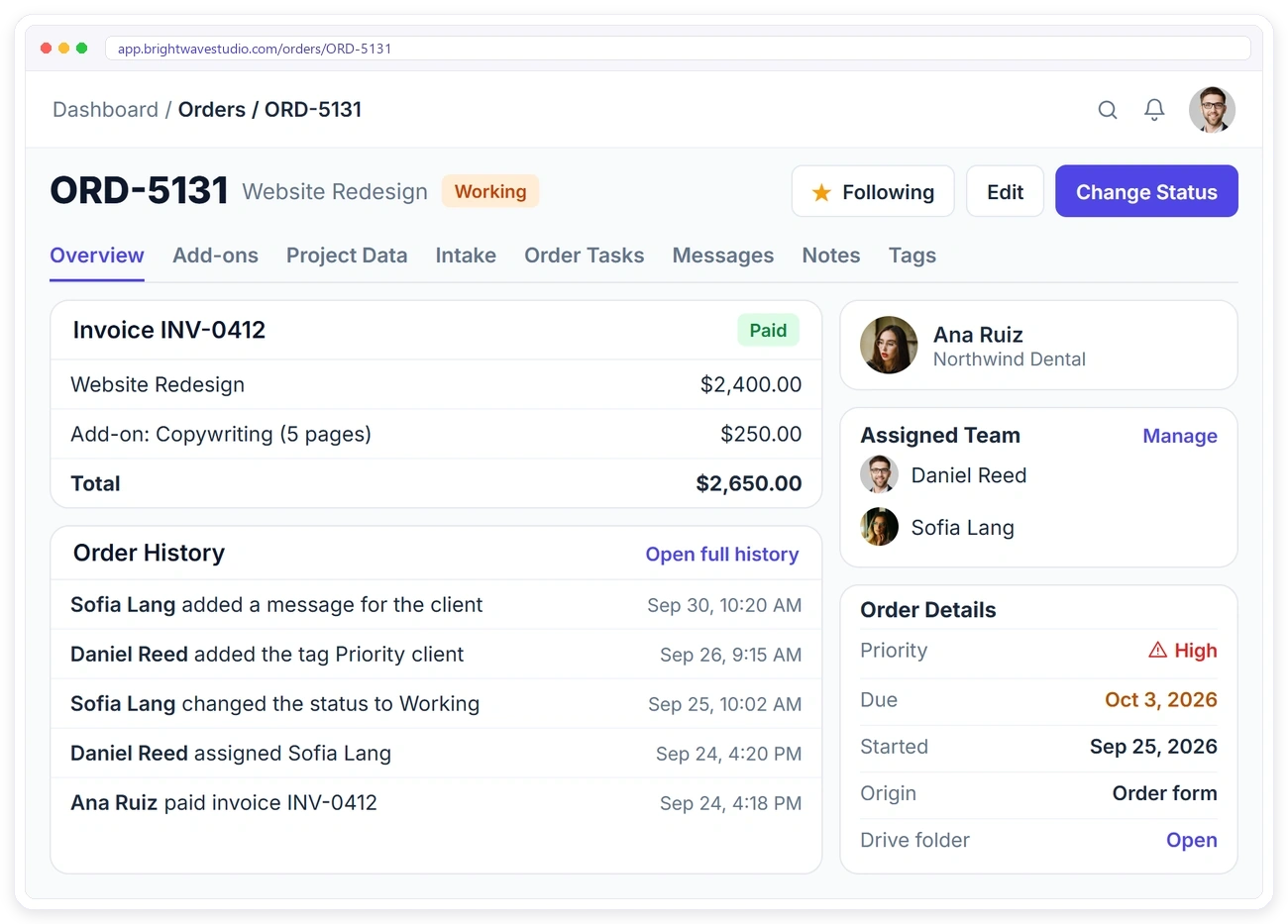
Open an order to see the invoice, the client, the assigned team, priority, due date and Google Drive folder. Tabs hold the add-ons, project data, intake answers, tasks, messages, internal notes and tags, and Order History records every change and who made it.
BRIEF & PROJECT DATA
Keep the Brief With the Order
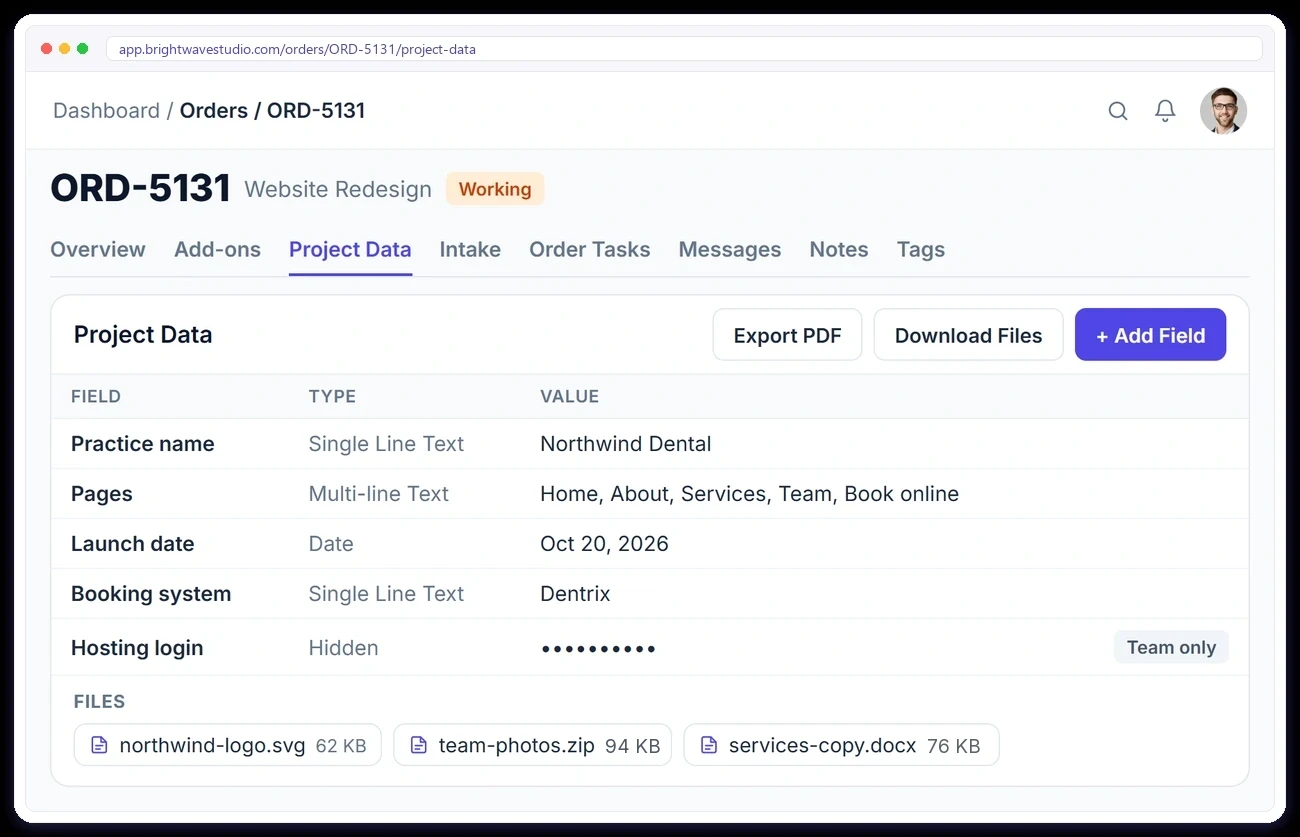
The client’s intake answers and files sit on the order, next to project data your team adds as the work goes on, such as keywords, page lists or logins. Mark a field Hidden to keep it for your team only, export everything as a PDF or download every file at once.
ORDER TASKS
Split the Work Into Tasks
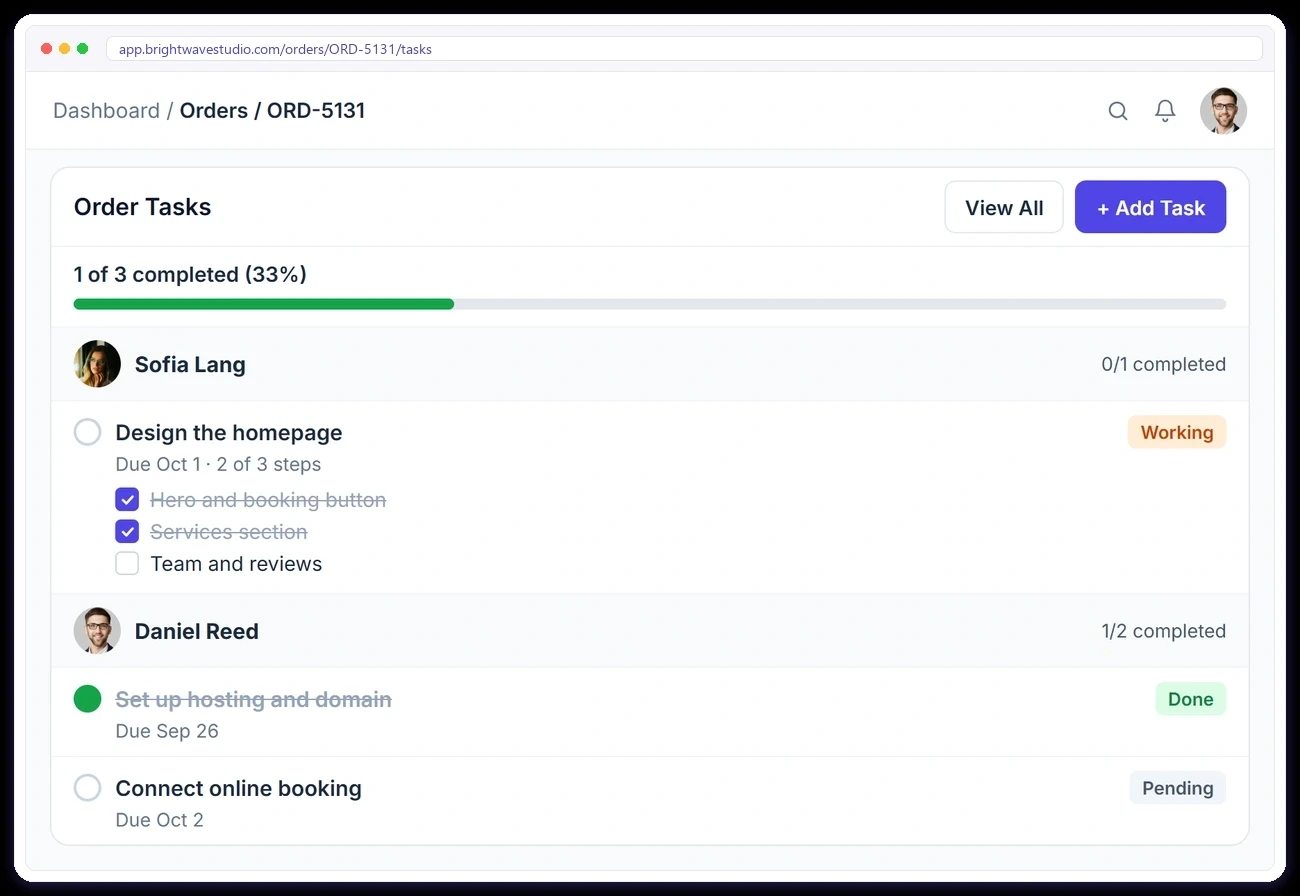
Break each order into tasks with due dates, give them to one or more people and check off the steps inside each task. Watch the progress bar fill up as the work gets done, and let a service bring its own task list so every new order starts with it. Remote members log their hours per client in time tracking.
ORDER MESSAGES
Talk to the Client and Your Team on the Order
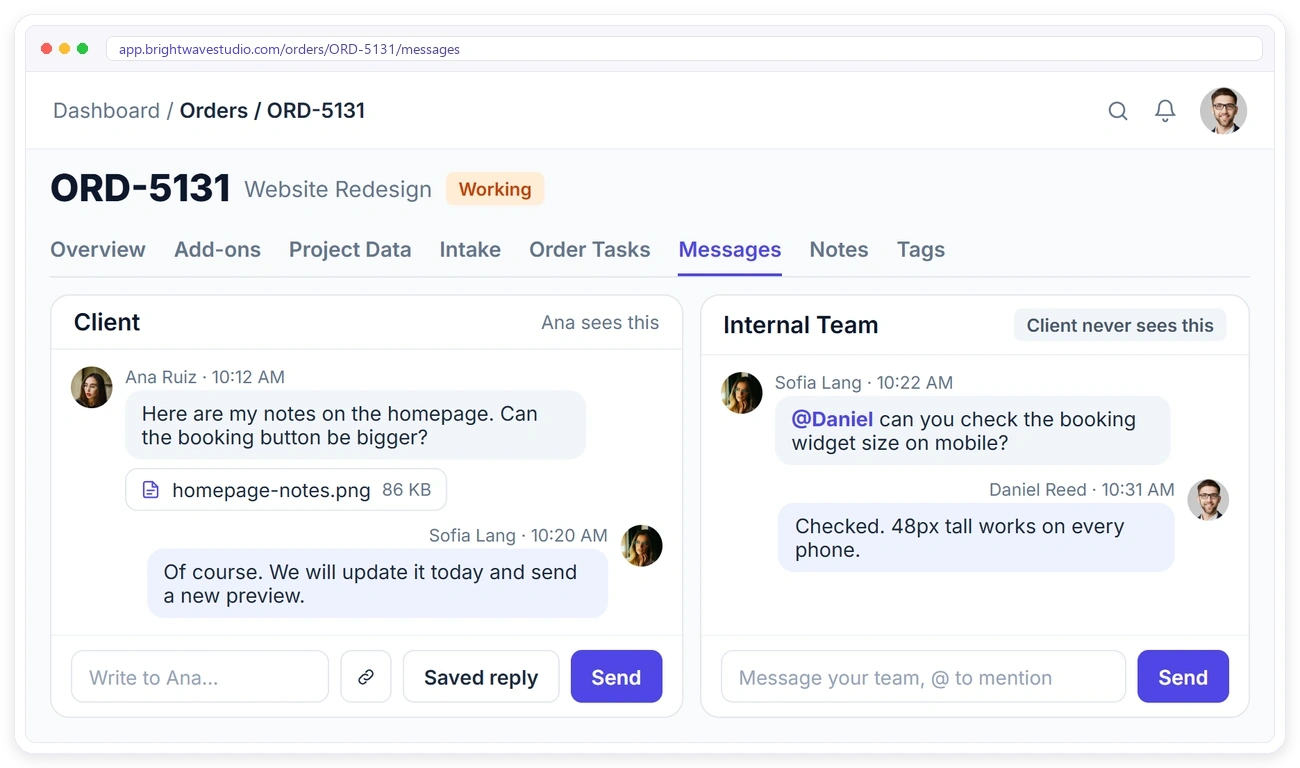
Every order has two conversations: one with the client and one only your team sees. Clients send notes and files right on the order instead of email, your team mentions each other with @ (or talks in Team Messenger), and every message stays next to the work it is about.
DELIVERY & APPROVAL
Clients Approve the Work in Their Portal
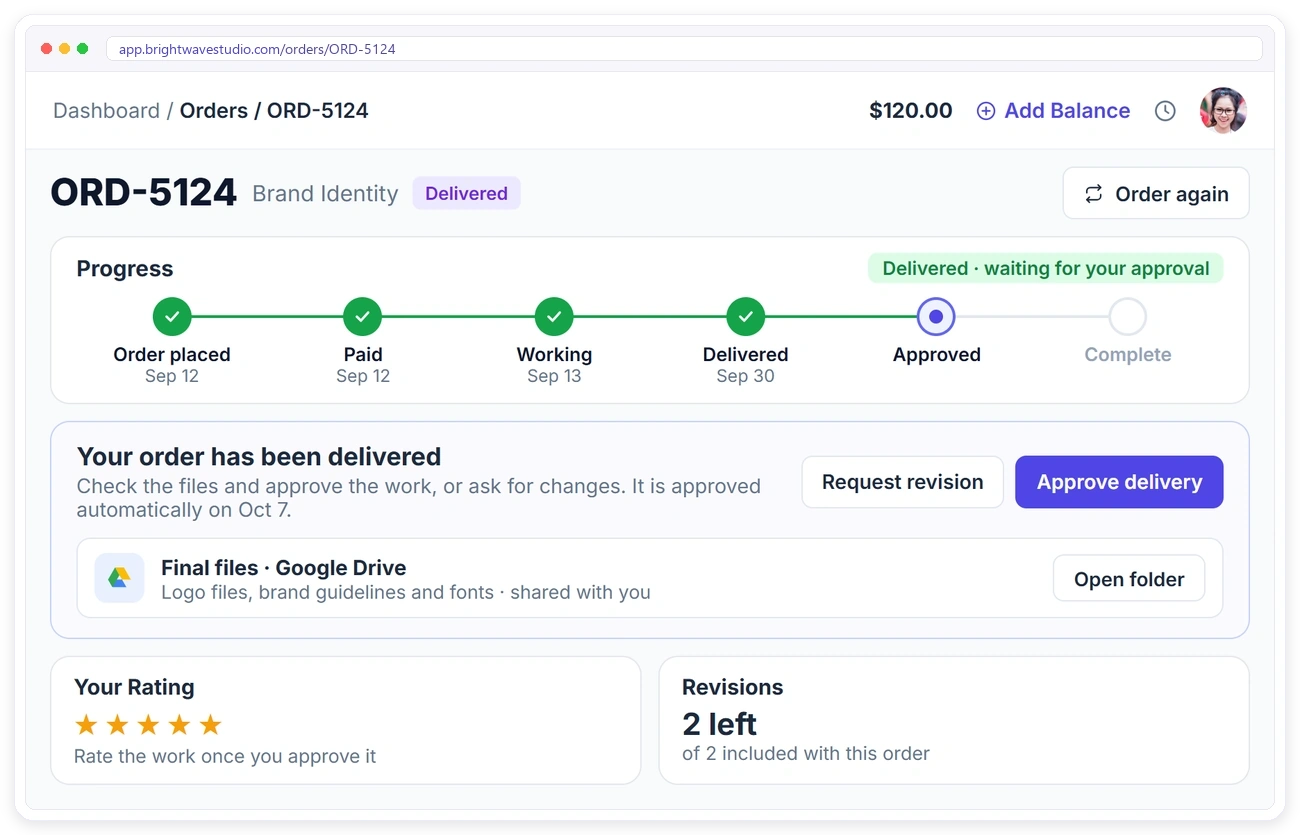
When you deliver, the order moves to Delivered and the client checks the files in their client portal, then approves the work or asks for a revision. If they don’t answer, the order is approved after the number of days you set. Clients then rate the order and can order the same service again in one click.
ORDER MANAGEMENT WORKFLOW
Your Statuses, Your Rules, Clients Kept Informed
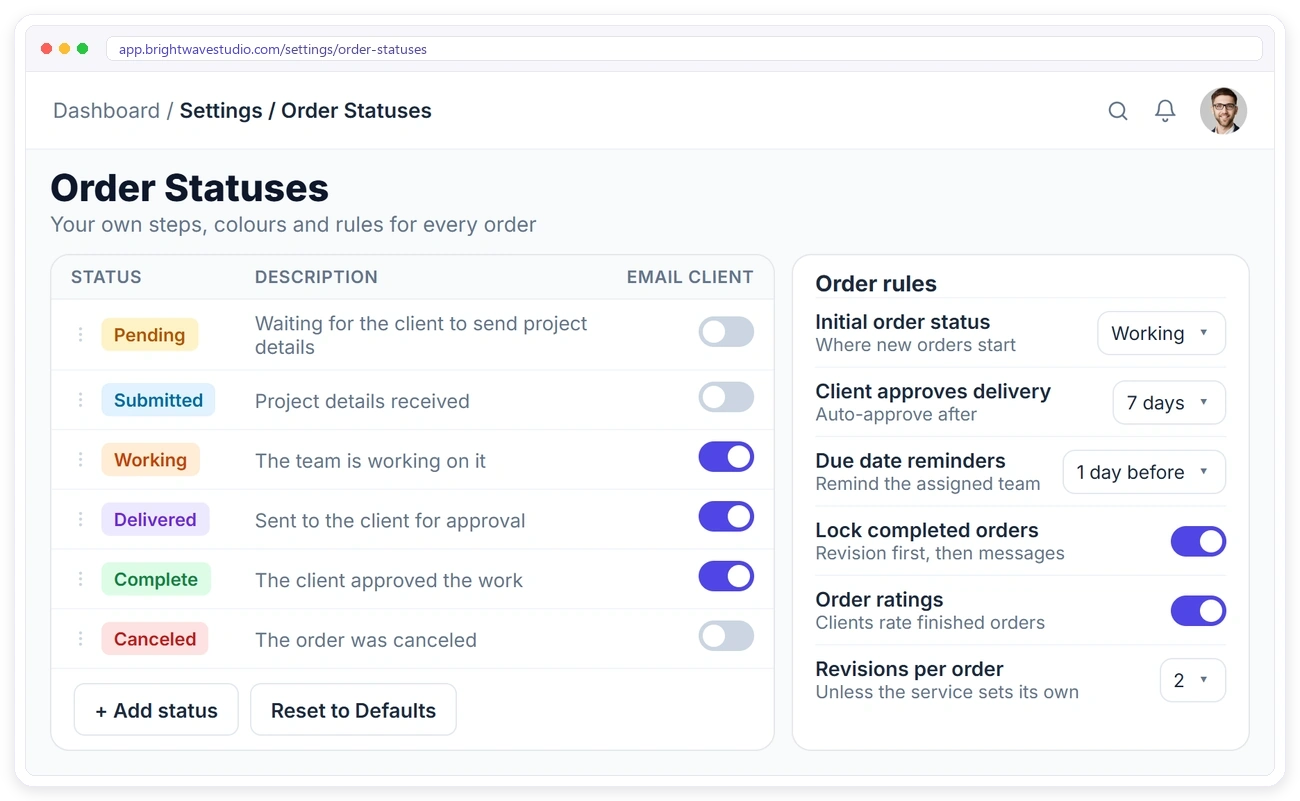
Build your own order management workflow. Create statuses with colours and descriptions, put them in your order, and choose which ones email the client. Set where new orders start, remind your team before a due date, lock finished orders and decide how many revisions each order includes.
Everything Else Around the Order
The smaller details that keep every client project accurate and your team in control: who works on what first, what the client is billed and who may change an order once it is done.
Order Management for Every Kind of Agency
Agencies sell different services, but every client project needs a brief, a team, a due date and an approved delivery. Here is how the same order flow fits four common kinds of agency work.
Agency Project Management FAQ
Straight answers about running client projects as orders: progress, revisions, approval, time, team access and what it costs.
What is agency project management?
It is how an agency plans and tracks client work from the order and payment through the brief, the work, the delivery and the client’s approval. Here each project is an order, with its invoice, tasks, messages and files on one page and a portal where the client follows it.
How is order management different from project management?
Project management tools track tasks. Order management starts from what the client bought: the service, the price, the invoice and the brief. Running each project as an order gives you both, with tasks inside every order and the client side that task tools leave out.
Where do orders come from?
From your order forms, accepted proposals and converted leads. You can also add an order yourself when a client orders by email, phone or in person. Every order gets its own invoice.
Can I use my own order statuses?
Yes. Add your own statuses with a name, colour and description, put them in your order, and choose which ones send the client an email.
Can clients track their orders?
Yes. Clients see each order in their portal with its progress, invoice, project data and messages, and they can approve the delivery, ask for a revision and rate the work.
What happens if the client doesn’t approve the delivery?
The order is approved automatically after the number of days you set, so finished work doesn’t stay open.
Can I track time on an order?
Not on the order or its tasks. Remote members you switch time tracking on for log their hours against the client with a timer, and the client approves those hours before they are invoiced.
Can team members see only their own orders?
Yes. Roles decide whether a member sees only orders assigned to them, open orders or all orders, and what they can change.
How much does agency project management cost?
Clientish starts at $29 a month with 5 team members, and orders, tasks, the progress timeline and the client portal are on every plan. Plans are priced per agency rather than per user; try it free for 14 days first.
Run every client project from order to delivery.
Orders arrive with their invoice and brief, your team splits the work into tasks, and clients follow the progress and approve the delivery in your portal. Try it with example data first.
- Its invoice and the client’s brief
- Tasks with steps and comments
- A client and a team conversation
- A progress timeline the client sees
- Delivery approval and revisions
- Your own statuses and rules