
CLIENT PORTAL FOR CONTENT WRITING AGENCIES · UPDATED OCTOBER 2026
Client Management Portal for Content Writing Agencies, Where Drafts Get Approved
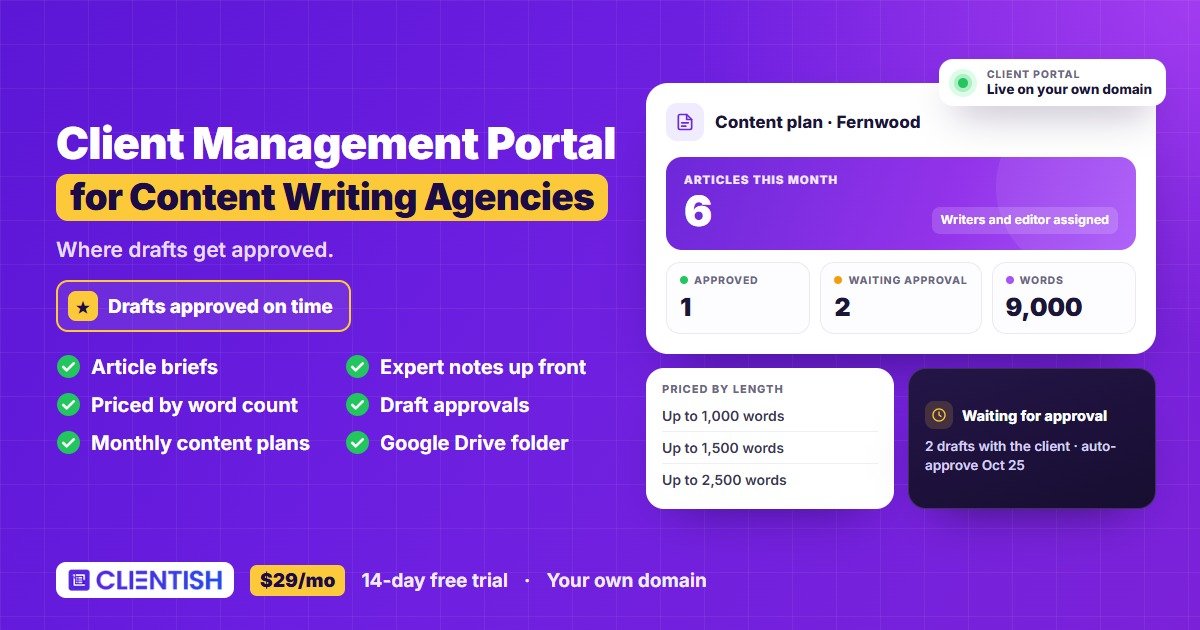
Clientish is a white-label client portal for content writing agencies that puts article briefs, draft approvals, monthly content plans and invoices in one place, from $29 a month, alongside Google Docs, Google Drive and the tools you already use. Content falls behind in the gaps between writing: a thin brief, an expert who never sends their notes and drafts waiting days for sign-off. Clientish collects the brief and the expert’s input before writing starts, prices articles by length, and gets every draft approved on time.
Sound Familiar?
Four things content clients say that push articles past their publish date, and how the client portal answers each one.
From Brief to Approved Article
Every stage of a content retainer, from the article brief and expert notes to the draft, the edit, client approval and next month’s plan, in one client portal.
- 01
Brief
Topic, keyword, expert
- 02
Draft
Writer assigned
- 03
Edit
Editor checks it
- 04
Approve
Client signs off
- 05
Deliver
Final article handed over
- 06
Next Month
New plan, billed again
THE BRIEF
Start Every Article With a Complete Brief
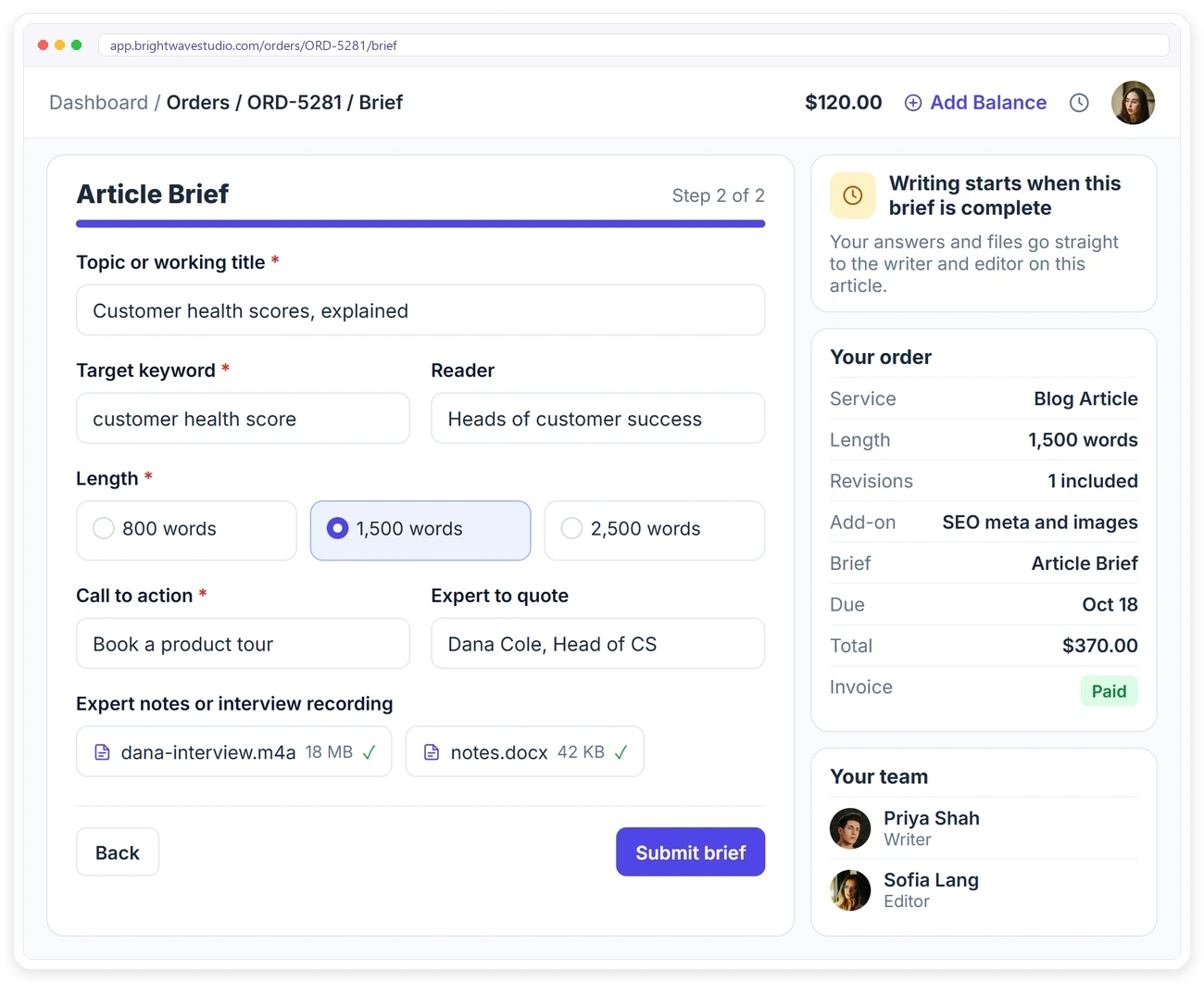
Thin briefs are the main reason drafts miss and revisions pile up. Attach an article brief to the service with the intake form: topic, keyword, reader, length, call to action and the expert to quote, with their notes or interview recording uploaded. Brand voice is collected once at onboarding. Writing starts when the brief is complete.
PRICED BY LENGTH
Price Articles by Length, Not by Argument
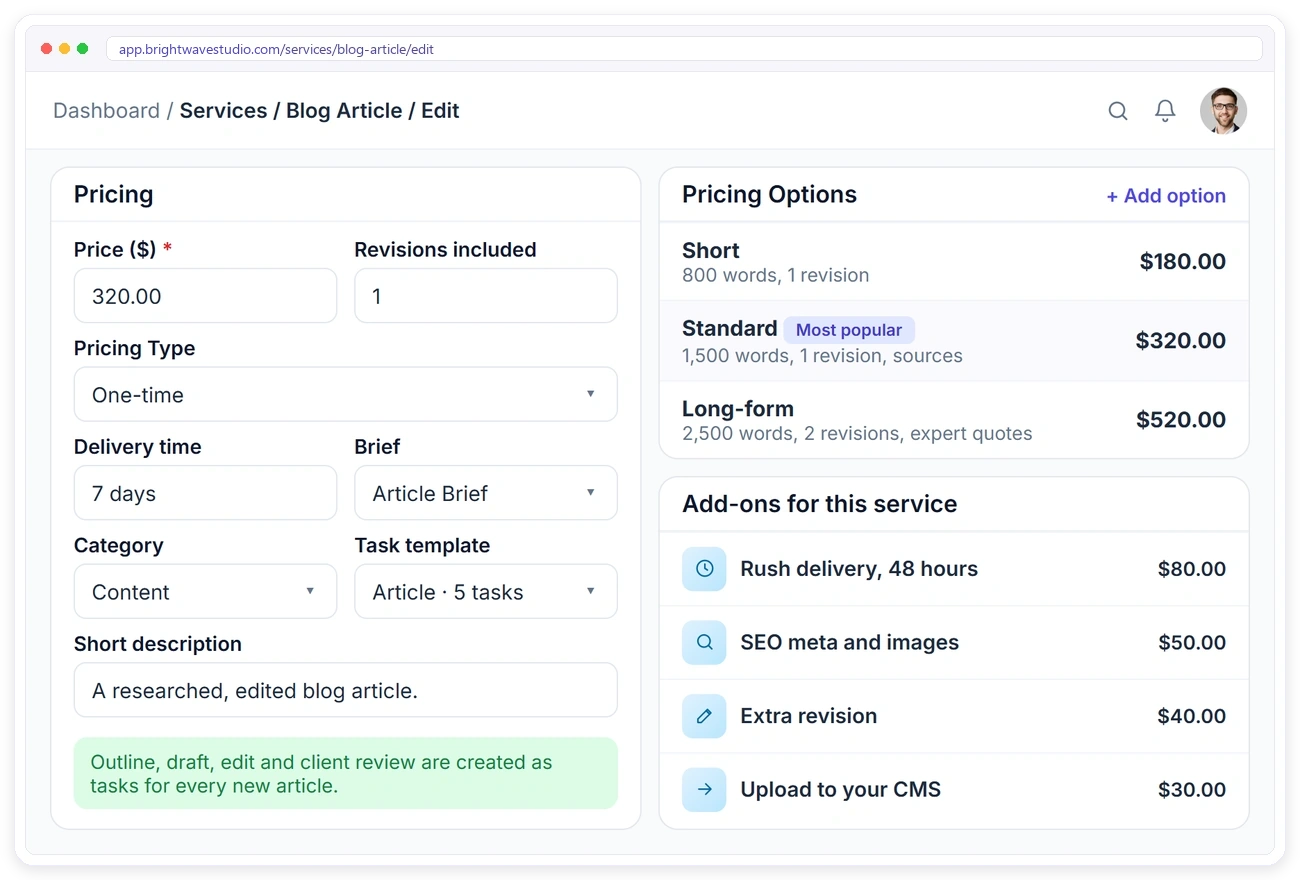
When the length isn’t in the price, every article grows. Set up your articles in your service catalog with Short, Standard and Long-form options, the revisions included, and add-ons such as rush delivery, SEO meta and images, extra revisions or uploading to the client’s CMS.
DRAFT APPROVALS
Get Drafts Approved on Time
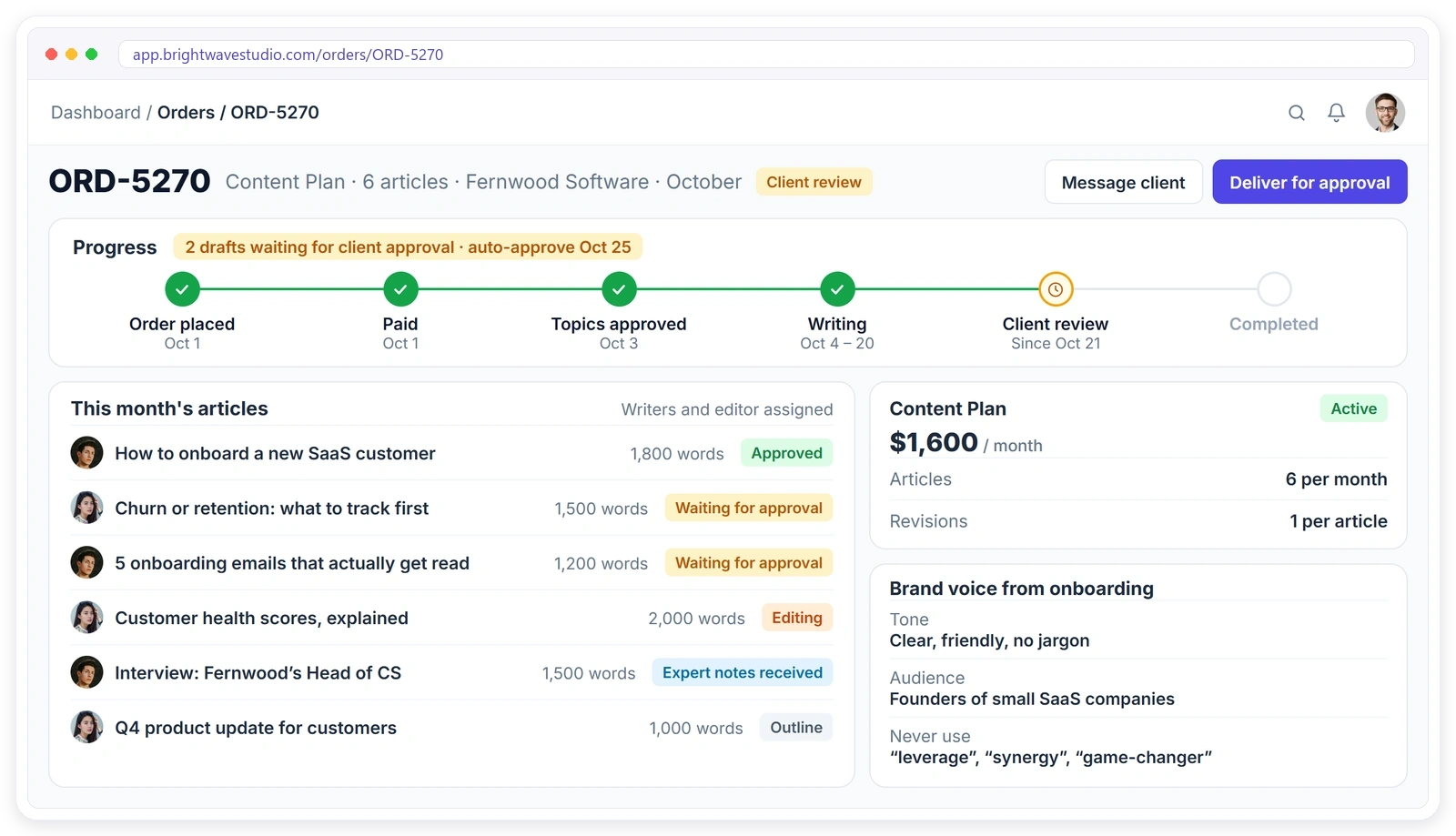
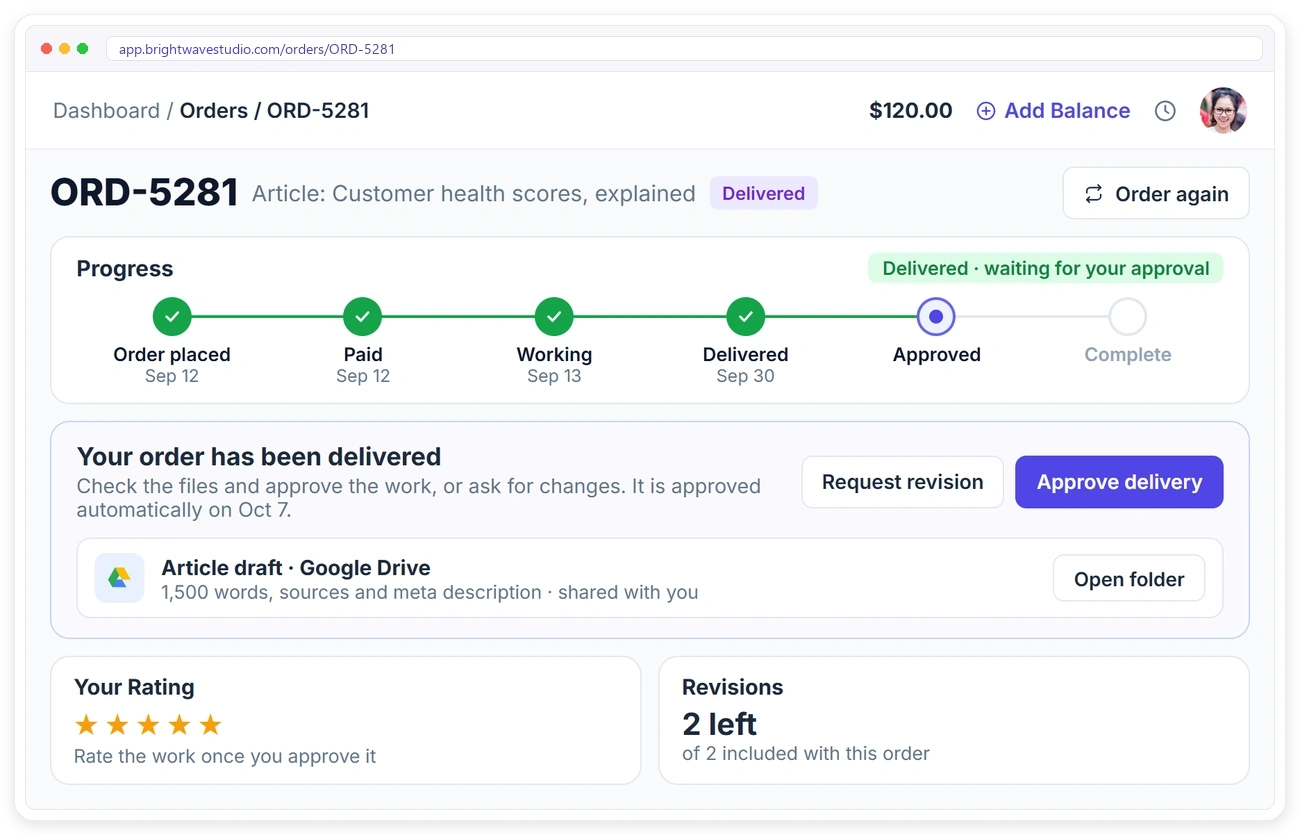
A finished draft can sit with three reviewers for two weeks. Deliver each draft for approval in the client portal. The client approves it or asks for a revision, sees how many revisions are left, and if nobody answers, it is approved automatically after the days you set. Link the client’s Google Drive folder to the order and the Docs draft sits next to its approval.
MONTHLY CONTENT PLANS
Run a Monthly Content Plan Without the Admin
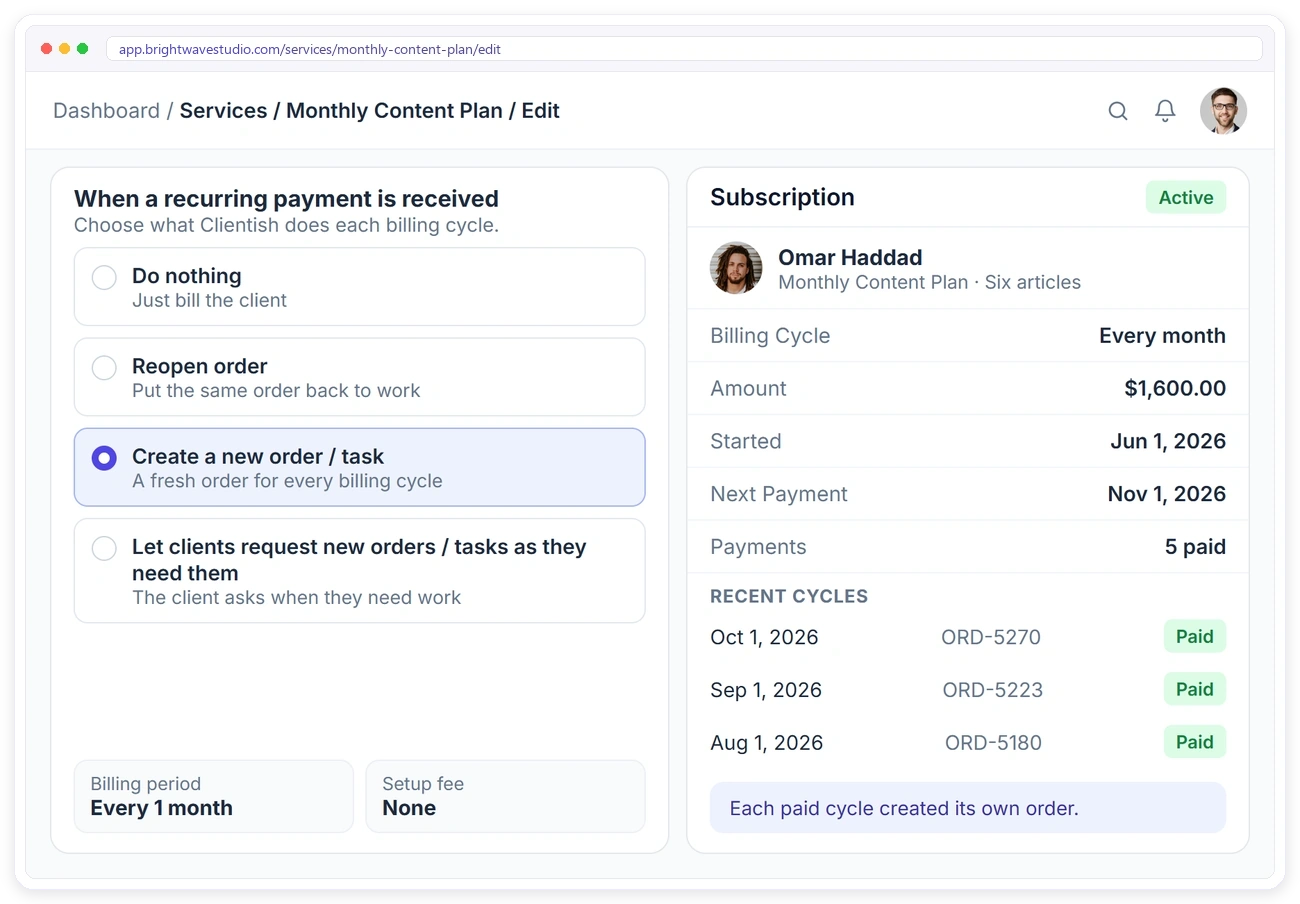
A content retainer is the same rhythm every month: topics, drafts, edits, approval. Sell it as a recurring service that creates a new order for every paid cycle, so each month’s articles have their own order, tasks and approvals, and the client is billed automatically.
WRITERS & EDITORS
Every Article Through the Same Workflow
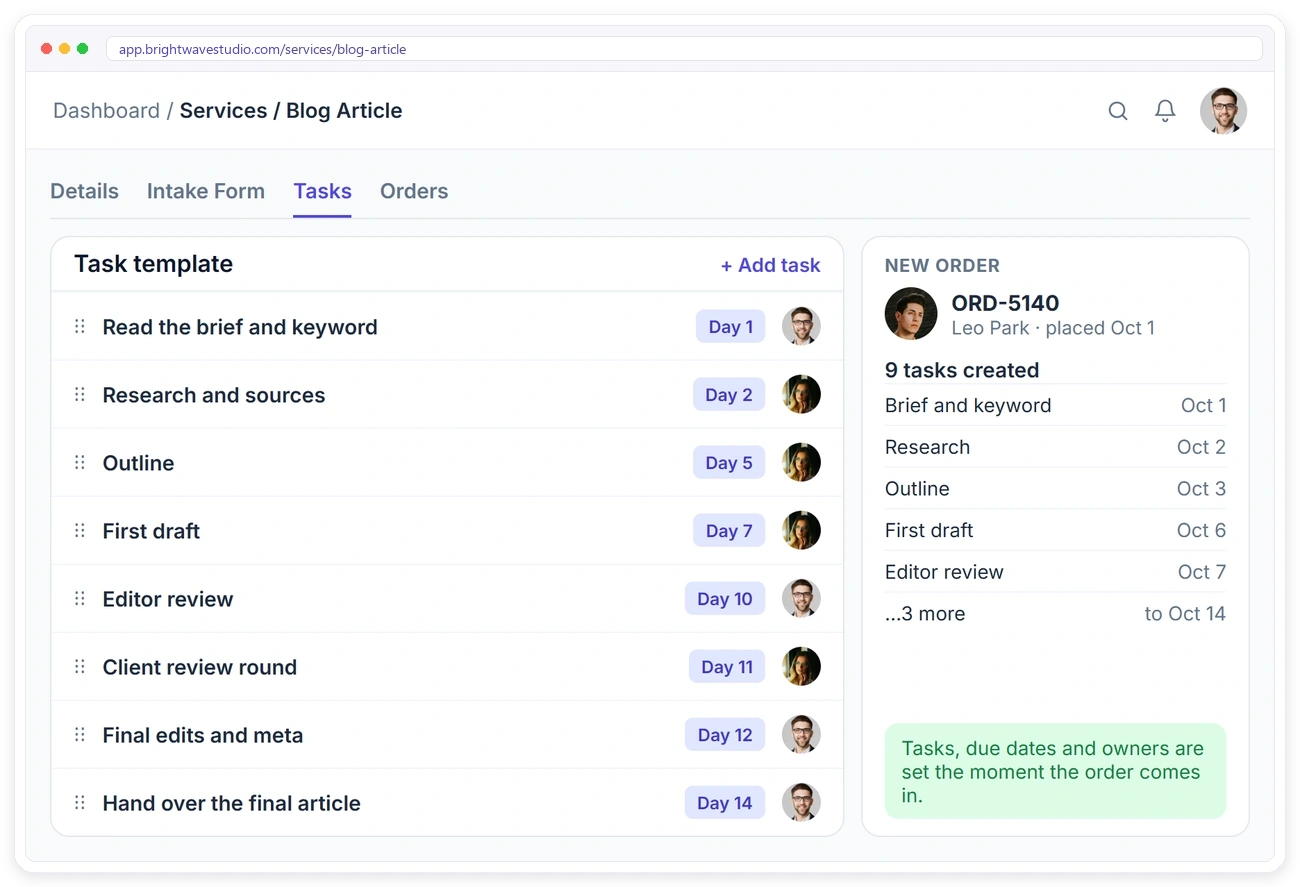
Outline, draft, edit and client review are the same steps for every article, but they get skipped when a deadline is close. Save a task template on each content service, and every new article gets its tasks, due dates, writer and editor automatically.
EXTRA ARTICLES
Let Clients Order More Articles
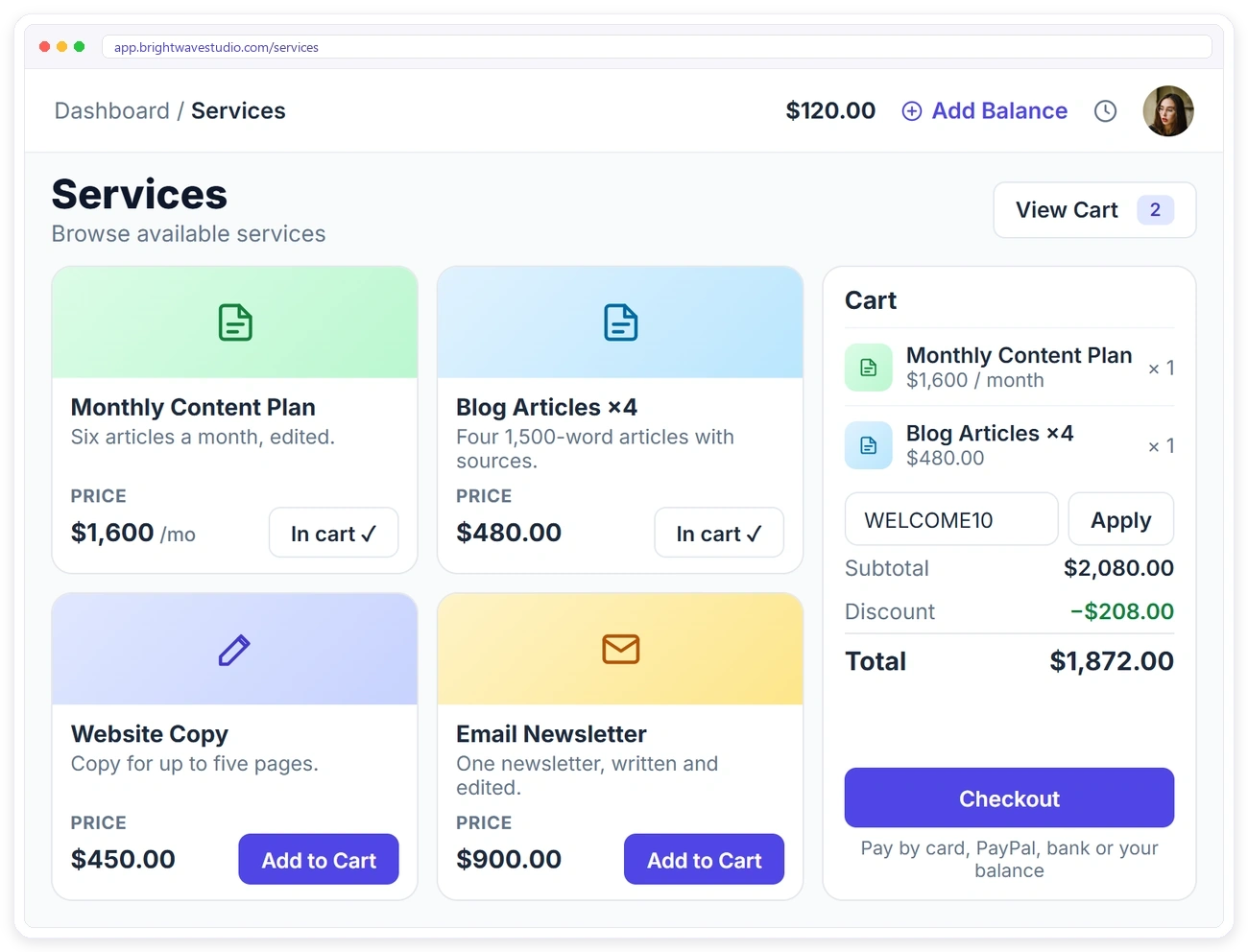
When a client needs a few more posts this month, they shouldn’t have to email and wait for a quote. Clients order extra articles from the service catalog in their portal, add them to the cart, apply a coupon and pay, and each one arrives as a new order with its brief.
Services Content Agencies Sell With Clientish
How blog articles, monthly content plans, website copy and rush delivery are packaged, priced by length and ordered by clients from your portal.
Set It Up in 4 Steps
Add your article pricing, brief and writing task template once. Most content agencies are ready to take orders the same afternoon.
How Clientish Compares for Content Agencies
Entry-plan prices and features of the six client portals content writing agencies compare most, side by side.
| CClientish | WWayfront | MManyRequests | AAssembly | SSuiteDash | CClientjoy | |
|---|---|---|---|---|---|---|
| Entry plan | $29/moevery feature included | $129/mo$99 yearly | $59/mo$39 yearly | $49/mo$20 yearly | $19/mo$180 yearly | $49/mo$44 yearly |
| Team users | 5 | 5 | 1, then $20 each | 1 | Unlimited staff | 5 |
| Own domain | Yes | Yes | Yes | From Professional$149/mo | Not listed | From Premium$99/mo |
| Workflow automations | Yes | Not listed | Zapier only | From Professional | From Pinnacle$99/mo | From Premium |
| Client reports in portal | 13 sources | Not listed | From Pro$99/mo | Not listed | Not listed | From Premium |
| Client invoicing | 12 gateways | Yes | Yes | Not listed | Not listed | Yes |
You sell mostly productized, subscription-style services.
You bill clients by the hour or with prepaid credits.
You want a free plan for your first five clients.
You want unlimited staff on the cheapest plan.
Proposals, contracts and a sales pipeline matter more to you than the portal, which starts on its Premium plan.
Entry-plan facts from each vendor’s own pricing page on 7 October 2026. “Not listed” means their pricing page does not mention it. Check their pages for the latest.
Content Writing Agency FAQ
Straight answers on briefs, expert input, draft approval, Google Docs, word-count pricing and monthly content plans.
What is a client portal for content writing agencies?
Where the editorial back-and-forth stops living in inboxes. The client submits a brief per article, sees which drafts are with the writer and which are waiting on them, approves or sends notes, and pays for the month. Clientish runs that portal with article pricing, writer workflows and invoicing, from $29 a month.
We write in Google Docs. Does that still work?
Yes. Keep drafting in Docs and link the client’s Google Drive folder to the order, so the document and the approval sit side by side. Clientish does not edit the Doc itself; it tracks the brief, the approval and the bill around it.
Will my content clients log in to the portal?
Usually the editor or marketing lead does, because that is where drafts wait for their yes. They get an email for each one, and the deadline you set means a silent reviewer does not hold the publishing calendar hostage.
How do I get better briefs from clients?
Make the article brief ask the questions writers usually chase later: target keyword, who the reader is, the angle to take, competitors to avoid naming and the call to action. A brief that is missing any of them holds the order, so writing never starts on a guess.
How do I get expert input on time?
Add a field for the expert’s notes or interview recording to the brief, so the client uploads it with the order instead of after the deadline.
How do clients approve drafts?
Send the draft as a delivery and name one approver in the brief, so it is not legal, marketing and the CEO in turn. They approve it or send notes from the portal, and if the draft sits past the days you set, it counts as approved and goes to publishing.
Can I price articles by word count?
Yes. Set word-count bands on one article service, for example up to 1,000, 1,500 and 2,500 words, each with its own price. The client picks the band when ordering, so a request for 2,500 words at the 1,000-word rate never comes up.
Can I sell a monthly content plan?
Yes. Sell the plan as, say, eight articles a month. Every paid month opens a fresh order holding that month’s articles, so you can see at a glance what is delivered, what is waiting and what the client still owes a brief for.
How do I assign writers and editors?
Save a task template on the service. Every new article gets its outline, draft, edit and review tasks with the writer and editor already assigned.
Does Clientish publish articles to my client’s website?
No. The approved article is delivered on the order, and you publish it in the client’s CMS yourself or sell CMS upload as an add-on.
Is the portal branded as my agency?
Yes. A client reviewing drafts at content.youragency.com sees your agency, your logo and your colours on every brief and invoice. Only a small Powered by Clientish line shows on Starter and Growth, and Pro and Enterprise remove it.
Spend your time writing, not chasing
Collect a complete brief and the expert’s notes before writing starts, price articles by length and get every draft signed off before the publish date. Try it with example data first.
- An article brief with topic, keyword and reader
- A place to send the expert’s notes up front
- Drafts waiting for approval clearly marked
- Their Google Drive folder linked to the order
- A monthly content plan billed automatically
- Extra articles they can order themselves