
BRANDED CLIENT PORTAL APP · UPDATED OCTOBER 2026
Branded Client Portal App With Push Notifications
A branded client portal app puts your portal on your clients’ home screens with your name and icon, so updates arrive as push notifications instead of emails. It works on iPhone and Android, installed from the browser with no app store, and comes with every plan from $29 a month.
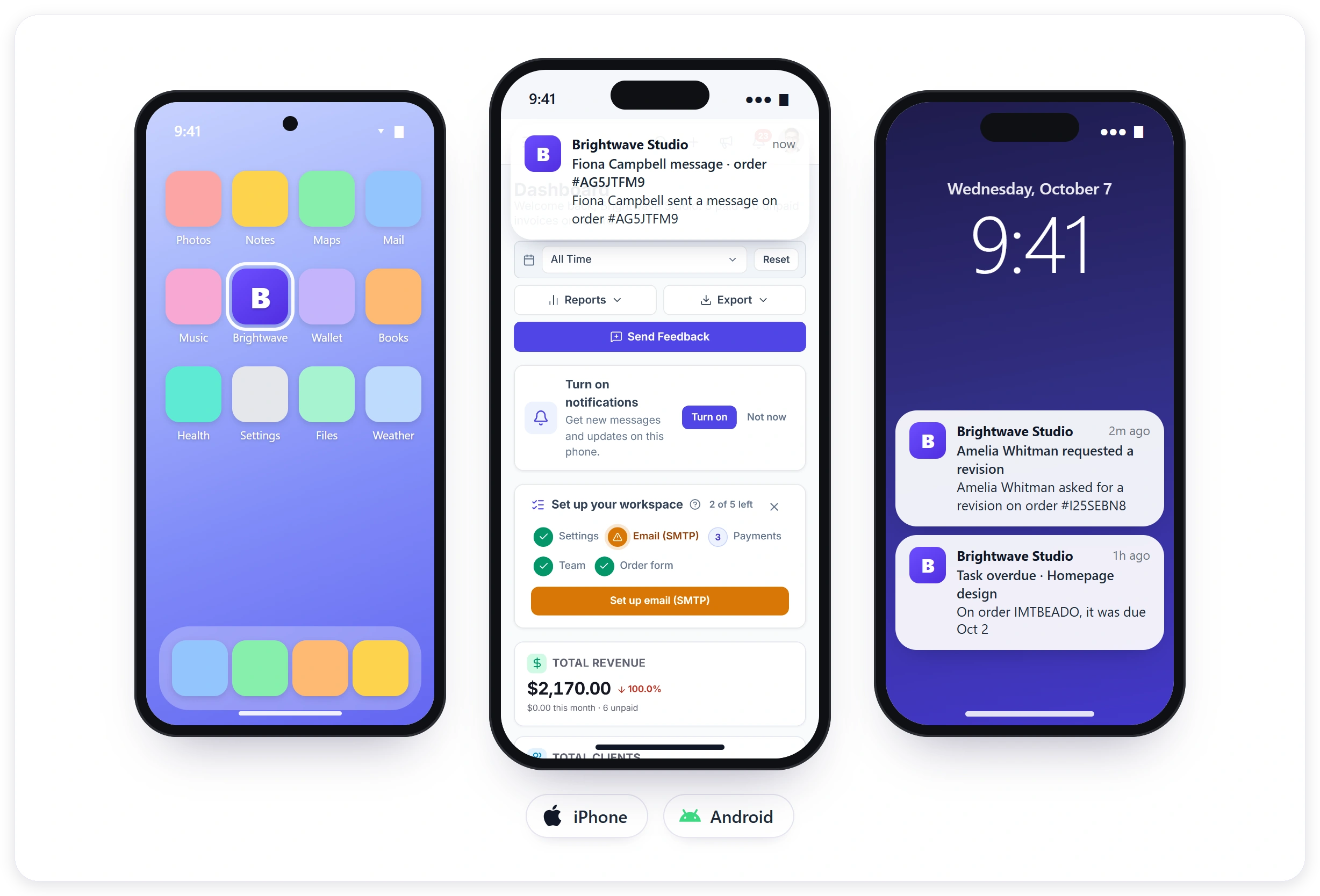
Why Agencies Want an App
Work moves faster when clients see updates the moment they happen, not the next time they open their inbox, and a branded app is how most agencies would like to get there without building one.
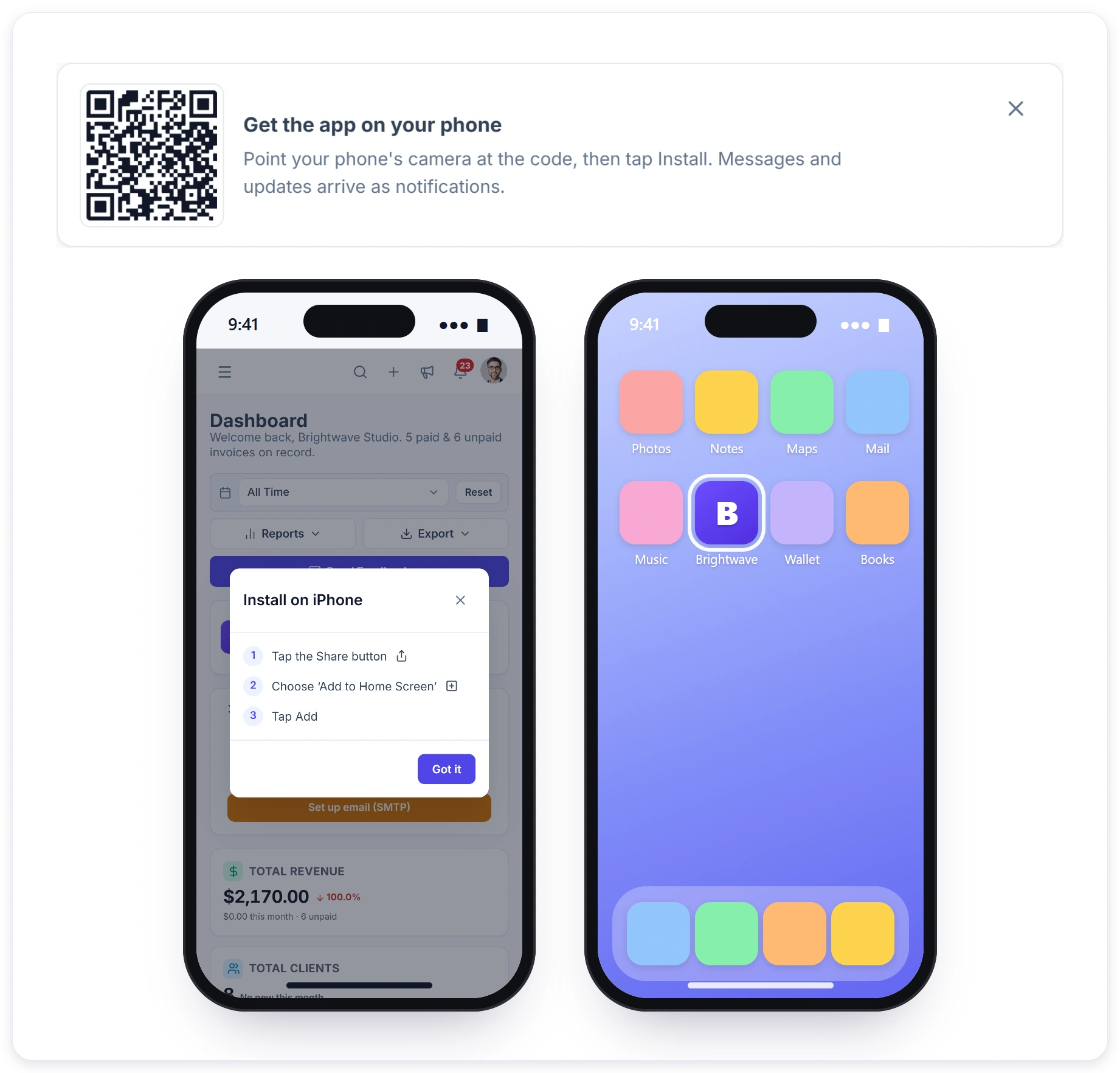
INSTALL
On Their Phone in Under a Minute
Clients and your team see a Get the app card with a QR code on their dashboard. The phone camera opens your workspace at Install. Android and desktop Chrome install in one tap, and iPhone shows the three steps to add it to the home screen.
What Changes for Your Agency
The app is the same client portal your clients already use, with nothing new to learn. What changes is how quickly approvals, replies and payments move once updates land on their phone.
NOTIFICATIONS
Updates on the Lock Screen
After installing, the app asks to turn on notifications. From then on, what someone would see in the bell arrives on their phone too: new messages, revision requests, approvals and due dates, each opening the right page, whether it is an order, an invoice or a support ticket. Nothing extra is sent.
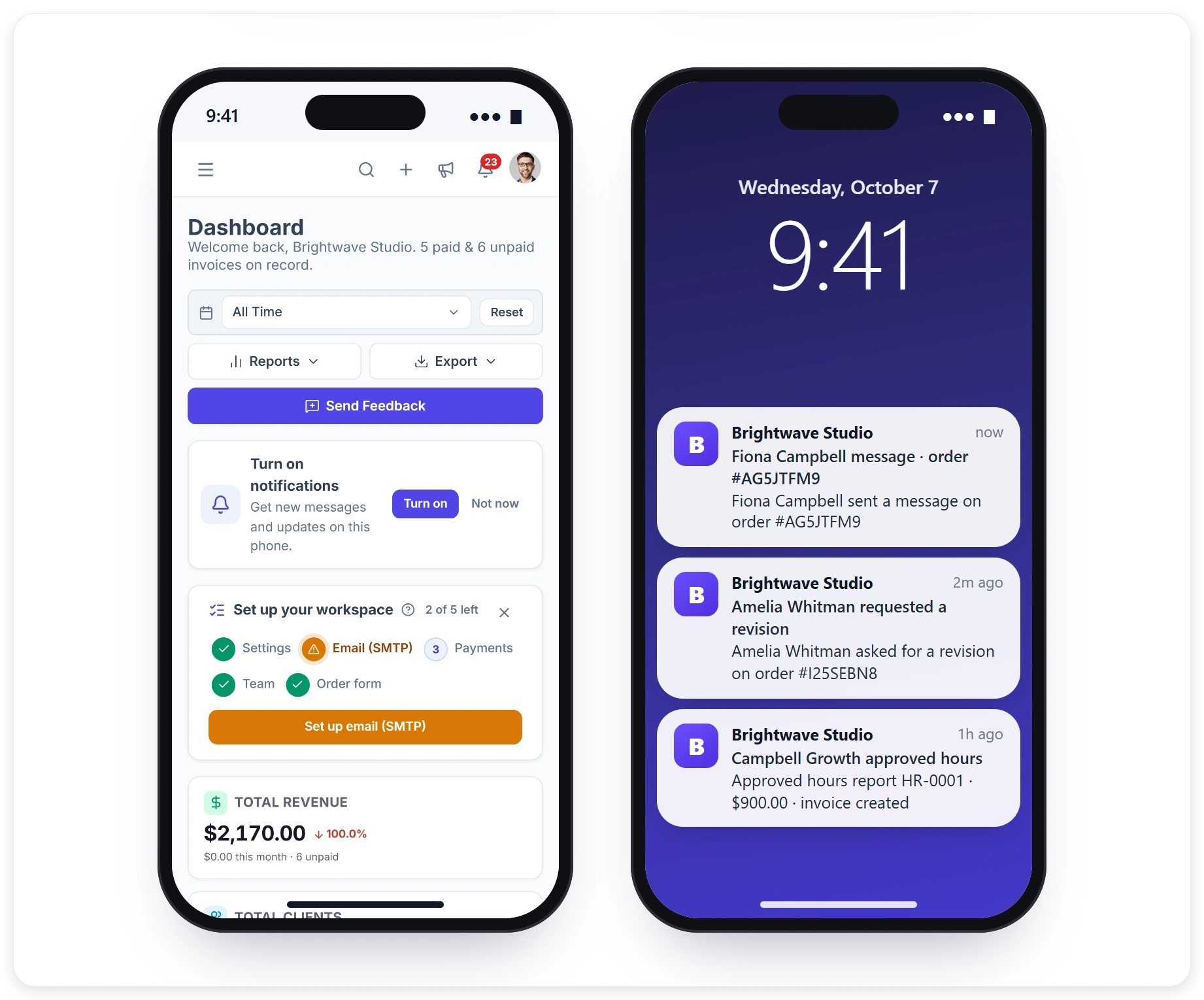
One App, Two Kinds of Users
The same installed app serves your clients and your team, and shows each person only what their role in your workspace allows, with notifications that open the right page for them.
A Store App or Your Portal App
Most agencies never build a store app because of the cost, the reviews and the upkeep. Here is how a store app compares with your branded portal app on the things clients actually notice.
Live in Four Steps
There is nothing to build or submit to a store. The app is ready in every workspace, and these four steps get it onto your own phone and your clients’ phones in an afternoon.
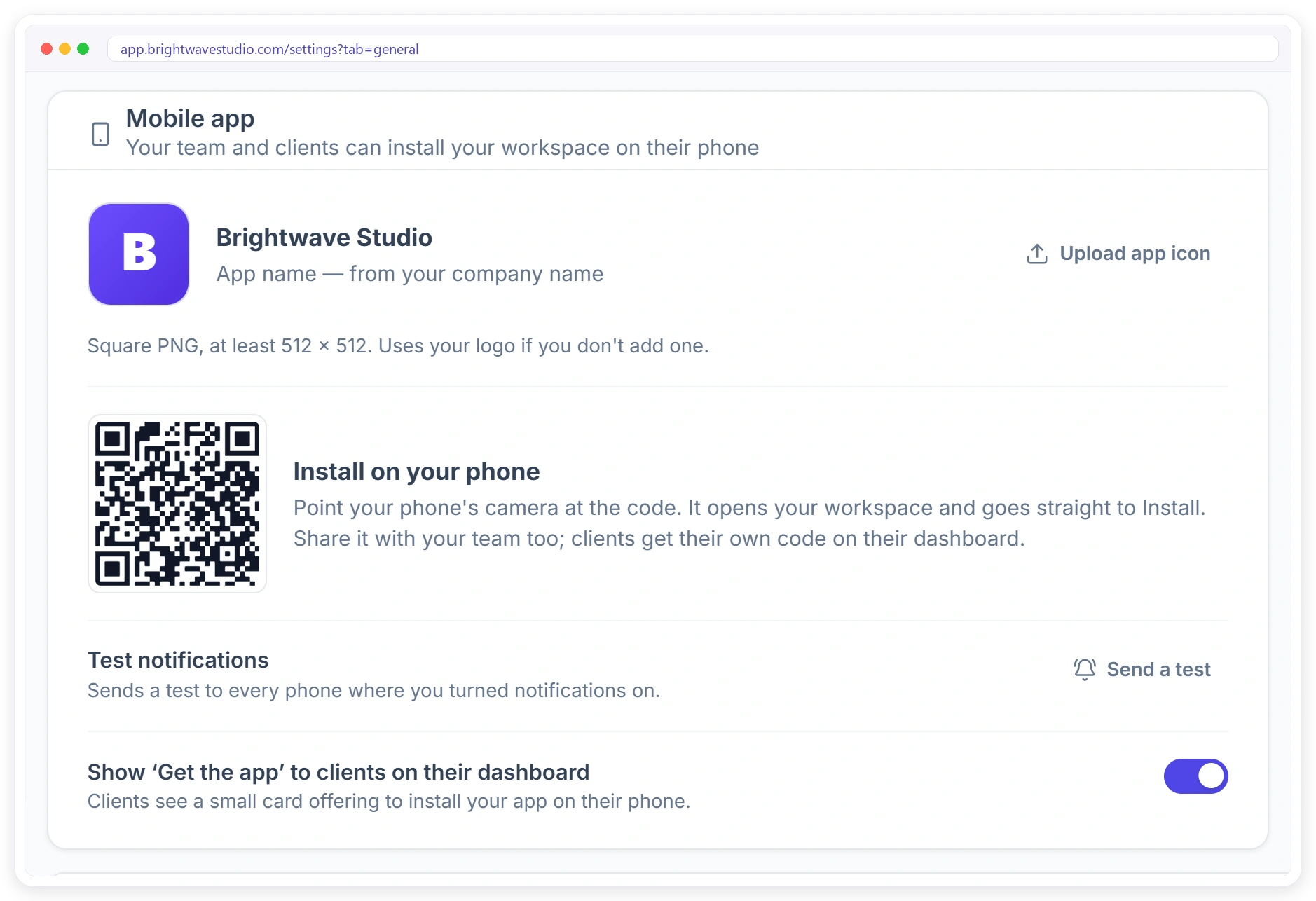
SETTINGS
Your App, Set Up in One Card
Settings, then General, has a Mobile app card. See the app name taken from your company name, upload an app icon, scan the install code yourself, send a test notification, and choose whether clients see the Get the app card. See also white label and the client portal.
Branded Client Portal App FAQ
Straight answers about the branded client portal app: iPhone and Android, the app stores, push notifications, your brand and cost.
Can my agency’s client portal work as a mobile app?
Yes. Clientish makes your client portal installable as an app on phones and computers, with your name and icon. Clients install it from your portal; nothing goes through an app store.
How do I get clients to see my updates faster?
Ask them to install your portal app and turn on notifications. New messages, deliveries and revision replies then arrive on their lock screen, and one tap opens the right page.
Do I need to publish an app in the App Store or Google Play?
No. The app installs straight from your portal, so there is nothing to submit, review or update in a store.
How do clients install the app?
They scan the QR code on their dashboard with the phone camera, or open the portal on the phone. On Android and in desktop Chrome they tap Install; on iPhone they tap Share, then Add to Home Screen, then Add.
Does it work on iPhone and Android?
Yes. It installs from the browser on both, as well as on desktop. Push notifications on iPhone need iOS 16.4 or later and the app added to the home screen; on Android they work as soon as the app is installed.
Will my clients get push notifications?
Yes, once they install the app and turn notifications on. They get the same updates their bell shows, and tapping one opens the right page. On iPhone this needs iOS 16.4 or later.
Does the app show my brand or Clientish?
Your brand. The app uses your company name and your icon or logo, and it opens on your own domain, such as app.youragency.com.
Can my team use the app too?
Yes. Your team installs the same app from the QR code in Settings or on their dashboard and gets their own notifications.
Is it a native app or a web app?
It is a progressive web app: your portal installed on the home screen, with its own icon, full screen and push notifications. There is no store version, so updates reach everyone at once without anyone downloading anything.
Does it work offline, and can clients send files from their phone?
It needs a connection to show live orders and messages; without one it shows a short offline page instead of an error. Clients can send photos and files from the phone, up to 100 KB each, like on a computer.
Can I stop showing the install card to clients?
Yes. In Settings, then General, turn off Show Get the app to clients on their dashboard.
Does it cost extra?
No. The app and its notifications come with every Clientish plan, from $29 a month, with no outside push service and no store fees to pay.
Put your portal in every client’s pocket.
Upload your icon, scan the QR code and install your branded app on your own phone in a minute. Clients do the same, and every update reaches them as a push notification. Try it with example data first.
- Your name and icon
- iPhone, Android and desktop
- Push notifications that open the page
- Your own domain
- Clients and team in one app
- Nothing to submit or update