
AGENCY INVOICING & BILLING · UPDATED OCTOBER 2026
Agency Invoicing & Billing Software, Send Invoices and Get Paid Faster
Invoicing software creates, sends and tracks the bills you send clients and collects the payment. Clientish gives your agency invoices built from your orders and services, payment links for Stripe, PayPal, Razorpay, Mollie and more, reminders before the due date, deposits and refunds, from $29 a month.
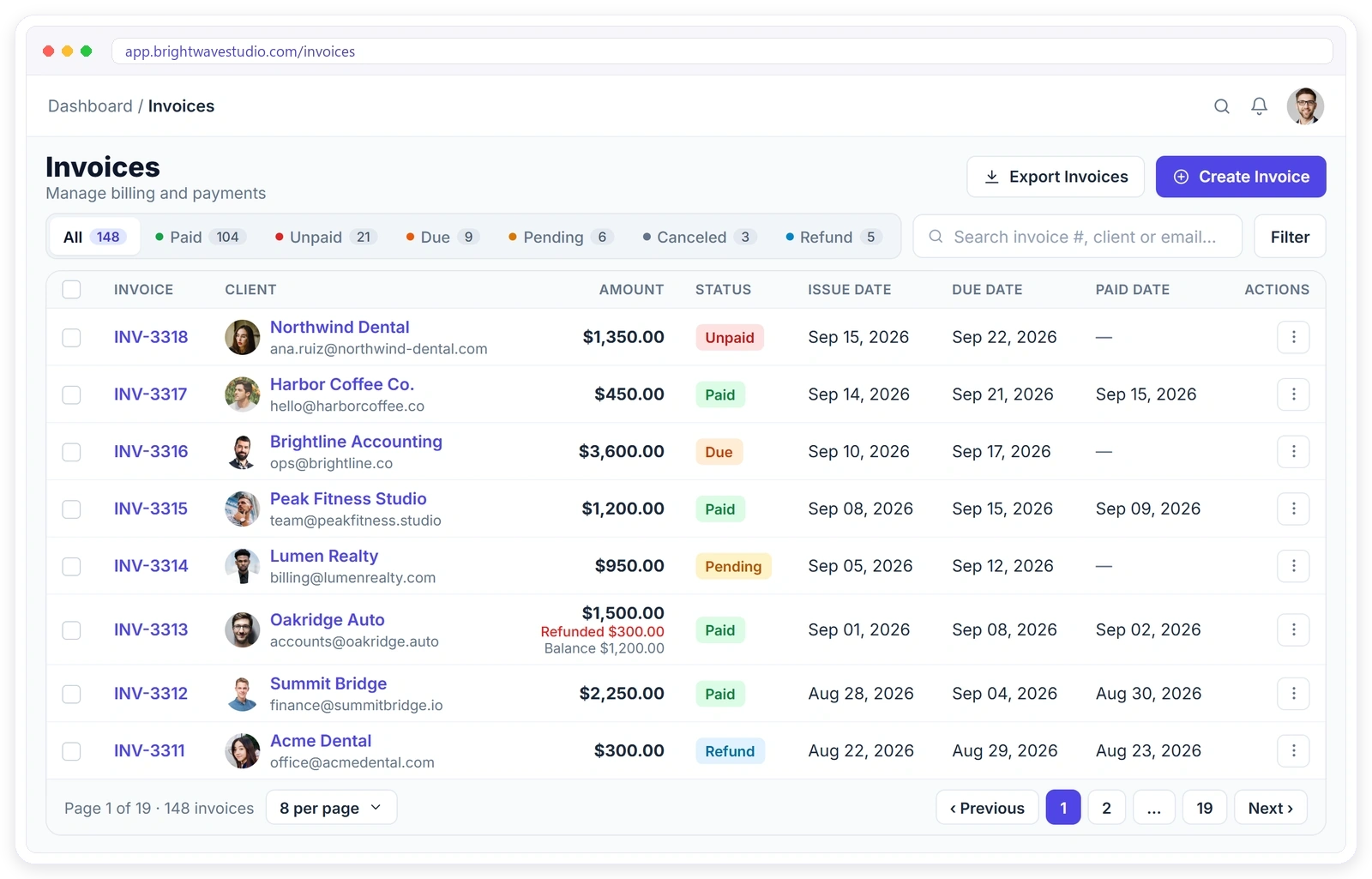
Billing That Runs Itself
From the first invoice to the final payment, every step is tracked and every client knows exactly where they stand. Fewer “did you get my invoice?” emails, and fewer invoices that quietly go unpaid.
From Order to Paid
The whole billing loop in one place: create the invoice, send it with a payment link, let the client pay online and track what is still due, without a spreadsheet or a second tool on the side.
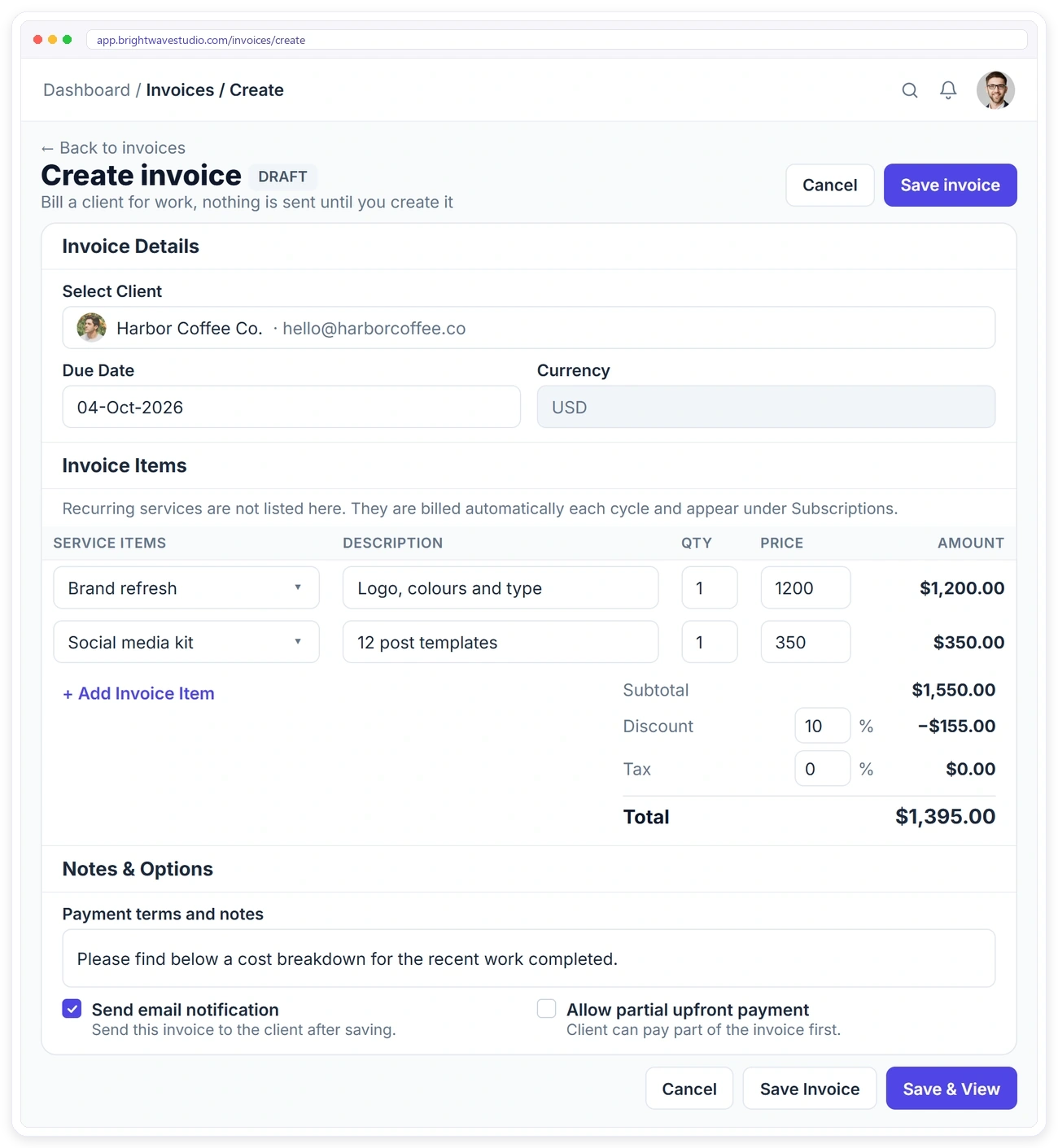
CREATE
Create an Invoice in One Page
Pick the client, set the due date, and add lines from your service catalogue or type them by hand. Discounts and tax are worked out for you.
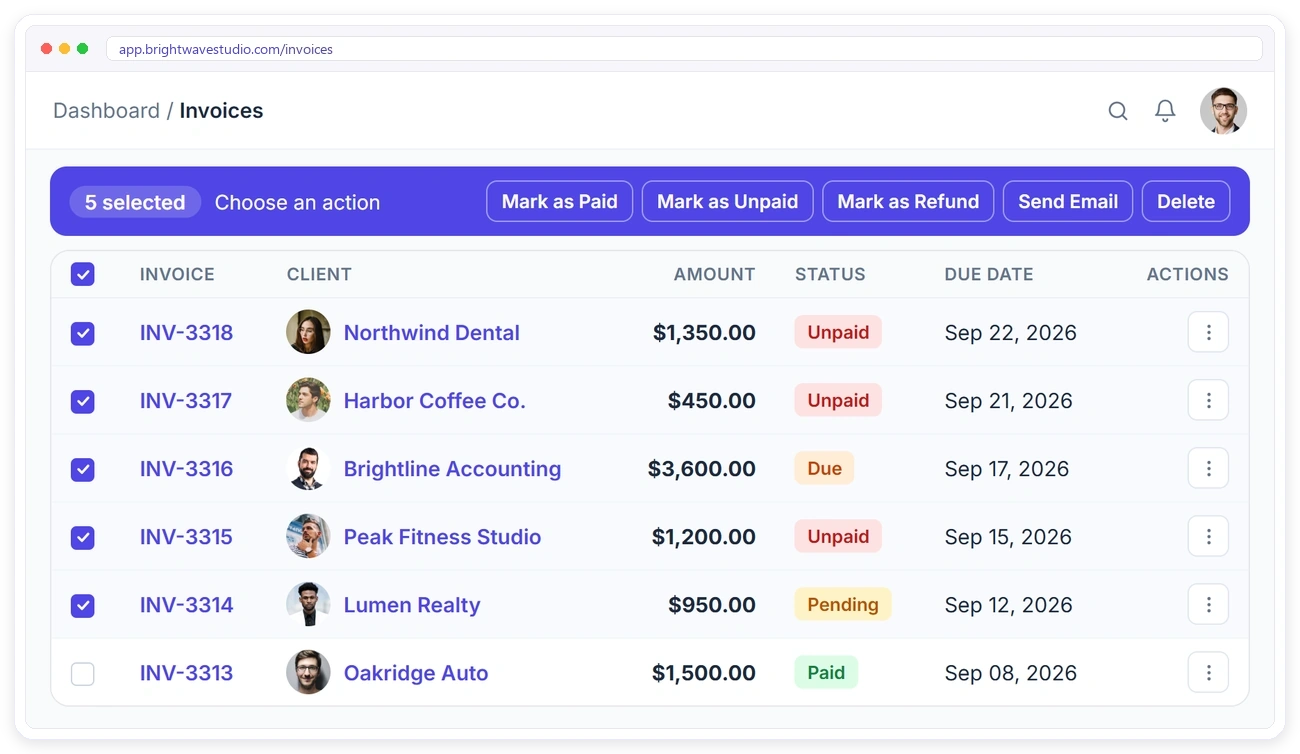
BULK ACTIONS
Update Many Invoices at Once
Tick the invoices you need and act on all of them together, instead of opening each one. Month-end clean-up that used to take an afternoon takes a few clicks.
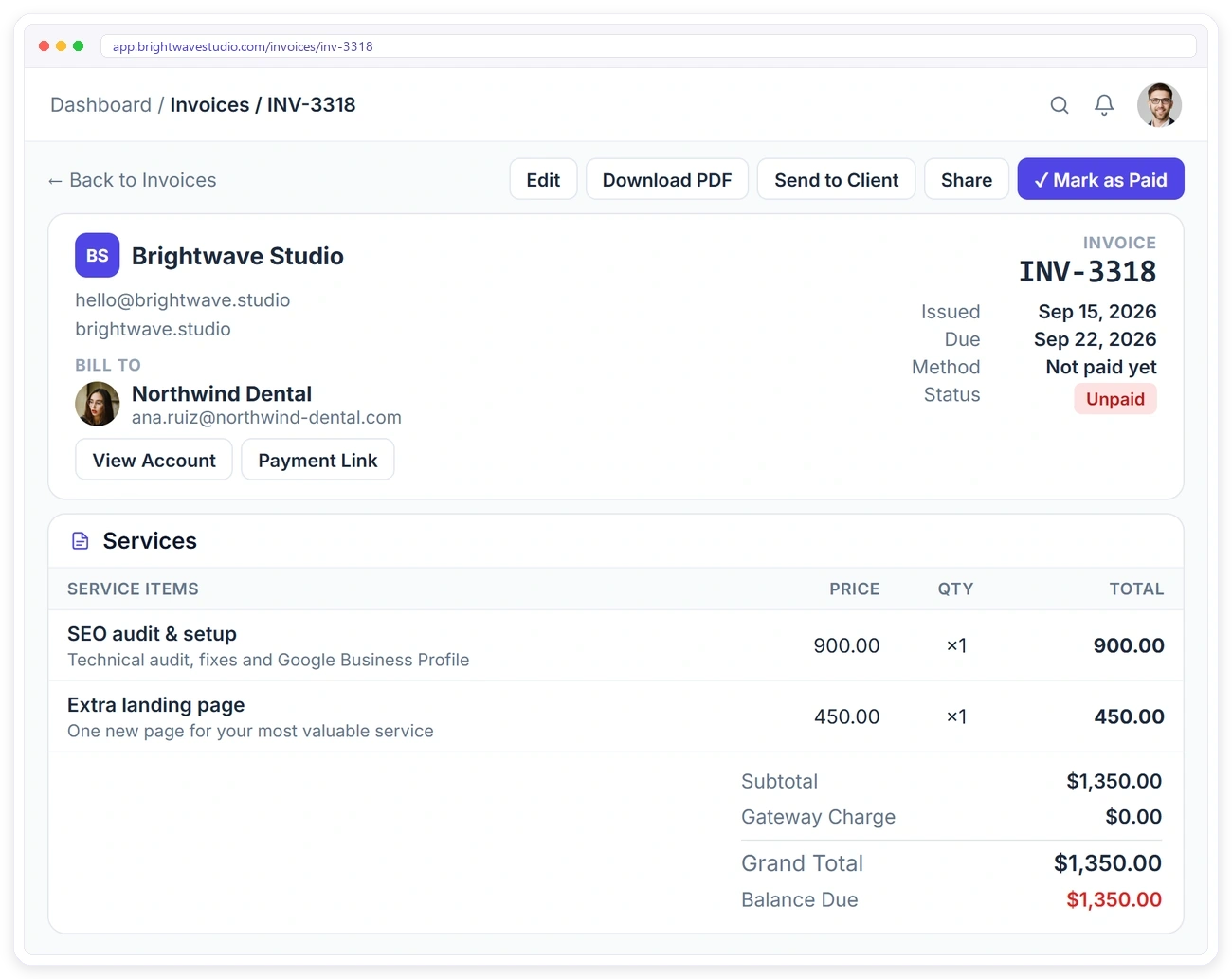
INVOICE DETAIL
Every Line Item and Payment, On One Page
Open an invoice and see the full picture: your agency details, who’s billed, itemised charges, totals, the linked order and the activity trail. When a client asks about a charge, the answer is already on the screen.
FULL CONTROL
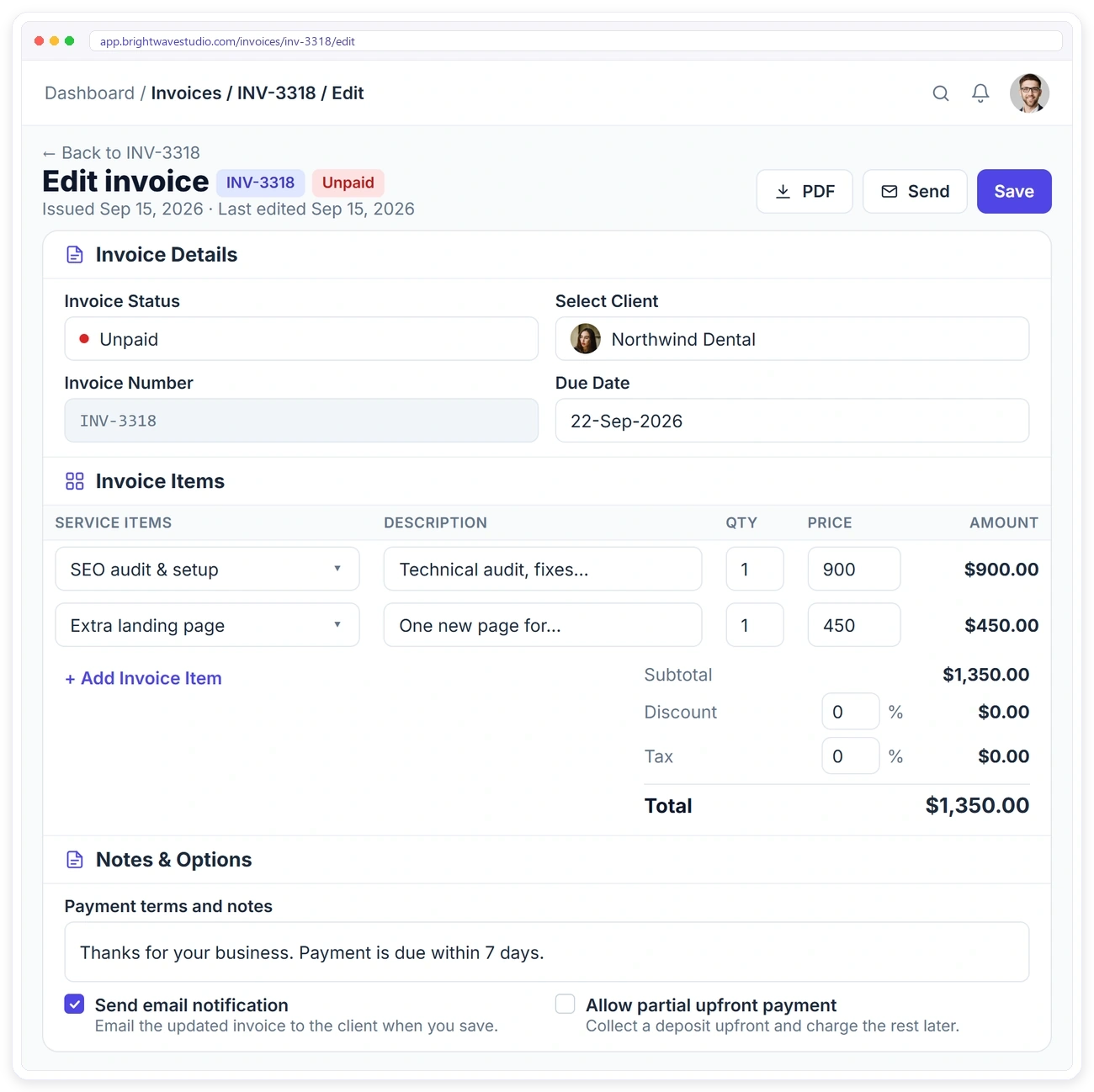
Adjust Any Invoice Before You Send
Change the status, swap the client, edit line items, apply a discount or tax and add payment terms, then notify the client automatically when you save.
QUICK ACTIONS
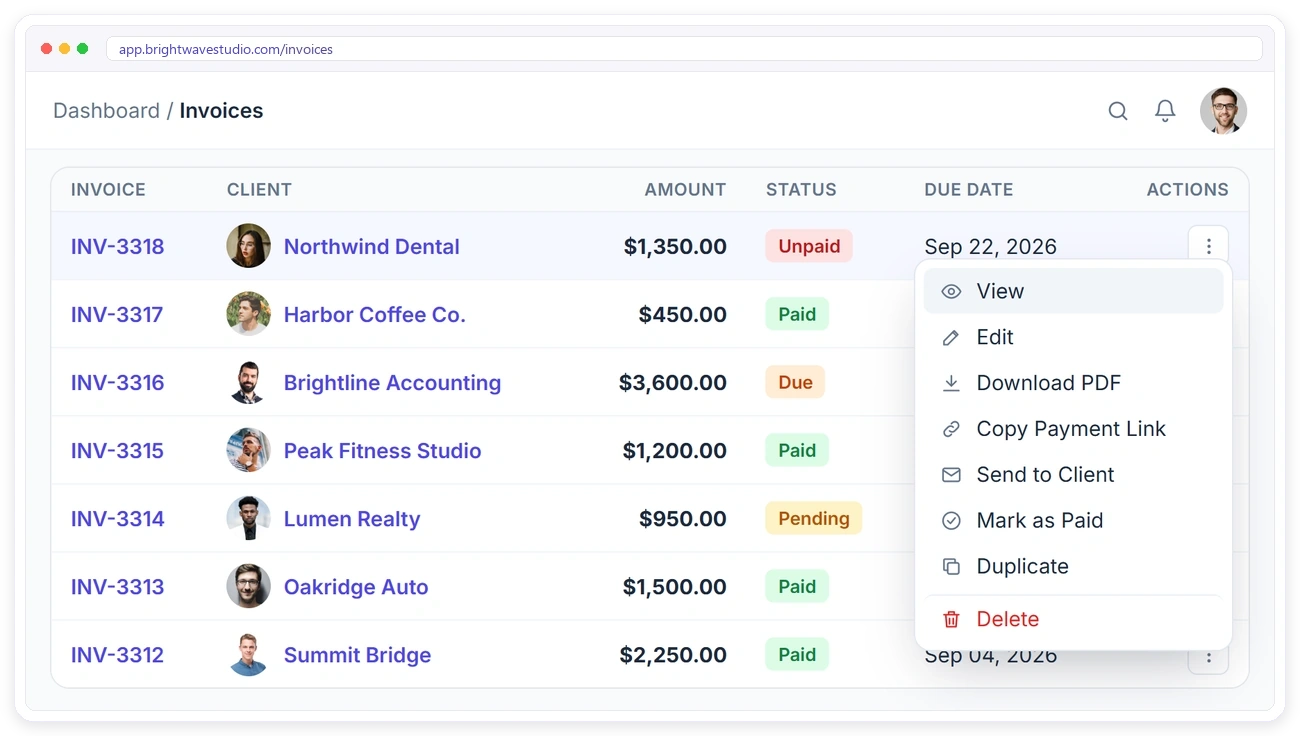
Everything an Invoice Needs, One Click Away
No digging through menus. View, edit, download, copy a payment link, email the client, mark it paid, duplicate it or delete it, straight from the row.
REFUNDS
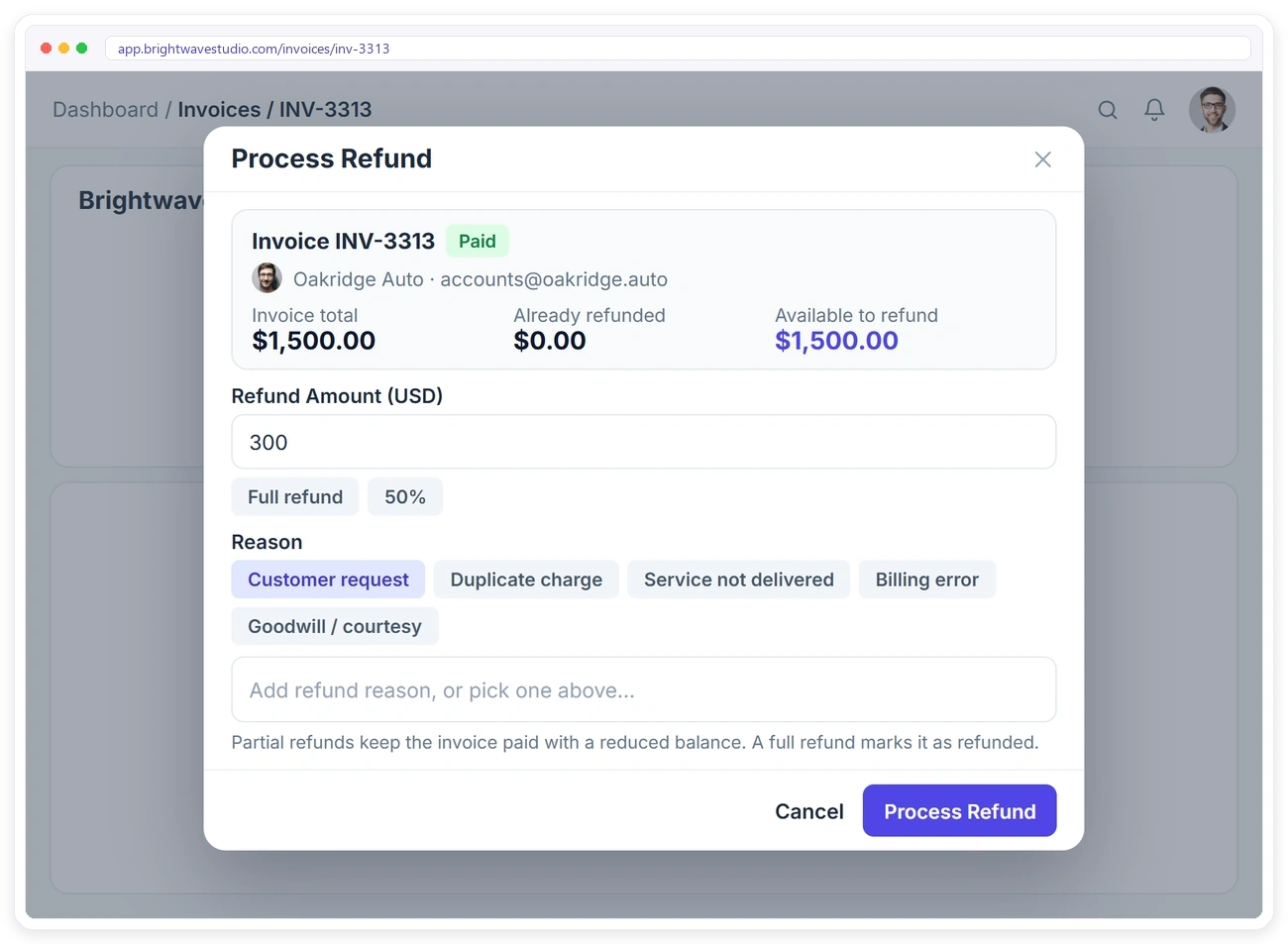
Refund in Full or in Part, With the Maths Done
The refund dialog shows the invoice total, what’s already been refunded and what’s still available, then takes an amount and a reason. No calculator, and no refund that accidentally exceeds what was paid.
HISTORY
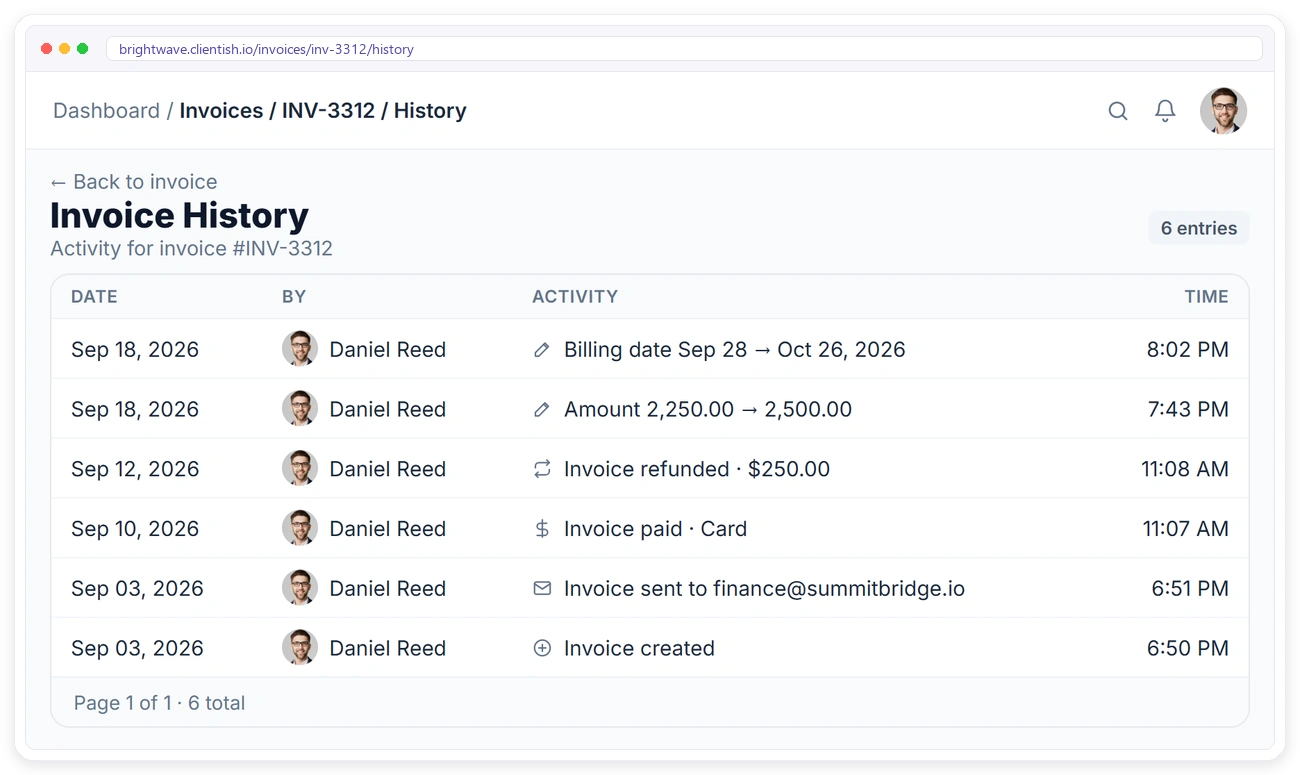
Every Change on an Invoice, Recorded
Each invoice keeps its own history: edits, payments, refunds and sends, with who did it and when. If a client or your accountant asks what happened, you can show them.
CLIENT PORTAL
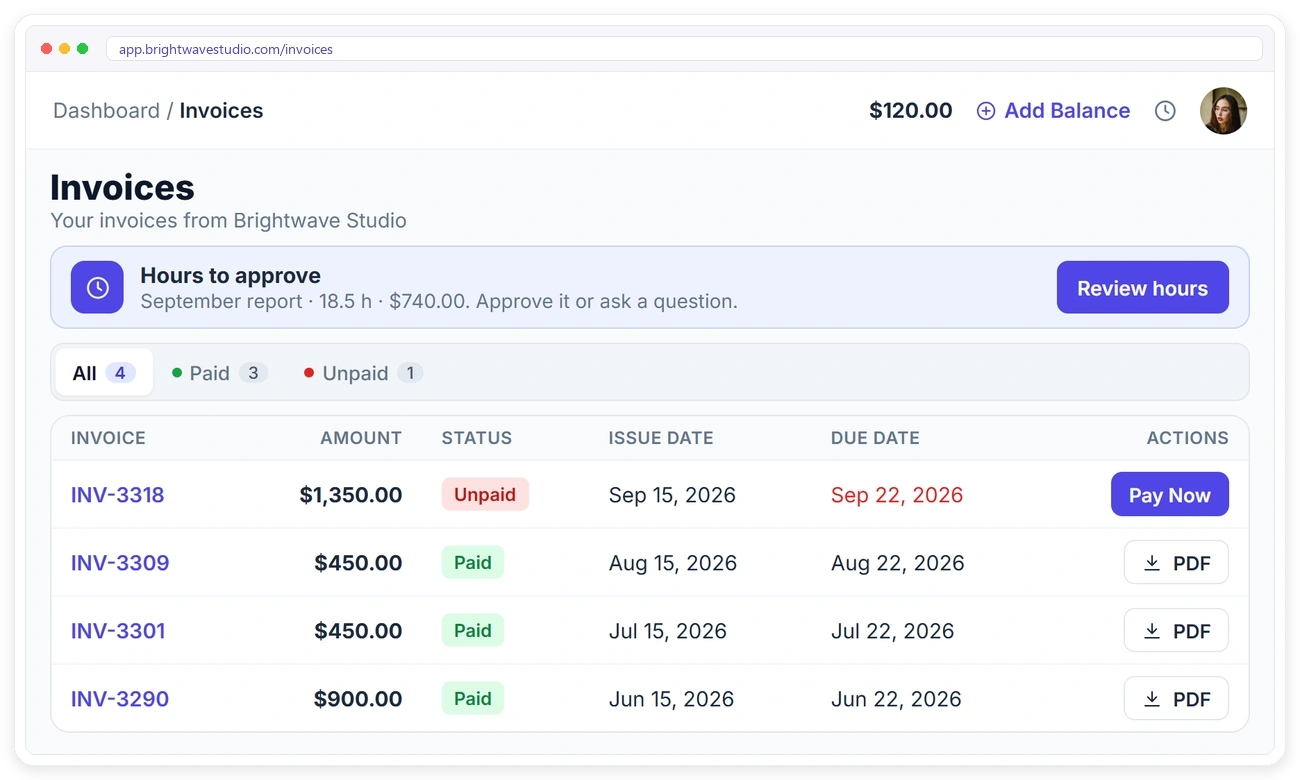
Clients See Their Invoices and Pay Online
In the client portal, clients get the same status tabs and figures, a Pay Now button on open invoices and a PDF for every invoice.

Invoicing FAQ
Straight answers about agency invoicing and billing: what it costs, how clients pay, reminders, deposits, refunds and accounting tools.
What is invoicing software?
It is the tool that turns finished or ordered work into a bill: it adds up the lines, tax and discounts, sends the invoice to the client, takes the payment online and keeps a record of what is paid, due or refunded.
How much does agency invoicing software cost?
Stand-alone invoicing apps range from free plans to paid monthly tiers, and agency suites often charge for every team member. Clientish starts at $29 a month and includes invoicing alongside orders, the client portal and your team, with 5 team members on Starter.
Is there a free version?
No. You get 14 days free with every feature, no credit card asked, which is enough to send real invoices to real clients and watch the payments arrive before you choose a plan.
Does Clientish send payment reminders?
Yes. It can email the client before an invoice is due, and you choose how many days ahead, from 1 to 30. The reminder carries the same payment link as the invoice.
Does it connect to QuickBooks or Xero?
Yes. Both can be connected from the Integrations page on every plan, so your bookkeeping tool sits next to your invoicing instead of being re-typed by hand.
What about recurring invoices and retainers?
Monthly retainers and subscriptions have their own billing flow with their own schedule. See recurring client billing for how renewals and saved cards work.
Can clients pay an invoice online?
Yes. Open the invoice, copy its payment link or let it go out by email, and the client settles it online through the gateway you connected. As soon as the money arrives the invoice moves to the Paid tab, so nobody updates it by hand.
Can I take a deposit instead of the full amount?
Yes. Turn on partial upfront payment and the client can pay part of the invoice first.
Can I refund part of an invoice?
Yes. Refund any amount up to what’s available. A partial refund keeps the invoice paid with a reduced balance; a full refund marks it refunded.
Can I update many invoices at once?
Yes. Select invoices in the list to mark them paid or unpaid, email them or delete them together.
Can I see what changed on an invoice?
Yes. Each invoice has a history of edits, payments and refunds, with who made each change and when.
Where do clients see their invoices?
In their client portal, with the same status tabs, a Pay Now button on open invoices and a PDF download.
Stop chasing payments. Start getting paid.
Send your next invoice with a payment link, let a reminder go out before it is due and see who has paid, who is due and who needs a nudge. Try it with example data first.
- Invoices from your orders and services
- Payment links for Stripe, PayPal and more
- Reminders before the due date
- Deposits, partial payments and refunds
- A history of every change
- QuickBooks or Xero connected