

Some agencies run their client work in Asana, and inside the team it works: tasks have owners, projects have dates, and nobody wonders who is doing what. The strain appears at the edges, when a client wants to know where their job stands, when an invoice has to go out, or when a support question lands and has no obvious home.
That strain is what this article looks at. Asana is a work management tool for planning and tracking a team’s tasks. Clientish is a client portal and operations platform for agencies: clients buy services, pay invoices, follow orders and open tickets in a branded portal, while the team delivers from the same workspace. In late September 2026 Asana added a paid Client Management add-on with a client directory and, on its higher tier, a client portal, so the two now meet at the edge. They still start from different places, and the useful question is which job you need done.
Quick answer: If your main need is coordinating internal work across a team or several departments, Asana is built for that. If your main need is running the client side of an agency (selling services, taking payment, delivery with revision rounds, billing and support), Clientish covers it in one system without an add-on, and some agencies keep Asana for internal planning alongside it.
Key Takeaways
Asana changed in late September 2026, when a new add-on brought client records and an optional portal to the product. The four points below follow Asana’s own pages, checked on October 5, 2026.
- Asana now has a client portal, as an add-on. Client Management launched on September 28, 2026; its portal sits on the add-on’s Advanced tier and lets clients read updates, comment, submit requests and share files.
- It still doesn’t bill. Asana has no invoices or payment collection of its own, while every Clientish order carries an invoice the client pays through your gateway or by transfer.
- Per-user pricing adds up. Ten people on Asana Starter pay $1,318.80 a year before any add-on; Clientish Growth covers fifteen for $468.
- Keep both if planning is deep. Asana for the editorial or project calendar, Clientish for orders, money and questions.
Asana vs Clientish: Task Management vs Client Management
The table sums up the split in one view: Asana organizes the work your team does, and Clientish organizes everything the client sees, pays for and asks about. Read the rows that match your daily headaches.
| Need | Asana | Clientish |
| Built for | Team tasks, projects and goals | Agency client operations |
| Place for clients to sign in | Guests on shared projects; a client portal in the Client Management add-on (Advanced tier) | Branded portal on your workspace address or own domain |
| Selling services | Not included | Service catalog, cart and payment links |
| Invoices and payments | Not built in | Invoices paid through ten gateways, incl. Stripe, PayPal and Razorpay, or manually |
| Client support | Requests submitted in the add-on portal become tasks | Tickets on every plan; live chat from Starter |
| Internal planning | Its core strength | Order tasks and to-do lists |
What Asana Is Great At
Built for planning and tracking work across teams and departments, Asana says 85% of Fortune 100 companies choose it, and its core features are aimed squarely at internal coordination.
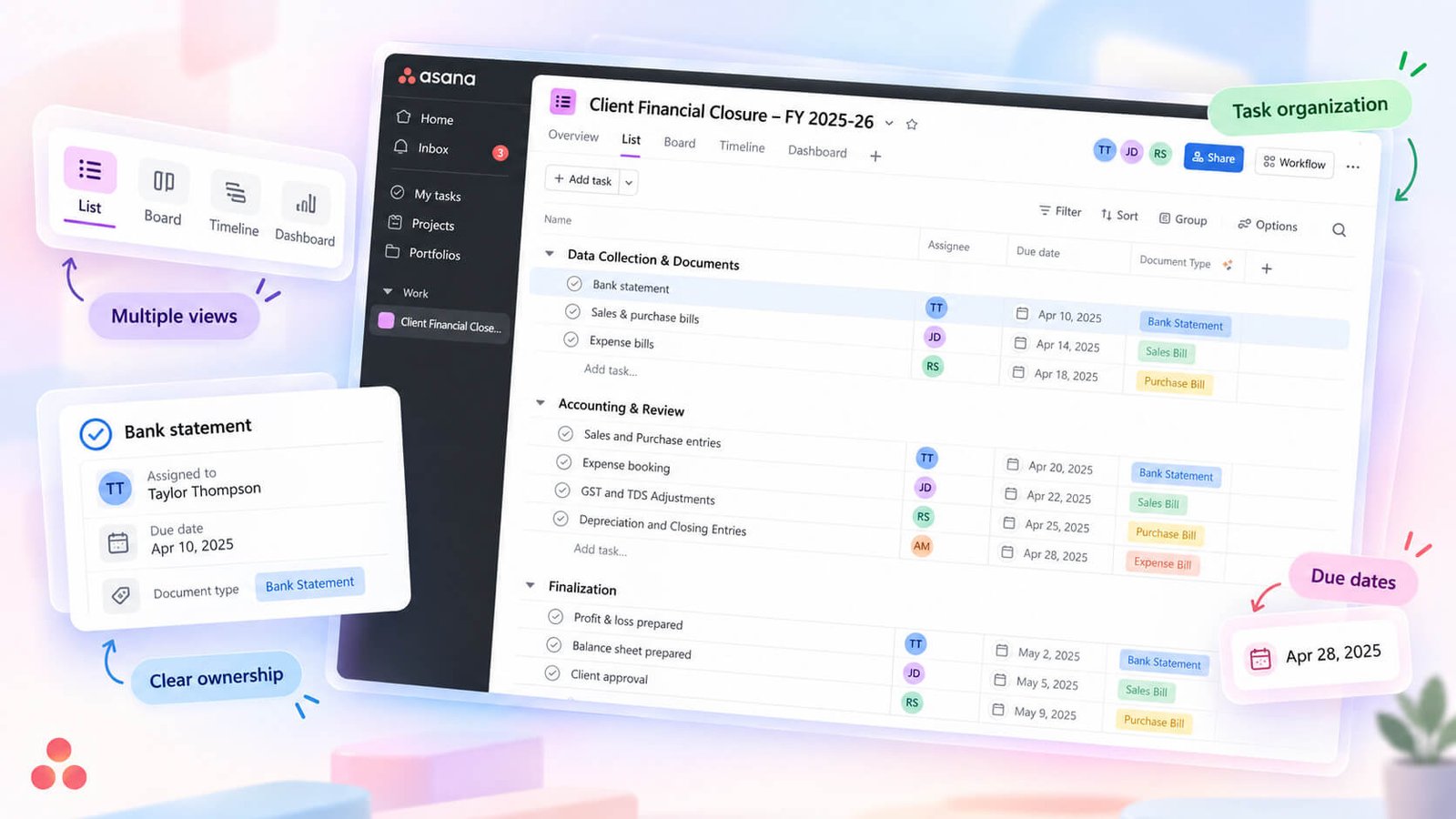
Its strength is how many shapes of work it can hold. Tasks carry custom fields and dependencies, and the same project can be read as a list, a board, a calendar or a timeline. Higher plans add workload views for capacity, goals, portfolios, rules for automation and reporting dashboards.
It is also neutral about who uses it. A design studio, a software team and an HR department can all plan in Asana without the tool feeling written for someone else.
For an agency, that makes Asana a good answer to one question: is everyone on the team clear about what to do this week? Since September 28, 2026, the Client Management add-on (from $10.99 per user a month billed yearly, on top of a Starter or Advanced plan) adds a client directory with account health, renewal dates, contacts and linked projects; its Advanced tier adds an invite-only portal where clients read status updates, comment, submit requests and share files. What Asana still doesn’t do is sell a service, create an invoice or take a payment.
What Clientish Handles
Clientish starts from the client relationship rather than the task list. Selling a service involves an order, a brief, a payment, a delivery, revisions and the questions that follow, and Clientish gives each of those a place.
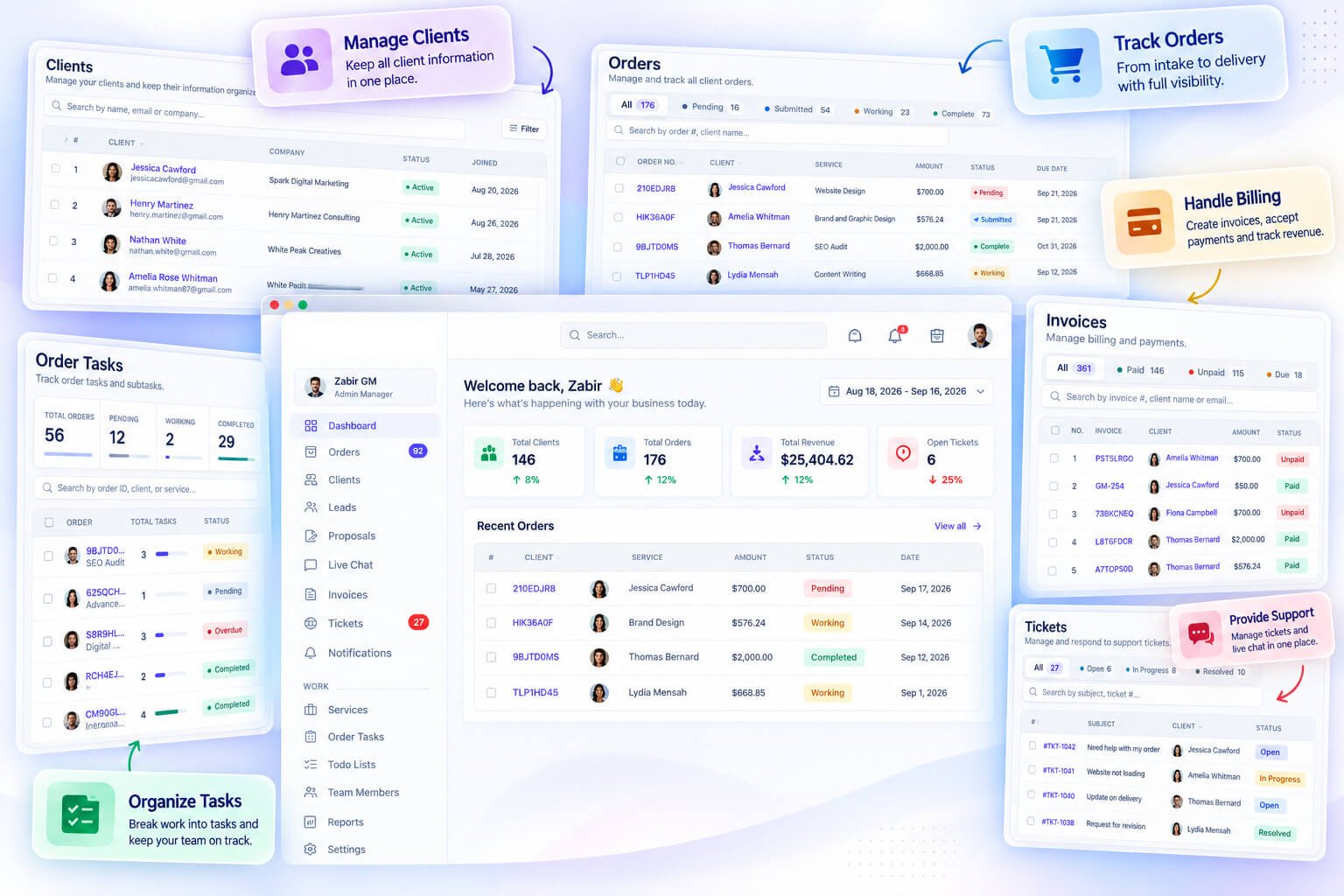
Each client has a record that gathers their orders, invoices, tickets, balance and activity, and duplicate records can be merged. Services are sold from a catalog in the client portal: a client picks one or more, pays the invoice that checkout produces, and only then does the order open, asking the client for the brief.
On the team side, every order has its own tasks, and a Tasks screen lists work across orders, filtered by team member and status. Separate to-do lists cover internal jobs that belong to no client. Invoices can carry discounts, taxes and coupon codes and can be refunded in full or in part. For online payment you pick from ten gateways, including Mollie, Razorpay and Authorize.net beside Stripe and PayPal, and your team logs a bank or manual transfer once the money shows up.
In the portal, clients check orders, approve a delivery or ask for a revision within the service’s limit, pay invoices, manage subscriptions and open support tickets. From the Starter plan they can also use live chat. Clients see your logo and colors throughout the portal, whether they open it at your workspace address or on a domain of yours connected with SSL free of charge.
The Client-Work Gaps Between Them
The friction usually shows up in jobs that face the client. This table lists those jobs and how each tool handles them, followed by a closer look at the ones that cost the most time.
| Job | With Asana | With Clientish |
| Show a client where their work stands | Guest access, or the add-on portal on its Advanced tier | The client signs in to the portal and sees each order’s status and messages |
| Sell a service and start the job | A form creates a task; price and payment are handled elsewhere | Catalog or payment link; the order opens once paid and asks for the brief |
| Invoice and get paid | A separate billing tool | The invoice belongs to the order and is paid in the portal |
| Handle a support question | A request in the add-on portal, a comment or an email | A ticket with a priority, a reply deadline and a client rating |
| See everything about one client | Client Directory (add-on) links projects; billing lives elsewhere | One client record with orders, invoices and tickets |
| Plan large internal programs | Timelines, dependencies, workload and goals | Lighter: order tasks and to-do lists |
Asana looks inward at the team, and Clientish looks outward at clients and money. The sections below cover five of those gaps.
Asana’s Client Portal Is an Add-on
Without the add-on, Asana shares work by inviting clients as guests to projects, where they see the project and its tasks. The Client Management portal, on the add-on’s Advanced tier, gives each client a private space for status updates, comments, requests and files; clients need an Asana account but no paid seat. Its help pages describe a cover image and welcome message for each portal.
Clientish includes its portal on every plan, branded with your own logo and color scheme. Clients see their orders, invoices, subscriptions and tickets, and can pay, approve work or ask for a revision there.
No Way to Sell and Take Orders
Asana Forms (Starter and up) can collect a brief from anyone with the link and create a task automatically. What they can’t do is price a service or take a deposit, so that part of the sale happens in another tool.
In Clientish each service has a price, an intake form, a revision limit and a team. The client pays through the portal or a shared payment link, the order opens, and the brief arrives with it.
Billing Lives in Another App
With Asana, invoices come from a separate product such as Harvest, Xero or Stripe, so the person billing has to match each job to the right client and amount manually.
In Clientish the invoice is created when the order is placed, so the amount and the work never drift apart. Clients pay from the portal, with a saved card if they have one, and refunds are issued from the invoice. QuickBooks and Xero can be connected for the accounts.
No Client Support Desk
In Asana, a client question becomes a task, either through the add-on portal’s request button or by someone pasting in an email. We found no reply-time target or client rating for those requests in Asana’s client pages.
Clientish tickets start in the portal, and clients can attach files to them. The urgency a client selects fixes the time your team has to answer first; agents draw on stored answers and internal comments, and the client can rate each ticket once it is closed.
The Client Record Stops Short of Billing
Asana’s add-on directory keeps each client’s account health and linked projects in one list. Because Asana doesn’t issue invoices, the question “what does this client owe?” still needs the billing tool.
Clientish answers both halves from one screen: the client record lists every order, invoice, subscription and ticket, with total spent, the account balance, notes and the team members assigned to the client.
Where Asana Is Stronger
The last row of the table matters. Asana’s timelines, dependencies, portfolios and goals are far deeper than Clientish’s order tasks, service task lists and Workload tab. Running a long internal program with many workstreams and shared resources is Asana’s territory.
Clientish’s tasks exist to move a client order from brief to delivery. If your hardest problem is internal planning, Asana fits; if it is the client side, Clientish does.
The Client Experience in Asana and Clientish
The sharpest difference shows on the client’s own screen. Here is what a client meets in each tool once you invite them in.
Inside Asana
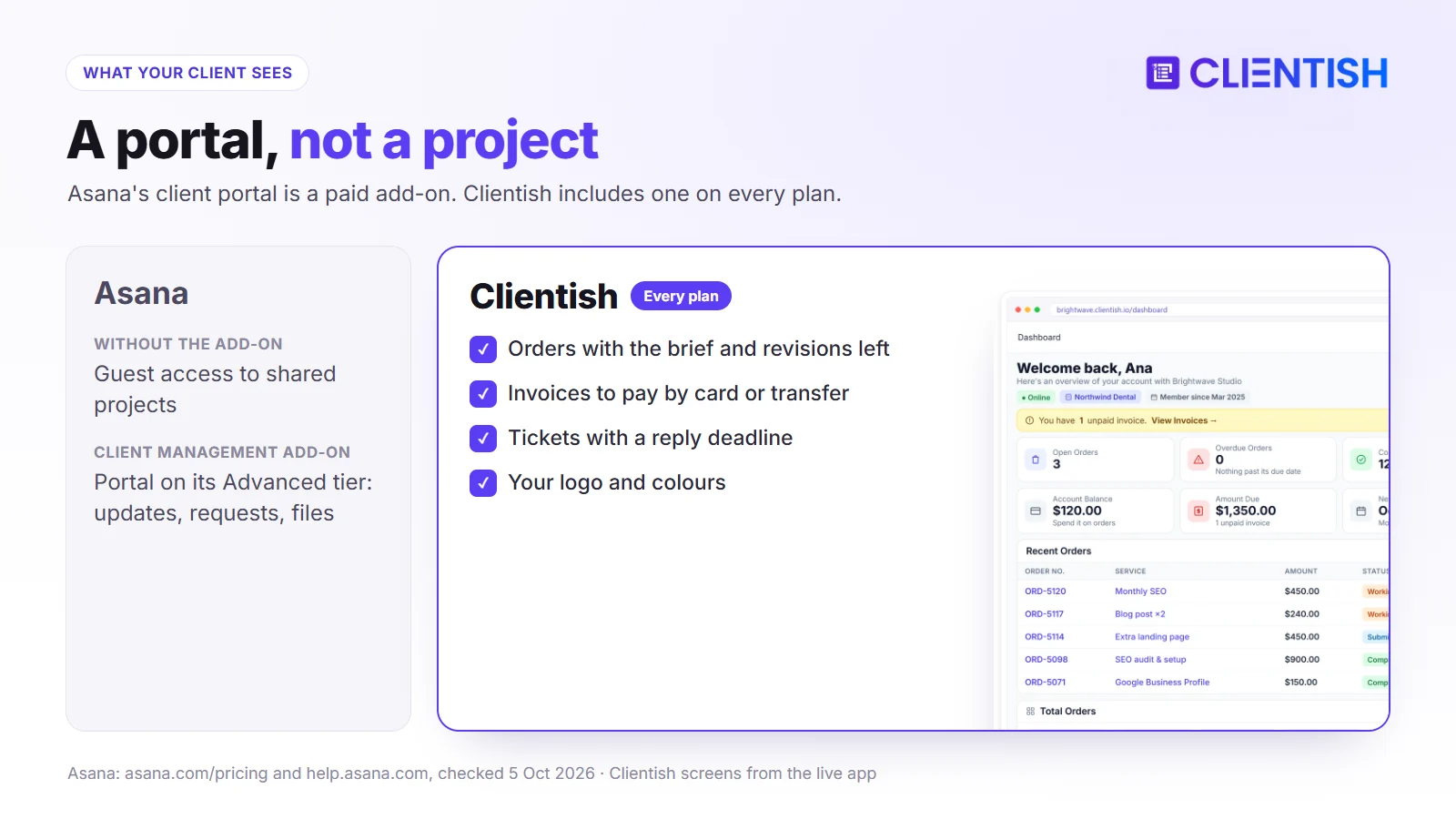
Invited as a guest, a client sees what you share with them: a single task, a project with all its tasks, or a team’s projects. On the Client Management add-on’s Advanced tier they get a private portal instead, with status updates, comments, a request button and files. Portal clients sign in with an Asana account.
Inside Clientish
Once logged in, a Clientish client starts on a home screen that lists what is in progress, what is unpaid and what renews soon, all under your brand. From there they shop your services, pay by card or transfer, sign off on a delivery or use one of their revision rounds, manage subscriptions and open tickets. Your internal planning and other clients stay out of view.
Why Teams Outgrow Asana for Client Work
The move rarely happens because Asana breaks. It happens when the number of clients grows faster than the people answering them, and these are the usual signs.
Updates Become a Daily Job
With ten clients, sending status emails is manageable. With forty, someone spends part of every day writing them. A portal where clients check their own orders removes most of those messages.
Payments Get Chased Manually
When billing sits in another tool, unpaid invoices are found by comparing lists. In Clientish every order carries its invoice on the order page, so the outstanding amount shows next to the work.
Tracking Client Questions Across Channels
Questions sent by email to different people have no shared status. Tickets give each question an owner, a deadline and a closing rating, which makes slow answers visible.
New Clients Wait for Setup
Asana forms, rules and templates can start a project once someone records the sale. In Clientish the client’s own purchase does that step: the payment creates the order and requests the brief, so nobody has to log the sale first.
Keeping Asana and Adding Clientish
Some agencies keep Asana for internal work (roadmaps, operations, non-client projects) and add Clientish for everything a client touches. That works well when the internal side already runs smoothly and the trouble is only on the client side.
10-Person Agency Example: Using Asana with Clientish
Take a Manchester content agency (an illustrative example) with eight writers and editors, two account managers and about 30 clients on monthly content retainers. Its editorial calendar has lived in Asana Starter for two years.
Before
The calendar works, but every Friday the account managers write status emails, invoices go out from Xero, and client questions land in whichever inbox the client last used. The Advanced tier of the Client Management add-on would give clients updates and a request button, yet billing would still happen elsewhere.
After
The editorial calendar stays in Asana. The 30 retainers move to Clientish Growth as subscriptions, articles arrive on orders allowing two rounds of edits, the monthly bill reappears in each client’s portal on renewal day, and queries land in a ticket queue with a response clock. Asana Starter ($1,318.80) plus Clientish Growth ($468) gives the team one tool for planning and one for clients.
Asana and Clientish Costs for a 10-Person Team
Each Asana user adds to the bill, whereas a Clientish plan includes a team size, with no per-person fee inside the limit. The table uses yearly billing at October 5, 2026 list prices.
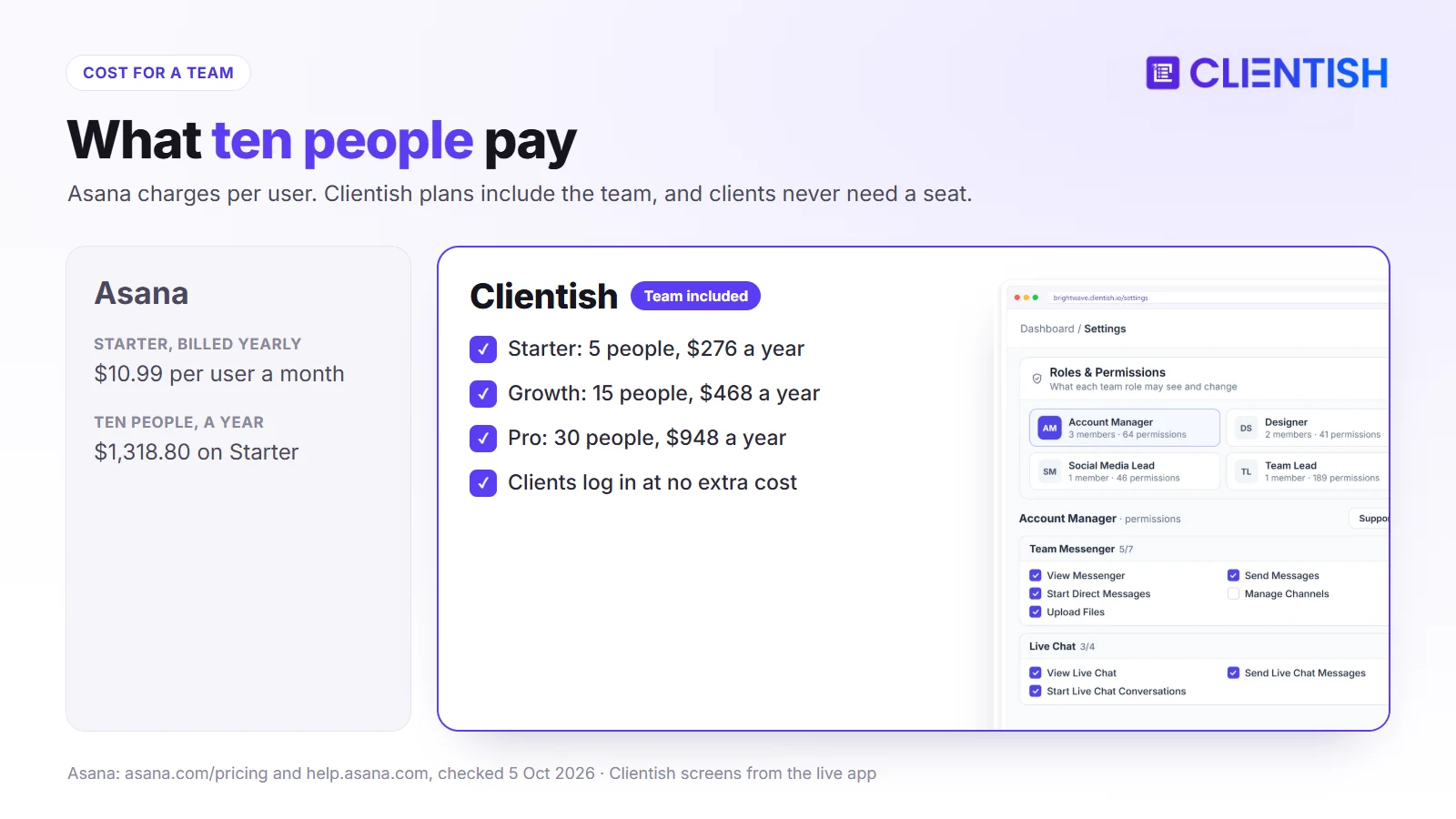
| Team size | Asana Starter | Asana Advanced | Clientish |
| 5 people | $659.40 | $1,499.40 | Starter: $276 |
| 10 people | $1,318.80 | $2,998.80 | Growth: $468 |
| 20 people | $2,637.60 | $5,997.60 | Pro: $948 |
The Client Management add-on is charged per user on top of a Starter or Advanced plan. Clients never take a team seat in Clientish.
When Asana Is the Better Pick
For agencies whose clients never need to see, pay or ask through your tools, Asana remains the better choice. If several of these points describe you, there’s little reason to change.
- Your work is internal. Clients aren’t part of the workflow, and nobody outside the team needs a login.
- Billing already works elsewhere. Invoices go out from an accounting tool and payments arrive without chasing.
- You run complex, multi-team projects. Portfolios, dependencies and workload across many people are central to your week.
- Clients talk to you by email or Slack by choice. If that causes no problems, there’s no gap to fill.
- Many departments share one tool. Marketing, operations, HR and product all plan in the same place.
Using Asana and Clientish Together
Running both is straightforward: Asana stays the planning tool for the team, and Clientish becomes the place every client interaction happens.
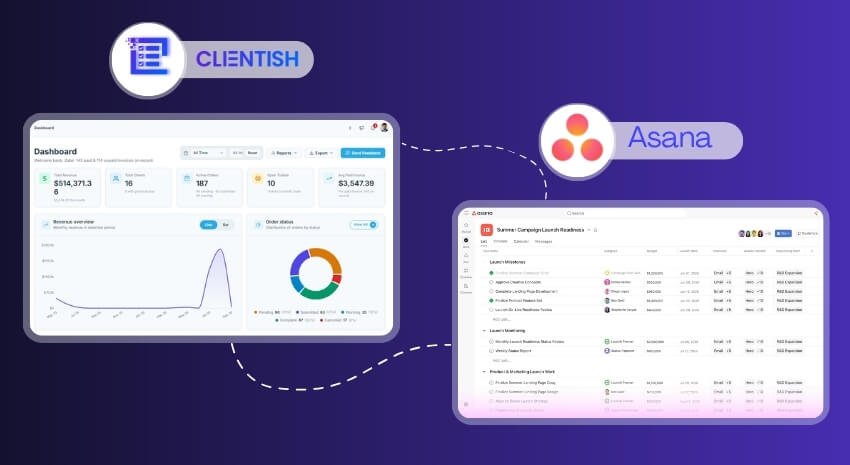
Asana keeps capacity planning, internal sprints and department boards. Clientish holds the client records, orders, invoices, tickets and the portal. The two audiences rarely overlap: the team plans in Asana, and clients only ever see Clientish.
There’s no live Asana sync in Clientish, though an Asana import brings clients and their work across. Each client order carries its own tasks inside Clientish, so delivery work can stay there while broader planning remains in Asana. To pass events across, set up a Zap with the Clientish Zapier app or point a webhook at Make.
You can test the split with a 14-day Clientish trial on one or two real clients before moving anyone else.
How to Pick Between Asana and Clientish
Start from where your time goes each week. The lists below match common situations to the tool that fits them.
Choose Asana if:
- your main need is planning internal work across a team
- several non-client departments share one planning tool
- timelines and dependencies drive your projects
- client communication happens outside your tools
Choose Clientish if:
- clients should check orders, pay and ask questions without emailing you
- you sell defined services and want order, invoice and delivery in one record
- billing, support and updates are spread across several apps
- you want a branded portal without building one from add-ons
Choose both if:
- your team runs deep internal planning and also needs a proper client-facing operation
Moving Client Work From Asana to Clientish
Your Asana projects don’t move. Only the client-facing work changes home, in four steps that can run over a week.
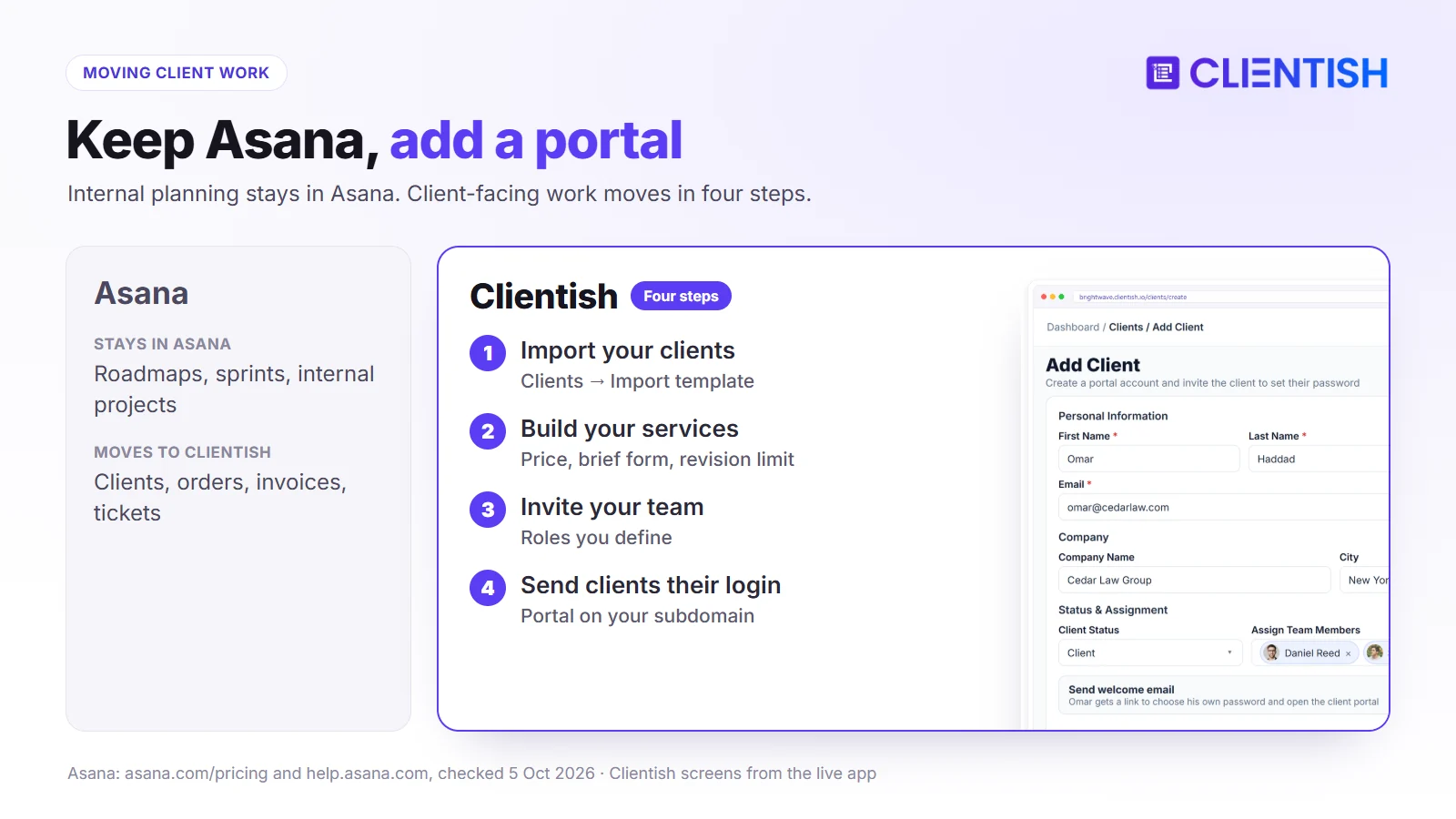
- Load clients. Bring clients and their work across with the Asana import, or list them in the spreadsheet template and load it from the Clients screen. Nobody is contacted at this stage, because imported accounts begin turned off.
- Rebuild packages. Recreate your content packages as services (word counts, prices, brief questions, edit rounds) and turn retainers on from each client’s next renewal date.
- Add the team. Create roles for account managers and editors, and bring freelance writers in as remote members on Growth.
- Go live client by client. Activate each account when its first Clientish invoice is ready, and stop sending Friday status emails to that client.
Teams that still plan in Asana can have a task created there for every new order by a Zap built on the Clientish Zapier app, or through Make listening for a webhook.
Frequently Asked Questions
These short answers cover the questions agencies often ask when they weigh Asana, a team planning tool, against a client portal like Clientish.
Is Asana or Clientish better?
It depends on the job. For internal planning across departments Asana is the stronger tool; Clientish is built for client-facing work such as orders, invoices, support and a portal.
How do Asana and Clientish differ in one line?
Asana manages tasks and projects for a team. Clientish manages the relationship with clients, from purchase and brief to delivery, payment, support and the portal they sign in to.
Can clients log in to Asana to follow their work?
Yes, through the portal in the Client Management add-on’s Advanced tier, where clients follow updates and send requests. It doesn’t take payments or sell services. Clientish’s portal does both, on every plan.
Does Clientish do project management like Asana?
It handles the tasks inside each client order, with assignees, statuses and a Tasks screen across orders. It isn’t a general planning tool with timelines and dependencies.
Why do agencies move client work from Asana to Clientish?
Usually because updates, invoices and questions keep spilling into email and other apps. Clientish brings them into one workspace tied to each client.
Can I use Asana and Clientish together?
Yes. Some agencies plan internal work in Asana and run everything client-facing in Clientish.
Does Asana have invoicing?
Asana doesn’t create invoices or take payments itself; its Timesheets and Budgets add-on tracks billable time for billing done elsewhere. Clientish includes invoices with discounts, taxes and PDF copies, paid through your own gateway or by manual transfer.
Final Thoughts
Asana and Clientish solve different problems. Asana is a planning tool for teams; Clientish is built around the client: what they buy, what they owe, what they asked and what they can see.
The addition usually happens when the client side starts to fray: status emails, invoice reminders and questions arriving in personal inboxes. That’s not a failure of Asana, only a layer it wasn’t made for. If your team plans well in Asana but your clients are spread across apps, start a 14-day Clientish trial and run one client through the whole order-to-invoice path. Plan limits are on the pricing page.
Sources
Clientish publishes this comparison. Asana details were checked on October 5, 2026 using its pricing page, Client Management pricing, Client Management launch post, Client Management plans, client portal guide, client access guide, guests FAQ, Forms page and Timesheets and Budgets add-on.
Asana is a trademark of its owner. Clientish is not affiliated with Asana. See something out of date? Tell us and we’ll correct it.

