
AUTOMATED EMAILS TO CLIENTS · UPDATED OCTOBER 2026
Automated Emails to Clients for Agencies
Automated emails to clients are the letters that go out on their own when something happens: a welcome when they sign up, an invoice, a payment reminder, an order update or a reply to their ticket. They are sent from your own address in your own words, and every one is logged as delivered or opened. From $29 a month.
The Right Email at Every Step
From the first enquiry to the next renewal, Clientish sends each email when its moment comes, in your words and from your address.
- 01
Lead
Confirmation and follow-up
- 02
Welcome
Portal login, verified
- 03
Invoice
Sent the moment it exists
- 04
Reminder
Before and after due
- 05
Receipt
Paid, thanked, filed
- 06
Renewal
Upcoming payment notice
Stop Writing the Same Email Twice
Welcome emails, invoices, payment chasing and order updates typed by hand, replaced by templates that send themselves at the right moment.
 Clientish EmailsOne workspace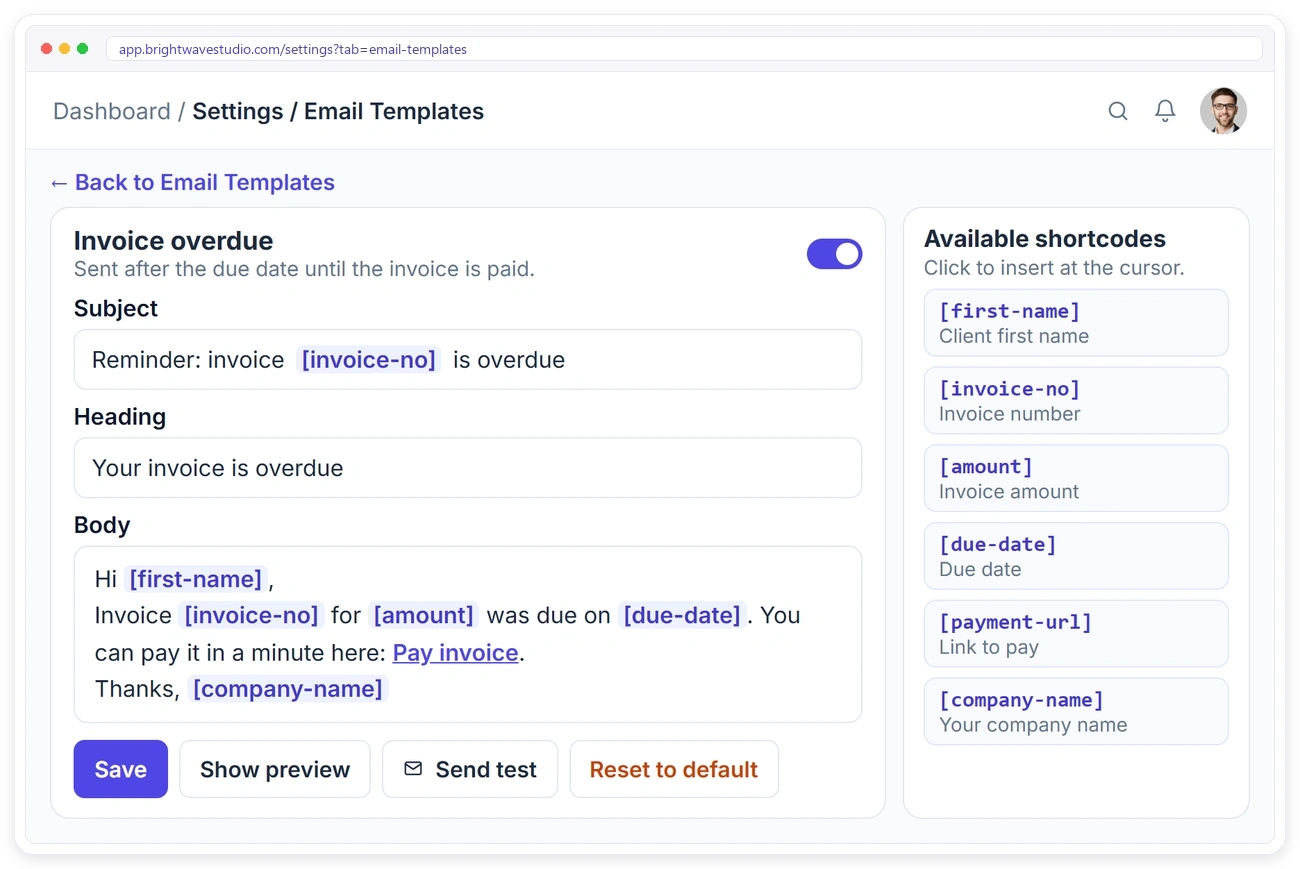
EMAIL TEMPLATES
Write Each Email Once, Send It Every Time
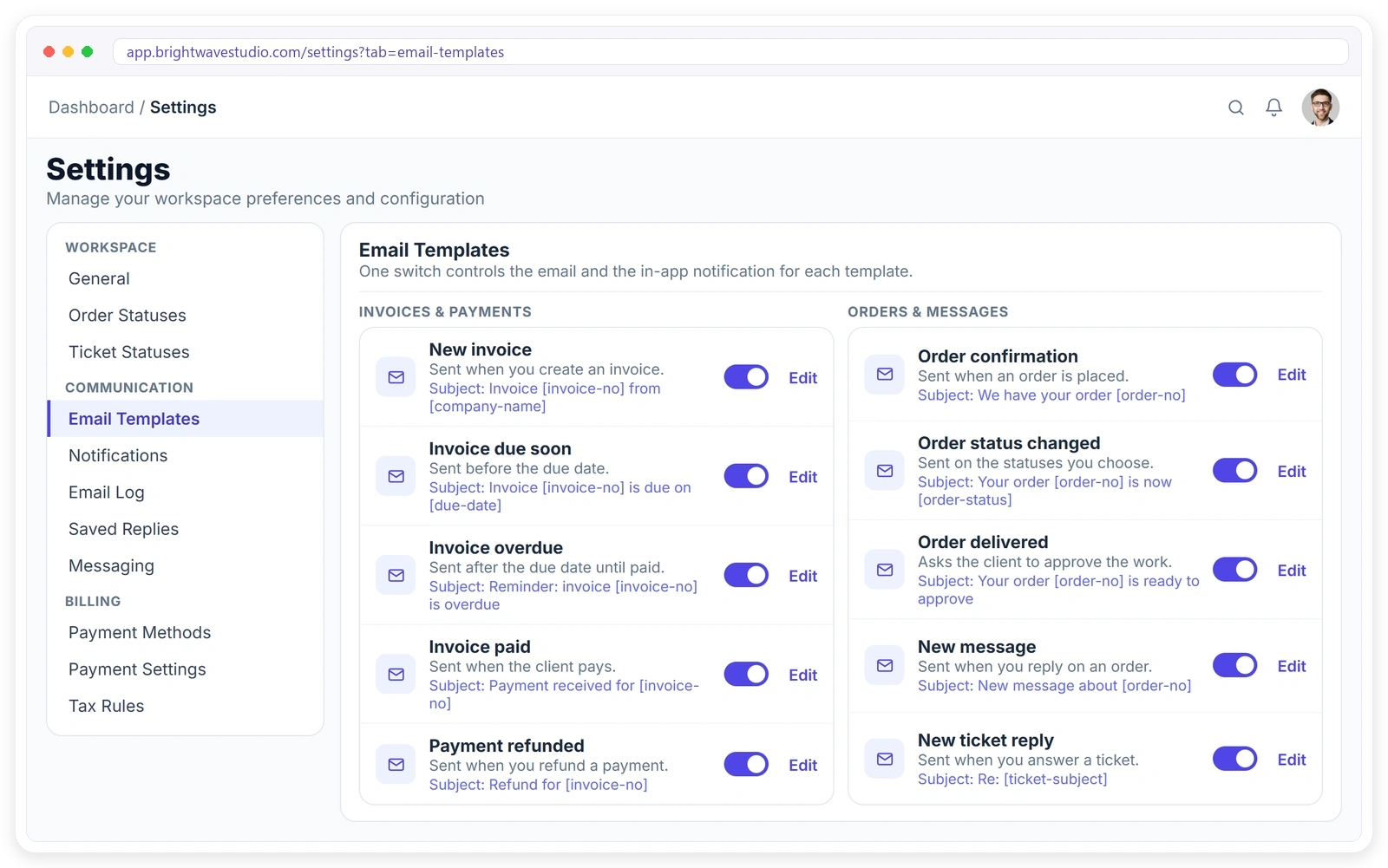
Every automatic email comes from a template you can change. Edit the subject, heading and body, drop in shortcodes such as the client’s first name, the invoice number or a payment link, preview it, send yourself a test and reset it to the original whenever you like. For emails of your own, build a rule in Automations.
PAYMENT REMINDERS
Get Paid Without Chasing Clients
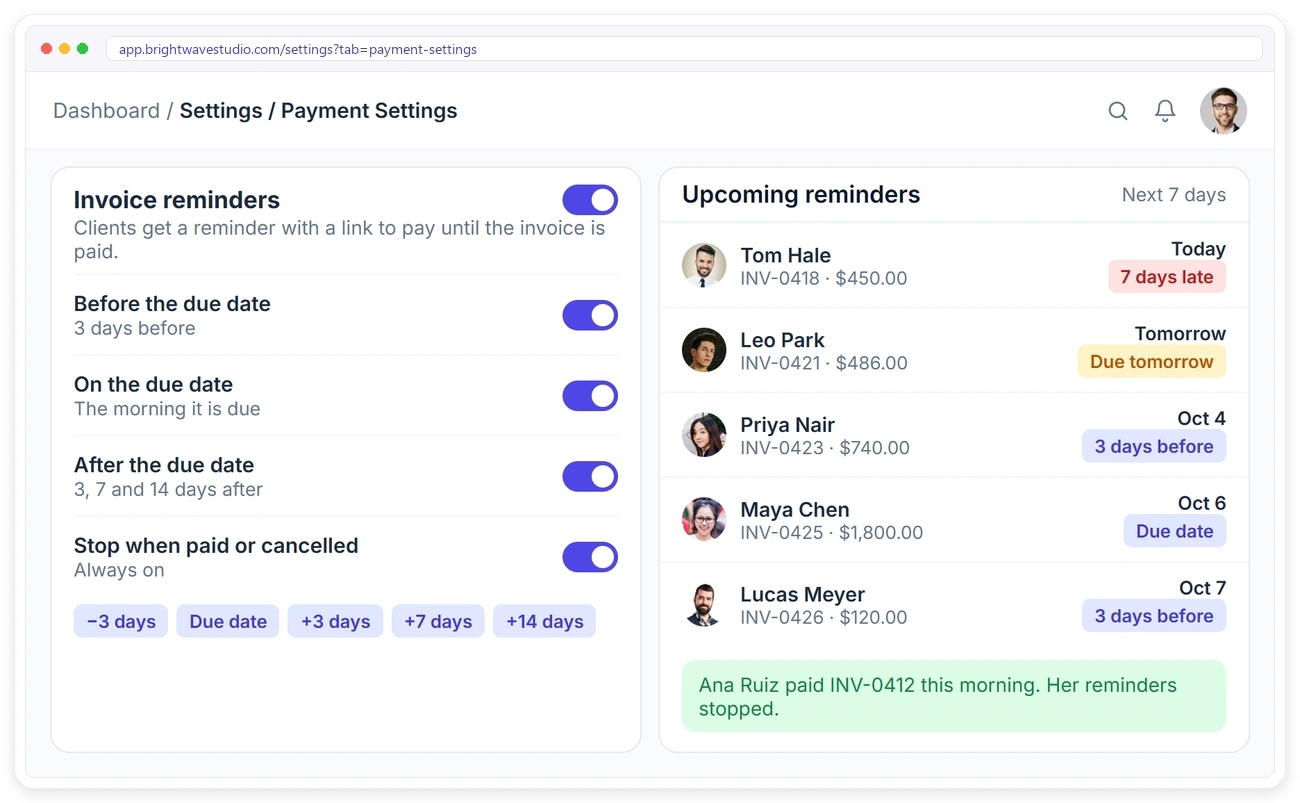
Turn on invoice reminders and choose your schedule: a reminder before an invoice is due, one on the due date and up to five after it, each with a link to pay. The reminders stop as soon as the invoice is paid, so nobody gets chased for a bill they already settled. Works with client invoicing and recurring billing.
ORDER & TICKET EMAILS
Keep Clients Updated Without Writing a Word
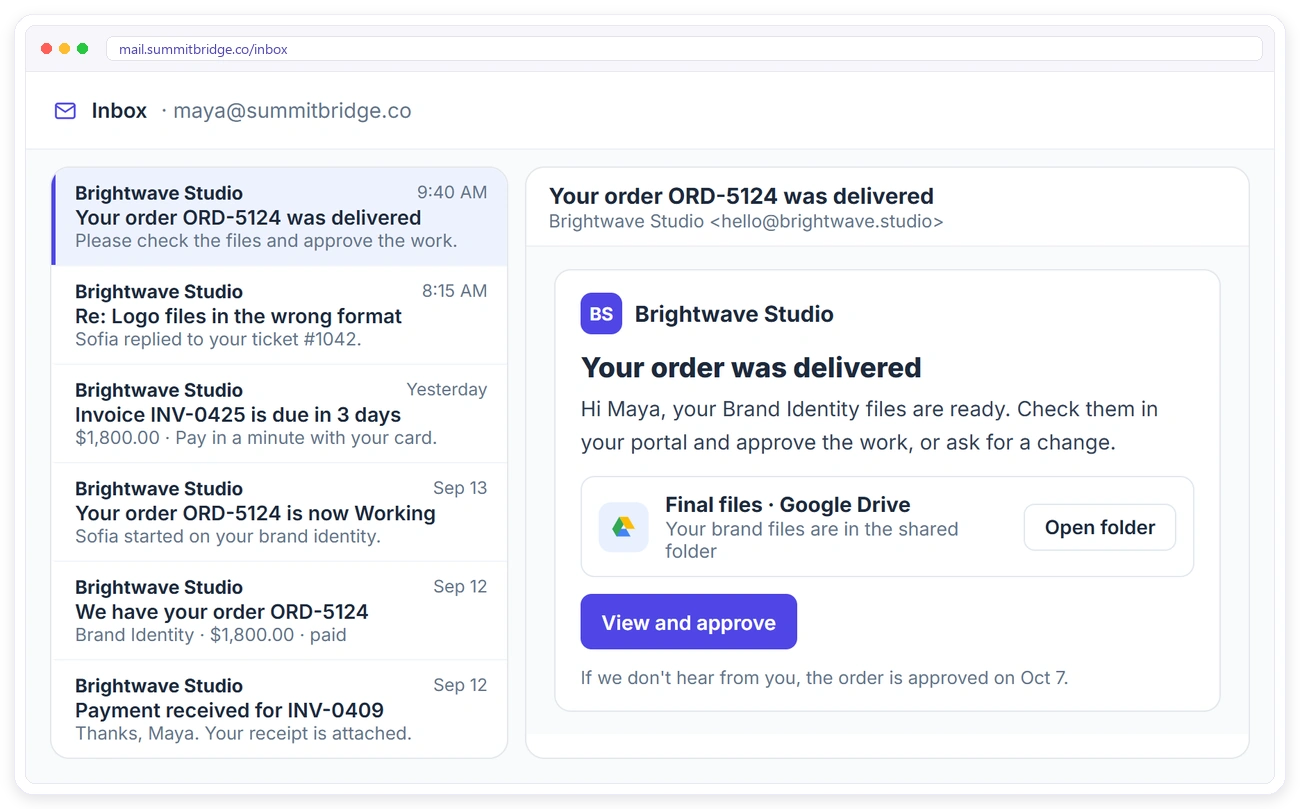
Clients get an email when you confirm their order, when it moves to a new status, when it is delivered for approval and when you reply to them on an order or a support ticket. Every email links back to their portal, so the conversation stays in one place.
LEAD EMAILS
Email Leads and See Who Opened It
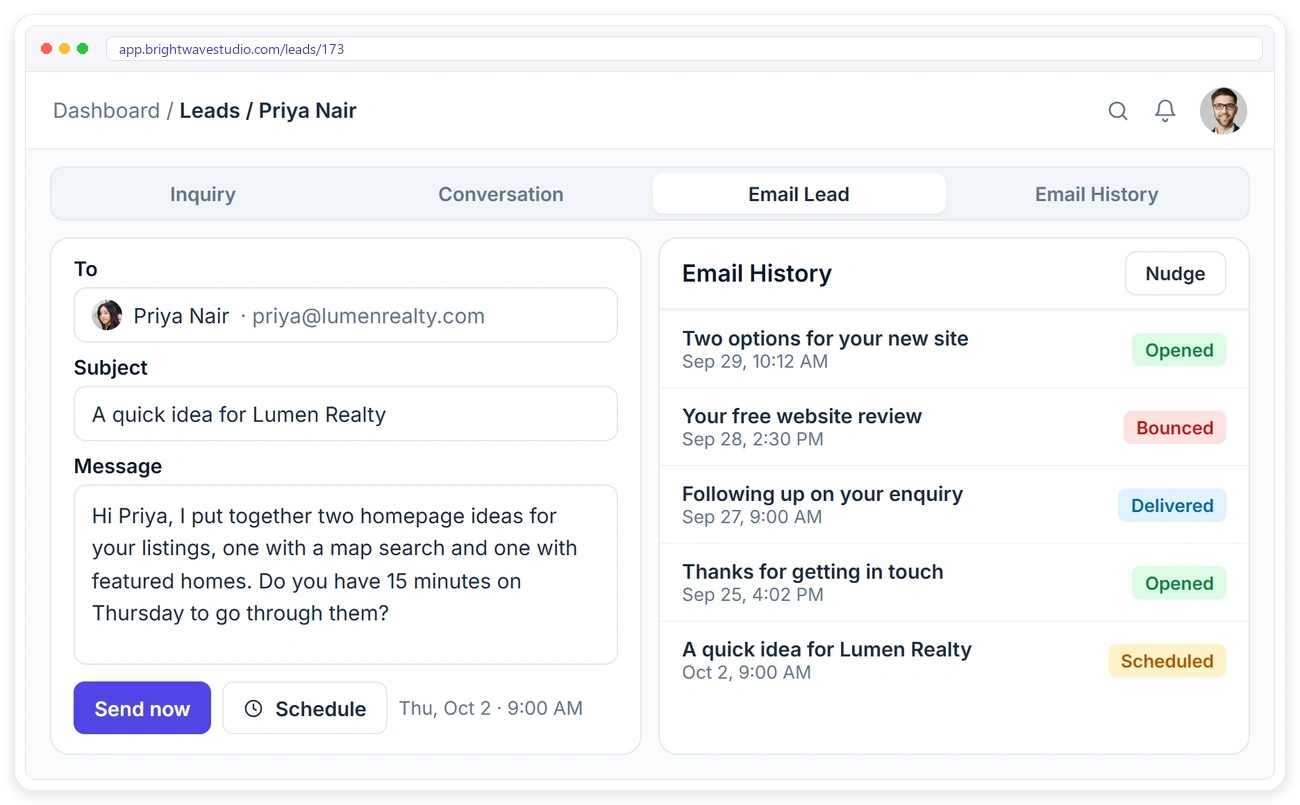
Write to a lead from their page, send it now or schedule it, and nudge them if they go quiet. Email History shows every message with its status: scheduled, delivered, opened or bounced, so you know when to follow up. Leads come from your CRM.
OUT-OF-HOURS AUTO-REPLY
Answer Clients Even When You’re Closed
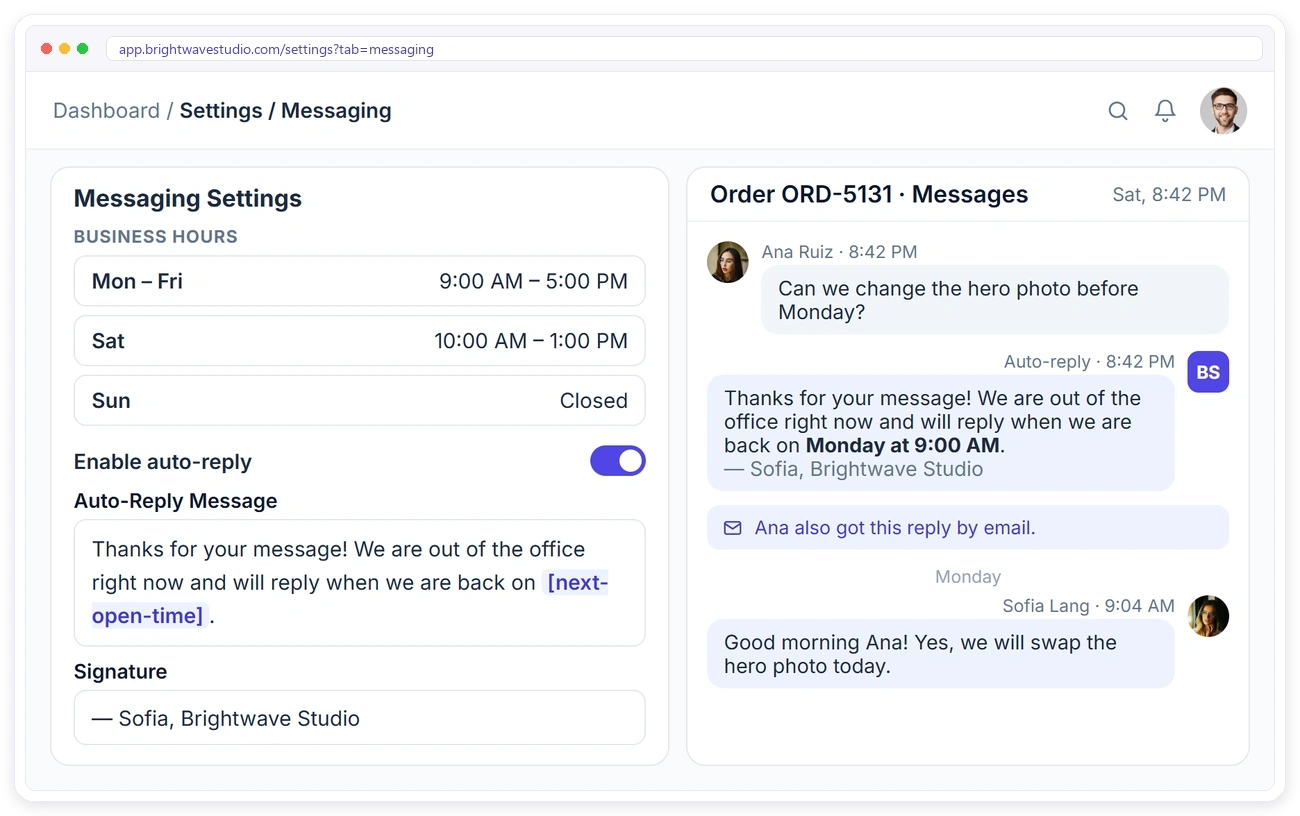
Set your business hours for each day and write one auto-reply. When a client writes to you on an order, a ticket or in live chat outside those hours, they get your reply straight away by email, telling them exactly when you’ll be back. Your signature is added to every order and ticket message.
EMAIL LOG
Know Every Email Arrived
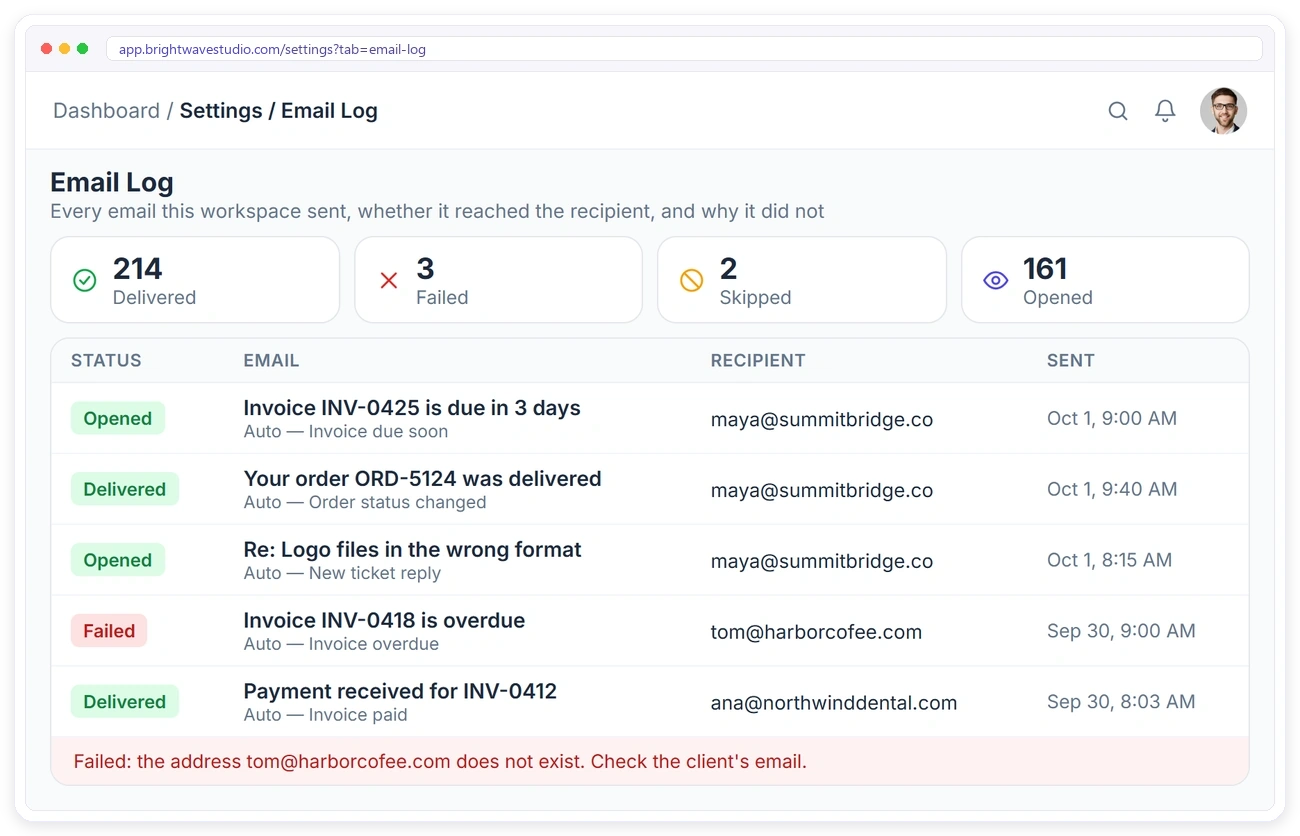
The Email Log lists every email your workspace sent and whether it was delivered, opened, failed or skipped. Open any email to see who it went to and, if it failed, the exact reason, so a wrong address or a mail server problem never goes unnoticed.
YOUR ADDRESS, YOUR BRAND
Emails From Your Own Address
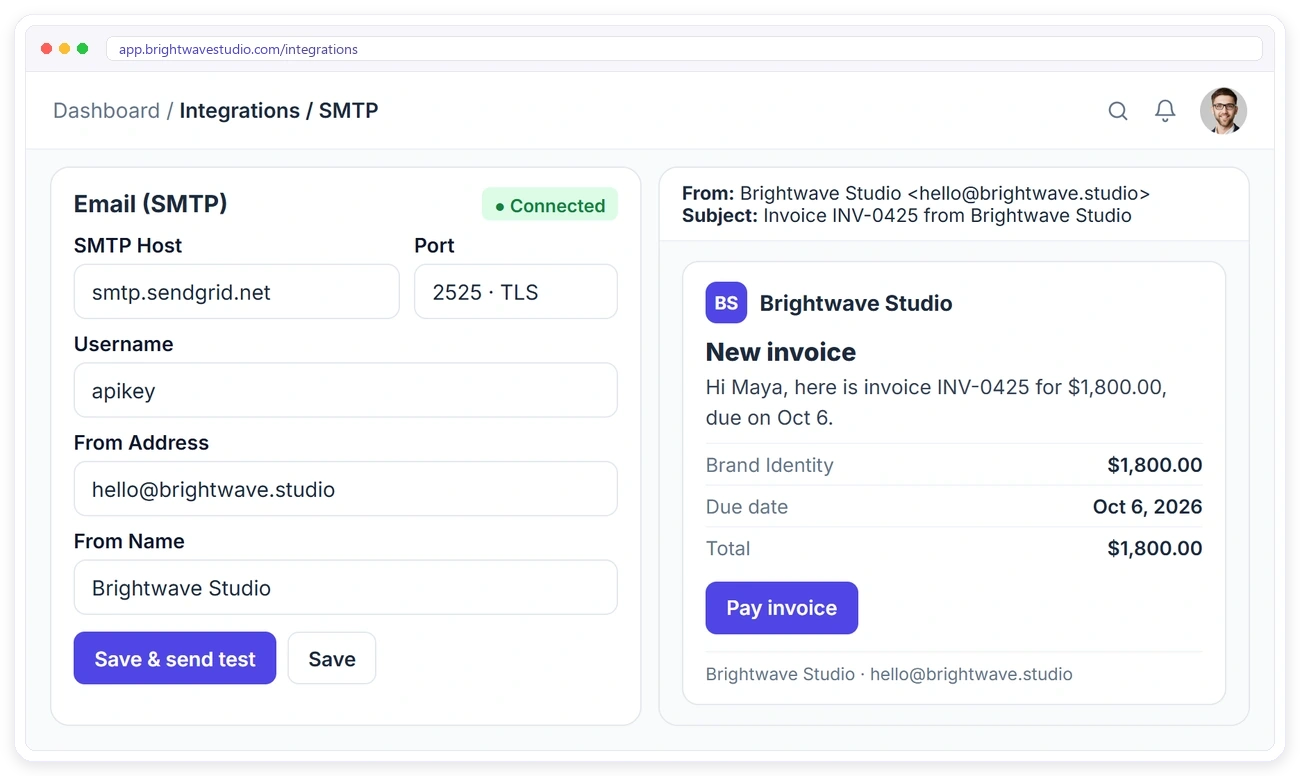
Connect your own mail server with SMTP and every email goes out from your address and your agency name, with your logo at the top. Send a test to check it works, and remove the Clientish footer on plans that allow it. Your client emails start once your SMTP is connected.
Everything Else in Email Automation
The smaller details that make automatic emails safe to rely on, from account letters to exports, so clients hear from you at every step without anyone on your team writing it by hand.
Emails Every Agency Should Automate
If you only switch on four automated emails to clients, start with these: they save the most writing time, answer the most “any update?” questions and bring the money in sooner.
Automated Emails to Clients FAQ
Straight answers about sending automated emails to clients: your own address, wording, payment reminders, opens and cost.
How do I send automated emails to clients?
Connect your own mail server once, then switch on the letters you want: welcome, invoices, payment reminders, order updates, ticket replies. Each is sent by itself when its moment comes, from a template you can reword, and the Email Log shows that it arrived.
Do emails come from my own address?
Yes. You connect your own mail server with SMTP, and every email goes out from your address and agency name. Client emails start once your SMTP is connected.
Can I change what the emails say?
Yes. Every template has an editable subject, heading and body, with shortcodes for names, invoice numbers, amounts and links. You can preview it, send yourself a test and reset it at any time.
Can I remind clients to pay automatically?
Yes. Turn on invoice reminders and pick the schedule: some days before the due date, on the day and up to five days after, each with a payment link. They stop on their own once the invoice is paid or cancelled.
Will clients get an email when I reply to them?
Yes. Clients get an email when you reply on an order or answer a support ticket, with a link back to their portal.
Can I see if a client opened my email?
Yes. The Email Log marks client emails as opened, next to delivered, failed or skipped, and gives the reason when one fails, so a wrong address never goes unnoticed.
Can I turn some emails off?
Yes. Each template has its own switch. The account welcome, verification and password reset emails always stay on, because clients need them to log in.
Does it work with Mailchimp?
Yes. Connect Mailchimp and new clients and leads are added to your audience with tags, so you can send newsletters there. Your client emails keep going out through your own SMTP.
How is this different from Automations?
These are the ready-made letters every agency needs, switched on or off and reworded. Automations is where you build your own rules, such as emailing a client when an order sits in one status for three days.
How much does it cost?
Automated client emails, invoice reminders and the Email Log are on every Clientish plan, from $29 a month. You send through your own mail server, so there is no per-email fee from us; try it free for 14 days.
Let your client emails send themselves.
Connect your own mail server, switch on the letters you need and reword them once. Welcome emails, invoices, reminders and order updates then go out at the right moment. Try it with example data first.
- Your address and agency name
- Your logo and your words
- Shortcodes for names and links
- A test send before it goes live
- Delivered and opened status
- An on or off switch of its own