
Know Which Work Actually Pays
Seven reports across revenue, services, clients, orders, statuses, accounts and coupons, filtered by any date range and exportable in one click.
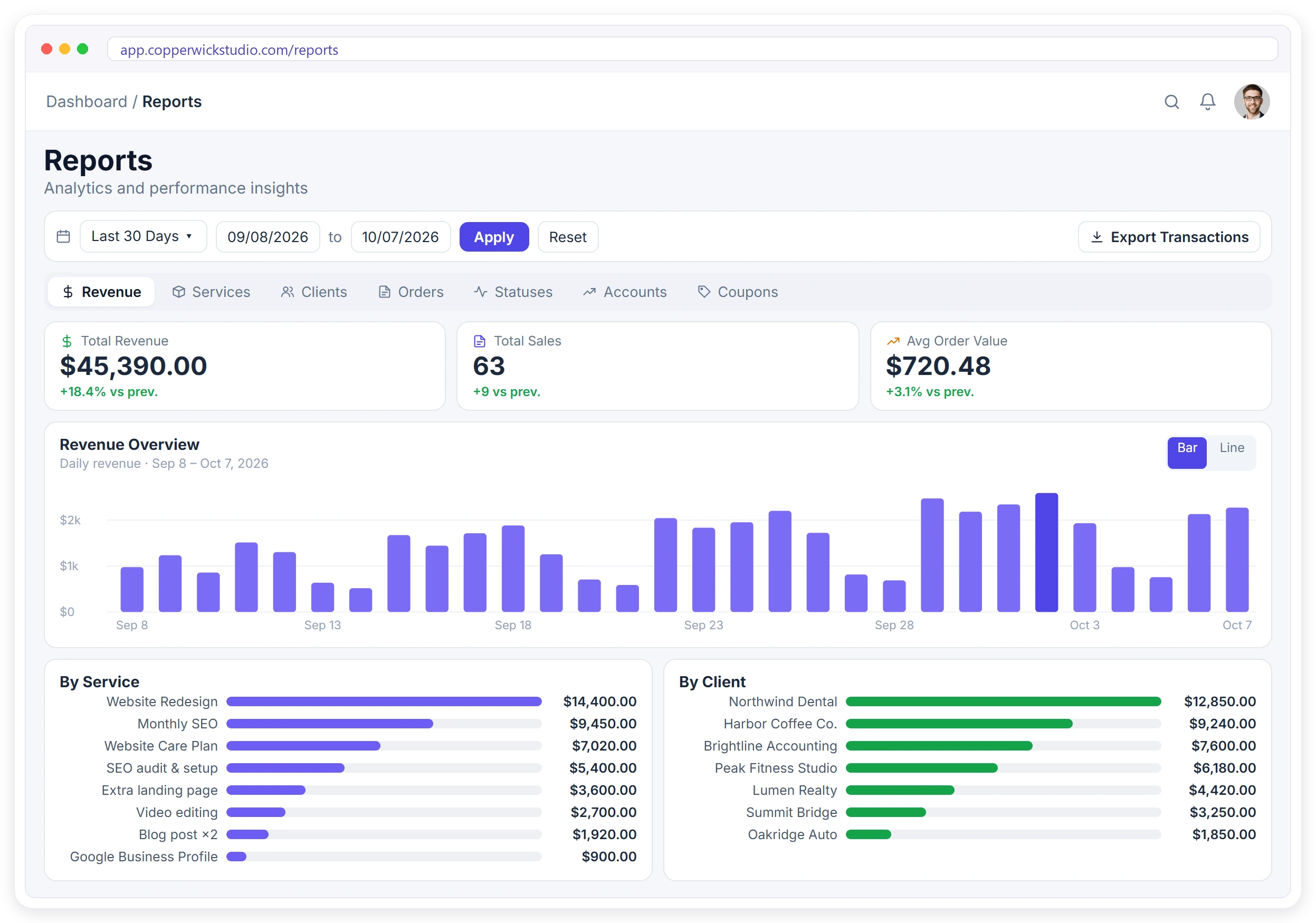
One Tab for Every Question You Ask
Same date filter across all seven: change the range once and every report follows.
Revenue
Daily revenue, revenue by service and client, plus every transaction.
Services
What each service earns, and how many orders it pulls in.
Clients
Growth curve, revenue per client, and your top accounts ranked.
Orders
Six-month order trend and completed orders per service.
Statuses
Where orders sit, and what each team member is carrying.
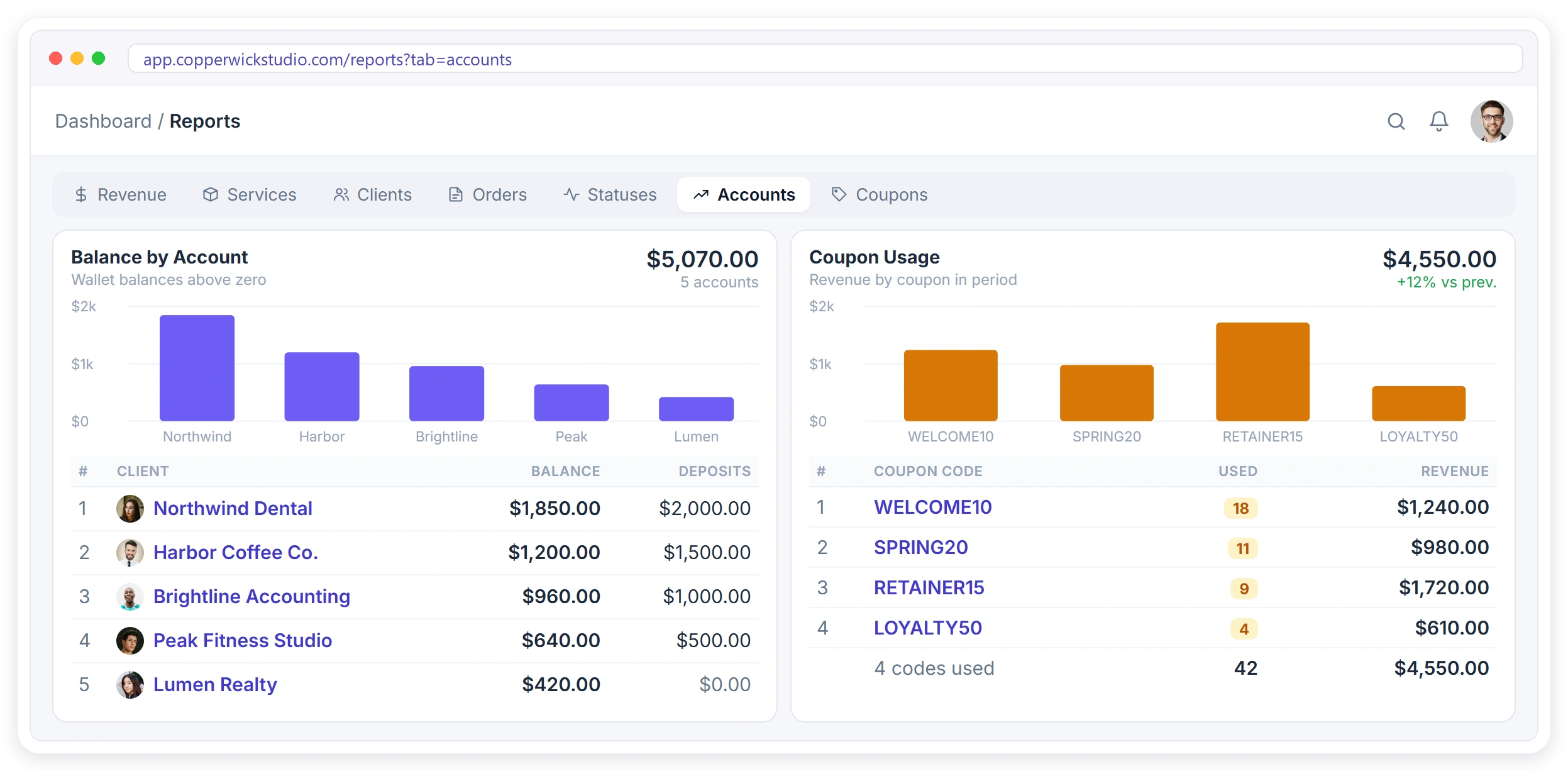
Accounts
Client wallet balances and deposits taken in the period.
Coupons
Which codes were used, how often, and what they actually earned.
Export anything
Transactions, invoices, clients, services, orders and ratings.
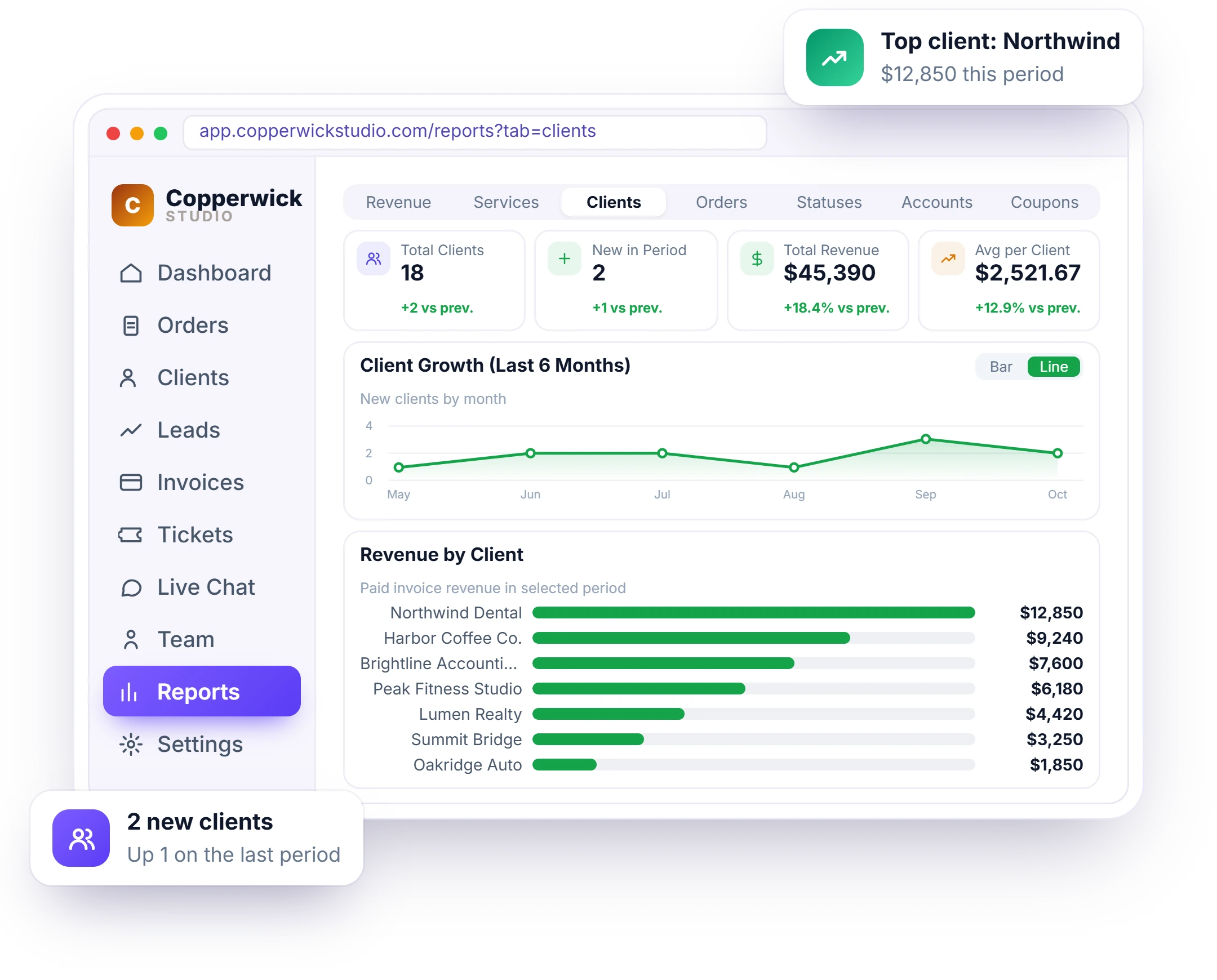
See Who Actually Carries the Business
Revenue per client, orders per client, and how many new ones arrived each month, so you know who to keep close and where growth is really coming from.
- Total, new and average revenue per client
- Six-month growth curve
- Top clients ranked by revenue and order count
- Export the whole client list in one click
Find the Services Worth Selling More Of
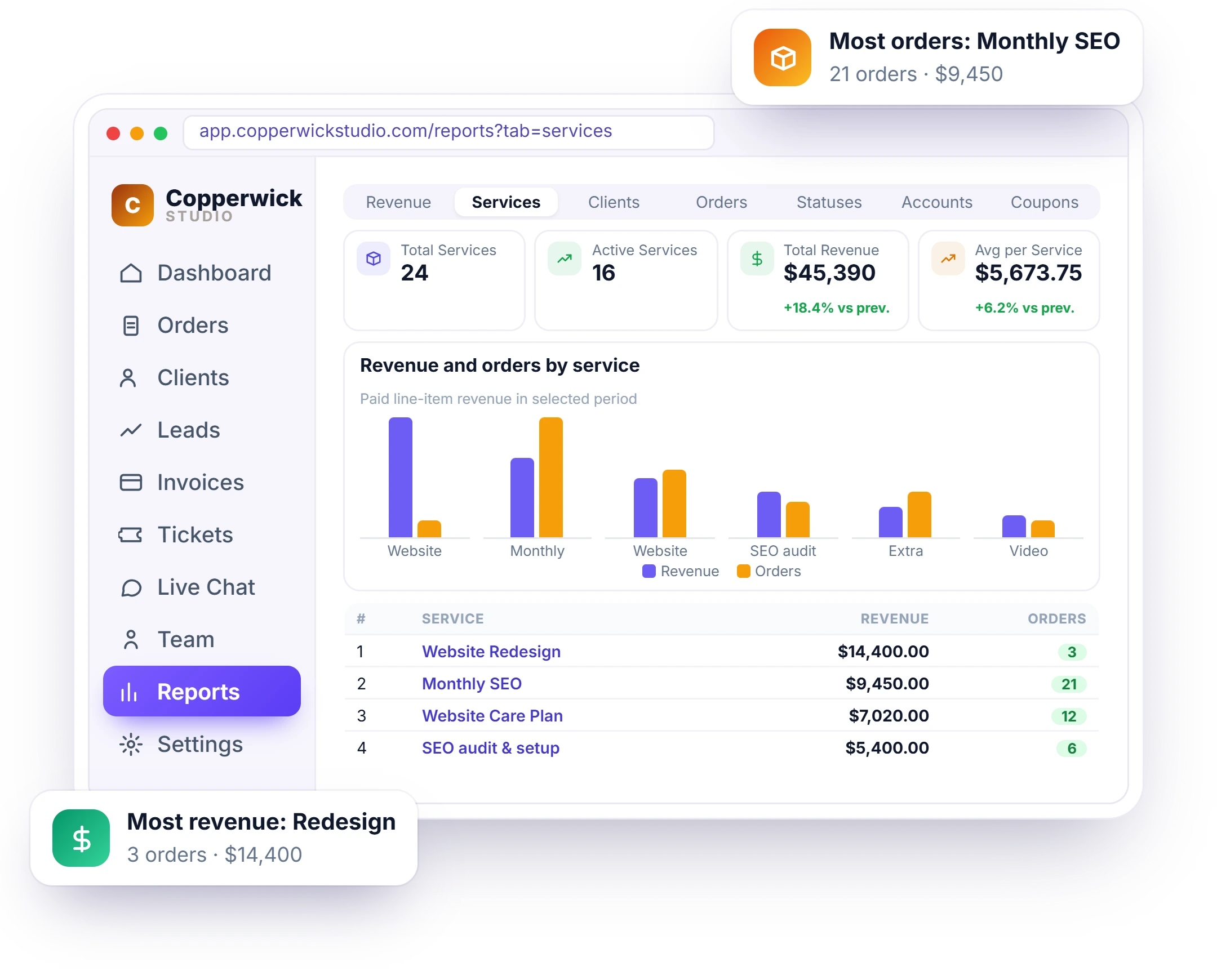
Revenue and order count side by side for every service. The one that sells most isn’t always the one that earns most, and this is where you see the difference.
- Revenue by service, ranked
- Orders by service, side by side with revenue
- Active vs total service count
- Average revenue per service, period over period
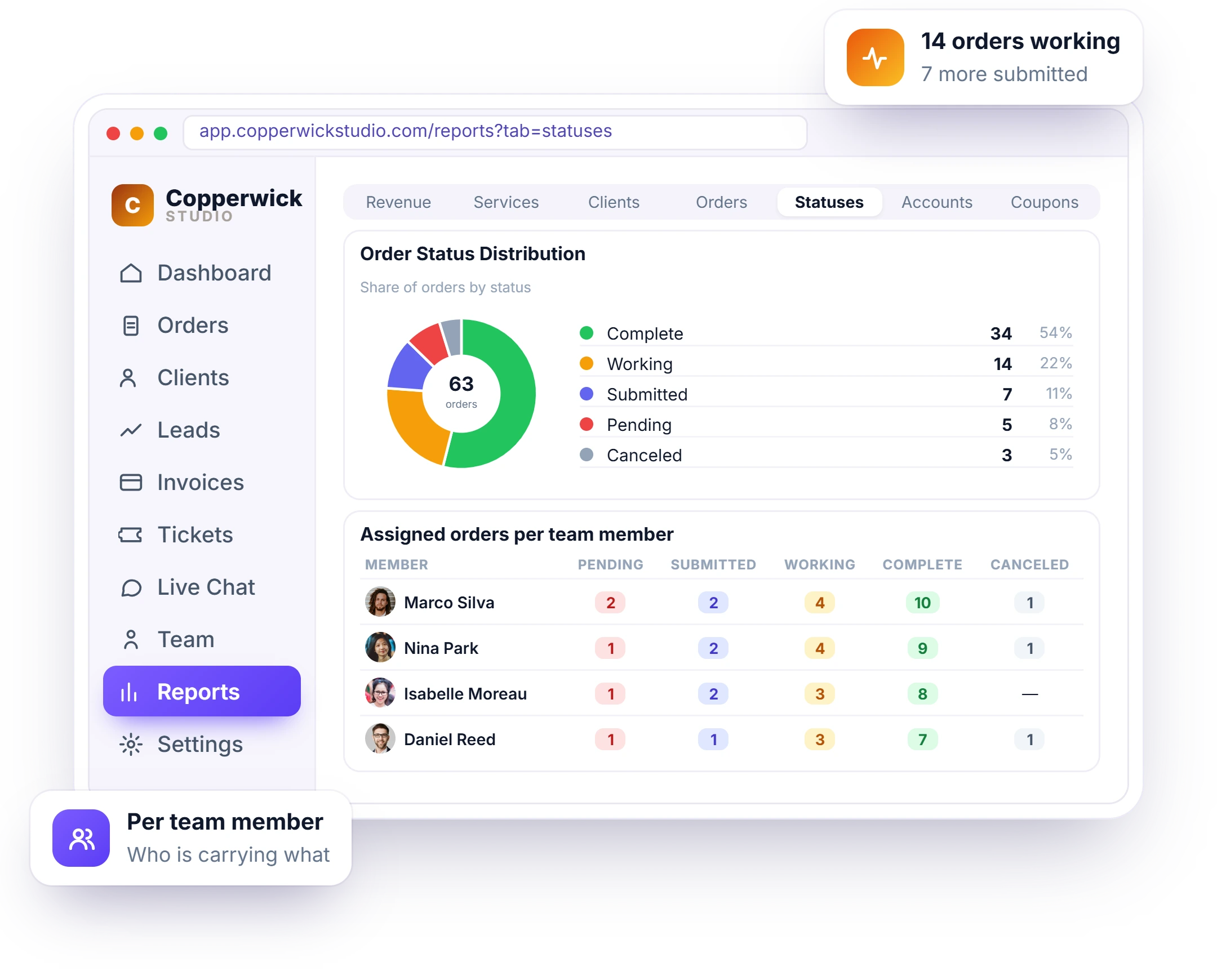
Spot the Bottleneck Before Clients Do
Every order counted by status, plus a per-member breakdown of what’s pending, submitted, working, complete or canceled. When work piles up somewhere, it shows here first.
- Status distribution across all orders
- Assigned orders per team member, by status
- Six-month order trend
- Export orders, order ratings and ticket ratings
Wallet Balances and Discount Impact
Every Report Leaves the Building
One click sends any view to CSV or Excel for the accountant, the board deck, or your own spreadsheet.
Transactions & invoices
Every payment and invoice in the range, ready for the accountant.
Clients & accounts
Client list with revenue, orders and wallet balances attached.
Orders & ratings
Orders with status, service and the rating the client left.
Services & coupons
Service performance and coupon usage, code by code.
“You shouldn’t have to guess which work actually pays. So the reports show revenue by service and by client, for any date range you pick.”

Stop Guessing Where the Money Comes From.
Seven reports, one date filter, and an export button on every one.