
TEAM TASK MANAGEMENT · UPDATED OCTOBER 2026
Team Task Management for Client Orders
Team task management means everyone knows what they own, when it is due and what is stuck. Here every client order becomes a list of tasks with owners and due dates, created from the service’s own task list, so your team works from one board instead of chat threads and spreadsheets. From $29 a month.
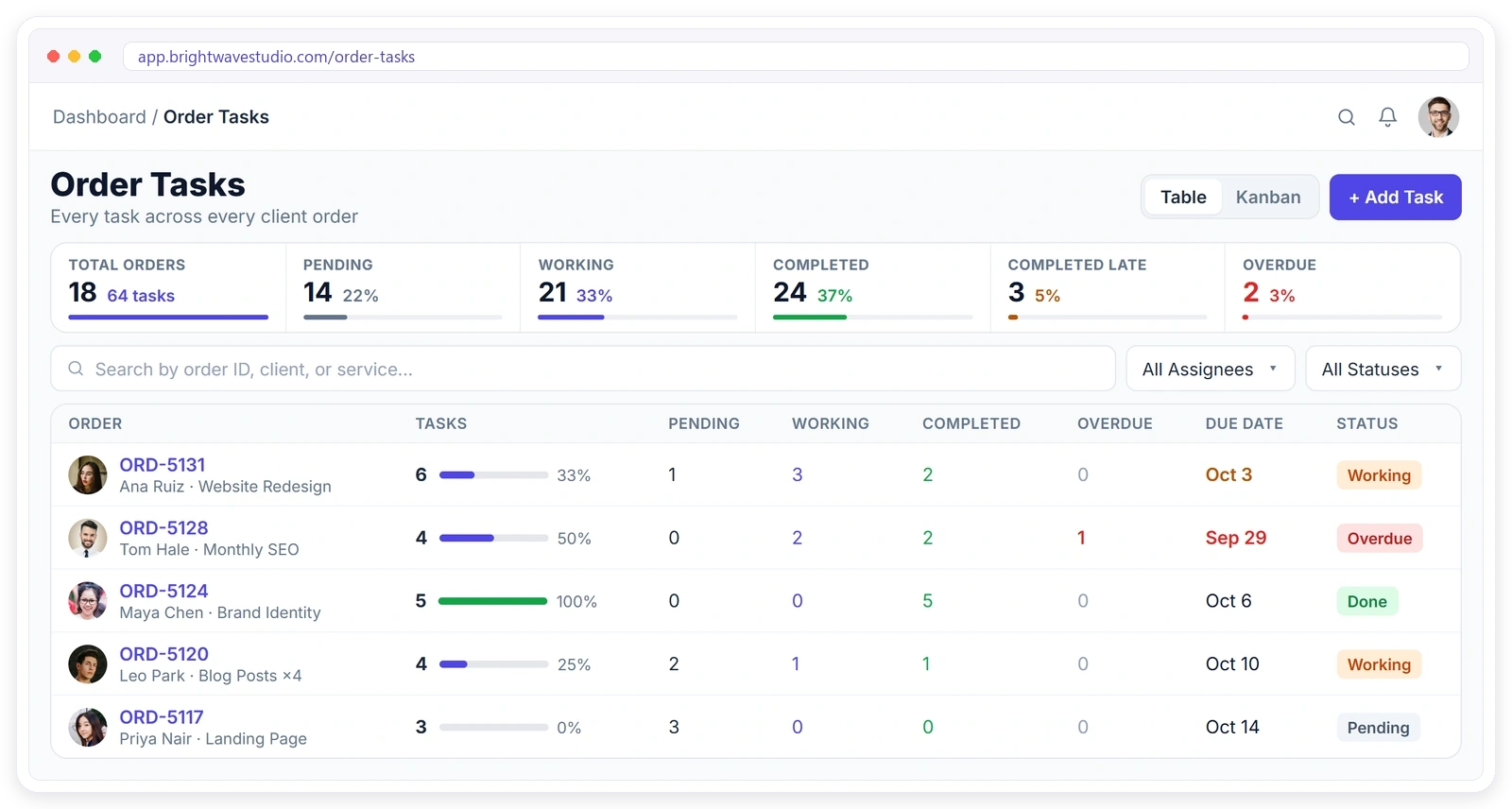
Sound Familiar?
The everyday problems agencies tell us about when client work lives in chat threads and spreadsheets, and how running each order’s tasks in one place takes care of every one of them.
From Order to Done
Every order turns into a clear list of tasks with owners and due dates, and everyone can see how far it has come.
- 01
Order In
A client places an order
- 02
Tasks Created
From the service template
- 03
Assigned
Each task has an owner
- 04
Working
Due dates and reminders
- 05
Checked Off
Progress fills up
- 06
Delivered
Nothing was missed
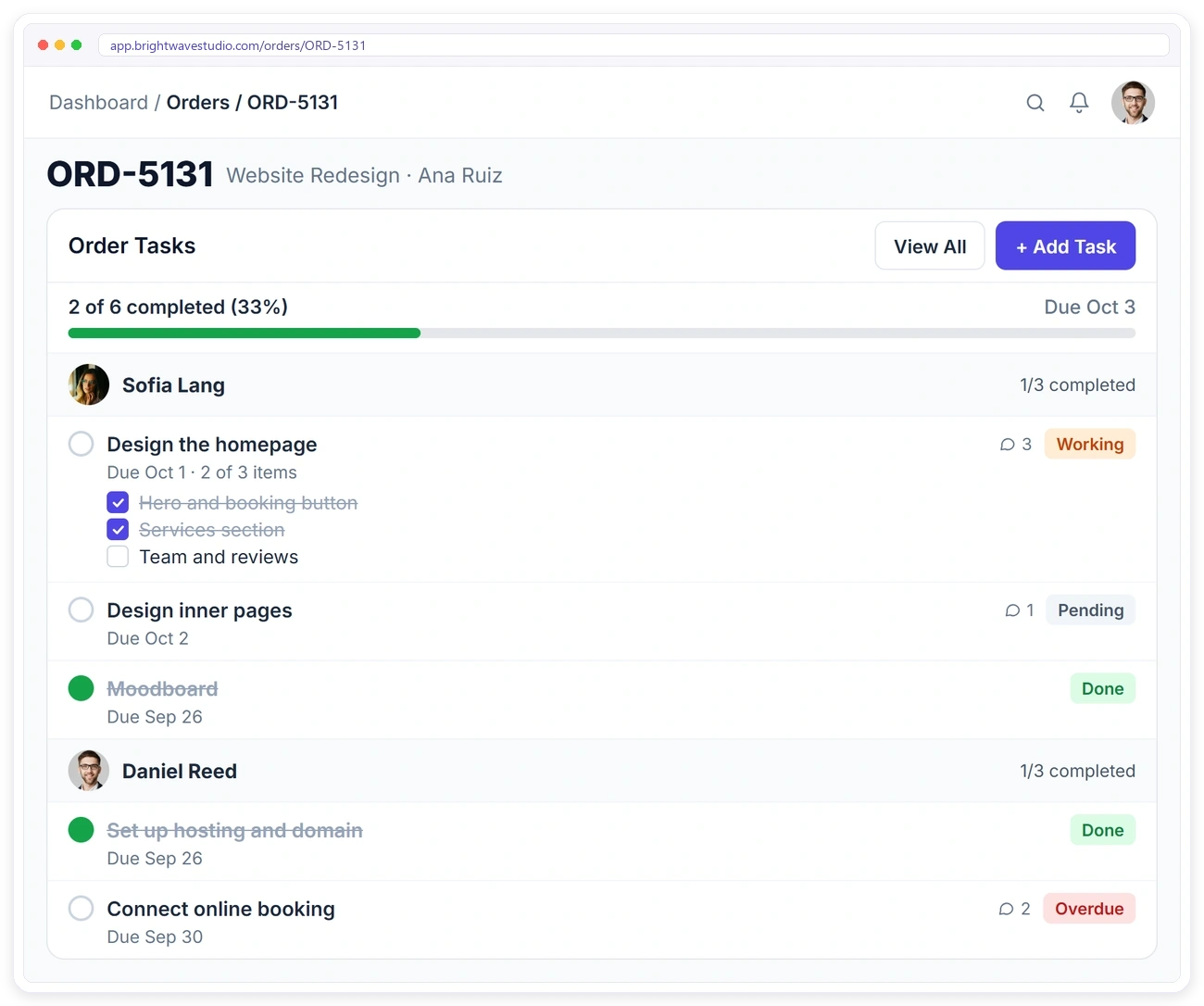
TASKS INSIDE EVERY ORDER
Split Every Order Into Clear Tasks
When work lives in someone’s head, the client is the first to notice. In Clientish each order holds its own tasks, grouped by the person doing them, with checklist items, due dates and a progress bar that fills up as the work gets done.
TASK TEMPLATES
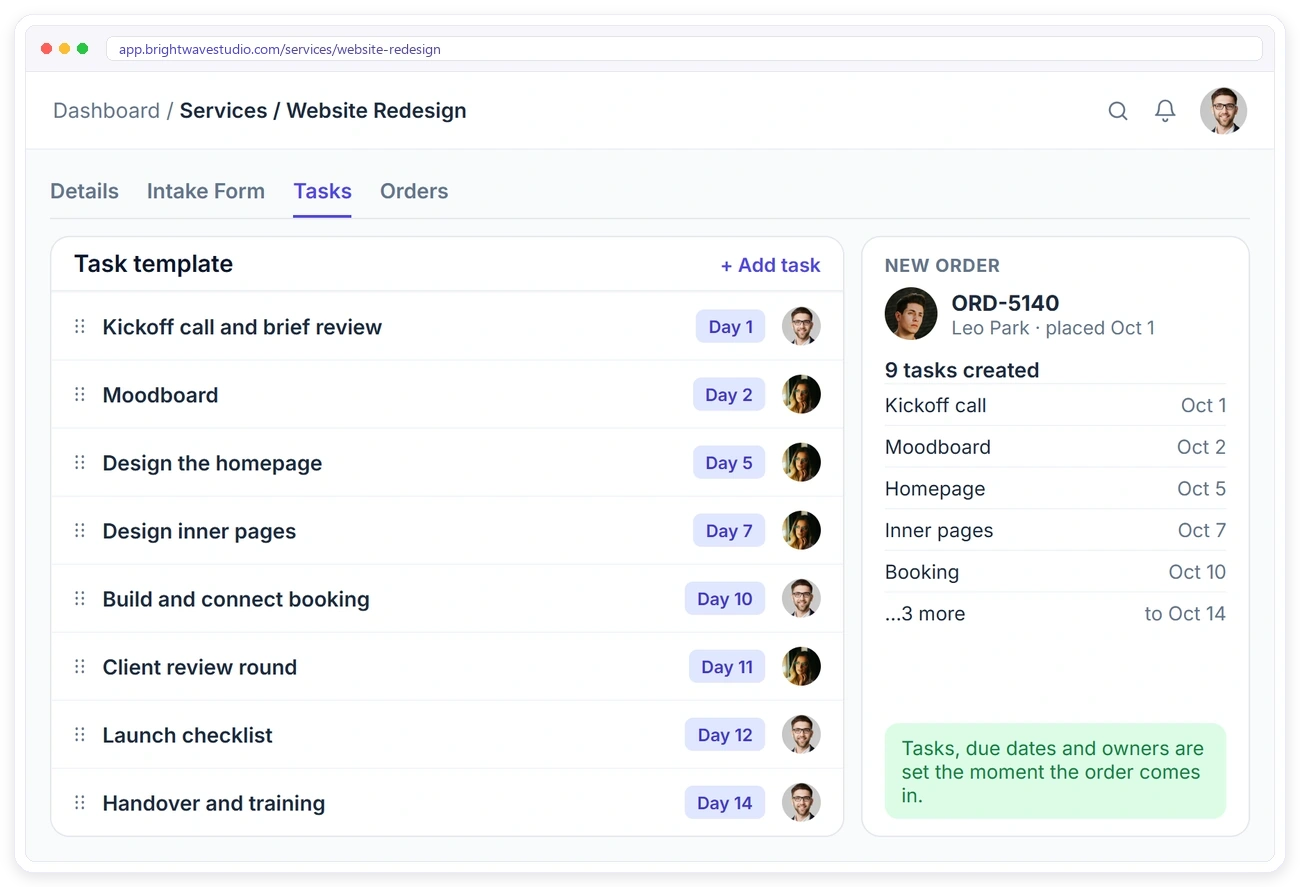
Stop Setting Up the Same Tasks Again
Typing the same ten tasks into every new order wastes time and still misses steps. Save a task template on each service with the day each task is due and who owns it, and every new order gets its full task list the moment it comes in.
TASK BOARD
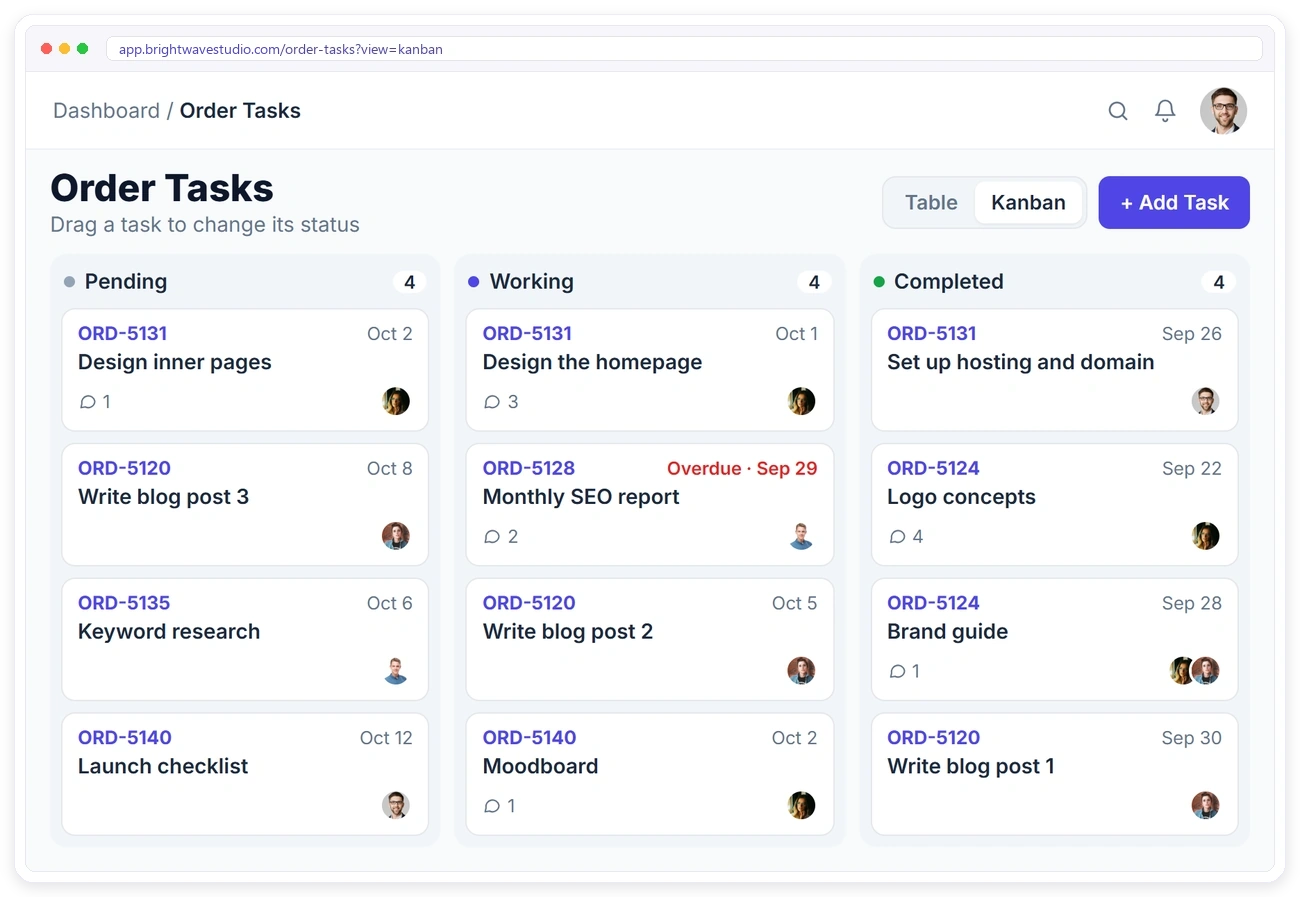
See All the Work at a Glance
A long list hides what is stuck. Switch the Order Tasks page to a board with Pending, Working and Completed columns, drag a task to change its status, and spot overdue work before your client does.
COMMENTS & FILES
Keep the Conversation on the Task
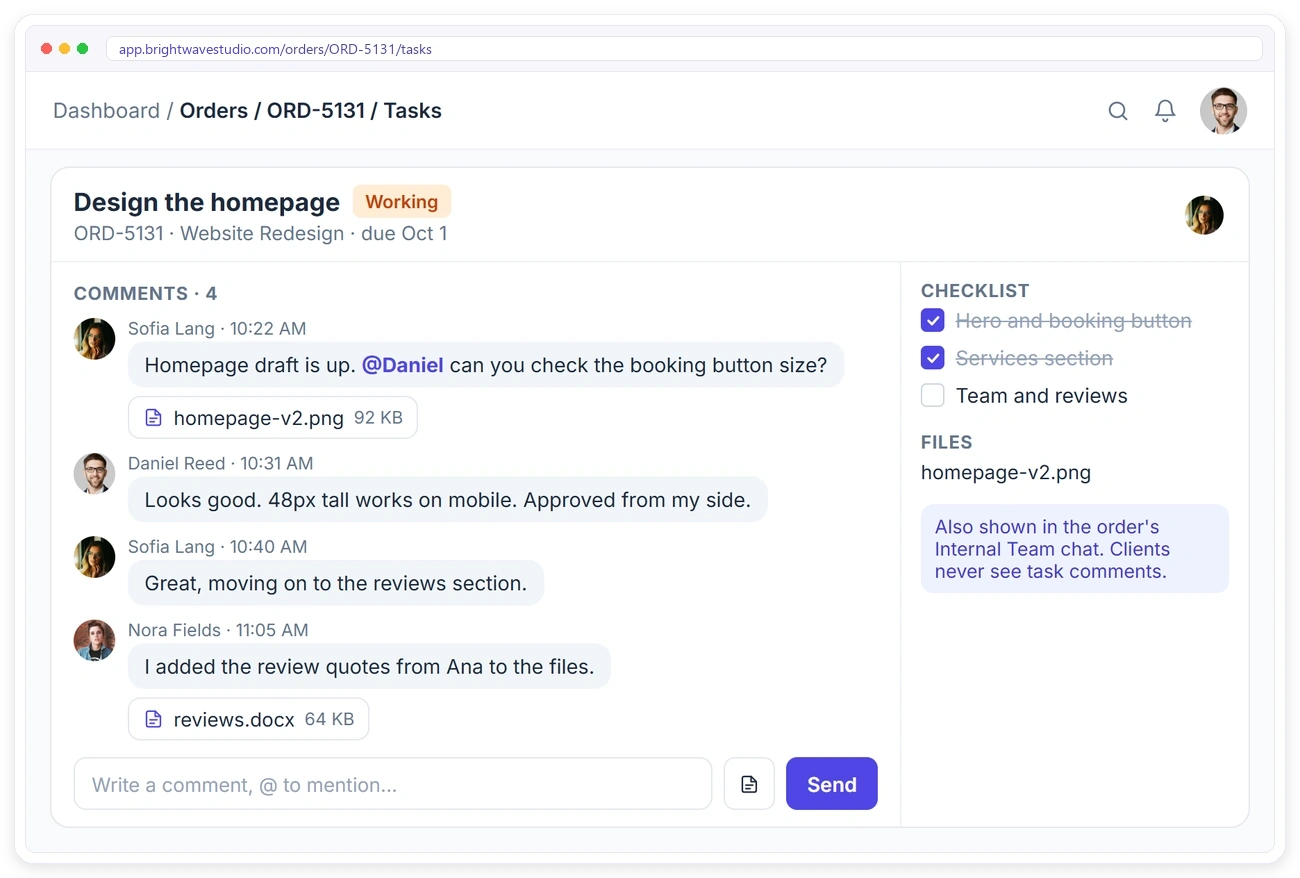
Questions about one task get buried in a busy order chat. Comment right on the task, mention a teammate with @ and attach the draft. Every comment also shows in the order’s team chat, and clients never see them.
REMINDERS
Hit Every Deadline Without Chasing People
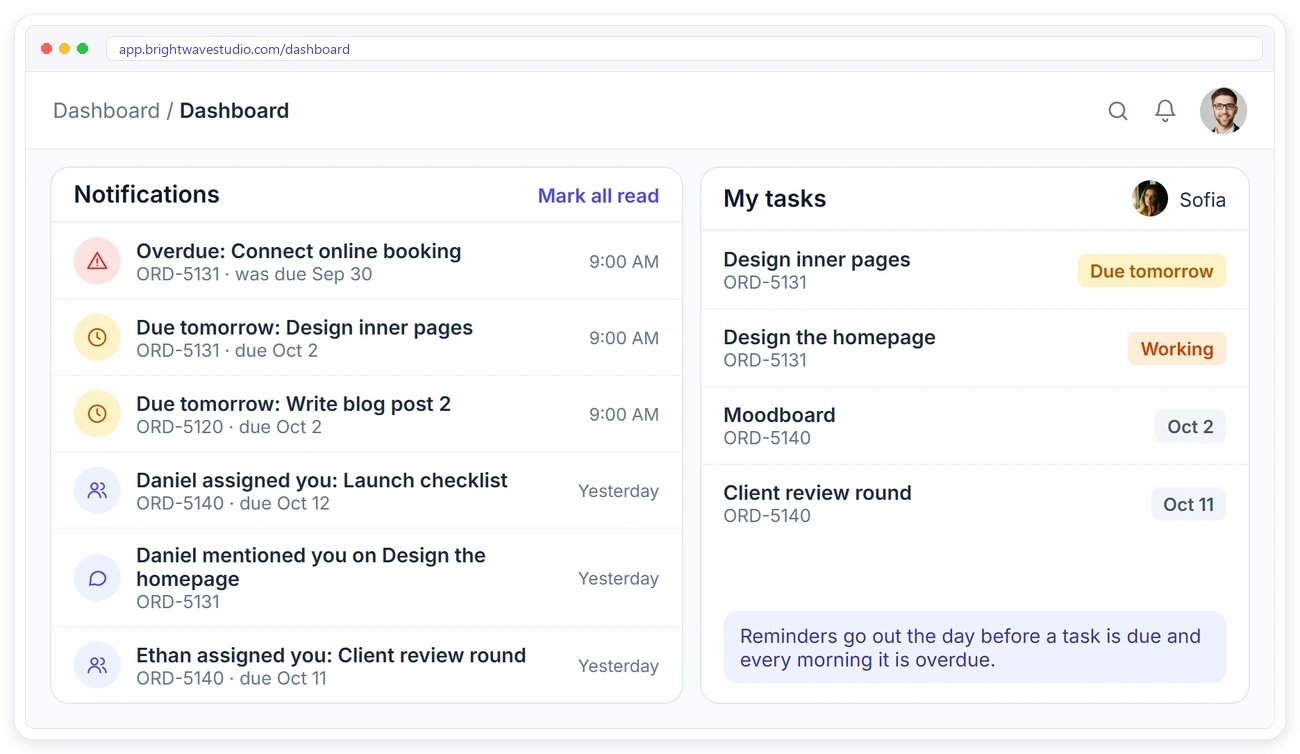
Managers shouldn’t have to remind people every morning. Owners get a reminder the day before a task is due and every morning it is overdue, alongside notifications when a task is assigned to them, so everyone starts the day knowing what matters.
TEAM WORKLOAD
Know Who Has Too Much on Their Plate
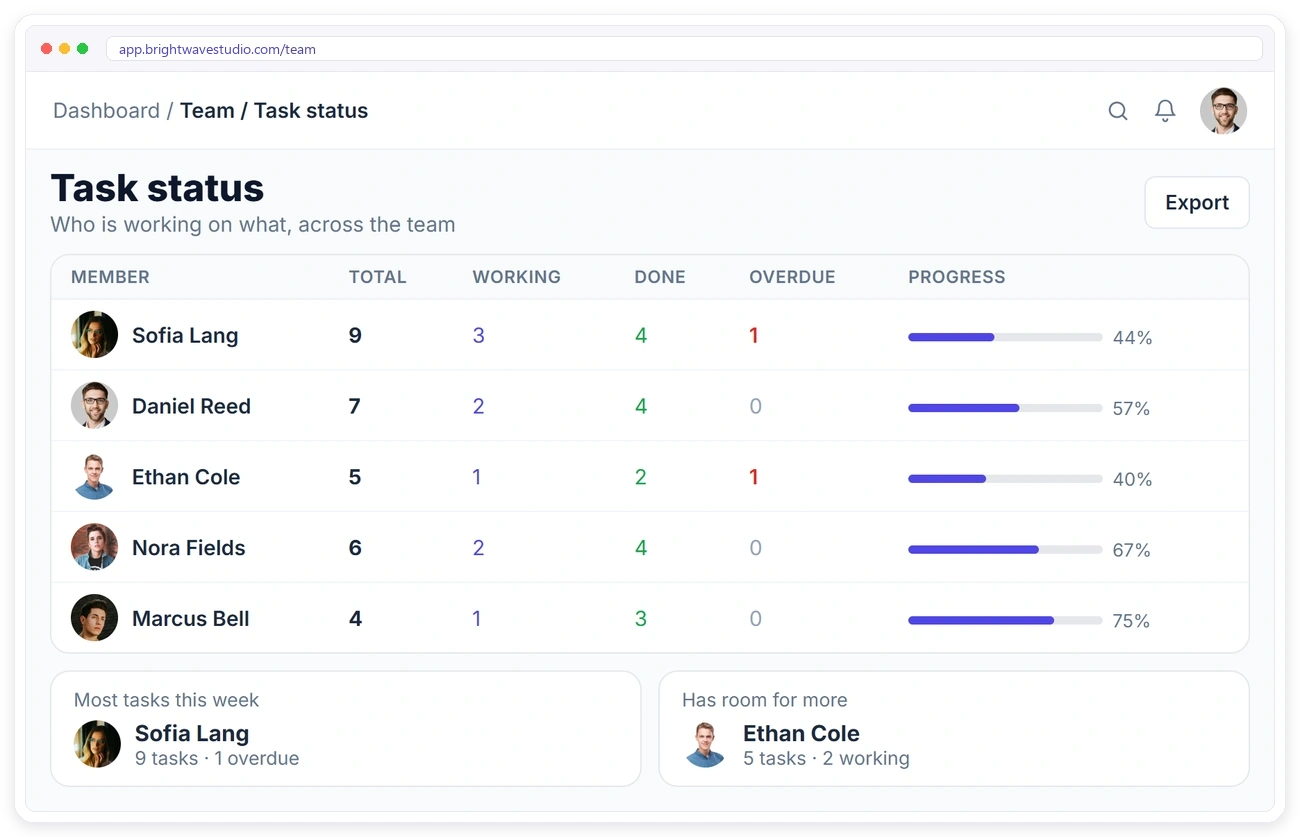
Handing new work to the busiest person is how deadlines slip. The task status board shows every team member’s total, working, done and overdue tasks with their progress, so you can see who has room before you assign the next job.
TO-DO LISTS
To-Do Lists for Everything Else
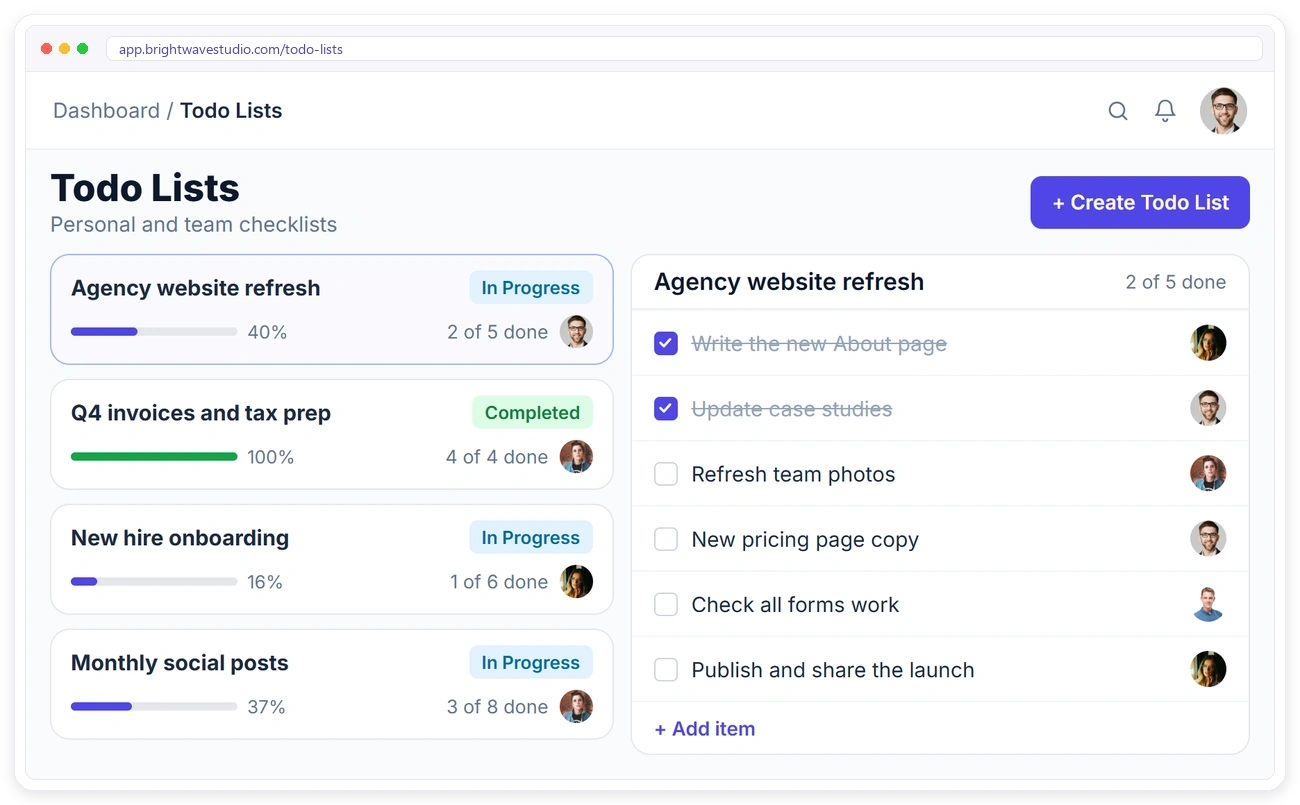
Not every job belongs to a client order: the agency website, invoices, hiring. Keep that work in to-do lists with items, owners and due dates, so it doesn’t mix with client work but still gets done.
GOOGLE CALENDAR
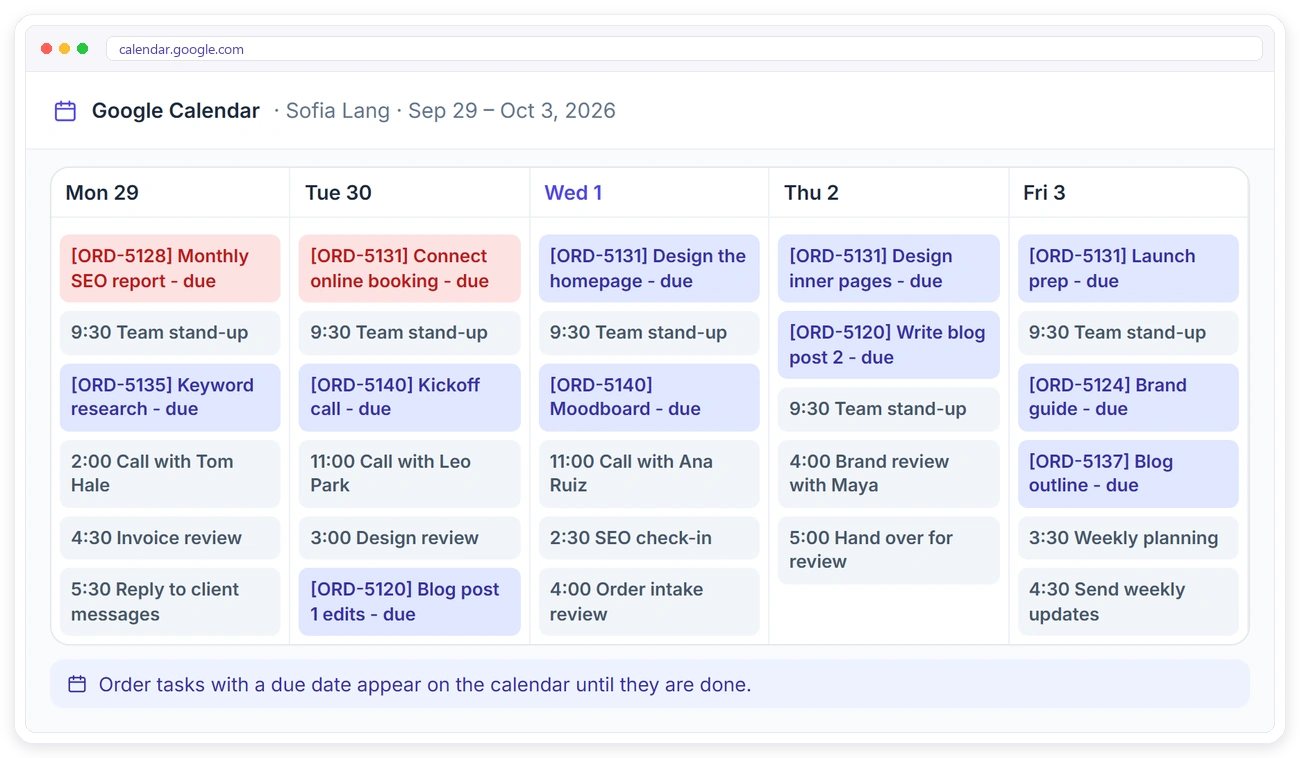
Task Deadlines on Your Calendar
Deadlines that only live in one app get missed. Connect Google Calendar from integrations and order tasks with a due date appear as events until they are done, right next to your calls and meetings.
From Setup to Delivery in 4 Steps
Most agencies are running in an afternoon: set up the task lists once per service, and from then on every new order arrives with its tasks, owners and due dates already in place.
Everything Else in Task Management
The smaller details that keep client work moving between people, from shared owners and checklists to permissions and exports, so nothing about a task depends on someone remembering it.
Team Task Management FAQ
Straight answers about team task management for client orders: templates, boards, reminders, workload, to-dos and cost.
What is team task management?
It is how a team splits work into tasks, gives each one an owner and a due date and sees what is done, late or stuck. For an agency the tasks hang off each client order, so the work sits next to the brief, the invoice and the client conversation.
How do I stop forgetting steps on client projects?
Save a task template on each service. Every new order for that service gets the full task list with due dates and owners, so the same steps happen every time.
How is this different from a project management tool?
Project tools start from an empty board. Clientish starts from the client’s order, so the tasks sit next to the brief, the invoice and the client messages, and the client can follow the order in their portal.
How do I see who is overloaded?
Open the task status board. It shows each team member’s total, working, done and overdue tasks, so you can give new work to someone with room.
Will my team be reminded about deadlines?
Yes. Owners get a reminder the day before a task is due and every morning it is overdue, plus a notification when a task is assigned.
Can I see tasks as a board?
Yes. Switch the Order Tasks page between a table and a Kanban board, and drag tasks between Pending, Working and Completed.
Can clients see our tasks?
No. Tasks, comments and files are for your team only. Clients follow the order’s progress in their portal.
What about work that isn’t for a client?
Use to-do lists for internal work such as your own website, invoicing or hiring, with items, owners and due dates.
Do task due dates show in Google Calendar?
Yes. Connect Google Calendar and order tasks with a due date appear as events until they are done.
Can I track time on a task?
There is no timer on tasks. If you bill by the hour, switch on time tracking for your remote members, who log hours per client; the task list stays a plain record of what is done and who did it.
How much does it cost?
Order tasks, task lists per service, the task board, comments and to-do lists come with every Clientish plan, from $29 a month with 5 team members. Try it free for 14 days.
Turn every order into work that gets done.
Save a task list on each service, and every new order arrives with its tasks, owners and due dates. Your team works from one board and is reminded before anything is late. Try it with example data first.
- An owner, or a few
- A due date and a reminder
- A checklist of steps
- Comments and files
- A card on the board
- A place on the order