
ONLINE ORDER FORM WITH PAYMENT · UPDATED OCTOBER 2026
Online Order Form With Payment for Agencies, One Link to Sell, Brief and Get Paid
An online order form with payment is the page where a client chooses a service, sees the price and pays in the same step. Clientish gives your agency order forms for projects and productized services that also take the brief and files, then create the client, order, invoice and client portal login automatically, from $29 a month. Post the link anywhere: your website, social posts, WhatsApp or email.
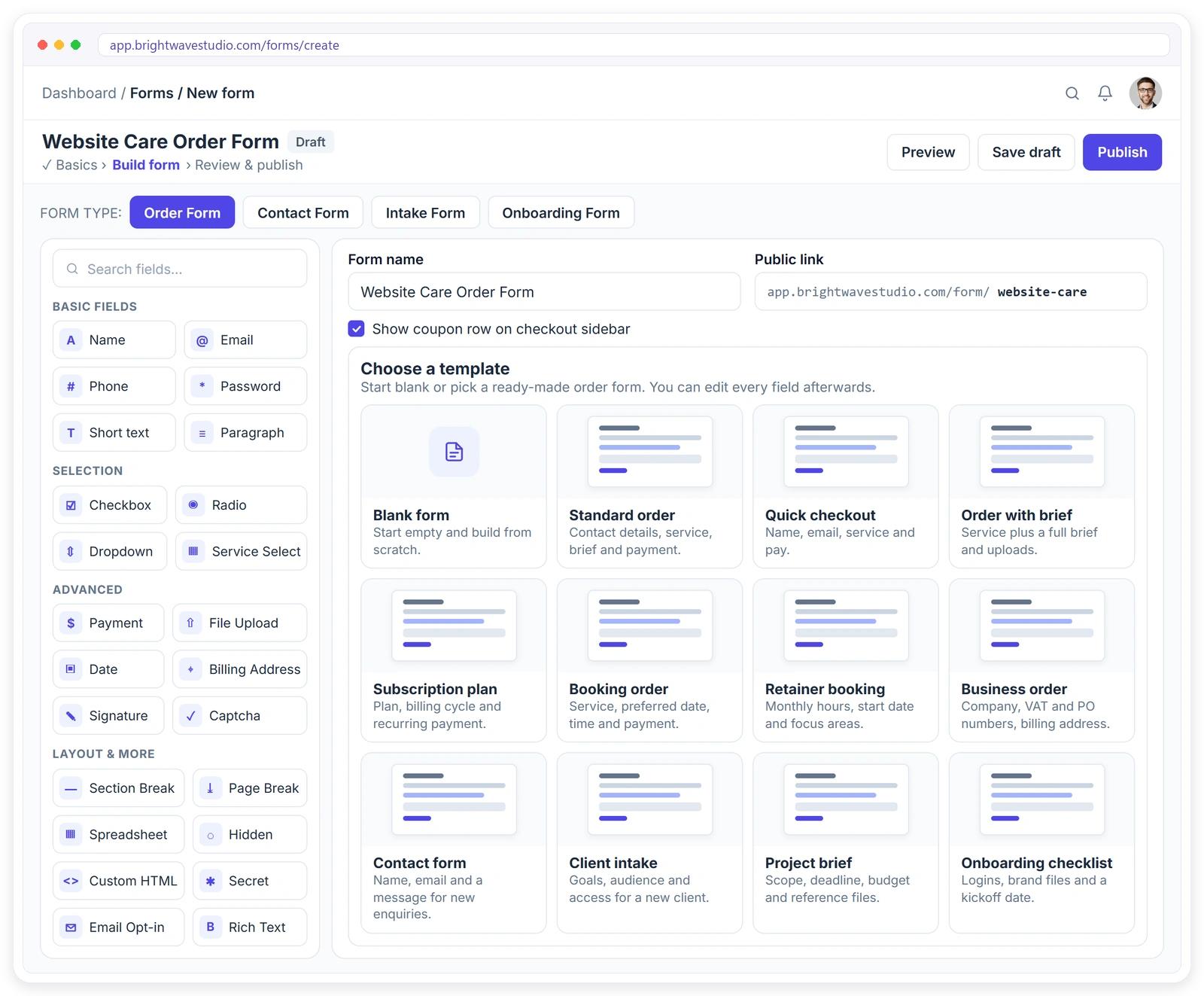
Everything a Sale Needs, in One Form
No separate checkout, brief tool or payment link. The order form does all of it, so a client who decides to buy at 11 pm can order, brief and pay without waiting for you to reply.
From Link to Paid Order in Four Steps
Build it once, share it everywhere, and let every submission do the admin. The client, order and invoice appear on their own, so nobody on your team copies details from an email into a dashboard.
SHARE ANYWHERE
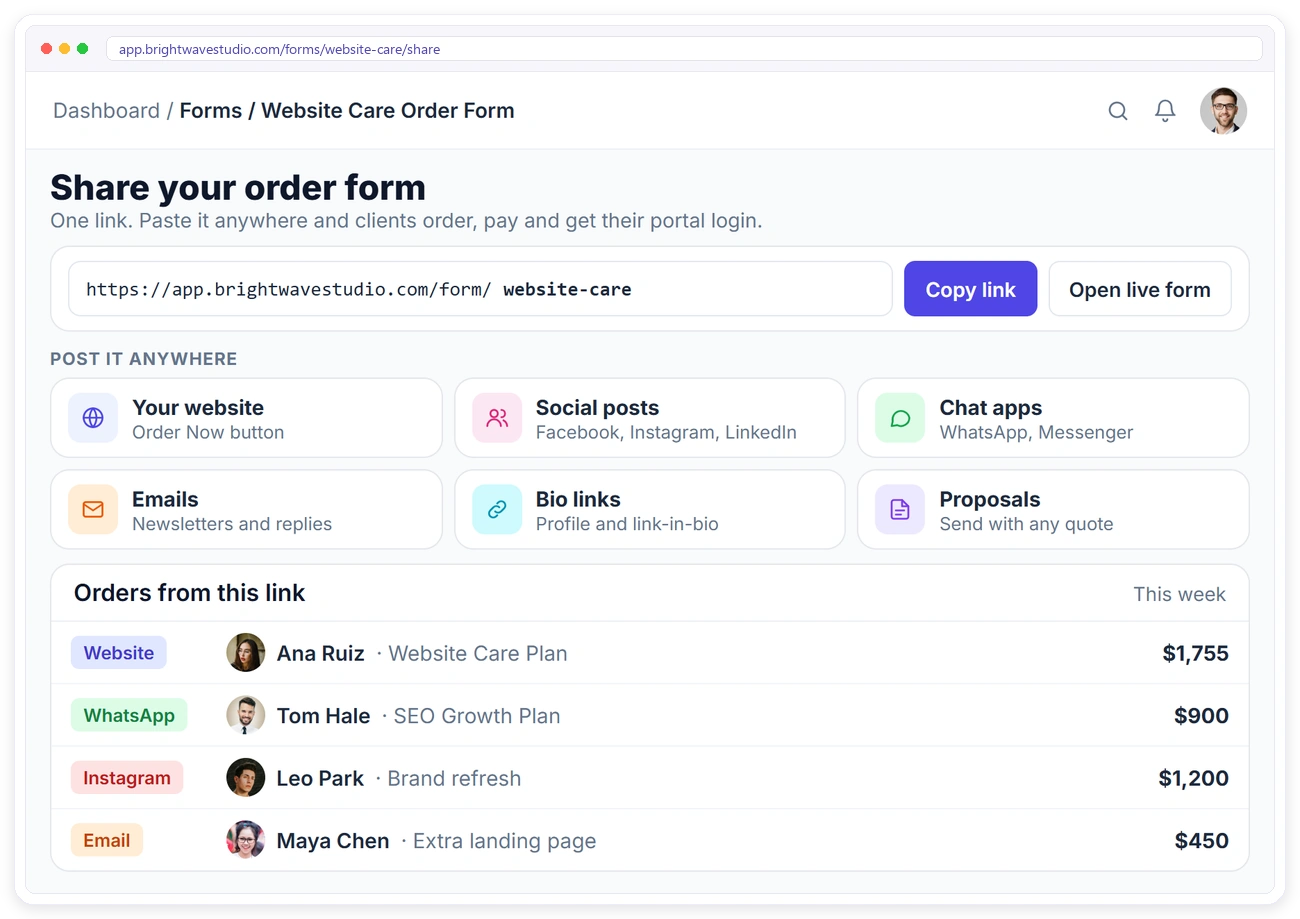
Post One Link. Take Orders Anywhere.
Every order form has its own public link. Put it behind an Order Now button on your site, in a social post, a WhatsApp chat, an email or a proposal, and orders come in from wherever clients find it.
FORM BUILDER
Build the Form Without Code
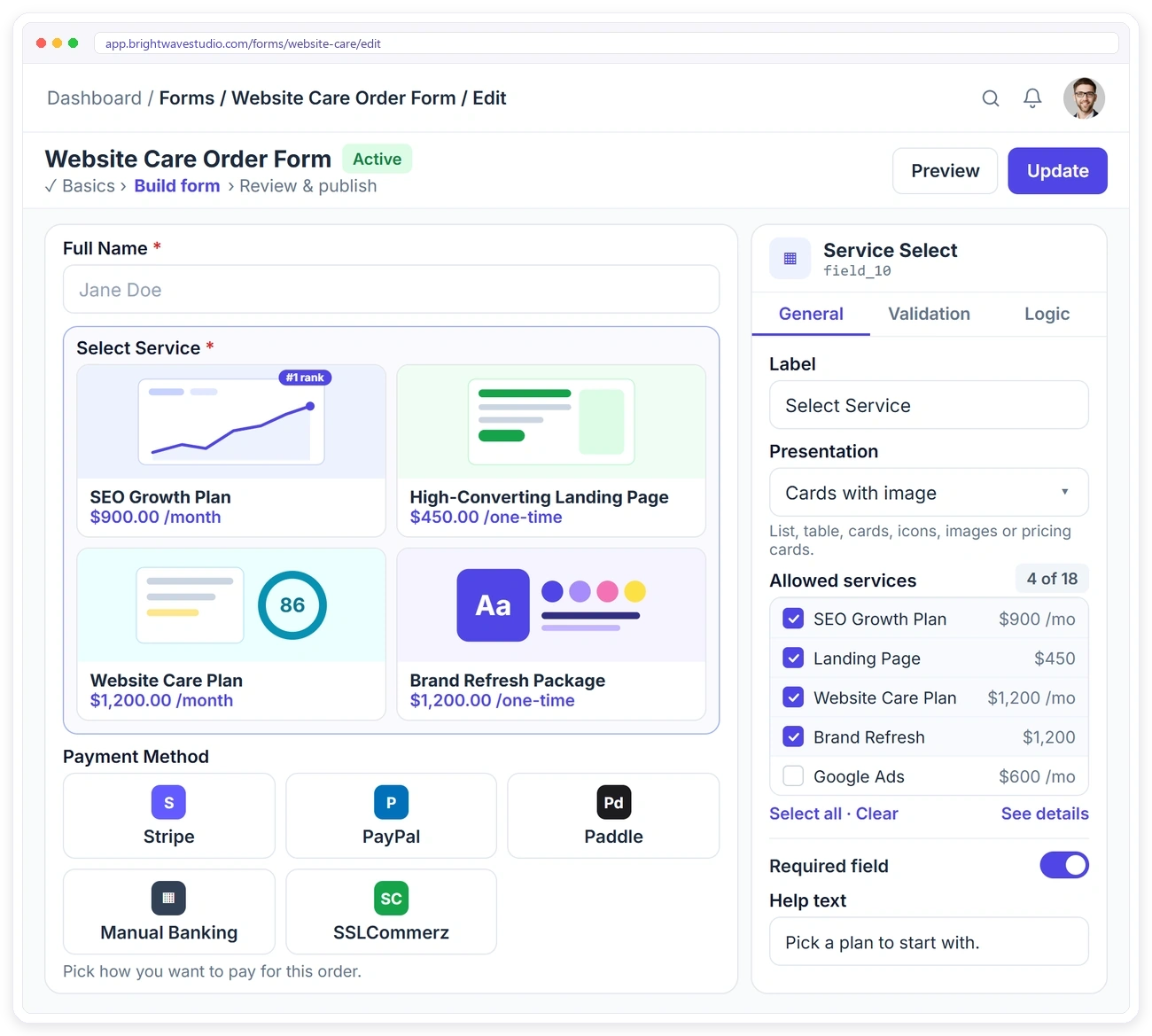
Drag in the fields you need, pick which services the form sells and how they appear, turn on payment methods, and publish it on its own link.
CHECKOUT
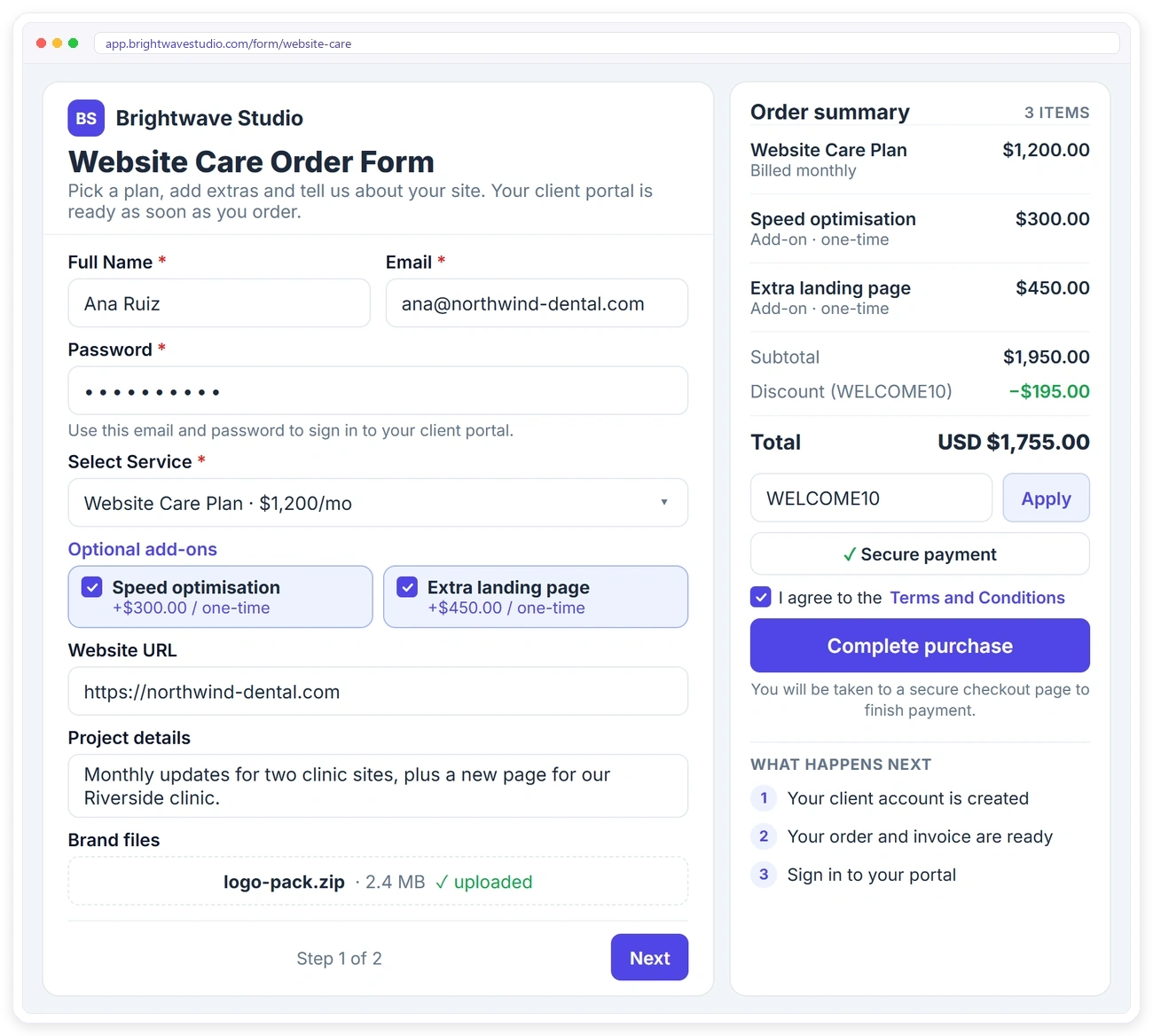
Clients Choose, Add Extras and See the Total
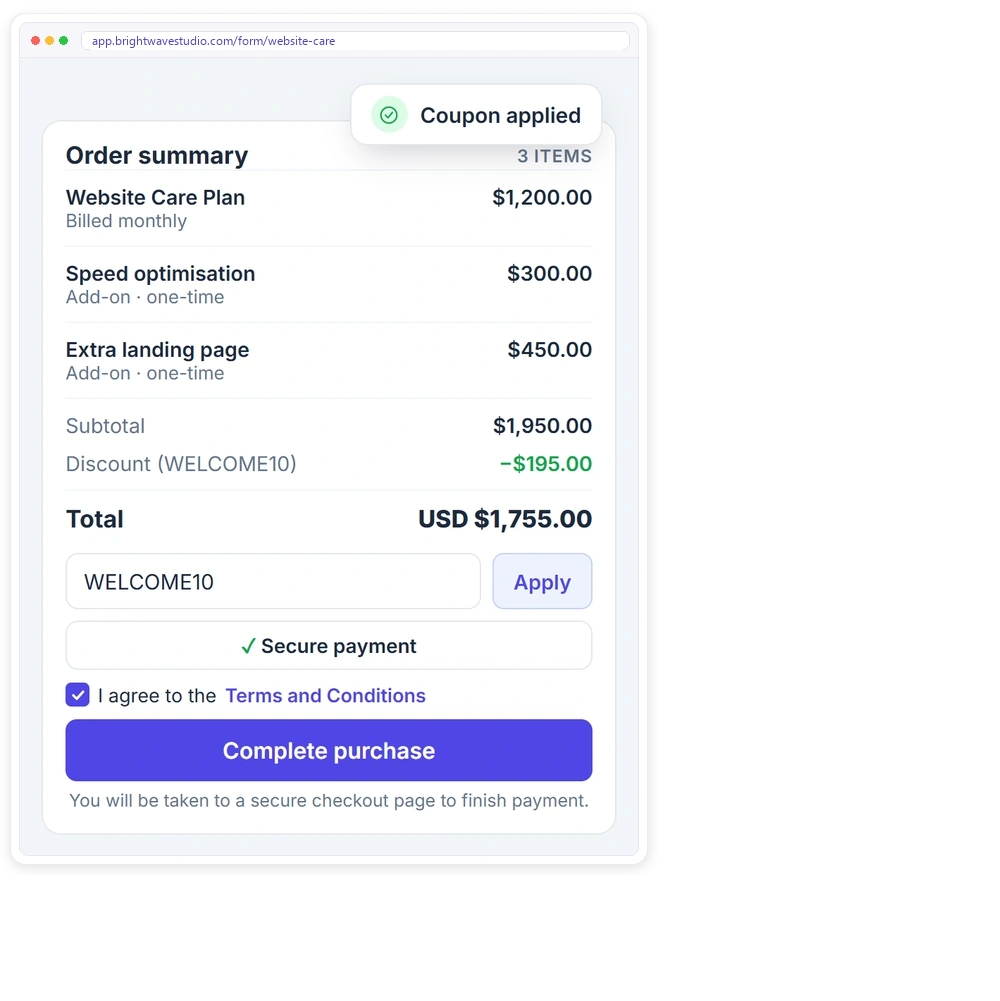
The order summary sits beside the form and updates as the client picks a service, ticks add-ons and applies a coupon, so there are no surprises at payment.
ADD-ONS & COUPONS
Sell More With Every Order
Offer optional paid add-ons next to each service and let clients use your coupon codes. The order summary updates straight away, so the total is always clear.
MONTHLY SERVICES
Sell Retainers, Not Just Projects
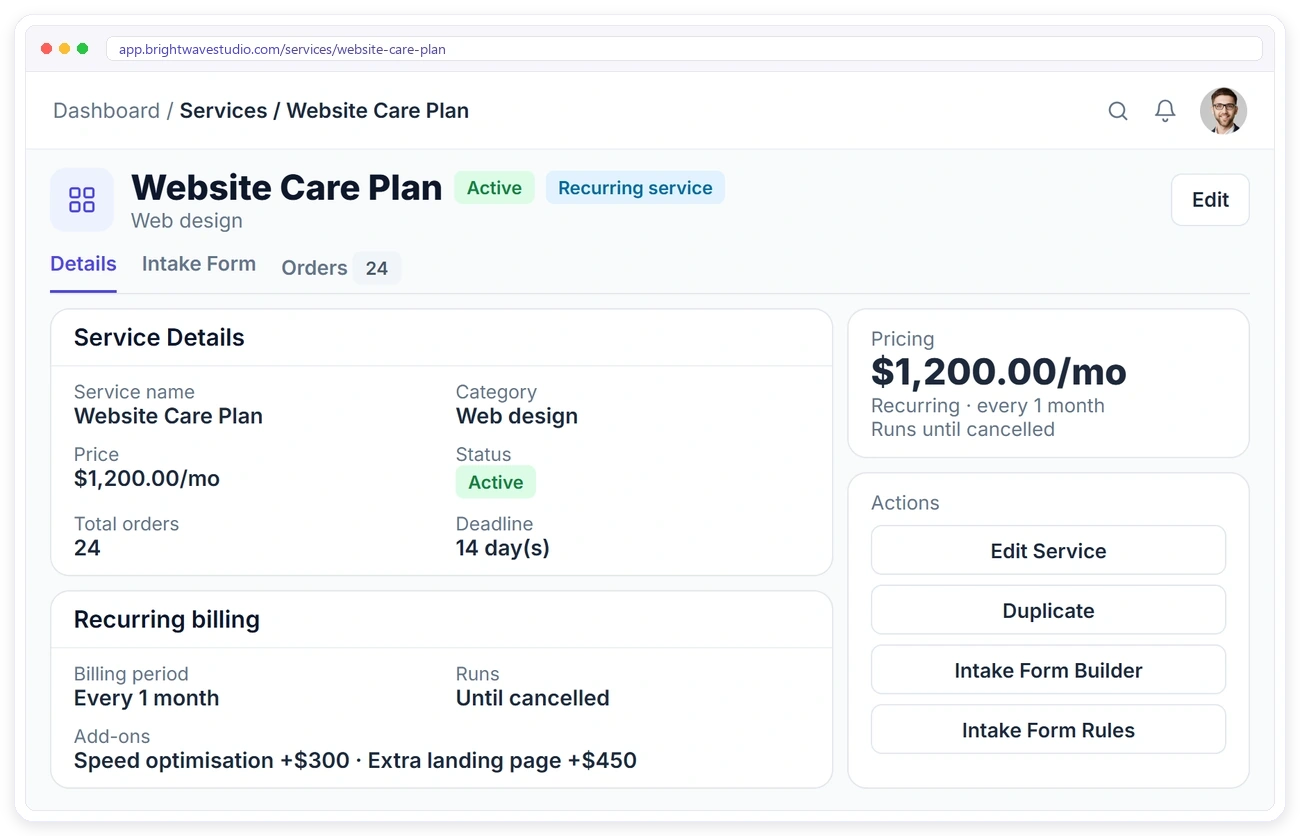
Recurring services can be sold through the same form. Set the price and billing period on the service in your service catalog, and the client is billed every cycle until the plan is cancelled.
PAYMENT
Take Payment the Way Clients Prefer
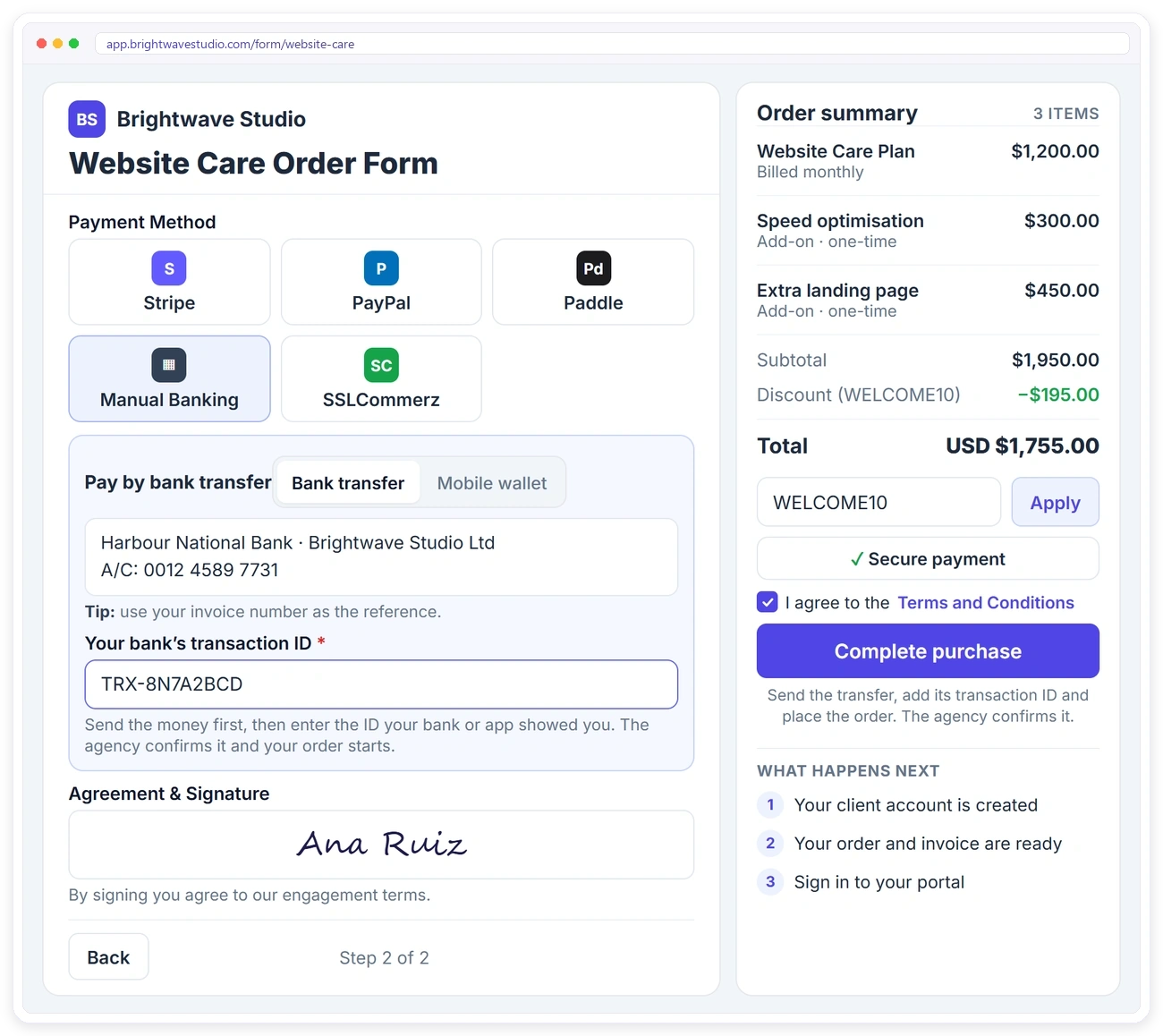
Offer online payments through Stripe, PayPal, Paddle or SSLCommerz, or accept bank transfers and mobile wallets. For transfers, clients enter the transaction ID and you confirm it.
CONFIRMATION
Every Order Ends in the Client Portal
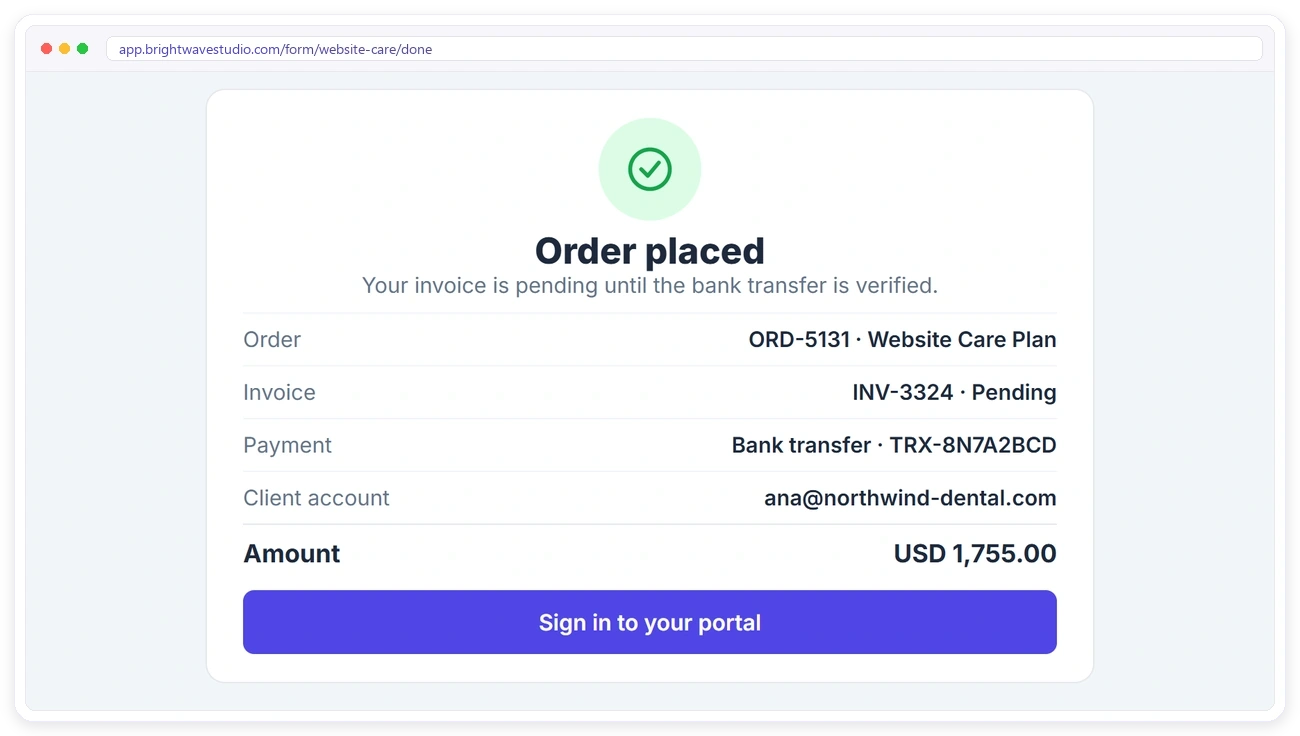
After ordering, clients see a clear confirmation with the amount and how they paid, and one button takes them into their new client portal. From there they follow the order instead of emailing to ask how it is going.
RULES
Get Complete Orders, Every Time
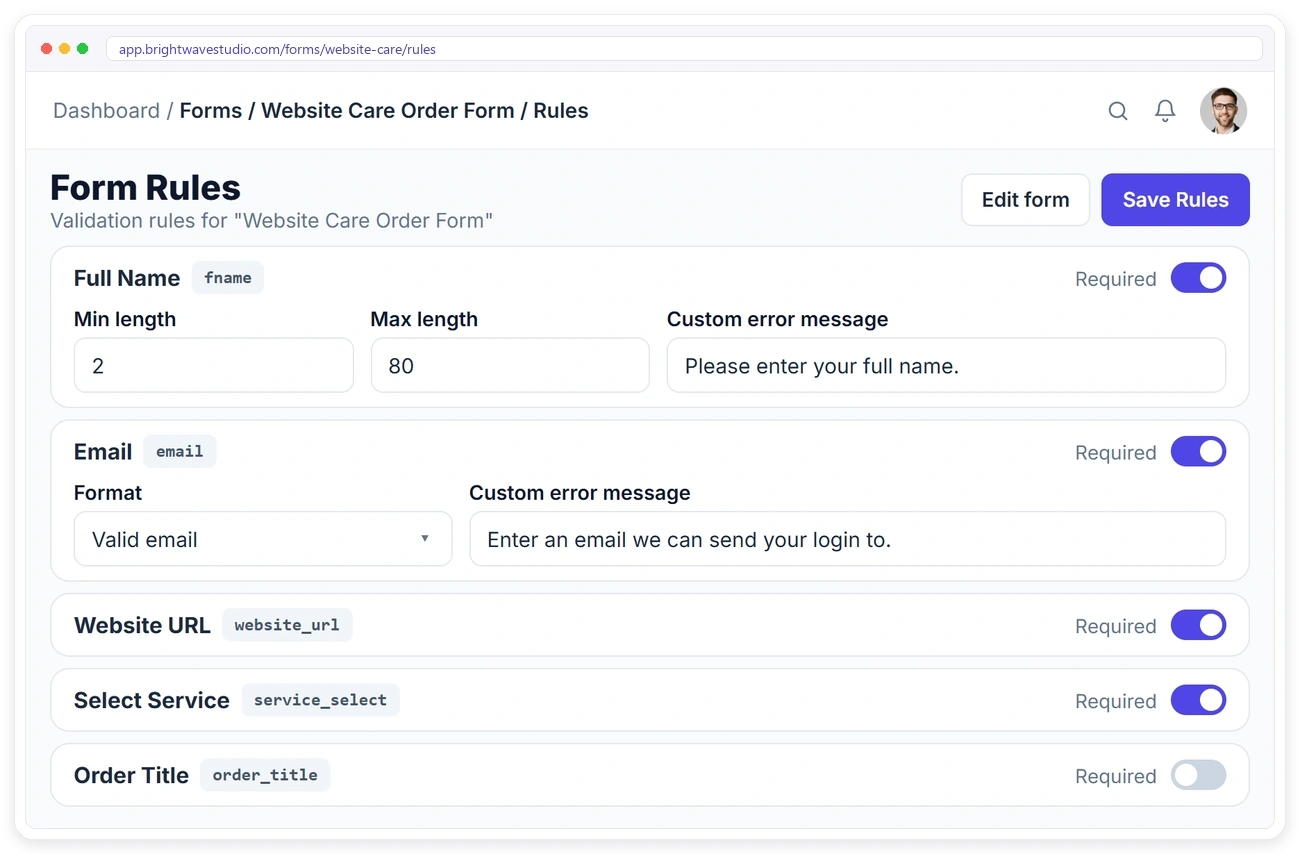
Set which fields are required, add length limits or a pattern, and write your own error messages, so every order arrives with what your team needs to start.
ENTRIES
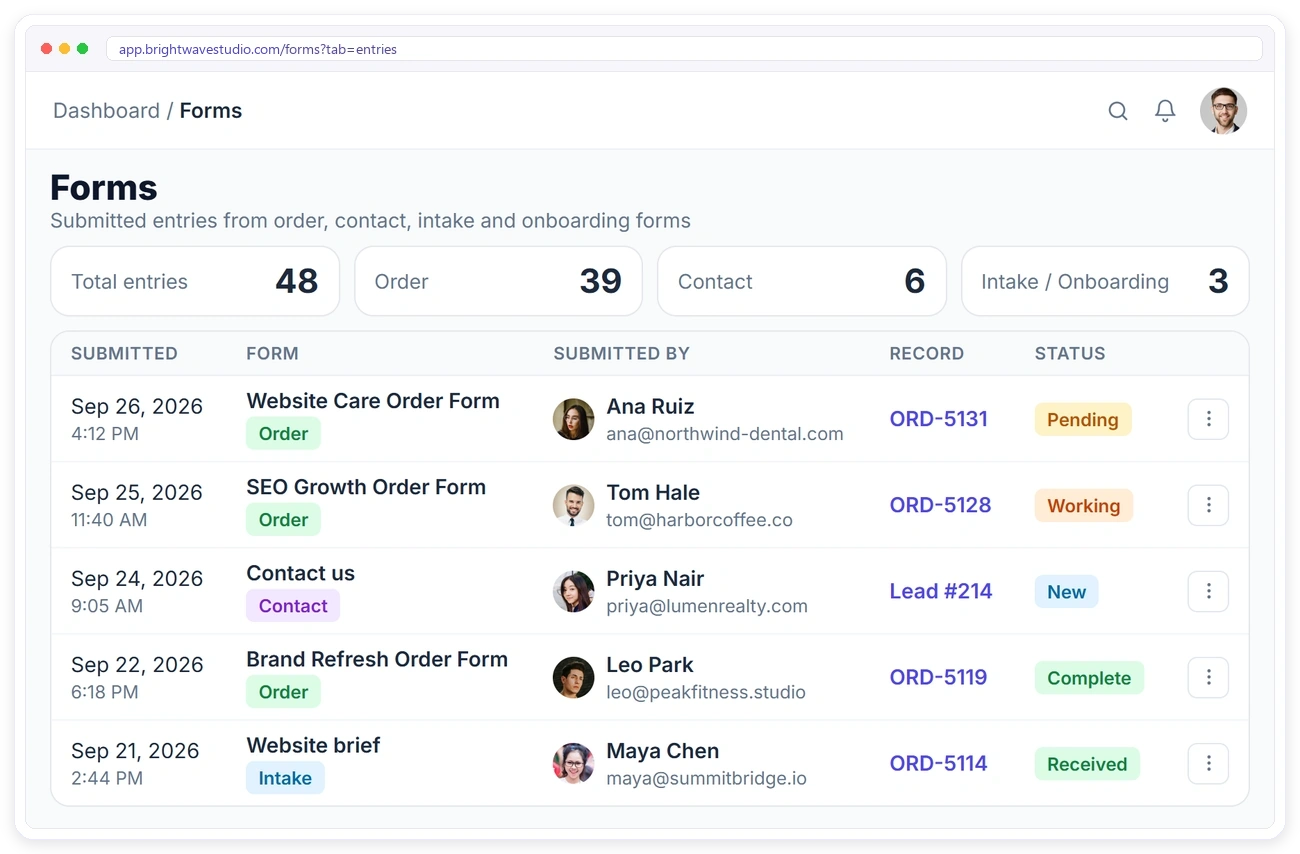
Every Submission Linked to Its Record
Each entry shows who submitted it, which form they used and the order or lead it created, so you can jump straight to the work.
“We replaced a Typeform, a Google Sheet and a payment link with one order form. The client fills it, pays, and the whole job is already set up before anyone on my team opens a laptop.”

Marisol Vega
Founder, Lumen Studio
Order Form FAQ
Straight answers about service order forms: what they are, how to build one, what it costs, payments and what happens after a client submits.
What is an order form?
It is the page a client fills in to buy from you: they pick the service and any extras, see the total, add what you need to start, and confirm. For an agency it replaces the back-and-forth of quotes, briefs and payment requests by email.
How do I make an order form for my services?
Start from one of the 12 templates or a blank form, add the services and paid add-ons, the questions you need for the brief and the payment methods you accept, then copy the link. Most agencies publish their first form the same day.
How much does an order form tool cost?
Order forms are part of every Clientish plan from $29 a month, with no fee per form or per submission. You can try them free for 14 days, with example data already in place.
Can I sell productized services with it?
Yes. Turn each package into a service with a fixed price, optional paid add-ons and one-time or monthly billing, then let clients buy it from the form without a call or a custom quote. Every order arrives with its brief, ready for your team.
Can existing clients order again from their client portal?
Yes. A returning client does not need the form link again: they sign in, pick the next service from your catalogue and pay at checkout, and the new order lands next to their earlier ones.
Where can I share my order form?
Anywhere a link works: an Order Now button on your website, social posts, link-in-bio, WhatsApp or Messenger chats, emails and proposals. Clients order from wherever they click it.
What happens when a client submits an order form?
Clientish creates the client’s portal account, the order with their brief and files, and the invoice, all from that one submission.
Can I sell monthly services through the form?
Yes. Recurring services are billed monthly, and one-time add-ons can be added to the same order.
Which payment methods can clients use?
Stripe, PayPal, Paddle, SSLCommerz and manual bank transfer. You can offer all of them or just one.
Can the form be split into steps?
Yes. Keep the whole form on one page, or add page breaks to turn it into a multi-step form.
Can I make a separate order form for each package?
Yes. Build one form per package, per campaign or per landing page and give each its own link; there is no cap on how many you keep.
Share one link. Start taking orders.
Build your first order form from a template, post the link where your clients already are and let every submission create the client, order and invoice for you. Try it with example data first.
- The client and their portal login
- The order with the brief and files
- The invoice, paid or due
- Add-ons and coupons applied
- One-time or monthly billing
- An entry linked to every record