
LIVE CHAT WITH CLIENTS · UPDATED OCTOBER 2026
Live Chat With Clients in Your Client Portal
Live chat with clients means talking to them in real time instead of through long email threads. Clients message your team from the client portal they already use for orders and invoices, your team answers from one shared inbox, and nothing gets lost in personal phones or Slack. Clientish starts at $29 a month; client live chat comes with Growth at $49.
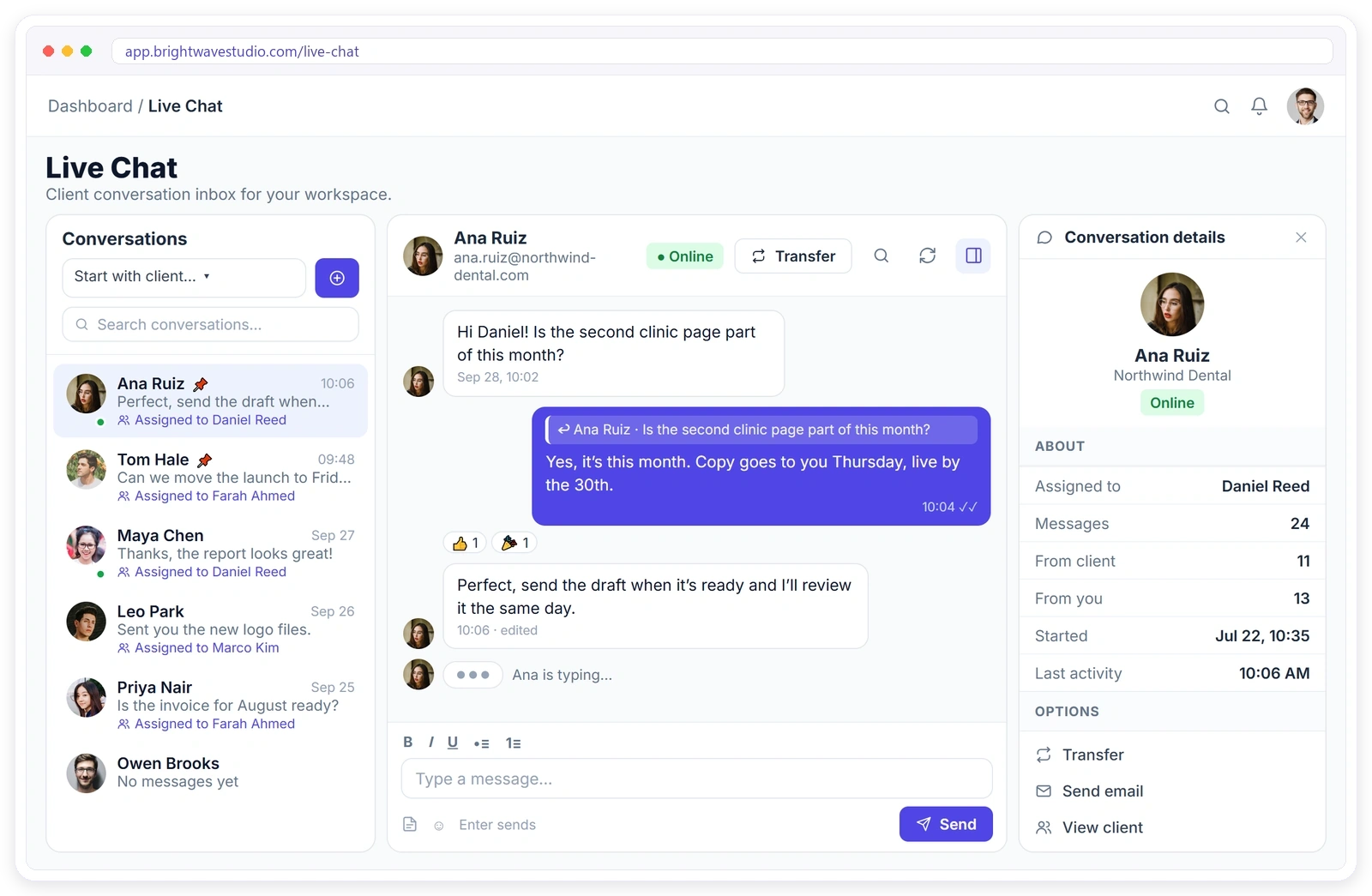
Everything a Client Chat Needs
The chat tools your team already knows from everyday messaging apps, built into the same place as the client’s orders, invoices and tickets, so every answer comes with the context around it.
Start Chatting in Minutes
Live chat is ready in your client portal the moment you switch it on for your team. There is nothing to install for you or the client, and no new app or account for anyone to learn.
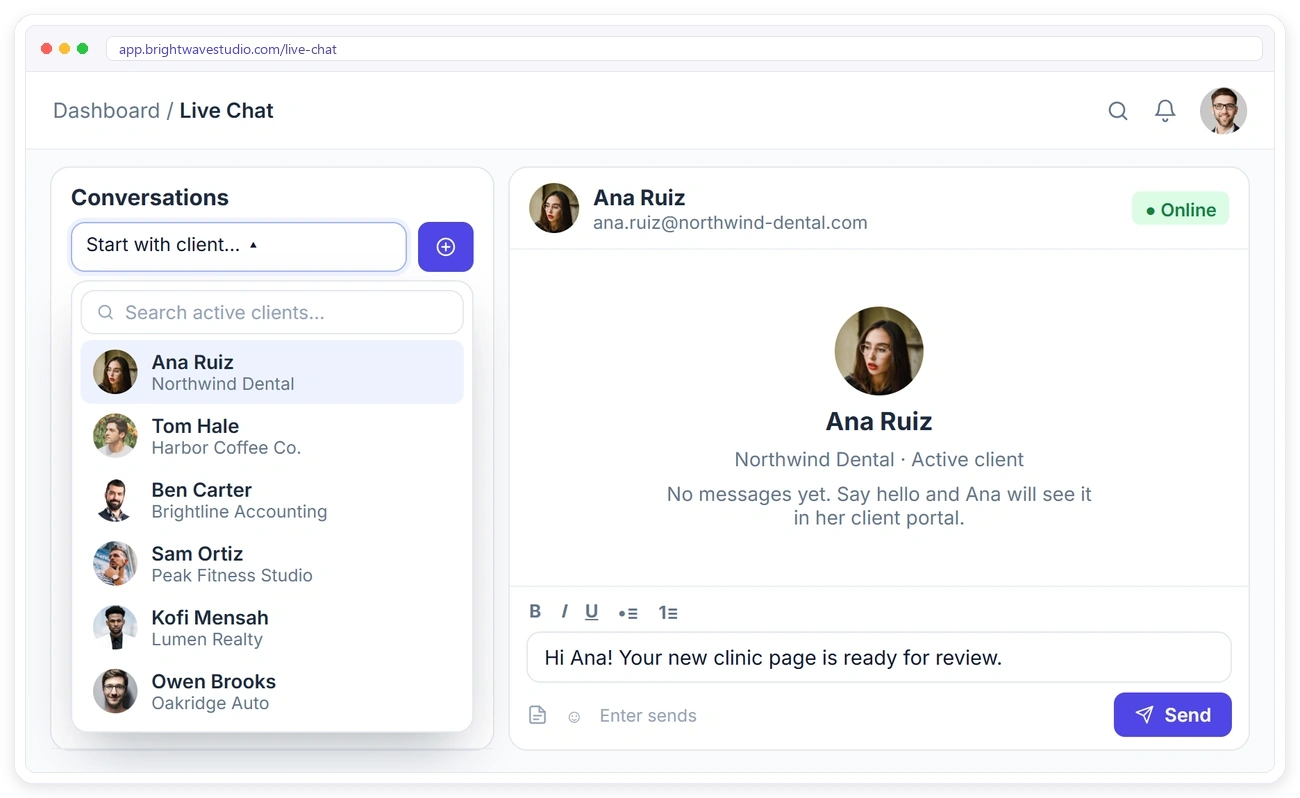
START A CHAT
Reach Any Client in One Click
Pick any active client from the list and send the first message. It lands in their client portal straight away, so you can share an update or ask a quick question without writing an email.
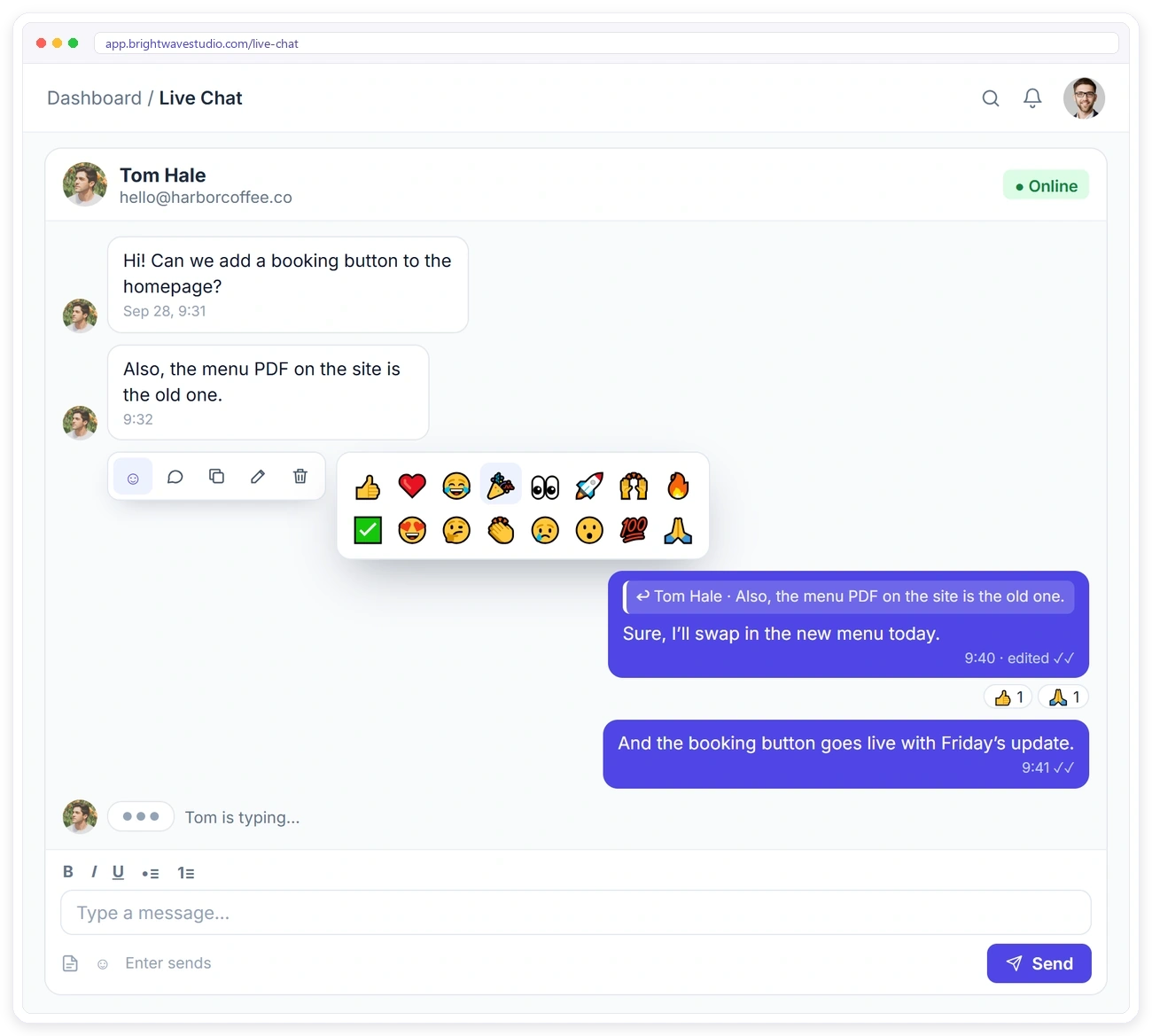
REPLY, REACT, EDIT
Talk Like You Would in Any Chat App
Hover over a message to react, reply, copy, edit or delete it. Replies quote the original message, reactions keep threads short, and the typing indicator shows when the client is writing back.
TEAM INBOX
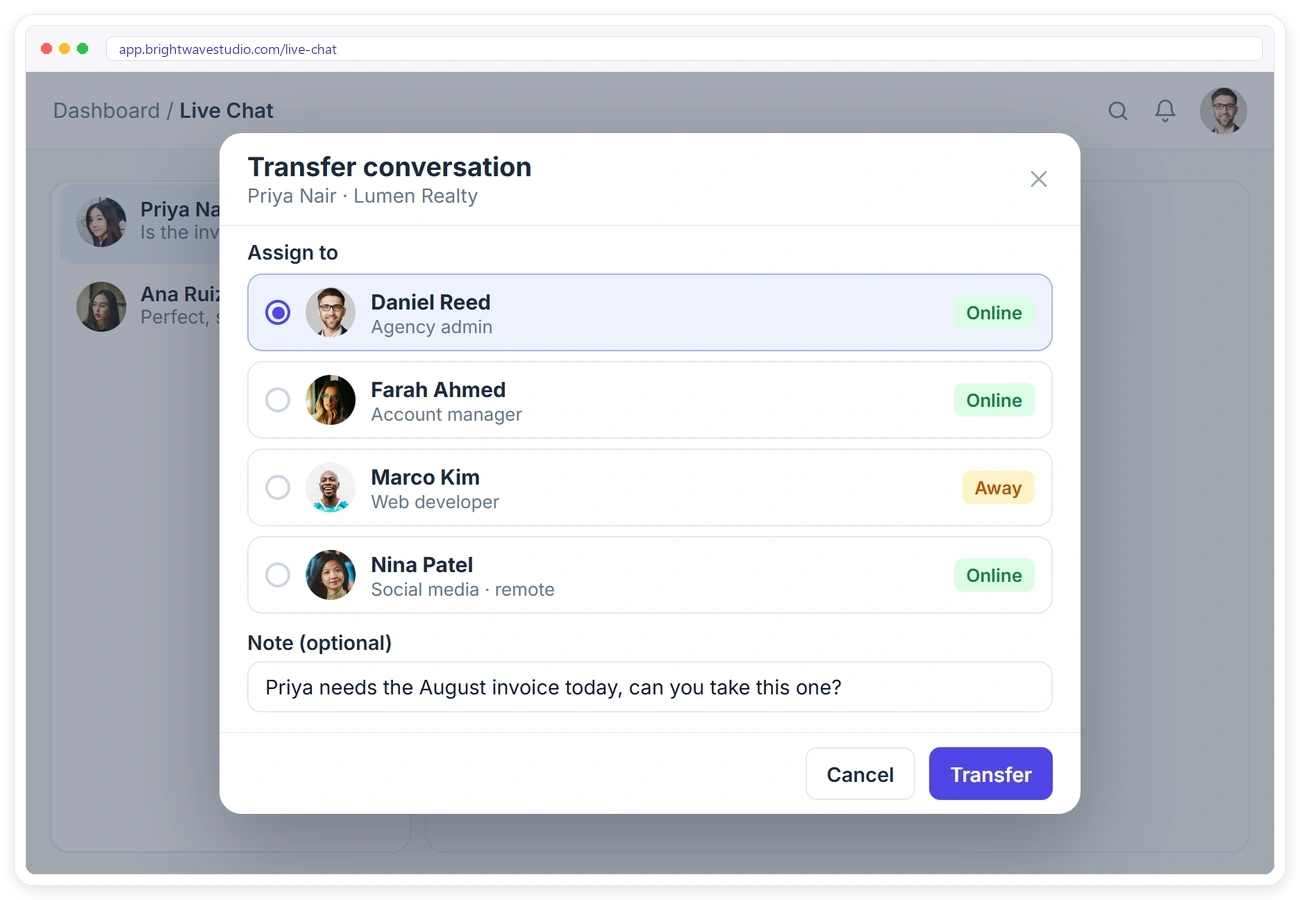
Hand a Chat to the Right Person
Every client conversation lives in one shared inbox. Assign a chat to yourself or transfer it to a teammate, and the new owner is notified straight away. Team and remote members only take part when you give them live chat access.
FILES & FORMATTING
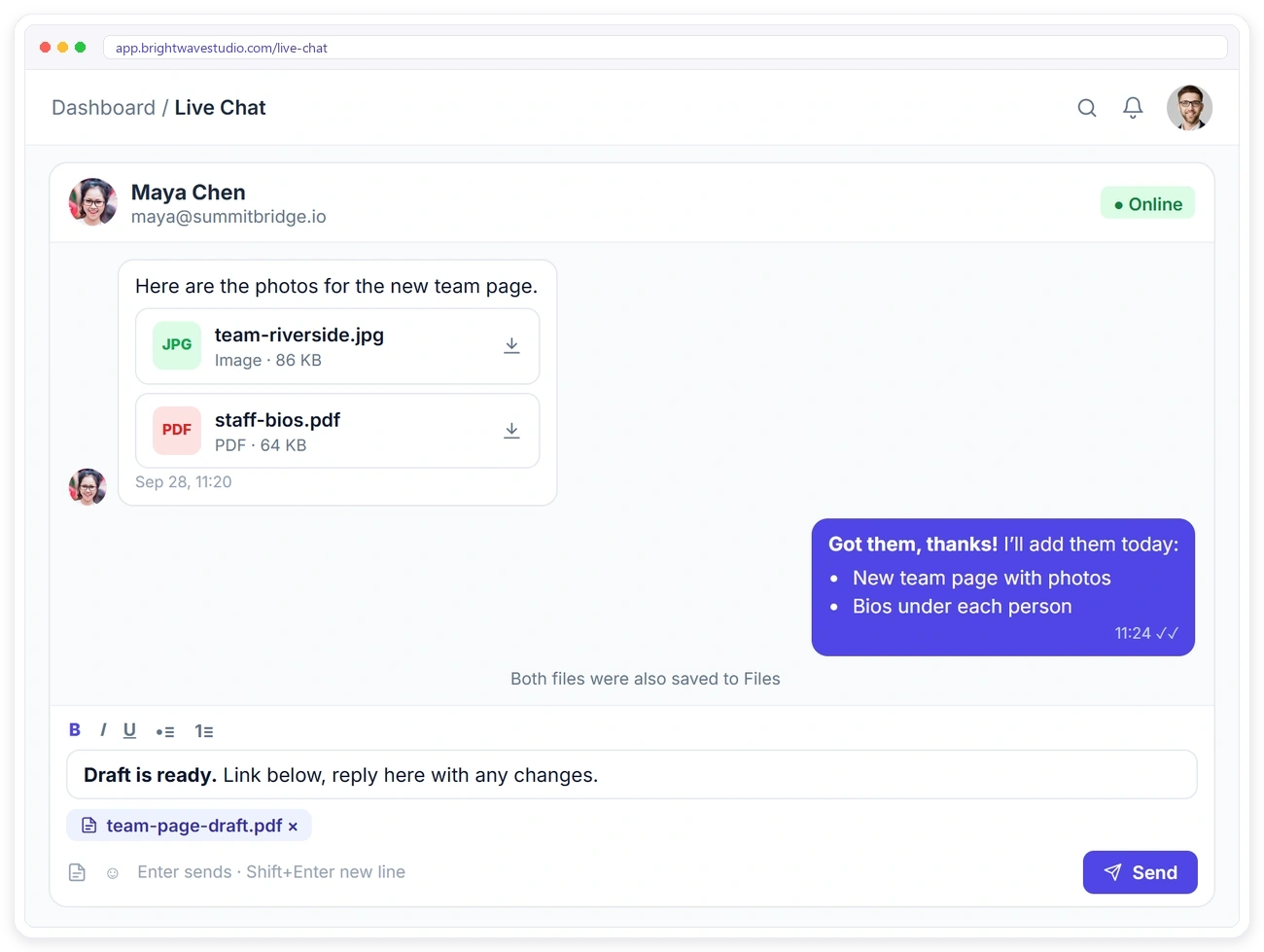
Share Files Without Leaving the Chat
Clients and your team can send images, PDFs and office files right in the conversation. Every shared file is also saved to Files, so you can find it later. Format replies with bold, italic, underline and lists.
CLIENT PORTAL
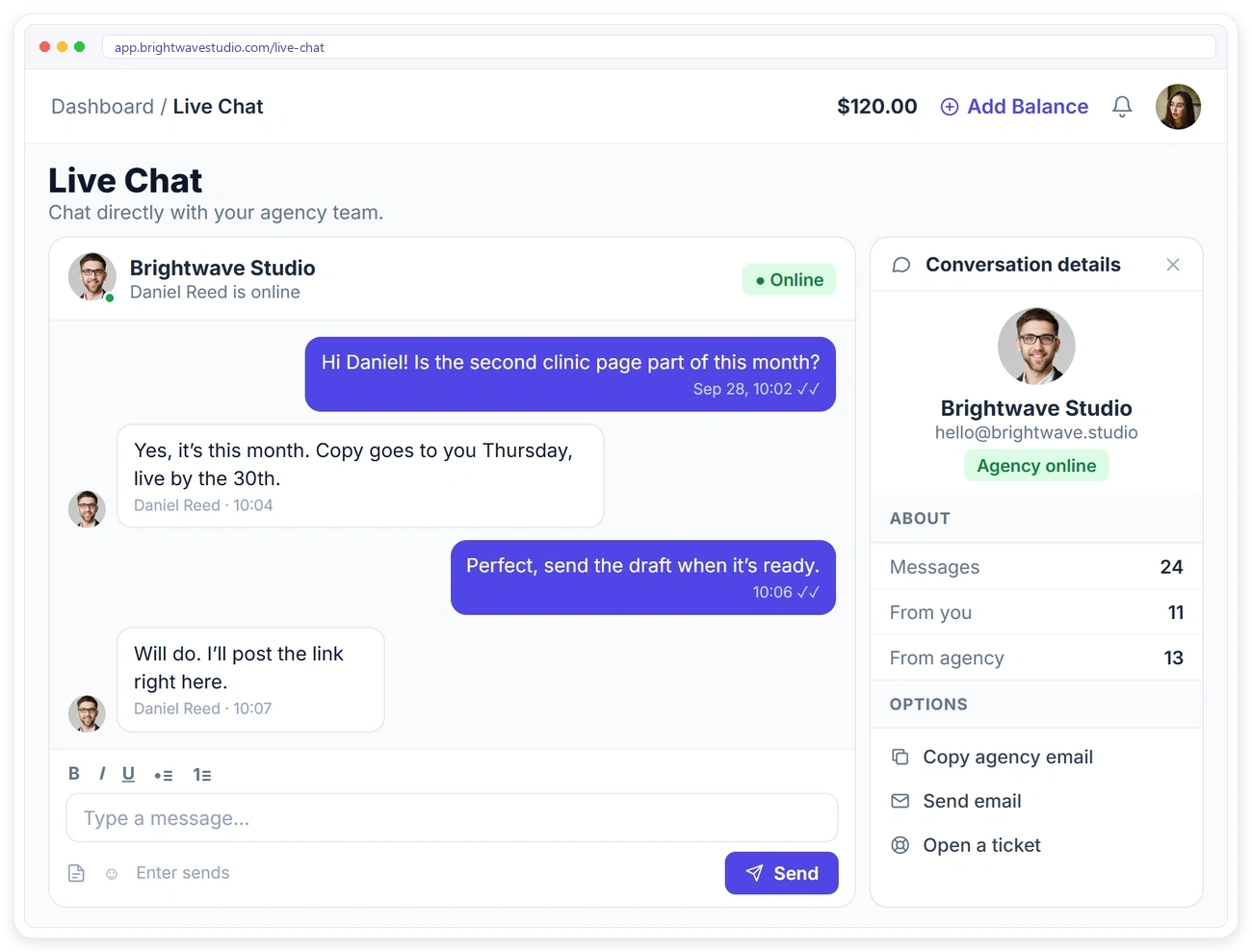
Clients Chat From Their Portal
Clients open Live Chat in their portal and message your team directly. They can see when you’re online, copy your email or send one, and open a support ticket if the question needs one.
NEVER MISS A MESSAGE
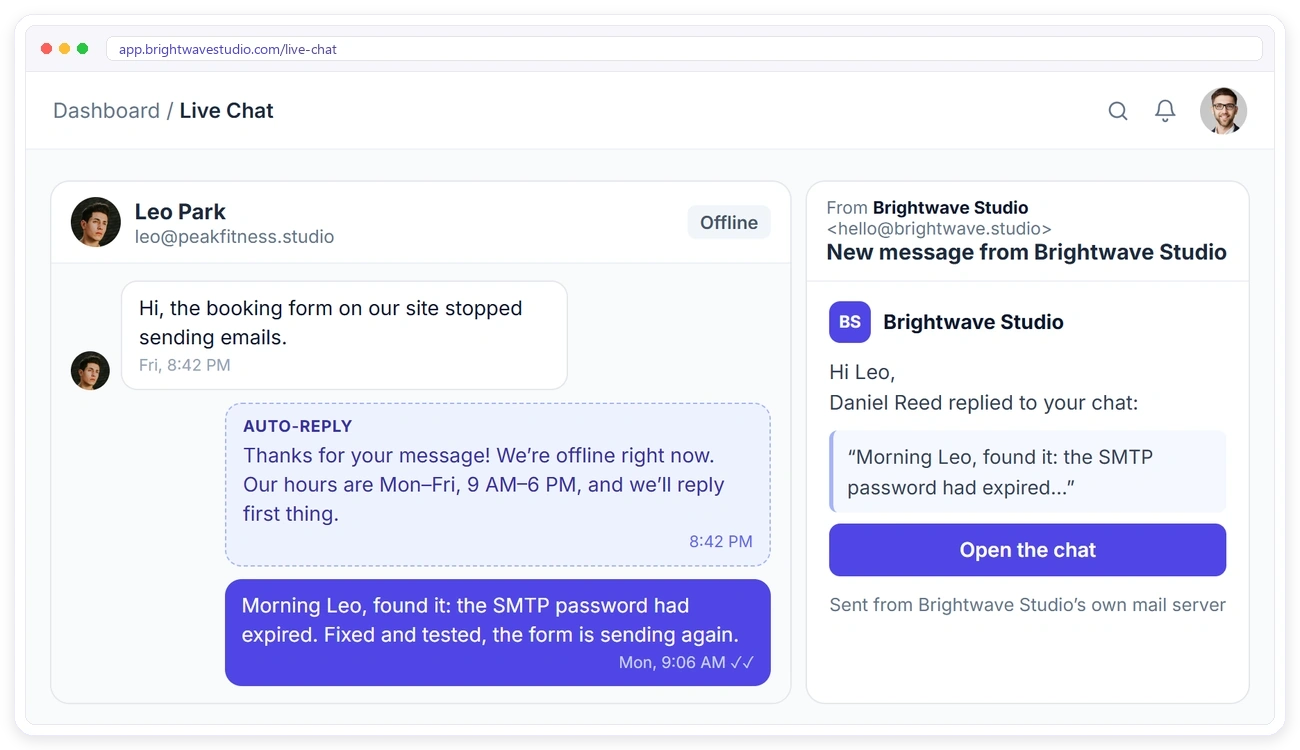
Reply Even When Someone Is Offline
Set your business hours and an away message, and clients get an automatic reply outside those hours. When you answer while a client is offline, they get an email from your own address with a link back to the chat.
PERMISSIONS
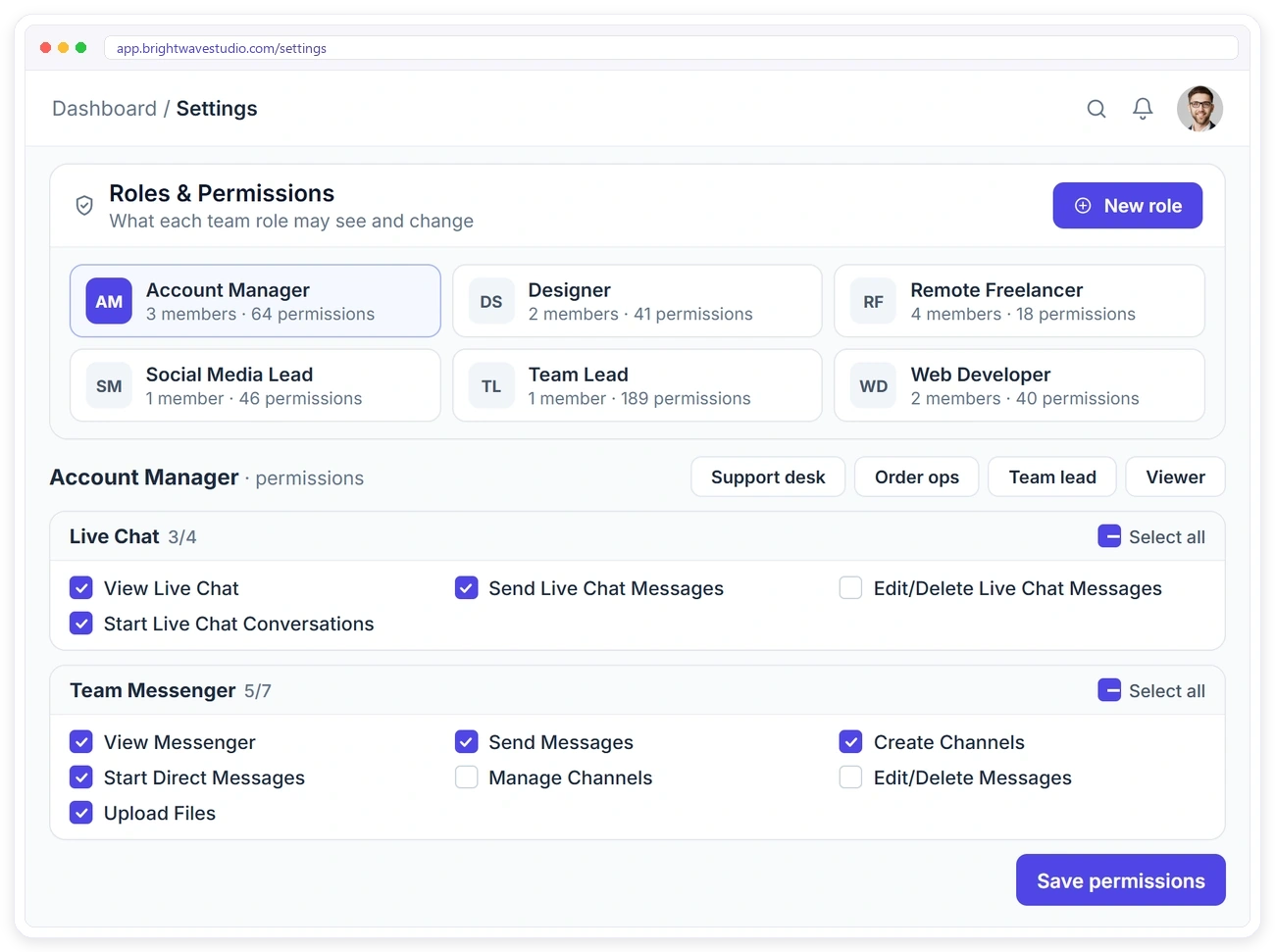
Choose Who Talks to Clients
Live Chat has its own permissions for every team role. Decide who can see client chats, who can reply, who can start new conversations and who can edit or delete messages.
Built for Agency Teams
Live chat sits next to the client’s orders, invoices and tickets in the same workspace, so every conversation keeps the context around it and your team never has to ask what the client means.
Live Chat With Clients FAQ
Straight answers about live chat with clients in your portal: who replies, offline clients, files, other channels and cost.
What is client portal live chat?
It is a real-time chat between your team and a client that lives inside your client portal rather than on your website. The client is already signed in, so you always know who is writing and which orders, invoices and tickets the question is about.
Why not just use Slack or WhatsApp with clients?
Both scatter client talk across personal apps and channels that leave with the person who ran them. Portal chat keeps every conversation in one shared inbox your team owns, and if clients still write on WhatsApp, SMS or Telegram, those chats can arrive in a tab of the same Live Chat page.
Who can clients chat with?
Your agency team. Clients message you from the Live Chat page in their portal, and any team member with live chat access can reply.
Can I start a chat with a client?
Yes. Pick any active client from the list and send the first message. Clients can also start a chat from their portal.
Can I pass a chat to a teammate?
Yes. Transfer the conversation to the workspace admin or a team member with live chat access. They get a notification straight away.
What happens if the client is offline?
They get an email from your own address with a link back to the chat, so your reply doesn’t go unseen.
Can I reply outside business hours?
Set your business hours and an away message, and clients get an automatic reply when they write outside those hours.
Which files can be shared?
Images (JPG, PNG, GIF, WebP), PDF, Word, Excel, CSV, PowerPoint and text files. Shared files also appear in Files.
Can I edit or delete a message?
Yes, your own messages. Edited messages are marked as edited so everyone knows they changed.
How much does client live chat cost?
Client live chat comes with Growth at $49 a month, alongside the client portal, orders, invoices and tickets; Clientish itself starts at $29. Plans are priced per agency rather than per agent, and the 14-day free trial includes live chat.
Chat with clients where the work happens.
Clients message your team from the portal they already use, your team replies from one shared inbox, and offline clients get your answer by email. Try it with example data first.
- One shared inbox for your team
- Transfer to the right teammate
- Files saved to Files
- Auto-reply outside your hours
- Email when the client is offline
- Your portal, logo and domain