
PROPOSALS
Send Proposals Clients Can Accept and Sign
Build a proposal from ready-made sections, send it to a client or a lead, and let them sign online. When they accept, Clientish creates the invoice and the order for you.
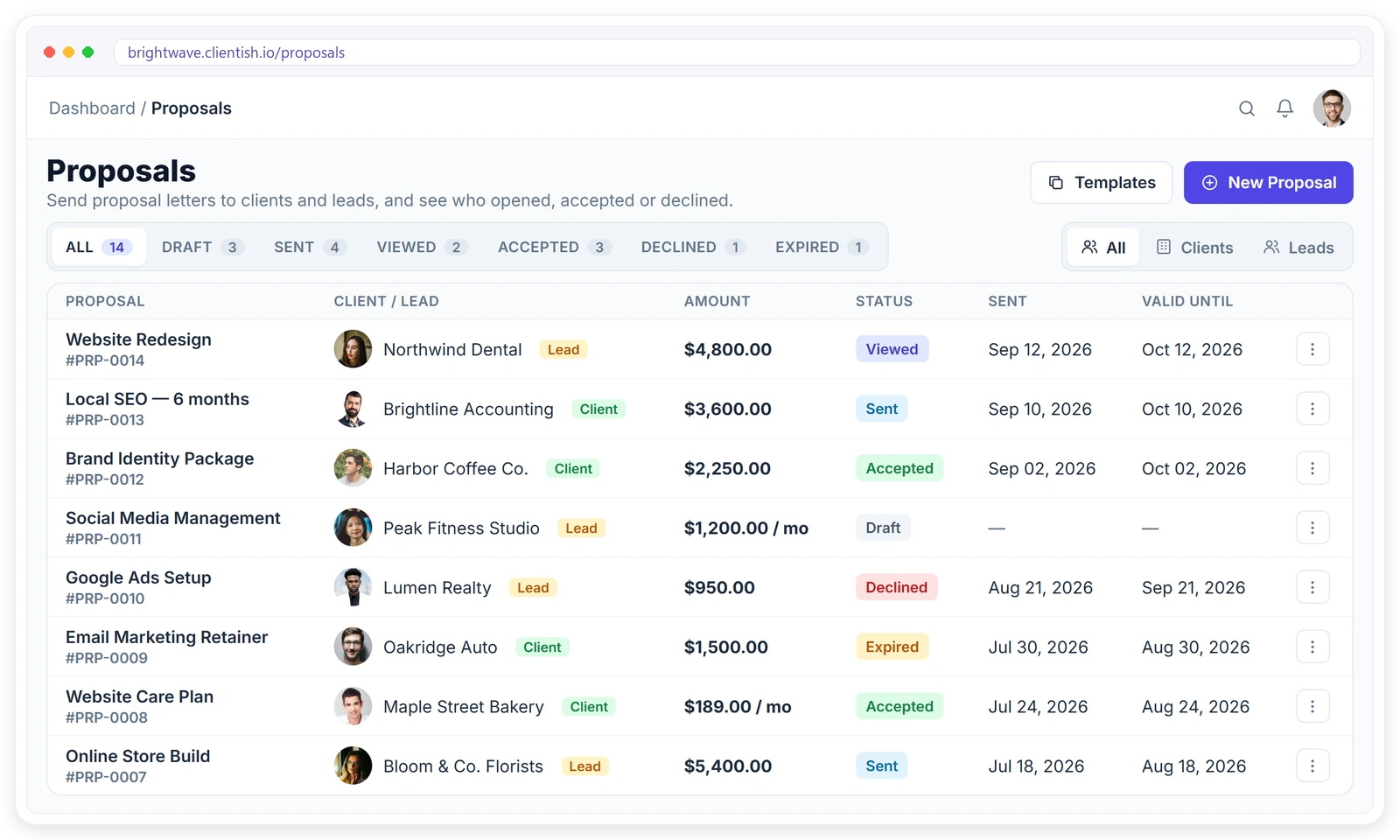
Everything a Proposal Needs, In One Place
Write it, price it, send it and get it signed, without switching between a document editor, an e-sign tool and your invoicing.
From Draft to Signed in Four Steps
No attachments, no printing and no separate e-signature tool.
SECTIONS
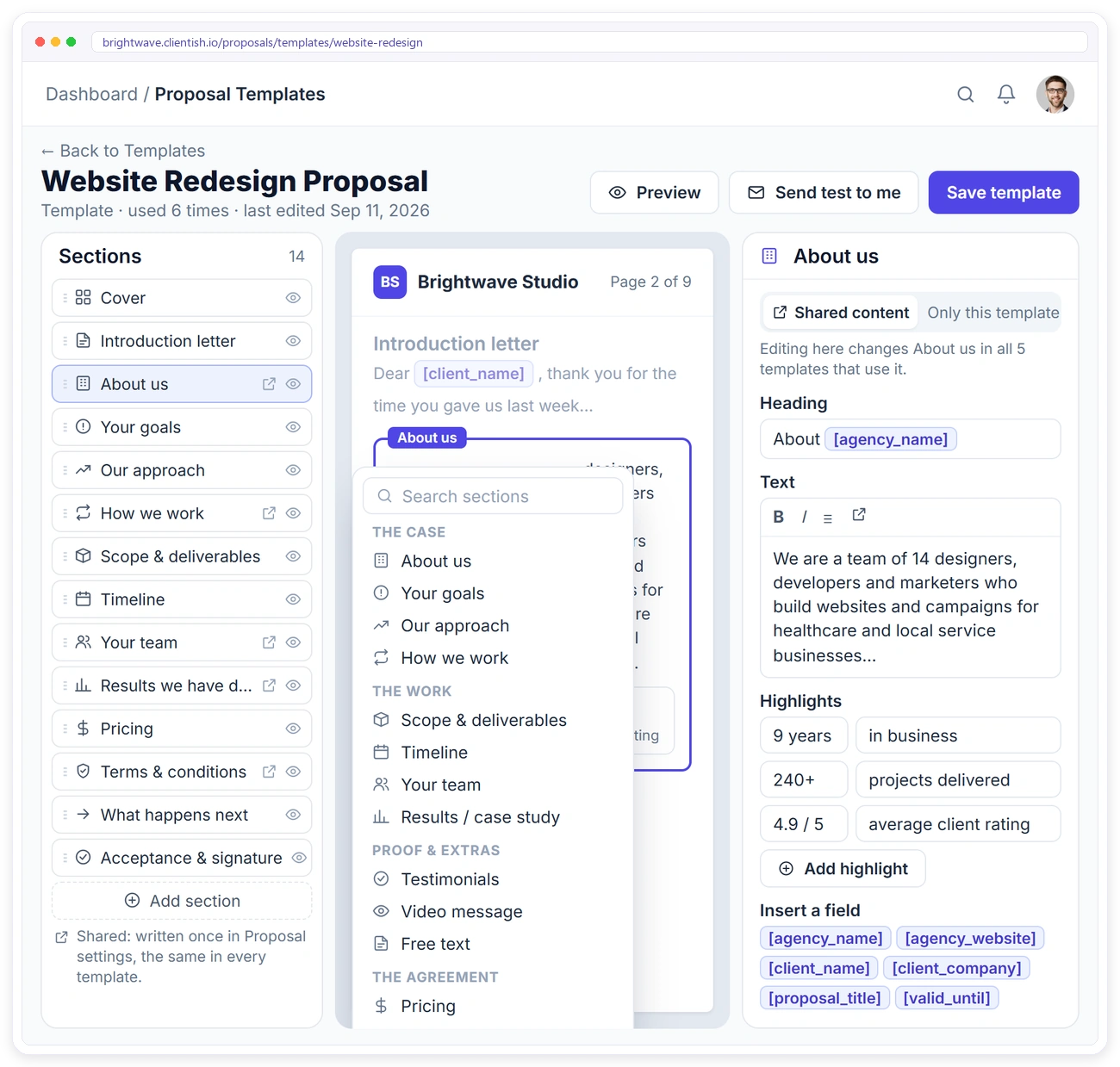
Build It From Sections You Control
A proposal is a stack of sections. Drag them into order, hide the ones a client doesn’t need, and preview exactly what the client will see.
DESIGNS
Eleven Looks, One Click Each
Pick a design that suits the work: Classic, Atelier, Launch, Growth report, Social club, Night shift, Boardroom, Showreel, Quick quote, Care plan or Pitch.
CLIENT VIEW
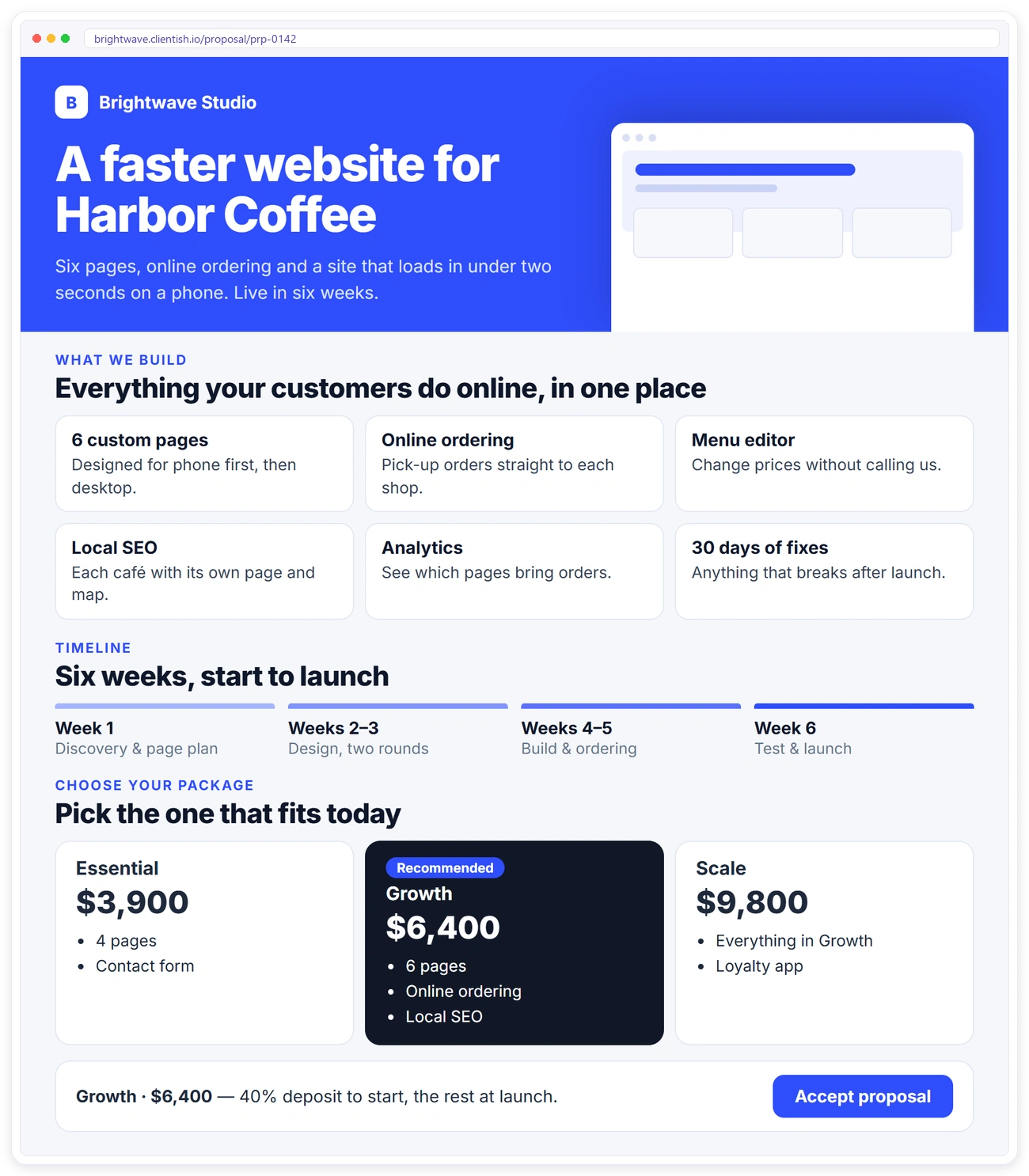
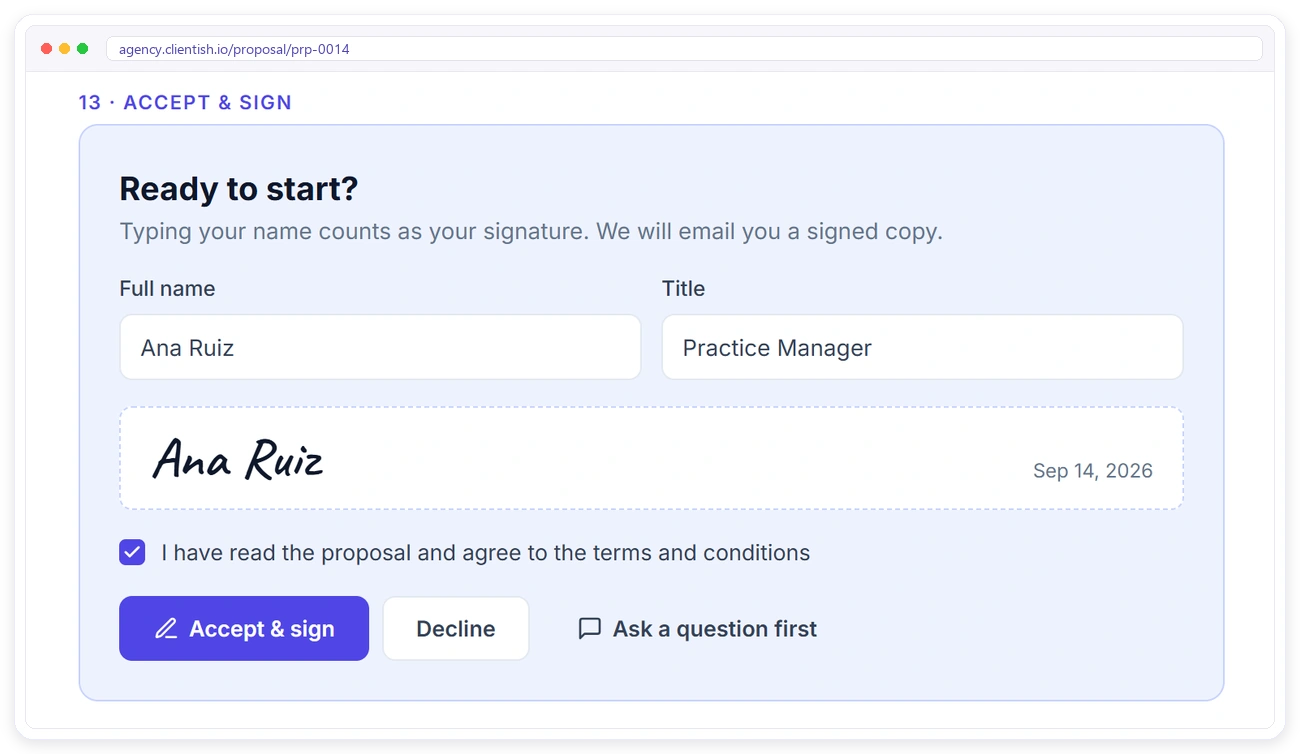
Your Client Reads, Chooses and Signs in One Place
Every proposal gets its own private link. No login is needed: the client opens it, picks a package and accepts with a typed signature.
TEMPLATES
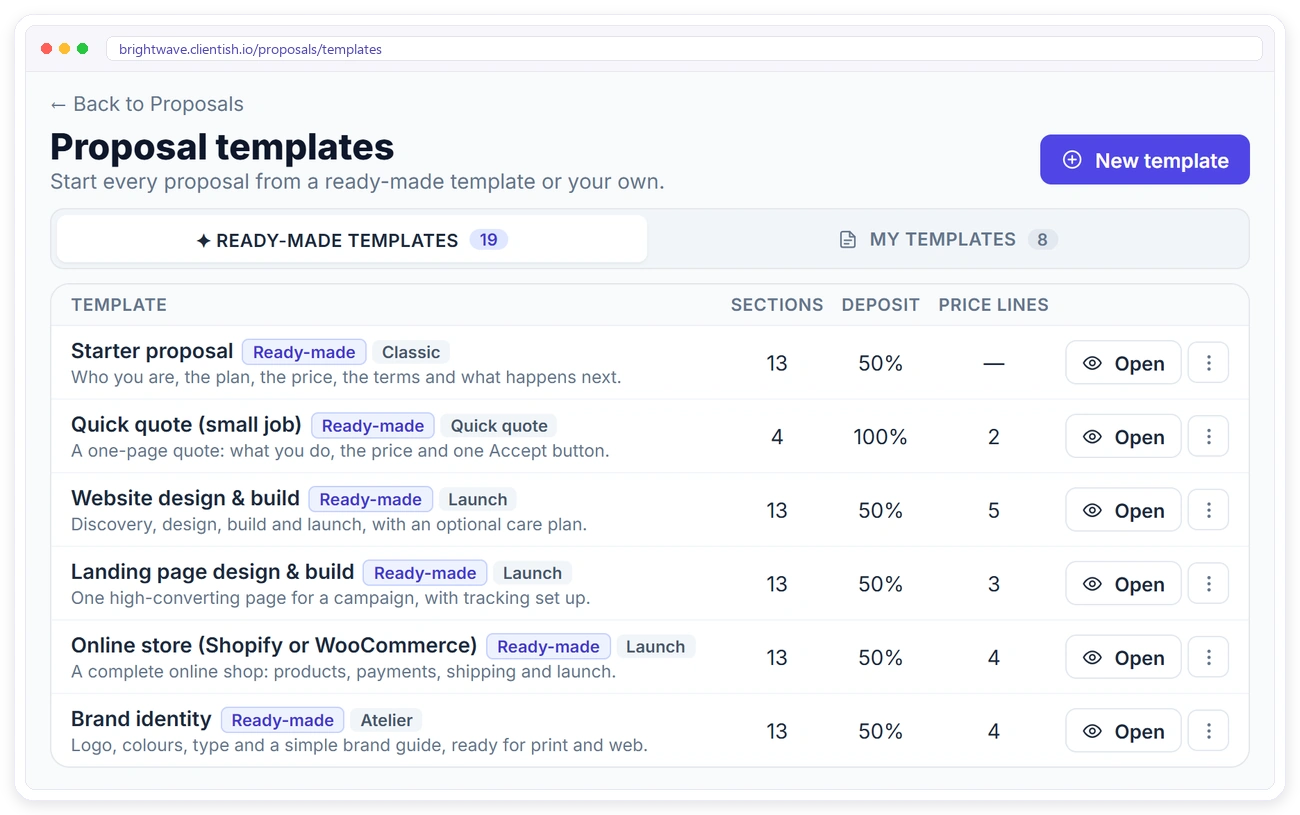
Start From a Template, Not a Blank Page
Pick a ready-made template for a website, landing page, online store, care plan and more, or save your own. Editing a proposal never changes the template behind it.
TRACKING
Know Where Every Proposal Stands
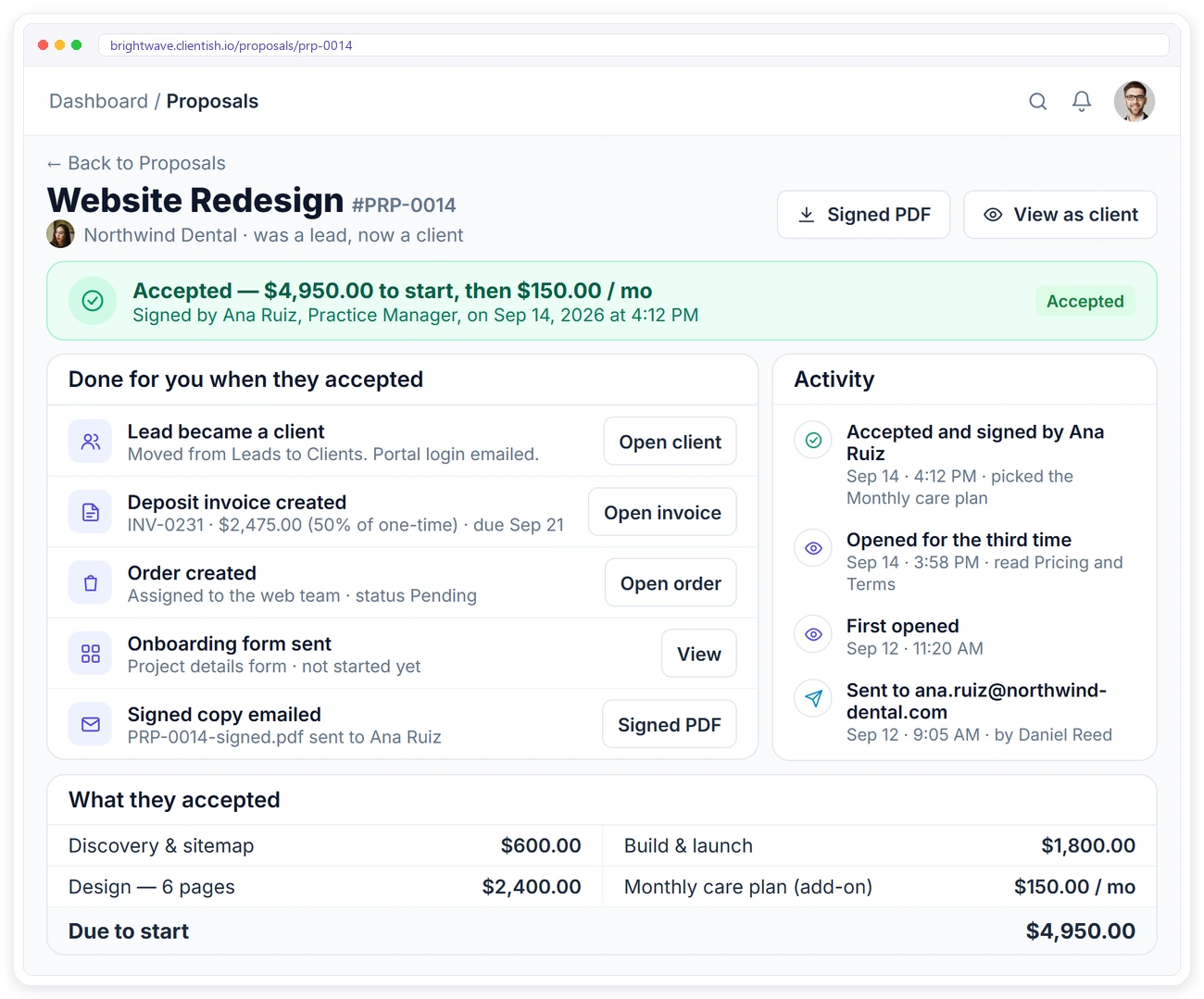
Each proposal keeps its own trail, so you know when to follow up and when to start the work.
What Happens When They Accept
Accepting a proposal does the admin for you, in one step, and a double click can’t do it twice.
Monthly price lines are recorded on the proposal. They do not start a subscription on their own.
Proposals FAQ
Quick answers about sending and signing proposals in Clientish.
Does my client need an account to sign?
No. Each proposal has a private link. The client opens it, reads it and accepts without logging in.
How does the signature work?
The client types their full name, adds an optional title and ticks “I have read and agree”. The typed name is the signature, and the time, IP address and browser are saved with it.
Can I send a proposal to a lead?
Yes. You can send a proposal to an existing client or to a lead. If a lead accepts, they become a client automatically.
What is created when the client accepts?
One invoice for the one-time total, with your deposit percentage as the amount due, and one order linked to that invoice.
Do monthly items start billing automatically?
No. Monthly lines are recorded on the proposal but do not start a subscription on their own.
Who can create proposals?
The workspace owner and co-admins. Team members don’t see the Proposals menu.
Win the Work. Skip the Paperwork.
Send a proposal today and let the signature create the client, the invoice and the order for you.