
Web Development Retainer Agreement Template
A website maintenance retainer lives or dies on one word the contract usually leaves out: when. When the site goes down, how fast do you respond?
Free to download and edit · No watermark · Add your own branding
When an update breaks a page, how quickly do you roll it back? When the client leaves, how soon do they get their files? A monthly fee with no response times, no backup spec, and no exit handover is not a maintenance agreement — it is a hope that nothing breaks.
This page gives you a free, editable Web Development Retainer Agreement template for agencies and freelancers handling ongoing website work, plus a plain-English breakdown of every clause, including the development-specific ones a generic retainer skips: the SLA response tiers, backup and uptime terms, the staging-and-rollback process, hosting responsibility, and code-and-data ownership on exit. Download it, add your branding, fill in the brackets, and send it before you take the keys to a live site.
What Is a Web Development Retainer Agreement?
The thing a web retainer looks after is live infrastructure, and that single fact shapes the whole agreement.
A web development retainer agreement is the recurring-fee contract covering ongoing website work, maintenance, updates, security, support, and small development, instead of quoting each change as its own project. It sets out what is maintained, how fast you respond when something breaks, how backups and updates are run, who owns the code and the site, and how it all hands back if the relationship ends.
Because the asset is live, time is the currency the client is really buying. A late social post is awkward; a website that is down is lost revenue counted by the hour. That is why the service-level agreement, your response times for a critical outage versus a routine request, is the defining clause here rather than a footnote: the client is paying for speed when it matters, and the contract has to put that promise in hours.
How it differs from a one-off project contract
The live asset also makes routine work risky in a way other services never face. Updating a plugin or a core version can take a working site offline, so the agreement has to describe how you work safely, test on staging, back up before changes, roll back fast, because that documented process is what separates a professional maintenance retainer from a monthly invoice with no accountability behind it.
Decide What the Retainer Actually Covers First
Before you fill in the template, draw the line between maintenance and new development clearly, because this is where web retainers leak the most.
Maintenance only
Updates, backups, security, uptime monitoring, and small fixes — keeping an existing site healthy. New features and redesigns are quoted separately. The cleanest, most defensible model.
Maintenance plus a block of dev hours
Core maintenance plus a set number of development hours per cycle for small enhancements, with anything larger scoped separately. Flexible, but needs a clear rollover and overage rule.
Managed site / full support
Maintenance, development, hosting oversight, performance, and priority support as a complete managed service. Scope is defined by responsibility, so the exclusions clause carries the weight.
Maintenance-only suits agencies protecting sites they built; maintenance-plus-hours suits clients who need steady small changes; full managed suits clients handing over the whole technical side. Whichever you pick, the scope clause must list included tasks with their frequency and name what is explicitly excluded — a vague "website support" is how a maintenance retainer gets dragged into an unpaid redesign.
To choose between these models, ask yourself one scoping question before the client signs: "Does the client already have a backlog of feature requests, or are they likely to generate new ones during this cycle?" If the answer is yes, a maintenance-only model will create friction fast — but adding a hours block raises your financial exposure unless you cap overage tightly. A practical rule of thumb: if a client's expected enhancement requests in any given month could exceed roughly 30–40% of the retainer's total value in hours, the maintenance-plus-hours model becomes riskier than a fixed maintenance-only contract paired with separate project quotes. At that threshold, unbounded "small changes" can quietly consume your margin before you have a chance to re-scope.
Why a Web Dev Retainer Agreement Protects You More Than Most
Most freelancers think of a retainer agreement as protection against non-payment. For web development specifically, the clauses do something more consequential: they determine whether your professional indemnity insurer will actually pay out if a client claims your work caused them loss.
Insurers look for documented scope before they cover a claim
If a site goes down and a client claims lost revenue, your professional indemnity insurer will ask what you were contracted to maintain and to what standard. A retainer with defined SLA tiers and a clear exclusions clause gives you that paper trail. A verbal arrangement — or a vague one-pager — is the fastest way to find your claim declined.
Backup and rollback clauses signal professional-grade process to insurers
Many PI policies for tech contractors specifically require evidence of documented change management. Stating in writing that you back up before changes and test on staging is not just good practice — it is often a policy condition you may not realise you need to satisfy.
Ownership and exit clauses convert hesitant clients at proposal stage
Clients who have been burned before scan for exactly these lines before they sign anything. Seeing a clear commitment that they own the domain, files, and database — and can export everything on exit — removes the single most common objection that stalls a retainer proposal.
The exclusions clause protects your insurability on fixed-fee retainers
Scope creep that pulls you into uncontracted development work can void coverage for that work entirely. A clause separating maintenance from new features keeps every hour you log within the scope your insurer has agreed to cover.
The Risks of a Vague Web Dev Retainer: Real Scenarios
Each of these is a gap in the contract made concrete — what actually happens on a live site when the clause is not there.
A Shopify e-commerce client's checkout breaks on a Friday night during a flash sale. They expect an immediate fix; your contract never set response times, so when you reply Monday morning they treat it as negligence — and they're pointing to roughly $2,000 in lost weekend orders. An SLA with critical-incident response hours would have set the expectation both sides are held to.
A routine WordPress plugin update takes down the homepage of a local services client. Without a clause committing you to staging tests and pre-change backups, the client blames you for the breakage and you have no documented process to point to, and no quick rollback agreed.
A SaaS company's marketing site is hacked and the client asks for a restore. The contract never specified backup frequency, storage, or who was responsible, and the last clean backup is three weeks old. A backup specification clause would have made the restore routine instead of a disaster.
The client wants to move hosts and discovers the site files, database, and custom code are tangled up with the agency's own accounts, and nobody agreed on a handover. Without an ownership-and-export clause, the exit becomes a fight over the client's own site.
A "maintenance retainer" at $500 per month quietly absorbs a new booking system, a page redesign, and three new templates for an e-commerce client, all expected within the monthly fee. A clause separating maintenance from new development would have made each of those a quoted job.
Each of those live-site failures has a matching clause in the template.
The Key Components of a Web Development Retainer Agreement
On top of the usual retainer clauses, the template adds the ones live-site work demands: the SLA, the backup and rollback process, uptime and its limits, and code ownership on exit. Each is explained below, with the development-specific ones marked.
Parties Involved
Who the contract binds: the agency or freelancer providing the maintenance, and the business that owns the site, each named with its legal entity and address so accountability for the live site is never ambiguous.
Scope of MaintenanceSpecific to this template
The included tasks listed with frequency: core, plugin, and theme updates; backups; security monitoring; uptime checks; performance optimization; and small fixes. Pair it with an explicit exclusions list (next clause). Listing tasks and their cadence is what makes the retainer defensible when a client asks what they are paying for.
What Is Not IncludedSpecific to this template
An explicit line separating maintenance from new development. Redesigns, new features, new page builds, content creation, and migrations are quoted separately. This single clause is your main defense against a maintenance fee being stretched into free development.
Service Level Agreement and Response TimesSpecific to this template
The defining clause. State response (and ideally resolution) times by severity: critical incidents such as a site down or a security breach within a short window, high-priority broken functionality within hours, and routine requests within a day or two. Include the escalation path and whether emergency after-hours support is covered or billed. (The uptime target and downtime-liability boundary sit in their own clause below.)
Updates, Staging and RollbackSpecific to this template
How you work safely on a live site: updates applied and tested on a staging environment before going live, a backup taken before changes, and a defined rollback procedure if an update causes problems. This protects both sides and documents your professionalism if something breaks.
BackupsSpecific to this template
The backup specification: frequency (daily or weekly), off-site storage, retention period, and who is responsible for restores. Vague backups are worthless in a crisis; a specified backup turns a hack or a bad update into a routine restore.
Security and MalwareSpecific to this template
What security work is included (monitoring, patching, and whether malware removal is covered or billed separately) stated plainly so there is no argument about cost at the worst possible moment.
Hosting and Third-Party LicensesSpecific to this template
Who is responsible for hosting, and who owns and pays for third-party plugins, themes, and service licenses used on the site. Clarifying this avoids a lapse that takes the site down over an expired license nobody owned.
Ownership, Access and Data ExportSpecific to this template
The clause serious clients look for. Confirm the client owns the domain, hosting account, site files, database, content, and any custom code, retains access throughout, and receives a complete export of the site in a standard format within a reasonable time after the contract ends.
Payment Terms
The retainer fee, billing date, accepted methods, and late fee, and whether it is billed in advance (standard) or in arrears.
Client Responsibilities
What the client must provide: timely access to hosting and accounts, approvals, content, and decisions. Maintenance stalls when the client is slow to grant access or approve a change.
Duration, Renewal, Termination and Signatures
The start date, initial term, renewal, and notice period. Month-to-month with thirty days' notice is standard, plus the exit handover of credentials and files, a liability cap tied to fees paid, confidentiality, and signature blocks that make the agreement binding.
Downtime and Liability BoundarySpecific to this template
Most maintenance templates cover updates and backups but omit this clause entirely. It states the realistic uptime target, confirms that the agency is not liable for downtime caused by the host, third-party services, or the client's own changes, and sets out how downtime outside the agency's control is handled. The free template includes it.
Tips and Best Practices for a Web Dev Retainer That Holds Up
Clauses define the commitment; what keeps a maintenance retainer healthy month after month is how you run it. These are the habits that matter most on a live site.
When a client's "quick requests" start eating your hours
The pattern is predictable: a client on a 10-hour monthly retainer sends three "two-minute" messages a week, a wording tweak here, a banner swap there, and by week three you are overdrawn with nothing to show for it on a timesheet. Fix this operationally, not just contractually.
Log every request the moment it arrives, even the small ones, and send a running hours update mid-month without waiting to be asked. When you hit 70–75% of the monthly allocation, tell the client directly what has been used, what is left, and what is queued. That habit of proactive, mid-cycle reporting stops the "I didn't know we were over" conversation before it starts.
If a client consistently burns through hours on micro-requests, propose a lightweight ticket triage: they submit requests through one agreed channel and you batch them into a weekly review rather than reacting in real time. It slows the drip and makes the hours visible.
When a host outage lands inside your SLA window
This happens. A client's shared hosting goes down late on a Friday, your agreement promises a two-hour critical response, and you have no access to the host's infrastructure. What you do right now matters more than what the contract says.
First, document the outage the moment you become aware: capture the host's status page, note the timestamp, and save it somewhere outside the client's server. Then message the client before they message you, stating plainly that the outage is on the host's network, pointing them to the host's status page and support line, and confirming you are monitoring and will act the moment service returns. That redirects accountability correctly and starts a paper trail.
When the host restores service, do a post-incident check: confirm the site is fully functional, document what you verified, and send a brief summary to the client. A written record of what happened and what you did is what separates a professionally managed retainer from a one-sided blame conversation later.
When a client asks for something that sits on the line between maintenance and new work
This is where retainers erode slowly rather than blowing up. A client asks you to add a contact form to a new page: is that maintenance or a new feature? The answer matters less than having a consistent process for deciding.
When a request comes in that you are not sure falls inside the retainer, send a one-paragraph scope note before you start, saying it looks outside the monthly maintenance scope, offering it either as a separate project at your rate or logged against retainer hours, and asking how they would like to proceed. Putting that in writing every time, even for small items, trains the relationship and gives you a clean record if the question ever escalates.
How to Use the Free Web Dev Retainer Agreement Template
Getting it client-ready takes four steps.
Copy it first
Download the Word (.docx) file, or upload it to Google Docs, and work on your copy, not the original.
Fill every bracket — and verify the hosting clause against reality
Each [bracketed] placeholder needs your input: your details, the client's, the maintenance scope, the SLA response times, the backup and hosting arrangement, and the fee.
Walk the client through the SLA tiers and the staging process before you send
These are the two sections clients most often misread or skip entirely.
Get both sides signed
Send the completed agreement for e-signature (DocuSign, PandaDoc, or similar), and have it signed before you take over the site's keys.
Pay particular attention to the hosting-responsibility clause: confirm whether the client owns the hosting account, you do, or it's shared, and make sure the clause matches that actual setup before the agreement goes out. A mismatch here is one of the most common sources of billing disputes on retainers.
Verbally confirm what each response-time tier covers (critical vs. non-critical), that staging deployment is included in the workflow, and what "approval" means before changes go live. A quick call or Loom covering these two points prevents the majority of scope arguments down the line.
Managing a Web Dev Retainer After the Agreement Is Signed
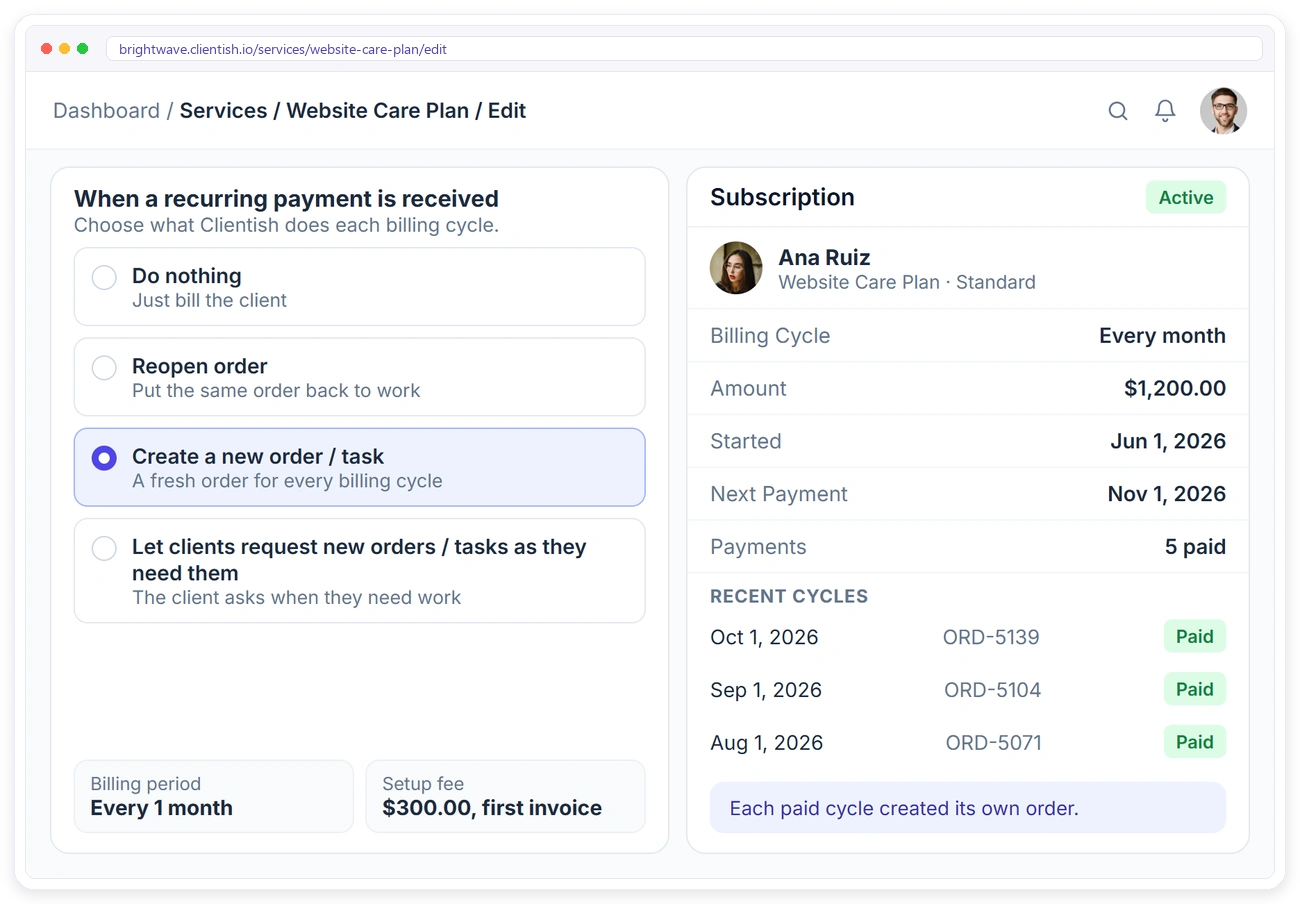
Once the agreement is signed, a maintenance retainer settles into a steady operational rhythm: invoicing the fee each cycle, tracking each client's used and remaining hours, logging every fix and update against the SLA, and keeping support requests from slipping through an email thread. The agreement fixes the SLA and the scope, but running the tickets and the billing month after month is a separate, practical problem, and it is where a client portal earns its place.
- ✓A recurring subscription raises the retainer invoice every cycle, so you don’t create it by hand
- ✓Clients top up a prepaid balance and pay invoices from it
- ✓A branded client portal on your own subdomain with orders, invoices, subscriptions and balance
- ✓Clients open a support ticket with SLA response times instead of emailing you
- ✓Your own payment gateway, such as Stripe or PayPal, or bank transfer
Download the free web development retainer template
The editable Word file with all 13 clauses plus signature blocks. Replace the brackets, add your branding and send it.
This template is a free, editable starting point, not legal advice. Laws vary by region, so have a qualified lawyer review it for your jurisdiction before you rely on it.
Frequently asked questions
Is this web development retainer agreement template free to use?
Yes. Download it and edit it in Google Docs or Word, with no watermark. Add your branding and use it across your maintenance and support clients.
What should the SLA response times be?
Common tiers are a critical incident (site down or security breach) within one to two hours, high-priority broken functionality within four to eight hours, and routine requests within 24 to 48 hours. The exact numbers are yours to set; what matters is that they are stated by severity rather than left as "we'll respond promptly."
Who owns the website and code on a maintenance retainer?
The client. Best practice, which the template follows, is that the client owns the domain, hosting account, files, database, content, and any custom code, retains access throughout, and receives a full export in a standard format on exit, so there is no hostage situation.
Does the maintenance fee include new features or a redesign?
No, unless you agree otherwise. The template separates maintenance (updates, backups, security, fixes) from new development (features, redesigns, migrations), which are quoted separately. This exclusions line is what stops a maintenance retainer from absorbing unpaid development.
Is the agency liable if the site goes down?
The template sets a realistic uptime target and excludes downtime caused by the host, third-party services, or the client's own changes, with liability capped at the fees paid. The agency is responsible for its own work and its response under the SLA, not for an upstream outage it did not cause.
Related Templates
If you handle web work alongside other services or want to tighten the rest of your client paperwork, these free templates pair well with this one: More free, editable templates from the Agency Templates Library.
Agency Retainer Agreement
The core retainer contract, ready to brand.
RETAINERSEO Retainer Agreement
Scope and deliverables for monthly SEO work.
RETAINERCreative Agency Retainer
Design and branding retainers with revision limits.
CHECKLISTClient Onboarding Checklist
The 3-phase onboarding checklist for any agency.
CONTRACTStatement of Work (SOW)
Scope, deliverables, acceptance and milestones per project.
Website Maintenance Checklist
A free, editable agency template.
Coming soonPPC Retainer Agreement
Ad management scope, spend handling and reporting.
RETAINERSocial Media Retainer
Posts, reels and reporting defined per cycle.