

Most agencies and freelancers running client work don’t have a tool problem in the singular. They have six or seven of them. There’s the CRM for tracking contacts, the form builder for capturing project details, the project management app for tasks, the invoicing software for billing, a separate payment processor, a helpdesk for support tickets, and probably a shared drive or chat tool somewhere in the mix. Each one has its own login, its own monthly fee, and its own place where information lives in isolation from everything else. When a client pays an invoice, the project tool doesn’t know about it. When a support ticket comes in, there’s no automatic connection to the client’s order history. The gaps between tools create the actual work of staying organized.
Quick answer: Clientish is a client management platform built for agencies, freelancers, consultants, and service businesses that consolidates the functions most commonly spread across separate tools — CRM, intake forms, orders, tasks, invoicing, payments, support tickets, file storage, and reporting — into one workspace. It won’t replace every tool a business uses, but for the specific category of tools that exist to manage client relationships and service delivery, the overlap is significant.
What follows is a tool-category-by-tool-category mapping: what each common tool does, and what Clientish covers in its place — so you can judge for yourself which subscriptions might genuinely become redundant.
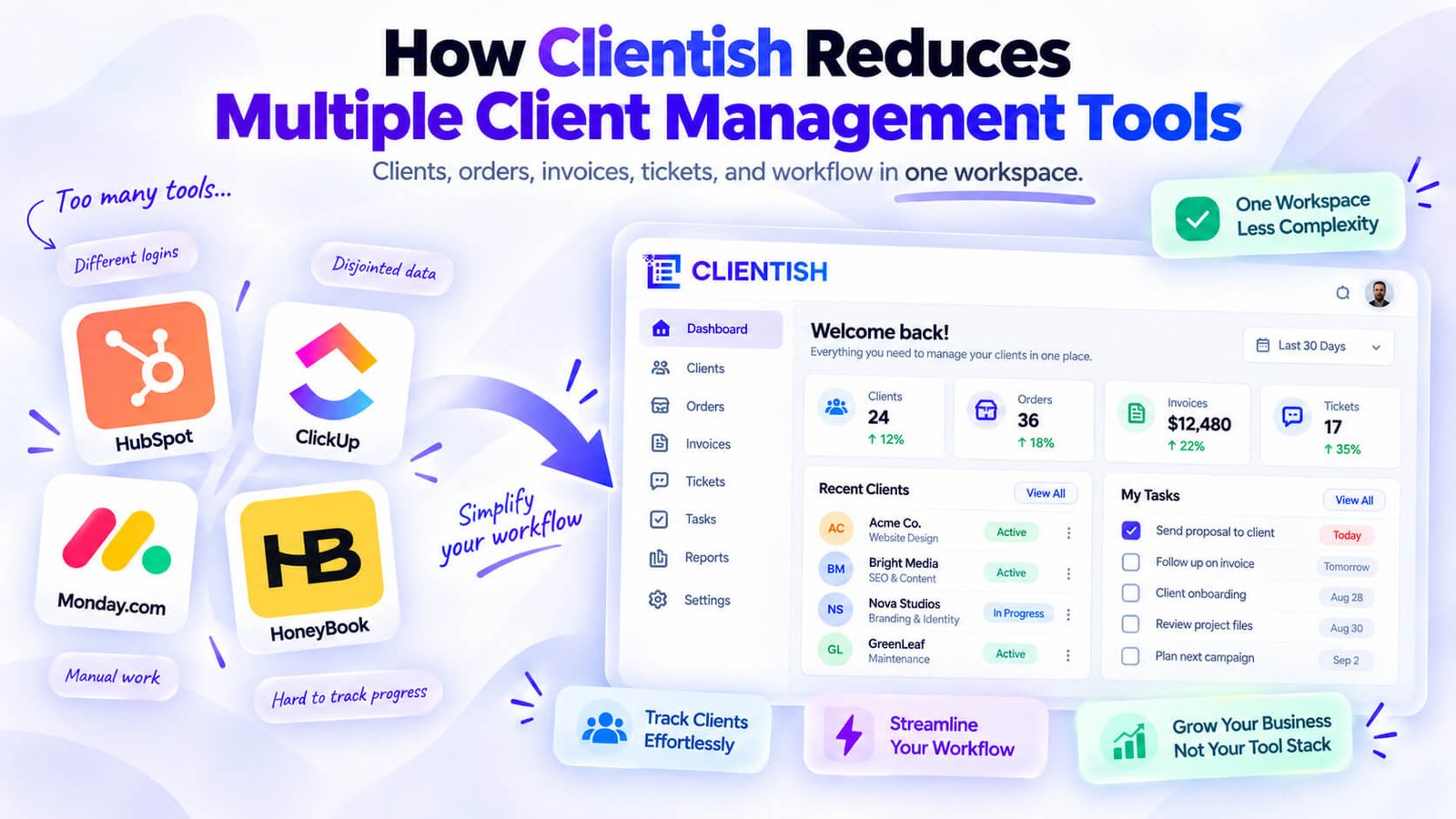
The Real Cost of Juggling Separate Client Tools
Running client work across five or six different tools feels manageable at first. Then a client emails asking about their project status, and you’re tabbing between your CRM, your project tracker, and your inbox trying to piece together an answer you should already have in front of you.
That’s the daily reality for most agencies and freelancers. Here’s what it actually costs:
Split client context. When a client’s contact details live in your CRM, their project notes live in your task tool, their invoices live in your billing software, and their support questions land in a separate help desk, no single screen tells you the full story. You reconstruct context manually every time you interact with that client.
Duplicate data entry. A new client gets added to your CRM, then re-entered into your invoicing tool, then added again to your project management app. The same name, email, and billing address typed three times. That’s not just tedious — it’s where inconsistencies creep in, and where you eventually have three slightly different records for the same person.
Subscription stacking. A CRM, a form builder, an invoicing tool, a task manager, a file storage service, a support helpdesk, a chat tool — each carries its own monthly fee. Individually they look affordable. Together they can quietly consume a significant chunk of revenue, especially for solo operators or small agencies where margins matter.
Switching overhead. Moving between apps to complete a single workflow — say, converting a form submission into an invoice — takes time and breaks focus. The more handoffs between tools, the more chances for something to fall through the gap.
None of this is dramatic. It’s just the slow, steady friction of a stack that was never designed to work together.
The Tools Clientish Brings Into One Place
Here’s the direct map before the detail sections dig in. Find your current tools in the left column, and you’ll see which Clientish feature covers that ground.
| Separate tool category | Popular examples you might be paying for | Clientish feature that covers it |
| CRM | HubSpot, Pipedrive, Zoho CRM | Leads and Clients |
| Form builder | Typeform, JotForm, Google Forms | Forms + per-service intake forms |
| Project / task management | Trello, Asana, ClickUp, Monday.com | Orders, Order Tasks, Todo Lists |
| Invoicing | QuickBooks, FreshBooks, Xero | Invoices |
| Payment processing | Stripe, PayPal payment links | Built-in payments (Stripe, PayPal, Paddle, and others) |
| Help desk / support | Zendesk, Freshdesk, Help Scout, Intercom | Tickets + Live Chat |
| Team chat | Slack, Microsoft Teams | Team Messenger |
| File storage | Google Drive, Dropbox | Files |
| Reporting | Spreadsheets, analytics add-ons | Reports (seven tabs, exportable) |
| Client email | A separate SMTP or transactional email tool | Your own SMTP with editable templates for order, invoice, and ticket emails, plus scheduled email to leads |
Each row gets its own section below, covering what Clientish actually does in that category and where the coverage is deep versus where a specialist tool still has an edge.
Replacing a Separate CRM
Tools like HubSpot, Pipedrive, and Zoho CRM are built to track contacts, capture leads, and move prospects through a pipeline. Clientish covers that ground through its Clients and Forms features.
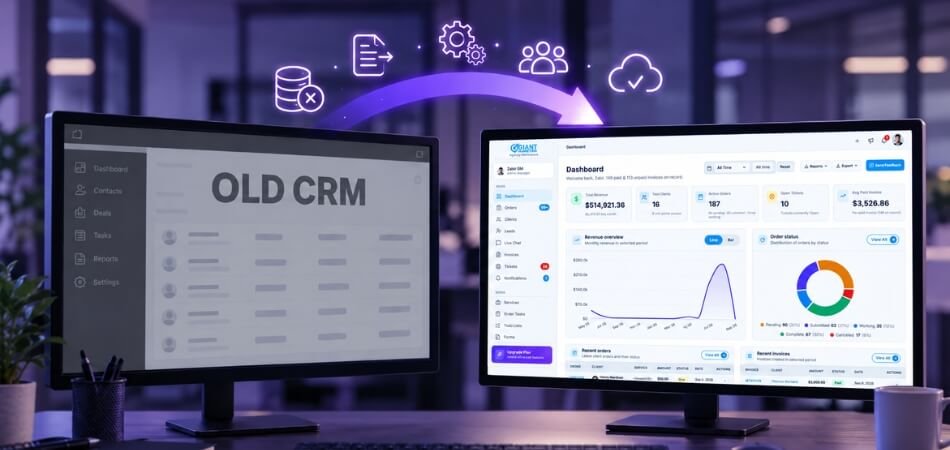
Client Records That Go Beyond Contacts
Each client profile in Clientish holds contact details, billing address, account balance, total spend, and a full activity log. From the same record you can see every order, invoice, and support ticket that client has ever raised — no switching tabs or cross-referencing a separate system.
Lead Capture and Pipeline
The Forms builder lets you publish a lead intake form — name, email, phone, service interest, file upload, whatever you need — with conditional logic to branch questions based on earlier answers. Submissions land in an entries inbox you can export. Clients move through four lifecycle stages automatically as they pay, giving you a basic pipeline without configuring one from scratch.
Talking to Leads Early
Once a lead becomes a client record, you can assign a team member to them, leave notes, and communicate through order messages when work starts. There’s no dedicated pre-sale email sequence tool here, so if your pipeline runs on automated nurture campaigns, a separate email tool still makes sense for that specific piece.
Replacing a Separate Form Builder
Typeform, JotForm, and Google Forms all do the same core job: collect information before work starts. They’re fine tools, but they sit outside your workflow entirely. Submissions land in an inbox or a spreadsheet, and you manually carry the answers across to wherever the actual work happens.
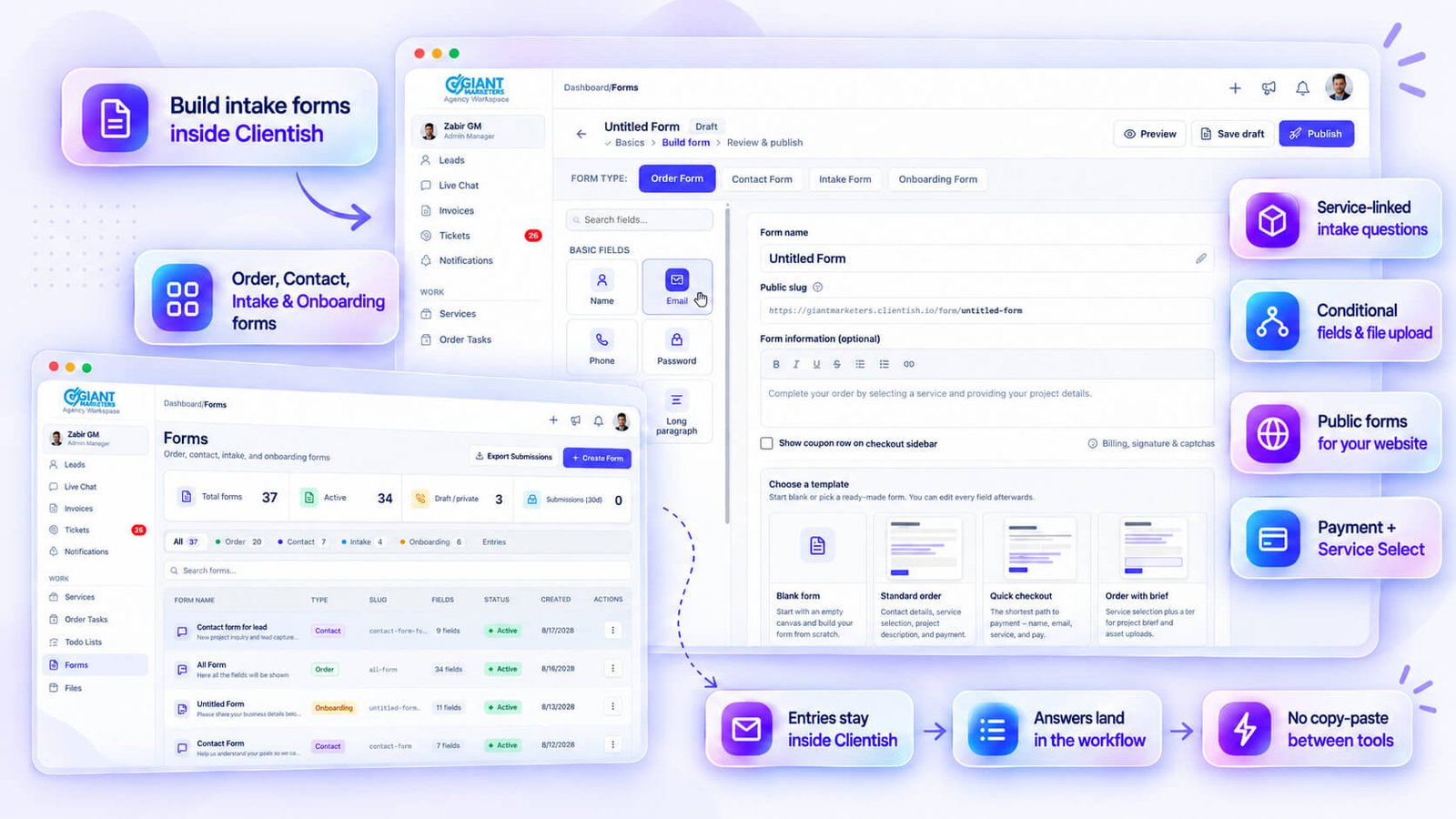
Clientish handles this in two connected ways.
Intake Forms Tied to Services
Each service in your catalog gets its own intake form, built directly inside that service. Field types cover text, textarea, select, checkbox, radio, file upload, and date — plus conditional show/hide rules so clients only see questions relevant to their answers. When a client orders that service, the intake form is part of the order. The answers live on the order record, downloadable as a PDF or a file bundle.
Public Forms for Your Site
The standalone Forms builder covers lead capture, general questionnaires, or order forms you want to embed on your own site. It includes a Payment field and a Service Select field, which means a form can initiate a purchase directly. Submissions collect in an entries inbox inside Clientish and export as a spreadsheet.
Answers That Land in the Workflow
This is where a standalone form tool loses. A Typeform submission requires you to route the data somewhere useful. In Clientish, intake answers are attached to the order from the moment it’s created — no transfer, no copy-paste, no missed field.
Replacing a Separate Project or Task Tool
Trello, Asana, ClickUp, and Monday are built to manage work across any context. Clientish handles work differently — tasks live inside orders, which means they’re always tied to a specific client job.
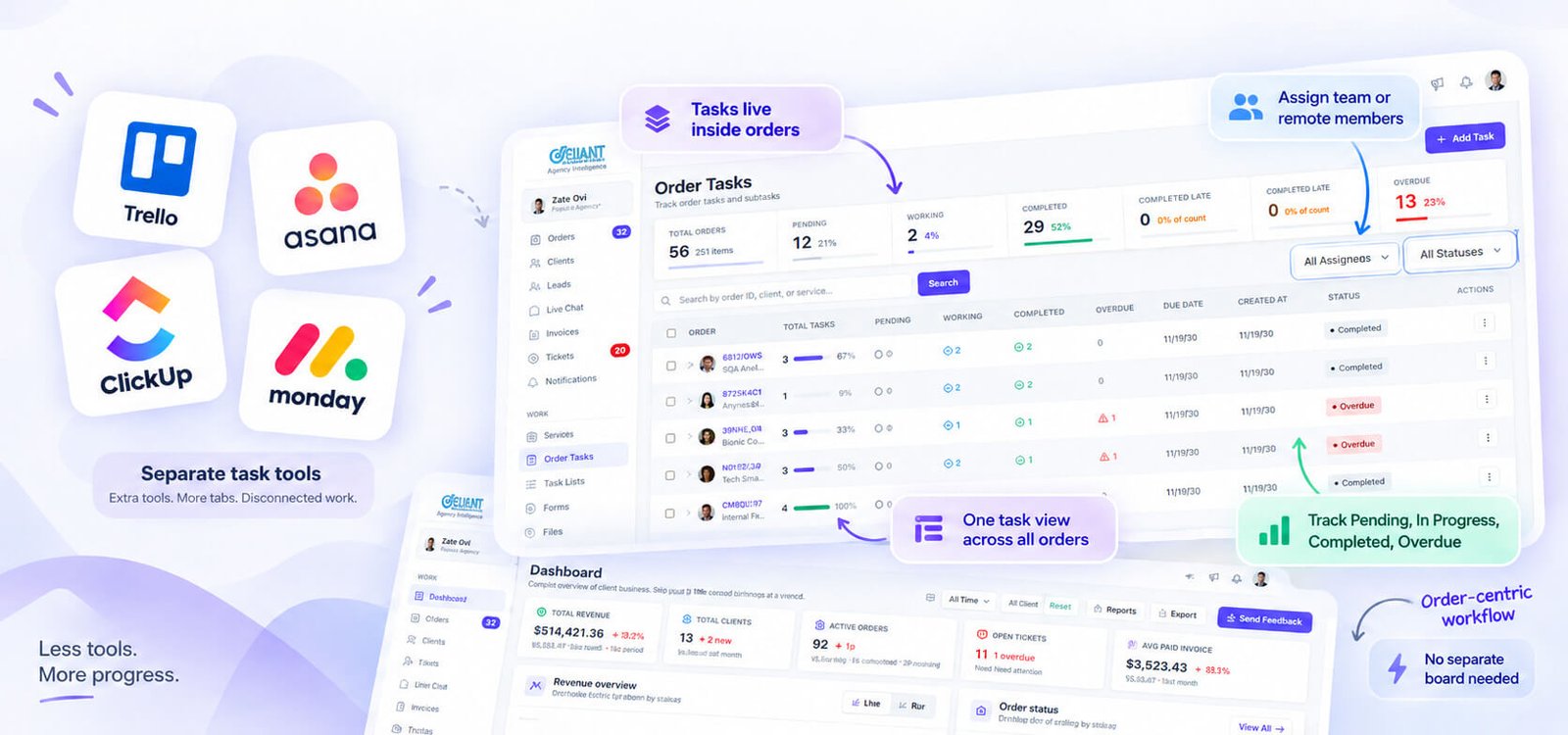
Orders as Work Containers
Each order in Clientish represents a client’s purchase of a service and carries everything related to that job: status, assignment, messages, notes, and tasks. The order is the work container. You don’t need a separate board for that.
Task Checklists and Assignment
Inside any order, you can build out task items, toggle statuses (Pending, In Progress, Completed, Overdue), and assign them to team or remote members. A dedicated Tasks screen pulls these across all orders into one view, filterable by assignee — including unassigned items.
Work Assignment and Todos
Orders can be assigned to one or more team members, and task items carry their own assignees separately. That covers the basic “who’s doing what” layer without leaving the order.
One honest note: Clientish is order-centric. If your agency needs cross-project Gantt views, time tracking, or dependency mapping, a dedicated PM tool still does that better. For most service businesses, though, the order-task model covers daily work tracking without a second subscription.
Replacing Separate Invoicing and Payment Tools
Tools like QuickBooks, FreshBooks, Xero, and Stripe cover invoicing and payment collection as standalone products, each with its own login and data. Clientish handles both inside the same workspace where the order and client already live.
Invoices With Everything Built In
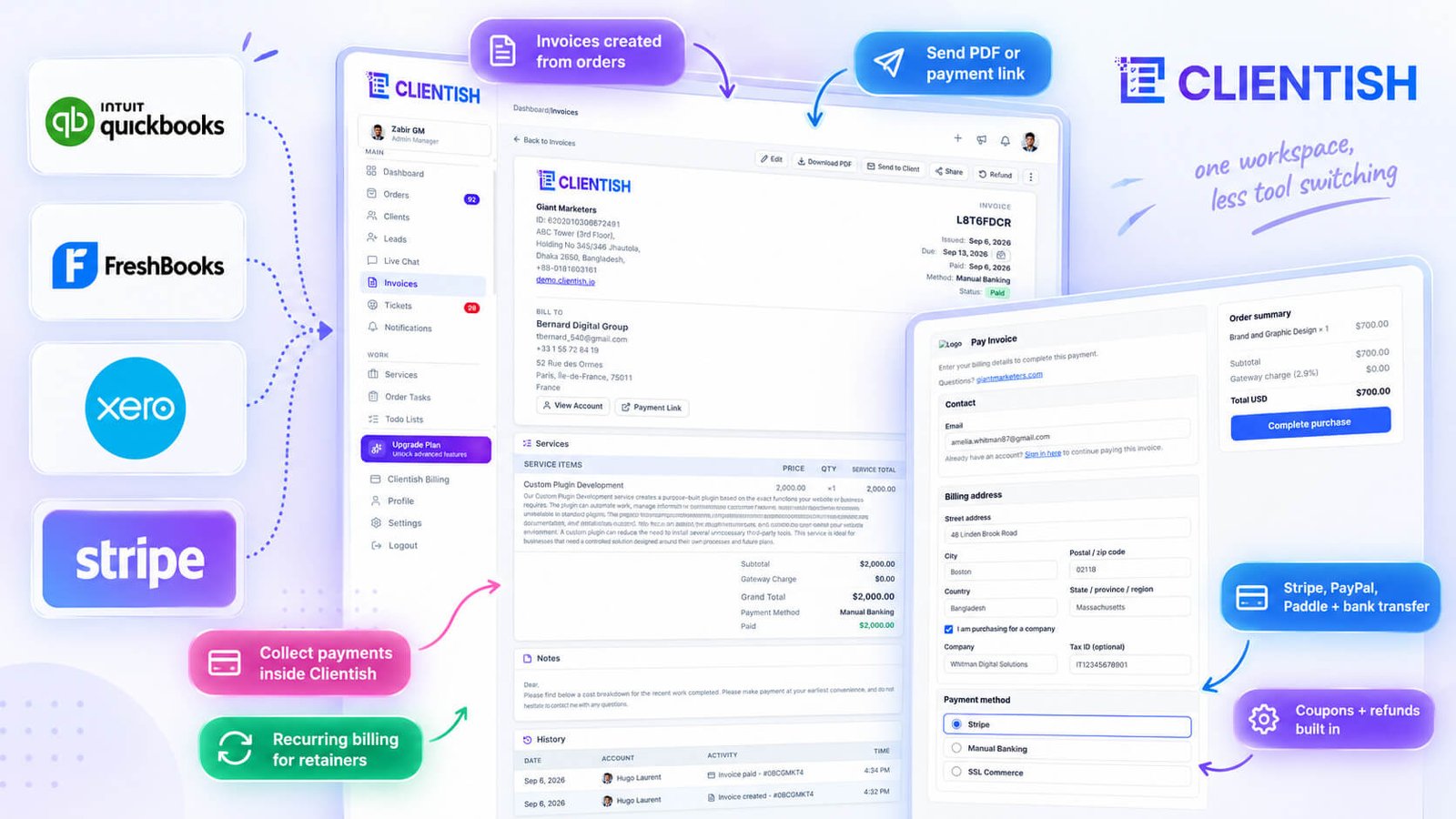
An invoice is created automatically when you place an order — you don’t build it from scratch. Each invoice pulls in line items, taxes, discounts, and a processing fee, and you can download it as a PDF or send it to the client by email. A public pay link lets the client pay without signing in.
Collecting Payments
Clientish connects to Stripe, PayPal, and Paddle, plus manual bank transfer with a required reference field. Clients can also pay from a pre-loaded account balance. Each gateway can carry its own processing fee (a percentage, a flat amount, or both), so you’re not absorbing charges silently.
Recurring Billing
Services can be set to recurring pricing, and saved payment methods support an auto-renew toggle — so a retainer client doesn’t need to manually pay each cycle.
Coupons and Refunds
Coupons apply at the invoice level, and the Coupons report tracks usage per coupon with a per-service breakdown. Refunds are full, half, or a custom amount, with reason presets, issued directly from the invoice.
Replacing Your Support Desk and Chat Tools
Tools like Zendesk, Freshdesk, Help Scout, and Intercom handle client support as a standalone product with its own inbox, its own contacts, and its own subscription. Clientish covers the same ground inside the workspace where the client and their orders already live.
Support Tickets
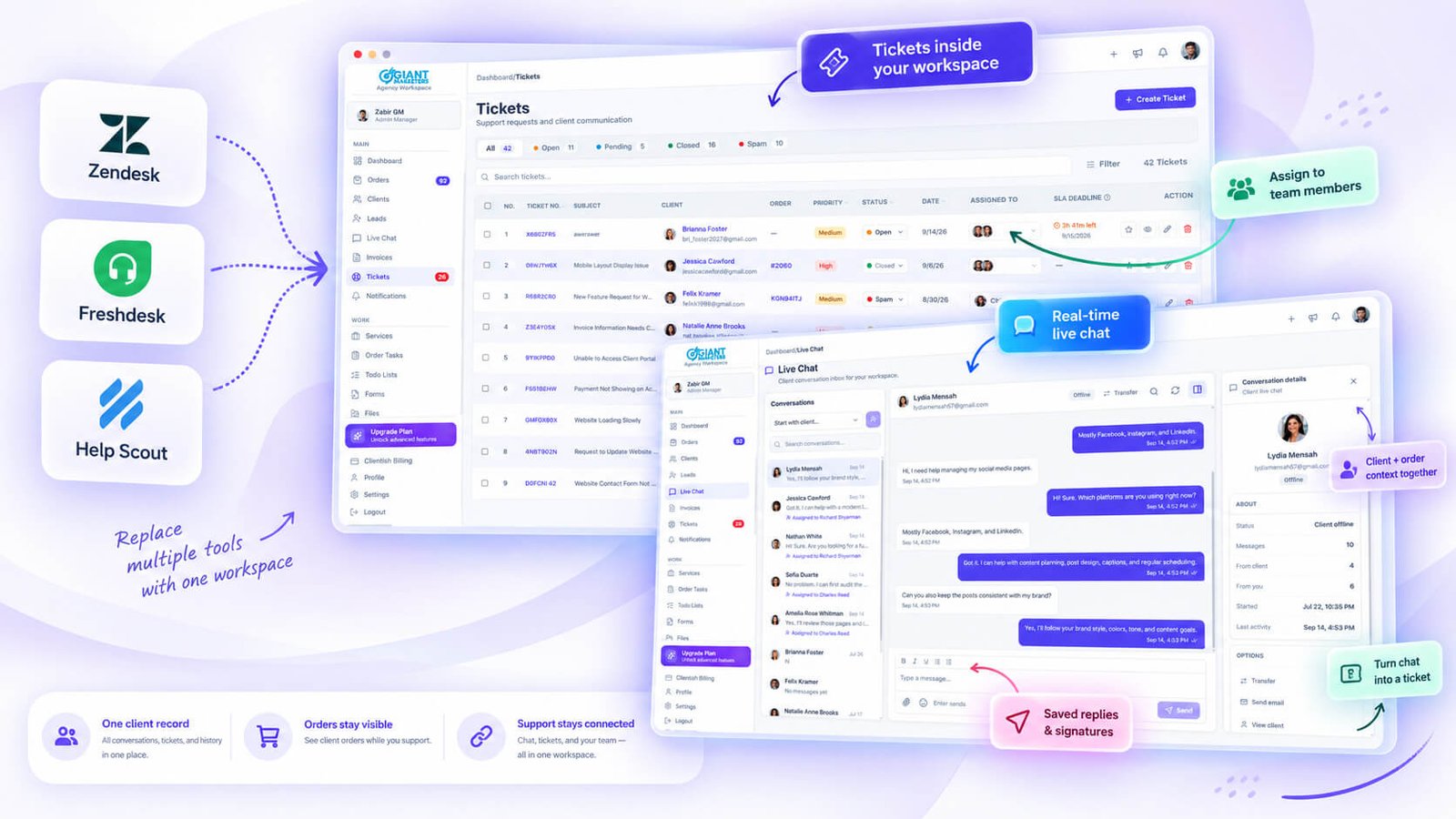
Clientish has a full support desk with configurable statuses (Open, Pending, Closed, Spam, plus custom), priorities, tags, and assignment to one or more team members. Saved replies and per-user message signatures cut repetitive typing. Clients can rate resolved tickets, and those ratings export for review.
Real-Time Live Chat
Separate from tickets, Clientish has a real Live Chat — one conversation per client, with typing indicators, read receipts, reactions, file sharing, and an out-of-hours auto-reply when the workspace is closed. Either side can start it. A conversation can be transferred to another team member (and you can see who it is assigned to), pinned to stay at the top, and searched inside the thread; it can also be turned into a ticket when it needs formal tracking.
Conversations Tied to Orders
Each ticket shows the client’s related orders in the sidebar. That context alone removes the biggest friction in support: a team member doesn’t need to jump to a separate tool to remember what the client bought or where the work stands. Internal team messages on a ticket stay invisible to the client, keeping triage notes out of the client-facing thread.
Replacing a Separate Team Communication App
Slack and Microsoft Teams are the usual go-to for keeping a team aligned. Clientish covers internal team communication without adding a separate subscription.
Team Messenger
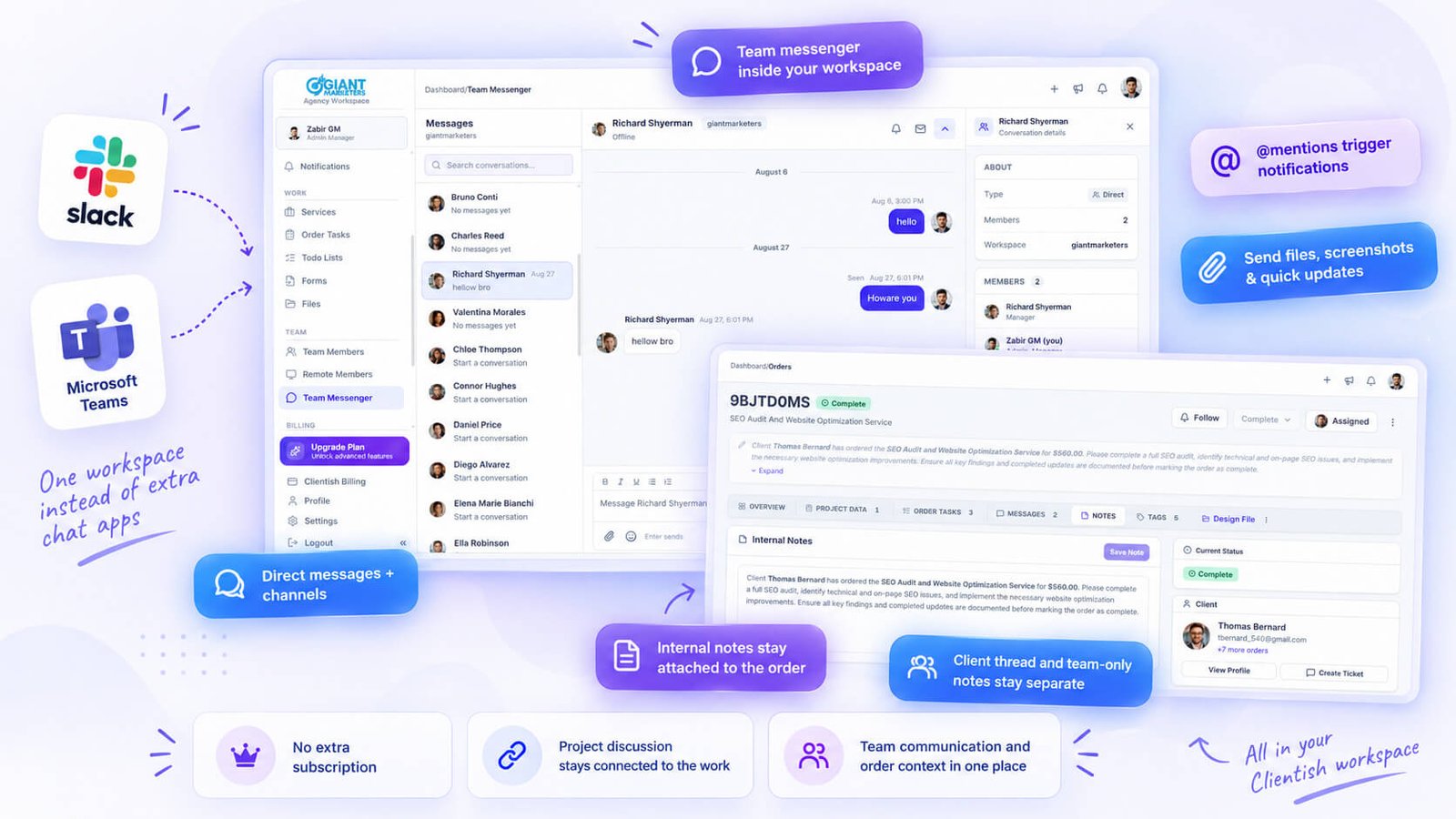
Clientish has a built-in channel-based messenger for the agency team. You can create channels, add or remove members, send direct messages, use @mentions, react to messages, pin important ones, and share files including pasted screenshots. Typing indicators and presence are there too.
Internal Notes on the Work
Separate from team-wide channels, every order has its own internal thread visible only to the agency. This keeps project-specific conversation attached to the job itself, so you’re not hunting through Slack history to remember what was agreed on a particular client’s brief. Client-facing messages on the same order live in a different thread entirely.
Notifications That Keep Everyone Aligned
@mentions inside the messenger raise a notification for the person tagged. You can also send a notification or an email to a colleague directly from inside the chat, which covers quick heads-ups without leaving the workspace.
Replacing Scattered Files and Reporting Tools
Most agencies store files across Google Drive or Dropbox folders, then export data from a separate analytics or reporting tool when a client asks for numbers. That’s two more subscriptions, and two more places to hunt.
A Central Files Page
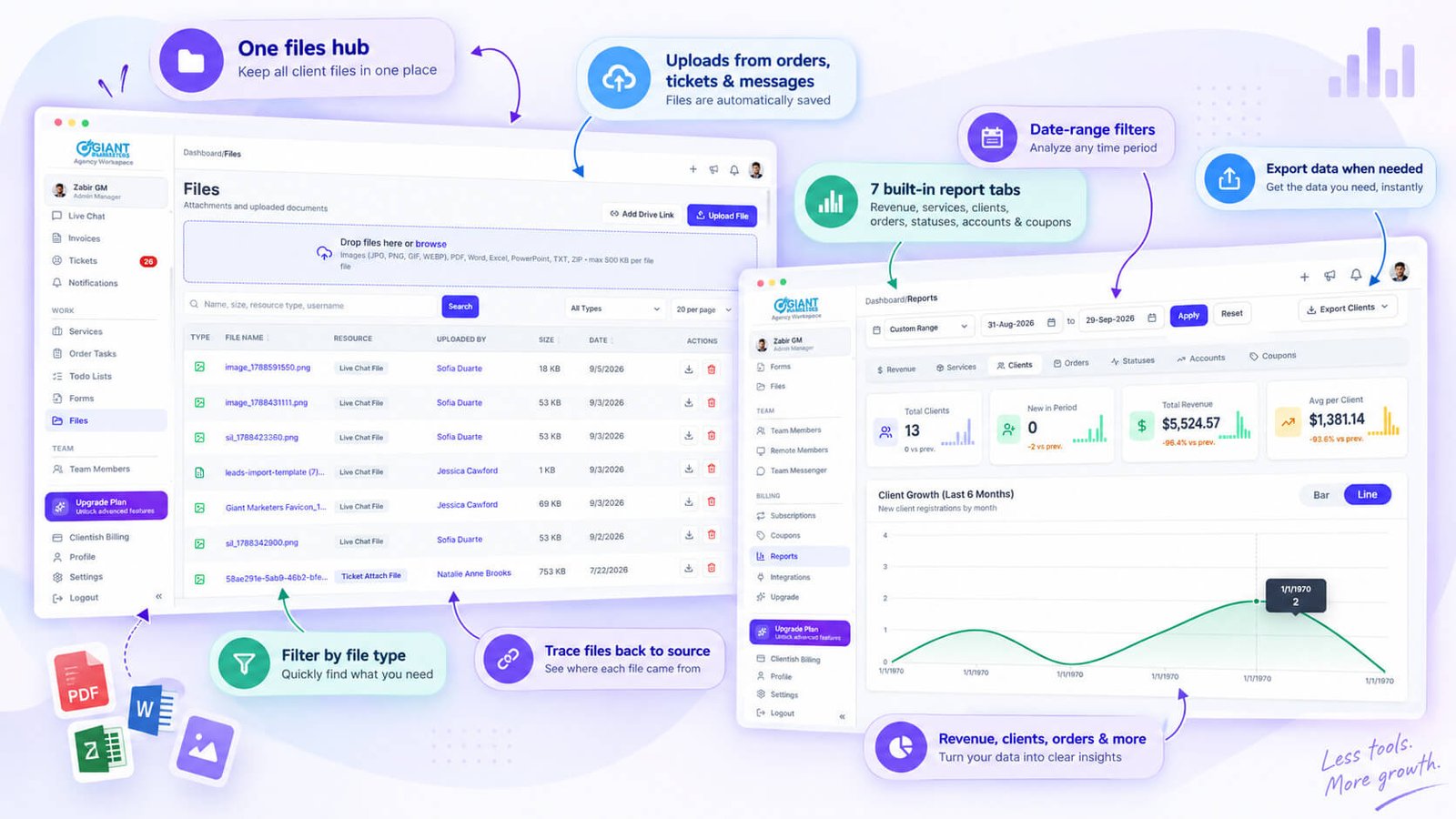
Clientish keeps a workspace-level file library that pulls together every file uploaded across orders, support tickets, and messages. You can filter by type — ticket files, client ticket files, message files, order forms, uploaded files — and each entry links back to its source, so you can trace exactly where a file came from.
Built-in Reports
Seven report tabs cover Revenue, Services, Clients, Orders, Statuses, Accounts, and Coupons. Each one has a date-range filter and respects per-tab permission settings, so a team member only sees the reports they’re allowed to.
Exports When You Need Them
Every report tab exports. If a client wants a revenue breakdown or a coupon usage summary in a spreadsheet, you pull it directly from Clientish rather than rebuilding it from scattered sources.
Replacing a Separate Email Tool
Tools like Mailgun or SendGrid handle transactional email as a standalone service — you configure SMTP, manage templates separately, and hope the logs are accessible when something goes wrong.
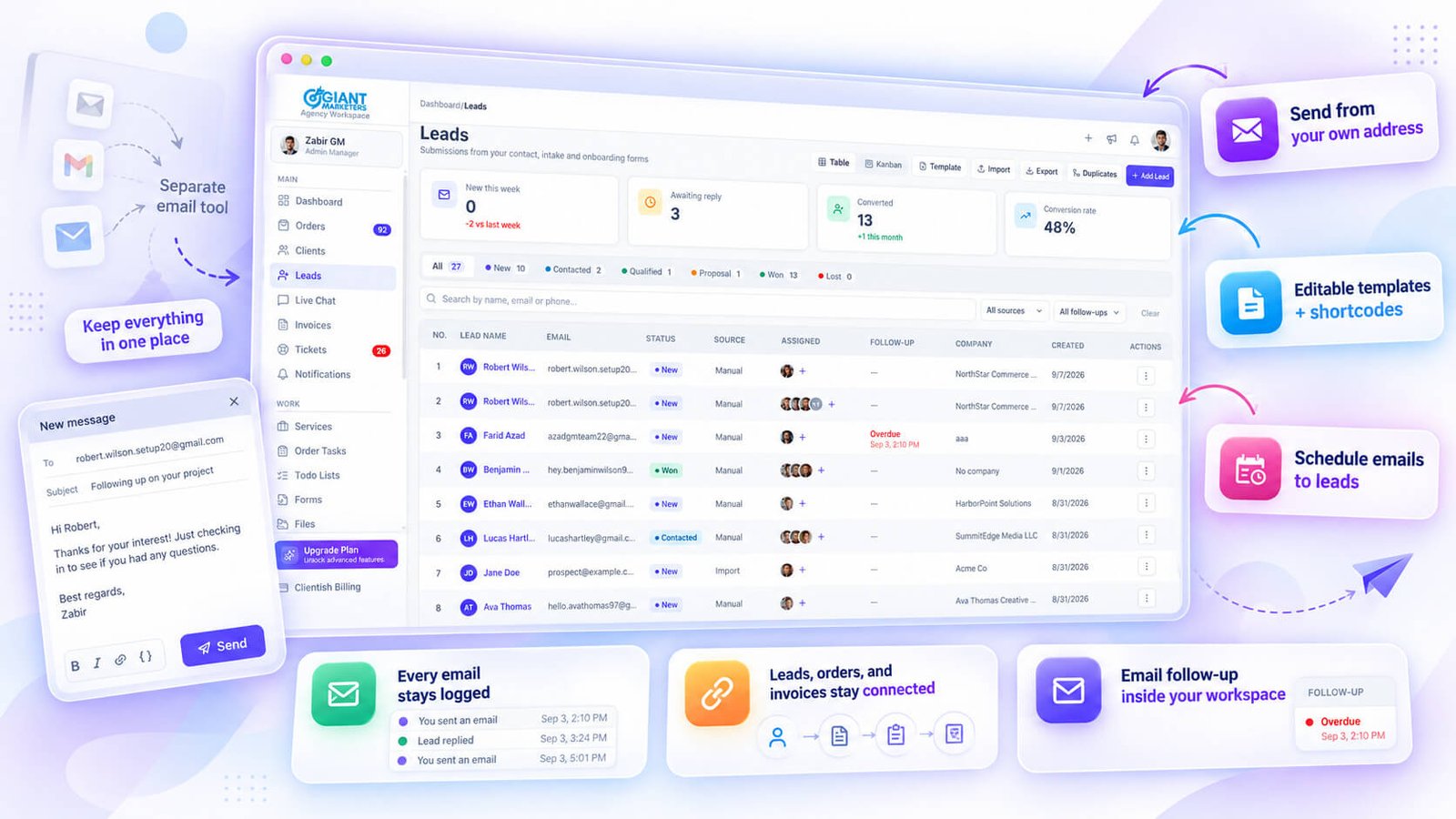
Clientish handles client-facing email from inside the workspace where orders and invoices already live.
Mail From Your Own Address
You connect your own sending address, so emails to clients arrive from your agency domain rather than a generic platform address.
Editable Templates With Shortcodes
Clientish uses pre-built email templates for transactional events — order status changes, invoice delivery, ticket updates, subscription reminders. Each template is editable, and shortcodes pull in the right client name, order details, or invoice amount automatically.
Scheduled Email to Leads
You can schedule emails to go out to leads at a set time — useful for following up on a quote or nudging a prospect after a form submission.
Every Letter Logged
Sent emails are logged against the relevant client record, so there’s a clear trail of what went out and when.
The Real Payoff: One Connected Ecosystem
Fewer logins matter, but the deeper gain is that every piece of client information exists in one place and stays connected to everything else.
Before Clientish, finding a client’s last invoice meant opening your billing app, searching by name, and then switching back to your project tool to check what work that invoice covered. Two tools, two searches, zero context shared between them. If you also needed to see whether a support ticket was raised around the same time, that was a third app entirely.
With Clientish, all of that lives on one client record.
One client record, everything attached. A client profile in Clientish carries its own tabs for orders, invoices, tickets, and activity. You can see at a glance what a client has purchased, what they owe, and what issues they’ve raised — without moving between apps or reconstructing context from memory.
Intake stays with the order. When a client fills out the intake form for a service, those answers attach to the order and stay there. When you create an invoice or a support ticket from that order, the client and service details carry over automatically. You’re not re-entering the client’s name, address, or order reference into a separate billing tool.
Files and messages stay in context. Every file uploaded through an order message, a support ticket, or a form response is visible in the workspace-level file library and links back to its source. Six months from now, when a client asks about a file from a past project, you’re not digging through a shared Drive folder trying to match filenames to project names.
Fewer subscriptions, less re-entry. Collapsing these categories into one platform cuts the number of tools you pay for monthly. It also cuts the data entry that happens at every handoff between tools — copying a client email from the CRM into the invoice app, pasting an order number into a support ticket.
The connection between features is what makes the consolidation practical. Individual features can be replicated by standalone tools; what a standalone tool can’t replicate is the fact that Clientish already knows the client, the order, and the history when you open any part of it.
Where Clientish Does NOT Replace a Dedicated Tool
Clientish is built for service-based agencies selling time and expertise. That scope has clear edges, and pretending otherwise would waste your evaluation time.
- Physical product businesses. If you’re shipping goods, managing SKUs, tracking inventory levels, or handling returns on physical items, Clientish isn’t the right fit. There’s no inventory system, no stock tracking, no shipping integration, and no warehouse logic.
- Full accounting and bookkeeping. Clientish handles invoicing and payment collection well, but it isn’t a replacement for QuickBooks, Xero, or FreshBooks if you need a proper chart of accounts, payroll, bank reconciliation, or tax filing. Think of the financial side of Clientish as billing for your services, not as your books.
- Website or landing page builder. Clientish gives you a branded client portal on your subdomain, but it doesn’t build your public-facing website. You still need a separate tool for that.
- Deep project management. The task system inside Clientish is built around orders — checklists tied to specific client work. It covers most service delivery tracking just fine. If your team runs multi-phase projects with Gantt charts, complex dependencies, or resource capacity planning, a dedicated tool like Asana or ClickUp goes further.
- Appointment scheduling. Nothing in Clientish’s feature set covers booking a calendar slot or managing availability. If intake for your services requires a discovery call or scheduled session, you’d still need a separate scheduling tool for that step.
- Third-party integrations beyond built-in gateways. Clientish connects to its listed payment gateways natively. There is no built-in Zapier connection or open API listed, so if your workflow depends on syncing Clientish data to external tools automatically, that’s a gap to account for.
Knowing these limits upfront saves you from half-migrating and then rebuilding anyway.
Getting Started With Consolidating on Clientish
Start with the workspace setup before you touch any client data. Set your agency name, subdomain, light and dark logos, favicon, brand colour, and timezone inside the workspace settings. If you’re on a plan that supports a custom domain, configure that too. Then connect your SMTP so transactional emails — order updates, invoice delivery, ticket replies — go out from your own address rather than a generic one.
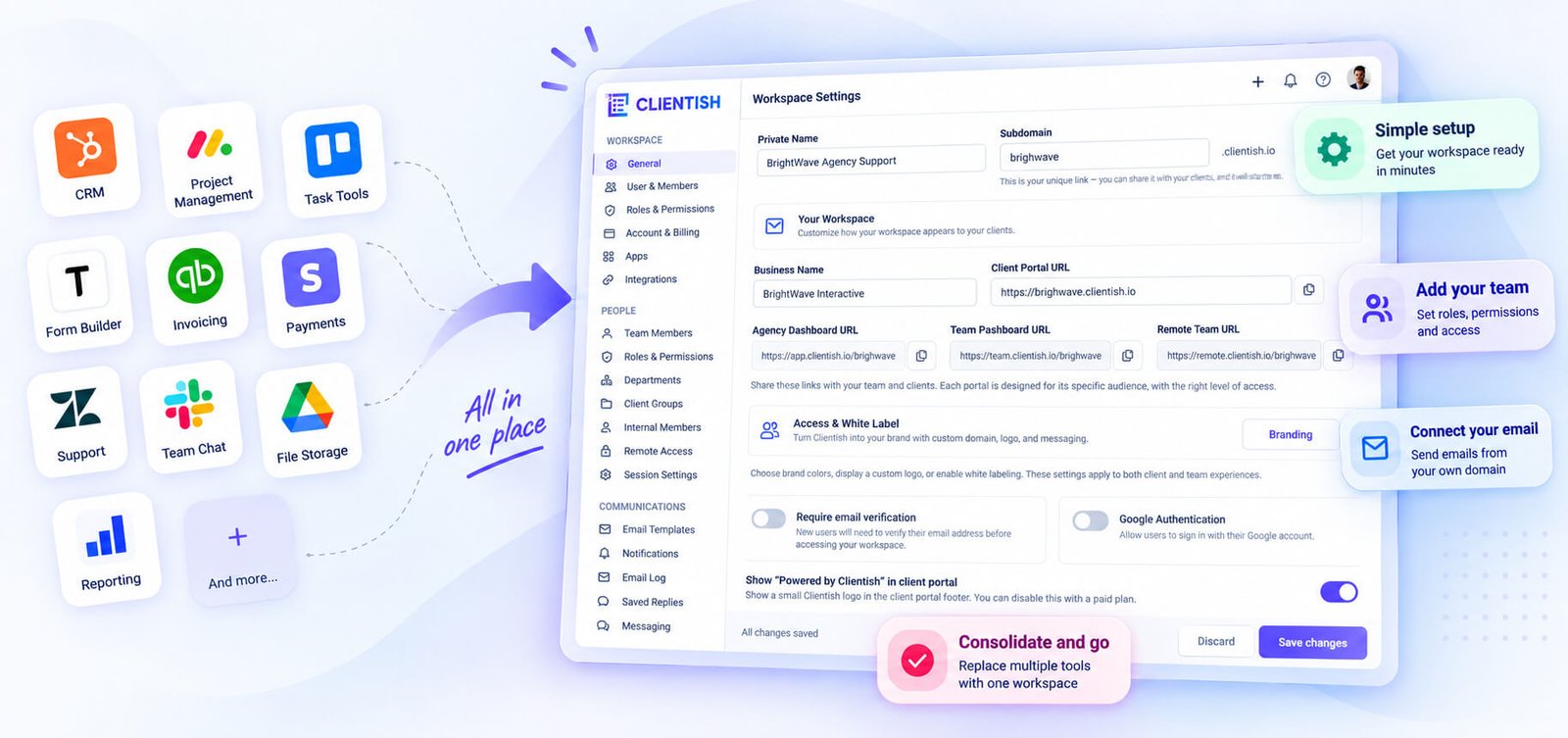
Once branding and email are sorted, bring in your clients and services. Clientish has a spreadsheet import for clients with a downloadable template, and it de-duplicates by email automatically. Add your service catalog next, building out intake forms for each service at the same time — this way, the moment you start taking orders, the intake questions are already attached.
Orders and invoicing are the logical third step. Move your active projects across as orders, assign team members, and start generating invoices from inside those orders rather than switching to a separate billing tool. Connect your payment gateways — Stripe, PayPal, Paddle, or manual bank transfer — and run a transaction through test mode before going live.
After that, enable support. Set up your ticket statuses, then activate Live Chat for clients who need faster contact. Invite any remote members or additional team accounts and assign their roles.
Before you call it done, use the demo data option to walk through the client-facing portal view. Seeing exactly what a client sees when they log in tends to surface any branding or permission setting you missed.
Frequently Asked Questions
Consolidating a tool stack raises the same practical worries every time — what actually gets replaced, whether data survives the move, and whether costs really drop. The answers below cover the questions agencies ask most before switching.
Does Clientish really replace all my client tools?
Not all of them. Clientish covers CRM, forms, orders, tasks, invoicing, payments, support, team chat, files, and reporting. Dedicated accounting software, email marketing platforms, and e-commerce inventory tools sit outside its scope.
Which separate tools can Clientish replace?
CRM tools like HubSpot or Pipedrive, form builders like Typeform or JotForm, project boards like Trello or Asana, invoicing tools like FreshBooks, payment processors, support desks like Freshdesk, and internal chat apps like Slack. The earlier sections of this article map each category in detail.
Will I lose data moving over?
Clientish has a spreadsheet import for clients with a downloadable template, and it de-duplicates by email automatically. Orders and invoices don’t have a bulk import path, so plan to migrate those manually or gradually as new work comes in.
Is Clientish an accounting tool?
No. It handles invoicing and payment collection, but it doesn’t do payroll, expense tracking, bank reconciliation, or tax filing. If your accountant works in QuickBooks or Xero, keep that.
Can I keep some specialised tools?
Yes. Clientish doesn’t demand exclusivity. Plenty of agencies run Clientish for client-facing work and keep a dedicated accounting tool or an email marketing platform alongside it.
Does consolidating reduce cost?
Usually. Replacing four or five monthly subscriptions with one tends to lower the total bill, though it depends on which tools you’re currently on and which Clientish plan fits your team size. Check current pricing on the Clientish site.
Does everything stay connected?
Yes. A client record, their orders, invoices, support tickets, files, and activity all live on the same profile. You’re not syncing between systems — the connection is structural.
Final Thoughts
Most agencies aren’t one tool away from having a clean operation. They’re six tools away, each with its own login, its own data silo, and its own monthly charge that felt reasonable when signed up for individually.
Clientish covers the client-work core — CRM, intake forms, orders, tasks, invoicing, payments, support, team chat, files, and reporting — from one workspace. That’s where it’s genuinely strong. It won’t replace your accounting software, your email marketing platform, or your ad management tools, and it’s not trying to.
If client information is currently scattered across half a dozen apps that don’t talk to each other, that’s the problem Clientish is built to solve. The 7-day free trial gives you full access to test it against your actual workflow before committing to anything.

