
CLIENT REPORTING PORTAL FOR AGENCIES
Client Reporting Portal for Agencies
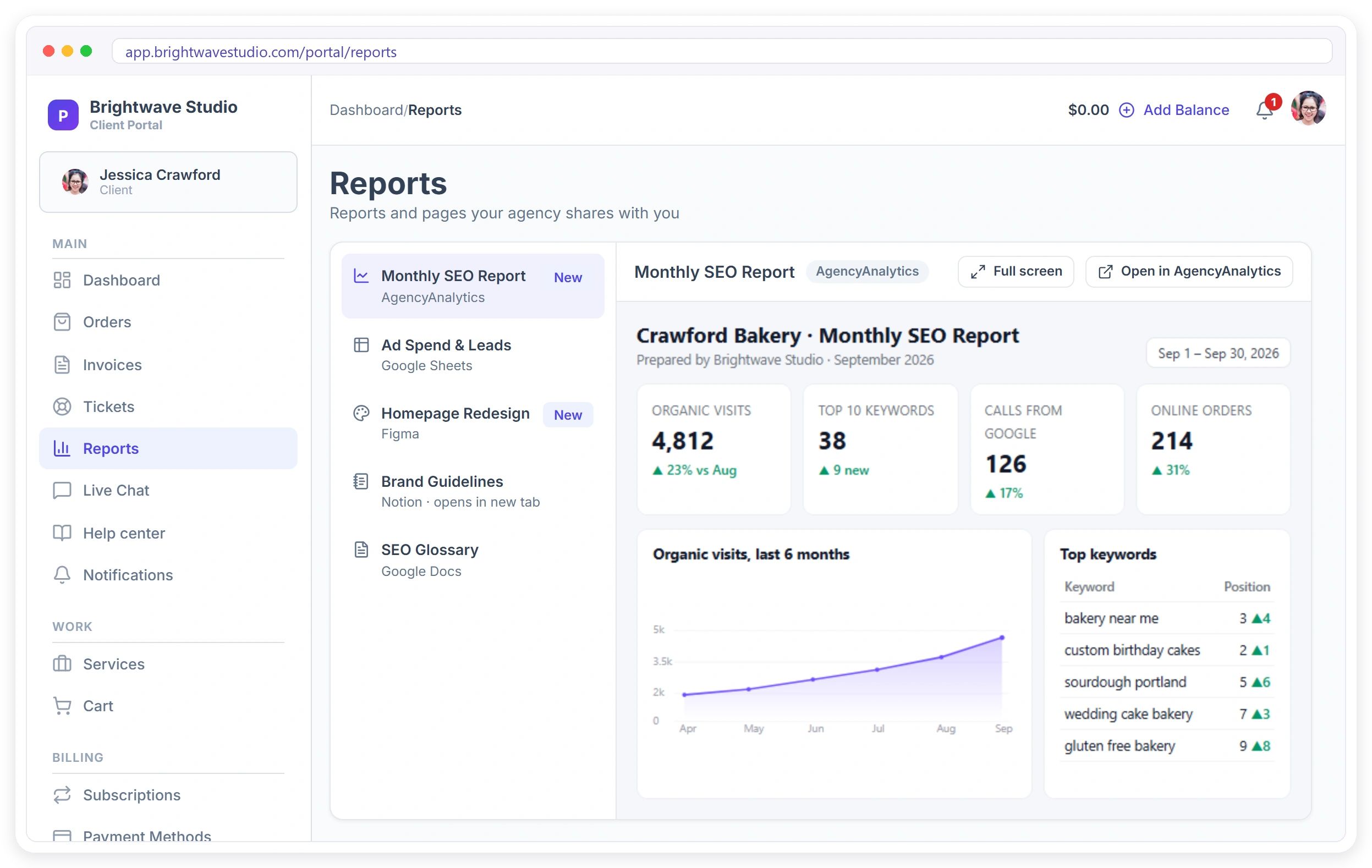
Clientish puts your clients’ reports inside your branded client portal. Paste the share link from AgencyAnalytics, DashThis, Databox, Whatagraph, Google Sheets, Figma, Loom or any page, choose who sees it, and the client gets a notification and opens it next to their orders and invoices.
Why Agencies Move Reports Into the Portal
The report is only worth the work if the client opens it.
Reports You Can Add to the Portal
Thirteen sources are ready, each with a hint that shows where to copy the share link. Most are shown inside the portal; the rest open in a new tab.
Marketing reports 4
The client reporting tools agencies already pay for.
Docs, sheets & data 4
Plans, calendars and numbers you keep in shared documents.
Design & video 4
Work in progress the client can look at, always the latest version.
Anything else 1
Any page you can share with a link.
CLIENT PORTAL
Every Report, in One Branded Place
Clients open Reports in your portal and see everything you share with them: the monthly report, the ad sheet, the latest design, the walkthrough video. Reports that can be shown inside the portal open right there, in your colours and on your own domain, with a Full screen button.
What Changes for Your Agency
Reporting stops being an email you hope they read and becomes part of the service they log in to. Pair it with automations to remind clients when a new month is in.
ADD A REPORT
Paste the Link, Pick Who Sees It
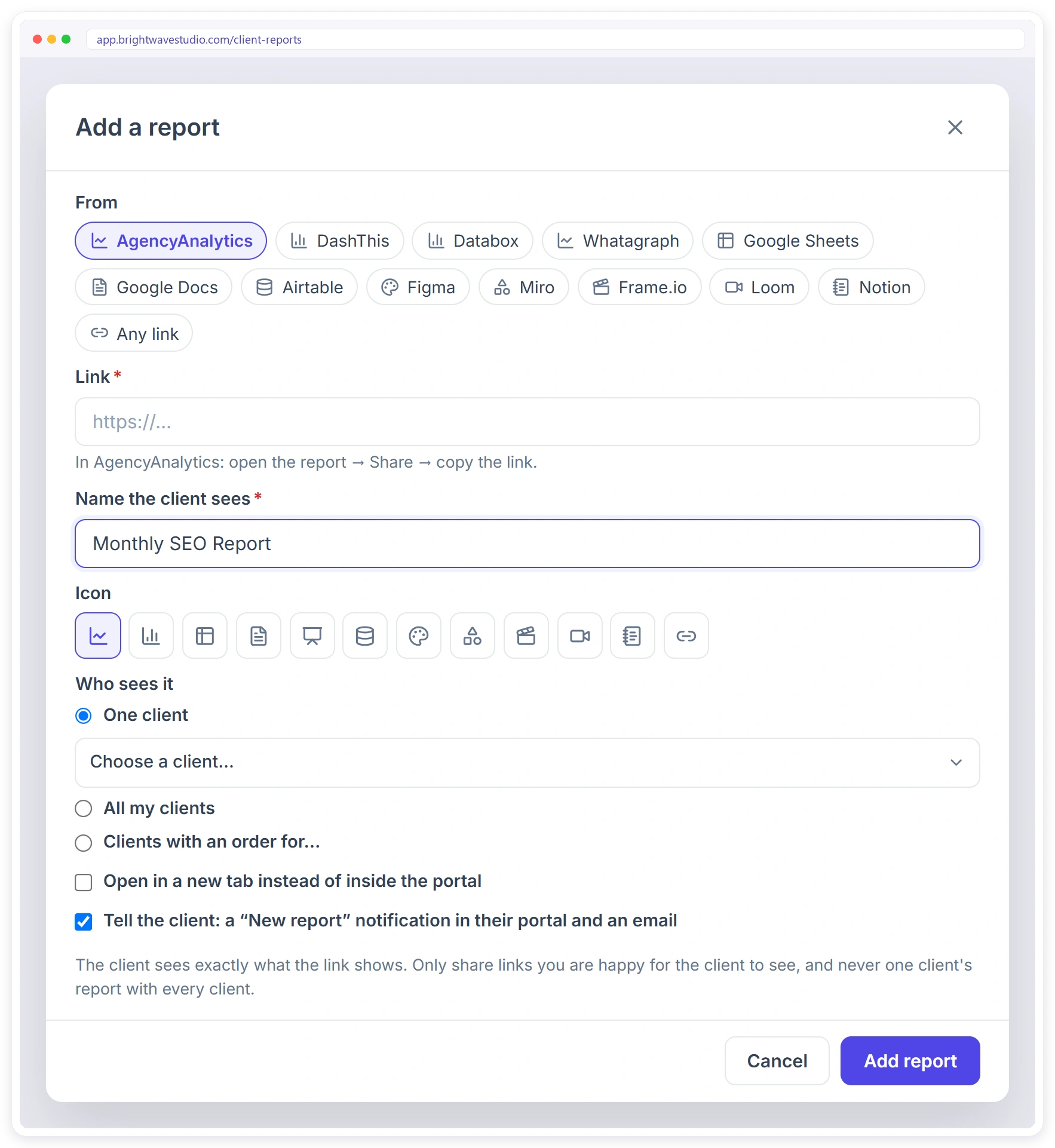
Choose where the report comes from and paste its share link. Clientish checks the link and tells you if it can be shown inside the portal. Give it the name the client sees, pick an icon, and choose one client, every client, or clients with an order for certain services.
What Agencies Share in the Portal
Anything with a share link can sit in the portal. A few ideas by agency type. See also the client portal and white label.
BY CLIENT
See Who Opened What
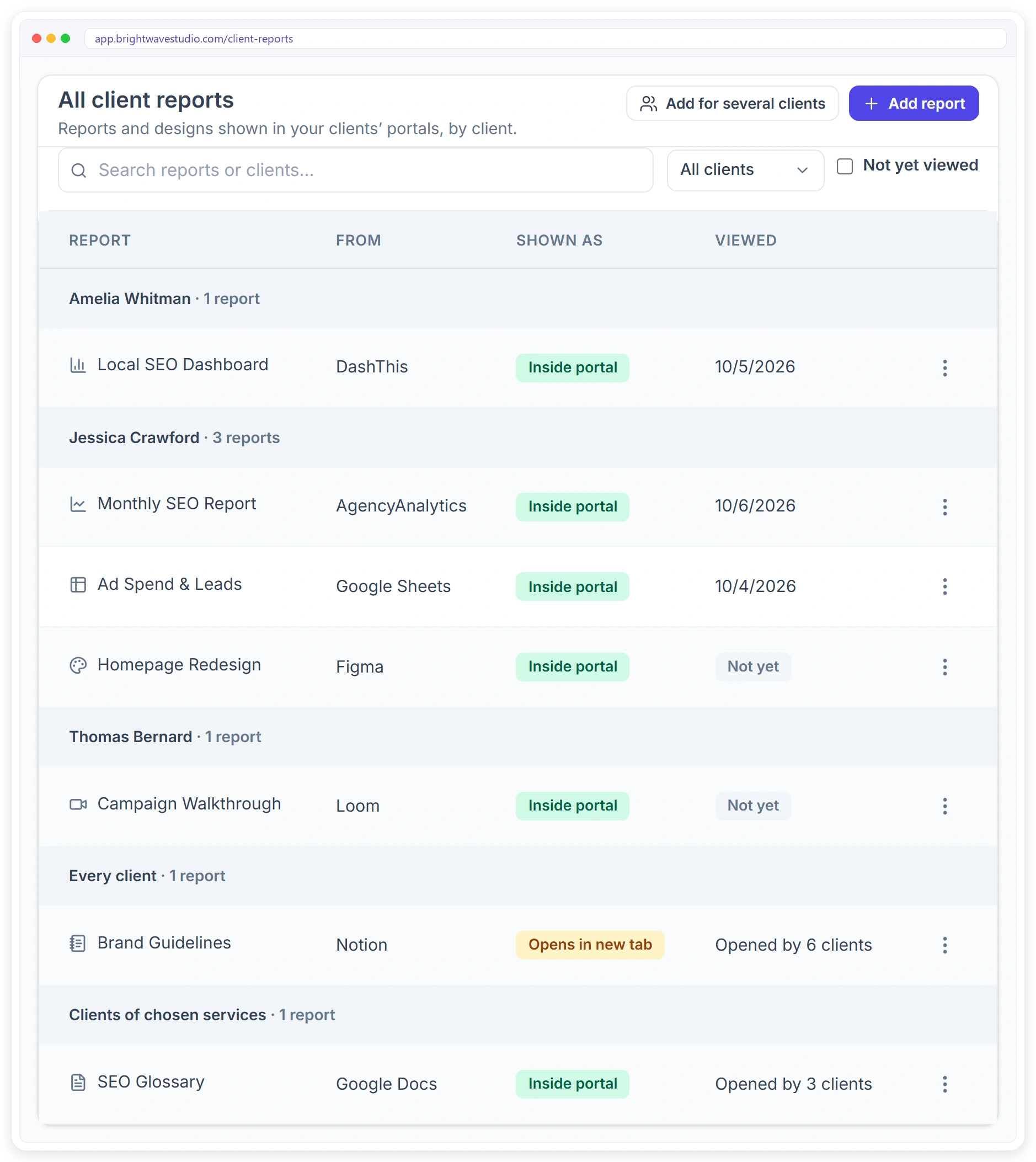
All client reports lists every report, grouped by client, with where it comes from and how it is shown. The Viewed column tells you when each client last opened theirs, so you know who to nudge before the monthly call.
Report Links in Email or a Reporting Portal
Most agencies email a link each month. Here is what changes when reports live in the portal your clients already use.
Set It Up in Four Steps
Nothing to install. Use the report links you already have.
Client Reporting FAQ
Quick answers about sharing reports with clients in Clientish.
How do I share AgencyAnalytics or DashThis reports with my clients in one place?
Copy the report’s share link, open Settings, then Client reports in Clientish, and add it for that client. It appears under Reports in the client’s portal, and the client gets a notification and an email.
Can clients see their reports inside my client portal?
Yes. Reports from tools that allow it are shown inside your branded portal. The few that do not allow it open in a new tab from the same Reports page.
Which reporting tools can I add?
AgencyAnalytics, DashThis, Databox, Whatagraph, Google Sheets, Google Docs, Airtable, Figma, Miro, Frame.io, Loom, Notion, or any page you can share with a link.
Does Clientish build the reports for me?
No. You keep building reports in the tool you use today. Clientish puts them in front of the client, in your portal, and shows you when they were opened.
Can I see if a client opened their report?
Yes. The Viewed column shows when each client opened their report, or Not yet. Shared reports show how many clients opened them.
Can I share one report with all my clients?
Yes. Choose All my clients, or Clients with an order for and pick the services, such as a guide only for SEO clients.
Will the client be told about a new report?
If you leave Tell the client ticked, they get a New report notification in their portal and an email.
If I delete a report, is it gone from my reporting tool?
No. It only leaves the client’s portal. The report itself stays where it is.
Can I share a Figma design or a Loom video the same way?
Yes. Designs, boards, review links and videos work like reports, so clients find everything you share in one place.
Put Every Report Where Clients Look
Start your free trial and add your first client report in a minute.