
CLIENT PORTAL SOFTWARE · UPDATED OCTOBER 2026
Client Portal Software for Agencies, Give Every Client a Login Instead of an Inbox
A client portal is a secure login where clients follow their work, pay and ask for help without emailing you. Clientish gives every client of your agency one, with live order progress, invoices, tickets, chat and files on your own domain, from $29 a month. Branded as you, updated in real time, with no “any update?” emails.
Things Clients Do Without Emailing You
A client portal should save you work, not just show a status. Here clients approve deliveries, pay, raise tickets and order again on their own, so fewer emails land in your inbox.
DASHBOARD
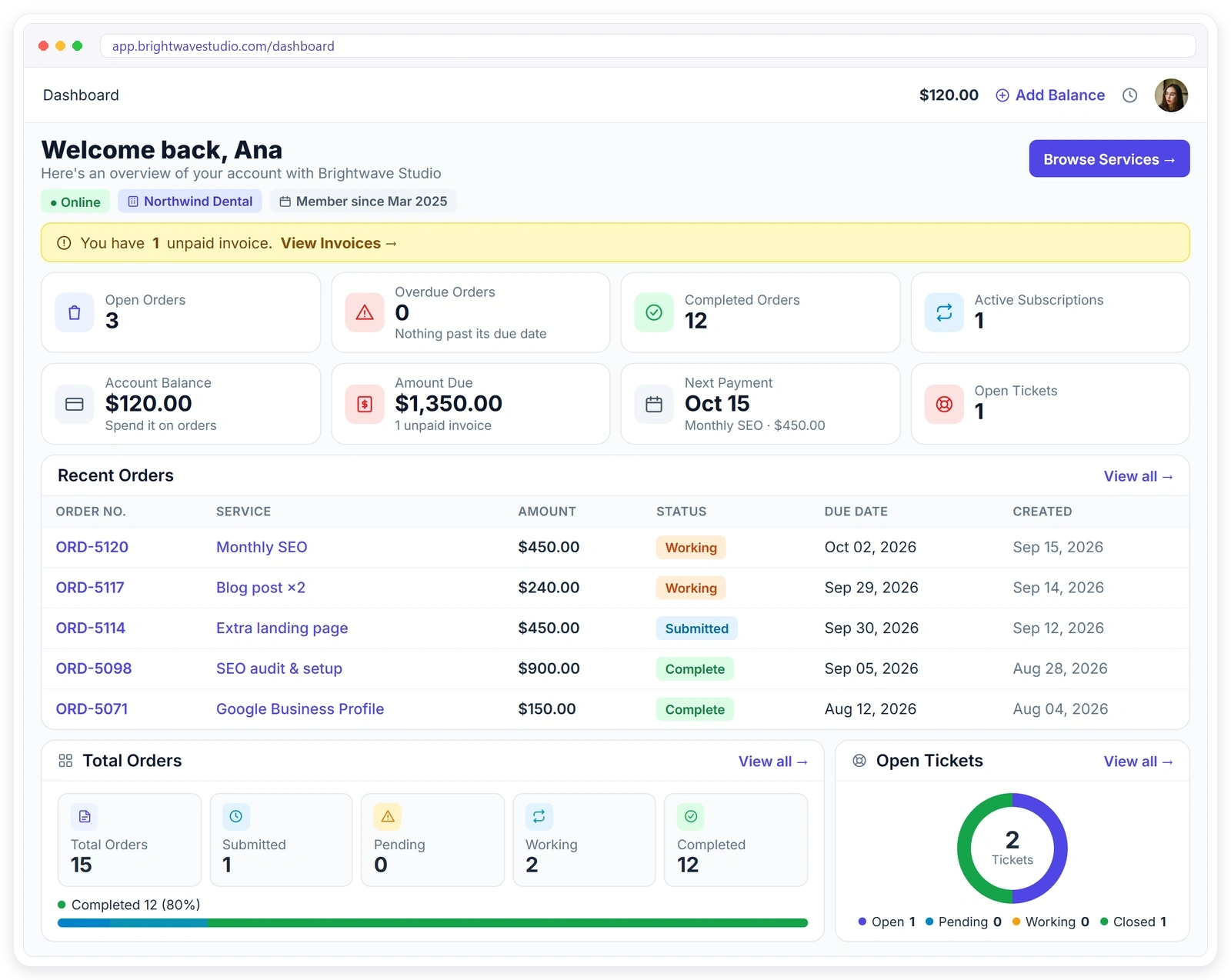
Everything a Client Needs, on One Screen
Clients log in to one dashboard with their open, overdue and finished orders, what they owe and their next payment. Unpaid invoices sit at the top, so the most urgent thing is the first thing they see.
How the Portal Works
Set the portal up once in Settings with your logo, colours and domain. After that every client gets a login the moment they place an order, with no extra setup per client.
ORDERS
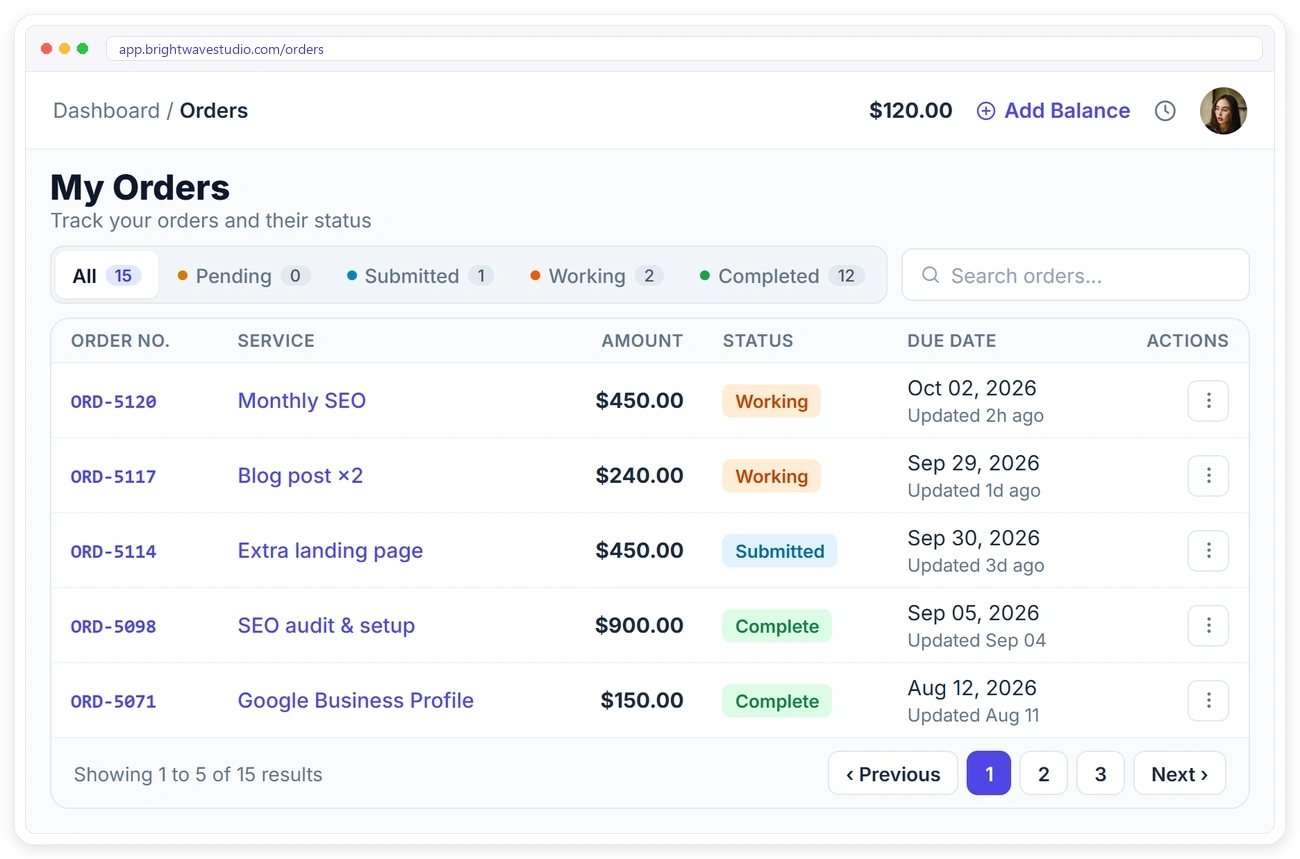
Every Order, Live and Self-Serve
Status changes the moment your team moves the card. Clients open an order to read the brief they submitted, download delivered files and request a revision, no ticket needed.
INVOICES
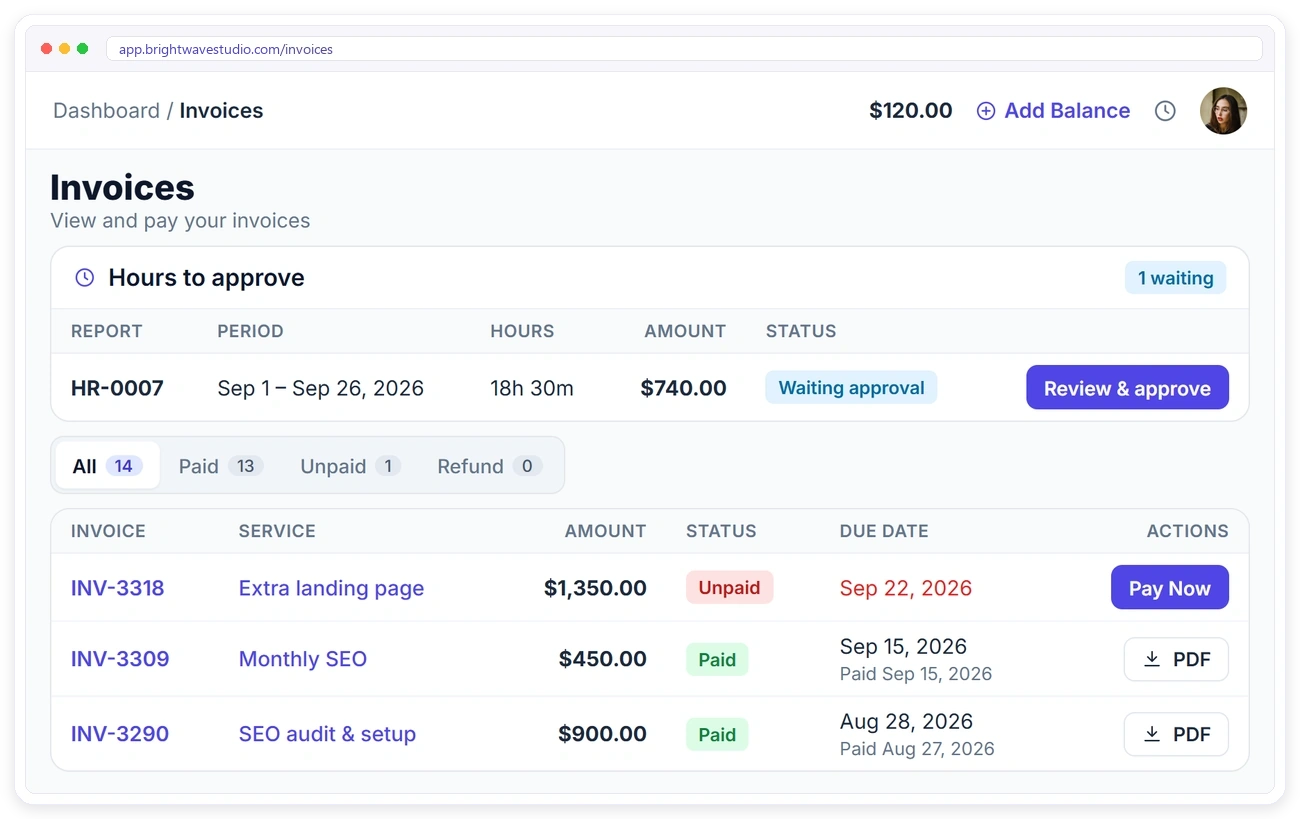
They Pay Without Being Chased
Unpaid invoices sit at the top of the client’s dashboard with a Pay Now button, so payment takes one click instead of a reminder email. Clients pay by card, PayPal or bank transfer and download any invoice or receipt as a PDF.
SUBSCRIPTIONS
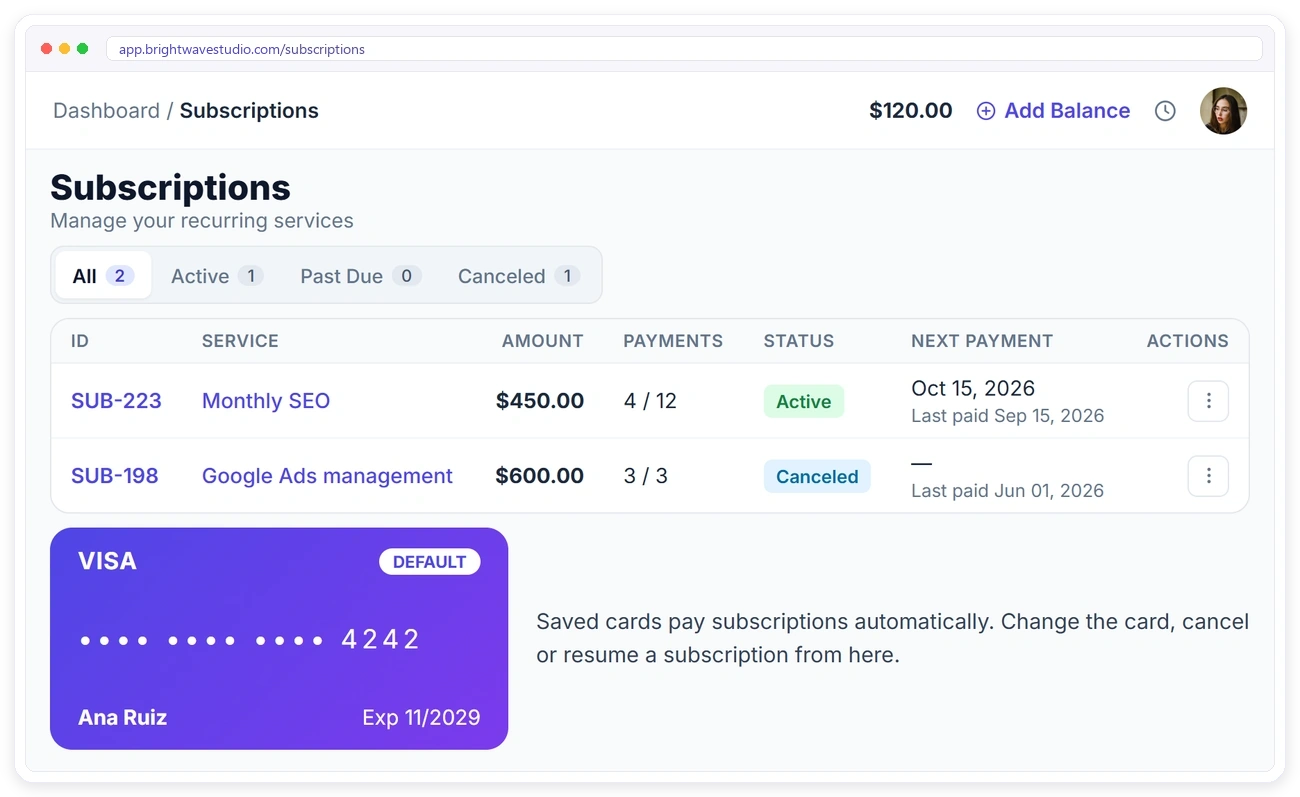
Clients Manage Their Own Subscriptions
Every recurring service shows what has been paid, the last and next payment date and the card that pays it. Clients cancel, resume or swap the card themselves, so a billing change never needs an email to you.
SUPPORT
One Thread Per Issue, Not a Reply Chain
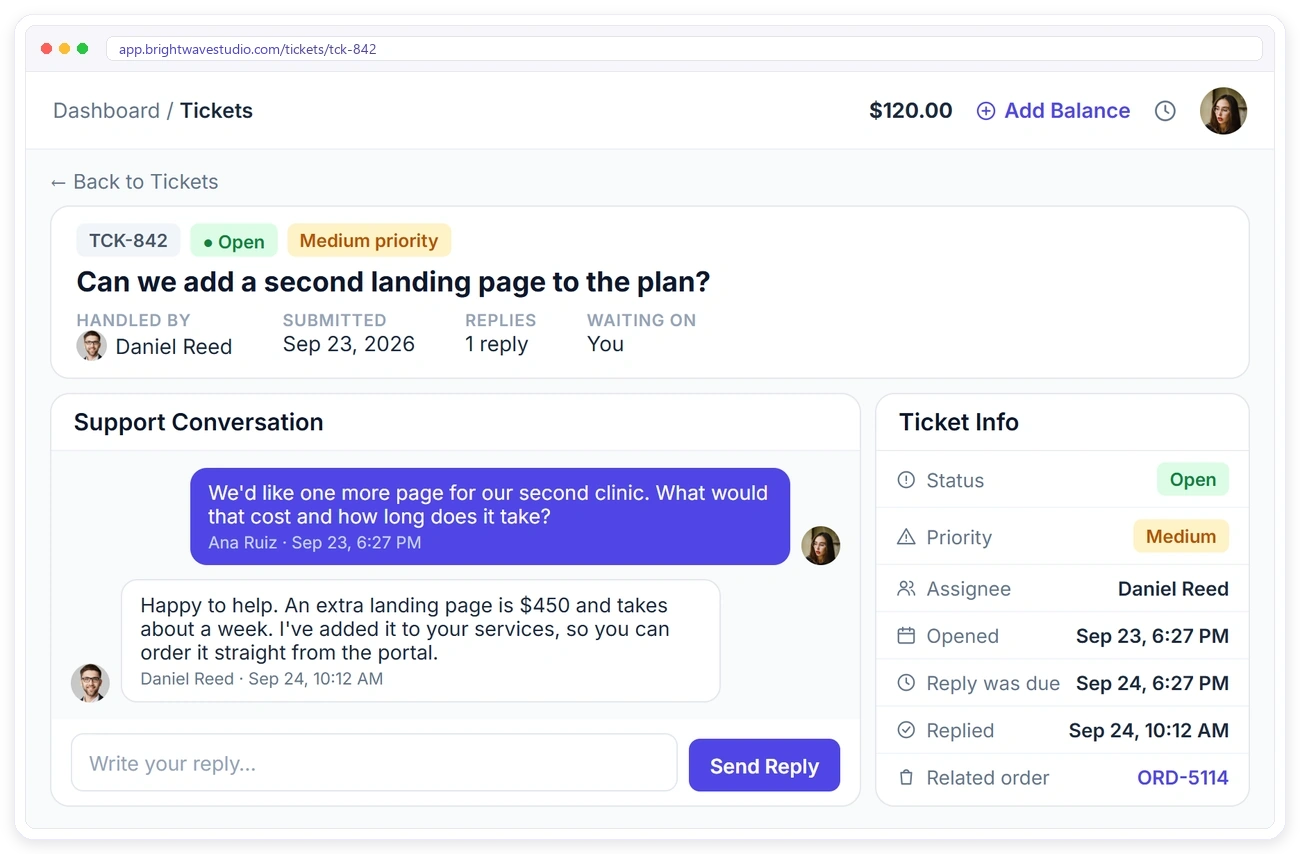
Clients raise a ticket against the right order, see priority and status, and get a notification when you reply. Every issue keeps its own thread, so nothing gets lost in a long email chain.
LIVE CHAT
Chat With Your Team Right Inside the Portal
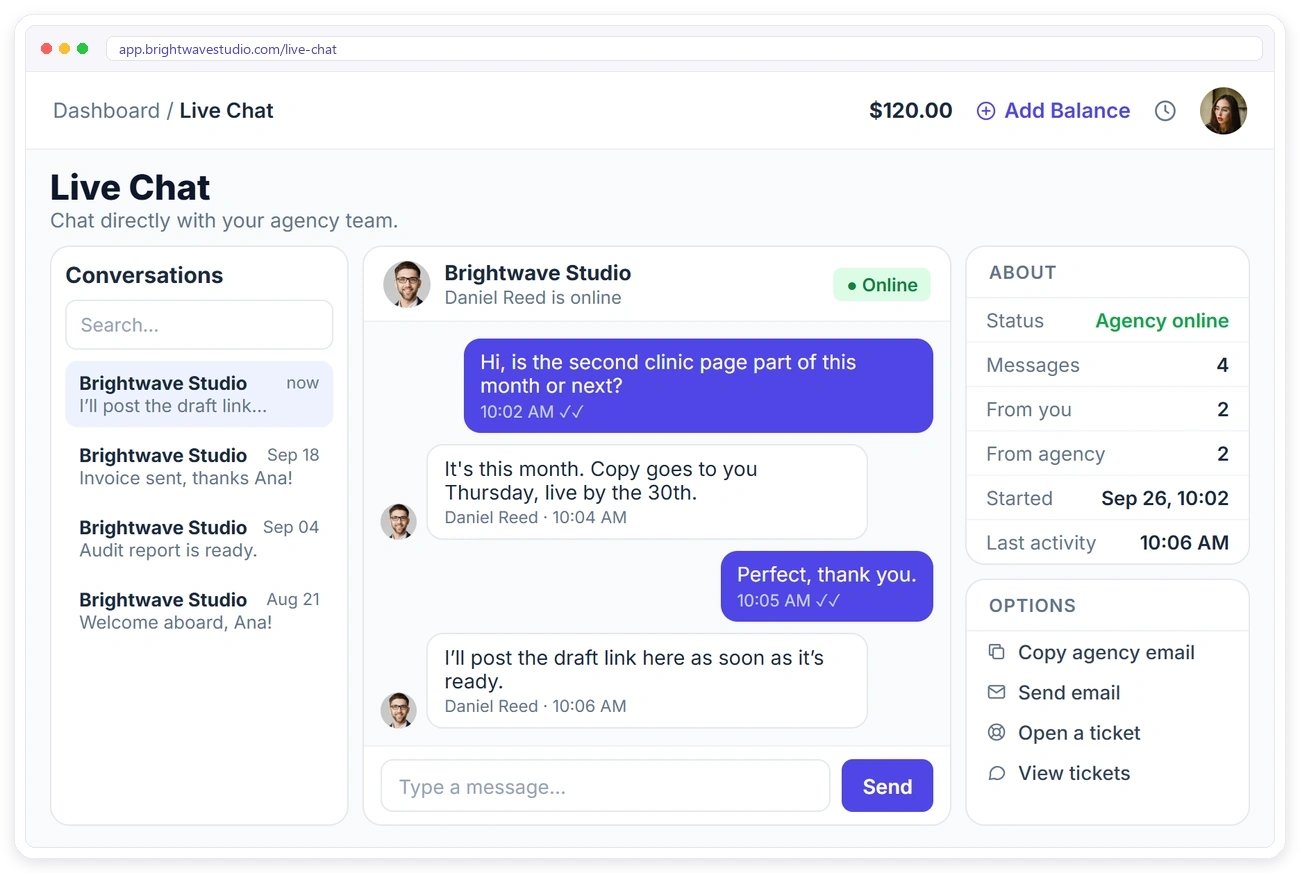
No widget, no third-party tool. Clients message your team from the portal, see whether you’re online, and get an honest auto-reply outside your business hours, with the whole history kept.
It Looks Like Your Software
Your logo, your colours, your own domain and emails from your own address, so clients feel they are using your agency’s software, not a third-party tool. On Pro and Enterprise the Powered by Clientish line goes too.
WALLET
A Wallet Balance for Future Orders
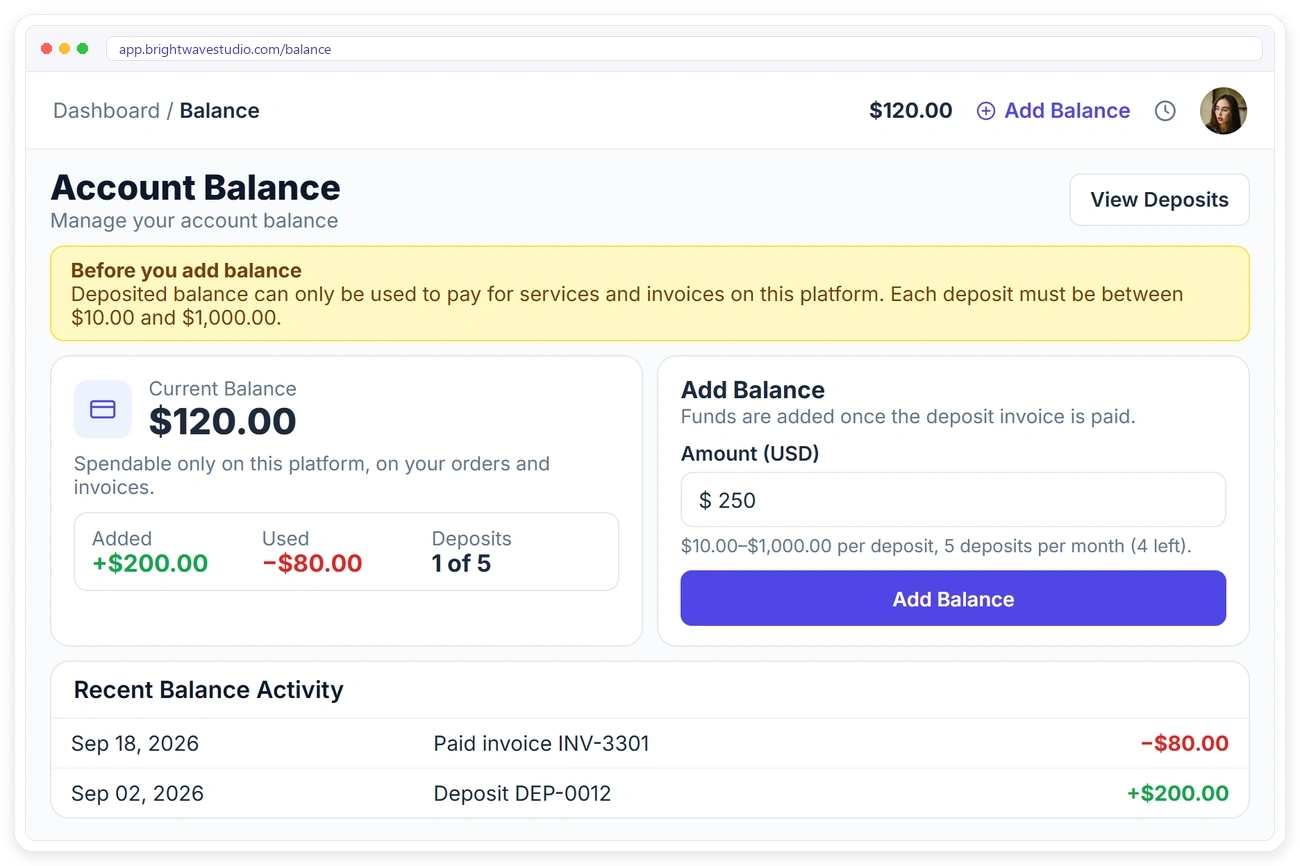
Clients top up a balance once and spend it on later orders and invoices, with every deposit and payment listed. Repeat buyers don’t have to pay order by order.
SERVICE CATALOGUE
Your Own Storefront, Inside the Portal
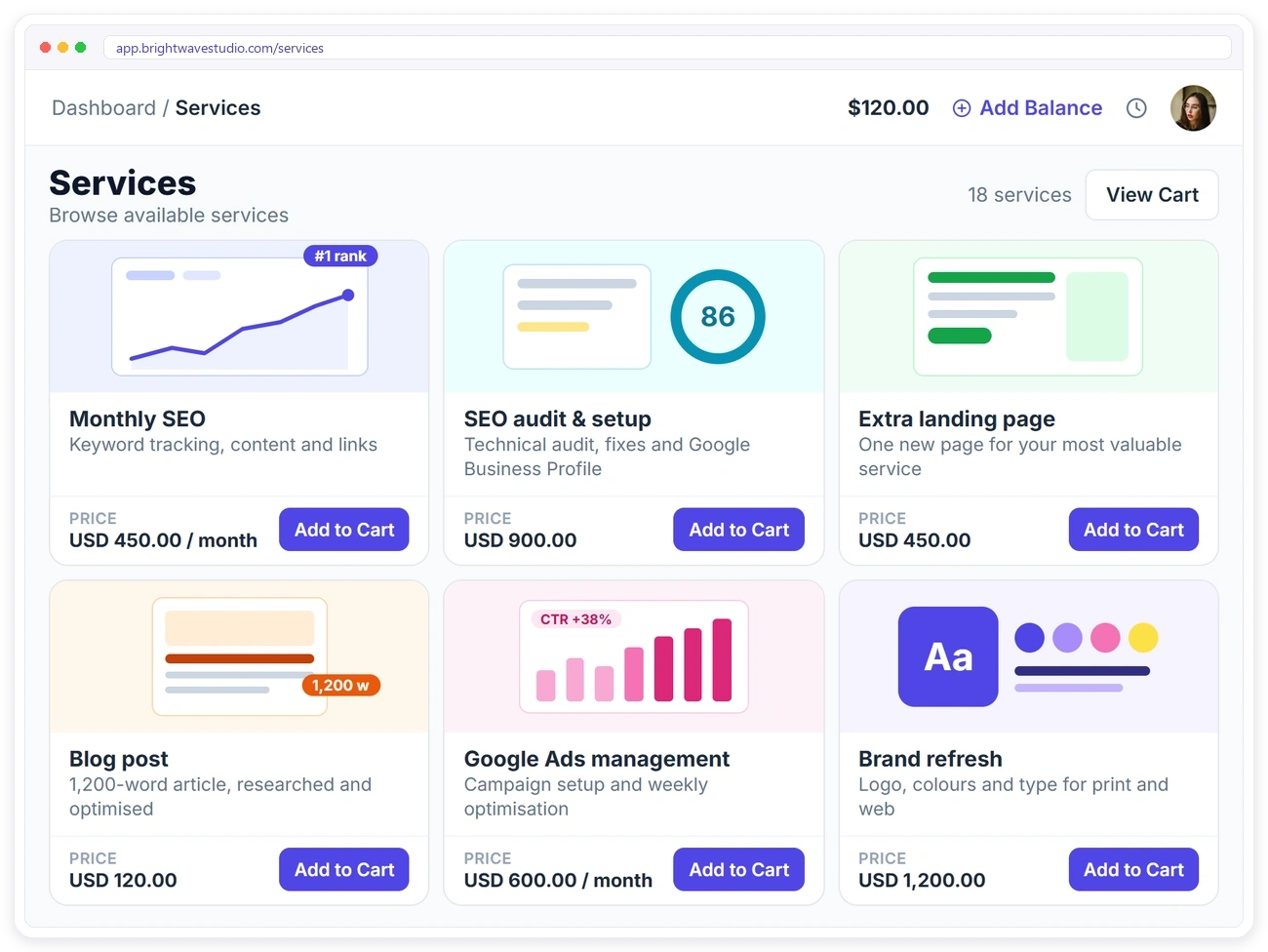
Existing clients browse your service catalogue, pick a pricing tier, add to cart and check out: a repeat order without a single email or a new quote.
CHECKOUT
A Client Portal With Order Forms and Checkout
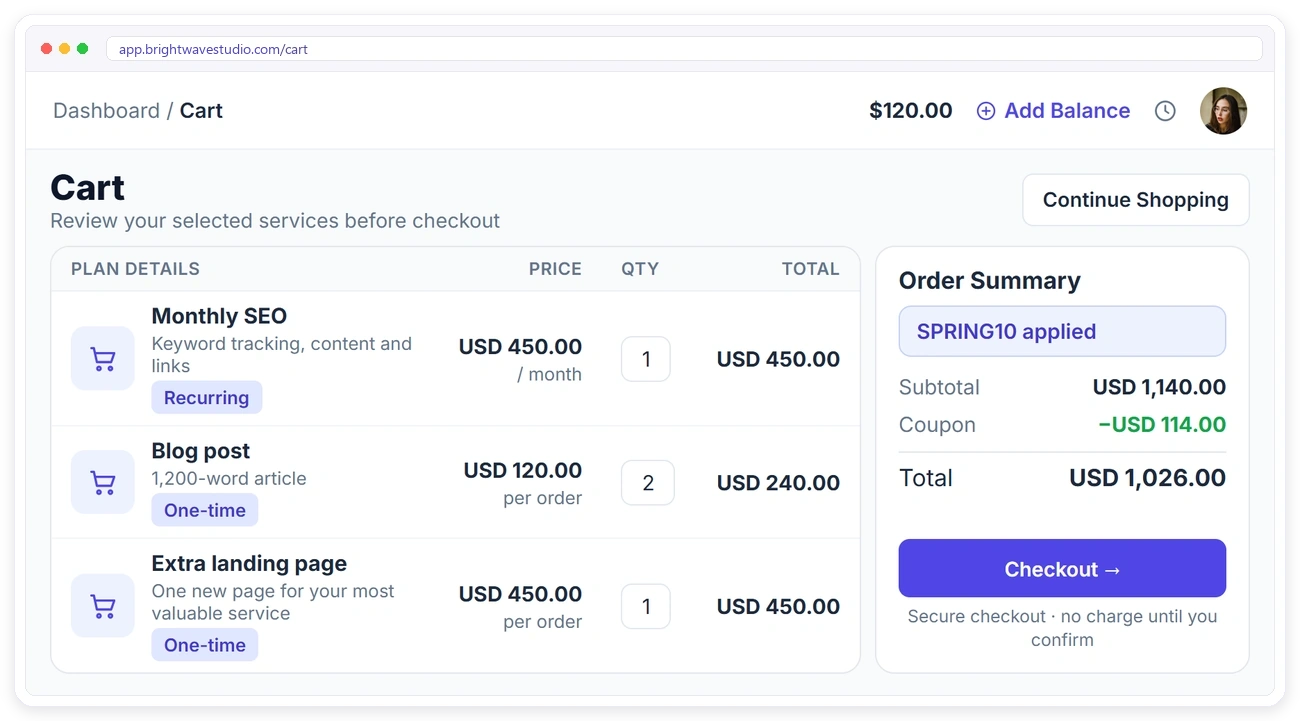
Clients review what they picked, apply a coupon and check out in one go. The order and its invoice are created together, so your team can start without retyping anything.
How This Client Portal Compares
Six client portals agencies shortlist, side by side: entry price, team users, own domain, automations, client reports and invoicing. Each price comes from the vendor’s own pricing page.
| CClientish | WWayfront | MManyRequests | AAssembly | SSuiteDash | CClientjoy | |
|---|---|---|---|---|---|---|
| Entry plan | $29/moevery feature included | $129/mo$99 yearly | $59/mo$39 yearly | $49/mo$20 yearly | $19/mo$180 yearly | $49/mo$44 yearly |
| Team users | 5 | 5 | 1, then $20 each | 1 | Unlimited staff | 5 |
| Own domain | Yes | Yes | Yes | From Professional$149/mo | Not listed | From Premium$99/mo |
| Workflow automations | Yes | Not listed | Zapier only | From Professional | From Pinnacle$99/mo | From Premium |
| Client reports in portal | 13 sources | Not listed | From Pro$99/mo | Not listed | Not listed | From Premium |
| Client invoicing | 12 gateways | Yes | Yes | Not listed | Not listed | Yes |
You sell mostly productized, subscription-style services.
You bill clients by the hour or with prepaid credits.
You want a free plan for your first five clients.
You want unlimited staff on the cheapest plan.
Proposals, contracts and a sales pipeline matter more to you than the portal, which starts on its Premium plan.
Entry-plan facts from each vendor’s own pricing page on 7 October 2026. “Not listed” means their pricing page does not mention it. Check their pages for the latest.
★★★★★
“Our clients stopped emailing to ask where things were. They log in, see the status, pay the invoice, and raise a ticket if something’s off. Our inbox is quiet for the first time in years.”

Sofia Duarte
Operations Lead, Meridian Creative
Client Portal FAQ
Straight answers about client portal software: what it is, what it costs, how secure it is and what your clients can do in it.
What is client portal software?
It is a private, logged-in space your clients use instead of email: they check where their work stands, open files, settle invoices and send requests. Your team works from the agency side and sees everything clients do there.
How much does a client portal cost?
Rented portal tools range from under $10 to several hundred dollars a month, and a custom build runs into tens of thousands. Clientish starts at $29 a month with the client portal included on every plan.
Is there a free plan?
No. Clientish has a 14-day free trial with every feature unlocked and no credit card, so you can set the portal up and invite a real client before you pay.
What is the difference between a client portal and a CRM?
A CRM is for your team: leads, deals and notes your clients never see. A client portal is the side your clients log in to. Clientish includes both, so you don’t need a separate tool for each.
Can clients approve delivered work in the portal?
Yes. When you mark an order delivered, the client approves it or asks for a revision from the order page. You choose how many days pass before an unanswered delivery approves itself, or switch that off.
Is the client portal secure?
Each client signs in with their own password and sees only their own orders, invoices and files. You can also require a one-time sign-in code sent by email before a client gets in.
How do I set up a client portal for my agency?
Add your logo and colours in Settings, then open Settings, General, Custom domain, add the one CNAME record it shows and click Switch now once SSL is on. From then on every client who places an order gets a login, and you can switch on an emailed sign-in code for extra safety.
When does a client get a portal login?
The moment they place an order, every client gets a login to your portal.
Can the portal use my own branding?
Yes. Clients log in at an address on your domain, see your logo and colours on every screen, and get emails from your sender name. Removing the small Powered by Clientish line is part of Pro and Enterprise.
Can clients pay without logging in?
Yes. Every invoice has a payment link, so clients can pay by card, PayPal or bank transfer without logging in.
Can clients order new services from the portal?
Yes. They browse your service catalogue, add to cart, apply a coupon and check out. The order and the invoice are created at once.
Can clients see other clients’ data?
No. Access is scoped, so each client only sees their own orders, invoices and files.
Can clients talk to my team in the portal?
Yes. They can raise tickets linked to an order, or use live chat, which shows whether your team is online.
Give every client a portal of their own
Turn the portal on, put it on your own domain and let clients follow their orders, approve deliveries and pay without a single “any update?” email. Try it with example data first.
- Live order progress with dates
- Approve a delivery or ask for a revision
- Invoices they can pay by card, PayPal or bank
- Tickets and live chat with your team
- Their own files and nothing else
- Your logo, colours and domain