
Online Order Form With Payment for Agencies, One Link to Sell, Brief and Get Paid
An online order form with payment is the page where a client chooses a service, sees the price and pays in the same step. Clientish gives your agency order forms for projects and productized services that also take the brief and files, then create the client, order, invoice and client portal login automatically, from $9.99 a month. Post the link anywhere: your website, social posts, WhatsApp or email.
Everything a Sale Needs, in One Form
No separate checkout, brief tool or payment link. The order form does all of it, so a client who decides to buy at 11 pm can order, brief and pay without waiting for you to reply.
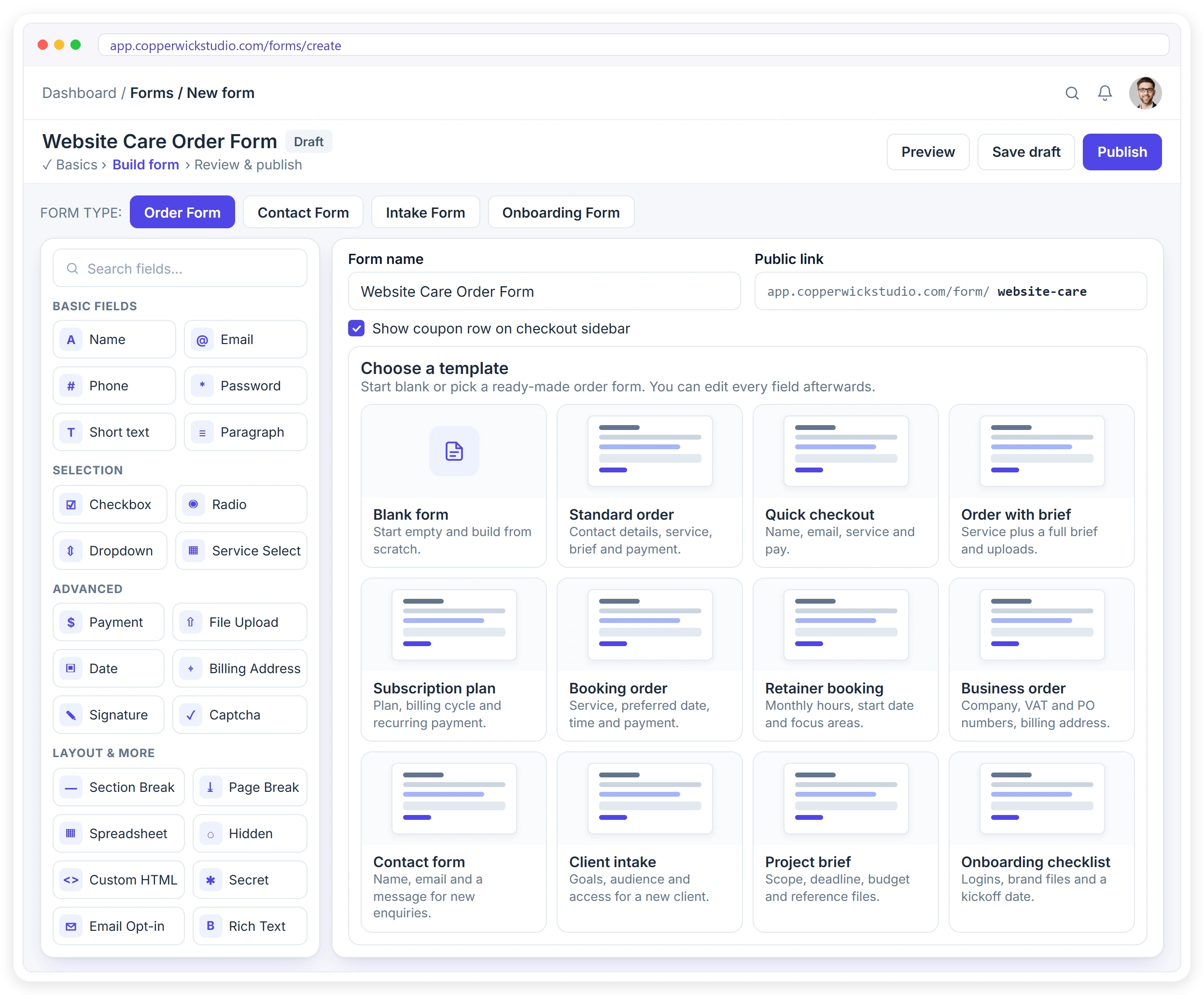
Ready-Made Templates
Start from 12 order form templates, from quick checkout to subscriptions.
One Link, Anywhere
Post the form link on your site, socials, chats or emails and take orders.
Services and Add-ons
Offer one or more services, with optional paid add-ons clients can check.
One-Time or Monthly
Sell one-time projects and recurring monthly services from the same form.
Live Order Summary
Items, subtotal, discount and total update as the client chooses.
Coupons
Show a coupon row at checkout and apply your discount codes.
Your Payment Methods
Stripe, PayPal, Paddle, SSLCommerz and bank transfer. Offer all or one.
Brief and Files
Collect project details, links and uploaded files with the order.
From Link to Paid Order in Four Steps
Build it once, share it everywhere, and let every submission handle the admin work. The client, order and invoice appear automatically, so nobody on your team copies details from an email into a dashboard.
Build the Form
Pick the services, add-ons, questions and payment methods.
Share the Link
Post it on your website, social media, chats, emails or proposals.
Client Orders and Pays
They choose, add their brief, pay and sign in one flow.
Everything Is Created
Client login, order and invoice appear in Clientish automatically.
Post One Link. Take Orders Anywhere.
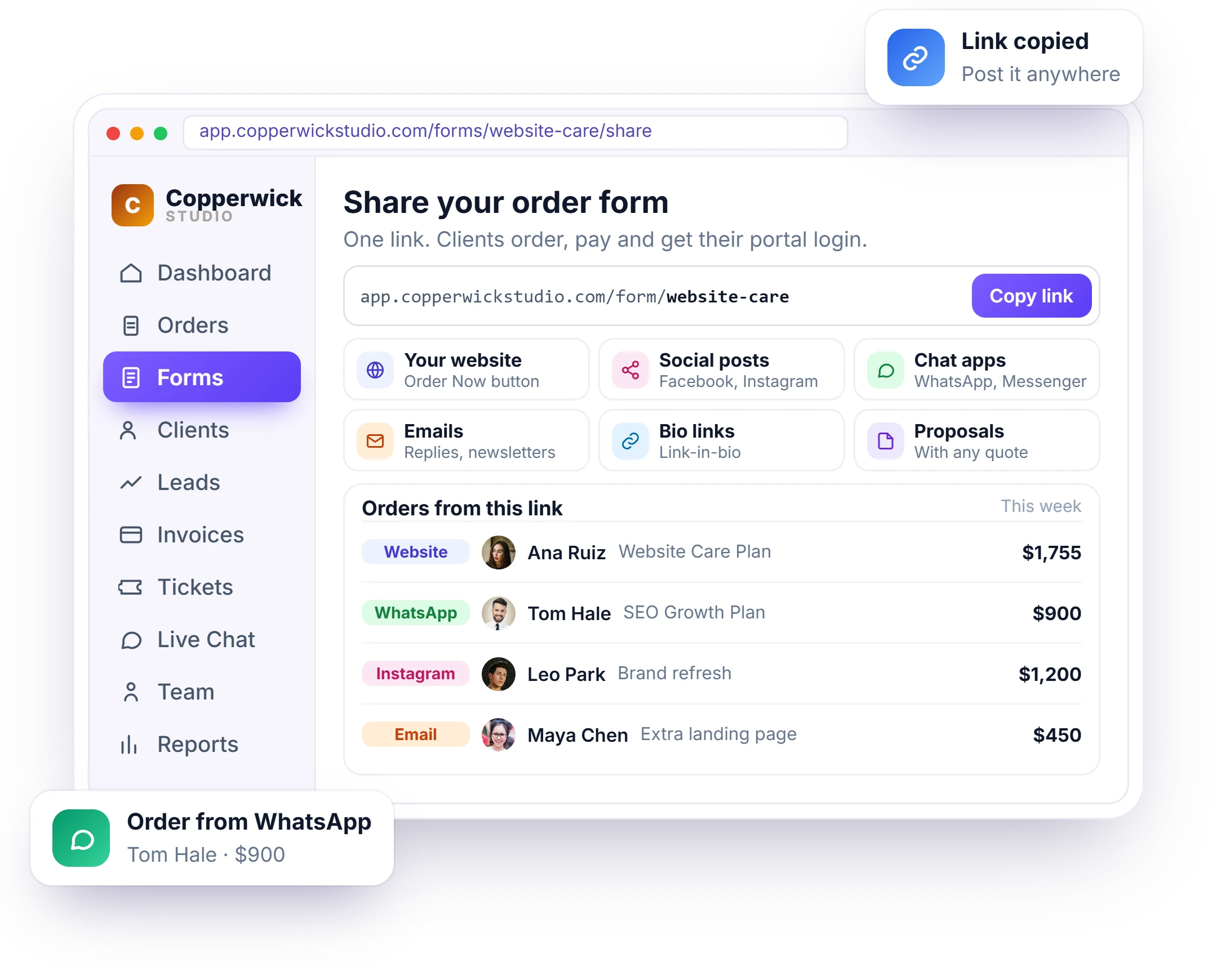
Every order form has its own public link. Put it behind an Order Now button on your site, in a social post, a WhatsApp chat, an email or a proposal, and orders come in from wherever clients find it.
- Your website: link any button to the form
- Social posts and link-in-bio
- WhatsApp, Messenger and email replies
- Proposals and quotes you send
Build the Form Without Code
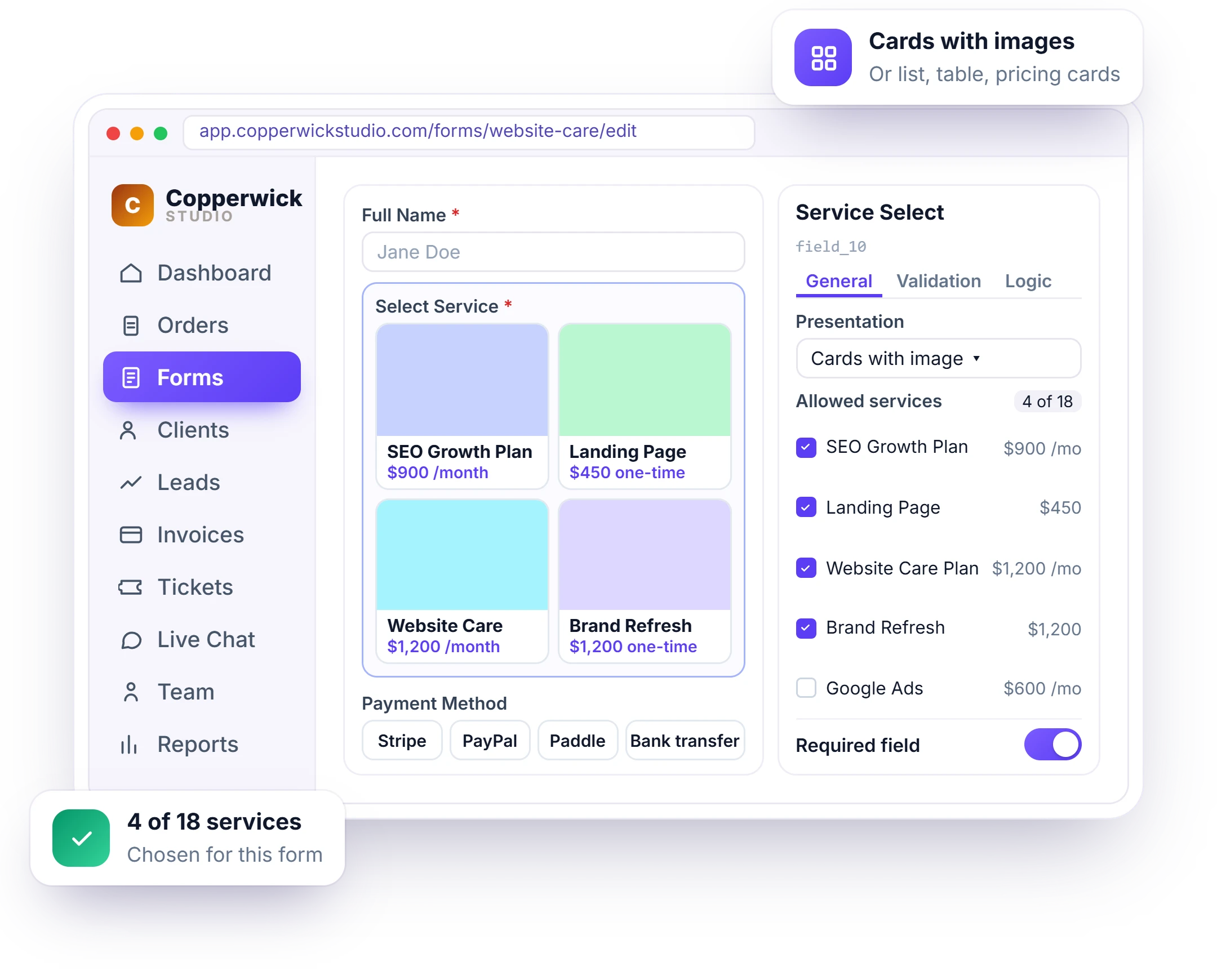
Drag in the fields you need, pick which services the form sells and how they appear, turn on payment methods, and publish it on its own link.
- Show services as cards with images, a list, table or pricing cards
- Choose exactly which services each form sells
- Conditional logic to show fields only when needed
- Preview and open the live form before sharing
Clients Choose, Add Extras and See the Total
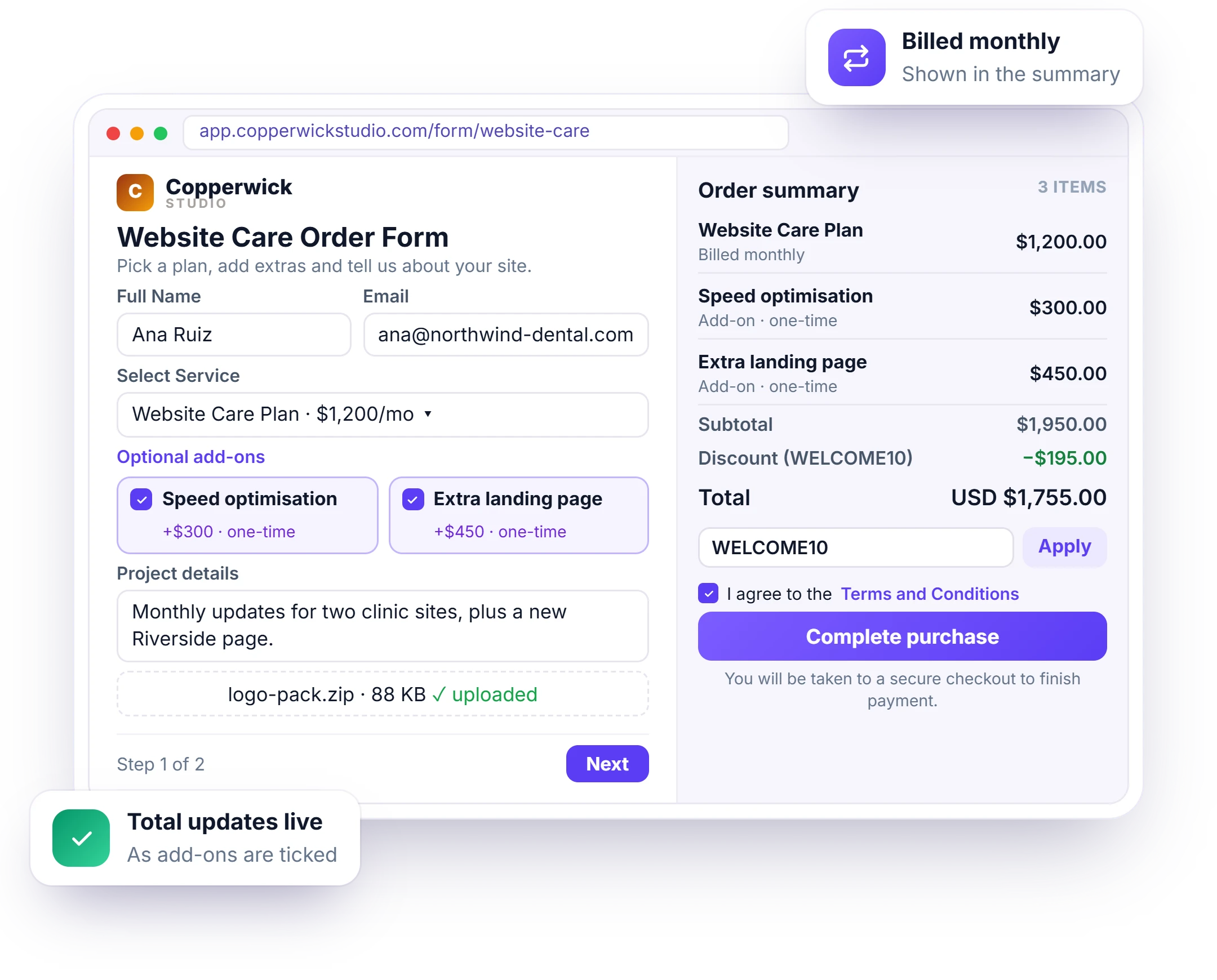
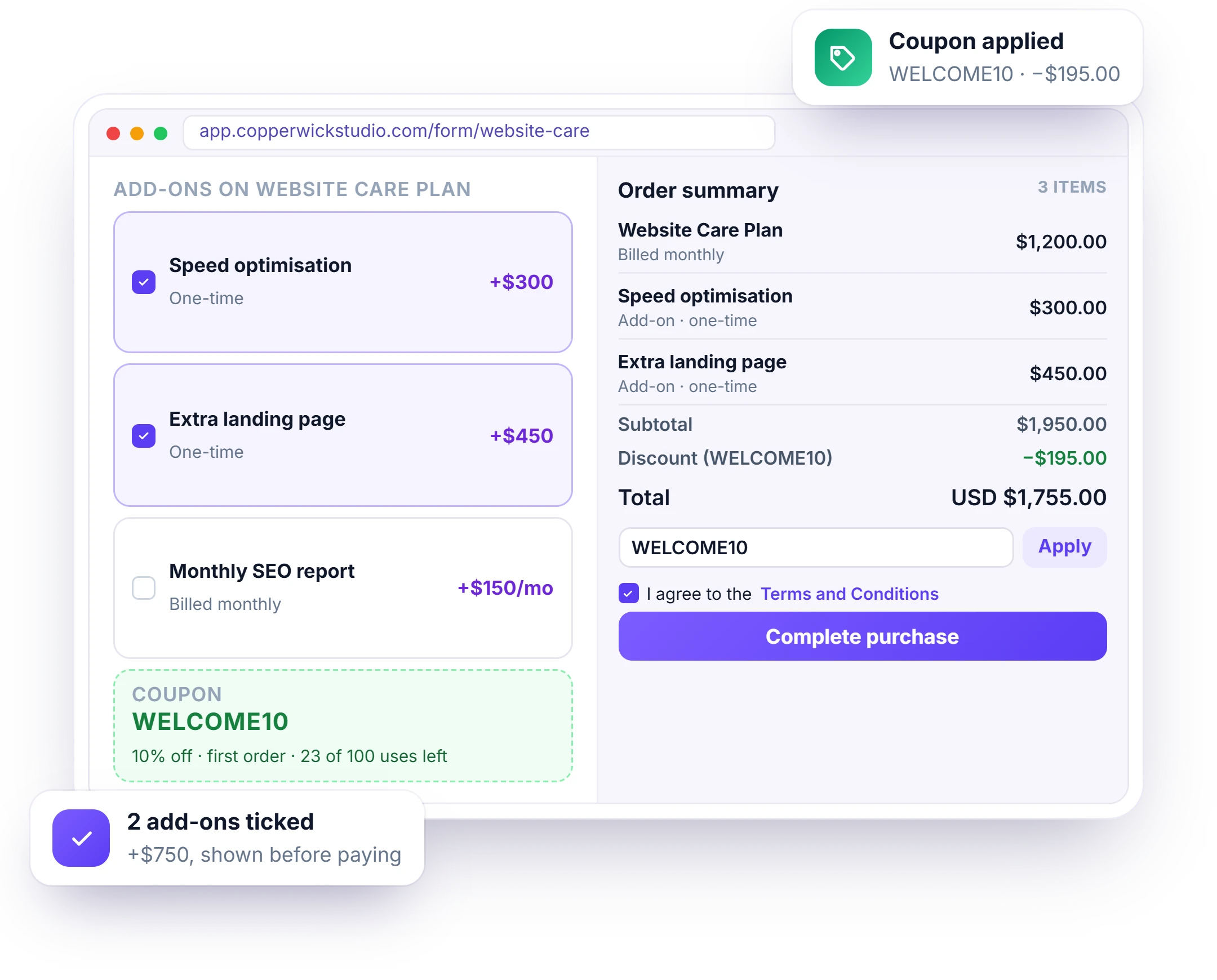
The order summary sits beside the form and updates as the client picks a service, selects add-ons and applies a coupon, so there are no surprises at payment.
- Recurring services shown as billed monthly
- Optional add-ons with their own prices
- Coupon codes applied before payment
- Terms and conditions to agree before ordering
Sell More With Every Order
Offer optional paid add-ons next to each service and let clients use your coupon codes. The order summary updates right away, so the total is always clear.
- Optional add-ons with their own prices
- Coupon row on the checkout sidebar
- Discount shown before the client pays
- Items, subtotal and total always visible
Sell Retainers, Not Just Projects
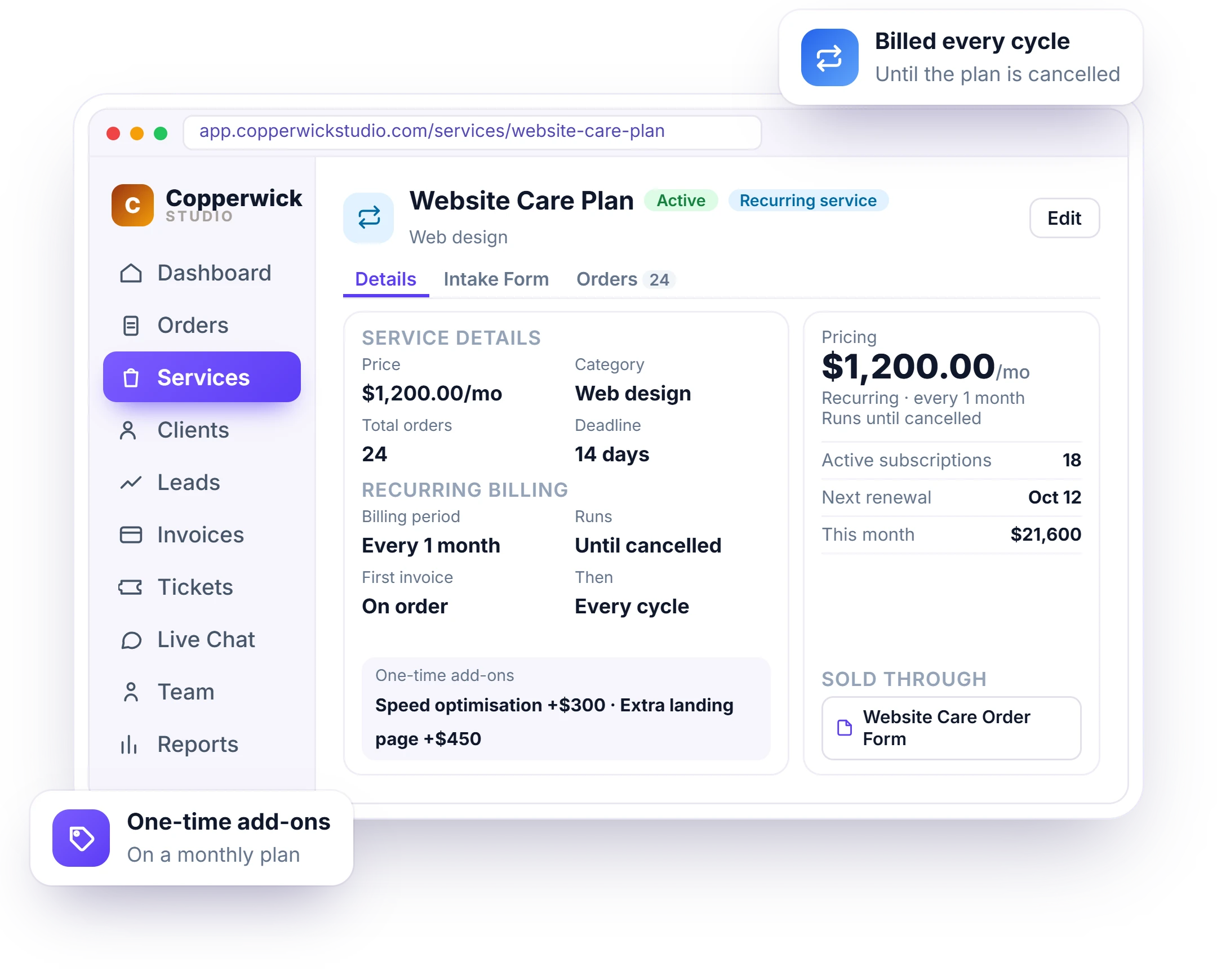
Recurring services can be sold through the same form. Set the price and billing period on the service in your service catalog, and the client is billed every cycle until the plan is canceled.
- Monthly or custom billing periods
- Runs until canceled
- One-time add-ons on a recurring plan
- Mix one-time and recurring services in one form
Take Payment the Way Clients Prefer
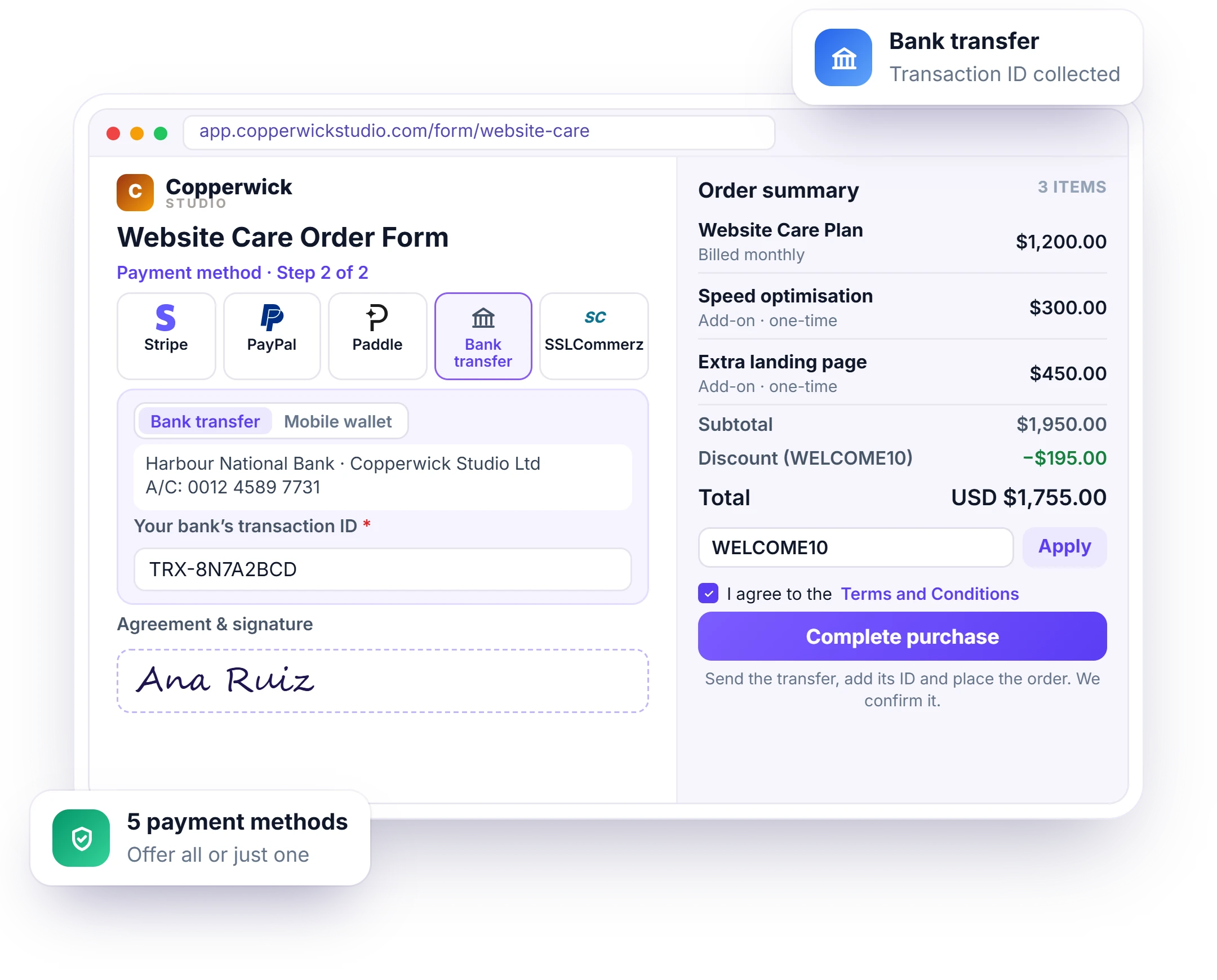
Offer online payments through Stripe, PayPal, Paddle or SSLCommerz, or accept bank transfers and mobile wallets. For transfers, clients enter the transaction ID and you confirm it.
- Stripe, PayPal, Paddle, SSLCommerz and manual bank transfer
- Enable every method or just the one you use
- Bank and wallet details shown on the form
- Transaction ID collected for you to confirm
Every Order Ends in the Client Portal
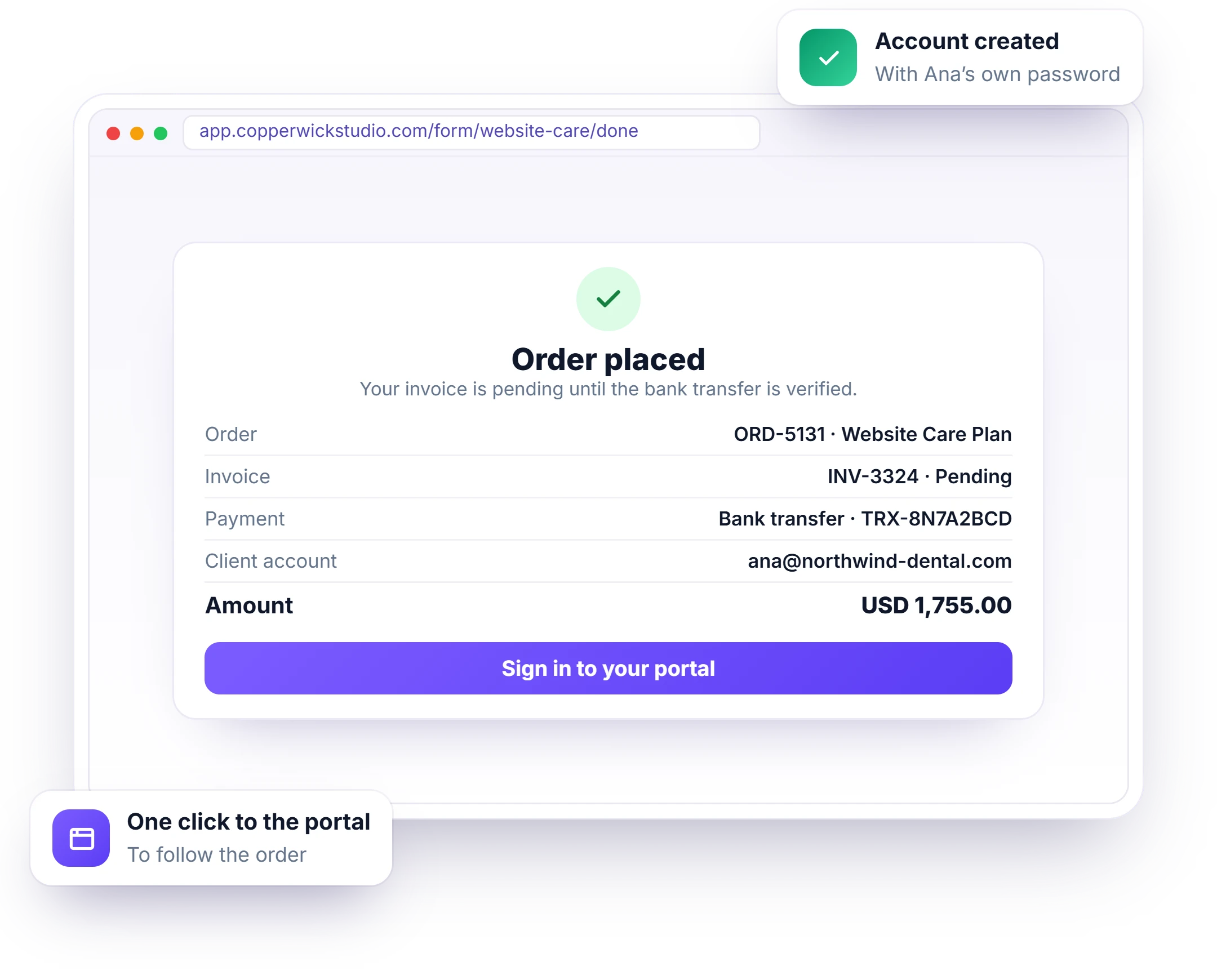
After ordering, clients see a clear confirmation with the amount and how they paid, and one button takes them into their new client portal. From there they follow the order instead of emailing to ask how it’s going.
- Confirmation right after submitting
- Bank transfers show as pending until verified
- Client account created with their chosen password
- One click into the client portal
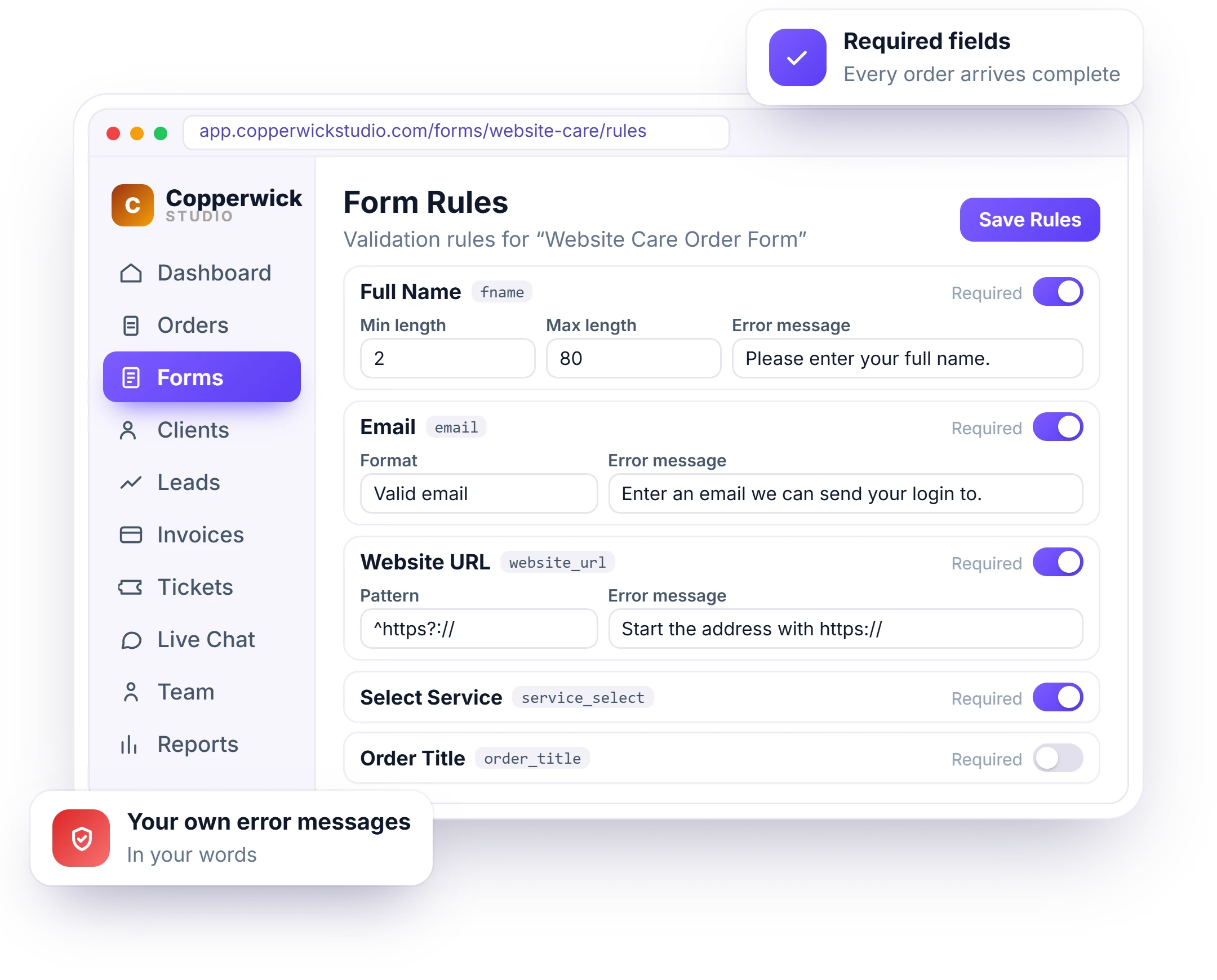
Get Complete Orders, Every Time
Set which fields are required, add length limits or a pattern, and write your own error messages, so every order arrives with what your team needs to start.
- Required or optional per field
- Minimum and maximum length
- Pattern checks for special formats
- Custom error messages in your own words
Every Submission Linked to Its Record
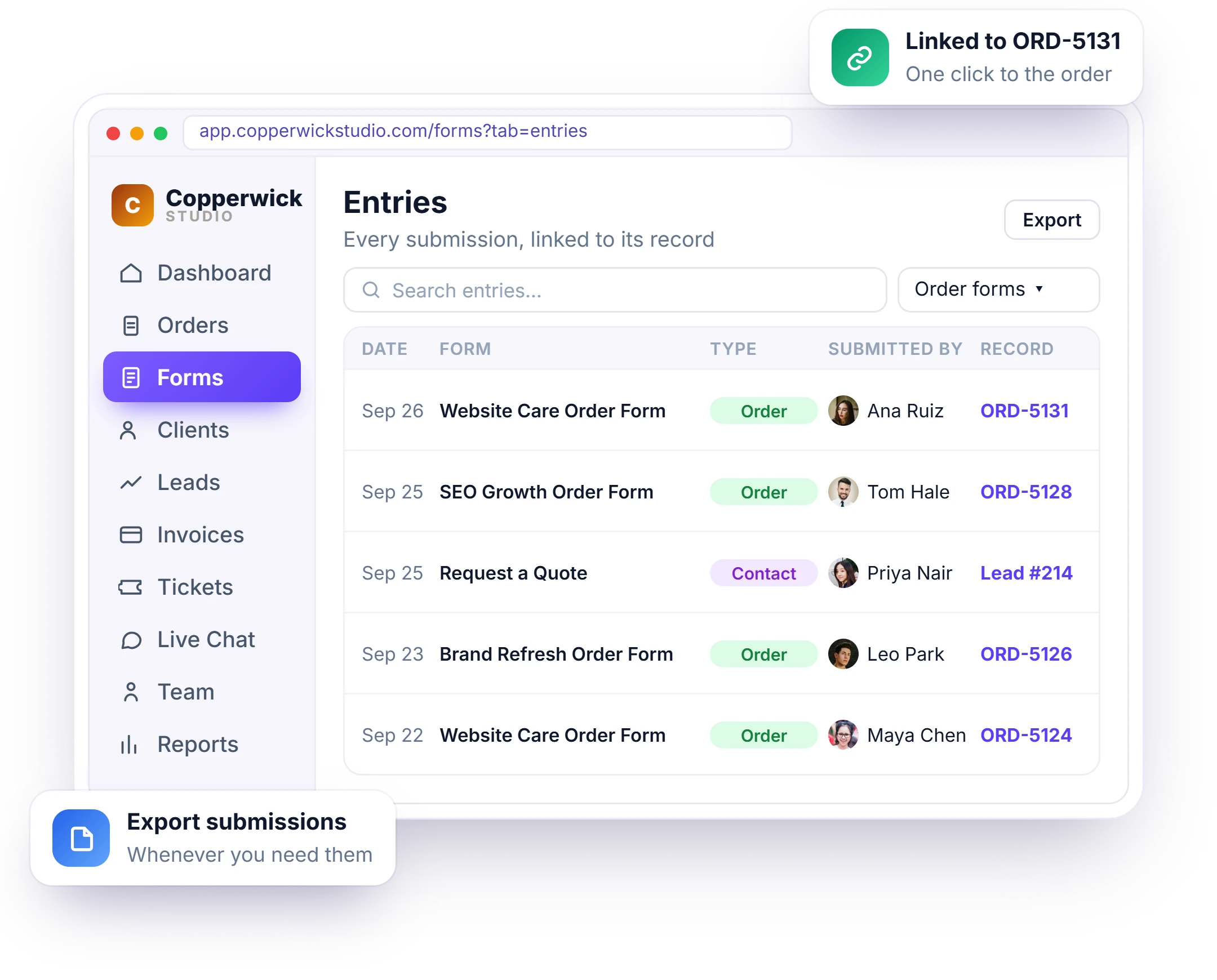
Each entry shows who submitted it, which form they used and the order or lead it created, so you can jump straight to the work.
- Order entries linked to their order
- Contact entries linked to their lead
- Search and filter by form type
- Export submissions anytime you need them
“A client ready to buy shouldn’t have to wait for an invoice. So one form takes the order and the payment, and the client login, order and invoice are created automatically.”

Founder & CEO, Clientish
Order Form FAQ
Straight answers about service order forms: what they are, how to build one, what it costs, payments and what happens after a client submits.
What is an order form?
It’s the page a client fills out to buy from you: they pick the service and any extras, see the total, add what you need to start, and confirm. For an agency it replaces the back-and-forth of quotes, briefs and payment requests by email.
How do I make an order form for my services?
Start from one of the 12 templates or a blank form, add the services and paid add-ons, the questions you need for the brief and the payment methods you accept, then copy the link. Most agencies publish their first form the same day.
How much does an order form tool cost?
Order forms are part of every Clientish plan from $9.99 a month, with no fee per form or per submission. You can try them free for 14 days, with example data already in place.
Can I sell productized services with it?
Yes. Turn each package into a service with a fixed price, optional paid add-ons and one-time or monthly billing, then let clients buy it from the form without a call or a custom quote. Every order arrives with its brief, ready for your team.
Can existing clients order again from their client portal?
Yes. A returning client doesn’t need the form link again: they sign in, pick the next service from your catalog and pay at checkout, and the new order lands next to their earlier ones.
Where can I share my order form?
Anywhere a link works: an Order Now button on your website, social posts, link-in-bio, WhatsApp or Messenger chats, emails and proposals. Clients order from wherever they click it.
What happens when a client submits an order form?
Clientish creates the client’s portal account, the order with their brief and files, and the invoice, all from that one submission.
Can I sell monthly services through the form?
Yes. Recurring services are billed monthly, and one-time add-ons can be added to the same order.
Which payment methods can clients use?
Stripe, PayPal, Paddle, SSLCommerz and manual bank transfer. You can offer all of them or just one.
Can the form be split into steps?
Yes. Keep the whole form on one page, or add page breaks to turn it into a multi-step form.
Can I make a separate order form for each package?
Yes. Build one form per package, per campaign or per landing page and give each its own link; there is no cap on how many you keep.
Share one link. Start taking orders.
Build your first order form from a template, post the link where your clients already are and let every submission create the client, order and invoice for you. Try it with example data first.
- The client and their portal login
- The order with the brief and files
- The invoice, paid or due
- Add-ons and coupons applied
- One-time or monthly billing
- An entry linked to every record
Every feature unlocked in the trial. Pick a plan only when you’re ready.