
MIGRATE FROM CLICKUP, ASANA, MONDAY OR TRELLO
Switch to Clientish From ClickUp, Asana, Monday.com, Trello or Notion
Clientish imports your clients, their work, your team and every comment from ClickUp, Asana, Monday.com, Trello or Notion with a token you paste once. Each task becomes an order, its subtasks become the order’s tasks, and nothing in your old tool is changed.
Why Agencies Outgrow Task Tools
ClickUp, Asana, Monday.com, Trello and Notion are good at tasks. Running client work on them is where it starts to hurt.
What Comes Over
Your client work arrives as clients, orders and tasks, with the conversation that went with it.
FIVE TOOLS
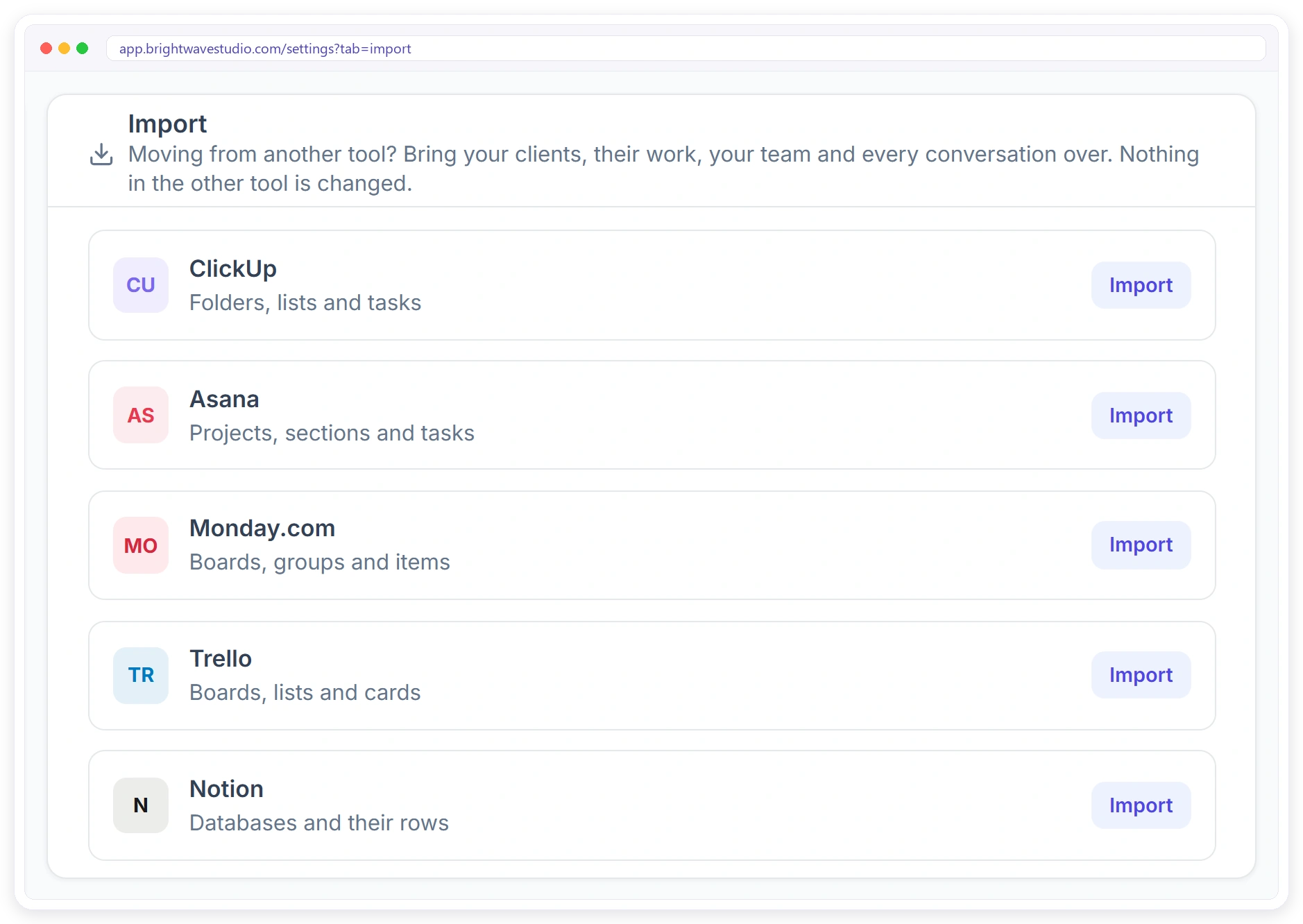
Bring It From the Tool You Use Now
Open Settings, then Import, or press From another tool on Clients. Pick ClickUp, Asana, Monday.com, Trello or Notion and connect it with your own token, copied from that tool’s settings.
CHOOSE
Pick What to Bring Over
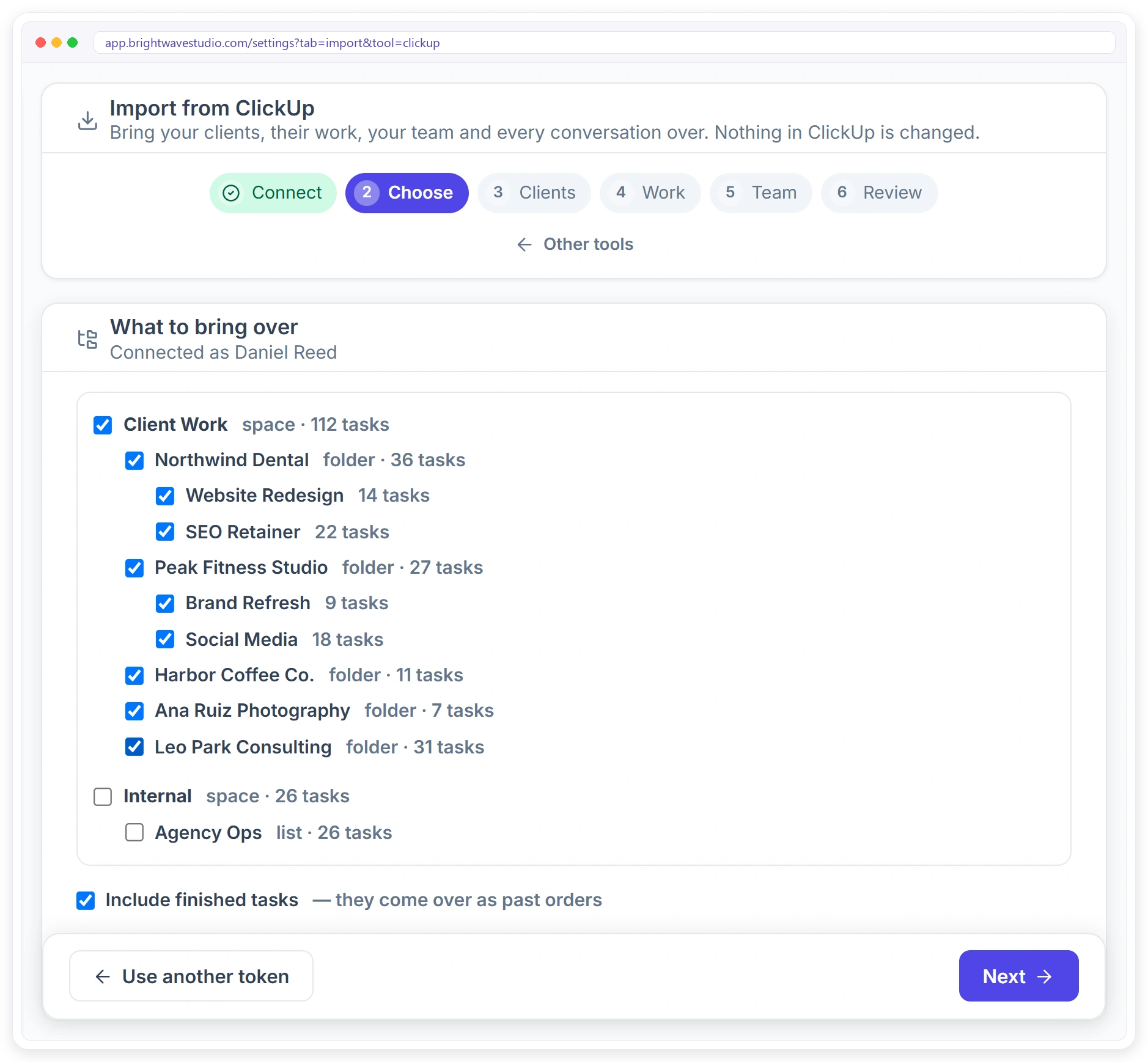
See your spaces, folders and lists with their task counts, and tick the ones that hold client work. Leave internal lists behind, and choose whether finished tasks come over as past orders.
Switch in Six Steps
Each step shows what will happen before anything is brought over.
WORK
Your Statuses, Matched to Yours
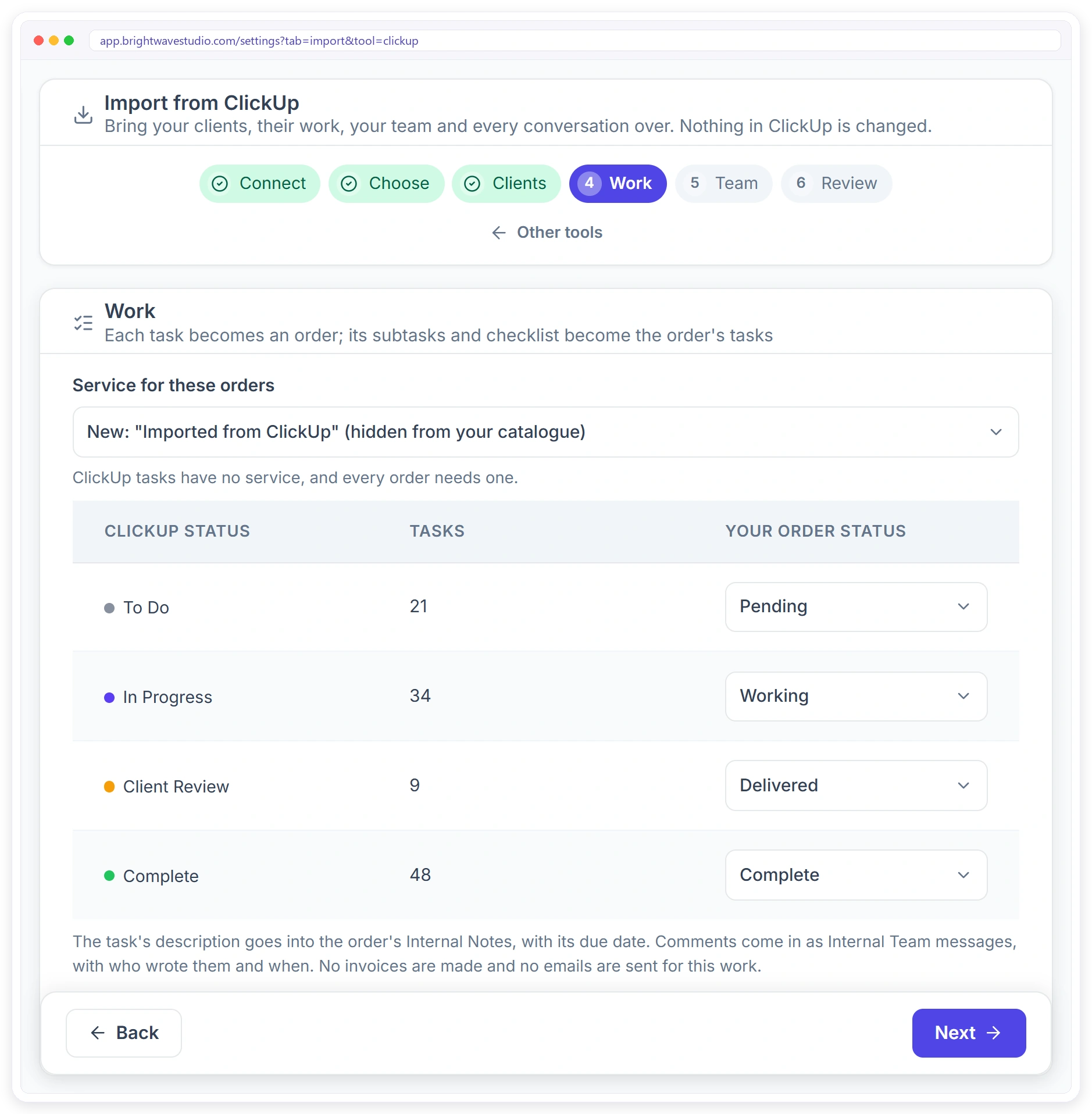
Every piece of client work arrives as an order with its task list. Match every status in your old tool to one of your order statuses, and pick the service the orders go under.
TEAM
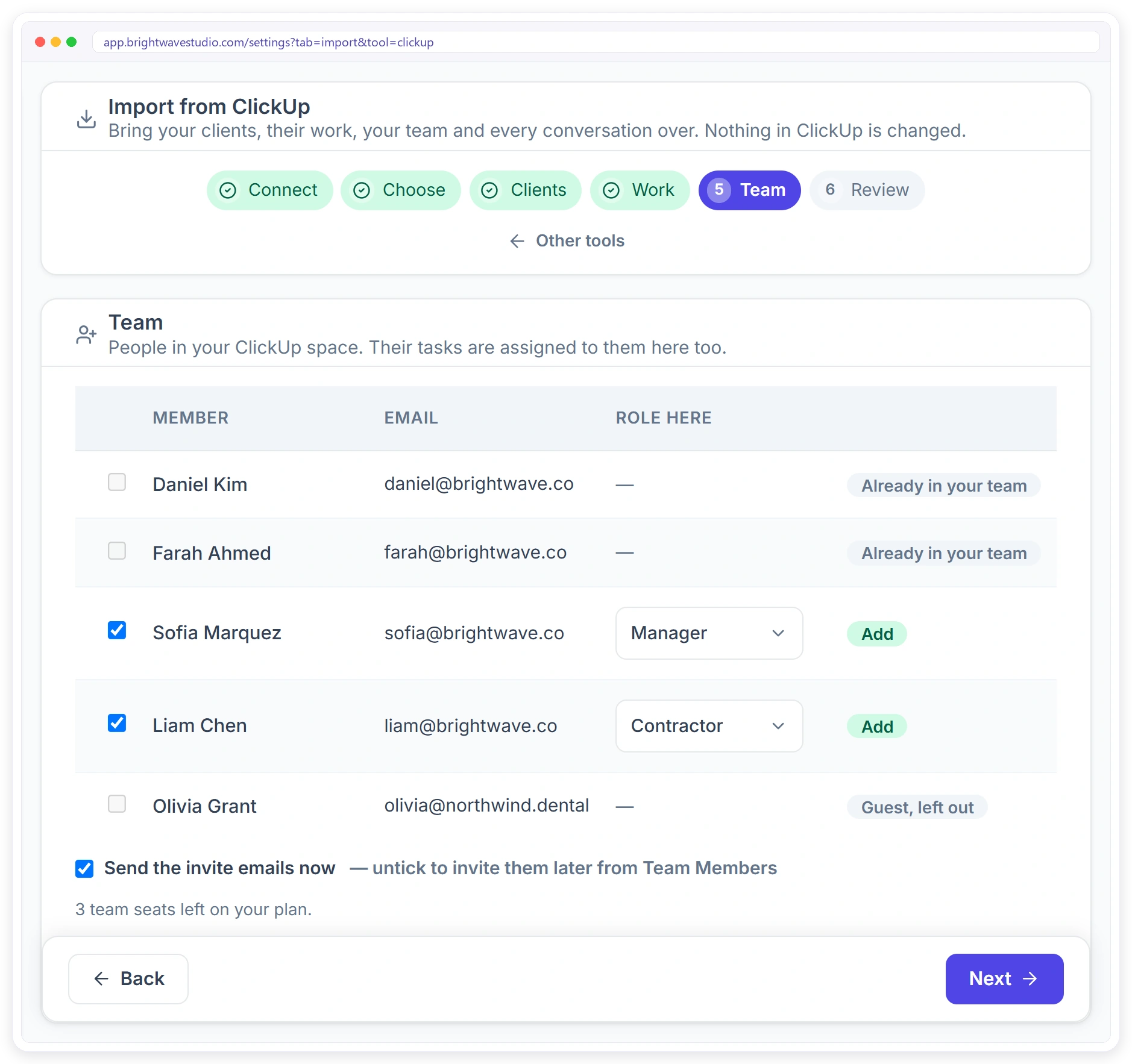
Bring Your Team Too
People in your old workspace are listed with their email. Pick a role for each one you want to invite. Anyone already in your team is matched, guests are left out, and their tasks stay assigned to them.
How Each Tool Maps to Clientish
You choose what counts as a client. The rest follows the same pattern in every tool. Once it is in, automations can take over the follow-ups.
REVIEW
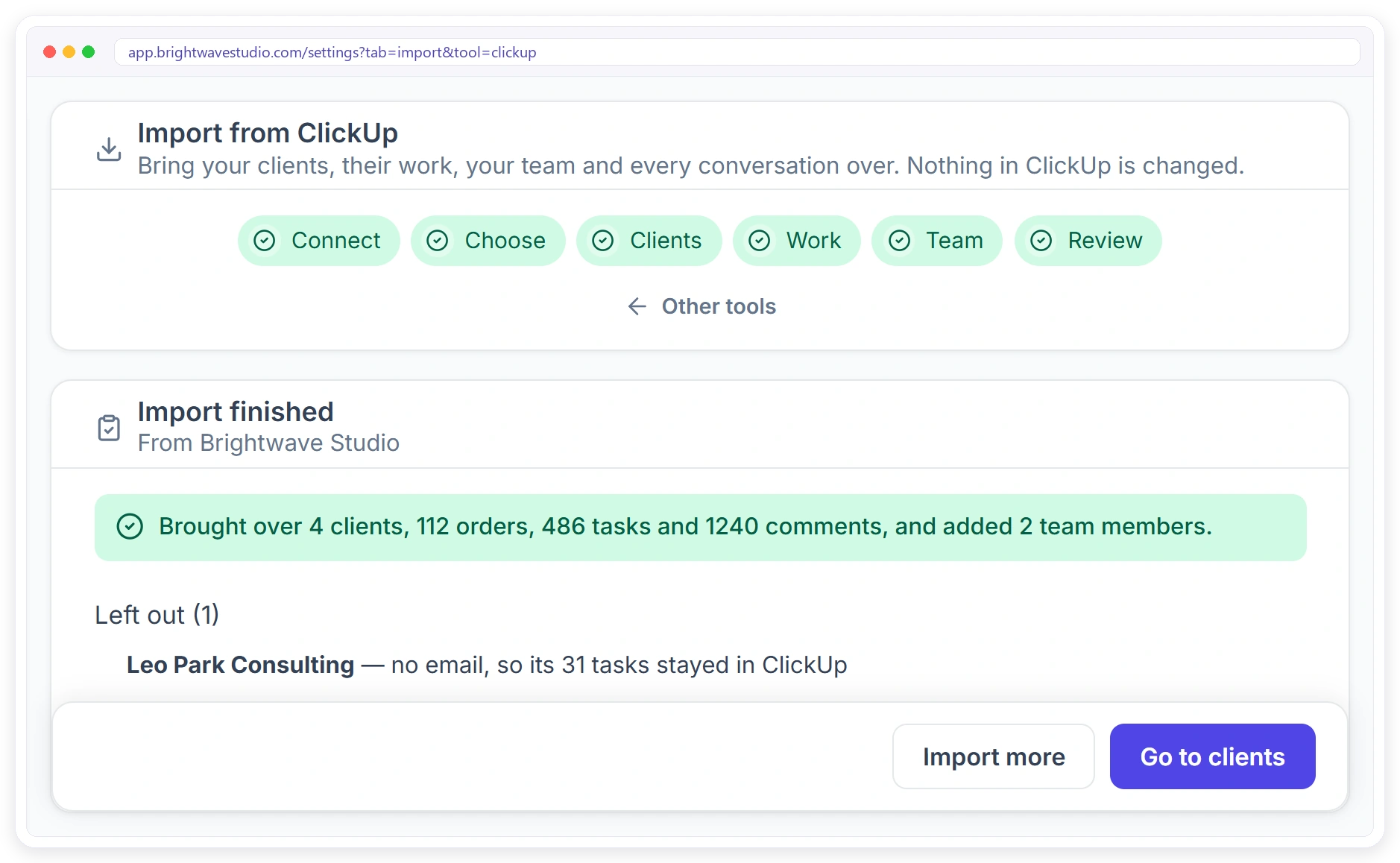
See What Came Over
Start the import and carry on working; you get a notification when it is done. The report counts the clients, orders, tasks and comments that came over, and lists anything left out with the reason.
What You Get After the Switch
The import brings your history. Clientish adds what your task tool never had. See the client portal and client invoicing.
Import or Copy by Hand
Most agencies that switch tools copy clients and projects one at a time, or give up halfway. Here is the difference.
Safe to Try Today
Bring your work over without surprising your clients or touching your old tool.
Switching FAQ
Quick answers about moving your agency from another tool to Clientish.
What is the best way to move my agency off ClickUp or Asana?
Run the import in Clientish: connect your old tool with a token, pick the lists that hold client work, check each client’s email and start. Clients, orders, tasks, comments and team come over in one go, and your old tool stays as it was until you are ready to stop using it.
How do I move my clients from ClickUp into a client portal?
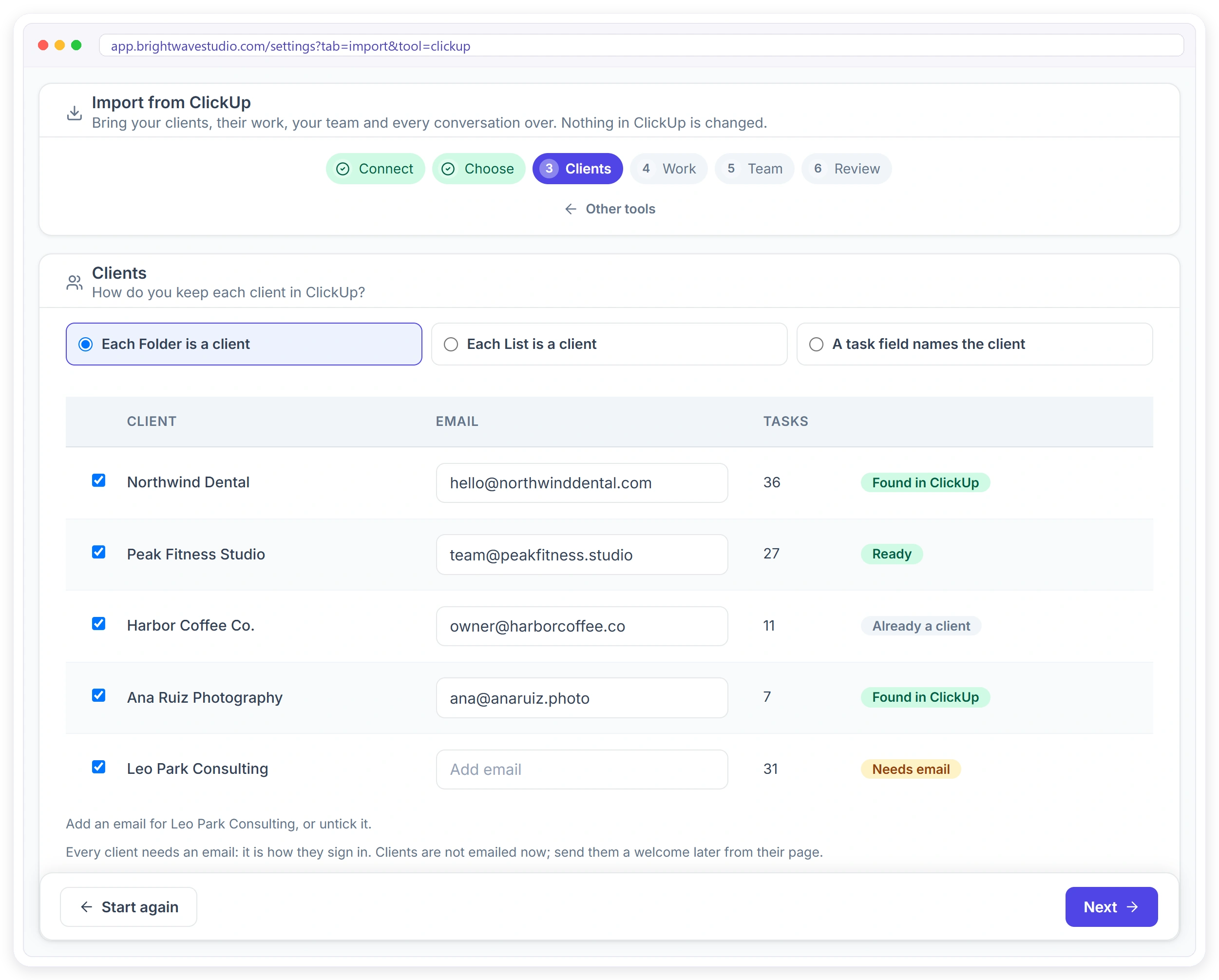
Open Settings, then Import, and pick ClickUp. Paste your ClickUp API token, tick the folders and lists that hold client work, and say whether each folder, each list or a task field is the client. Add each client’s email, check the review and start the import.
Can I import my Asana projects into Clientish?
Yes. Connect Asana with a personal access token. Each project, each section or a custom field can be the client, every task becomes an order, and its subtasks become the order’s tasks.
Will anything change in my old tool?
No. Clientish only reads from your old tool, and the token you paste is removed once the import is done.
Do my clients get an email when I import them?
No. Imported clients are not emailed. Every client needs an email because that is how they sign in, and you can send them a welcome later from their page.
What happens to subtasks, checklists and comments?
They stay with the order: smaller to-dos turn into the order’s task list, the conversation lands in the team’s internal thread with names and dates, and the original description and due date are kept in the notes.
How are my old statuses handled?
On the Work step each status in your old tool is listed with how many tasks have it, and you match it to one of your order statuses, such as Working or Complete.
Can I bring my team over too?
Yes. Everyone from your old workspace appears with their email, and you choose a role for the people you invite. Anyone already in your team is matched and guests are left out. Trello does not share emails, so its members are matched by name.
Do imported clients and orders count toward my plan limits?
No. What you bring over from your old tool is not counted in your monthly limits. Team members you invite use seats on your plan, and the Team step shows how many are left.
What happens if a client has no email?
The Clients step marks it as Needs email. Add the email or untick the client; anything left out is listed in the report with the reason.
Can I run the import again later?
Yes. Orders that were already imported are not brought twice, and clients already in Clientish are matched by email.
What does not come over?
Invoices are not created, guests are left out, and files, tracked time and custom fields other than the one that names the client stay in your old tool.
Move Your Agency to Clientish Today
Start your free trial and import from ClickUp, Asana, Monday.com, Trello or Notion.