
Sell Productized Services Online, From Your Own Service Catalog
A productized service is a service sold like a product: a fixed scope, a fixed price and a set delivery time. Clientish gives your agency a service catalog to package them with one-time or monthly prices, packages and add-ons and a brief for each one, and three ways for clients to buy: their portal, your order forms or a payment link, from $9.99 a month.
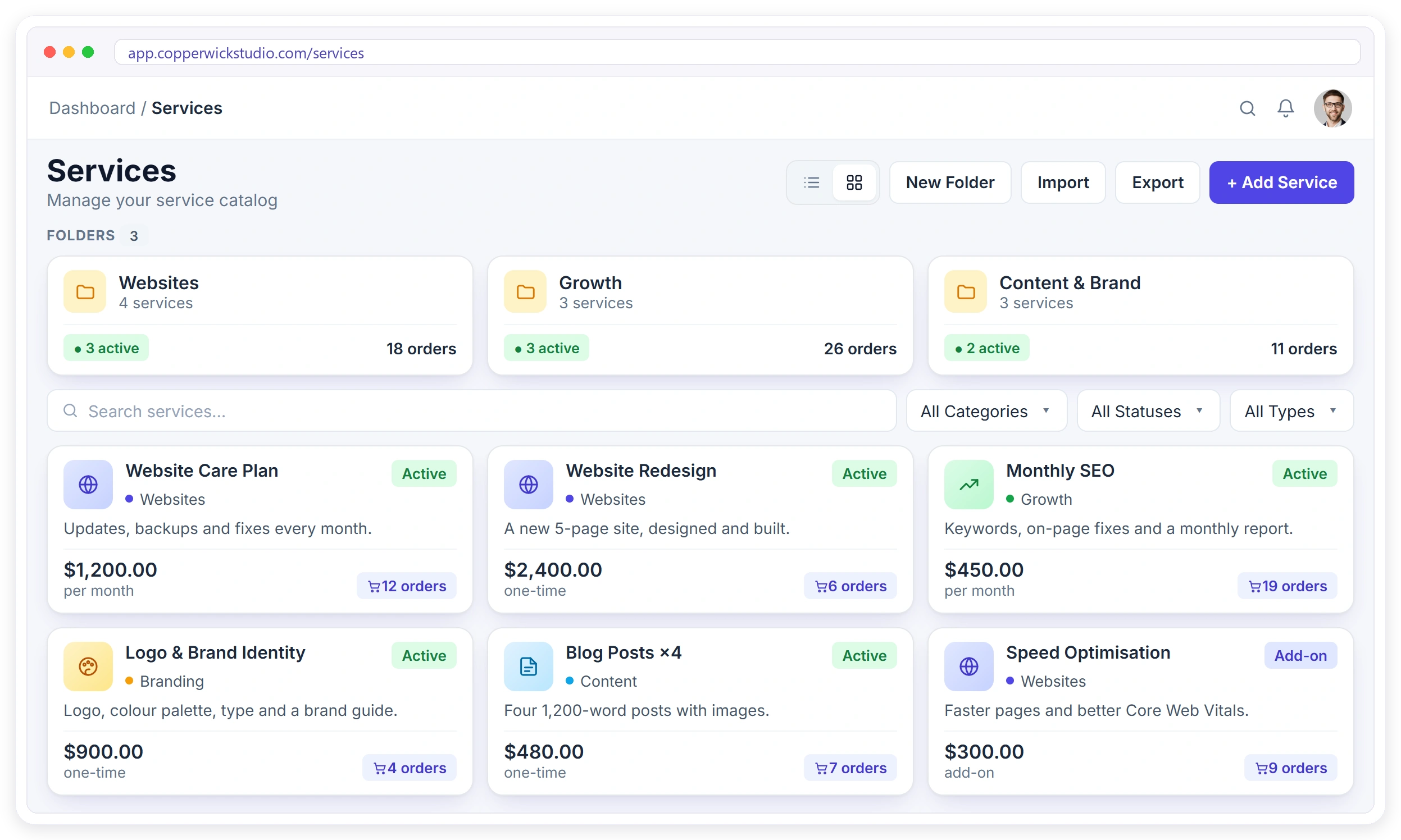
From Service Idea to Paid Order
Package what you sell once, and every client can find it, order it, brief you and pay for it, again and again.
Create
Name, image, category
Price
One-time, recurring, tiers
Brief
Intake form per service
Publish
Portal, forms, pay links
Order
Due date and team set
Renew
Retainers bill each cycle
From Custom Quotes to a Service Catalog
Price lists in PDFs, quotes by email and payment links in another tool, replaced by one catalog clients can browse, order and pay from.
Productize Your Services in Minutes
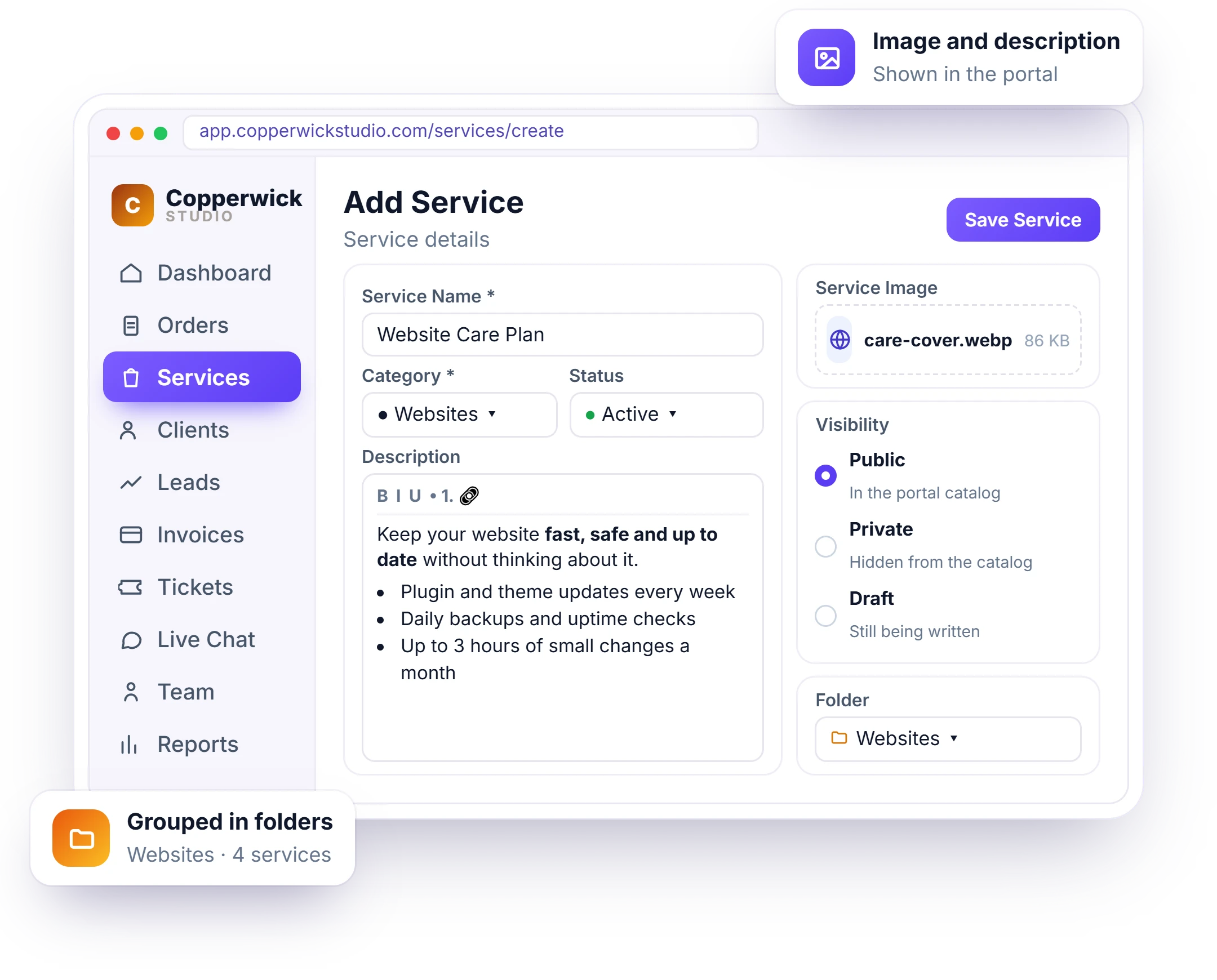
Give each service a name, a category, a formatted description and an image, then decide whether it’s live, still a draft or archived. Keep a growing catalog tidy with folders, and duplicate a service when you need a similar offer.
- Name, category, description and service image
- Bold text, lists and links in the description
- Active, Draft and Archived statuses
- Public, draft or private visibility
- Folders to group related services
- Duplicate a service as the start of a new one
Price Services the Way You Sell Them
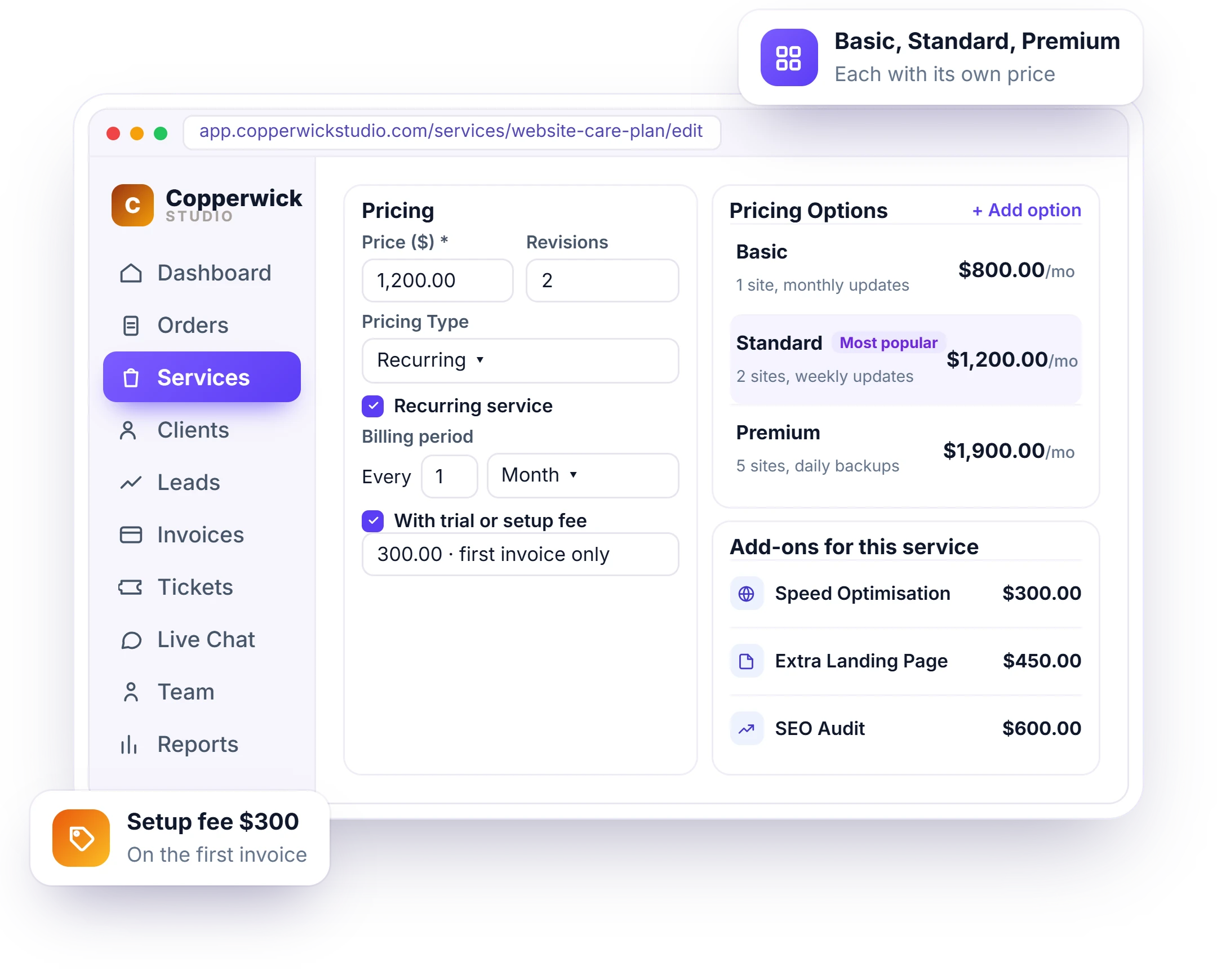
Charge once or on a repeating cycle, add a setup fee to the first invoice and say how many revisions are included. Offer packages such as Basic, Standard and Premium, and attach paid add-ons that clients pick when they order.
- One-time or recurring prices
- Bill every day, week, month or year, or every few of them
- A setup or trial fee on the first invoice
- Packages with their own price and description
- Add-ons sold with a parent service
- Revisions included per service
Run Retainers Without the Spreadsheet
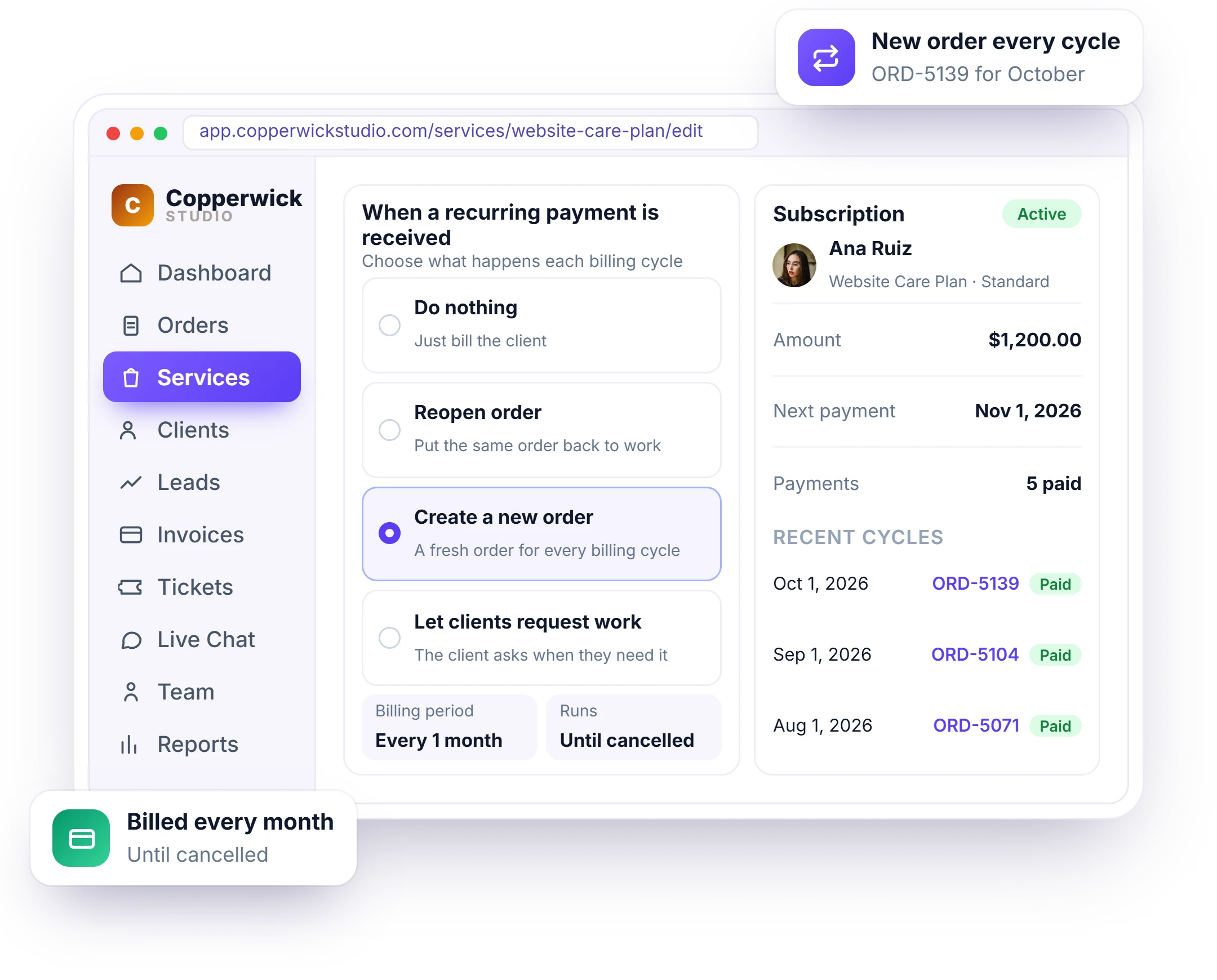
Make any service recurring and choose what happens each time the client pays: just bill them, reopen the same order, create a fresh order for the new cycle, or let the client request work as they need it. Set a number of cycles or let it run until canceled, and recurring billing handles the invoices.
- Four choices for each paid cycle
- A new order for every cycle, if you want one
- Run for a set number of cycles or until canceled
- Clients see the billing cycle and next payment
- Clients can cancel from their portal
- The client is billed again every cycle
Attach the Brief to the Service
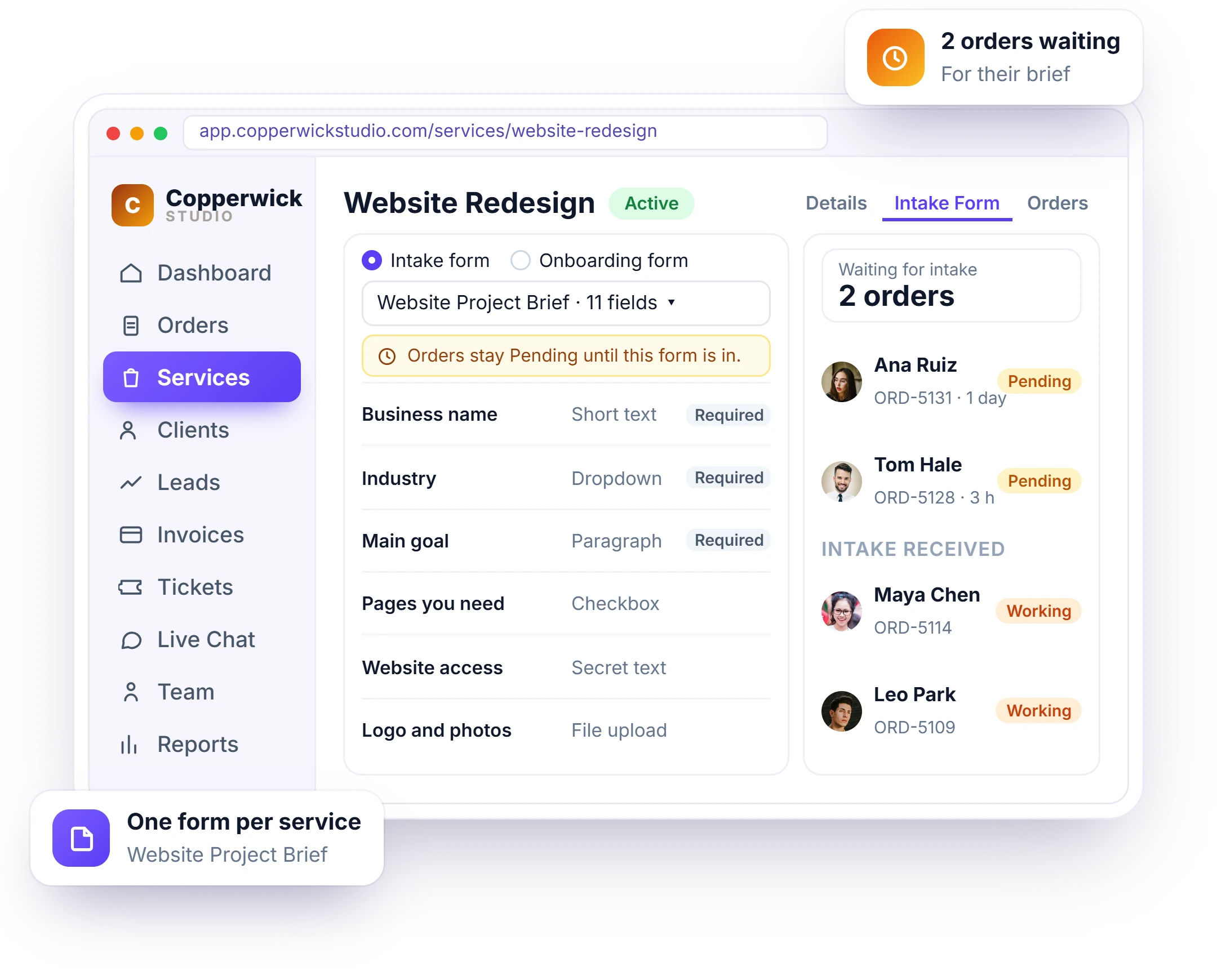
Give each service its own intake form with conditional rules, so clients answer the right questions for what they bought. The order waits until the brief arrives, and every answer and file lands on the order.
- An intake or onboarding form per service
- Conditional rules that show the right questions
- File uploads, dates, checkboxes and more
- Orders wait as Pending until the brief arrives
- See which orders are still waiting for a brief
- Answers saved on the order for your team
Every Order Starts With a Due Date and a Team
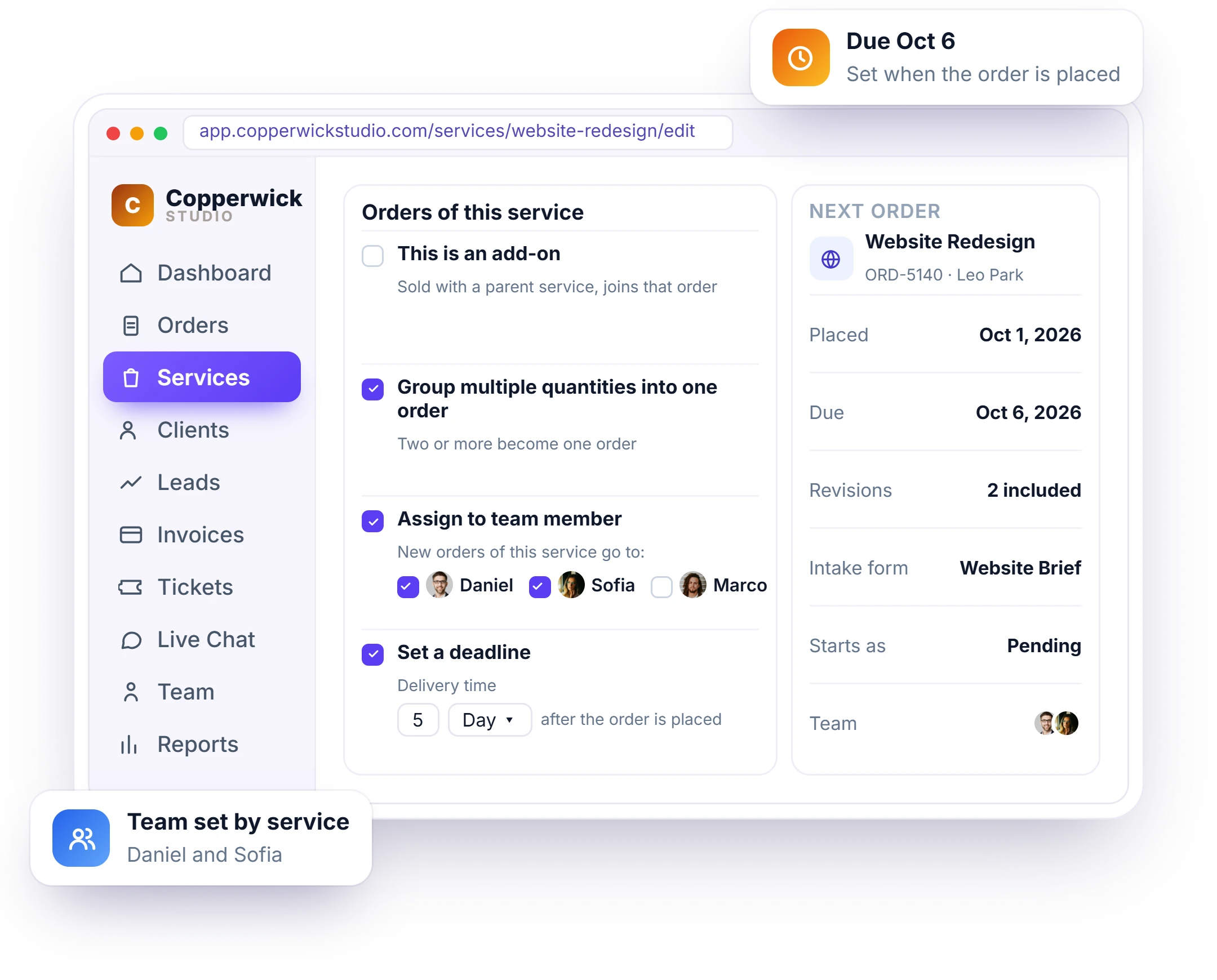
Set a delivery time in days or hours and each new order gets its due date the moment it’s placed. Pick the team members who deliver the service so orders land with them, sell add-ons on a parent order and group several quantities into one order.
- Delivery time in days or hours
- Due date set when the order is placed
- Default team for every new order
- Add-ons that join the parent order
- Several quantities grouped into one order
- Revisions and intake carried onto the order
Clients Order Straight From Their Portal
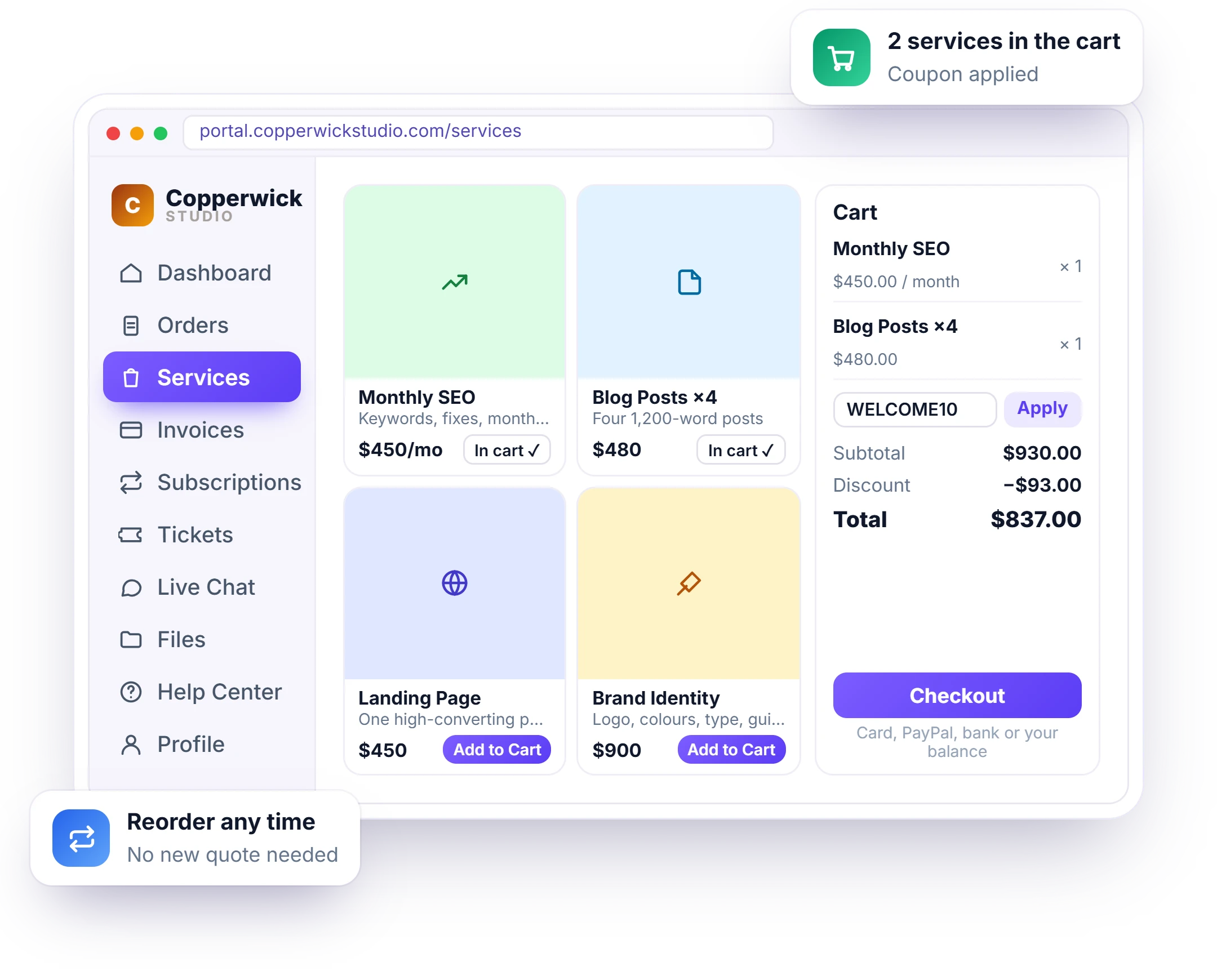
Every public service appears in your client portal with its image, description and price. Clients add services to the cart, apply a coupon and pay by card, PayPal, bank transfer or their account balance, and the order is created as soon as they pay.
- Only public services appear in the catalog
- Search and browse services with images and prices
- A cart with quantities and coupon codes
- Pay by card, PayPal, bank or account balance
- The order is created when the invoice is paid
- Repeat clients reorder without a new quote
Show Your Services on Any Order Form
Add a Service Select field to an order form and choose how services appear: a dropdown, a list, radio cards, cards with images or pricing cards. Pick which services the form offers and show their add-ons right under them.
- Nine ways to show services, including pricing cards
- Choose which services each form offers
- Show add-ons for the chosen service
- One link to share on your site or in messages
- Order, invoice and portal login created on payment
- The intake form follows the service

One Link to Sell a Single Service
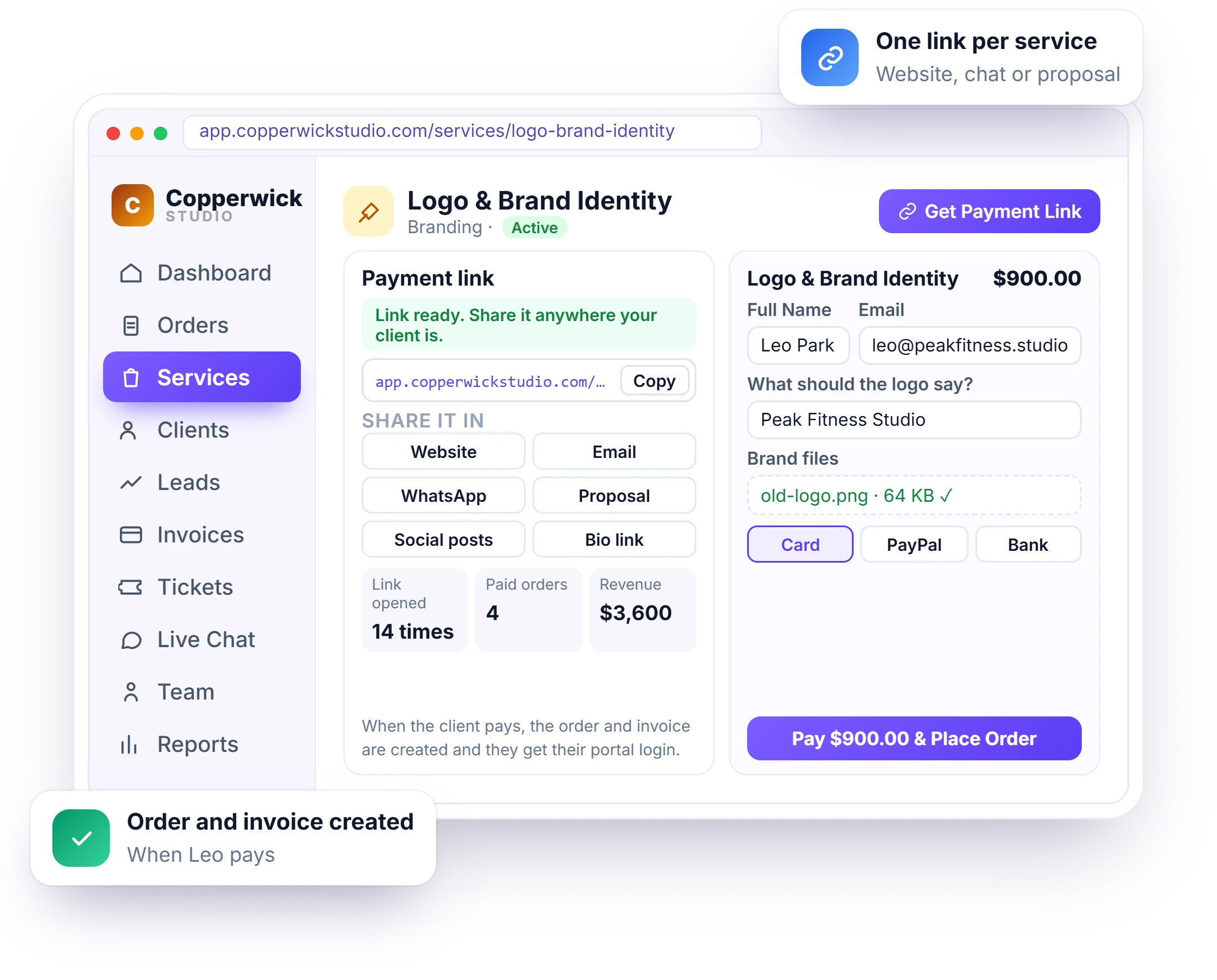
Get a payment link for any service and send it wherever your client is: your website, email, WhatsApp, a proposal or a social post. The client fills in their details, uploads files and pays, and the order and invoice are created for you.
- A payment link for every service
- Share it on your site, by email or in chat
- Collect details and files before payment
- Card, PayPal or bank transfer
- The order and invoice are created on payment
- The client gets their portal login
See Which Services Make You Money
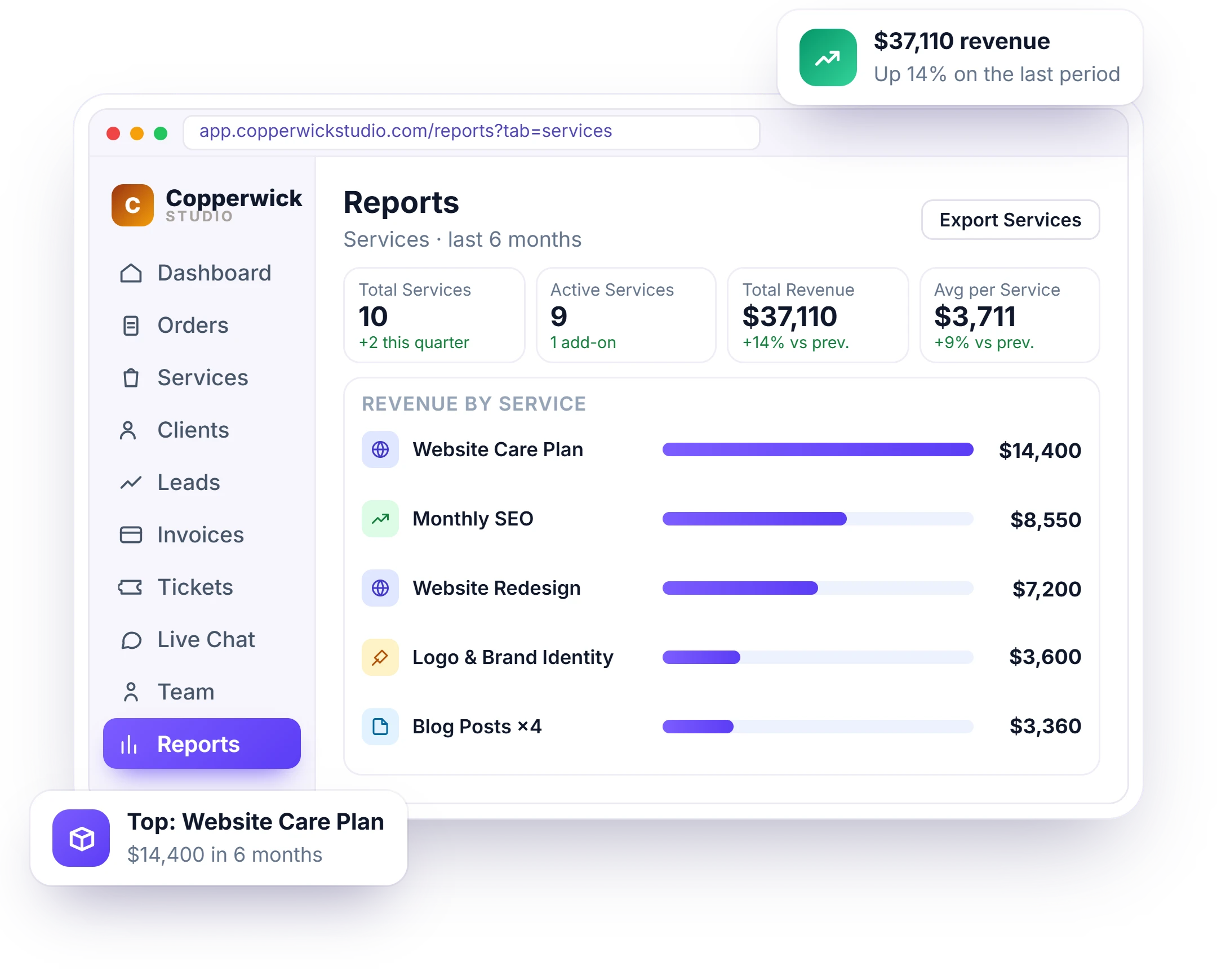
The Services report shows how many services you sell, how many are active, the revenue they bring in and the average per service, with revenue by service for any date range. Use it to see which packages to push and which to retire.
- Total and active services
- Total revenue and average per service
- Revenue by service for any date range
- Change against the previous period
- Orders behind every service
- Export the services report
Everything Else in Your Service Catalog
The details that keep a growing catalog organized and easy to sell from: folders, drafts, private services, revision limits and bulk actions, so adding your twentieth service is as quick as your first.
Folders
Group related services into folders and see each folder’s active services and orders.
Categories
Give every service a category to filter the catalog and the Services report.
Search & Filters
Find services by name, category, status or type.
Duplicate Services
Copy a service with its pricing and settings as the start of a similar offer.
Import & Export
Bring your services in from a spreadsheet and export the catalog to Excel.
Drafts & Archive
Work on a service as a draft and archive old ones without losing their history.
Private Services
Hide a service from the portal catalog without deleting it.
Free Services
Offer a free consultation or audit. Services priced at zero show as Free.
Revision Limits
Set how many revisions each service includes, or use your workspace default.
SEO Details
Add a title and description for each service.
Bulk Actions
Move several services into a folder or delete them at once.
Permissions
Choose who can add, edit, delete, import or export services.
Productized Service Ideas for Agencies
Four productized services agencies sell, and how each one is set up: the price model, the packages, the brief and how often a new order is created. Copy the one closest to your own offer.
Website Care Plan
A monthly recurring service with Basic, Standard and Premium packages and a new order every cycle.
SEO Retainer
A monthly service with an intake form for keywords and competitors, and a 5-day delivery time.
Blog Post Bundle
Four posts as one order, with topics in the brief and two revisions included.
Logo Package
A one-time service with a payment link you share in chats and proposals.
Productized Services FAQ
Straight answers about selling productized services online: what they are, how to productize, pricing, retainers, packages and how clients buy.
How do I productize my agency’s services?
Pick work you deliver often, set what’s included, the price and the delivery time, and say what you need from the client to start. Then turn it into one service with its price, packages, a brief and a due date, ready to sell the same day.
How much does it cost to sell services this way?
Clientish starts at $9.99 a month with the service catalog, order forms, payment links and client portal included. There’s no fee per service or per order on our side; your payment gateway charges its own fees.
What is a productized service?
A service sold like a product: a fixed scope, a fixed price and a clear delivery time, such as a monthly website care plan or a four-post blog bundle. Clientish lets you package, price and sell these services from one catalog.
Can I sell monthly retainers?
Yes. Make a service recurring, bill it every week, month or year, add a setup fee, and choose whether each paid cycle creates a new order.
Can I offer packages like Basic, Standard and Premium?
Yes. Add pricing options to a service, each with its own price and description, and show them as pricing cards on your order forms.
How do clients buy a service?
From their client portal, from any of your order forms, or from a payment link you send them. The order and invoice are created when they pay.
Can I sell add-ons with a service?
Yes. Mark a service as an add-on of one or more parent services, and clients can add it on your order forms.
How are due dates and the team set?
Each service has a delivery time in days or hours and a default team. New orders get their due date and their team as soon as they’re placed.
Can I keep some services hidden?
Yes. Keep a service as a draft, archive it, or make it private so it doesn’t appear in the portal catalog.
Productize your services and start selling.
Package what you already deliver, give each service a price and a brief, and let clients buy from their portal, an order form or a link without waiting for a quote. Try it with example data first.
- One-time or recurring price
- Packages like Basic, Standard, Premium
- Paid add-ons on the order form
- Its own brief with conditional rules
- A delivery time and a default team
- Revenue in the Services report
Every feature unlocked in the trial. Pick a plan only when you’re ready.