

Agencies usually pick Notion because it organizes information so well. A few databases and views later, the workspace feels tailor-made, and it is widely used for internal notes, wikis and planning.
The strain tends to come from specific client moments. A client wants a status without emailing you. An invoice needs a document, a PDF and a payment link from somewhere else. A client’s question gets typed into a page that nobody is watching. Notion can be shaped to hold a lot of this, but you’re the one who builds and maintains it.
Quick answer: Notion is a flexible workspace for docs, wikis and databases that teams shape to their own needs. Clientish comes pre-assembled for agency client work: the branded login, the order flow, billing, payments and a help desk are all in place before you add your first service. Choose Notion for internal knowledge and planning; choose Clientish when clients need to buy, pay, follow and ask in one place. You can also use both.
In Brief
The essentials fit in three points. Notion details are taken from its pricing and help pages, which we read on October 5, 2026.
- Notion lets you build a client area from pages and databases, but clients sign in with their own Notion account and see the pages you share.
- Billing is missing from Notion itself; in Clientish every order brings an invoice the client pays through your gateway.
- Keep Notion for wikis and SOPs and use Clientish for clients; Notion Plus for five members costs $600 a year, Clientish Starter $276.
Notion vs Clientish: How the Two Platforms Differ
Notion gives you building blocks and lets you design the system; Clientish arrives with the client system already built. Below, six everyday agency jobs show how far apart the two starting points are.
| Job | Notion | Clientish |
| Starting point | Pages and databases you design | A client portal and agency workspace, ready to use |
| Client access | Guests with their own Notion login, or published pages | A branded portal on your own domain, with free SSL |
| Taking requests | Notion Forms feeding a database | Service catalog, cart and intake form per service |
| Invoices and payments | No built-in invoicing or payment collection | Invoices paid through your own gateways or manual transfer |
| Client support | Built by you from forms and databases | Ticket desk with reply deadlines and ratings |
| Internal docs and wikis | Its core strength | Not the focus |
Notion vs Clientish Pricing: Per Member or Per Plan?
Notion bills each member and admits guests at no charge, at $10 a month per member on Plus and $20 on Business when paid yearly. Ten members therefore cost $1,200 a year on Plus. Clientish plans include a team size instead: Starter covers five people for $276 a year, Growth fifteen for $468 and Pro thirty for $948, with no per-person fee inside the limit, and clients never take a team seat.
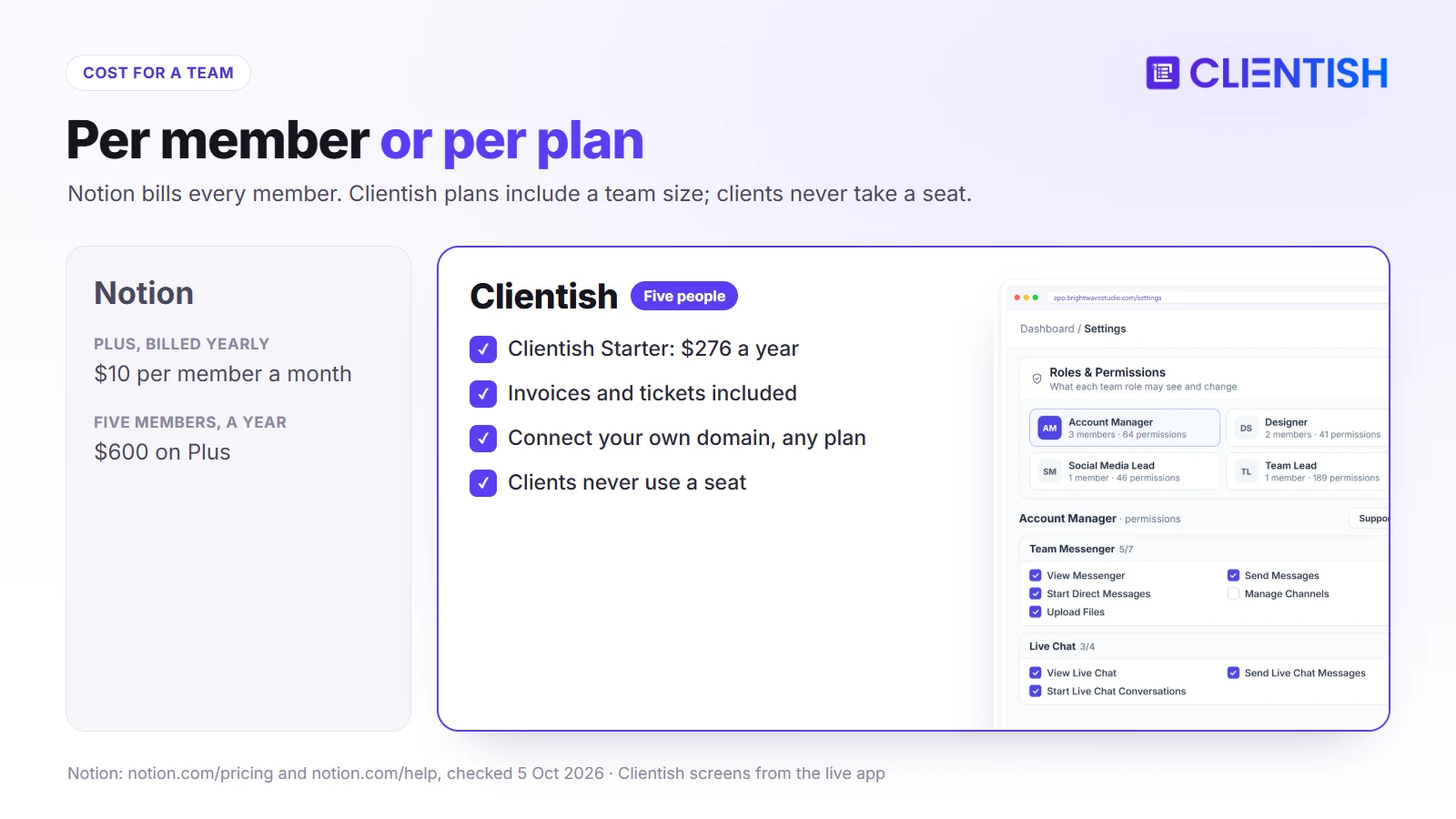
One more Notion cost appears if you publish client-facing Sites on your own domain: the custom domain add-on is $8 a month per domain on yearly billing. Every Clientish plan lets the portal run on a domain you own, and the SSL certificate costs nothing.
Why People Love Notion
Notion is used by a very large community (it announced 100 million users in 2024) because it lets each team design its own way of working.
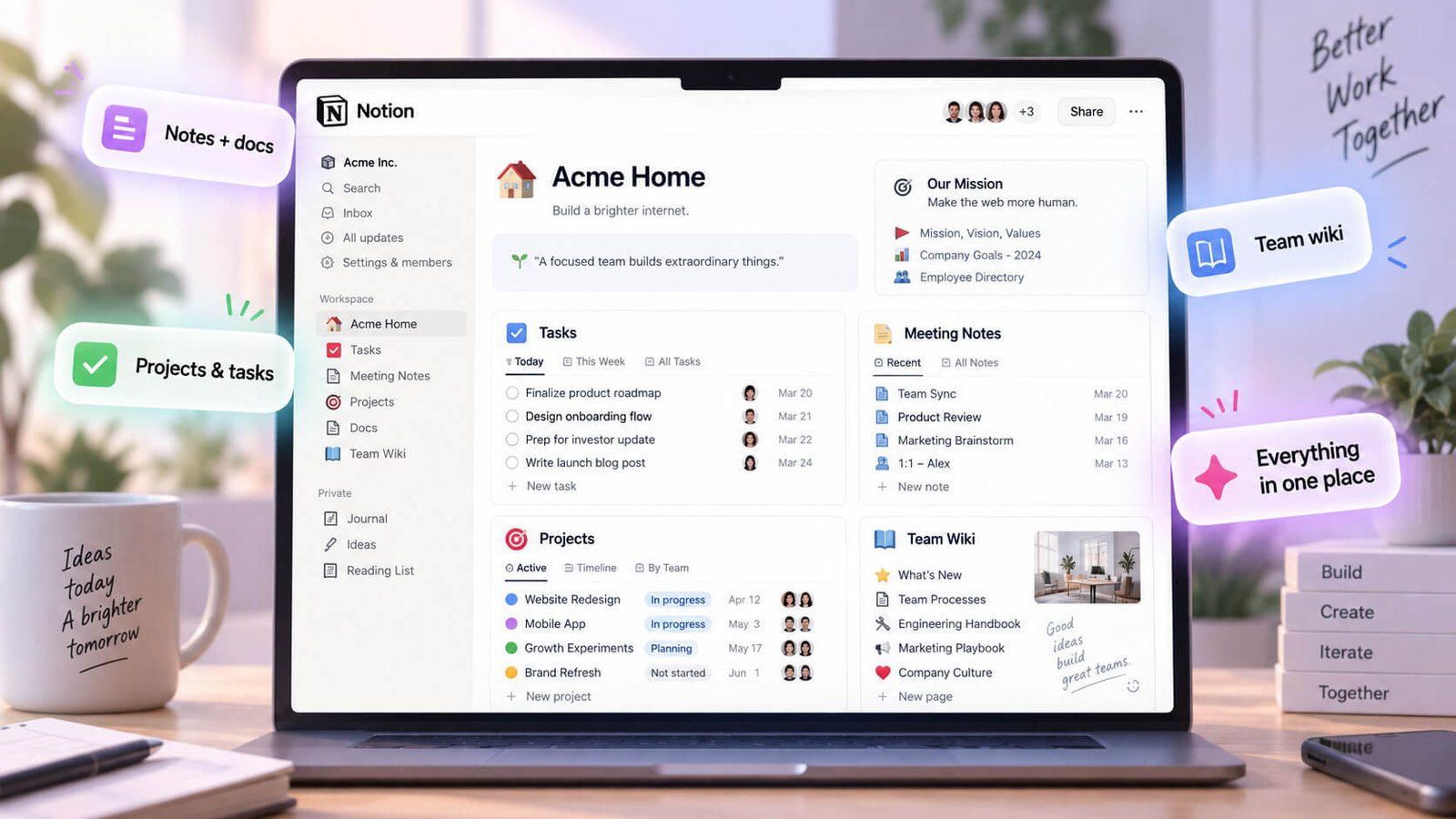
Everything is a page, and pages can hold databases shown as tables, boards, timelines, calendars, lists, galleries or charts. Teams build wikis, meeting notes, content calendars and project trackers from the same parts, and templates make them quick to copy.
Paid plans add database automations, custom forms, more charts and unlimited guests, and Business adds permission controls such as limiting a database so each person sees only rows assigned to them. Notion AI (an agent and meeting notes) is a limited trial on Free and Plus and included on Business and Enterprise, and pages can be published as public sites.
That flexibility is the appeal: an agency’s internal knowledge can live in one tidy, searchable place. It also means every client-facing process is something you design, connect and look after yourself.
What You Get With Clientish Out of the Box
Clientish skips the building stage. The client-facing parts of an agency are already there on the first day, ready to brand and fill with your services.
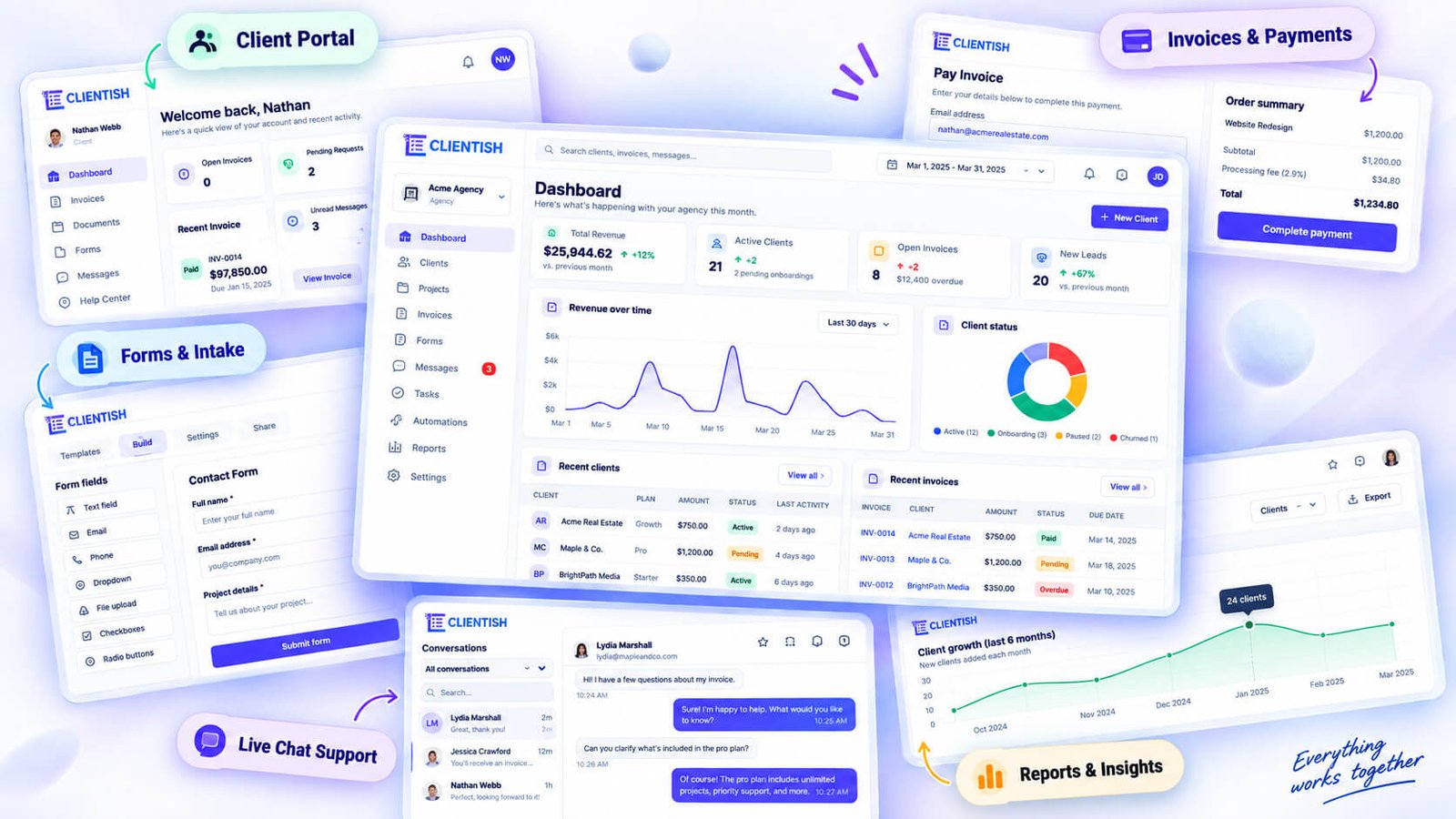
Your portal greets each client with your own logo and colors. They buy services from a catalog, pay the invoice and answer the intake questions, and the order lands with the right team. Deliveries come back to the client for approval or a revision within the service’s limit.
Each order brings its own invoice; the client can clear it by card or wallet through the agency’s gateway of choice, or by a local transfer the team confirms. Retainers run as subscriptions, and QuickBooks and Xero connect for the accounts.
Questions arrive as tickets with a first-reply deadline set by priority, and clients rate the help at the end. Behind the portal, a single profile per client gathers the history, while staff roles decide which screens each colleague can use.
What Notion Requires for Client Management
To run client work in Notion, an agency assembles several pieces itself. This table shows the usual building blocks next to what Clientish provides directly.
| Client need | Notion approach | Clientish |
| Client area | A page per client shared with guests, or a published site | Portal with each client’s orders, invoices and tickets |
| New requests | A Notion form feeding a database | Catalog checkout that opens a paid order |
| Billing | Separate invoicing and payment tools | Invoice on the order, paid in the portal |
| Support | A database of requests you design | Ticket desk with deadlines and ratings |
| Keeping clients apart | Page sharing, or row permissions on Business | Each client sees only their own records |
The sections below look at the trade-offs behind each row.
Clients Sign In With a Notion Account
A Notion guest signs in with their own Notion account and sees the pages you share, with view, comment or edit rights. That works, but the client is inside Notion rather than a portal carrying your brand. Published sites can use a custom domain on paid plans, yet they are public pages, not a signed-in client area. Clientish gives each client a branded login of their own.
Forms Collect Requests, Not Orders
Notion Forms can gather a brief into a database, and Business adds conditional logic. Notion Forms don’t include built-in pricing or payment collection, so the order and the money are handled elsewhere. In Clientish the client pays at checkout and the order opens with its intake form.
Billing Happens Outside Notion
Notion doesn’t include built-in invoicing or payment collection, so agencies pair it with an accounting tool and payment links. Clientish keeps the invoice with the order and records every payment against the client.
No Place for Client Support
A support database can be built in Notion, but deadlines, reply tracking and a client-visible status are yours to design. Clientish tickets include them, with staff-only notes and a rating when the ticket closes.
Client Permissions and Data Separation
In Notion, client privacy depends on how pages and databases are shared, and row-level permissions need the Business plan. One sharing mistake can expose another client’s page. In Clientish, separation is how the portal works: each client only ever sees their own orders, invoices and tickets.
Where Notion Wins
For internal knowledge, Clientish offers no equivalent. Wikis, process docs, meeting notes and custom databases are what Notion is built for, and they can stay there.
Client Experience: Notion Guest Access vs Clientish Portal
What a client experiences depends on how each tool lets outsiders in. Two typical situations show the difference: a client opening a page you shared in Notion, and the same client signing in to a Clientish portal.
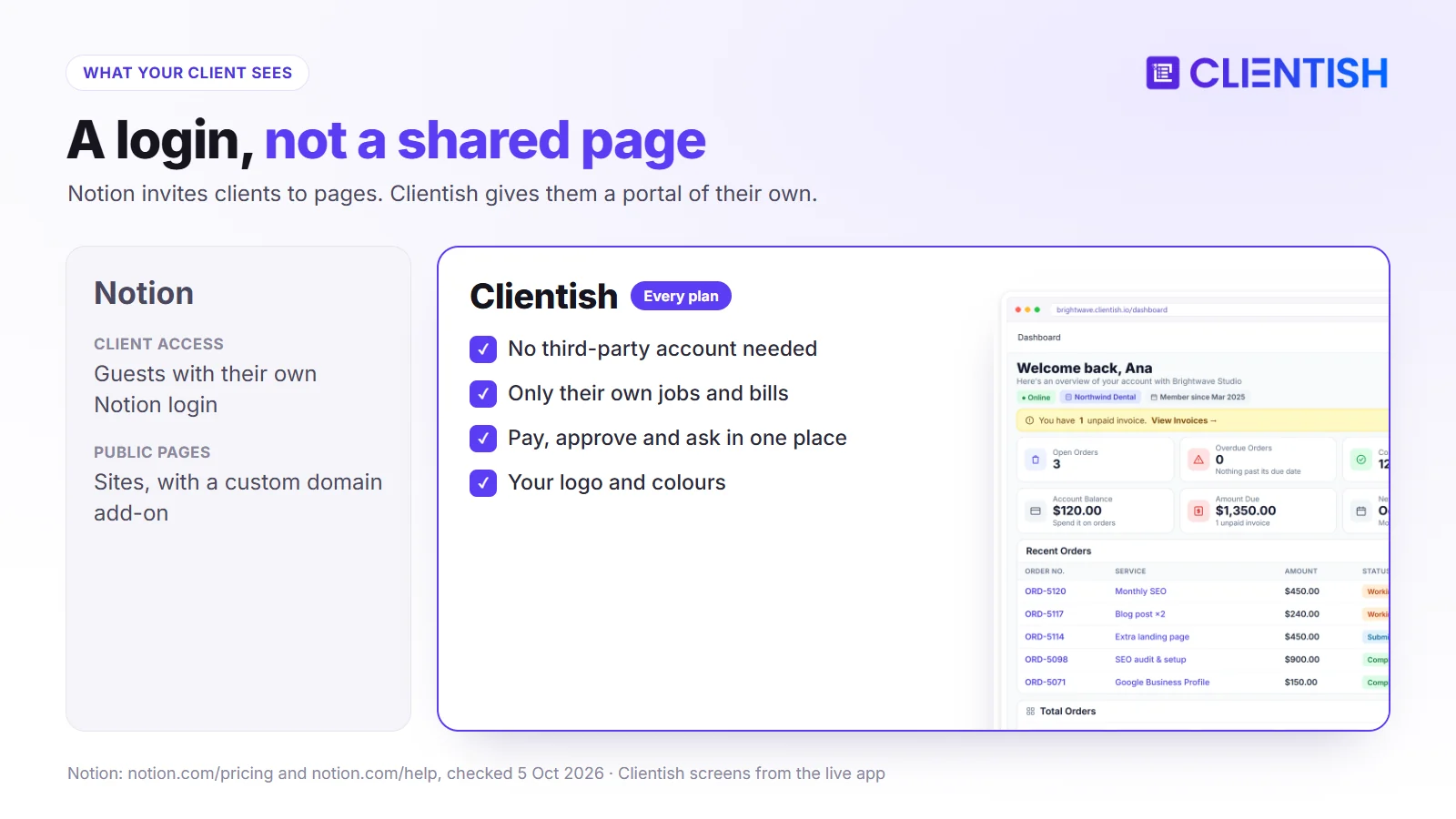
When the client opens a shared Notion page
They create or use a Notion account, then see that page with the access you chose: view, comment, edit or full access. On Business, database access can be narrowed to the rows a person is assigned. A published Site, by contrast, is a public page rather than a signed-in area.
When the client opens the Clientish portal
A Clientish client needs no third-party account. The branded portal shows them just their jobs, bills, renewals and requests, and lets them buy, pay, approve, request changes and ask questions without seeing anything from other clients.
Where Notion Starts to Break Down
A Notion client system works with a handful of clients. These are the points where the upkeep can start to outweigh the flexibility.
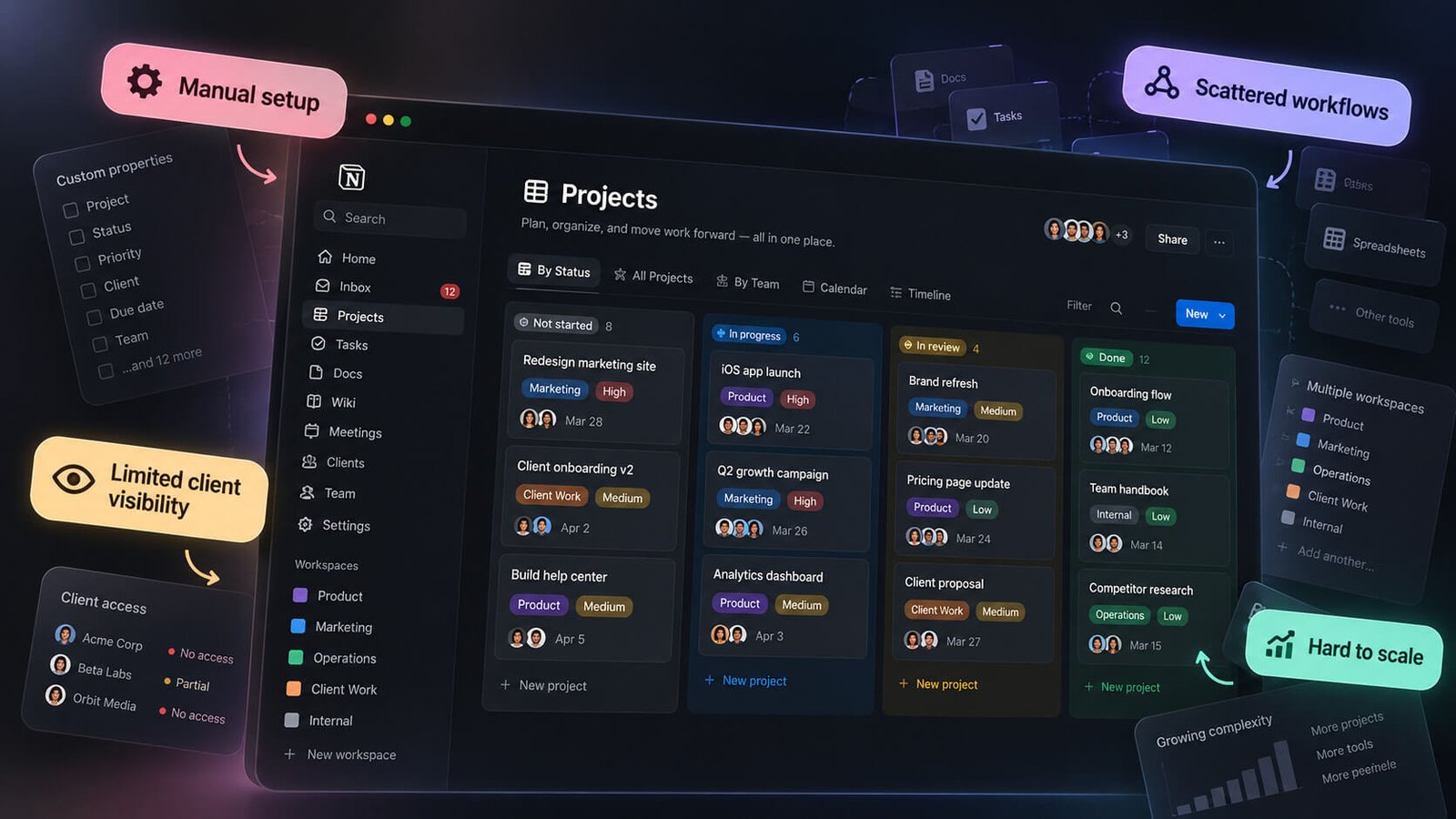
Sharing Pages Isn’t a Portal
Each new client means another page to duplicate and share, and another set of permissions to check. A portal adds the client and shows them the right things automatically.
Getting Paid Means Leaving Notion
Invoices and payments sit in other apps, so the client page and the money never meet. With the invoice shown on the order page, both sit next to each other.
Requests Scatter Across Pages
Comments, form entries and emails end up in different places. A ticket queue gives each request an owner and a deadline.
You Wire Everything Together Manually
Automations, forms and integrations can link a lot, but someone has to design them and fix them when they break. Clientish’s flow from purchase to invoice to order is built in.
Duplicating a Page per Client Doesn’t Scale
Templates make the first twenty client pages easy. Keeping fifty of them consistent after every process change is harder.
Keeping Notion and Adding Clientish
Agencies that add Clientish can keep Notion for internal knowledge and move only the client-facing work.
Example: Notion and Clientish in a 6-Person SEO Agency
Take a six-person SEO consultancy (an illustrative example) with about 18 retainer clients, each with a Notion client page, on Notion Plus at $720 a year.
Before:
- each client page was a copy of a template that slowly drifted out of date
- invoices were Stripe payment links sent by email
- questions came in as page comments and emails
After adding Clientish Growth ($468 a year, which includes up to fifteen people):
- each retainer’s invoice now reopens on its monthly renewal date
- monthly reports are delivered on orders the client approves
- questions arrive as tickets, and Notion keeps the team’s SOPs and research notes
When Notion Is the Right Choice
A Notion-only setup holds up while your clients have no reason to purchase, pay or file requests inside your systems. If these sound familiar, you may not need a portal yet.
- You need a knowledge base. Wikis, SOPs and onboarding docs for the team.
- You enjoy building your own system. And you have time to maintain it.
- You have a few long-term clients. A shared page each is manageable.
- Billing already runs elsewhere. And nobody has to chase payments.
Using Notion Alongside Clientish
The two can run together because they serve different readers: Notion holds what the team knows and plans, while Clientish holds everything clients buy, pay for and ask about.
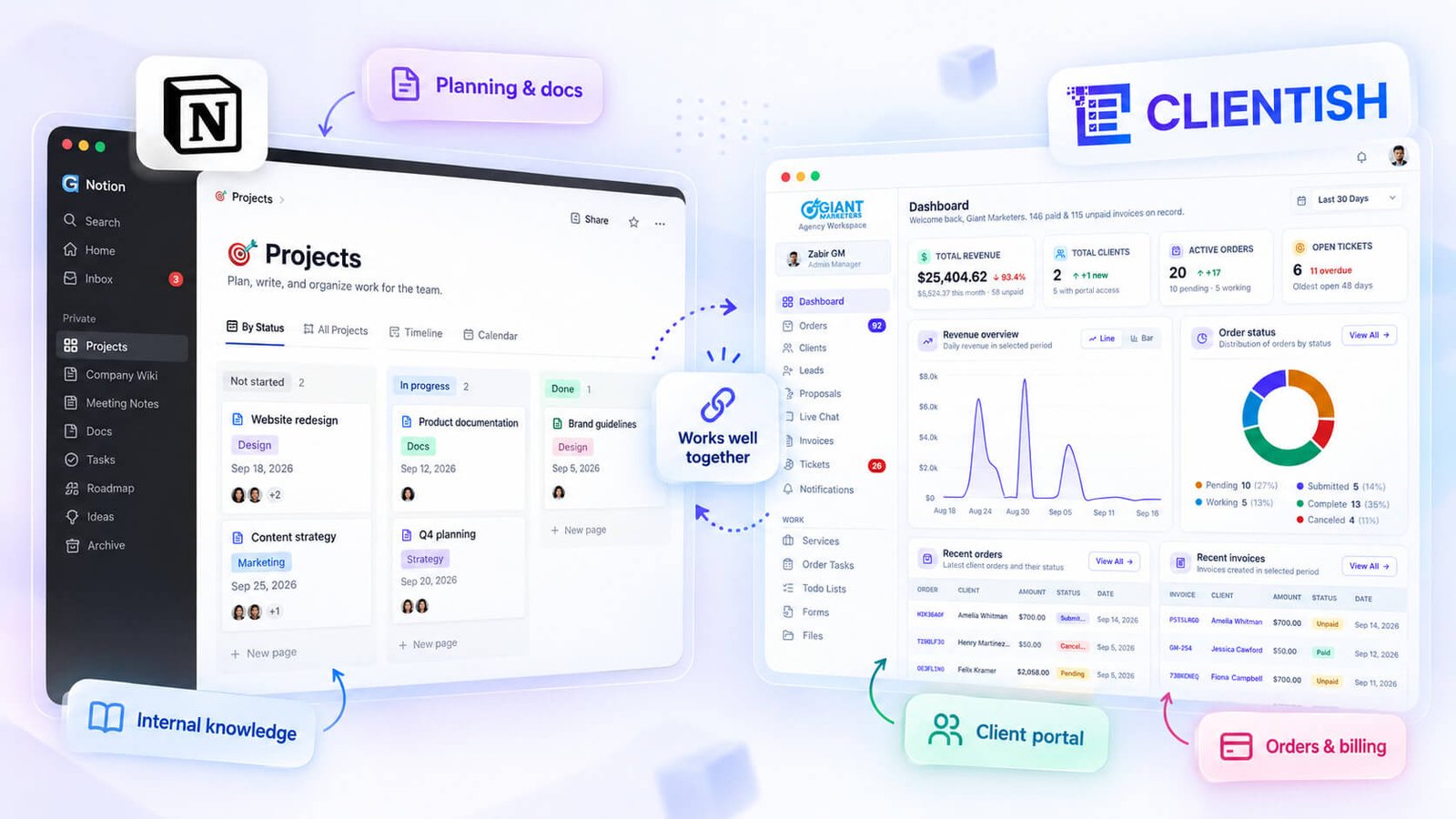
Keep SOPs, briefs templates, meeting notes and internal planning in Notion. Move orders, invoices, tickets and client logins to Clientish, so clients never need a Notion guest invite.
Your clients and their work can be imported from Notion into Clientish. If the team still wants a Notion page per order, Zapier or a Make webhook can create one automatically. Try the arrangement with a 14-day free trial on a couple of clients first.
How to Move Client Work from Notion to Clientish
Your Notion workspace stays in place for the team; only the client pages move, and nothing has to be rebuilt in the internal wiki.
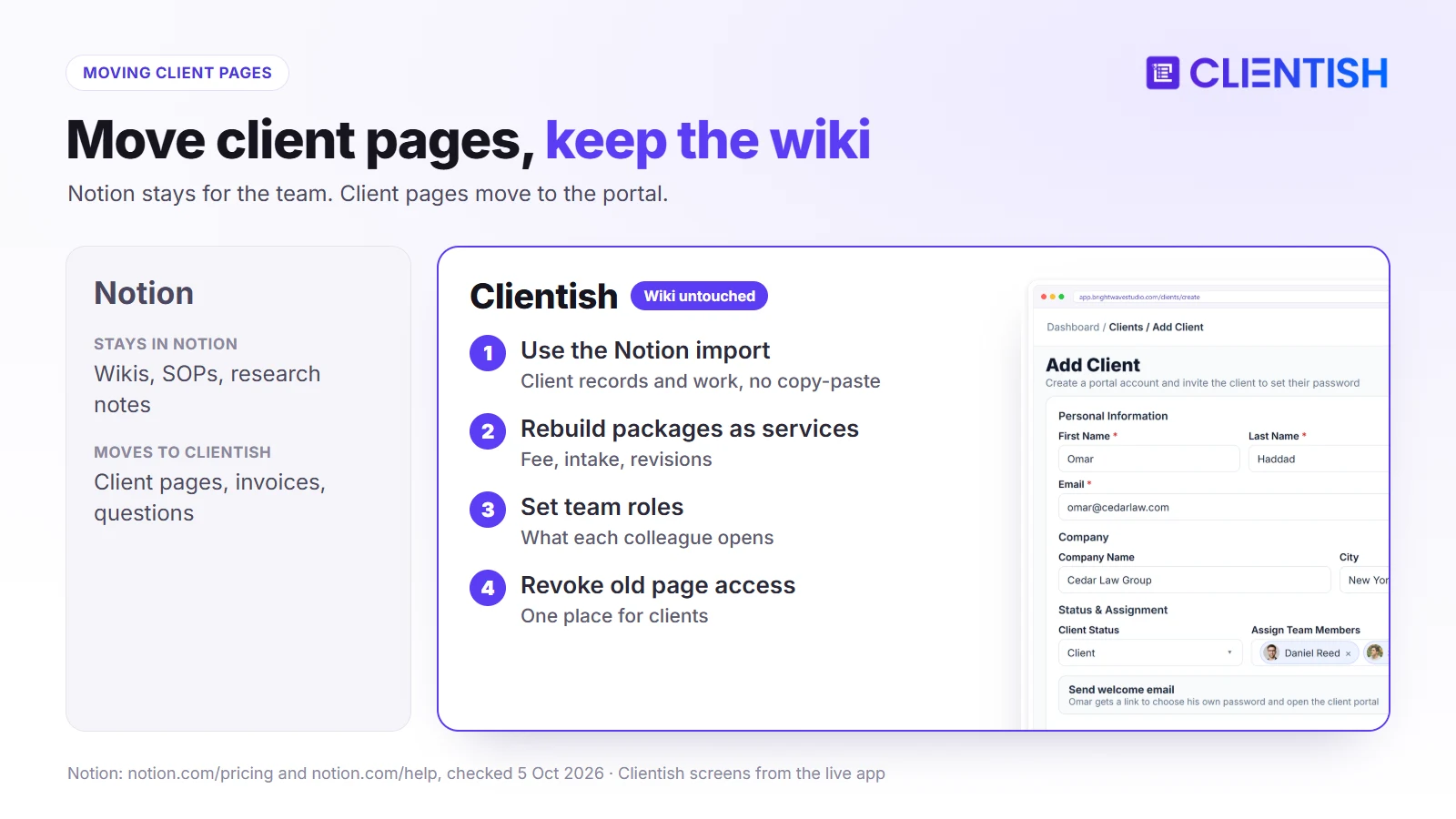
Bring your client list across with the Notion import, which carries clients and their work, or upload a CSV or Excel file; you choose when each client is invited. After that, each consulting package becomes a service with its fee, intake questions and number of revisions, monthly retainers become subscriptions, and roles set what every colleague can open.
When a client’s Clientish account goes live, revoke their access to the old Notion page so they have a single place to look.
Choosing Between Notion and Clientish
The deciding factor is whether you want to build a client system or start with one. These lists sum up when each makes sense.
Notion makes sense if:
- you mainly need internal docs, wikis and flexible databases
- you like designing your own workflows
- payments and requests from clients reach you some other way
Clientish makes sense if:
- you want clients to buy, settle invoices, watch their jobs and send questions through a single login
- you want invoices and payments tied to each job
- you’d rather run a client system than build one
Both make sense if:
- Notion is where the team’s know-how sits and clients want somewhere of their own to log in
Frequently Asked Questions
Agencies weighing a flexible workspace against a ready-made client portal tend to ask these questions. The answers are short and point back to the sections above.
Should an agency use Notion or Clientish?
Notion suits internal knowledge and planning. Clientish suits work clients take part in: orders, invoices, tickets and a branded portal.
What is the biggest difference?
Notion gives you parts to build a system. Clientish is the system, already built for agency clients.
Can Notion be a client portal?
It can be set up as one with guest pages or a published site, but there is no built-in invoicing, payment collection or ticket queue, and clients sign in with a Notion account rather than your brand.
Can Clientish replace Notion?
Not for wikis and docs. It replaces the client-facing pages and the separate billing and support tools.
Why do agencies move client work out of Notion?
Usually because maintaining a page per client, plus separate billing and support, takes more time as the client list grows.
Can Notion and Clientish be used together?
Yes. You can keep Notion for internal knowledge and run client work in Clientish.
Can Notion send invoices?
Not natively. Clientish creates invoices and collects payment through your own gateways.
Final Thoughts
Notion is a flexible place for a team’s knowledge and plans. Clientish is a finished client system: catalog, orders, invoices, tickets and a portal with your name on it.
If your Notion client pages are growing faster than you can maintain them, start a 14-day Clientish trial, move one client across and compare. Plans are listed on the pricing page.
Sources
Clientish publishes this comparison. Notion details were checked on October 5, 2026 using its pricing page, sharing and permissions, Forms, custom domains for Sites, database views, database automations and 100 million users announcement.
Notion is a trademark of its owner. Clientish is not affiliated with Notion. See something out of date? Tell us and we’ll correct it.

