

Most agencies using Trello for client work didn’t set it up as a “client management system.” They built a board, added lists for each stage of a project, and it worked — cards moved across columns, the team stayed organized, and for a while that was enough. The friction shows up later, when a client emails asking where their project stands, when you’re chasing a payment through a separate invoicing tool, or when a support issue comes in and there’s no clear place to handle it inside Trello. None of that is Trello’s fault. It was never designed to handle those things.
Quick answer: Trello and Clientish are different categories of tool. Trello is a kanban-based task and project organizer built around boards, lists, and cards — it does that very well, for any kind of team. Clientish is built specifically for service agencies managing an ongoing client relationship: orders, billing, support tickets, a branded client portal, and a full client directory all tied to one record per client. If you’re using Trello for internal task tracking, it’s a solid choice. If you’re trying to manage the whole client lifecycle through it — intake, delivery, invoicing, and support — you’re working around gaps the tool wasn’t designed to fill.
This article walks through what each product actually does, where Trello’s board-first structure fits well and where it runs out of scope, and what specifically changes when agencies move to a client-first platform like Clientish. The goal is a straight comparison so you can decide which category of tool matches where your agency is right now.
Simple Boards vs the Whole Client Picture
Your choice between these two tools comes down to where your friction actually lives — inside the team, or between you and your clients.
| Feature / Need | Trello | Clientish |
| Built for | Task & project organization | Service-based agency client management |
| Client-facing portal | Not built for this | Built-in, branded on your subdomain |
| Sell services / take orders | No | Built-in service catalog with payment links |
| Invoicing & payments | No | Built-in (Stripe, PayPal, Paddle, and more) |
| Client support / tickets | No | Built-in support tickets + live chat |
| Internal project management | Yes — boards, lists, cards | Order tasks with statuses, assignees, and checklists |
| Best for | Teams coordinating internal work visually | Agencies managing the full client lifecycle end to end |
What Makes Trello So Popular
Trello built its reputation on one thing: making work visible. A board, some lists, a few cards — and suddenly a team’s tasks have a shared home instead of living inside someone’s head or buried in email threads.
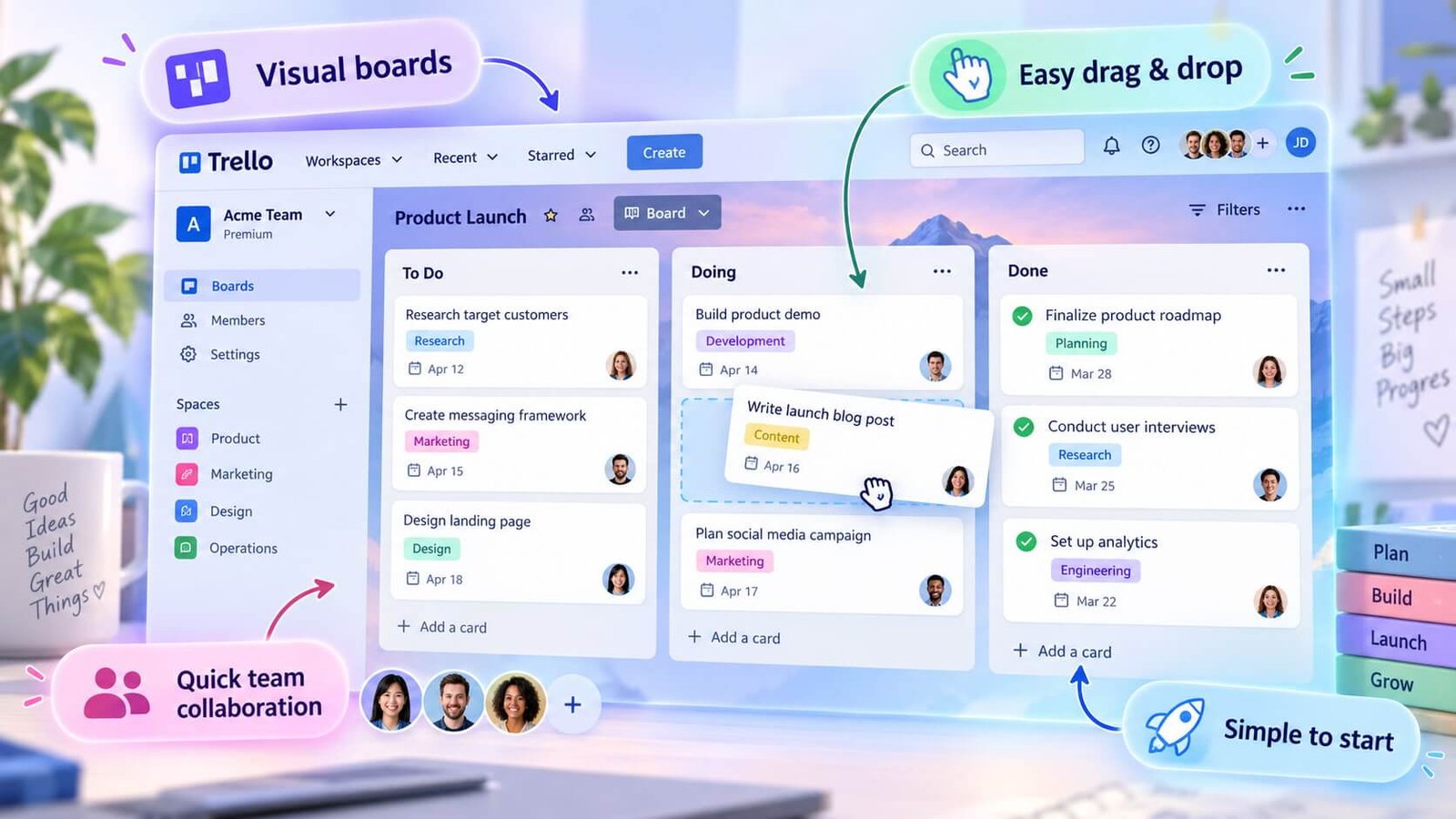
That simplicity is the actual product. You don’t need a manual to get started, and most teams are running within an hour of signing up.
Beyond the basics, Trello has grown into a genuinely capable platform. You get 15+ views — Timeline, Gantt, Workload, and more — so teams aren’t locked into a single kanban layout. Automations handle repetitive steps without writing code. Docs sit alongside boards. Native time tracking covers every tier. Custom dashboards give managers a wider lens across multiple projects at once.
With over 10 million users, it’s hard to argue against the product-market fit. Trello is excellent at what it does: organizing a team’s own internal work in a flexible, customizable way.
The key phrase there is “a team’s own internal work.” Trello is built around tasks and projects. It doesn’t assume you have clients, that those clients need a place to log in, that work items need to connect to invoices, or that a support request from a client in week three has any relationship to the order they placed in week one. Those aren’t oversights — they’re just outside what Trello is designed to do.
That’s why the comparison to Clientish is worth having. Not because Trello is lacking, but because the two tools are solving different problems entirely.
What Clientish Brings to the Table
Clientish is built around a simple premise: every part of working with clients — selling, delivering, billing, supporting, and communicating — should live in one place rather than scattered across separate tools.
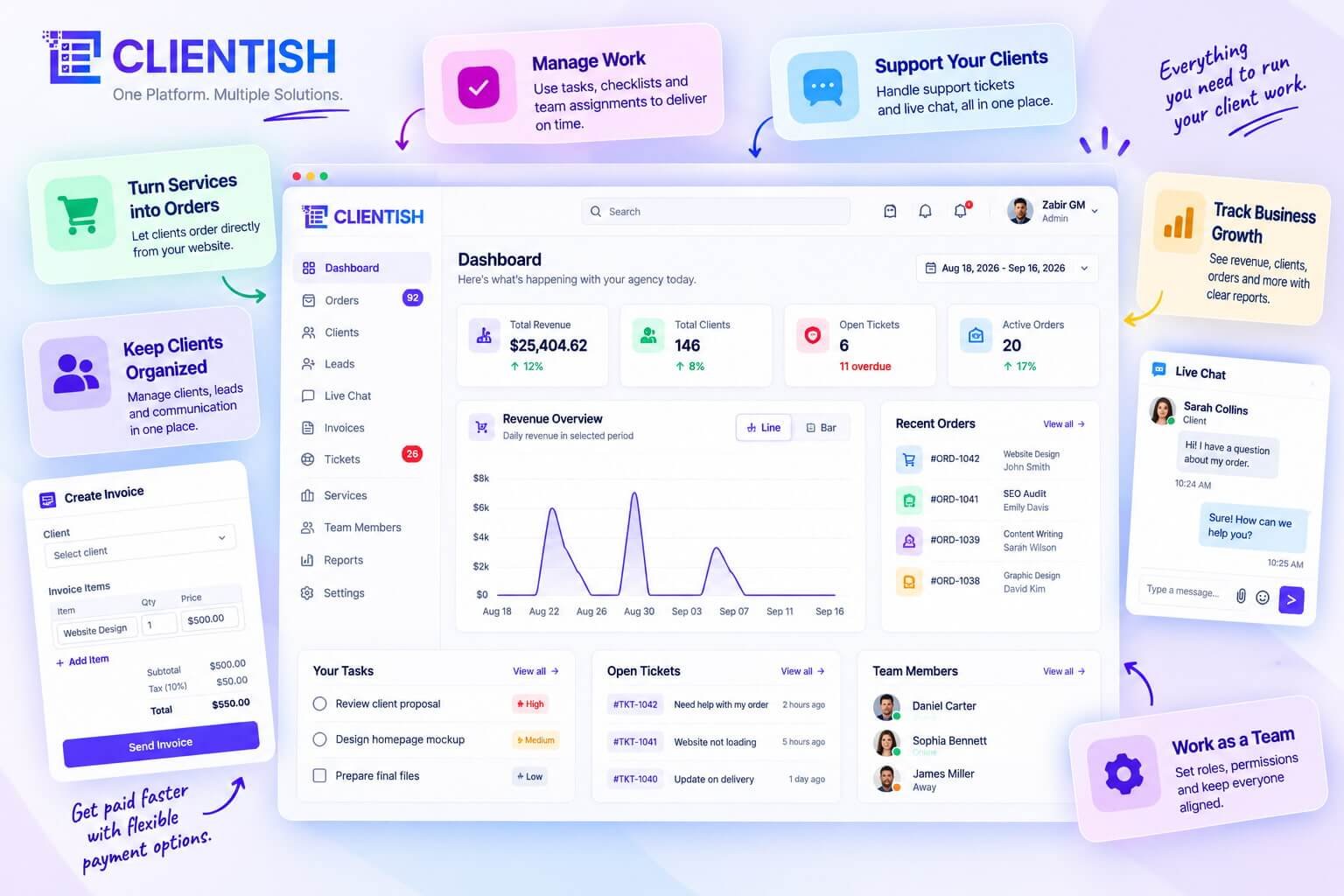
At the center of that is the order. When a client buys a service, an order gets created and moves through a custom status pipeline from intake to delivery. Each order holds the client’s intake answers, file uploads, message threads (one shared with the client, one internal to your team), revision rounds, tasks, notes, and a timeline log. From that same order, you can generate an invoice or open a support ticket with a single click.
That order-to-invoice-to-support connection is what separates Clientish from a task tool. A task tool tracks work. Clientish tracks the entire client relationship attached to that work.
The task layer is real too. There’s a dedicated Tasks screen that pulls checklists and sub-tasks across every order into one view, filterable by assignee and status. So internal work — who’s doing what, what’s overdue, what’s pending — is fully visible without leaving the platform.
On the billing side, Clientish handles invoices with line items, taxes, discounts, partial payments, and refunds. Clients can pay through Stripe, PayPal, Paddle, or manual bank transfer. You can send a public pay link that works without the client logging in, or they can pay from inside their portal.
That portal is branded with your logo and colors on your own subdomain. Clients log in to check order status, answer intake forms, request revisions, view and pay invoices, manage subscriptions, open support tickets, and chat with your team live.
Support runs through tickets and Live Chat, both inside the portal. Team management covers roles, granular per-member permissions, work assignment, and individual activity logs.
Clientish fits agencies, freelancers, consultants, and any service business that works with clients regularly — the workflow suits anyone whose work involves taking an order, delivering it, invoicing for it, and supporting the client afterward. A 7-day free trial with full feature access is available; current pricing is on the Clientish site.
What Trello Leaves to Other Apps
| The job to be done | With Trello | With Clientish | What that means for you |
| Show a client where their project stands | Share a board link or screenshot manually | Client logs into a branded portal and sees their order status, messages, and files directly | Clients stop emailing “any update?” — they check themselves |
| Take on a new client and start work | Create a card manually, copy a template board | Client pays through a service link; an order is created and assigned automatically | No manual setup between sale and delivery |
| Get paid for a completed project | Leave Trello, open your invoice app, send separately | Create an invoice from the order with one click; client pays inside the portal | Payment stays connected to the actual work record |
| Handle a client question or complaint | A card comment, a Slack message, or an email — no one place | Client opens a support ticket inside the portal; your team replies from the same workspace | Nothing falls through the gaps between tools |
| Answer “what is going on with this client?” | Open the board, search cards, cross-reference your inbox | Open the client record — orders, invoices, tickets, and activity in one view | You reconstruct the full picture in seconds, not minutes |
| Sell a service and kick off delivery | Manual — no built-in sales or intake flow | Service catalog with payment links, intake forms, and conditional fields; order created on purchase | The intake, payment, and first task assignment happen before you open your laptop |
| Run deep internal team projects | Boards, lists, cards — mature, flexible, genuinely capable | Tasks exist inside orders; internal-only team threads per order | For pure internal project work with no client involvement, Trello is the stronger tool |
| Manage recurring clients and subscriptions | Not built for this — workaround only | Recurring service pricing, subscriptions visible to clients, cancellable from the portal | Retainer clients are tracked without a separate billing tool |
That table covers the core split. A few of those gaps deserve a closer look at what’s actually missing in Trello’s model and why it matters in client-facing work.
No Branded Client Portal
Trello has no concept of a client-facing portal. You can share a board with a client — they get a Trello account view, your internal column names, whatever card labels your team uses for themselves. It’s not designed to be a client experience.
Clientish runs on the agency’s own subdomain with the agency’s logo and colours. Clients log in to see their orders, download invoices, request revisions, open tickets, and chat — all without seeing anything about your internal operations. That separation matters once you have more than a handful of clients, because sharing your internal board is a different thing from giving a client a professional, scoped view of their own work.
Cards Don’t Take Orders
In Trello, a card is a task container. To bring on a new client job, someone on your team creates a card, fills in what they know, and moves it to the right list. That’s fine for internal work queues, but there’s no intake form tied to the service, no payment step, and no automatic assignment when the work is confirmed.
Clientish connects a service catalog directly to an order workflow. A client picks a service, fills in the intake form you built for that service specifically, pays, and an order lands in your pipeline with the intake answers, the deadline, and the assigned team member already set. That end of the manual handoff genuinely disappears.
Invoicing Lives in Another App
This is the practical reality for most Trello users doing client work: the project lives in Trello, the invoice goes out from FreshBooks or QuickBooks or a PayPal link, and matching one to the other is something you do in your head.
Clientish generates invoices directly from an order. You can add line items, apply a discount or coupon, set tax, and send it by email or as a public pay link the client opens without signing in. The invoice and the order are the same record — so when a client asks “I paid — why isn’t my project moving?”, you open one screen and see both.
Support Has No Home
Client questions in a Trello workflow end up wherever. Email, a comment on the card if the client has access, a Slack message that buries itself within hours. There’s no structure for it.
The Clientish support system is a formal ticket queue tied to the client’s account. Clients raise tickets from inside the portal, your team replies from the workspace, and the whole thread is attached to that client’s record alongside their orders and invoices. It’s not a standalone helpdesk — it lives in the same place as everything else about that client, which is the point.
A Card Is Not a Client Record
Trello’s organizational unit is the card. There’s no object in Trello that represents a client — a persistent record that holds everything you know about them, across every project, every invoice, every message.
In Clientish, the client record is the anchor. Every order, invoice, ticket, and activity log entry sits under that one profile. You can see total spend, account balance, lifecycle stage, and a per-client activity log. If a client has been with you for two years across six projects, all of that is in one place. In Trello, you’d be combing through boards and archived cards.
Where Trello Genuinely Wins
Pure internal project management — Trello is excellent. If you’re running a content calendar, a product roadmap, a sprint board, or any kind of team workflow where clients aren’t directly involved, Trello’s board model is fast to set up, easy to scan, and requires almost no training for a new team member.
Clientish’s task system is purpose-built around orders: tasks group under a specific client job, tracked with statuses and assignees. That’s useful for delivery work. For a freeform internal project that has nothing to do with a client — organising a team offsite, tracking internal ops tasks — Trello’s flexibility wins by a margin. It’s a genuinely different use case, and using Trello for it isn’t a workaround.
When a Board Isn’t Enough Anymore
Most agencies don’t hit a wall with Trello on day one. The friction builds gradually — a missed client email here, an invoice sent late there — until it becomes clear that the board is only holding the internal half of the work together, while everything client-facing is scattered across other tools or not tracked at all.
Clients Only Get Guest Access
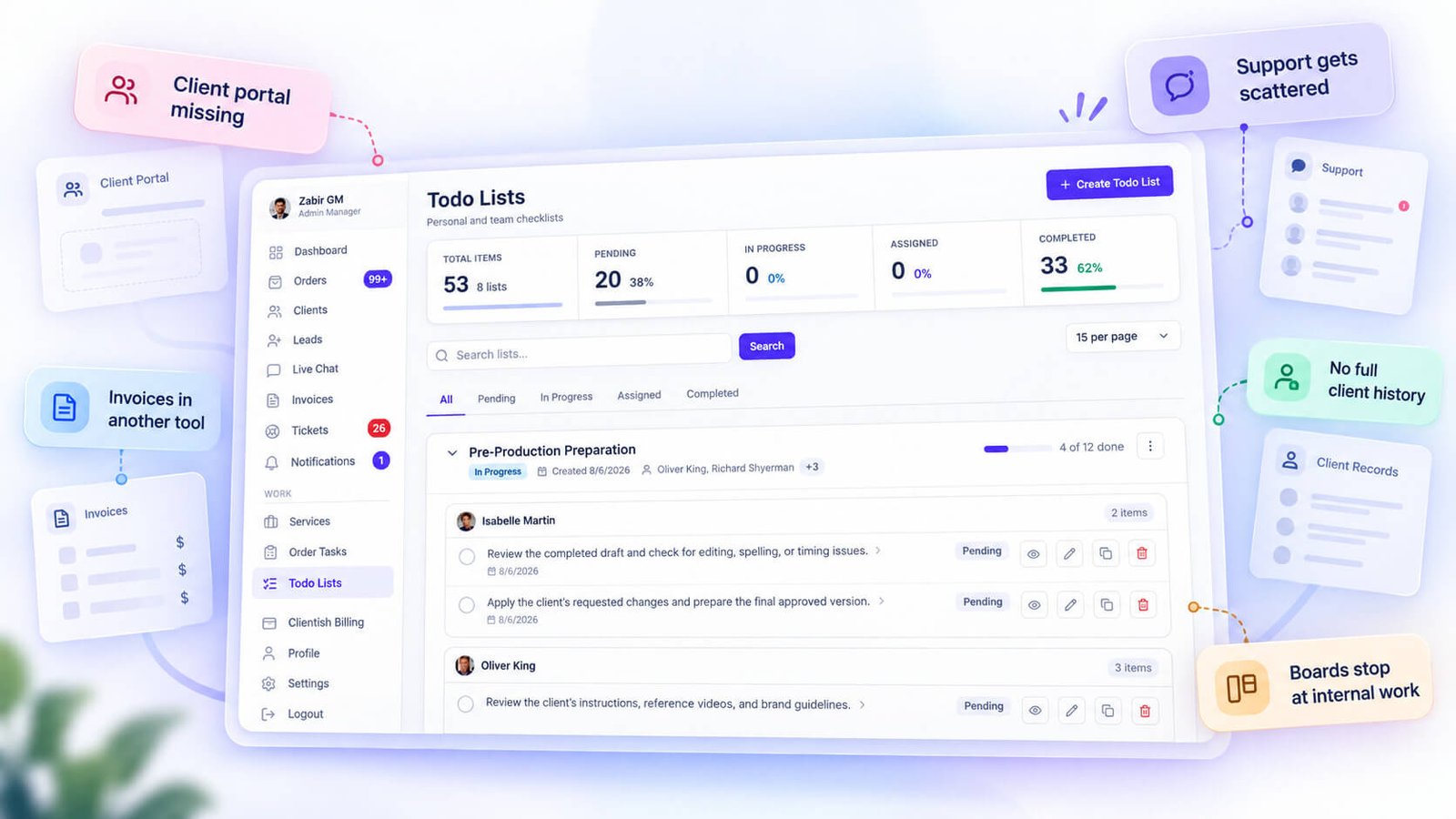
Trello’s client access model is “invite them as a guest and hope they understand the board.” Clients can view and comment on cards, but they can’t browse a service catalog, pay an invoice, submit a support request, or check their order history without you setting all of that up manually, usually in a separate app.
There’s no self-service layer. Every question a client has turns into a message to you, because there’s nowhere for them to look things up on their own. Clientish gives clients a branded portal on the agency’s subdomain where they can log in, check order status, pay invoices, and open a ticket — without you being in the middle of it.
Getting Paid Needs a Power-Up
Trello has no native invoicing or payment processing. To send an invoice from inside a Trello workflow, you need a separate tool — Stripe, FreshBooks, QuickBooks, or something similar — connected manually or via a Power-Up. That works, but it means your billing record lives somewhere completely disconnected from the order it relates to.
In Clientish, you create an invoice directly from an order in one click. Payment gateways including Stripe, PayPal, and Paddle are built in. The invoice stays attached to the client record, so you can always see what was billed, what was paid, and what’s outstanding without jumping between apps.
Client Requests Get Lost
When a client has a post-delivery question, a revision request, or a complaint, where does it go in a Trello setup? Usually into email, Slack, or a comment on a card buried several weeks back. There’s no ticket system, no ownership tracking, no way to see all open requests across all clients in one view.
Support ends up scattered. Clientish has a built-in ticket system where clients raise issues from their portal, and those tickets live on their client record alongside their orders and invoices. Every open request is visible in one place, with reply threading and status tracking.
Nothing Connects Deal to Delivery
A card in Trello represents a task or a project, but it has no concept of who bought what, when they paid, or what the agreed scope was. If a client’s order came through an email exchange or a separate CRM, connecting that commercial context to the actual delivery work is a manual job you repeat for every order.
Clientish treats the order itself as the central object. A client purchases a service, the order moves through a custom status pipeline, tasks are assigned inside it, messages go back and forth, and an invoice is created from the same record. The deal and the delivery are the same thing, not two things you try to keep in sync.
Boards Aren’t Organized by Client
In a busy agency with fifteen active clients, a Trello board organized by project stage makes it hard to pull up everything related to one client quickly. You might have a board per client, a board per project type, or one big board where all clients’ cards coexist — none of which gives you a clean per-client view of orders, payment history, and communication.
Clientish has a client directory where each client profile shows their orders, invoices, tickets, and activity log in one place. If a client calls with a question, you open their record and see the full picture immediately.
Keeping Trello and Adding Clientish
Some agencies find the cleanest solution isn’t replacing Trello but splitting the work by audience. Trello stays internal — sprint planning, team tasks, content calendars, anything that never needs to touch a client — while Clientish handles everything client-facing: the portal, orders, invoicing, and support.
That split is reasonable. The point isn’t that Trello fails at internal project work — it doesn’t. The problem is asking it to cover the client-facing side of an agency too, which it was never designed to do.
When Trello Is All You Need
Trello is genuinely the right tool for a lot of situations. If you’re wondering whether you even need to look further, here’s a quick way to check.
- Stick with Trello if your work is purely internal. If clients never log in, never pay through a portal, and never raise support tickets, a dedicated client platform adds complexity you don’t need. Trello handles internal task and project tracking well — it’s what it’s built for.
- Stick with Trello if your team runs custom project workflows. Trello’s flexibility with lists, cards, and Power-Ups makes it easy to model almost any internal process. Teams with highly specific, non-standard workflows often find opinionated platforms too rigid.
- Stick with Trello if you’re a small internal team with no client-facing deliverables. An in-house marketing team tracking campaign tasks, a content team managing editorial calendars, a dev team running sprints — Trello fits all of these without friction.
- Stick with Trello if client communication happens outside the tool entirely. If your clients are happy with email updates and occasional calls, and billing runs through a separate system your accountant handles, there’s no gap for a client platform to fill.
- It’s also not an either/or choice. Some agencies run Trello for internal project work and use Clientish for the client-facing side — orders, invoices, support, and the branded portal. The tools don’t overlap much, so they can coexist.
If none of the scenarios above describe you — if clients are asking questions, chasing invoice status, or you’re stitching together four tools to manage one client relationship — that’s when Trello starts showing its limits.
Pairing Trello With Clientish
Many agencies don’t actually have to choose. Trello stays on for internal project work — sprints, content calendars, dev task tracking, whatever the team already has set up — while Clientish handles everything the client actually touches.
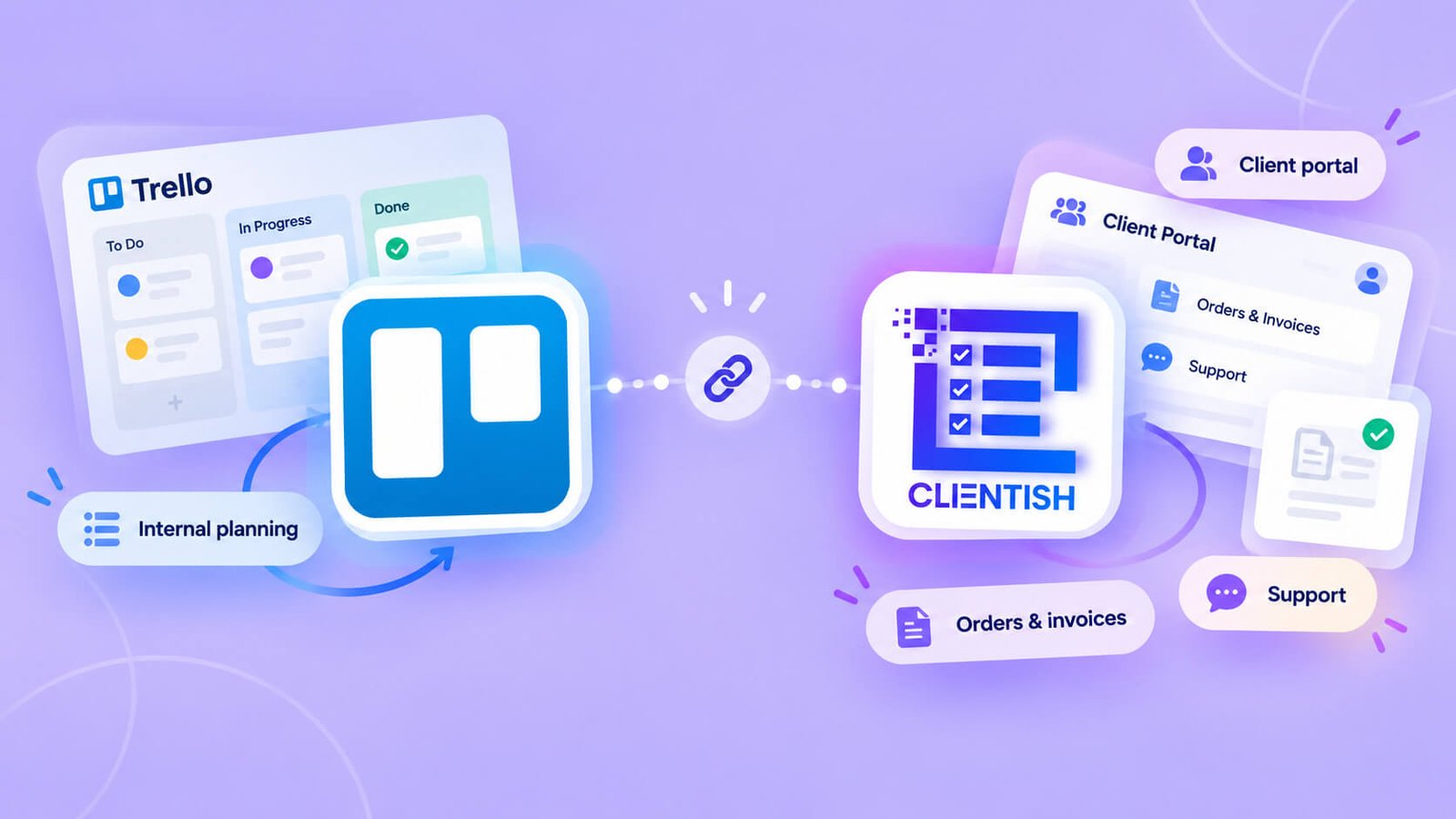
The split is clean because the two tools serve different audiences. Your team lives in Trello; your clients never see it. Clientish gives clients a branded portal where they log in, check order status, pay invoices, open support tickets, and message the delivery team — all without needing access to your internal boards.
There’s no built-in integration between the two, so they run as separate systems. In practice that’s less friction than it sounds: a task in Trello might correspond to an order in Clientish, and the team member responsible for it works across both. Some agencies handle that with a naming convention or a shared order ID in card titles. It’s a manual connection, but a lightweight one.
What you avoid is exposing internal team chatter, half-finished notes, and task chaos to a paying client. Trello boards were never designed to be client-facing, and most agencies quickly learn that sharing a board link with a client creates more confusion than transparency. Clientish’s client portal solves that without touching how your team works internally.
If Trello is already embedded in how your team operates, there’s no reason to rip it out. Add Clientish where the client relationship actually starts — at the order, the invoice, and the support request.
Deciding Between Trello and Clientish
The simplest way to sort this out is to identify where your friction actually sits — inside the team, or between you and your clients.
Choose Trello if:
- Your main need is internal task and project visibility — sprints, content calendars, dev backlogs
- Your clients aren’t logging in anywhere; they communicate by email and that’s fine
- You have a separate billing tool, a separate support channel, and you’re not bothered by stitching them together
- Your team is small and the overhead of a dedicated client platform isn’t justified yet
Choose Clientish if:
- Clients are asking “where’s my project?” and “when’s my invoice?” on a regular basis
- You want orders, tasks, invoices, and support tickets tied to one client record — not spread across three apps
- A branded client portal on your own subdomain matters to you (so clients log in to your workspace, not a generic tool)
- You’re running recurring services and need billing, subscriptions, and support in the same place your delivery work lives
Choose both if:
- Your team runs deep on internal project work (Trello handles that well) AND you need a client-facing layer for orders, billing, and support
- You want to keep the internal board setup your team already knows without asking clients to navigate it
The deciding question is straightforward: who is the friction affecting? If your team struggles to track tasks internally, Trello solves that. If your clients are the ones left in the dark — chasing updates, waiting on invoices, emailing for status — Clientish is the gap Trello can’t fill. You can start a 7-day free trial of Clientish with full feature access to test it against your actual client workflow before committing.
Frequently Asked Questions
Is Trello or Clientish better?
It depends entirely on what you need. Trello is better for internal task and project tracking. Clientish is better if you need to manage the full client relationship — orders, invoices, support, and a branded portal — in one place.
What is the main difference between Trello and Clientish?
Trello organizes work on boards, lists, and cards — it’s built around tasks. Clientish is built around clients: one record ties together their orders, invoices, support tickets, and portal access. That’s a fundamentally different starting point.
Can I use Trello as a client portal?
Not in any meaningful sense. Trello has no client-facing portal. You can share a board with a client, but they see the same board your team uses — there’s no branded login, no invoice view, no ticket system, nothing purpose-built for clients.
Does Clientish do project management like Trello?
Clientish has order tasks — checklists and sub-tasks attached to each client order, with statuses and assignee filters. It’s work tracking tied to client delivery, not a freeform kanban board. If your team lives on kanban-style project boards, Trello does that better.
Why do agencies switch from Trello to Clientish?
Usually because client communication has outgrown what Trello can hold. Updates in Slack, invoices in a separate tool, support requests via email — at some point the coordination cost becomes the problem, and agencies want one place where the client can log in and see everything.
Can I use Trello and Clientish together?
Yes, and many agencies do. Trello stays on for internal sprint planning, content calendars, or dev backlogs. Clientish handles the client-facing side — orders, invoices, portal, support. They serve different purposes, so they don’t conflict.
Does Clientish handle invoicing and payments, and Trello doesn’t?
Trello has no invoicing or payment features. Clientish lets you create and send invoices, collect payment through Stripe, PayPal, Paddle, and other gateways, issue refunds, and give clients a direct pay link — all connected to the order that generated the invoice.
These answers cover the most common comparison questions, but the real decision usually comes down to one thing: where your friction sits. If it’s inside the team, Trello often handles it well. If it’s between you and your clients, that’s where Clientish is built to help.
Final Thoughts
Trello and Clientish aren’t really competing for the same job. Trello is a task and project organizer — a genuinely good one — and it stays useful for agencies that need their internal work visible and organized. Clientish is built around the client relationship itself: orders, invoices, support, a branded portal, and everything that connects them.
The agencies that move to Clientish typically aren’t unhappy with Trello. They’re unhappy with the gap between their internal work and what their clients actually experience — scattered emails, no single place for invoices, clients who have no idea where their order stands. That’s the gap Clientish is built to close.
If your project work runs fine in Trello but your client-facing side is spread across three or four apps, it’s worth seeing how Clientish handles it in one place. Clientish offers a 7-day free trial with full feature access — a straightforward way to test whether it fits before committing.

