

Imagine a marketing agency that runs every project on monday.com. The boards are tidy, the automations save hours, and the team likes working in it. Then a client asks where their deliverable is, and someone pastes a screenshot into an email. The next message is about an unpaid invoice, which lives in another app. A revision request follows in a third place.
None of that means monday is failing. Its core work management product is built to organize a team’s projects on visual boards. Clientish was designed for the agency-client relationship rather than the project board, which is why it centers on orders, briefs, revisions, invoices, payments, support and a login for each client.
Quick answer: If you need internal visibility across projects and teams, monday’s work management boards are a strong choice. When the pain comes from clients instead (orders, briefs, invoices, questions, progress checks), Clientish puts all of it behind one client login, and your internal boards can stay on monday.
We look at how each tool is organized, where they meet in practice, the gaps agencies hit when monday handles client work alone, and the kind of agency each one suits. monday also sells separate CRM and service-desk products; we mention them where they matter.
What You Need to Know First
monday.com sells separate products, and three of them shape this comparison: work management, monday CRM and monday service. The essentials, from monday’s own pages on October 5, 2026:
- Work management (the boards) plans the work; quotes and invoices belong to monday CRM, and a ticketing portal to monday service, each priced per seat.
- Seats are sold from three and then in blocks of five, so a six-person team pays for ten.
- Guests need Standard or higher; Standard includes three free guests, then every four guests use a paid seat.
- Clientish puts the portal, orders, invoices and tickets in one plan, and clients never count as seats.
Monday vs Clientish: Core Workflow Comparison
monday arranges work as items on boards; Clientish arranges it around clients and the orders they place. This summary table compares the two for an agency’s weekly jobs.
| Area | monday work management | Clientish |
| Built around | Boards, items and automations | Clients, orders and the portal |
| Client access | Guests on chosen boards (Standard and up), or public view links | A branded portal per client |
| Intake | WorkForms that create board items | Paid orders from a catalog, with an intake form per service |
| Invoices and payments | Not in work management (quotes and invoices are a monday CRM feature) | Invoices on every order, paid through your gateways |
| Client support | Not in work management (ticketing is monday service) | Ticket desk on every plan |
| Internal planning | Its core strength | Order tasks and to-do lists |
What Monday Does Best
monday.com says around a quarter of a million customers use its platform, and its work management product is built to make a team’s projects visible and repeatable.
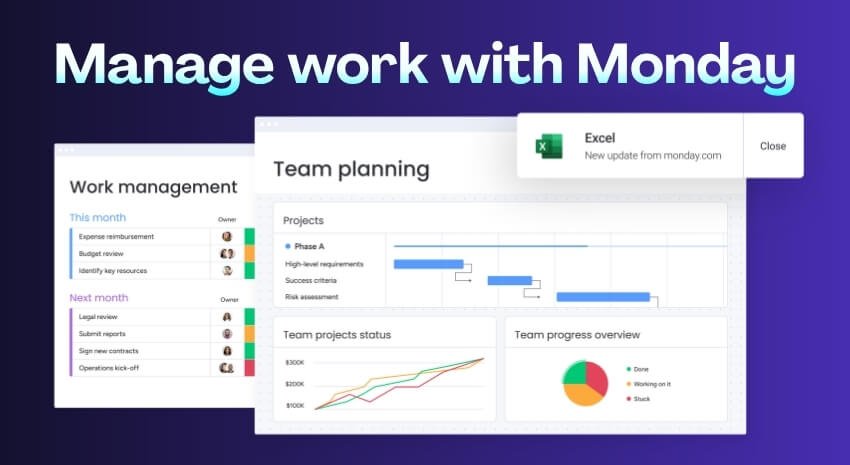
Each board is a table of items with columns for status, owner, dates and numbers, and the same board can be shown as Kanban, calendar, timeline, Gantt and more on the right plan. Automations move items, notify people and update fields, and dashboards roll up several boards.
Higher plans add time tracking, workload views, dependencies and private boards (Pro), and enterprise permissions on top. WorkForms, monday’s form builder, turns each submission into a board item, with conditional questions.
Agencies lean on it to map campaigns and spot when someone has too much on their plate. What the boards lack is the client as an account in its own right, with purchases, bills and help requests attached, and a branded screen where that client can settle up or request changes.
What Clientish Covers
Clientish begins with the client. It covers what happens from the moment a client buys a service until the last question about it is answered.
Each client has a profile with their orders, invoices, subscriptions, tickets, balance and notes. In the portal, they shop your catalog, use a coupon and pay; the paid invoice opens an order and the client answers that service’s brief.
Work is delivered on the order, and the client approves it or asks for a revision within the number of rounds the service allows. Each retainer is a subscription; when it renews, its invoice opens again for the client to settle. The agency connects any of ten payment gateways (Stripe, PayPal and Razorpay are three of them) and clients settle by card or from a prepaid balance; a bank transfer or other manual payment counts once the team confirms it.
Support tickets are timed by the urgency the client picks and scored by the client afterward; the Starter plan and above also open a live chat. The portal shows your branding whether it sits at the workspace address or on a custom domain, with the SSL certificate free, and plans cover anywhere from five to fifty team members.
Client-Facing Workflow: Access, Orders, Billing, and Support
Both tools can track a client job, but they handle the client’s side of it very differently. The table sets out the jobs where that shows, and each is explained below.
| Job | monday work management | Clientish |
| Let clients check progress | Invite them as board guests or share a read-only view | Clients sign in to their own portal |
| Sell a service | A form creates an item; payment elsewhere | Checkout creates the invoice; payment opens the order |
| Bill the client | Another tool, or monday CRM | Invoice attached to the order |
| Handle a question | An update on an item, or monday service | A ticket with a deadline and rating |
| See one client’s history | Filter boards by a client column | One client profile |
A Portal Clients Log Into
monday lets you invite clients as guests on Standard and higher plans. A guest sees only the boards shared with them, but those boards are still your working boards. In Clientish the client instead lands in a branded space of their own, listing just their jobs, bills, subscriptions and tickets.
Turning Services Into Paid Orders
A WorkForm can collect a brief, but it has no price or payment step. Clientish services are priced from the start; once the client pays, the job opens with its brief questions, its cap on changes and the team that delivers it.
Billing and Payments in One Place
monday’s work management product leaves invoicing to other software; monday CRM adds quotes and invoices, and its payment button links out to a payment service. Clientish creates the bill as part of the order, takes the money through the agency’s gateway or logs an offline transfer, and accepts payment from credit the client has topped up. QuickBooks and Xero connect for the books.
A Real Client Support Channel
Client questions in a work management setup usually land as item updates or emails. monday sells ticketing as a separate product, monday service. Clientish includes a ticket desk on every plan, with priorities, first-reply deadlines, staff-only notes and client ratings.
The Client as the Central Record
On a monday board, a client is usually a column value or a group. Clientish makes the client the record that every order, invoice, subscription and ticket hangs from, and duplicate profiles can be merged.
Where Monday Is Stronger
For internal planning, monday goes much further. Gantt charts, cross-board dashboards and very large automation volumes give operations teams depth that Clientish doesn’t try to match.
Shared Board vs Client Portal: What Clients Get
Inviting a client into monday and inviting one into Clientish lead to quite different experiences. Here is the difference in four short points, starting with what a monday guest can and can’t see once invited.
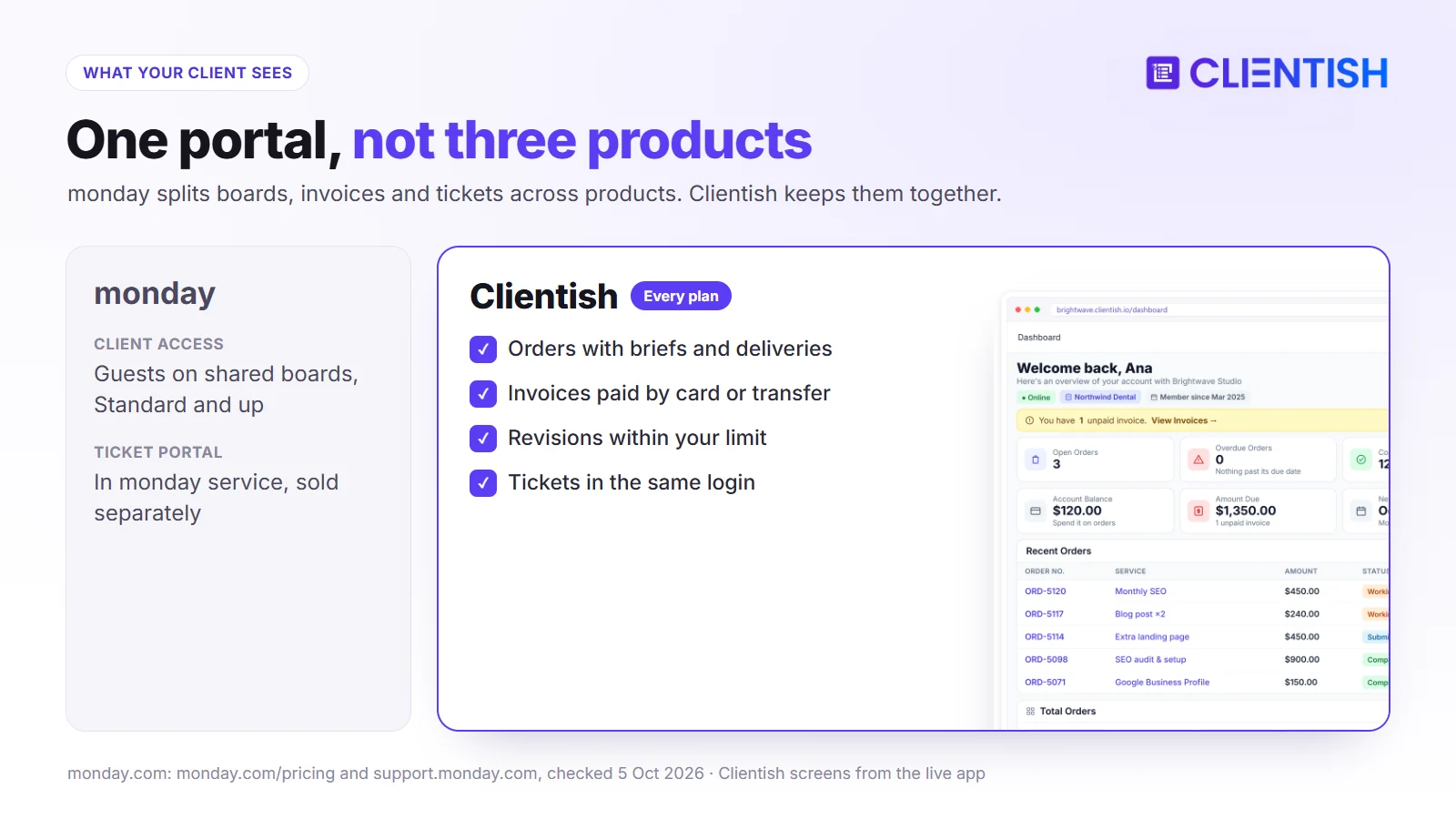
- monday guest: limited to boards you share, without your other boards or workspace names; available from Standard, unlimited on Pro and Enterprise.
- monday service portal: a branded ticket portal, sold as a separate product.
- Clientish client: logs in to your branded portal and finds their orders with briefs and deliveries, invoices, subscriptions and tickets.
- What the Clientish client can do: pay, approve a delivery, request a revision within the limit and open a ticket, without seeing anything internal.
What Pushes Teams From Monday to Clientish
The client side can grow faster than the boards were built to carry. These are five signs it is happening.
Sharing Boards Feels Risky
Inviting clients onto working boards means cleaning them up first and worrying about what they might see. A portal shows clients only their own orders, without any setup per client.
Invoicing and Payments Live Somewhere Else
When billing sits in another app, matching items to invoices becomes a monthly chore. Clientish skips that step because every order creates its own invoice.
Support Gets Scattered
Questions spread across item updates, email and chat. A shared ticket queue keeps them in one list with deadlines.
Onboarding and Orders Are Manual
After a sale, someone creates the item, assigns it and chases the brief. Clientish turns the payment itself into the order and sends the brief request without anyone lifting a finger.
No Single Client Record
Account reviews mean filtering several boards and checking the billing tool. A client profile already holds it all.
Keeping Monday and Adding Clientish
A middle path: monday keeps the planning, Clientish takes over each point of client contact.
Feature-by-Feature: Clientish vs Monday for Client Work
This table goes one level deeper, comparing specific features an agency uses with clients. The monday column describes the work management product unless another product is named.
| Feature | monday | Clientish |
| Branded client login | Guest access to boards; branded portal in monday service | Portal with your logo and colors |
| Service catalog and cart | Not included | Included, with coupon codes |
| Intake forms | WorkForms with conditional questions | Intake form per service, after payment |
| Revision limits | No revision-limit setting found | Set per service |
| Invoices | monday CRM (monthly document limits by plan) | Every plan |
| Online payment collection | Links out to a payment service | Ten gateways, Stripe and PayPal among them, plus manual methods |
| Retainers | No subscriptions; billing elsewhere | Subscriptions that reopen their invoice each cycle |
| Support tickets | monday service | Every plan, with reply deadlines and ratings |
| Time tracking | Pro and Enterprise | Remote members log hours; client approves them |
| Gantt, workload and dashboards | Yes, by plan | No Gantt; dashboards and a Workload tab per member |
| Mobile apps | iOS and Android | Branded app installs from the browser, with push; no app-store app |
Monday vs Clientish Pricing: Seats, Team Limits, and Add-On Costs
monday’s seat blocks matter more than its headline price. A team of six can’t buy six seats; it buys ten, so Standard costs $1,440 a year at $12 per seat billed yearly. Clientish Growth covers up to fifteen team members for $468 a year.
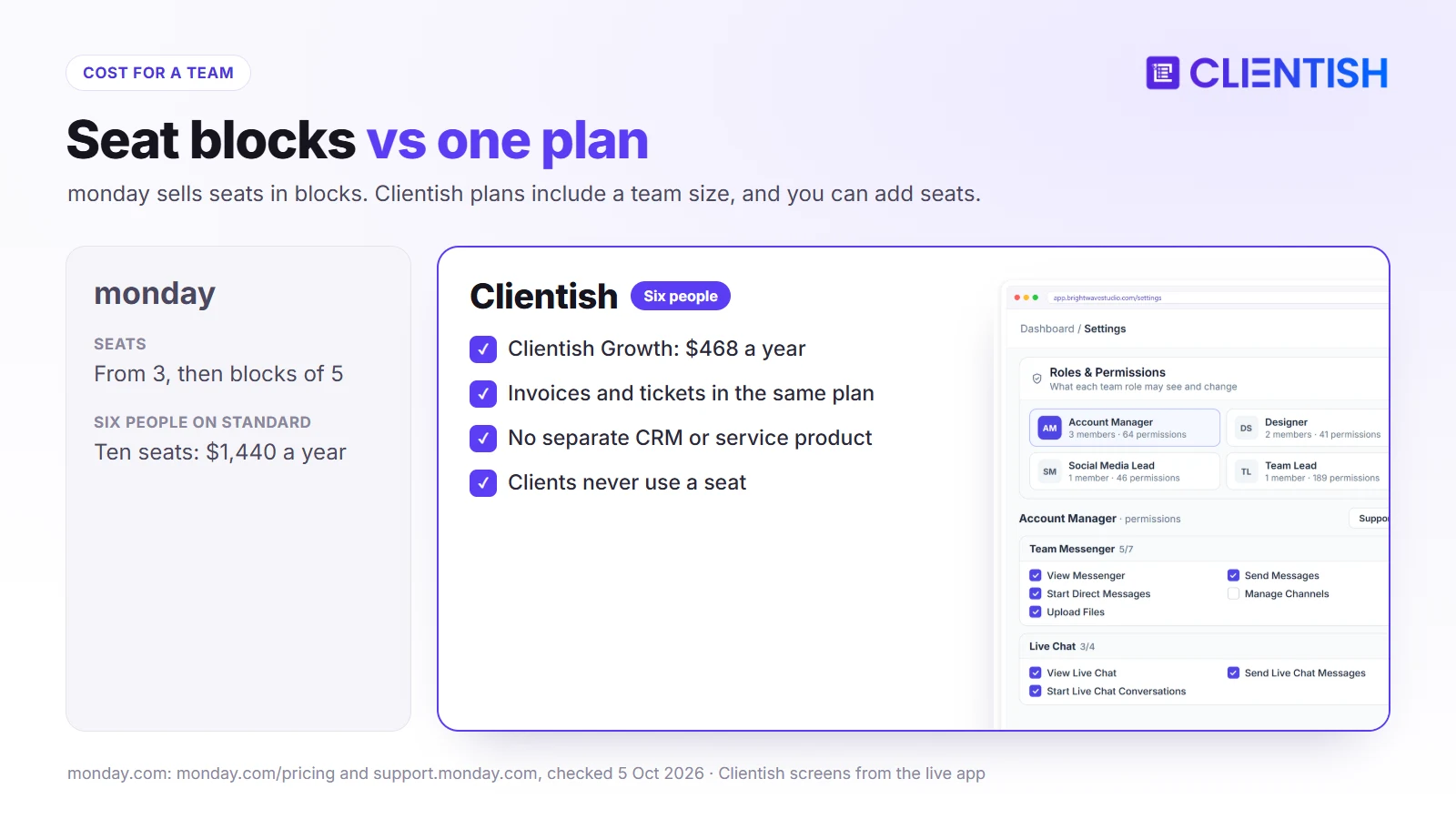
| Team | Seats billed on monday | Standard | Pro | Clientish |
| 5 | 5 | $720 | $1,140 | $276 |
| 6 | 10 | $1,440 | $2,280 | $468 |
| 20 | 20 | $2,880 | $4,560 | $948 |
Those are work management prices alone; adding monday CRM for invoices or monday service for tickets means further per-seat subscriptions.
Worked Example: A Twenty-Person Branding Agency
Take a twenty-person branding agency running about 40 client projects on monday Pro: twenty seats cost $4,560 a year, before monday CRM or monday service for invoices and tickets. Clientish Pro covers up to thirty team members for $948 a year, so clients could pay through the agency’s Stripe account, approve rounds within the revision limit and open tickets in the portal, while resource planning stays on monday.
When Monday Is the Right Choice
monday on its own is the better fit when clients never need to buy, pay or ask through your tools. These are the typical cases.
- Internal operations: in-house teams planning campaigns, launches or processes.
- Board-wide automation: workflows that run board automations across many departments.
- Portfolio planning: Gantt charts and dashboards that roll up many projects.
- Billing handled elsewhere: invoices go out from accounting software without chasing.
- Several departments on one platform: marketing, sales and operations already share monday.
Running Monday and Clientish Side by Side
A split setup works like this: monday stays the team’s planning board, and Clientish handles every interaction a client has with the agency.
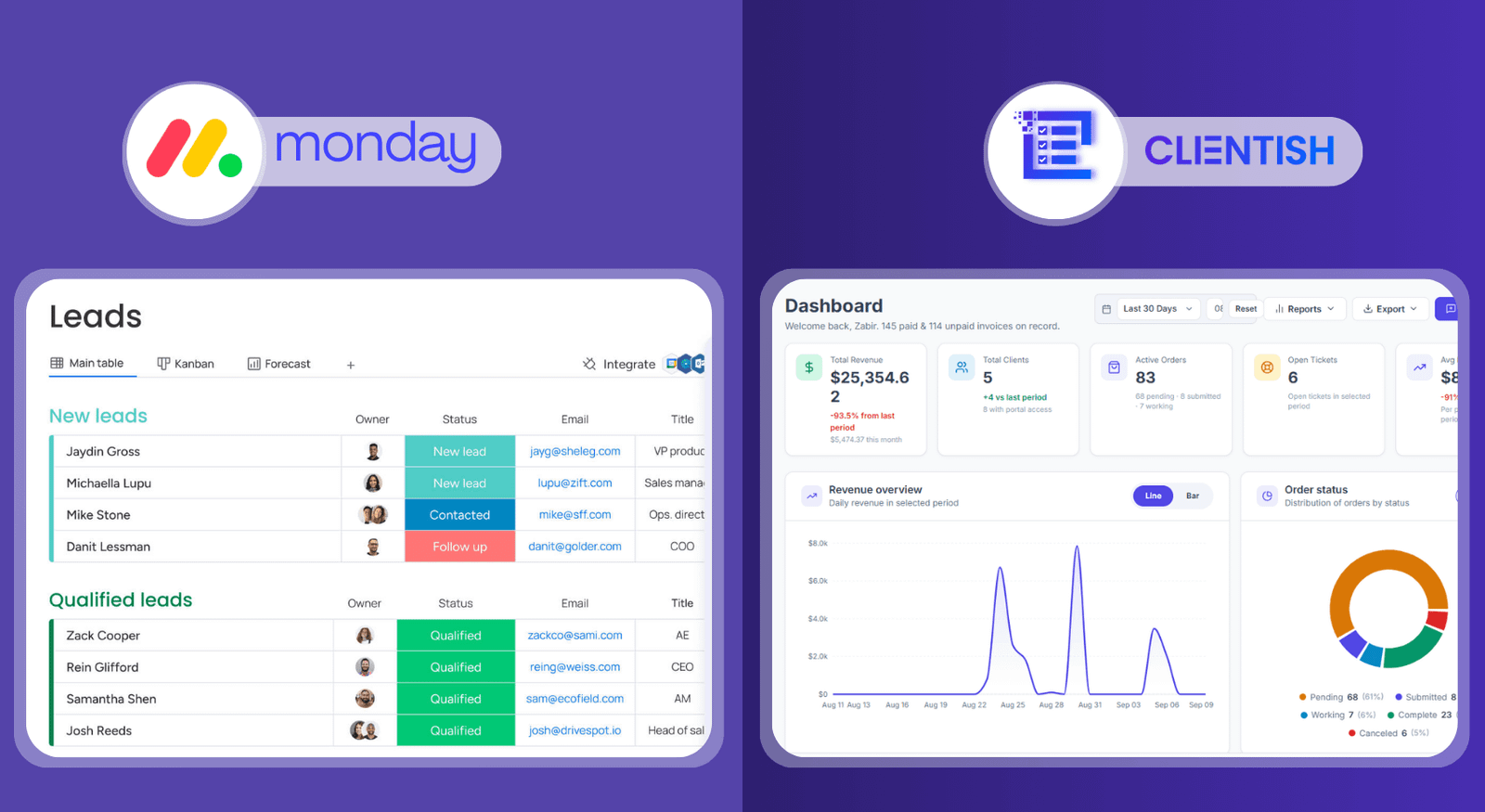
Campaign plans, capacity and internal automations stay in monday. Anything a client does (ordering, paying, opening a ticket) happens in Clientish instead, keeping them off your boards entirely.
A built-in importer brings your Monday.com clients and their work across. If the team still wants each new sale to show up as a board item, Zapier or a Make webhook can post it there. Run that arrangement with two or three accounts during a 14-day free trial before committing.
Choosing Between Monday and Clientish
The question is where your hours go: planning internal work, or serving clients. These lists match common situations to the right tool.
monday fits if:
- your main need is planning and automating internal work
- you rely on Gantt charts and cross-board dashboards
- clients don’t log in, pay or submit requests through your tools
Clientish fits if:
- clients need one login for orders, payments and questions
- you sell packages or retainers with revision limits
- you want invoices, payments and support without buying separate products
Both fit if:
- your team plans on monday boards and your clients need a portal of their own
Migration Plan: Moving Client-Facing Work from Monday to Clientish
Boards, automations and dashboards stay on monday. Moving the client side takes three steps, and current projects can finish on their existing boards while new clients start in Clientish.
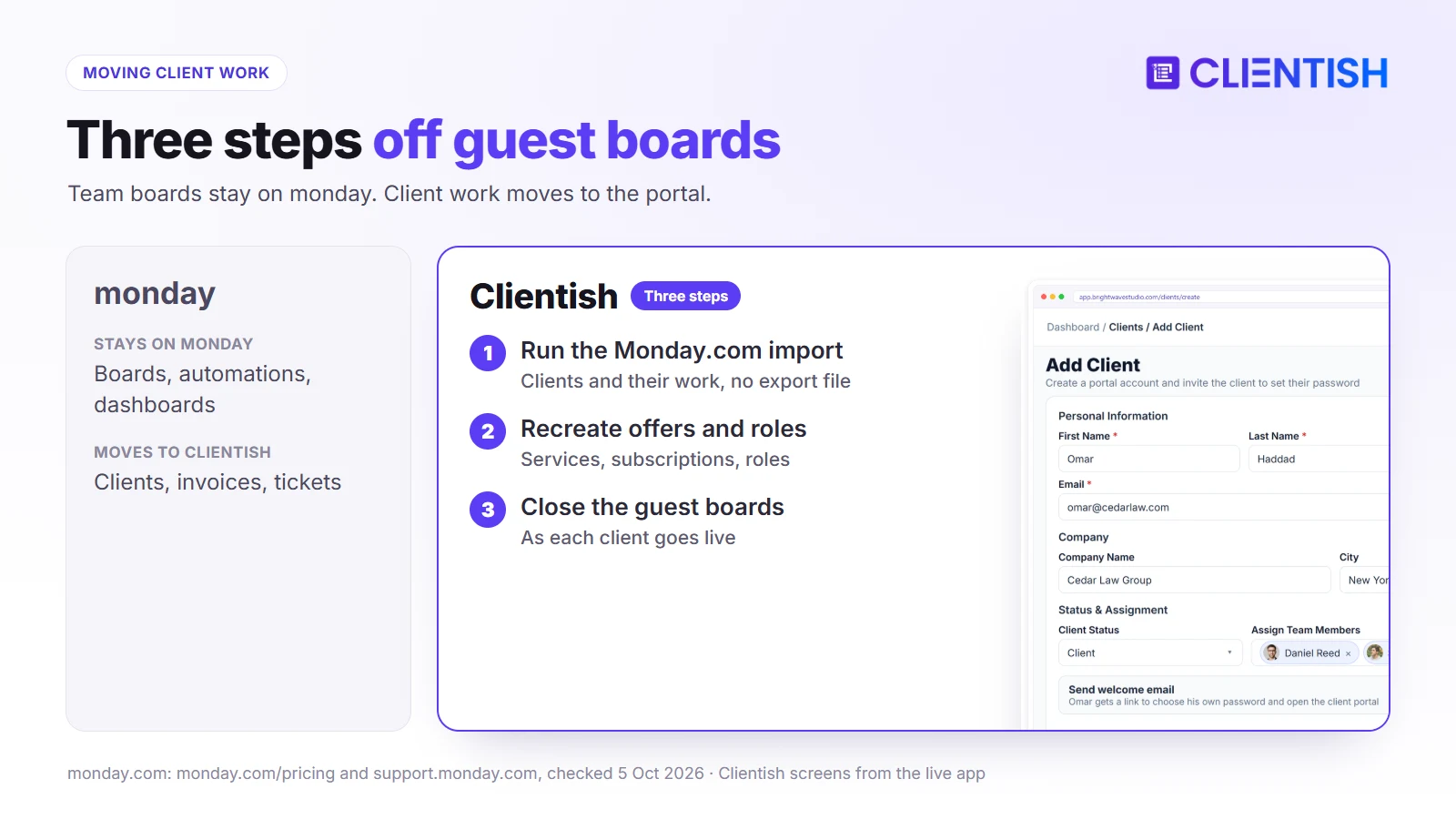
- Bring the client list over. If it lives on a monday board, use the Monday.com import to bring clients and their work across; any other list can come in as a CSV or Excel file.
- Recreate offers and roles. List every offer as a priced service with its questionnaire and change cap, turn retainers into subscriptions, and copy your monday team structure into Clientish roles.
- Close the guest boards. Each time a client goes live in Clientish, take them off the shared monday boards.
Frequently Asked Questions
These answers cover what agencies most often ask when they compare monday.com’s boards with a client portal built for agencies.
Should my agency use monday or Clientish?
Use monday to plan internal work across teams. Use Clientish for client-facing work: orders, invoices, tickets and a portal.
How is monday different from Clientish?
monday organizes a team’s work on boards. From first sale to final support reply, Clientish covers the client side: the sale, the bill and the help afterward.
Can monday be used as a client portal?
Partly. Guests can see shared boards on Standard and up, and monday service offers a ticketing portal, but there is no catalog or order flow, and CRM invoices only link out to a separate payment service.
Can Clientish handle project management?
It adds a task list with checklists to each order and shows each member’s Workload. For Gantt charts and portfolio dashboards, monday goes further.
Why do agencies add Clientish to monday?
So clients get a single home for buying, paying and asking, without guest seats on working boards or a second monday product.
Do monday and Clientish integrate?
Yes, in two ways: the importer moves your Monday.com clients and their work into Clientish, and new monday items can be created from Clientish events via Zapier or a Make webhook.
Does monday do invoicing?
Not in its work management product. monday CRM includes quotes and invoices; Clientish includes invoices and payment collection on every plan.
Final Thoughts
monday is a capable platform for planning and automating a team’s work. Clientish is built for the client’s side of an agency: choosing a service, sending the brief, signing off work, settling invoices and getting answers.
When planning works on monday yet clients keep writing in about status and bills, start a 14-day Clientish trial, push a single client order from checkout to sign-off, and see what each plan includes on the pricing page.
Sources
Clientish publishes this comparison. Each monday.com point was checked on October 5, 2026 with its pricing page, investor site, guest pricing, guest access, WorkForms, time tracking, monday CRM quotes and invoices, monday service plans and board views.
monday.com is a trademark of its owner. Clientish is not affiliated with monday.com. See something out of date? Tell us and we’ll correct it.

