

Many agencies running client work in Asana have built something that genuinely functions. Tasks are organized, projects have timelines, the team knows what’s assigned to whom. For internal coordination, it holds up well. The friction shows up later, usually when a client emails asking where their project stands, when an invoice needs to go out and there’s no clean way to send it from inside Asana, or when a support request comes in and suddenly you’re toggling between three different tools to handle it.
That friction is the starting point for this comparison, and it’s worth being clear about what’s actually being compared. Asana is a project and task management tool built to help teams plan and track work. Clientish is a client management platform built to run the full operational relationship between an agency and its clients, covering orders, billing, support, team management, and a branded portal clients log into directly. These are different categories of software. The question isn’t which one is better at what the other one does, but which one fits the job you’re actually trying to do.
Quick answer: If your primary need is coordinating internal team work across complex projects, Asana is a serious, well-built tool for that. If your primary need is managing clients as a structured operation, including intake, delivery, invoicing, support tickets, and giving clients a place to log in and self-serve, Clientish handles that workflow end to end in a way Asana was never designed to.
This article walks through where the two tools overlap, where they genuinely differ, and the specific points in the client workflow where agencies tend to find that a task tool isn’t quite enough.
The Short Version: Task Management vs Client Management
Where your friction actually lives determines which tool fits — if it’s internal coordination, Asana is strong; if it’s the client-facing operation, you need something built around that relationship from the start.
| Feature / Need | Asana | Clientish |
| Built for | Team task & project management | Agency client-work operations |
| Client-facing portal | Not built for this | Built-in, branded on your subdomain |
| Sell services / take orders | No | Built-in service catalog with payment links |
| Invoicing & payments | No | Built-in (Stripe, PayPal, Paddle, and more) |
| Client support desk | No | Built-in ticket and live-chat system |
| Internal project / task management | Core strength | Built-in order tasks and to-do lists |
| Best for | Teams managing internal work and cross-functional projects | Agencies managing the full client lifecycle — orders, billing, support, and delivery — in one place |
What Asana Is Great At
Asana has over 10 million users for a reason. For managing internal team work — planning sprints, tracking deliverables, coordinating across departments — it’s genuinely one of the best tools available.
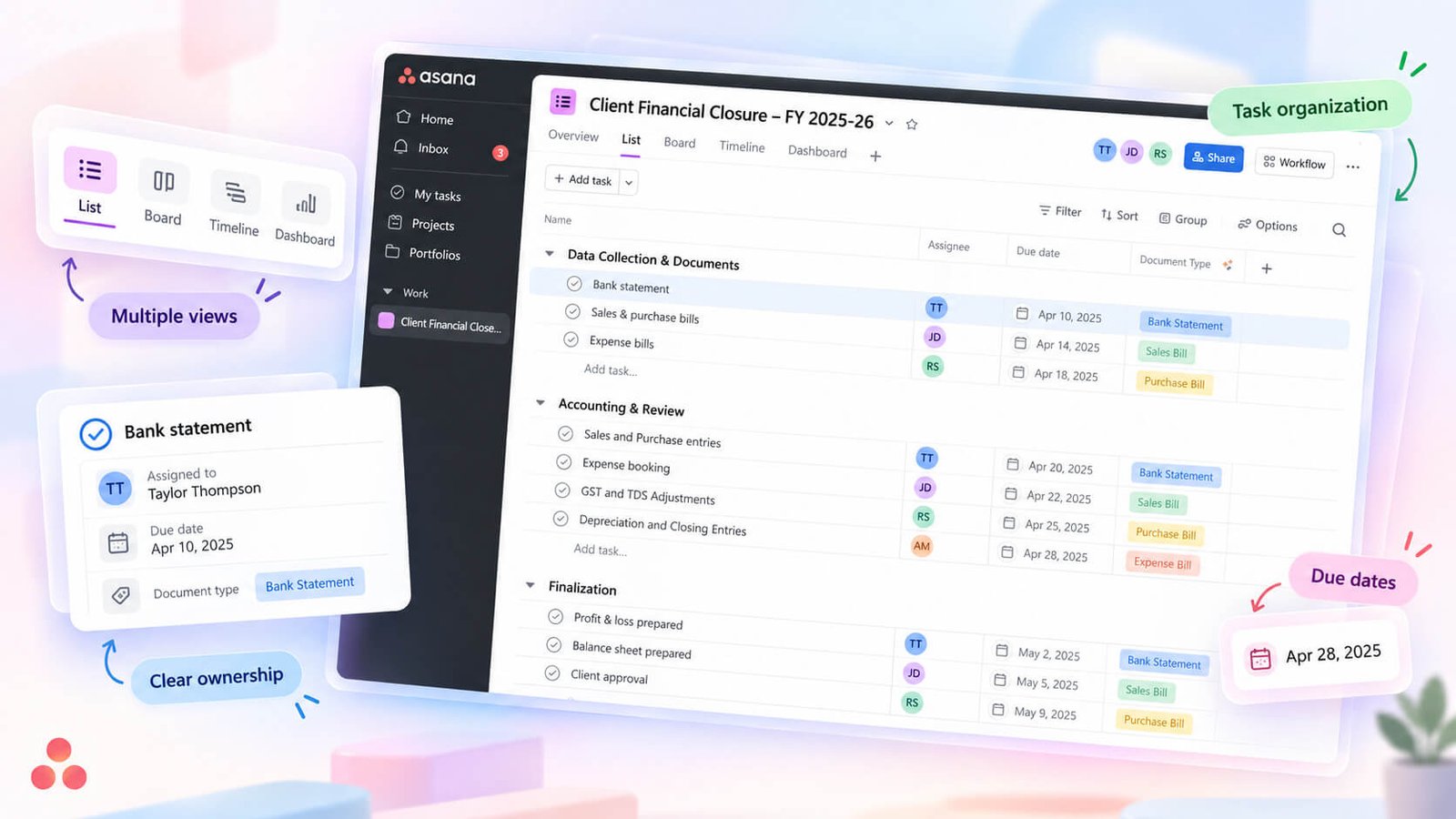
The core strength is flexibility. You can model almost any kind of work in Asana: tasks with subtasks, custom fields, dependencies, and 15+ views including Timeline, Gantt, and Workload. If you want to visualize your team’s capacity for the next six weeks, that’s built in. Native time tracking, no-code automations, docs, and custom dashboards round out the picture.
It’s also general-purpose in the best sense. A software team, a marketing department, and an HR function can all run their work in Asana without the tool feeling like it was built for someone else. That breadth is the point.
Where this matters for agencies: if your main friction is internal coordination — keeping your own team aligned on who’s doing what and by when — Asana handles that well. It’s designed for that exact problem.
What it isn’t built around is the commercial relationship with the client. There’s no client directory where each record links to that client’s orders, invoices, and support history. No branded portal your client logs into to pay an invoice or request a revision. No invoice generation or payment processing. Those aren’t oversights; they’re simply outside the scope of what Asana was designed to do.
Asana runs your team’s work. Whether that’s enough depends on how much of the friction in your agency sits on the client side.
What Clientish Handles
Clientish is built around the idea that selling services to clients involves a lot more than tasks. You’re managing the client relationship, the order pipeline, invoicing, payments, support questions, and your internal team — all at once, across every client you have.
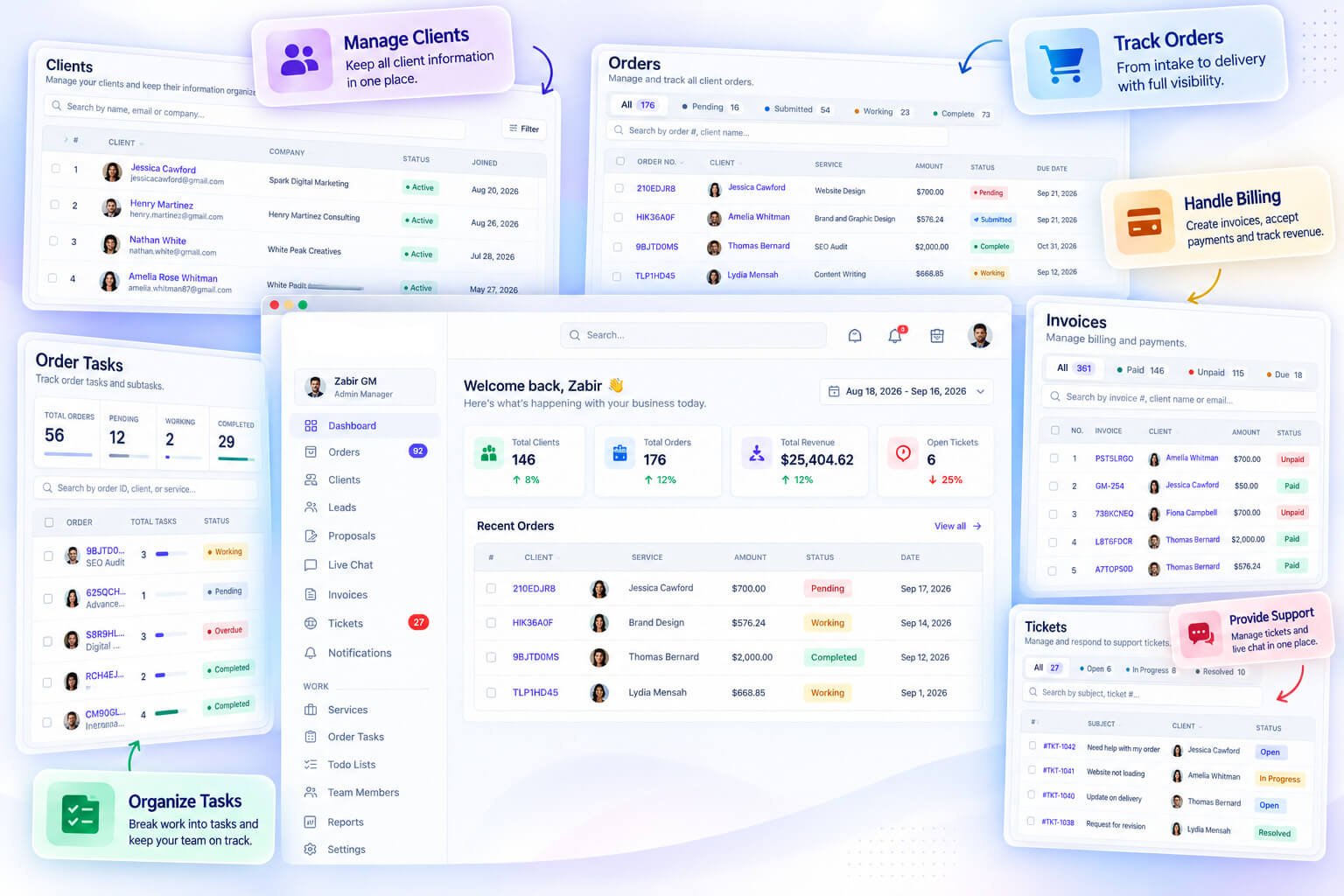
In practice, that means one workspace covers your client directory (with per-client order history, invoices, tickets, and activity logs), a full order pipeline from intake to delivery, invoicing with discounts, taxes, coupons, and refunds, plus payment processing through Stripe, PayPal, Paddle, and several other gateways. Clients can pay online or via manual bank transfer.
Order tasks are a separate, dedicated screen — not just a checklist buried inside a record. You can see every task across every active order, filter by assignee, bulk-manage statuses, and break delivery work into trackable steps. There are also internal to-do lists, separate from order tasks, for general team work that isn’t tied to a specific client order.
On the support side, clients can open tickets, get replies, rate resolutions, and start live chat conversations directly through the portal. The portal itself is branded with your logo and colors on your own subdomain — clients log in to check order status, submit intake answers, request revisions, pay invoices, manage subscriptions, and top up their balance.
Clientish fits agencies, freelancers, consultants, and any service business with ongoing client relationships. The feature set is relevant whether you’re a solo consultant managing ten clients or an agency team with dozens of active orders running simultaneously.
The Client-Work Gaps Between Them
| The job to be done | With Asana | With Clientish | What that means for you |
| Show a client where their project stands | Share a task link or export a screenshot; Asana has no native client-facing portal | Clients log into a branded portal on your subdomain and see order status, messages, and files directly | No more “can you send me an update?” emails |
| Sell a service and start work immediately | Not built for this — create a task manually and chase payment separately | Service catalog with a payment link; client pays, order opens, intake form fires | The order-to-delivery sequence starts without you touching it |
| Get paid and send an invoice | Workaround only — connect a separate billing tool | Create an invoice from within the order, apply discounts or tax, send a pay link, take payment through Stripe, PayPal, Paddle, or manual transfer | Billing and delivery live in the same record |
| Handle a client support request | No ticket system — a task, a comment thread, or an email | Dedicated ticket system; clients raise tickets from the portal, your team replies, client rates resolution | Support is tracked and closed, not lost in a comment thread |
| Answer “what is going on with this client?” | Search across projects — no unified client record | One client profile shows every order, invoice, ticket, and activity log entry | Full picture in under ten seconds |
| Take on a recurring client without rebuilding everything | Manually duplicate tasks or use Asana templates | Recurring pricing on services, subscriptions the client can view and cancel from the portal | Retainer relationships run without manual setup each cycle |
| Run deep internal team projects with custom workflows | Asana is purpose-built for this — timelines, workload view, dependencies, goals | Order tasks and internal to-do lists cover team work; dedicated project-management depth is lighter | For internal team coordination at scale, Asana still has the edge |
The table makes the structural gap plain: Asana is built inward (your team, your tasks), while Clientish is built outward (your clients, your money, your ongoing relationships). The H3s below focus on the four gaps that cause the most real-world friction for agencies.
The Missing Client Portal
Asana does not have a client-facing portal. Clients cannot log in, check their order status, download a file, or send a message — not without being added as a guest to your workspace, which means they’re navigating your internal task board rather than a clean, branded interface built for them.
Clientish gives every agency a portal on its own subdomain, carrying the agency’s logo and colors. Clients sign in and see their orders, intake answers, message threads, invoices, and support tickets. They can request a revision, pay an outstanding invoice, or open a new ticket — all without emailing you.
The practical difference: if a client needs an update at 9pm, they can get one. They don’t have to wait for you.
No Way to Sell and Take Orders
Asana has no service catalog, no checkout, and no payment link. If a new client wants to hire you, the commercial part of that transaction — agreeing on scope, collecting intake information, taking payment — happens outside Asana entirely, usually across email, a form tool, and a separate invoicing product.
In Clientish, the service catalog is part of the same workspace. Each service has its own pricing, intake form, deadline, and assigned team member. A shareable payment link sends the client straight to checkout. Once they pay, the order opens with their intake answers already attached and your team already assigned.
That sequence — sell, onboard, start work — happens inside one system without stitching anything together.
Billing Happens Somewhere Else
With Asana, invoicing is somebody else’s problem. Agencies typically run a separate tool: FreshBooks, Xero, Wave, or a Stripe-based invoicing flow. That means an order closes in Asana and you then manually recreate the billing context somewhere else, matching client, scope, and amount from memory or from notes.
Clientish keeps invoices on the order record. You can generate an invoice directly from a completed order, apply a discount or tax rule, and send a payment link the client can open without logging in. Refunds — full, partial, or custom — are handled from the same invoice page.
No re-entry, no tab-switching, no wondering whether the invoice you sent matches the order you delivered.
No Client Support Desk
When a client has a post-delivery question or a problem in Asana-managed shops, that request usually arrives by email, Slack, or a form and gets manually converted into a task. There’s no structured queue, no SLA tracking, no resolution status the client can see.
Clientish includes a ticket system integrated with the client portal. Clients raise tickets directly, your team replies from the workspace, and the client can rate the resolution when it closes. Ticket status is visible to the client in real time — they’re not guessing whether anyone has seen their message.
Clients Aren’t a First-Class Record
In Asana, a client is essentially a project or a tag. There’s no client directory, no per-client view that rolls up every piece of work you’ve done together, and no account balance or spend history. If someone asks “what have we delivered to this client over the past year, and what do they owe?”, Asana can’t answer that question natively.
Clientish’s client directory gives every client a profile with their full order history, all invoices, every support ticket, an activity log, and an account balance if they use deposits. You can merge duplicate client records, assign a team member to the account, and log notes directly on the profile.
That kind of consolidated client record matters most when you’re managing ten or more active clients at once and need to answer account questions fast — in a real agency, the alternative is a lot of spreadsheet-hunting.
Where Asana Is Genuinely Stronger
The internal-project row in the table above is real. Asana’s workload view, timeline, dependency management, and cross-project goal tracking are more developed than anything in Clientish’s to-do lists and order tasks. If you run large, multi-team internal programs — a software product build, a marketing campaign with a dozen workstreams — Asana’s project-management depth is hard to match in a client-management platform.
Clientish’s task tools are built to track the steps inside a client order, not to manage complex internal programs with resource allocation and milestone dependencies. Agencies that need both often end up running Asana internally and something like Clientish externally — though that introduces its own coordination overhead. The honest question is whether your biggest daily pain is internal coordination or client-facing operations, because the tools are optimized for genuinely different problems.
Why Teams Outgrow Asana for Client Work
Asana holds up well until the work faces outward. The friction rarely starts inside your team — it starts the moment a client needs to see something, pay something, ask something, or get onboarded. That’s the wall. Below are the specific places where it shows up.
Clients Are Stuck With Guest Access
Asana lets you add clients as guests to projects, but that gives them a raw view of your task board — not a polished, client-safe experience. They see your internal structure, your naming conventions, sometimes your team’s comments. Most agencies end up not sharing access at all, which means clients are back to chasing you by email for updates.
What’s missing is a dedicated space where a client can log in, check their order status, download a file, and message you — without being handed the keys to your project workspace. Clientish gives each agency a branded portal on its own subdomain, where clients see exactly what you want them to see and nothing else.
Getting Paid Means Another Tool
Asana has no invoicing. So once the work is done, you’re switching to FreshBooks, Wave, QuickBooks, or a payment link in Stripe — then manually reconciling which invoice belongs to which project.
Clientish ties invoicing directly to orders. You can create an invoice from an order in one click, and the client can pay through the portal using saved payment methods. That connection between the work and the money removes a whole category of admin.
Client Requests Have Nowhere to Live
Support requests and follow-up questions from existing clients don’t fit cleanly into Asana. You can create a task for each one, but there’s no thread, no client-facing reply, no ticket status the client can check. Teams typically end up handling these in email, which scatters the history.
Clientish has a built-in support ticket system with client-facing replies, status tracking, and ratings. Clients can raise a ticket directly from their portal, and your team handles it in the same workspace where the rest of the client’s history lives.
Signed Deal to Started Project Is Manual
When a new client signs, someone has to create the Asana project, add the tasks, notify the team, and figure out what information the client still needs to provide. That sequence is entirely manual, and it breaks when someone’s out or busy.
In Clientish, services have intake forms attached. A client places an order, fills out the form, and the order lands in your pipeline with the brief already attached, ready to assign. The gap between “sold” and “started” is a defined step, not a gap someone has to remember to fill.
Work Isn’t Tied to a Client
In Asana, a task belongs to a project. The client connection is implied by the project name, not built into the data. There’s no native client record that shows you every piece of work, every invoice, and every conversation for one client in one place.
That matters when a client emails asking about an old order, or when you’re doing a quarterly review. You’re searching across projects and external tools to reconstruct the picture. Clientish keeps a per-client record with their orders, invoices, tickets, and activity log all on one screen — no reconstruction needed.
Keeping Asana and Adding Clientish
A number of agencies don’t drop Asana entirely. They keep it for internal work that’s genuinely team-facing — product roadmaps, internal operations, HR tasks — and layer Clientish on top for everything that touches clients directly: the portal, billing, support, and order delivery.
That split makes sense when internal coordination is already working in Asana and the only real gap is the client-facing side. You’re not migrating everything; you’re giving client work a proper home.
When Asana Is the Better Pick
Asana is genuinely the stronger choice in a number of common situations. If any of the scenarios below describe your setup, you probably don’t need to switch.
- Your work is internal, not client-facing. Your team builds things, ships campaigns, or runs operations — and clients are never part of the workflow loop. No logins, no shared updates, no invoices generated from the tool. Asana handles this well.
- Clients never pay through your project tool. Billing runs through QuickBooks, FreshBooks, or a separate invoicing system, and that’s working fine. Adding a client platform just to consolidate wouldn’t save you time.
- You need complex, multi-team project structures. Portfolio views, cross-functional dependencies, workload heatmaps across dozens of team members — Asana’s project layer is genuinely deep here, and a client-management platform isn’t designed to replicate that depth.
- Clients don’t raise support requests or message through the tool. If your client communication stays in email or Slack by design, and that’s not causing problems, there’s no functional gap to fill.
- Your team spans multiple departments with different workflows. Marketing, ops, HR, and product all working in one tool — Asana’s flexibility across non-agency functions is a real advantage that a client-specific platform won’t match.
Some agencies run both: Asana for internal project tracking and Clientish for the outward-facing client relationship — portal, orders, billing, support. That’s a legitimate split if the internal coordination is already too embedded in Asana to migrate, and the client-facing gaps are where the friction lives.
Using Asana and Clientish Together
Many agencies don’t have to choose one and abandon the other. The split that works in practice: keep Asana running your internal project work and use Clientish for everything that faces the client.
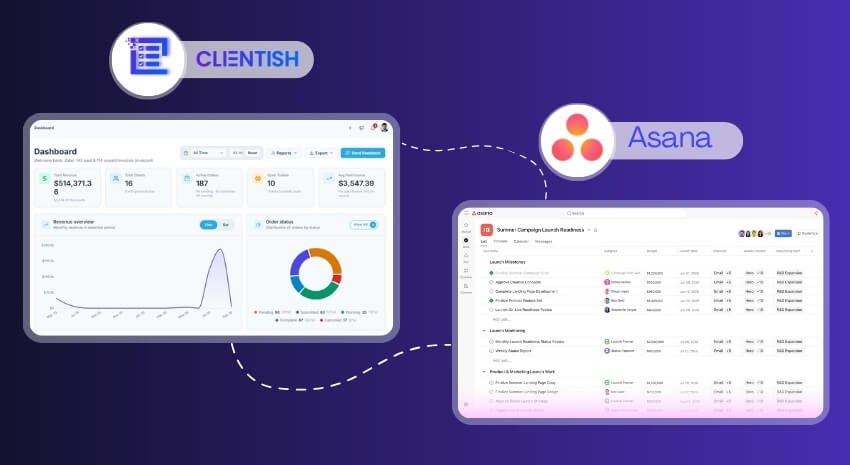
Asana handles your team’s capacity planning, internal sprints, cross-department task boards, whatever you’ve already built there. Clientish picks up where Asana stops — the client directory, orders moving through a delivery pipeline, invoices, support tickets, and the branded portal where clients log in to check status, pay, and communicate. Those are two different audiences: your team lives in Asana, your clients live in Clientish.
There’s no built-in Asana-Clientish integration to set up. In practice, the split is cleaner than it sounds because the two tools aren’t really overlapping — one manages internal work, the other manages the client relationship. An order created in Clientish has its own task checklist, its own client message thread, its own invoice. Your team works those tasks in Clientish, while broader internal coordination (resourcing, roadmaps, non-client projects) stays in Asana.
Some agencies find this arrangement naturally settles over a few weeks. The client-facing friction — status questions, invoice chasers, file requests — moves into Clientish and largely stops hitting your inbox. Asana stays focused on what it’s always done well.
If you want to test whether Clientish covers the client side of your operation, it offers a 7-day free trial with full feature access.
How to Pick Between Asana and Clientish
The fastest route to a decision: figure out where your actual friction lives.
Choose Asana if:
- Your core need is internal project and task coordination across a team
- You run multiple non-client functions (marketing, ops, HR, product) in one shared tool
- You bill hourly or manage complex multi-phase projects where timeline and dependency tracking matter most
- Client-facing communication mostly happens outside your project tool anyway
Choose Clientish if:
- Clients need somewhere to log in, check order status, pay invoices, or raise a ticket without emailing you
- You sell defined services and need an order pipeline from intake to delivery to payment in one place
- You’re patching together billing, support, and client updates across three or four separate tools
- You want a branded portal on your own subdomain without stitching together third-party add-ons
Choose both if:
- Your team runs deep internal project work (capacity planning, cross-department sprints) AND you need a proper client-facing operation
- You want Asana doing what it does well internally, and Clientish handling everything the client actually sees and touches
Frequently Asked Questions
Is Asana or Clientish better?
Depends entirely on what you’re doing. For internal team coordination across departments, Asana is the stronger tool. If your work is client-facing — orders, invoices, support, a portal — Clientish covers that end-to-end in a way Asana isn’t designed to.
What is the main difference between Asana and Clientish?
Asana manages tasks and projects for your team. Clientish manages the full relationship with your clients — from order intake through delivery, invoicing, payments, support tickets, and a branded portal where clients log in themselves.
Can I use Asana as a client portal?
Not really. Asana doesn’t offer a client-facing login area. Clients can be added as guests with limited access, but there’s no branded portal, no invoice payment, no ticket submission, and no self-service order tracking. Clientish gives each agency a portal on its own subdomain with all of that built in.
Does Clientish do project management like Asana?
Clientish handles task management tied to client orders — each order has its own task checklist, with statuses, assignees, and a dedicated Tasks screen that aggregates work across all active orders. It’s not a general-purpose project tool for internal cross-department planning, which is where Asana goes deeper.
Why do agencies switch from Asana to Clientish?
Usually because client work keeps spilling outside Asana — into email, spreadsheets, or a separate invoicing tool. Clientish brings orders, invoices, client messages, support tickets, and team assignment into one workspace, so the client relationship lives in one place rather than five.
Can I use Asana and Clientish together?
Yes, and some agencies do. Asana stays on internal project tracking and capacity planning; Clientish handles everything client-facing — orders, billing, support, the portal. They serve different layers of the operation, so they don’t really overlap.
Does Clientish handle invoicing and payments, and Asana doesn’t?
Asana has no native invoicing or payment processing. Clientish includes invoices with line items, discounts, taxes, and PDF export, plus payment collection through Stripe, PayPal, Paddle, and a handful of other gateways. Clients can pay directly from a link without logging in.
These questions tend to come up early when agencies are evaluating whether their current setup is actually built for client work or just adapted to it. If most of your friction points showed up in the answers above, the next step is to take Clientish for a spin — it offers a 7-day free trial with full access, so you can test it against a real client workflow before committing.
Final Thoughts
Asana and Clientish are solving different problems. Asana is a project and task tool — it’s genuinely excellent at coordinating internal team work, and millions of teams rely on it for exactly that. Clientish is built around the client relationship itself: orders, invoices, support, a portal clients actually log into.
The switch — or the addition — usually happens when the client-facing side of an agency starts to fray. Clients chasing updates by email, invoices going out from a separate tool, support requests landing in someone’s inbox. If that describes your situation, Asana isn’t failing you; it just wasn’t designed for that layer.
If your project work is running well in Asana but your client experience is scattered across apps, Clientish is worth a serious look. You can start a 7-day free trial with full features and see whether the order-to-invoice-to-portal workflow fits how your agency actually operates.

