

Most agencies don’t start looking for a ClickUp alternative because ClickUp is doing something wrong. They start looking because the work they’re managing inside ClickUp — the client stuff — keeps generating friction that a project tool was never really designed to solve. A client asks where their project stands, and someone has to go find it and manually relay the update. An invoice goes out through a separate tool. A support question lands in an email inbox. The project is tracked cleanly inside ClickUp, but the experience around it — what the client sees, how they pay, how they ask questions — is scattered across three or four other places.
Quick answer: ClickUp and Clientish are different categories of tool. ClickUp is a project and task management platform built around organizing and tracking work internally. Clientish is a client management platform built around the full lifecycle of a client relationship — orders, invoices, payments, support tickets, a branded client portal, and the team managing it all. Agencies that switch don’t do it because ClickUp failed them at task management; they do it because they need something purpose-built for the client-facing side of the business.
This article walks through what each tool actually does, where they differ in practice, and what typically pushes agencies from one toward the other — with a fair look at both.
Different Tools for Different Jobs
Where you feel friction tells you which tool you actually need.
| Feature / Need | ClickUp | Clientish |
| Built for | Internal teams & projects | Service agencies & client work |
| Client-facing portal | Not built for this | Built-in, branded on your subdomain |
| Sell services / take orders | No | Yes — service catalog with payment links |
| Invoicing & payments | No | Built-in (Stripe, PayPal, Paddle, and more) |
| Client support tickets | No | Built-in support desk with ticket threads |
| Internal project management | Yes — deep and flexible | Order-level tasks tied to client work |
| Best for | Teams coordinating complex internal work | Agencies managing the full client lifecycle |
What ClickUp Is Built For
ClickUp is a project and task management platform — a work OS — with over 10 million users. Its core job is helping teams organize their own internal work: tasks, subtasks, dependencies, docs, and goals, all visible through 15+ different views including Gantt, Timeline, and Workload.
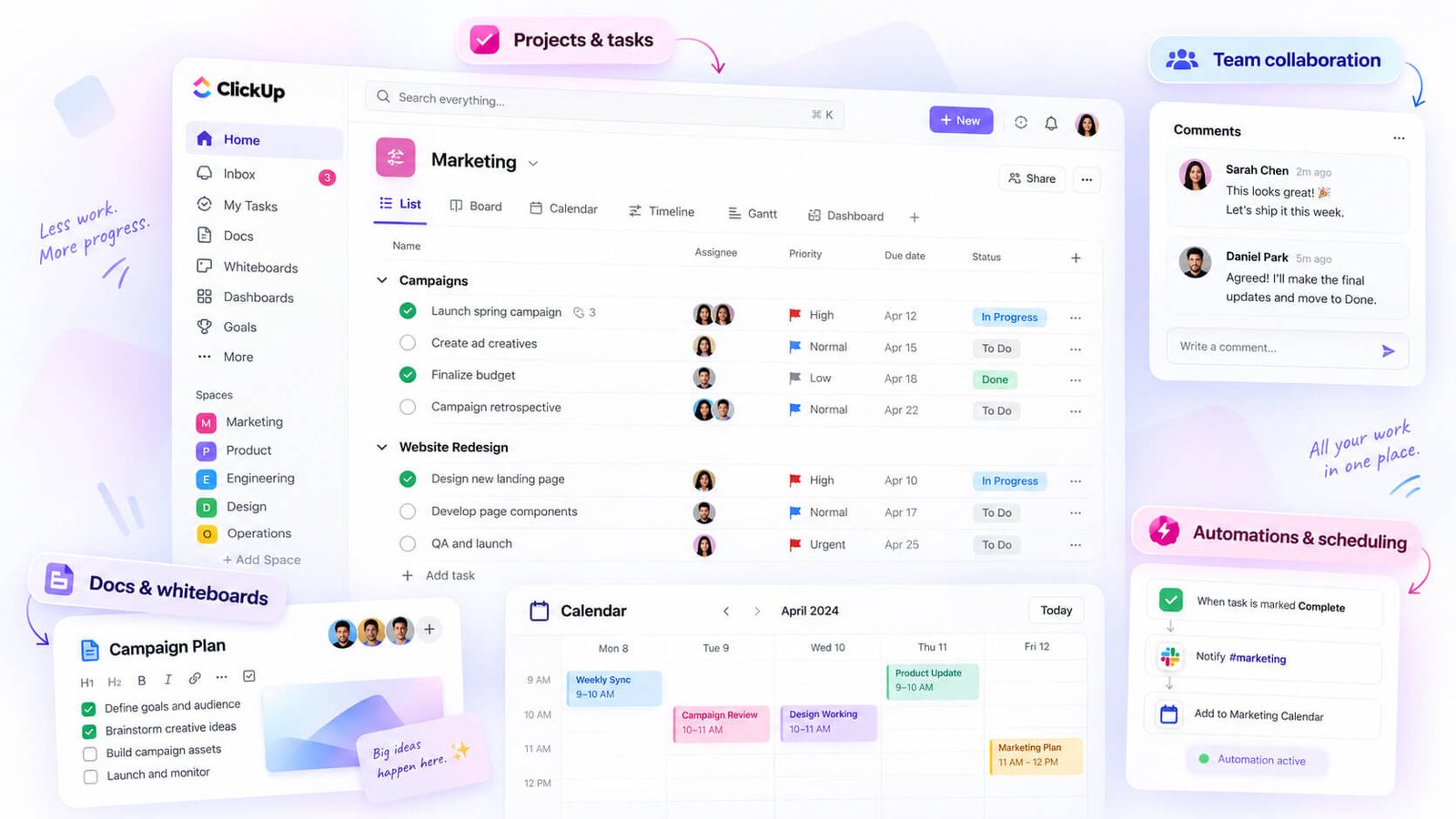
The feature depth is real. You get native time tracking on every tier, no-code automations, custom dashboards, and enough flexibility to model almost any workflow your team runs internally. Teams use it across engineering, marketing, ops, HR — it’s genuinely general-purpose.
That flexibility is ClickUp’s main strength, and it’s also the context you need to evaluate it fairly. The platform is built around the assumption that the people managing work are internal team members working on shared projects. Tasks live inside projects, projects live inside spaces, and the whole hierarchy is designed for teams organizing their own output.
What it’s not built around is the client relationship itself. There’s no native concept of a client record that ties together their orders, their invoices, and their support history. Clients aren’t a first-class object in the system — they’re typically represented as tasks, custom fields, or list items, which works, but only because someone on your team configured it that way.
For an agency that mostly needs to coordinate internal delivery, that’s often fine. The tool excels at that. Where it starts to strain is when the client needs visibility, or when billing, intake, and support all need to connect to the same client account — because those aren’t workflows ClickUp was designed to carry.
What Clientish Is Built For
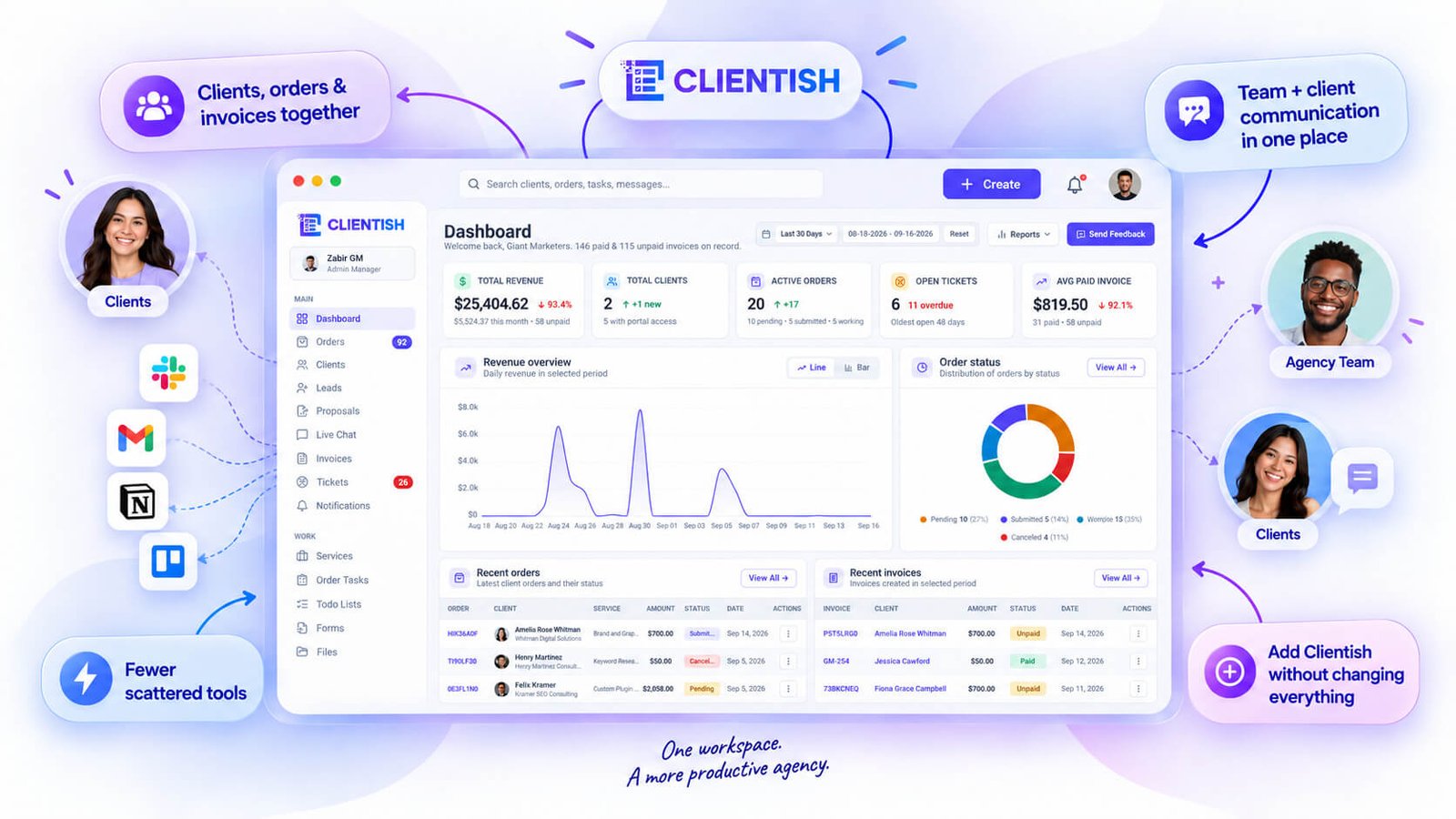
Clientish is built around the full lifecycle of working with clients — from the moment someone places an order through to delivery, invoicing, and ongoing support. Everything lives in one workspace: a client directory, orders with their own task lists, invoices, payment processing, support tickets, live chat, and a branded portal your clients actually log into.
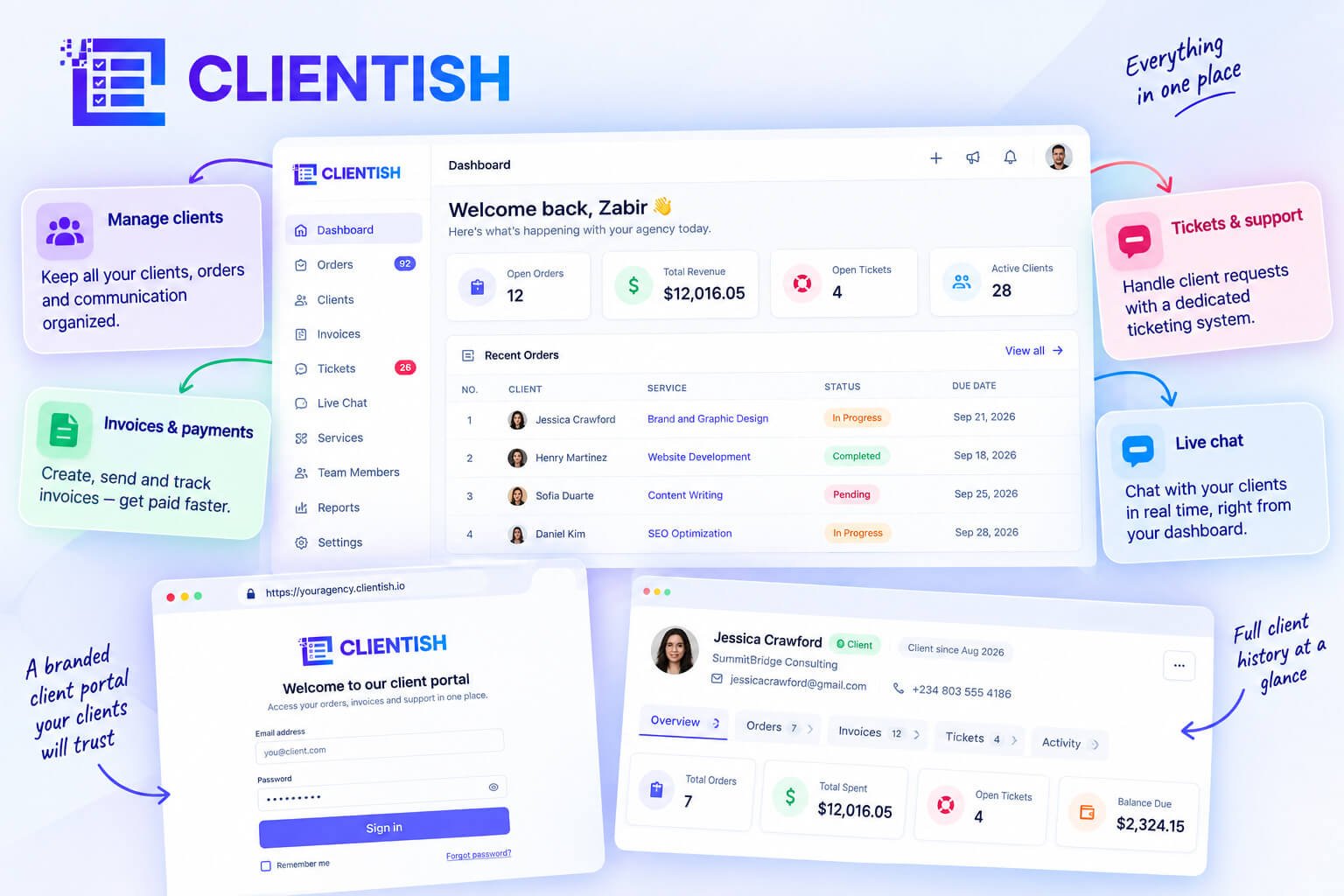
The central work unit is an order — a client’s purchase of a service. Each order moves through a status pipeline, carries its own tasks, messages, notes, files, and history, and can generate an invoice or support ticket in one click. That structure means the work is tied directly to the client relationship, not floating in a separate project board somewhere.
Internally, the platform handles team assignment, per-role permissions, and a dedicated Tasks screen that aggregates checklist items across all orders. So it’s not purely client-facing — you’re managing your team’s work inside the same system.
On the client side, the portal is branded with your logo and colors on your subdomain. Clients log in to check order status, submit intake answers, request revisions, pay invoices, top up their balance, open tickets, and chat with your team. That’s the part that replaces the scatter of email threads, shared Dropbox folders, and “quick status update” Slack messages.
The platform covers agencies and freelancers, but also consultants, service businesses, and professional teams — anyone whose work revolves around clients paying for services. It handles one-time orders, recurring billing, subscriptions, coupons, tax rules, and multiple payment gateways including Stripe, PayPal, and Paddle.
Reports, ratings, and exportable data round out the picture. Clients can rate completed orders; you can pull transaction exports and workspace-wide status boards for orders, tasks, and tickets.
The Core Differences That Matter for Client Work
Before diving into the individual areas, the table below shows the full picture at a glance. This is where the gap between the two tools becomes hard to argue with.
| Client-Work Capability | ClickUp | Clientish |
| Client-facing branded portal | Workaround only (guest access) | Built in — branded with your logo, colours, on your subdomain |
| Client login on your own subdomain | Not built for this | Built in |
| Sell services / service catalogue | Not built for this | Built in — folders, categories, one-time or recurring pricing |
| Per-service intake forms with conditional logic | Not built for this | Built in — conditional show/hide rules per field |
| Public order forms & payment links | Not built for this | Built in — shareable payment link per service |
| Orders with custom statuses & history | Via tasks (internal only) | Built in — custom status pipeline with a full status-change trail |
| Order tasks & sub-items | Stronger (native task depth) | Built in — Tasks screen aggregated across all orders, with assignee filter and bulk actions |
| Client invoicing | Via separate tool | Built in — line items, tax, discounts, coupons, PDF, email send |
| Online payments (multiple gateways) | Via separate tool | Built in — Stripe, PayPal, Paddle, aamarPay, SSLCommerz |
| Manual bank transfer | Via separate tool | Built in — with required transfer reference |
| Recurring subscriptions | Via separate tool | Built in — client can view and cancel from portal |
| Client balance & deposits | Not built for this | Built in — client tops up, spends balance on orders |
| Refunds | Via separate tool | Built in — full, half, or custom amount with reason presets |
| Coupons | Not built for this | Built in — on invoices and at checkout |
| Support tickets | Not built for this | Built in — raise, reply, rate resolution |
| Client live chat | Not built for this | Built in — with attachments, reactions, typing indicators, email fallback |
| Lead capture & CRM | Workaround only | Built in — client directory with lifecycle stages and lead capture |
| Lead chat by magic link | Not built for this | Built in |
| Client record & lifecycle stages | Not built for this | Built in — four fixed stages, moved forward automatically on payment |
| Roles, permissions & department scoping | Internal team only | Built in — granular per-role visibility controls |
| Team & remote member management | Internal team only | Built in — invite, suspend, assign, sign in as member |
| Reports (revenue, services, clients, orders) | General work reporting | Built in — client and revenue-specific reporting |
| Files page | Via attachments in tasks | Built in |
| Email templates & per-workspace SMTP | Not built for this | Built in |
| White-label branding | Not built for this | Built in — logo, colours, subdomain |
| Internal project/task depth | Stronger — this is ClickUp’s core job | Functional for order work; not a general project OS |
Client-Facing Portal
ClickUp’s guest access lets you invite a client to view or comment on specific tasks. Most agencies using it this way end up managing what the client can and can’t see manually, and the experience on the client’s end is still recognisably “someone’s project tool.”
Clientish gives clients a dedicated login on your agency’s own subdomain, branded with your logo and colours. From there they can see their orders, pay invoices, request revisions, raise support tickets, and chat with your team. It’s a self-service area built specifically for clients — not a permission-scoped view into your internal workspace.
Selling Services and Taking Orders
ClickUp doesn’t have a service catalogue. You can document what you sell inside a doc or a task, but there’s no mechanism for a client to browse services, configure options, and place an order.
Clientish has a proper service catalogue — folders, categories, one-time or recurring pricing, add-ons, group quantities. Each service can have its own intake form with conditional logic, so a client filling out the form only sees the fields relevant to what they selected. Each service also has a shareable payment link, so you can drop a link in an email and the client goes straight to checkout.
Invoicing, Payments and Subscriptions
For most ClickUp users, invoicing means opening a separate tool — FreshBooks, QuickBooks, or a standalone invoicing app — and manually reconciling it with whatever’s in ClickUp. That context-switching adds up quickly when you’re managing 15 active clients.
Clientish handles invoicing, payment collection, and subscriptions in the same workspace where the order lives. You can create an invoice from an order in one click, collect payment via Stripe, PayPal, Paddle, or manual bank transfer, issue a partial or full refund with a reason preset, and apply a coupon code — all without leaving the platform. Clients can pay directly from a public pay link without logging in.
Client Support: Tickets and Live Chat
ClickUp has no native support ticket system for client-raised issues. Agencies using it for client communication usually rely on email threads, a separate help desk, or Slack — which means client issues live outside the system that tracks the work.
Clientish has both. Clients can raise a support ticket from their portal, reply, and rate the resolution when it’s closed. Live chat runs alongside tickets — with attachments, message reactions, typing indicators, and an email fallback if the client isn’t online. The agency team sees the full ticket and chat history tied to that client’s record.
Client Records and Lifecycle
In ClickUp, a “client” is typically a folder, a list, or a tag. There’s no native client record that ties together orders, invoices, support history, and payments in one view.
Clientish has a proper client directory. Each client profile holds contact and billing details, notes, account balance, total spent, and tabs for their orders, invoices, tickets, and full activity log. Clients move through four lifecycle stages automatically when they pay — so you always know whether someone is a lead, an active client, or a lapsed one without manually updating a status field.
You can also import clients from a spreadsheet, merge duplicate records, and sign in as a client to see exactly what they see in the portal — which is useful when a client says something isn’t showing up correctly.
Where ClickUp Is Genuinely Stronger
ClickUp’s task and project management depth is real and it’s significant. Multiple views (Board, Gantt, Timeline, List, Calendar), automations, dependencies, time tracking, sprint management, workload views — it’s a purpose-built work OS and it does that job at a level Clientish’s order task tracking doesn’t try to match.
If your agency runs complex internal projects with cross-functional teams, custom automations, and dependencies spanning weeks of work, ClickUp is the better tool for managing that internal execution layer. Clientish’s Tasks screen is built to break an order into trackable steps and assign them — it covers the work inside a client engagement, not a general-purpose project management layer.
That distinction matters for how you evaluate the two. They’re not competing for the same job — one manages your internal work processes, the other manages your client relationships.
Why Agencies Switch to (or Add) Clientish
Most agencies don’t hit a wall with ClickUp because of what happens inside their team. They hit it the moment they try to face a client outward — sharing status, taking payment, answering a question, or just giving someone a clear view of what they ordered and where it stands.
That’s the trigger. And once it happens repeatedly, agencies start looking for something built around the client relationship rather than the internal work queue.
Clients Can’t See Their Own Work
When a client asks “where are we on this?” inside a ClickUp workflow, someone has to go look, interpret, and report back. That’s a reasonable ask once — it’s a tax on agency time when it happens every week across ten clients.
ClickUp guest access exists, but it’s a workaround: you decide what tasks to share, manage view permissions manually, and hope the client can make sense of a project board that was never designed with them in mind. Clients don’t want a task board. They want to see their order, the status, the files, and what’s needed from them.
Clientish gives each client a branded portal on the agency’s own subdomain where they can log in, check order status, see intake answers, message the team with file attachments, and request revisions — without needing anyone to relay information. That alone removes a significant chunk of back-and-forth.
Invoicing and Payments Live Somewhere Else
In a typical ClickUp setup, billing sits in a completely separate tool — Stripe directly, FreshBooks, QuickBooks, or whatever the agency chose first. That means a completed project in ClickUp has no automatic connection to an invoice going out.
Someone manually creates the invoice elsewhere, sends it, chases payment, then records it somewhere. Every piece of that is a separate step in a separate tab.
Clientish handles invoicing from inside the same workspace where the order lives. You can create an invoice directly from an order, send it by email, share a public pay link, and process payment through Stripe, PayPal, Paddle, or manual bank transfer — all tied to the same client record that already has the work history.
Support Gets Scattered
Client questions that arrive after delivery don’t have a clean home in a project management setup. They end up in email, Slack, a shared inbox, or a comment thread buried in a completed task. Nothing is easy to track, assign, or close properly.
Clientish includes a support ticket system where clients raise tickets directly from their portal. The team can reply, track status, and resolve — and the client can rate the resolution. Every ticket sits under the same client profile as their orders and invoices, so context is never missing.
Onboarding and Orders Are Manual
Getting a new client started in ClickUp typically means sending a form link, waiting for responses, copying details into a task manually, and hoping nothing gets missed. When services vary, intake forms have to be managed outside the tool entirely.
Clientish builds intake forms into the service itself, with conditional logic per field. When a client places an order, they fill in the intake as part of the flow. That data lives on the order record — editable afterwards, downloadable as PDF — and the work can start without anyone manually moving information between tools.
No Single Client Record
In most ClickUp setups, a client’s history is scattered: past projects in one workspace, invoices in a billing tool, email history in an inbox, support threads in yet another place. When a client relationship spans 18 months and dozens of interactions, there’s no single place to look.
Clientish keeps one client profile that shows every order, invoice, ticket, and activity log in one view. You can see total spent, account balance, and the full history of the relationship — without opening three other tabs. That matters practically when a client calls with a question and you need context in 10 seconds.
Keeping ClickUp and Adding Clientish
A lot of agencies don’t fully leave ClickUp. If the team is already fluent in it and internal project tracking is working well, ripping that out creates its own disruption.
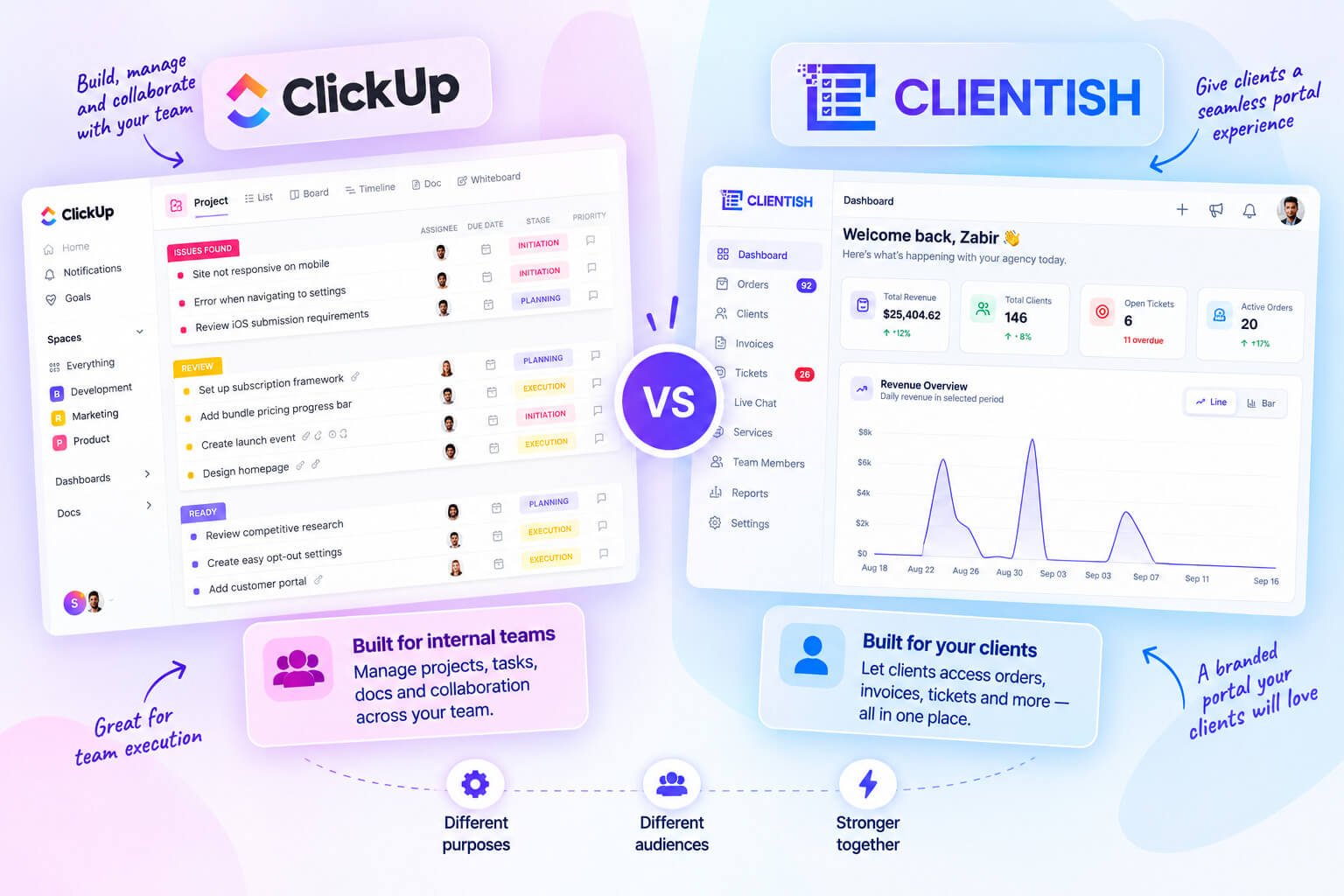
The pattern that works for many is keeping ClickUp for internal sprint work, dev tickets, or team coordination — and adding Clientish specifically for the client-facing layer: the portal, orders, invoices, support, and billing. The two serve genuinely different audiences. ClickUp faces the team; Clientish faces the client.
That split works cleanly when the agency’s problem is the client side, not the internal side. If the friction is entirely about what clients see, experience, and pay — that’s exactly what Clientish is structured to handle, without requiring the internal team to change how they work.
When You Should Stick With ClickUp
ClickUp is genuinely the better choice for a lot of teams. Before assuming you need something client-specific, check whether your situation actually calls for it.
- Your work is internal, not client-facing. If clients never log in to check status, review deliverables, or pay invoices, a client portal adds nothing. ClickUp handles internal project coordination well.
- You manage cross-functional projects, not service orders. Product launches, internal ops, marketing campaigns — work that doesn’t map to a “client bought a service” model fits ClickUp’s task and project structure naturally.
- Your clients don’t pay or raise support through your tool. If billing runs through an accountant and client questions come by email, you’re not losing anything by staying in ClickUp. The friction that pushes agencies toward Clientish is specifically around clients interacting with the system directly.
- You need highly custom project workflows. ClickUp’s flexibility — custom fields, views, automations, dependency trees — is hard to match if your work genuinely requires that level of configuration.
- You already have client-facing tools that work. Some agencies run ClickUp for internal task management alongside a separate client portal or invoicing tool. That’s a reasonable setup if the overlap isn’t causing duplication problems.
The short version: if clients aren’t a daily active participant in your workspace — logging in, paying, messaging, requesting — ClickUp does its job well and there’s no pressing reason to change.
Can You Use Both Together?
Yes, and many agencies already do this without thinking of it as a deliberate strategy.
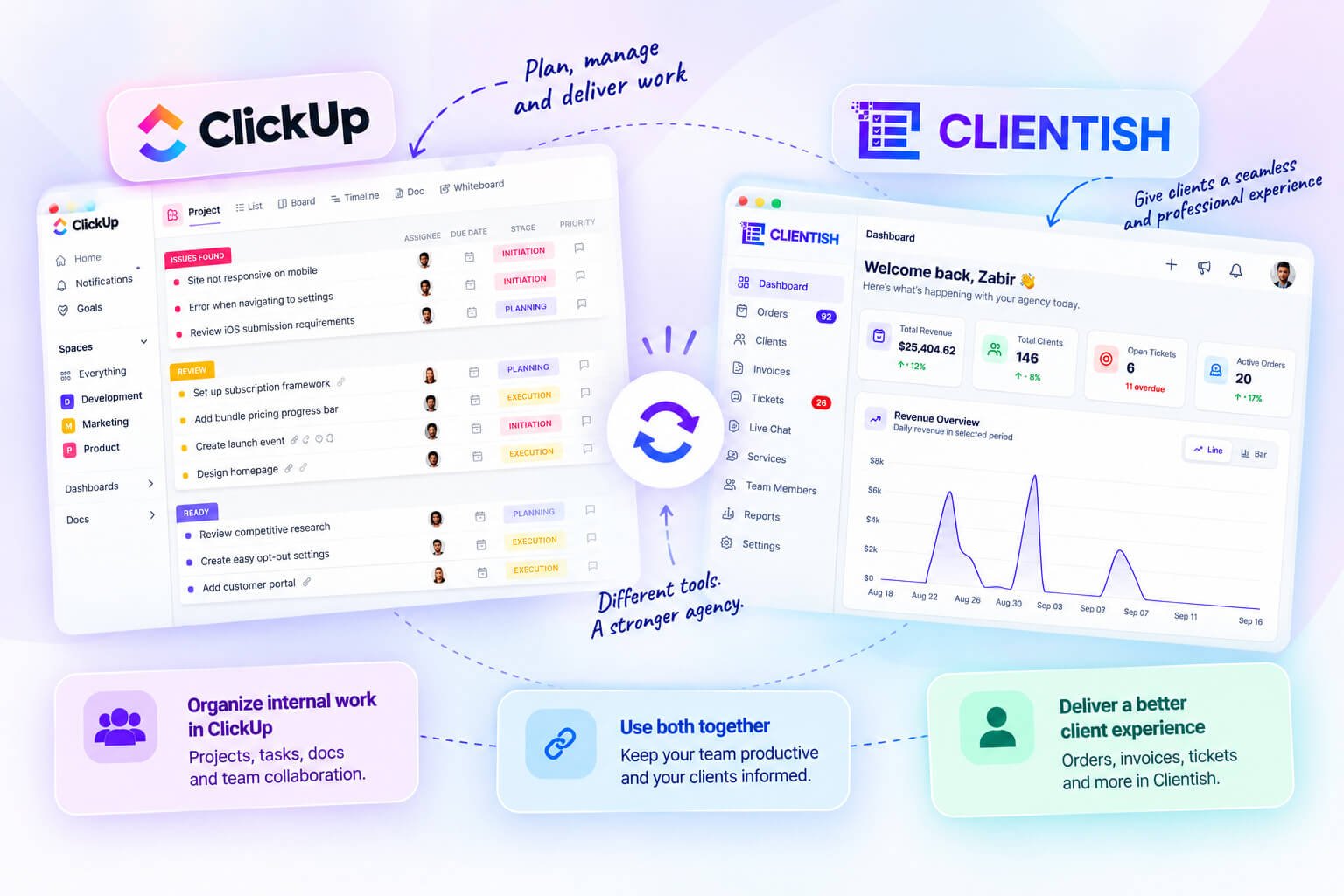
The split is straightforward: ClickUp stays internal. Sprints, internal task boards, team deadlines, cross-department projects — that work stays where it is. Clientish sits on the client-facing side, handling the relationship from the moment a client places an order through delivery, invoicing, and support.
The two tools serve different audiences. Your team lives in ClickUp. Your clients never see it. Clientish gives clients their own branded portal to track orders, pay invoices, open tickets, and message your team — without you having to relay information manually or grant access to an internal workspace.
There’s no built-in ClickUp-Clientish integration to connect the two automatically, so you’d manage them as separate systems. For most agencies making this split, that’s fine. The client work that was creating friction inside ClickUp — portal access, billing, support threads, intake forms — moves into Clientish entirely. The internal coordination that ClickUp already handles well stays put.
The agencies that run this combination well tend to be clear about which tool owns which record. Client communication and order status live in Clientish. Internal task assignment lives in ClickUp. When those boundaries are set, the overlap mostly disappears.
How to Decide Between ClickUp and Clientish
The clearest way to choose is to look at where your daily friction actually sits — inside your team’s work, or between you and your clients.
Choose ClickUp if:
- Your core need is internal project coordination — task dependencies, sprint planning, team capacity, or cross-department workflows
- The work you manage doesn’t map to “a client bought a service” — product launches, marketing ops, internal builds
- You already have a separate tool handling client communication, billing, and portals, and it’s working fine
Choose Clientish if:
- Clients regularly ask for status updates and someone on your team has to go find the answer and relay it manually
- You’re juggling orders, invoices, support tickets, and client messages across multiple tools and want them on one client record
- You need a branded portal where clients can log in, pay invoices, track their order, and raise a ticket — without you setting up workarounds
- Your agency sells defined services and you want the full cycle — intake to delivery to invoice to support — in one place
Choose both if:
- Your internal project work is complex enough to justify ClickUp’s depth (dependencies, resource planning, sprint views), AND your client-facing operations need a dedicated portal with orders, billing, and support built in
- The two tools split cleanly: ClickUp stays inside your team, Clientish faces the client
If you’re unsure which applies, the answer is usually in your support queue and your inbox. If clients are chasing updates, payments are tracked in a spreadsheet, and tickets live in email — that’s a client-management gap, not a project-management one.
Frequently Asked Questions
Is ClickUp or Clientish better?
It depends entirely on what you’re managing. ClickUp is the stronger choice for internal project coordination and task management. Clientish is built for the client-facing side — orders, invoices, billing, support, and a branded portal where clients log in. For agencies doing active client delivery work, Clientish covers more of that daily workflow out of the box.
What is the main difference between ClickUp and Clientish?
ClickUp organizes tasks and projects for internal teams. Clientish organizes client relationships — every order, invoice, ticket, and conversation tied to one client record, with a portal clients actually log into themselves.
Can I use ClickUp as a client portal?
Not natively. ClickUp wasn’t designed for external client access, so agencies typically share views with guests or manually relay updates. Clientish gives clients a branded portal on the agency’s own subdomain where they can check order status, pay invoices, request revisions, and open support tickets without anyone on the agency side having to act as a go-between.
Does Clientish do project management like ClickUp?
Clientish has an order tasks system — checklists and sub-tasks tied directly to each client order, with statuses, assignee filters, and bulk actions. It covers the task tracking an agency needs for client delivery work. For complex internal project management with sprint planning, dependencies, or Gantt views, ClickUp goes considerably deeper.
Why do agencies switch from ClickUp to Clientish?
The friction point is usually client communication. Inside ClickUp, every client question requires someone to find the relevant task, interpret the status, and manually report back. Clientish puts the client inside the same system — they can see their own order status, send messages on the order thread, and pay their invoice without an agency team member acting as a relay.
Can I use ClickUp and Clientish together?
Yes. Many agencies keep ClickUp for internal work — sprints, team ops, marketing campaigns — and use Clientish as the client-facing layer that handles orders, invoicing, support, and the portal. The two don’t overlap much in practice because they’re solving different sides of the work.
Does Clientish handle invoicing and payments, and ClickUp doesn’t?
Clientish has a full invoicing and payment system: create and send invoices, accept payments through Stripe, PayPal, Paddle, and other gateways, issue refunds, and track a client’s balance. ClickUp has no native invoicing or payment processing.
These answers cover the most common points of confusion, but the honest summary is that ClickUp and Clientish serve different jobs — one internal, one client-facing. If your agency needs both, they can sit alongside each other without much overlap. For the full breakdown of how each tool fits different agency setups, the earlier sections of this article cover each area in detail.
Final Thoughts
ClickUp and Clientish don’t really compete for the same job. ClickUp handles internal project coordination well. Clientish handles the client-facing side — orders, invoices, support, and the portal your clients actually log into.
Most agencies that switch don’t abandon ClickUp entirely. They add Clientish to cover the part ClickUp was never designed for: the full lifecycle of the client relationship, from the moment a service is purchased through to delivery, payment, and ongoing support.
If your internal work is running smoothly but your client communication is scattered across email threads, your invoices are in a separate tool, and clients keep asking where things stand — that’s the gap Clientish is built to close. You can start a 7-day free trial with full feature access to see how it fits your workflow before committing.

