
Clientish Documents
Step-by-step guides for every module, from your first workspace to proposals, billing, support and automation.
Duplicate Leads and Merging
How duplicate leads are stopped, found and merged into one.
Leads with the same email are kept apart from the start, and the few duplicates that slip through can be merged into one.
Overview
This guide explains how duplicates are stopped, how to find the ones that exist, and what a merge does.
Who Can Access
Team members need Merge Leads to merge, and Edit Leads to mark leads as not duplicates.
How Duplicates Are Stopped
- Your contact form refuses an email that already has an open lead.
- Add Lead refuses it and points you to the existing lead.
- An import skips the row.
- A repeat answer from Facebook Lead Ads is added to the existing lead.
Duplicates can still appear in older data or when someone changes a lead’s email. Leads count as duplicates when they have the same email, in any capitals, and haven’t been converted.
Step-by-Step Guide
Find duplicates
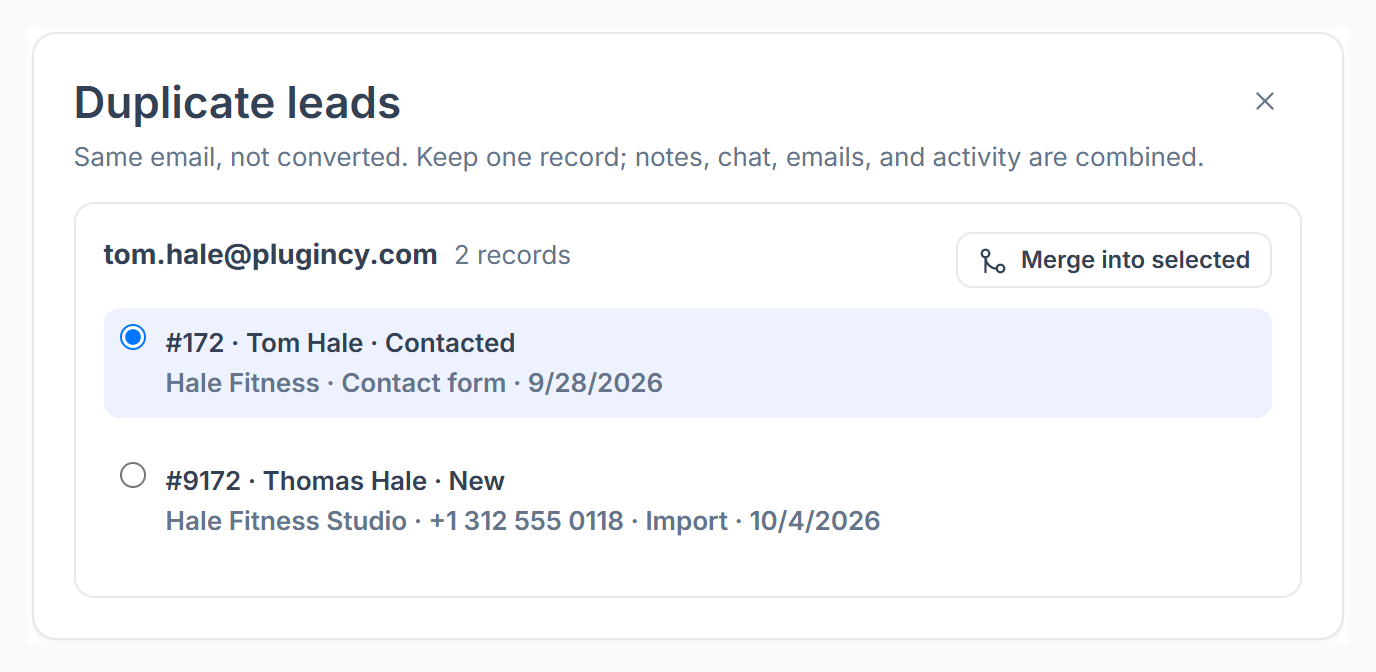
On the Leads page, click Duplicates. Each group shows the email and its leads.

Merge a group
Pick the lead to keep and click Merge into selected.
Or merge from a lead
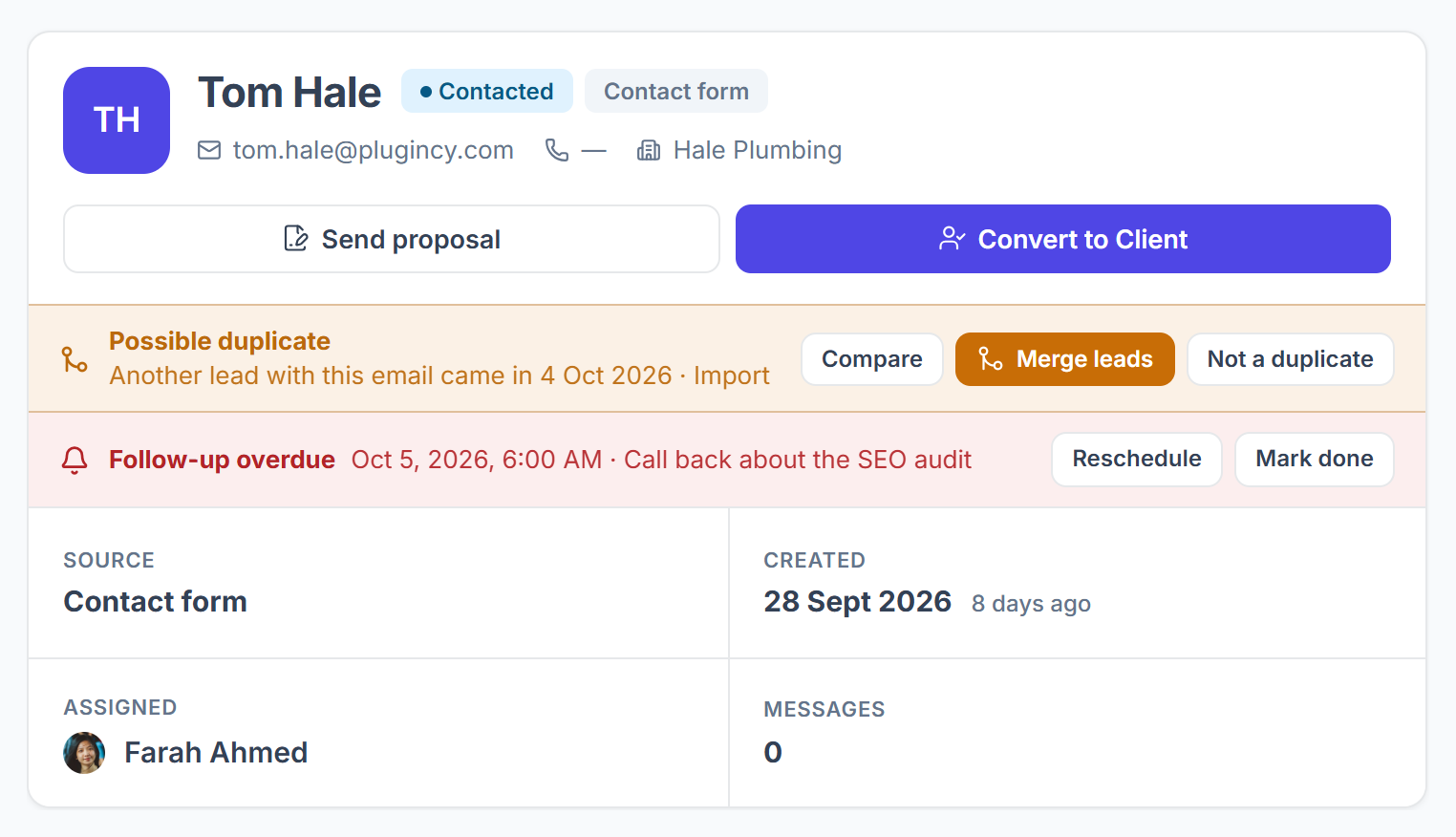
A lead with a duplicate shows Possible duplicate. Compare opens the other lead, Merge leads merges the others into this one straight away, and Not a duplicate hides the warning.

What a Merge Does
- Empty fields on the kept lead are filled in from the others.
- Their messages, emails and activity move to the kept lead.
- The other leads are deleted. Their old chat links open the kept conversation.