
Clientish Documents
Step-by-step guides for every module, from your first workspace to proposals, billing, support and automation.
Tax Rules
Add sales tax by the client’s country with a base rate and country exceptions.
Add sales tax to invoices by the client’s country. Set a base rate for everyone, then the countries that pay something else.
Overview
This guide covers creating a tax rule, switching it on and where tax is added.
Who Can Access
Team members need Manage Tax Rules. Co-admins can see the rules but only the owner can change them.
Step-by-Step Guide
Open Tax Rules
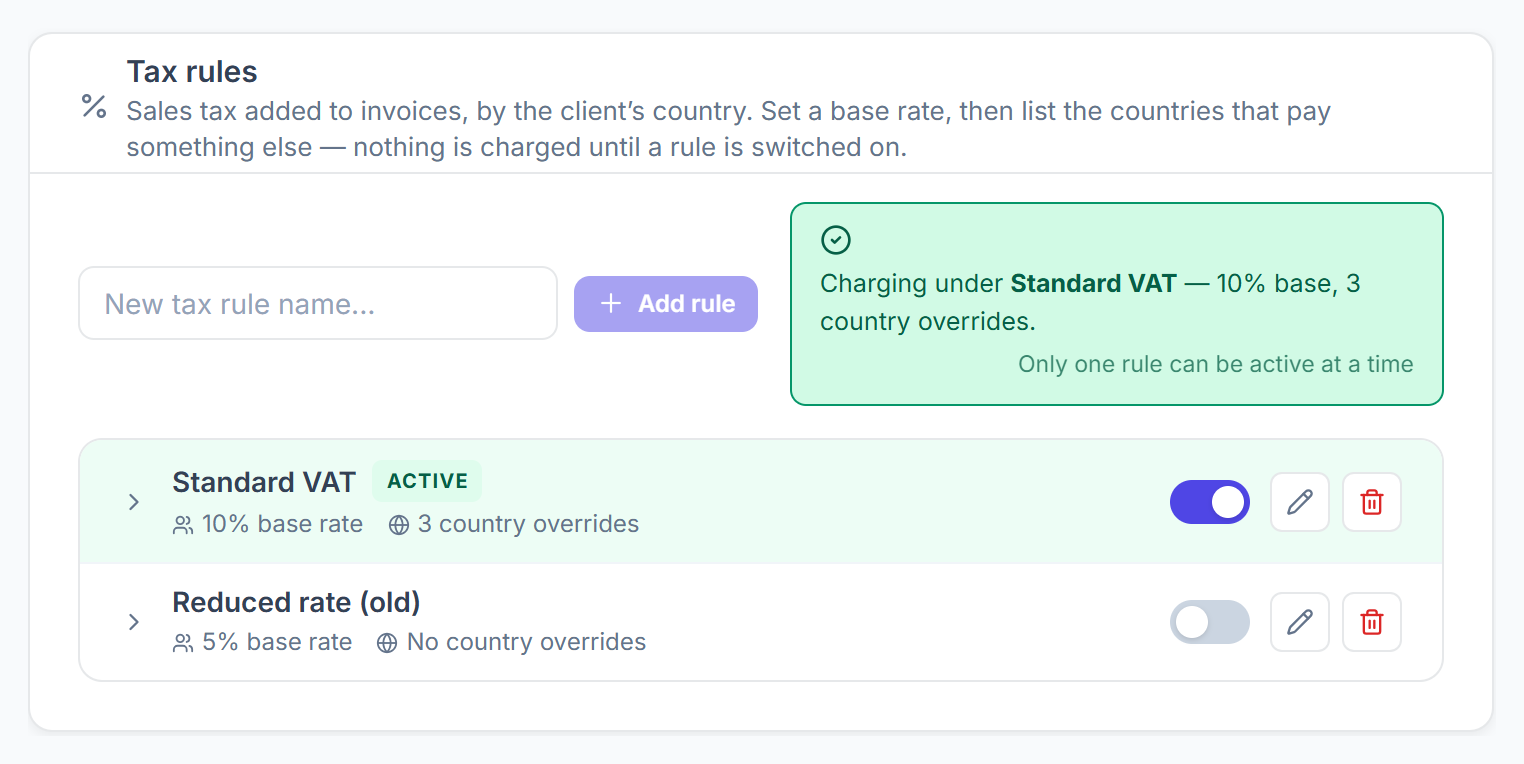
Go to Settings → Tax Rules. The line at the top tells you which rule is charging, or that invoices are going out untaxed.

Add a rule
Type a name in New tax rule name… and click Add rule.
Set the rates
Open the rule. Enter the Base rate — everyone else. Under Exceptions by country, use Add country to give a country its own rate; a listed country always wins over the base rate.
Switch it on
Use the switch on the rule. Only one rule can be on at a time, so switching one on switches the others off.
Where Tax Is Added
- Invoices you create: the Tax % is filled in from the rule and you can change it.
- Subscriptions, on the first invoice and every renewal.
- Client portal checkout, order forms, proposals and invoices for tracked hours.
- Tax is added on top of the total after any discount, based on the country in the client’s profile.
- Invoices you already sent are not changed.