
Clientish Documents
Step-by-step guides for every module, from your first workspace to proposals, billing, support and automation.
Selling with an Order Form
What an order form needs, its selling fields, and what happens when someone buys.
An order form is a public checkout: the buyer picks a service, pays, and gets an account and an order.
Overview
This guide covers what an order form needs, the selling fields and what happens when someone buys.
Who Can Access
Step-by-Step Guide
Start an order form
Choose Order Form as the type and pick a template such as Standard order or Quick checkout. Name, Email and Password are always on it.
Choose the services
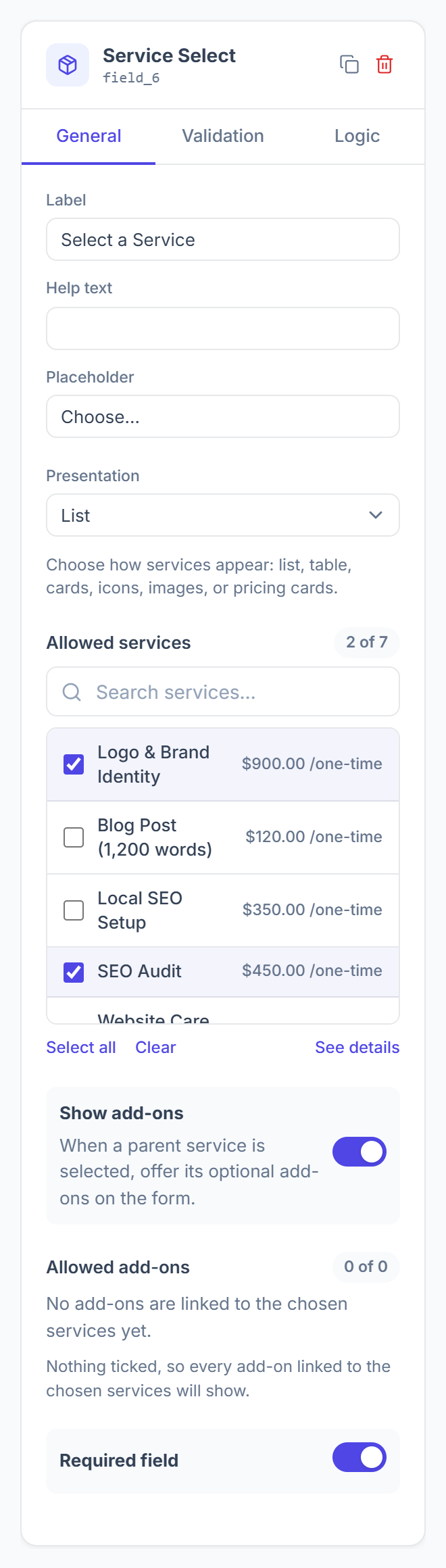
Click the Service Select field. Pick a Presentation, such as a list, cards or pricing cards, and tick the services under Allowed services. Switch on Show add-ons to offer their add-ons.

Add the payment
Add the Payment field and choose the gateways and display style. Gateways come from your Integrations.
Add tax and coupons
Add Billing Address so tax follows the buyer’s country. Tick Show coupon row on checkout sidebar to let buyers enter a coupon.
Publish
The form needs an Email field, a Payment field and a Service Select with at least one service before it can be published.
When Someone Buys
- A new buyer gets a client account; an existing client signs in with their password.
- An invoice and an order are created, and the answers are saved on the order as Project Data.
- Card and bank transfer are paid on the form; other gateways open their own checkout.
- After paying, the buyer lands in their client portal.