
Clientish Documents
Step-by-step guides for every module, from your first workspace to proposals, billing, support and automation.
Merge Clients
Merge a duplicate account into the one you keep, without losing anything.
When the same client has two accounts, merge them. Everything moves into the account you keep, and the duplicate is removed.
Overview
This guide shows how to merge two clients and what moves.
Who Can Access
Agency AdminTeam Member
Team members need Merge Clients.
Step-by-Step Guide
Open the duplicate
Open the profile of the account you want to remove, not the one you keep.
Choose Merge
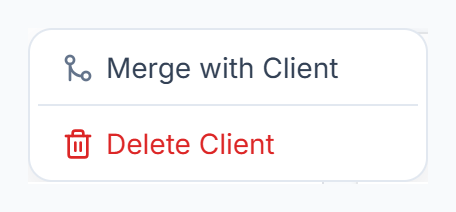
Click ⋮ and choose Merge with Client.

Pick the account to keep
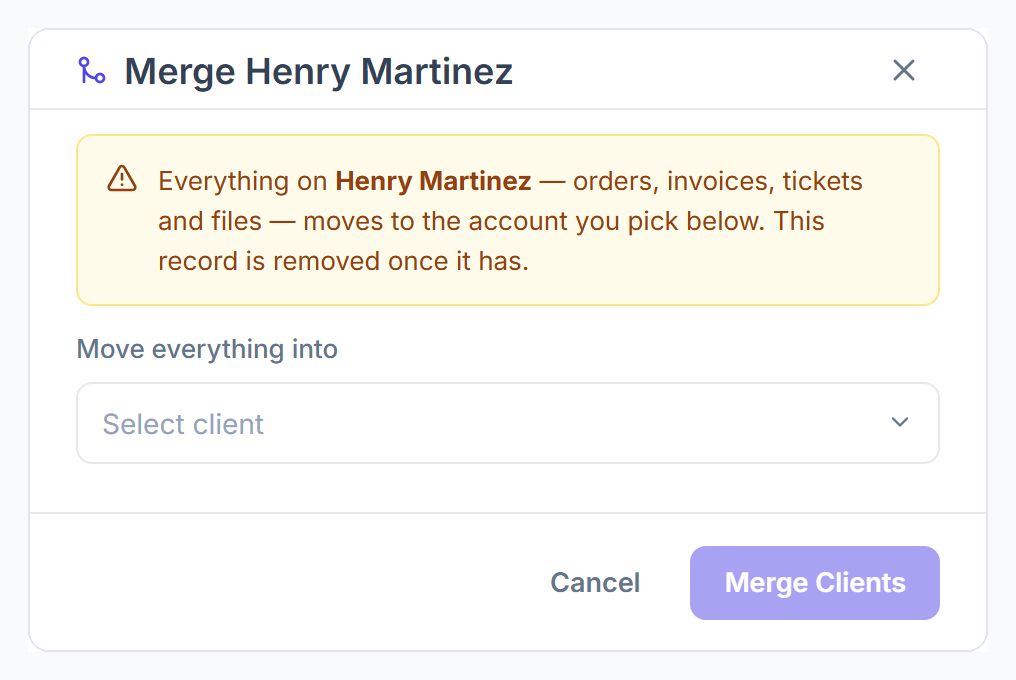
Under Move everything into, choose the account that stays. Click Merge Clients.

What Moves
- Orders, invoices, payments and subscriptions.
- Tickets and files.
- Live chat threads and team notes.
- The balance, which is added to the kept account’s balance.
The duplicate account is then removed and can no longer sign in.
Frequently Asked Questions
Can I undo a merge?⌄
No. Check that you opened the duplicate before you merge.
How do I merge two leads?⌄
Leads have their own merge on the Leads page.