
Clientish Documents
Step-by-step guides for every module, from your first workspace to proposals, billing, support and automation.
All Permissions
Every permission group a role can have, with how many boxes each holds.
Every permission a role can have, grouped the way the Roles screen shows them.
Overview
A team role has 214 boxes in 20 groups. Remote roles have the same boxes, plus 15 Time Tracking boxes when time tracking is on.
Who Can Access
Agency AdminTeam Member
Reading a Group
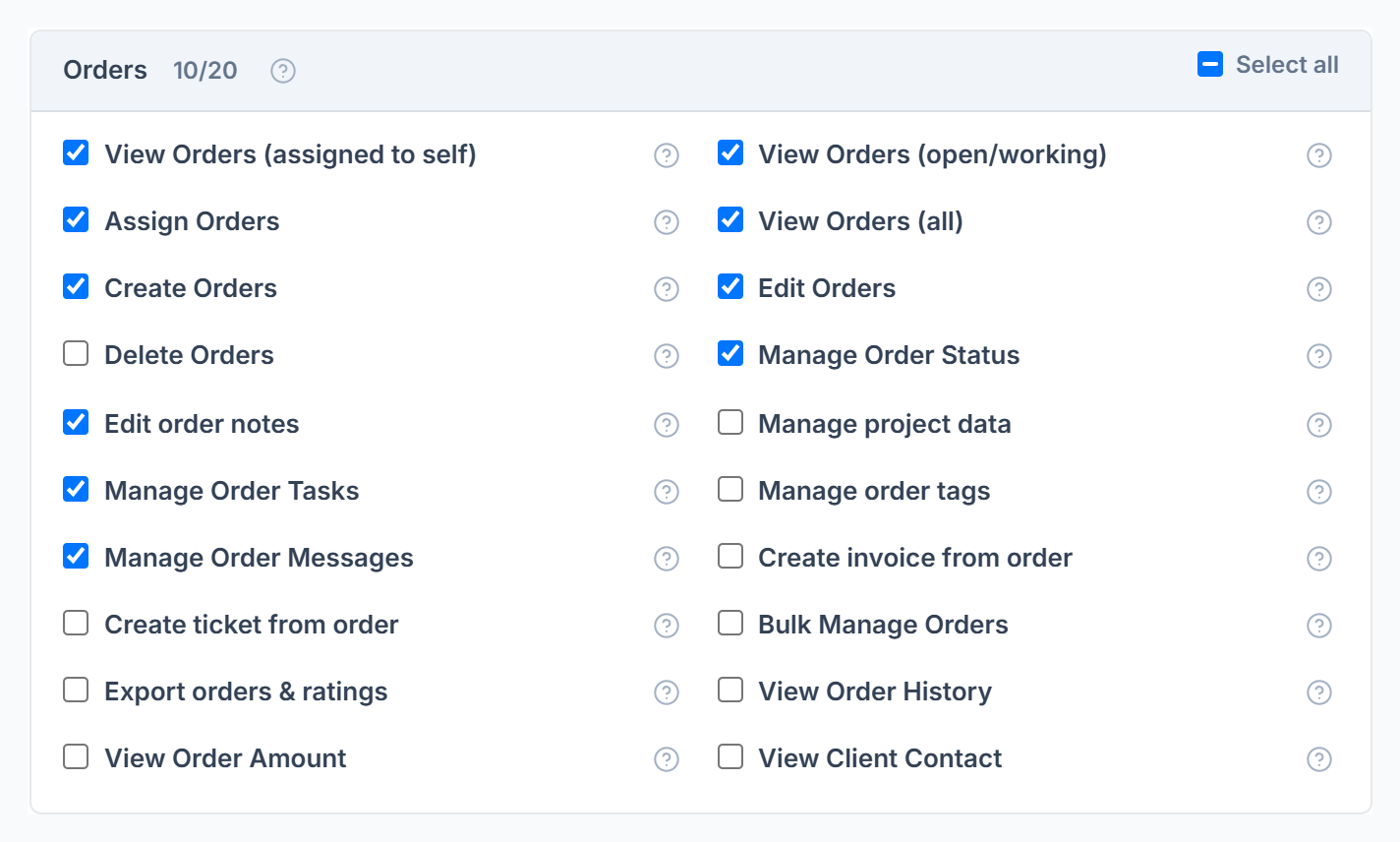
- The number next to the group name shows how many boxes are ticked.
- Select all ticks or unticks the whole group.
- Hover the ? on a box to see what it unlocks.
The Groups
Good to Know
- Seeing and doing are separate. A role can view orders without editing them, or edit them without seeing the amount.
- Orders and Tickets have three view boxes: assigned to self, open and working, and all. All wins when more than one is on.
- There is no box per report. Reports follow what the member can see, and Limit Reports by Department.
Frequently Asked Questions
Why can’t a member see something I ticked?⌄
Check their department limits and whether they have their own personal permissions.