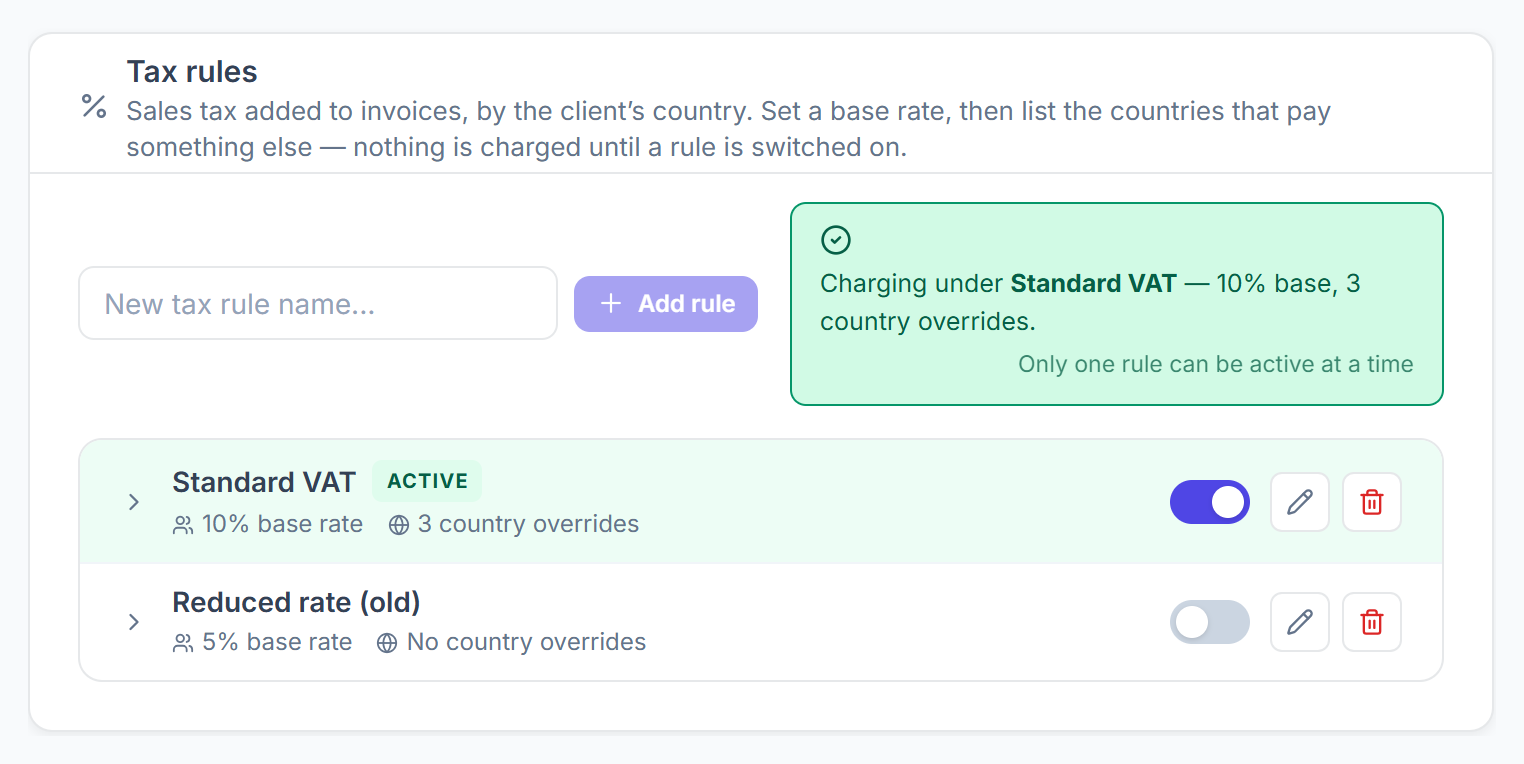
Wrong numbers, missing tax, or an invoice that will not send.
Most invoice problems are about tax, numbering or refunds.
Overview
Find the problem in the table, then check what it says. Error messages are shown exactly as people see them.
Who Can Access
Agency AdminTeam Member
Common Problems
| Problem | What to check |
|---|
| No tax on the invoice | Settings → Tax Rules. Only one rule can be on at a time. Tax can be changed on each invoice. |
| Wrong invoice number | Payment Settings → Invoices: prefix, next number, padding and numbering type. |
| Client can’t pay the link | Allow clients to pay must be on, and a gateway must be on. |
| Can’t refund | Only paid invoices can be refunded, and only up to what was paid. Refunds go to the client’s balance. |
| Wrong email sent | Send to Client uses the Invoice unpaid template. |
| Looking for overdue invoices | There is no Overdue status. Look for Due and Unpaid. |
Messages You May See
| Message | What it means |
|---|
| Only a paid invoice can be refunded… | Mark it paid first, or cancel it instead. |
| A canceled invoice cannot be refunded. | Nothing was paid. |
| You can refund at most … | The amount is more than what was paid. |
Frequently Asked Questions
Is a new invoice a draft?⌄
No. Saving makes a live Unpaid invoice.