
Clientish Documents
Step-by-step guides for every module, from your first workspace to proposals, billing, support and automation.
How to Connect ActiveCampaign to Clientish
Paste your API URL and key, send the clients and leads you already have, and use the clientish-client and clientish-lead tags.
In Clientish, the ActiveCampaign integration adds every new client and lead to your ActiveCampaign account with a tag that says which one they are. You can then run separate automations and campaigns for buyers and prospects without moving contacts manually.
Who can do it: the workspace owner only
Before You Begin
Sign in to ActiveCampaign and open Settings → Developer. Copy the URL and the Key shown there. If new contacts should join a list, open Lists, click the list and copy the number after listid= in the address bar.
How to Connect ActiveCampaign to Clientish
Turn on the ActiveCampaign card, paste the key and URL, test them, then send the contacts you already have.
Open the ActiveCampaign card
Go to Integrations, switch ActiveCampaign to ON and click Connect.
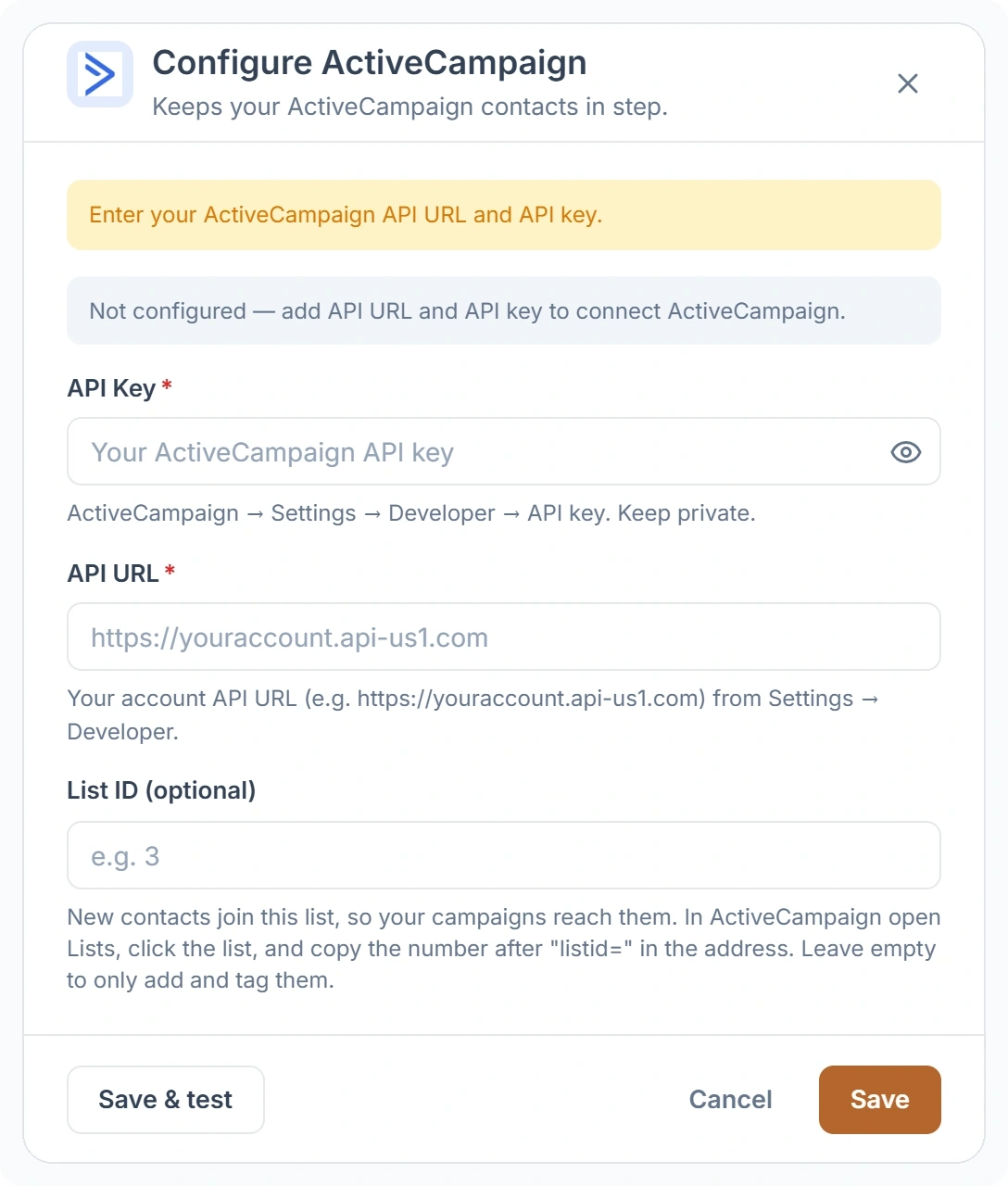
Enter your account details
Paste the key into API Key and the account address into API URL. Add a List ID if contacts should join a list; leave it empty to only add and tag them.
Save and test
Click Save & test. The key and URL are checked with ActiveCampaign right away, and the card shows Connected when they work.
Send your existing contacts
Open the card again and click Sync existing contacts. Your current clients go first, then the leads that haven’t become clients yet. A progress bar shows how far along the sync is.
Which ActiveCampaign Tags Does Clientish Add?
Clientish tags each contact clientish-client or clientish-lead, so you can start an automation or build a segment from either tag.
- A new client is added with
clientish-client. - A new lead is added with
clientish-lead. - A lead you convert gets
clientish-clientand losesclientish-lead, so prospect follow-ups stop reaching someone who has already bought. - Team members and remote members are never sent. Only clients and leads are.
Does ActiveCampaign Send Your Workspace Emails?
No. ActiveCampaign only receives contacts; your invoices, order updates and ticket replies still leave through the mail server set in SMTP & Mail Config.